Key Takeaways
- You can withdraw money from Western Union through cash pickup, bank deposit, or mobile wallet, depending on what’s available in your country;
- After withdrawing, platforms like Ogvio offer a simple way to store your funds digitally and manage future transfers easier;
- Before withdrawing, confirm your details match your ID, check available payout options, and verify the transfer status to avoid delays.
Waiting for money to arrive is exciting, but it also raises one quick question: how do you actually get it? If the transfer was sent through Western Union, you’ll want to know how to withdraw money from Western Union without delays or confusion.
Most people withdraw their Western Union transfers to cover daily needs like rent, food, or bills. Others prefer to move the money into a bank account or a digital money platform later. Services like Ogvio can help with that step after you’ve collected your funds.
Now, this guide walks you through the full process step by step. By the end, you’ll know exactly how to collect your money and what to do next.

Did you know?
Subscribe - We publish new crypto explainer videos every week!
10 Biggest Crypto Scams & How to Avoid Them (ANIMATED)


Table of Contents
- 1. How to Withdraw Money From Western Union
- 1.1. Cash Pickups
- 1.2. Mobile Wallet Withdrawal
- 1.3. Bank Transfer
- 2. Western Union Fee Structure
- 3. Common Limitations When Withdrawing From Western Union
- 4. Where to Transfer Money From Western Union After Withdrawal
- 4.1. What Can You Do With Your Money on Ogvio
- 4.2. Things to Check Before Moving Money Into Ogvio
- 4.3. How to Transfer Money From Western Union to Ogvio
- 5. Western Union VS Ogvio: When Each Makes Sense
- 6. Safety Tips When Withdrawing Money From Western Union
- 7. Conclusions
How to Withdraw Money From Western Union
Let’s get straight to it. If you already have a Western Union transfer waiting, withdrawing your money is simple once you know the process. This is also the first step in how to receive money transfer from Western Union.
Latest Changelly Coupon Found:In case you don’t know, Western Union doesn’t store your money in an online balance like a bank. Instead, you choose how to receive it, then collect the funds through your selected payout method.
There are a few ways to answer how to withdraw money from Western Union. The options you see depend on your country, but in most cases, you can:
- Pick up cash at a Western Union agent location.
- Receive the money directly into a bank account.
- Get paid into a mobile wallet (in supported regions).
Before withdrawing, you first need to understand how to receive a money transfer from Western Union. When someone sends you money, Western Union gives them a tracking number called a Money Transfer Control Number (MTCN). Once the transfer is completed, you can check its status online or in the app.
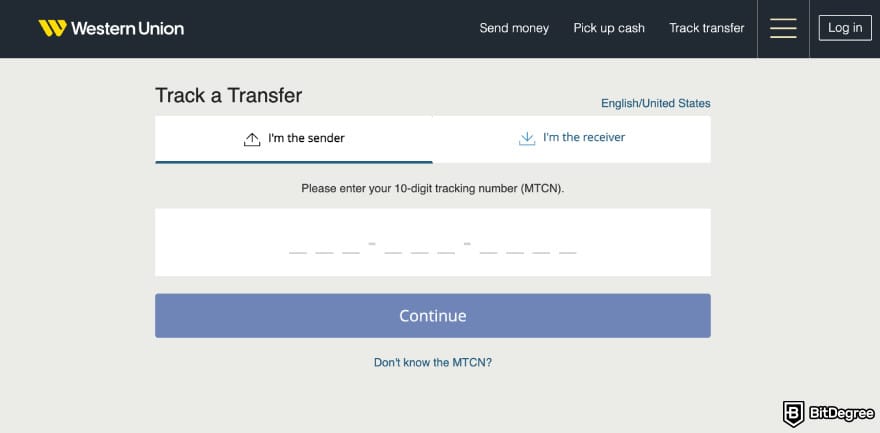
To withdraw smoothly, you need to make sure you have:
- The MTCN/tracking number;
- A valid ID;
- The sender’s name;
- Your destination country details.
In the next sections, we’ll go through each withdrawal method so you can choose the one that works best for you, starting with cash pickup.
Cash Pickups
Cash pickup is the most traditional way to withdraw money from Western Union, and it’s still widely used today. Instead of sending funds to a bank account, Western Union makes your transfer available at a nearby agent location (making it simple and accessible).
In total, there are 500,000+ agent locations in over 200 countries, often inside post offices, local banks, and retail stores.
It’s also a secure withdrawal method. Each transfer is tracked, and the recipient must show valid identification before receiving the cash. To stay safe, it’s best to visit the agent during business hours and avoid sharing the tracking number with anyone except the sender.

In most cases, cash pickup is fast and generally available within minutes to a few hours. Sometimes it may take a bit longer depending on the country or agent hours, but it’s still one of the quickest withdrawal options available.
Here’s how the cash pickup process works from both sides. First, the sender does this:
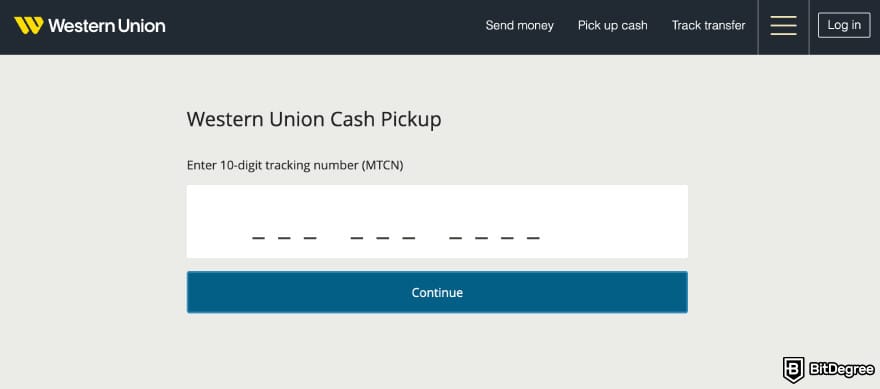
After that, the receiver does this:
That’s it. Once you’ve received your cash, you can spend it directly or deposit it into a bank or digital money platform if you prefer not to carry physical cash around.
Mobile Wallet Withdrawal
Mobile wallet withdrawal is popular in countries where mobile payments are part of everyday life. In places like the Philippines, Kenya, Pakistan, or parts of Southeast Asia, many people use mobile wallets more often than bank accounts.
Western Union connects you with selected mobile wallet providers in these regions, allowing money to be sent directly to a phone instead of to a physical agent.
This is especially helpful for people who don’t live near agent locations or prefer digital payments. Instead of traveling to pick up cash, the receiver gets the funds instantly in their wallet and can pay bills, buy groceries, or transfer money from their phone.
Mobile wallet transfers are usually fast. In many cases, the money arrives within minutes after the sender completes the transfer. But, international transfers can take up to one to two business days, depending on the destination country.
Now, here’s how the mobile wallet process works from the sender’s perspective:
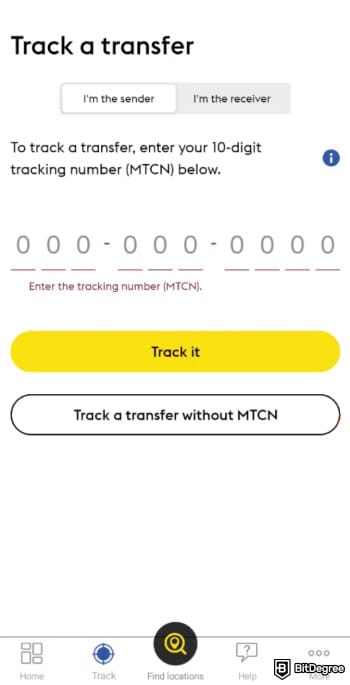
And if you’re the receiver, you just simply need to confirm that the sender entered the correct mobile wallet number. Then, wait for the transfer to arrive in your mobile wallet.
Once the transfer is completed, the money appears in your mobile wallet. From there, you can spend it, send it to others, or withdraw it as cash through your wallet provider if needed.
Bank Transfer
Another way to withdraw your Western Union funds is to transfer money from Western Union to a bank account. Instead of picking up cash or using a mobile wallet, the money is sent directly to your bank. This method is best if you already use online banking.
Bank transfers are usually reliable, but they can take a little longer than cash pickups or mobile wallets. Generally, it takes one to five business days for international transfers, and within 24 hours for domestic ones.
The exact timing depends on weekends or public holidays and local banking systems. For example, if you’re sending money to Nigeria, you can choose between the partner bank options like First Bank of Nigeria, GTBank, Access Bank, or a few others.
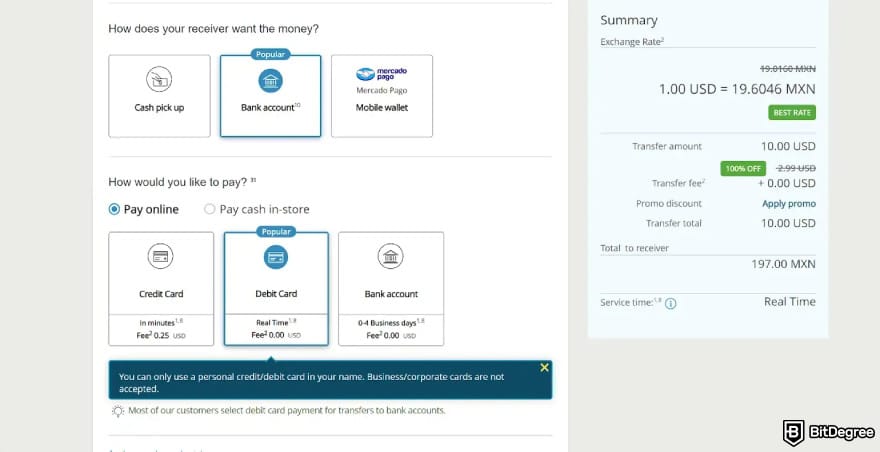
If you prefer this method, here’s how to transfer money from Western Union to bank account works from both sides. First, the sender needs to do the following:
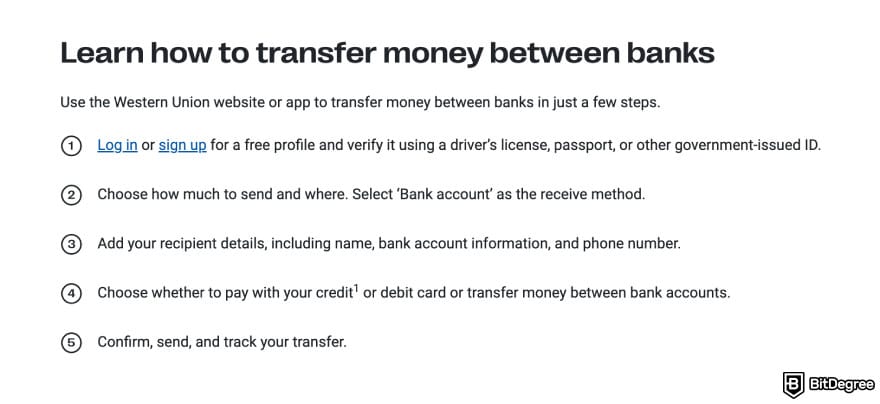
Then, the receiver needs to make sure the sender has entered their bank details correctly. After that, you just need to wait and check your bank account once the transfer is completed.
Once the money reaches your bank account, you can withdraw it as cash, pay bills, or move it into other money platforms for easier management.
Looking for more in-depth information on related topics? We have gathered similar articles for you to spare your time. Take a look!


Western Union Fee Structure
Western Union does not charge a fixed fee for every transfer. Instead, the total cost depends on several factors. This is why two transfers of the same amount can have different fees, and what affects the price are the sending country, the receiving country, the payout method, and a few other details.

Because of these variables, Western Union always shows the full cost before the sender confirms the transfer. You can also use Western Union's price estimator on its website or app to preview fees and exchange rates before starting a transfer.
Now, there are two main cost components in every transfer:
- Transfer fee – the service fee Western Union charges for sending the money.
- Exchange rate margin – the difference between the real market rate and the rate used in the transfer.
Even if the transfer fee looks small, the exchange rate margin can still add extra cost in the background. This happens because remittance pricing reflects real-world market frictions,[1] like transaction costs and risk.
Factors such as how closely two countries are economically linked, how often money is sent between them, and local income levels all influence the final rate.
With Western Union, the exchange rate margin depends on the corridor and currency, but in some cases it can be as high as 6%. Now here’s what it can look like in practice:
Transfer Amount | Real Market Rate (Example) | Western Union Rate (Example) | Hidden FX Cost |
|---|---|---|---|
$100 USD to EUR | 1 USD = 0.92 EUR | 1 USD = 0.89 EUR | ~€3 loss |
$300 USD to NGN | 1 USD = 1,500 NGN | 1 USD = 1,440 NGN | ~18,000 NGN loss |
£200 GBP to PHP | 1 GBP = 73 PHP | 1 GBP = 70 PHP | ~600 PHP loss |
Table: Western Union's fee structure example
These are only examples, but they show how exchange rate margins can quietly increase the total cost of your transfer.
Fees also change based on how the sender pays. Transfers funded with credit or debit cards usually cost more than bank-funded transfers. In some regions, mobile wallet payouts may be cheaper than cash pickups.
The good thing is that all of these options are shown during the sending process, so the sender can choose the most cost-effective method.
One important thing to remember is that fees apply every time a new transfer is made. If you withdraw your money and then send it again through Western Union, you pay another round of transfer and exchange rate costs.
Common Limitations When Withdrawing From Western Union
Western Union is a trusted way to receive money, but each withdrawal method has its own limits. Knowing them in advance helps you pick the option that works best for you.
Cash pickup is quick and widely available, but it requires visiting an agent in person. This can be inconvenient if you live far away, need to travel, or withdraw outside business hours. In some locations, agent cash availability can also cause small delays.

Bank deposits are more convenient, but they rely on local banking systems. Processing times can slow down on weekends or holidays, and bank payout options aren’t available in every country. And where bank deposits aren’t supported, cash pickup remains the main option.
Western Union also doesn’t offer a built-in digital wallet to store your money after a withdrawal (like I stated earlier). Once you receive your funds, you need to choose where to keep them. Fees and exchange rate margins apply again if you send new transfers, which can increase overall costs.
Because of these limitations, many users withdraw their money once and then move it into modern money platforms to store and manage their funds more easily.
Where to Transfer Money From Western Union After Withdrawal
Once you’ve withdrawn your funds, you’re now in control of the money. At this point, Western Union’s role is complete. But many people still need a simple way to hold their funds safely and move them again later without starting a brand-new transfer each time.
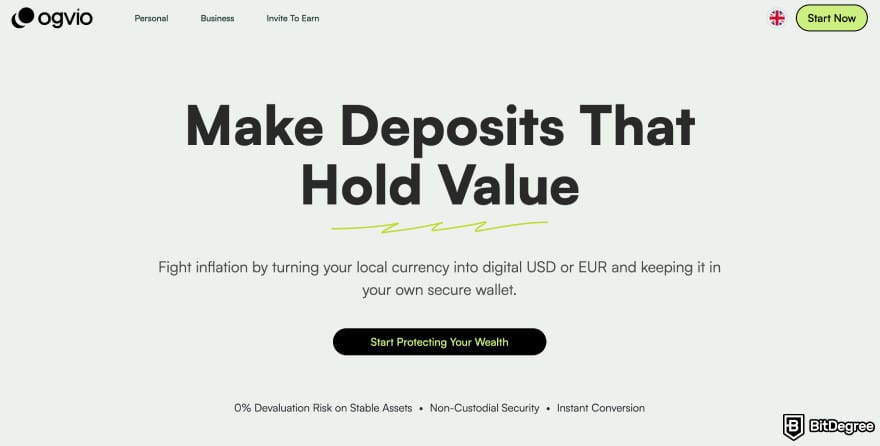
This is where modern money platforms come in. Instead of keeping large amounts of cash at home or relying only on a traditional bank account, some users prefer a service built for everyday transfers and digital storage.
One option is Ogvio. After collecting your Western Union funds, you can deposit them into Ogvio and use it as your main hub for storing and managing money going forward. It serves as the next step after Western Union, not a replacement, but a way to handle your funds.
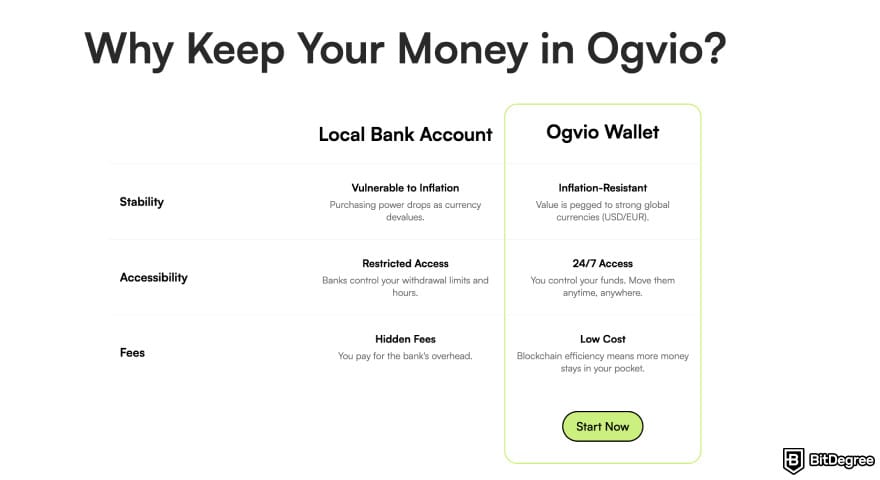
Before looking at how to transfer money from Western Union to Ogvio, let’s first understand why you might want to use it.
What Can You Do With Your Money on Ogvio
Ogvio is built around one simple idea: making money easier to manage after you’ve received it. It’s also designed for everyday use, especially if you receive international payments or send money frequently. Once your money is in Ogvio, you can use it in several practical ways:
- Transfer money to friends and family without fees.
- Receive money from clients if you work as a freelancer.
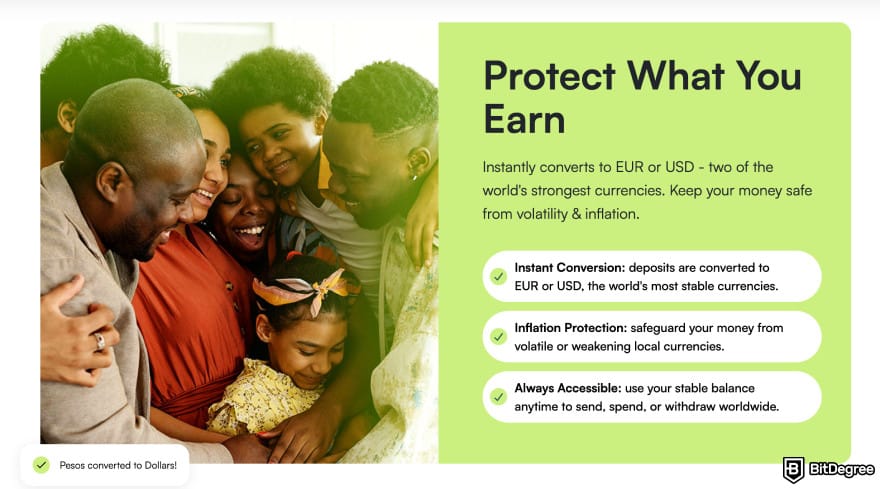
- Hold money in USD to protect your funds from local currency inflation.
- Trade crypto tokens easily in the same app.
- Earn from the money you already have (through Ogvio Earn).
Now, expanding on the last point, Ogvio combines fiat and crypto rails. This means you can manage both traditional currencies and digital assets in one place. Do note that the cryptocurrencies available on Ogvio are those in the Base network.
Ogvio also uses blockchain technology for all transactions. Blockchain in fintech helps lower transaction costs and the minimum transfer amount, and allows more people to access financial services.[2]
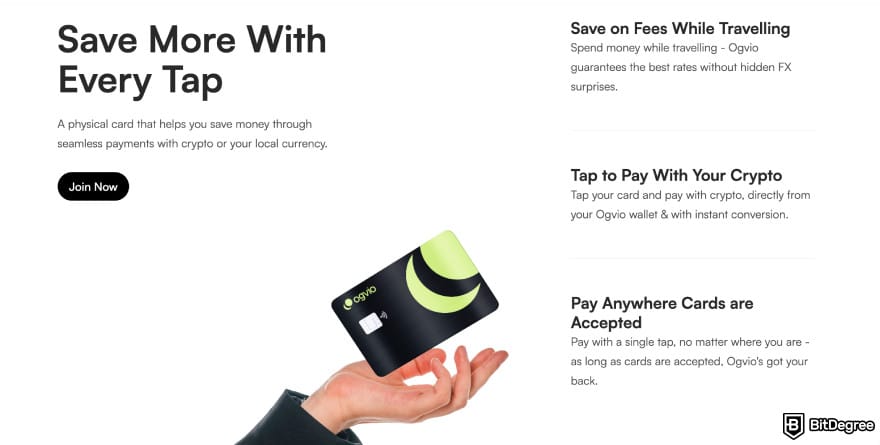
Plus, once available, you can use the Ogvio card (both physical and virtual) to spend globally. You can pay in both fiat and crypto at the best rates, without hidden FX surprises.
Now that you know why Ogvio can be useful, let’s look at what you need to check before making the transfer.
Did you know?
Subscribe - We publish new crypto explainer videos every week!
What is a MetaMask Wallet? (And How to Use it - Animated)
Things to Check Before Moving Money Into Ogvio
Before you transfer money from Western Union to Ogvio, it's worth taking a minute to double-check a few details.
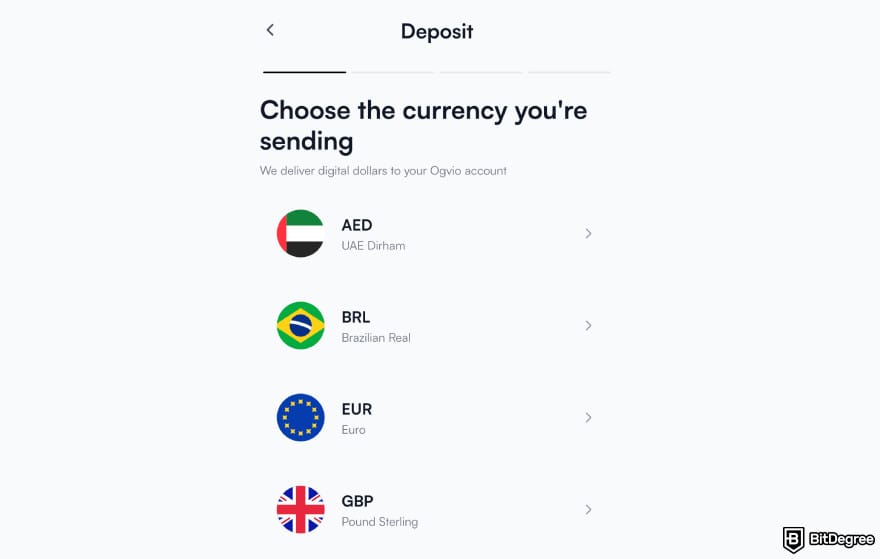
First, confirm that the currency selected in Western Union matches the currency you choose in Ogvio. The supported currencies are USD, GBP, EUR, MXN, NGN, BRL, and AED.
Next, make sure the bank details shown in Ogvio are entered correctly when initiating the transfer from your bank. You'll see more details under Step 7 in the next chapter.
It's also a good idea to keep your Western Union confirmation and MTCN until the money appears in your Ogvio balance. While you won't need the MTCN for Ogvio itself, it helps if you ever need to track or confirm the original transfer.
How to Transfer Money From Western Union to Ogvio
Western Union and Ogvio aren’t directly connected, so the transfer happens in two steps. First, you withdraw your Western Union funds. Then, you deposit that money into your Ogvio account.
Before you can move money into Ogvio, you’ll need to have an Ogvio account set up. The sign-up process is straightforward, but I won’t go into detail here. If you want a full walkthrough of creating an account and getting started, you can check out this Ogvio review.
There's also a KYC process you might need to go through. But don't worry, it's a simple one and can be done in minutes.
Now, here’s how to move your Western Union funds into Ogvio. I’ll be using the bank transfer route, so that means withdrawing from Western Union to your bank account, then depositing from your bank into Ogvio.
![How to withdraw money from Western Union: Ogvio add money page highlighting the [Bank Transfer] option.](https://assets.bitdegree.org/images/how-to-withdraw-money-from-western-union-ogvio-add-money-page-highlighting-the-bank-transfer-option.jpg "How to withdraw money from Western Union: Ogvio add money page highlighting the [Bank Transfer] option.")
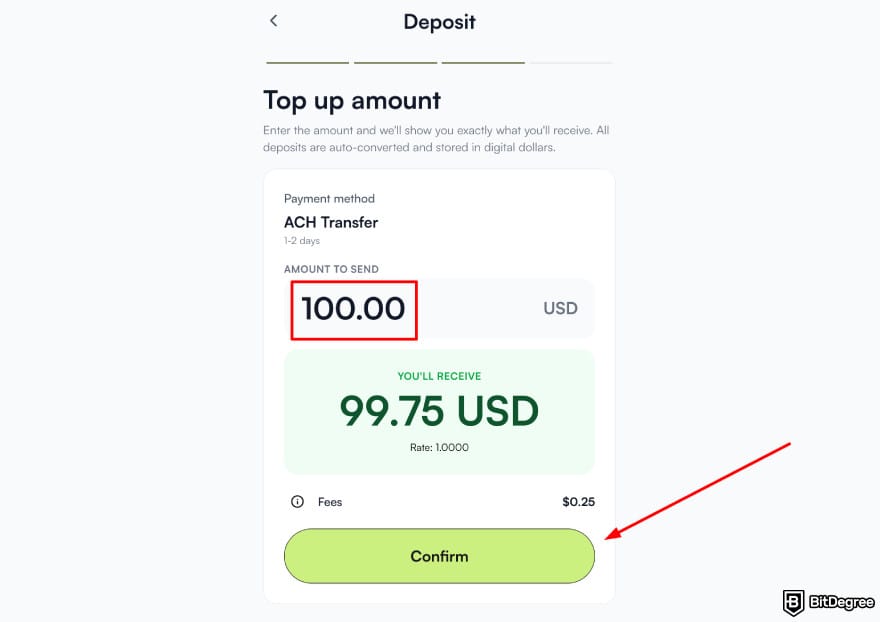
Now all you need to do is wait for the transfer to process. Once completed, the funds will appear in your Ogvio balance.
Western Union VS Ogvio: When Each Makes Sense
Western Union and Ogvio serve different purposes, even though both help you move money. One focuses on getting funds from one country to another. The other focuses on giving you a place to keep and manage that money over the long term (aside from sending it globally, too.)
Western Union makes the most sense when you need to receive international transfers from someone who wants a trusted, well-known service. But once the transfer is completed, Western Union’s role mostly ends, and it doesn’t offer long-term digital storage.
Ogvio makes sense after you’ve received your money. It gives you a place to store funds digitally, send money again when needed, and manage both domestic and international payments in one app.
Fees are another key difference. Western Union charges transfer fees and applies an exchange rate margin on every send. Ogvio’s is similar, but it also offers free transfer costs when you send money to another Ogvio user. Here’s a simple comparison:
 |  | |
|---|---|---|
| Bank - free Crypto - free Card - varies | N/A | |
| Varies | N/A | |
|
| |
|
| |
| Visit site Read review | Visit site Read review |
Table: Comparing fees between Western Union and Ogvio
Together, they form a simple flow: Western Union brings the money in, Ogvio helps you handle it from there.
📚 Read More: Ogvio VS Western Union
Safety Tips When Withdrawing Money From Western Union
Withdrawing money is usually straightforward, but it’s still important to stay careful. A few small mistakes can lead to delays, lost funds, or even scams. These simple tips can show you how to withdraw money from Western Union safely and with confidence. Here are the things to keep in mind:
- Keep your MTCN private. Since it’s like the key to your transfer, only share it directly with the person receiving the money. Don’t post it online or send it to strangers.
- Match your ID details. Your name must match your ID exactly when collecting a transfer. Even small spelling mistakes can cause delays.
- Use official channels. Always withdraw money through official Western Union agents or the official website and app.

- Check transfer status first. Before going out to collect cash, confirm the transfer is marked as ready for pickup.
- Store large amounts safely. If you withdraw a large sum, avoid keeping it as cash for long. Consider moving the funds into a secure bank account or a platform like Ogvio.
By following these simple precautions, withdrawing money from Western Union stays safe, smooth, and stress-free. You now know how to receive your transfer, choose the right withdrawal method, manage fees, and decide what to do with your money afterward.
Browse our collection of the most thorough Crypto Exchange related articles, guides & tutorials. Always be in the know & make informed decisions!


Conclusions
With the right steps, withdrawing money from Western Union is simple. Whether you choose cash pickup, bank deposit, or a mobile wallet, you now know how to withdraw money from Western Union safely and without confusion.
Once your funds are withdrawn, you can either spend them immediately or move them into a bank account or a digital platform for easier long-term management. This gives you more control over how and when you use your money.
Ogvio can be the perfect next step after Western Union. It’s a modern way to store and manage your funds after withdrawal.
Scientific References
1. Beck T., Janfils M., Kpodar K.: ‘What Explains Remittance Fees? Panel Evidence’;
2. Thong M.: ‘Blockchain-Based Financial Technology (Fintech) for Financial Inclusion’.
Send Money Worldwide
Check out the best ways to send money to other countries quickly, safely, and with minimal fees.



































About Article's Experts & Analysts





