Key Takeaways
- You can withdraw money from a checking account through ATMs, ACH, wire transfers, or by moving it into a money app;
- Using money apps like Ogvio or PayPal is a practical way to manage your funds while enjoying extra perks that your checking account doesn’t have;
- When withdrawing money, stay safe by choosing secure ATMs (for cash), using trusted apps, and double-checking recipient details before transferring.
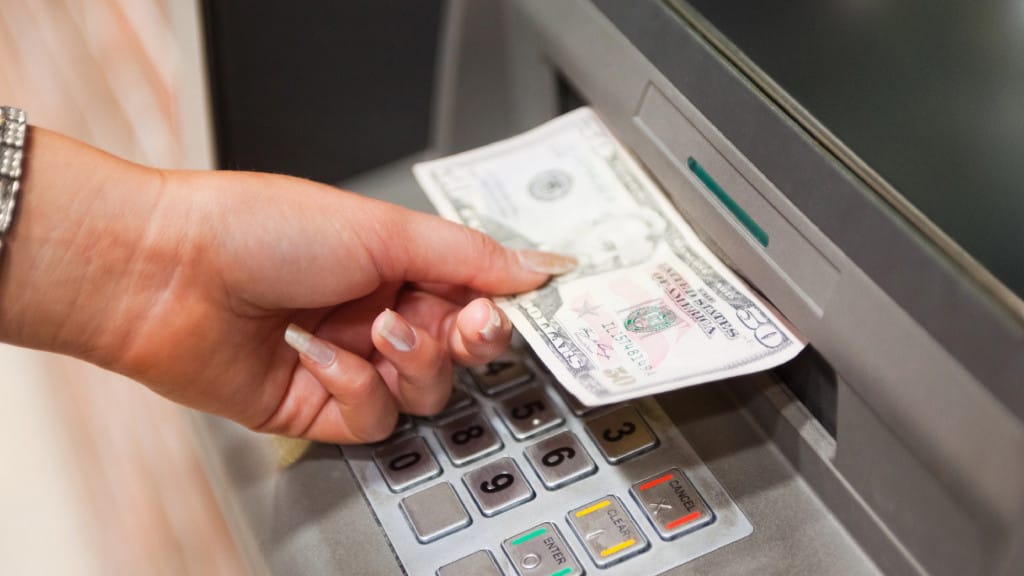
Sometimes you don’t think about how to withdraw money from a checking account until you suddenly need access to your balance fast, or if your debit card is lost. Fortunately, you have multiple ways to withdraw money: from old-school ATM withdrawals to digital transfers.
And that’s where money apps come in. Beyond the usual ways, you can also withdraw money by moving it into a digital wallet like Ogvio. It lets you do the job when your physical card isn’t available.
There’s no single best method, but there is an approach for every situation. Let’s walk through every option so you can choose the one that gets your money where you need it, when you need it.

Did you know?
Subscribe - We publish new crypto explainer videos every week!
What is Ethereum Classic & ETC Coin? (Animated Explainer)


Table of Contents
- 1. Common Ways to Withdraw Money From a Checking Account
- 2. How to Withdraw Money From a Checking Account to a Money App
- 2.1. To Ogvio
- 2.2. To Wise
- 2.3. To PayPal
- 2.4. To Revolut
- 3. How to Withdraw Money From a Checking Account Using a Debit Card
- 4. Withdrawing Without a Debit Card
- 5. Fees to Expect and Withdrawal Limits
- 6. Security Tips When Withdrawing Money
- 7. Conclusions
Common Ways to Withdraw Money From a Checking Account
First, let me get one thing out of the way: checking account VS a debit card. They often feel like a single package, but they’re not the same. A checking account is where your money actually sits, and the latter is one of the tools that lets you access it.
Latest Changelly Coupon Found:That means you can withdraw money from checking account without debit card, so long as you use another method tied to your account. Now, let’s get to the reasons why people withdraw money from their checking accounts:
- Getting cash quickly;
- Traveling;
- Lost or broken debit card;
- Budgeting or emergency expenses;
- Moving money to a more flexible platform.
Whatever the situation is, your checking account gives you several ways to withdraw money safely and quickly. There are a couple of withdrawal methods, and I'll cover them briefly now. If you want more details, I'll expand on them later in the article.

First, using an ATM with your debit card is a common method to withdraw cash from your checking account. It’s fast and widely available. Another way is to visit a bank branch and ask a teller to withdraw. It’s not the quickest approach, but helpful if you need a larger amount.
Although it’s less popular now, you can also write a check to yourself to withdraw money like it’s the 90s.
Digital withdrawals are just as effective. You can move money by initiating an ACH transfer, sending a wire, or requesting cashback (when paying at certain online stores). Some providers also let you move funds to money apps. Simply put, they bridge you to your bank, enabling you to transfer, receive, or manage funds electronically.
Digital wallets also make it possible to withdraw money from a checking account. Even if they don't offer physical cash, they store your funds in a tightly secured vault, protecting your holdings from bad actors. This route allows you to spend, send, or transfer money without using your debit card.
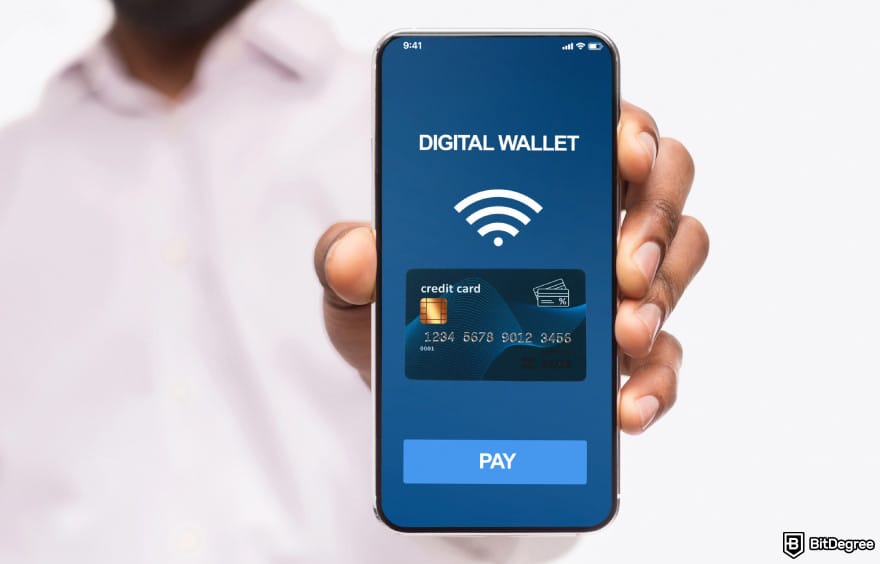
Some platforms, like Ogvio, do more than just simple money transactions. Aside from offering an instant, low-fee way to cash out from a checking account, it also lets you earn cash via its referral program and even manage crypto assets. But I’ll talk about it more and other money apps in the next chapter.
With that said, there is no single best way to withdraw money. And since your checking account gives you several safe and practical ways, the ball is in your court. So, let's see how you can use a money app to withdraw money.
Looking for more in-depth information on related topics? We have gathered similar articles for you to spare your time. Take a look!



How to Withdraw Money From a Checking Account to a Money App
So, how does moving your money from your checking account to a money transfer app work, exactly? A money app lets you direct the funds to an online reserve, where the balance becomes instantly available to use or transfer.
For many people, this is the fastest option when their debit card is lost, damaged, or unavailable.
Withdrawing money from a checking account to a money app makes sense when you want:
- Easier digital access to your balance;
- A fast way to send money to someone else (also works if they don’t have a bank account);
- A card-free spending option;
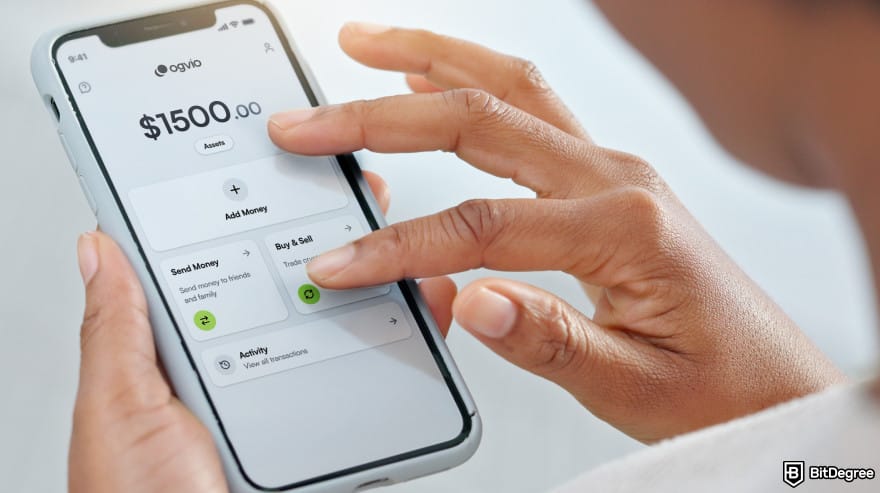
- An option to send money internationally with lower fees;
- Extra wallet features that your bank may not provide.
You can get funds out of your checking account to apps like Ogvio, PayPal, Wise, or Revolut. This method might feel slightly unconventional at first. But in practice, you'll be withdrawing your funds from your bank and moving them into another account that usually gives more flexibility. Better yet, you don't need a physical card, so convenience will be your friend here.
That said, some of these platforms do offer their own cards.
To Ogvio
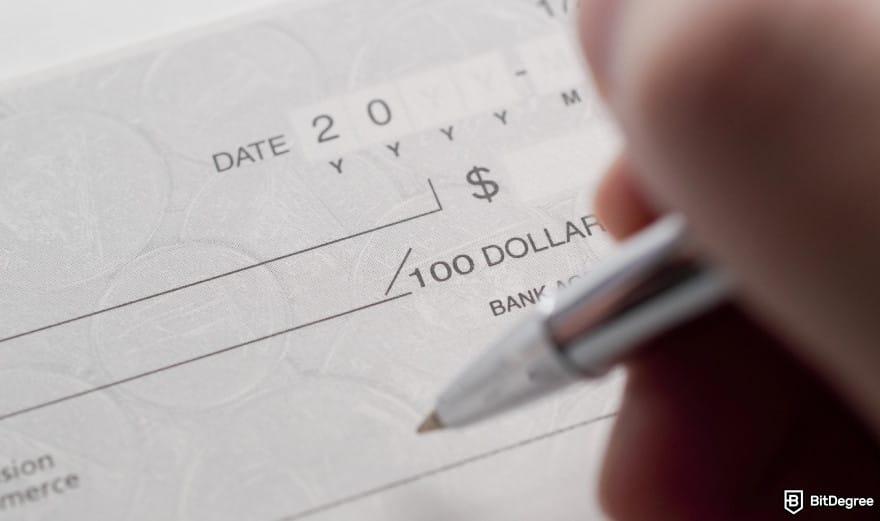
One of the ways to withdraw money from a checking account is by sending it to Ogvio. Why, you ask? It’s a remittance app that provides instant, low-cost transfers in over 160+ countries and 40+ currencies.

Ogvio pegs your money to USD or EUR upon deposit, so you can protect your hard-earned savings from inflation (if they're in your local currency other than USD) and maintain stable value. But once you send it to a bank account, you can choose from whichever supported fiat currency you want.
Beyond fiat, Ogvio also serves as your gateway to Web3 and crypto. Thanks to its blockchain infrastructure, the platform can significantly reduce transfer delays[1] while giving you access to the crypto market to buy or sell supported tokens on the Base network.
Using it, you can send money to anyone's bank account in 40+ currencies with the most competitive rates on the market or send it to someone without a bank account instantly and for free (they just need to create an Ogvio account). You can also send crypto to external crypto wallets or cash out to a bank account.
With that said, I’ll show you how to withdraw money from checking account without debit card and move it to Ogvio:
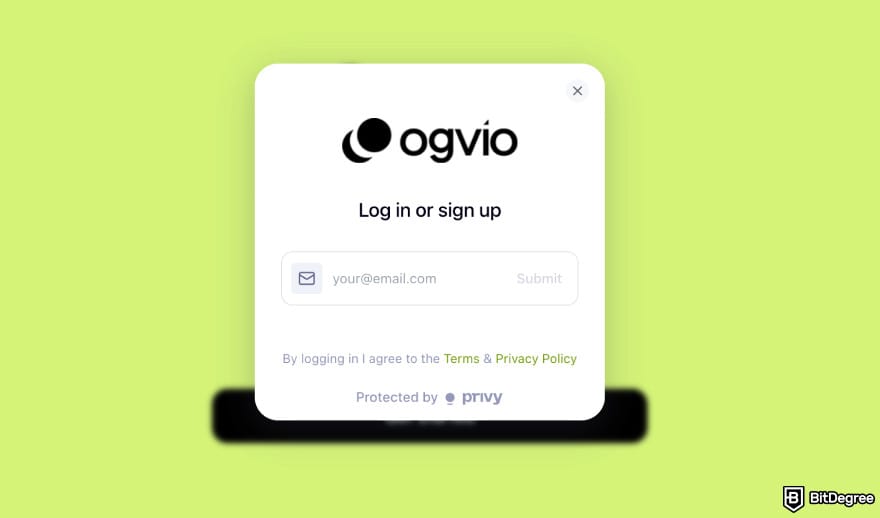
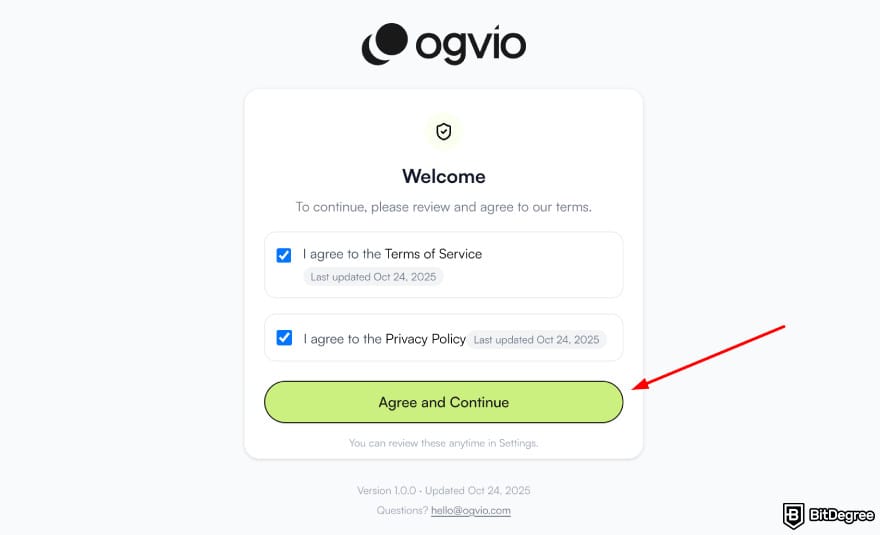
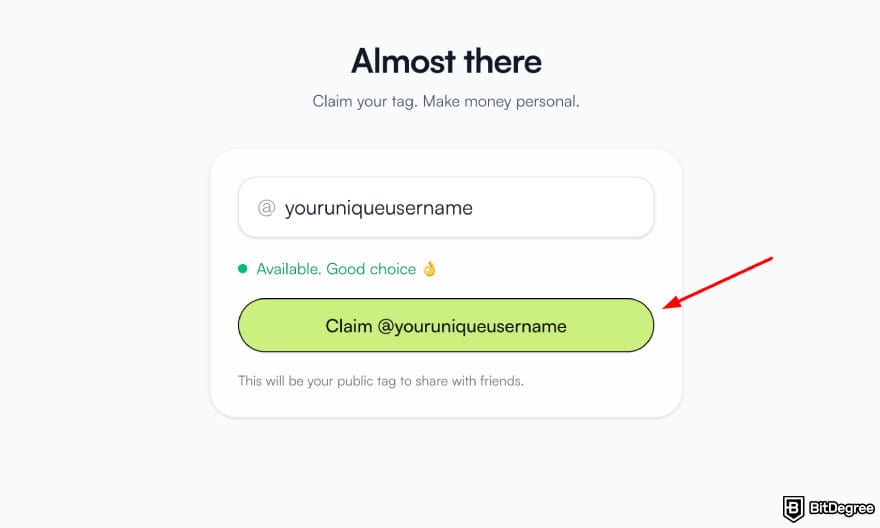
![How to withdraw money from checking account: Ogvio main page highlighting the [Add Money] button.](https://assets.bitdegree.org/images/how-to-withdraw-money-from-checking-account-ogvio-add-money.jpg "How to withdraw money from checking account: Ogvio main page highlighting the [Add Money] button.")
![How to withdraw money from checking account: Ogvio add money page highlighting the [Bank Transfer] option.](https://assets.bitdegree.org/images/how-to-withdraw-money-from-checking-account-ogvio-bank-transfer.jpg "How to withdraw money from checking account: Ogvio add money page highlighting the [Bank Transfer] option.")

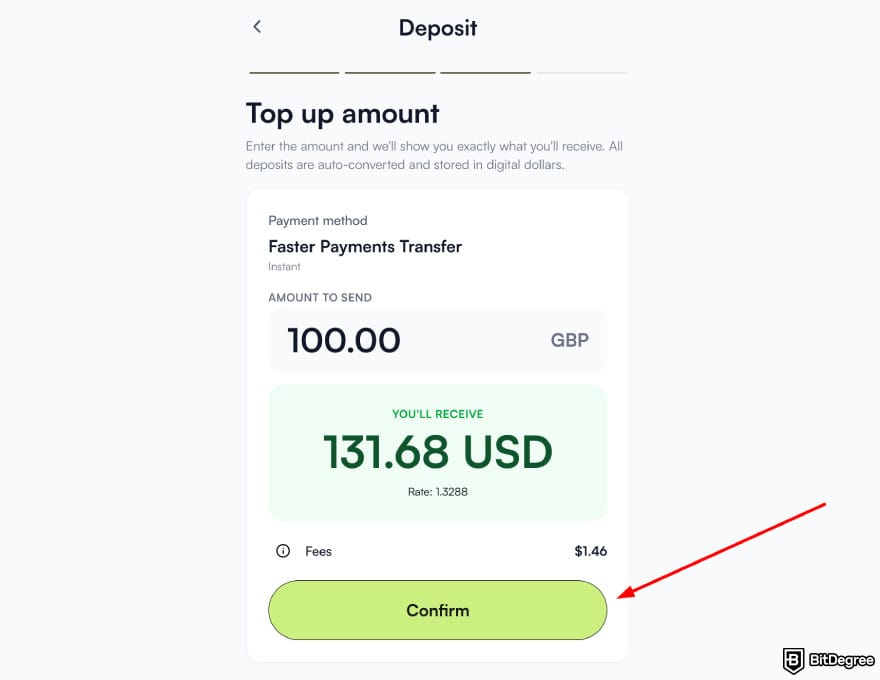
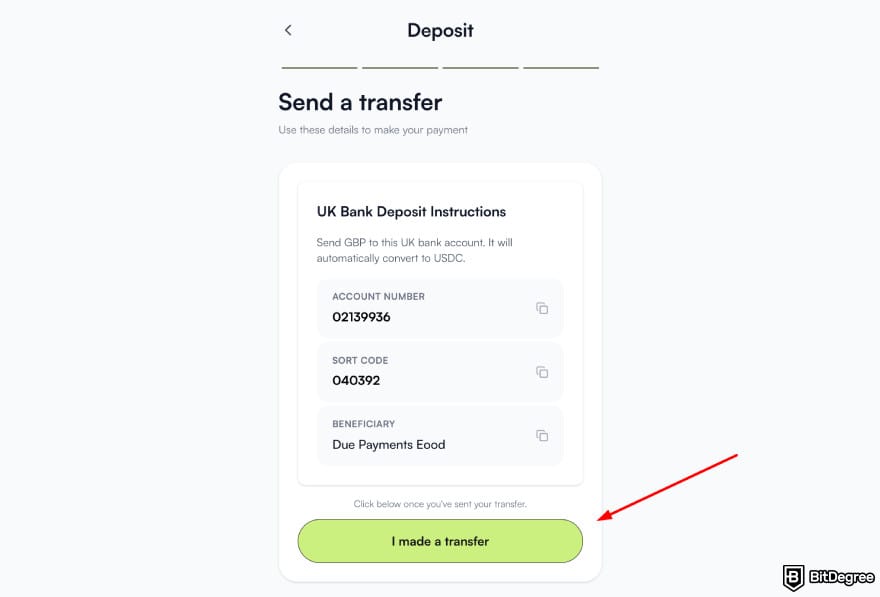
Your funds should arrive in your Ogvio account quickly. From there, you can use your available balance to send money to someone abroad (say, the Philippines or Mexico) or hold it for the long term. If you're interested, you can also start investing in cryptocurrencies right inside the app.
📚 Read More: Ogvio Review
To Wise
Wise is a global money transfer service designed to make sending, receiving, and holding money across borders cheaper and more transparent than traditional banks. It allows users to hold multiple currencies in one account, convert between them at real exchange rates, and send payments internationally with clearly disclosed fees upfront.
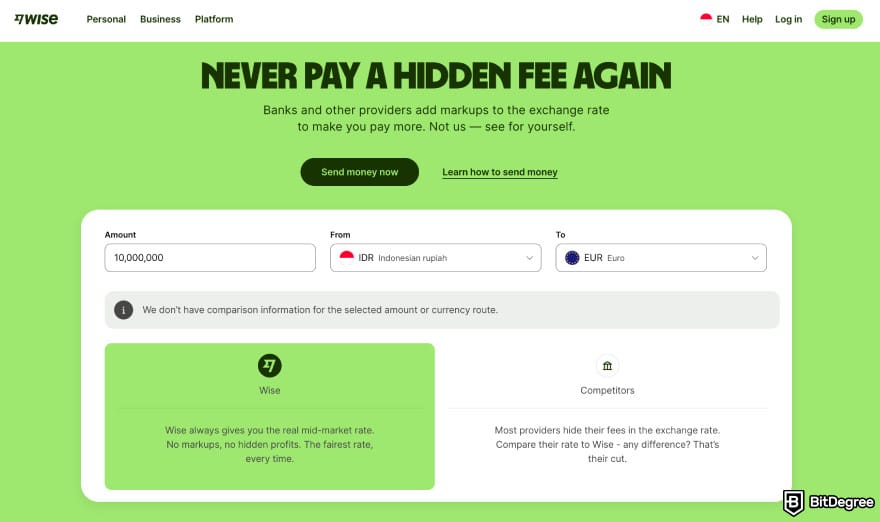
Withdrawing money from your checking account and moving it to Wise makes sense when you want better exchange rates and fewer hidden costs than banks usually offer.
Instead of adding markups to currency conversions, Wise uses the mid-market exchange rate and charges a small, transparent fee, often resulting in noticeable savings. This makes it especially popular among freelancers, remote workers, travelers, and anyone who regularly deals with international payments.
You can either send money from your checking account to Wise or add your account as a payment method, so Wise will withdraw the funds from there only when you want to send them somewhere.
By Linking Your Checking Account to Wise
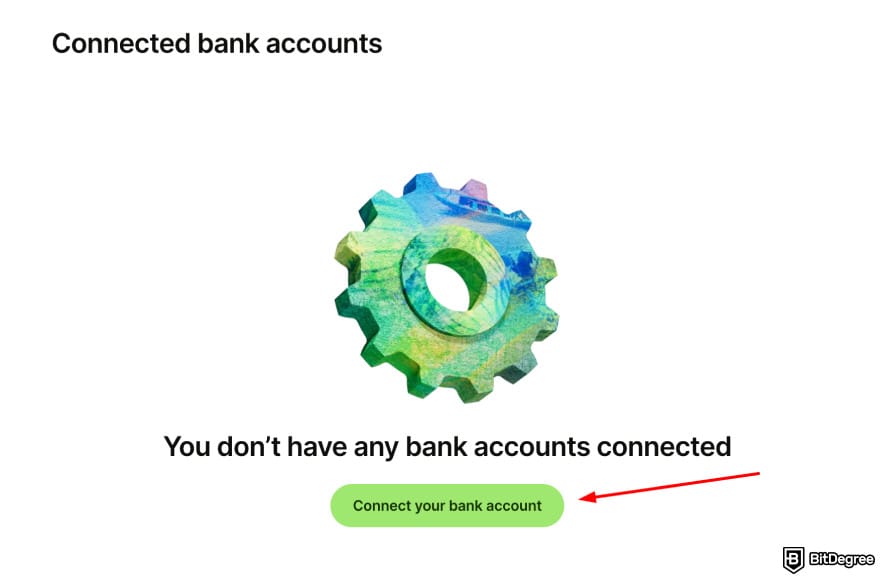
Here's how to withdraw money from a checking account to Wise by linking your bank account as a payment method:
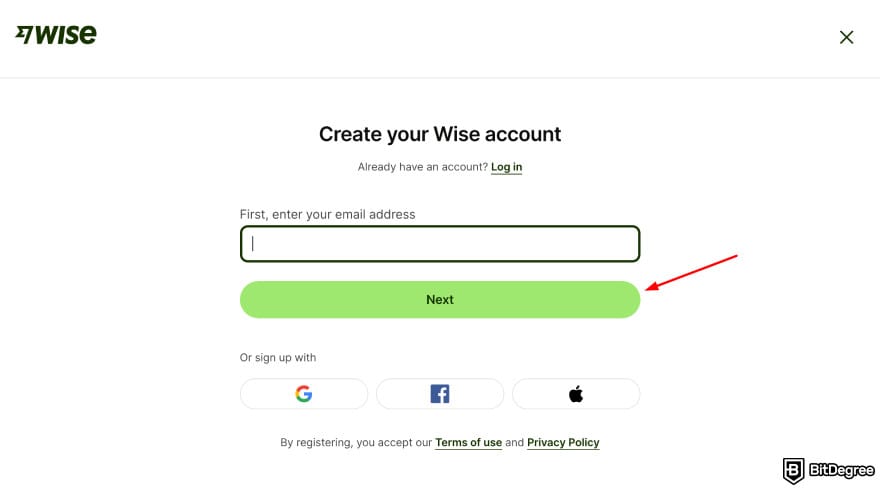
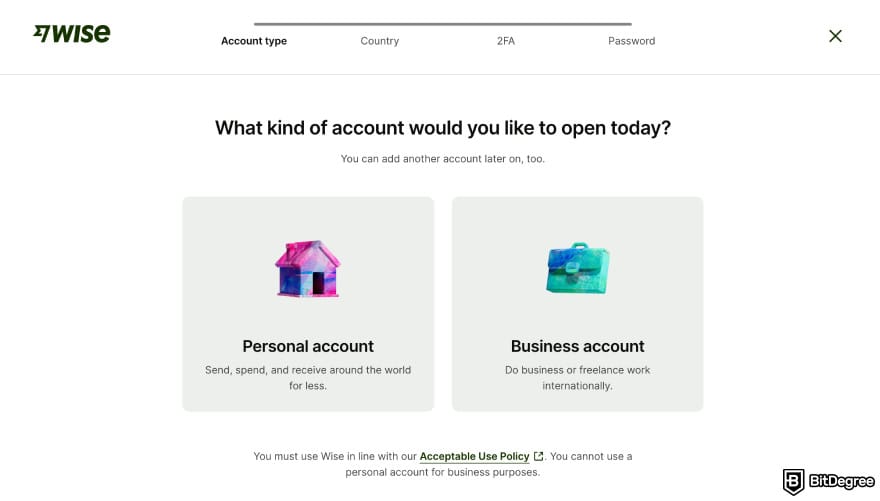
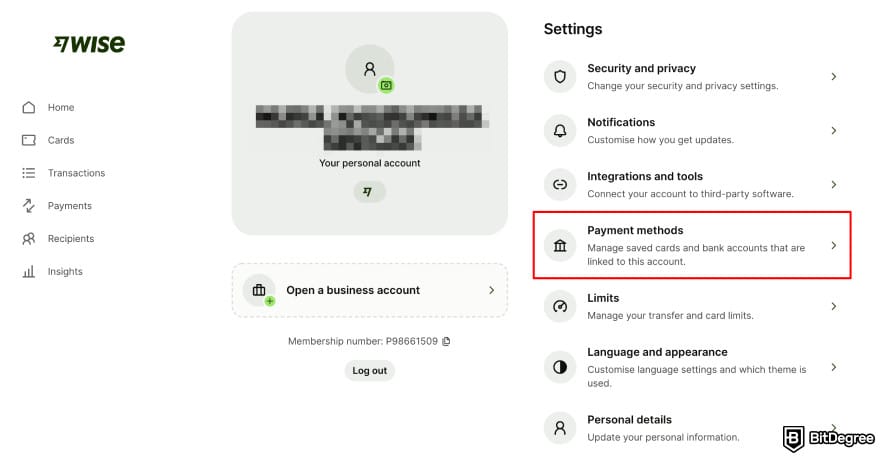
By Sending Money to Wise
Alternatively, you can add money to Wise and keep it in your Wise account instead of sending it right away:
Once you add funds, they stay in your Wise balance until you choose to convert, send, or spend them. You can hold several currencies at the same time, switch between them using the mid-market exchange rate, and avoid unnecessary conversions. This approach is especially helpful if you’re waiting for better exchange rates, receiving international payments, or planning future transfers.
📚 Read More: Wise Review
To PayPal
At this point, you might be familiar with PayPal (or you might already be using it). Just in case, PayPal is one of the most widely used digital wallets in the world, allowing users to send and receive money quickly, make secure online payments, and shop across thousands of websites and platforms.
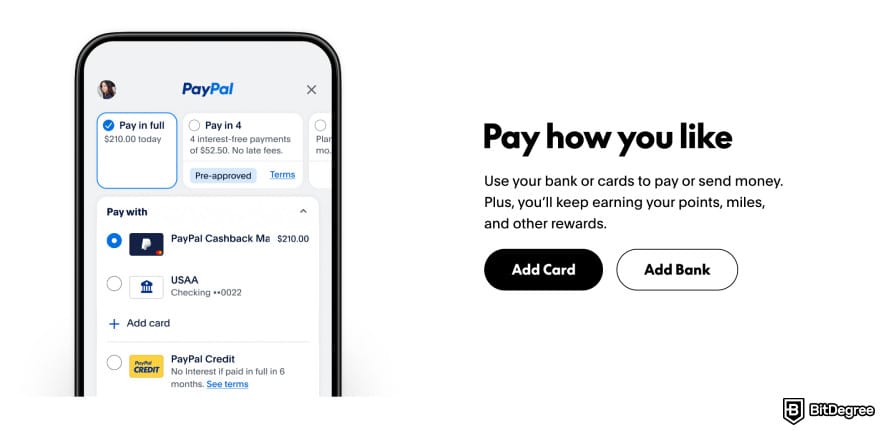
It’s commonly used for e-commerce, subscriptions, freelance payments, and peer-to-peer transfers, all without sharing your bank or card details directly with merchants.
Moving money from your checking account into PayPal works as a card-free funding method. Instead of relying on a debit or credit card, you link your bank account and transfer funds directly. This lets you access and spend your PayPal balance online, send money to others, or pay for services without needing your physical card each time.
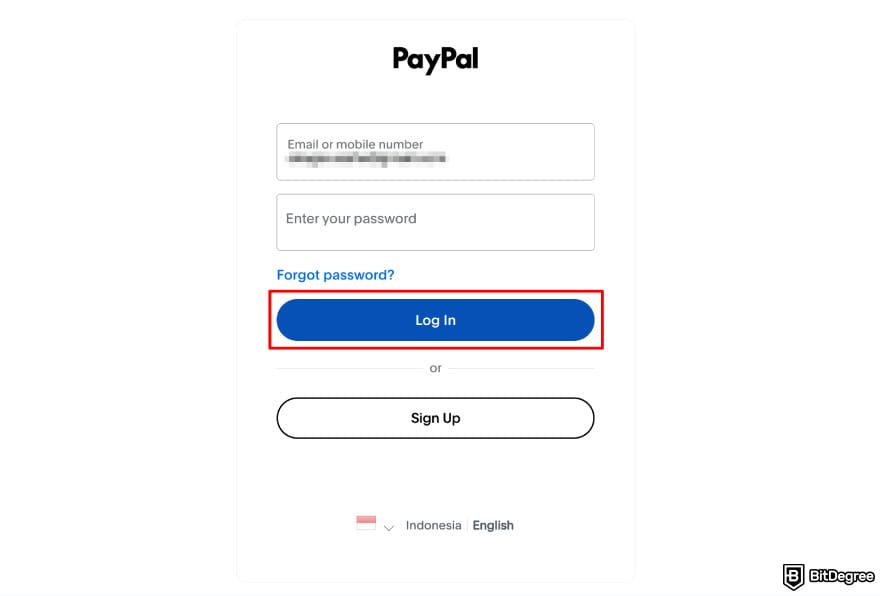
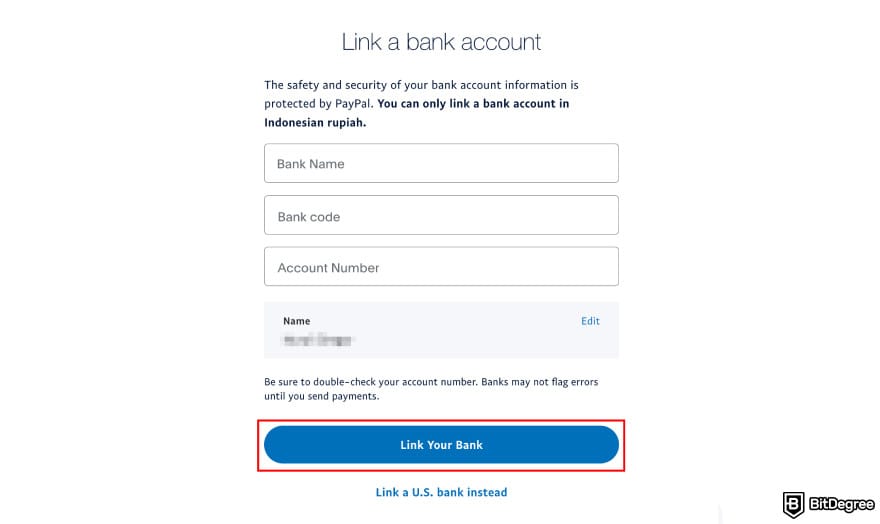
Now, here’s how to withdraw money from a checking account and add it to PayPal:
📚 Read More: PayPal Review
To Revolut
Revolut is another money app built for fast transfers and multi-currency balances. Moving funds from your checking account into Revolut works best if you want to travel, send money abroad, and enjoy a few extra perks.
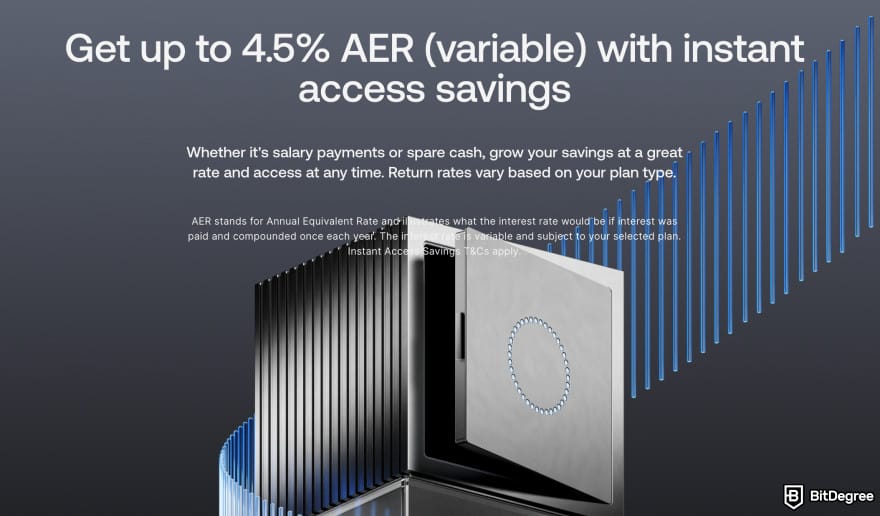
Some of the benefits include Revolut’s earning options. You can receive up to 4.55% AER interest rate on savings that’s paid every day. Plus, Revolut offers paid plans that give you discounts for transfers, weekend currency exchange rates, and more.
Now, the easiest way to move money to Revolut is by making a deposit or topping up your balance. Below is how to withdraw money from a checking account and add it to Revolut:
Revolut has five plans, and the default choice is set to the Free plan. You can continue using this plan or upgrade to one of their paid plans.
![How to withdraw money from checking account: Revolut app highlighting [Add money] button.](https://assets.bitdegree.org/images/how-to-withdraw-money-from-checking-account-revolut-app-homepage-highlighting-the-add-money-option-v1.jpg "How to withdraw money from checking account: Revolut app highlighting [Add money] button.")
![How to withdraw money from checking account: Ogvio add money [Pay] page.](https://assets.bitdegree.org/images/how-to-withdraw-money-from-checking-account-revolut-app-add-money-page-showing-the-amount-to-transfer.jpg "How to withdraw money from checking account: Ogvio add money [Pay] page.")
You don’t have to enter Revolut bank details manually for local transfers – the app handles most of it for you, and you simply confirm the transfer with your bank.
📚 Read More: Revolut Review
How to Withdraw Money From a Checking Account Using a Debit Card
An ATM is the answer to how to withdraw cash from a checking account. Most banks allow fee-free withdrawals at their own ATMs, while using machines outside their networks can incur extra charges.
Those fees usually come from two places: the ATM operator and your own bank. Some banks reimburse a limited number of out-of-network fees each month, but others don’t. It helps to know your bank’s policy before you take out cash.
On average, the fees for using out-of-network ATMs range from $4.77 to $4.86. These are the combination of your bank's fee and the ATM surcharge.
International ATM withdrawals work almost the same way, but you might need to pay foreign transaction or currency conversion fees. I’ll go into more detail about fees later in the article.
Luckily, working an ATM to withdraw cash works pretty much the same everywhere:
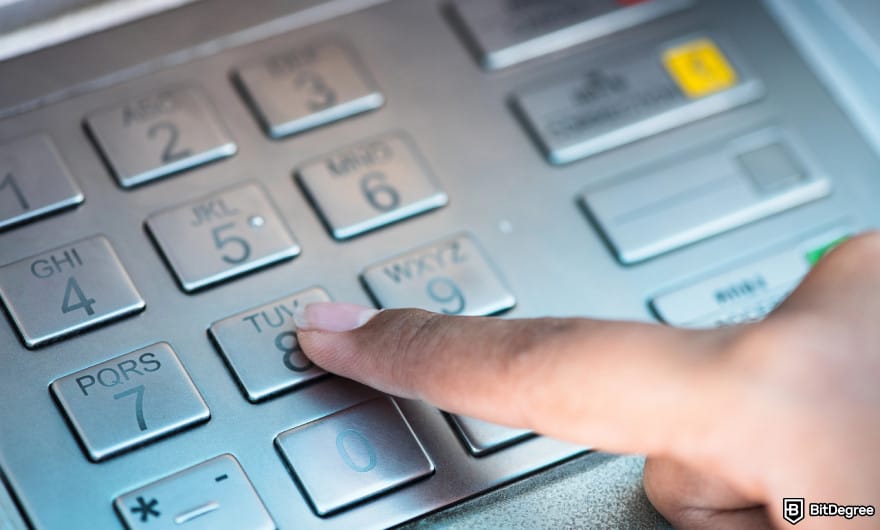
Using a debit card at an ATM remains the easiest and fastest way to get cash. It’s simple, and it works both locally and abroad as long as you keep an eye on fees and limits.
📚 Read More: Send Money With a Debit Card
Withdrawing Without a Debit Card
Not having your debit card doesn’t mean you lose access to your money. Withdrawals don’t always have to be physical cash, and you’re not limited to an ATM.
After all, if your card is lost, damaged, or just not available, you can use other traditional and digital methods to access the money in your checking account. Now, here’s how to withdraw money from checking account without debit card:
- Visiting a bank teller;
- Using a money app (like Ogvio);
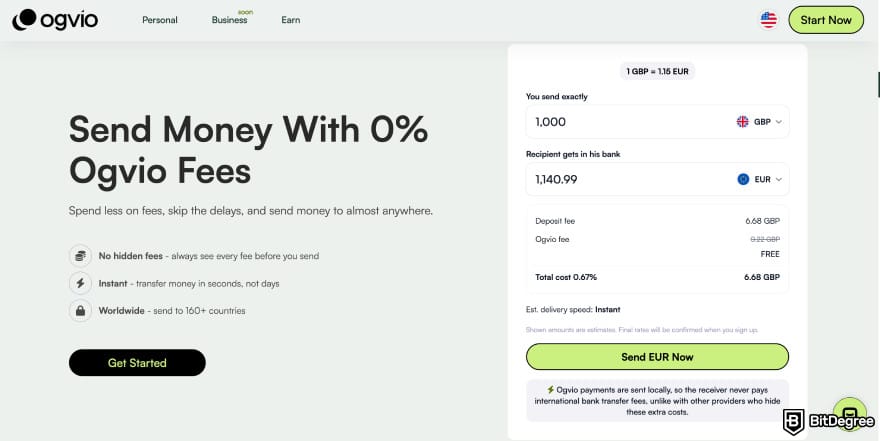
- Writing a check to yourself;
- Using a cardless ATM (if your bank supports it);
- Sending an ACH or wire transfer.
These methods work best when you want physical cash, need a direct bank-to-bank transfer, or are already near a branch. But each one works differently.
For example, cardless ATMs let you withdraw money by confirming your identity or using biometrics authentication[2] via your bank’s mobile app. Some banks use a QR code you scan at the machine, while others generate a one-time withdrawal code.
Withdrawing money from a cardless ATM works similarly to regular ATM withdrawals. Check the previous chapter for the full how-to process.
Checks still work, too. To my surprise, they're far from dead. People mainly use them for business purposes, since they let you settle high-value payments without a spike in fees. Here's a quick process to withdraw money by writing a check to yourself:
Other card-free withdrawal options are ACH transfers and wire transfers. ACH transfers are usually free and great for moving money to another account you own, but they take a few business days. Now, here's how to send money using ACH transfers:

Keep in mind that the exact steps can look a little different depending on your bank or the provider, but the overall process stays the same.
Wire transfers are much faster, sometimes within hours, but they typically have higher fees. That's why they’re better suited for urgent or large withdrawals.
All in all, you’re not stuck just because your debit isn’t available. Between tellers, cardless ATMs, ACH transfers, and wires, you still have multiple reliable ways to pull money from your checking account.
Fees to Expect and Withdrawal Limits
Withdrawing money from a checking account can come with different fees. It usually depends on where you access your funds, and whether you’re withdrawing cash, getting cashback, or taking money out while traveling.
To help you get a better picture, here’s a quick breakdown of the most common fees you can expect:
What Happens | Possible Fees | |
|---|---|---|
Using your bank's own ATM | Standard withdrawal | Usually free |
Using an out-of-network ATM | Withdrawing from another bank's ATM | ATM operator fee + your bank's out-of-network fee |
Requesting cashback at a store | Getting cash during a purchase | Often free, but some merchants charge a small service fee |
Withdrawing cash abroad | Using a foreign ATM | International ATM fee + foreign transaction fee + possible currency conversion fee |
Using a card abroad | Spending or withdrawing internationally | Foreign transaction fee + currency conversion cost |
International withdrawal limits | Some banks lower limits when you're overseas | Lower daily withdrawal cap |
Table: Common fees for withdrawing money from a checking account
Banks also set limits on how much you can withdraw in a day. This is just a ballpark number, but it ranges from $300 to $1,000.
If you need a large amount, it’s best to call ahead so the branch can prepare it. You should also tell your bank before traveling, especially if you’re planning to use your debit card to withdraw money.
Now, if you choose to withdraw money digitally by moving it into a money app, the fees can vary. Luckily, adding money to using bank transfer to Ogvio, PayPal, Wise, or Revolut is free. But here’s a quick fee comparison of the three apps:
Card Top-Up Fee | Transfer to Other In-App Users | Bank Withdrawal Fees | |
|---|---|---|---|
Ogvio | 1% | Free | Depends on the currency and country |
PayPal | Free | Free (if it’s directly from your PayPal balance) | Free for standard, 1.75% for instant |
Wise | Depends on the transfer (see before sending) | Free | Depends on the transfer (see before sending) |
Revolut | Free (but 1.7% if it’s an international card) | Free | 2% |
Table: Fees comparison for Ogvio, PayPal, and Wise
Each app has a similar structure in some areas, but when you look closely at speed, reliability, and total cost, the differences become much clearer.
For example, PayPal advertises free bank withdrawals, but only for the standard option (which can take one to three days to arrive).
The moment you switch to an instant withdrawal (the one most people actually need), PayPal charges 1.75%, which is pretty high. Ogvio, on the other hand, uses local payment rails for bank transfers, so it usually offers instant or quick bank transfers with low fees.

Another example is Wise. It changes its fees depending on currency, route, and payment method. You don’t know the final cost until you send the transfer. If you want your money instantly with no complicated fees or slow payout options, I'd say Ogvio is the best choice.
📚 Further Reading: Money Transfer Service Comparison
Security Tips When Withdrawing Money
Whether you’re taking out cash or transferring money digitally, it’s important to protect your account and personal info. While some of these are no-brainers, they can serve as good reminders and go a long way toward keeping your transactions safe.
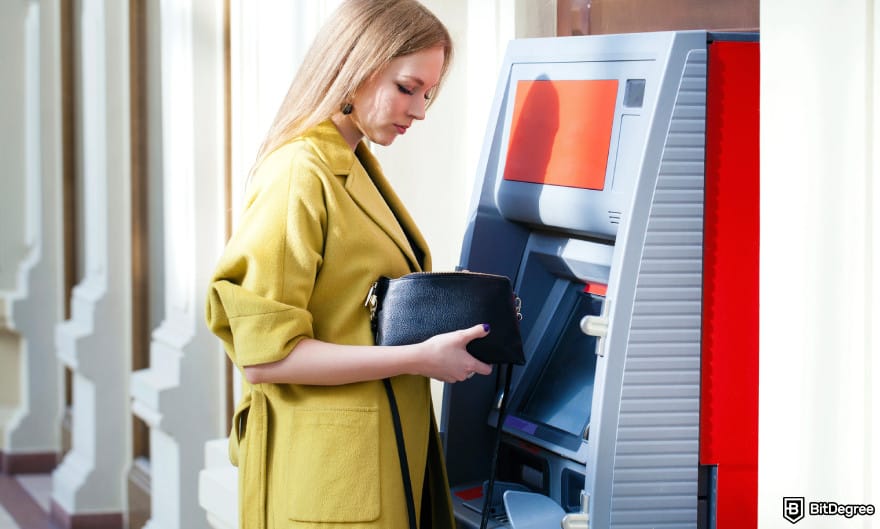
- Check the ATM surroundings. Always choose well-lit, busy locations while staying alert. If possible, go with the cardless option.
- Use secure Wi-Fi for online transfers. Avoid completing banking transactions on public Wi-Fi. Use mobile data or a trusted network whenever you can.
- Enable account alerts and 2FA. Turn on notifications for withdrawals, transfers, and login attempts, so you’ll get notified if someone’s trying to access your account and funds.
- Confirm recipient details. Always double-check names, account numbers, username (in a money transfer app like Ogvio or Wise), and wallet addresses. You don’t want to send money to the wrong person.
- Avoid withdrawing large amounts of cash. If you need a big withdrawal, consider splitting it into smaller amounts or arranging it with your bank beforehand.
These few simple habits make every transaction safer. Plus, using a safe money app helps as well, so check the security features before transferring your money after the withdrawal.
Browse our collection of the most thorough Crypto Exchange related articles, guides & tutorials. Always be in the know & make informed decisions!


Conclusions
Now you know exactly how to withdraw money from a checking account, whether you need fast cash, a card-free workaround, or a digital wallet that gives you more flexibility.
Traditional methods like ATMs and bank tellers still work well, but money apps like Ogvio, PayPal, Wise, and Revolut give you extra ways to move, store, and access your balance.
If you’re looking to withdraw funds from your cashing account into a money app with more flexibility, Ogvio is a strong option. It works worldwide, supports instant low-cost transfers, and even includes features like crypto support and earning opportunities.
Scientific References
1. Hosseinkhani N.: ‘Blockchain Technology and Cryptocurrency: Transformations and Applications in Financial Markets’;
2. Jindal K., Jain N., Karn A., Kumar N., Sharma P.: ‘Securing ATM Transactions Using Double Authentication’.
Send Money Worldwide
Check out the best ways to send money to other countries quickly, safely, and with minimal fees.



































About Article's Experts & Analysts







