Key Takeaways
- Fiverr only supports three official withdrawal methods: PayPal, Payoneer, and bank transfer powered by Payoneer;
- Each method comes with different fees, timelines, and limitations, so the best choice depends on your preference, location, and how quickly you need the funds;
- Ogvio can be a better payment option for freelancers, offering more competitive exchange rates and greater flexibility when receiving payments.
Figuring out how to withdraw money from Fiverr may sound easy until you actually check the available options. The platform only supports three official payout methods: PayPal, Payoneer, and bank transfer (also powered by Payoneer). And depending on where you live, not all of them may even be available.
On top of that, PayPal’s unfavorable exchange rates and Payoneer’s mixed security history can make the withdrawal process feel more frustrating than it should be, especially if you’re a freelancer trying to keep more of what you earn.
In this guide, I’ll walk you through how each official withdrawal method works without violating Fiverr’s Terms of Service. Then, once your money reaches your bank account, I’ll show you how tools like Ogvio can help you stretch your earnings further with better exchange rates, lower international transfer costs, and modern features like payment links and crypto payouts.

Did you know?
Subscribe - We publish new crypto explainer videos every week!
What Is Tether? (USDT SIMPLY Explained With Animations)

Table of Contents
- 1. How to Withdraw Money From Fiverr: Official Withdrawal Methods
- 1.1. Set Up a Payout Method
- 1.2. Withdraw Your Earnings
- 2. Withdraw Earnings Using Ogvio
- 3. Which Method is Best for My Specific Needs?
- 4. How Freelancers Can Use Ogvio
- 4.1. Get Your Ogvio @Tag and QR Code for Invoices
- 4.2. Make a Personalized Payment Link
- 4.3. Accept Crypto Payments
- 5. What Are the Key Considerations When Withdrawing Money From Fiverr
- 5.1. Availability and Usage Restrictions
- 5.2. Off-Platform Payments Policy
- 6. Conclusions
How to Withdraw Money From Fiverr: Official Withdrawal Methods
Currently, Fiverr only offers three official withdrawal methods and prohibits you from using another option inside the platform: PayPal, Payoneer, and a bank transfer (which is also powered by Payoneer). That may sound limiting, especially when you consider that PayPal is known for its poor exchange rates, and Payoneer has a history of security incidents.
Latest Changelly Coupon Found:I’ll still walk you through each official method on how to get the money from Fiverr, so you can stay compliant and avoid any risk of account warnings, but later on, I'll also introduce you to a great alternative for accepting your payments.
Set Up a Payout Method
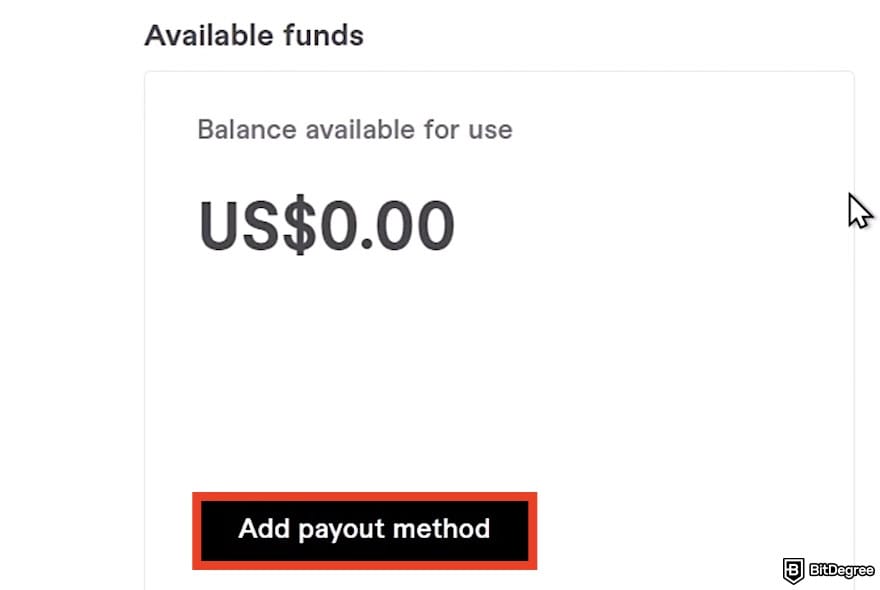
Before you can cash out your Fiverr earnings, you’ll need to set up at least one official withdrawal method. Keep in mind: adding a payment method under [Billing and Payments] doesn’t count and can’t be used for withdrawing funds. That section is only for paying for services as a buyer.
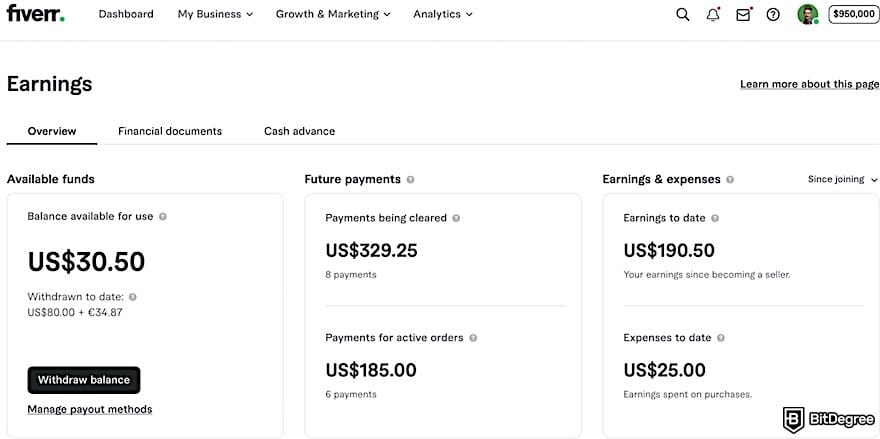
To actually move your earnings out of Fiverr, you must connect a supported payout option in the [Earnings] section. As you already know, there are three methods you can choose from: PayPal, Payoneer, Bank transfer (powered by Payoneer), and Fiverr Revenue Card (also backed by Payoneer, but currently discontinued).
PayPal
If you’re looking for a guide on how to withdraw money from Fiverr in India, the US, and European countries, PayPal is usually the go-to method. It’s available in those countries, and you can withdraw your Fiverr earnings straight into your PayPal account using the email linked to it.
The first-time setup (and first withdrawal) must be done on a desktop, but once everything is connected, you should be able to withdraw directly through the Fiverr mobile app too.
Note that you can only connect to PayPal when you have earnings in your balance.
Here's how you can set up your PayPal for the Fiverr withdrawal:
![How to withdraw money from Fiverr: the [My Business] and [Earnings] options on Fiverr outlined.](https://assets.bitdegree.org/images/how-to-withdraw-money-from-fiverr-earnings-button.jpg "How to withdraw money from Fiverr: the [My Business] and [Earnings] options on Fiverr outlined.")
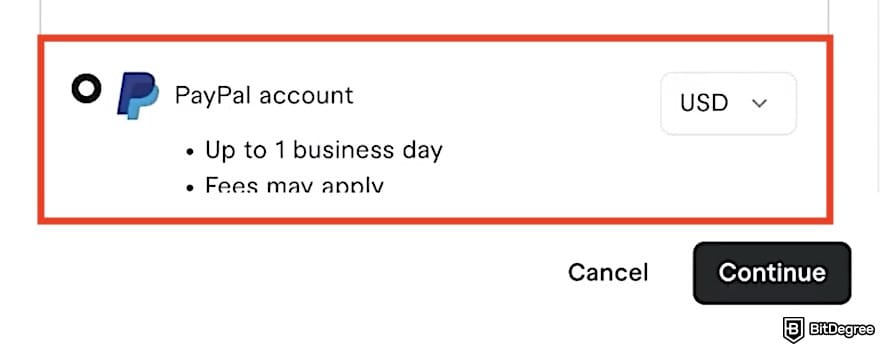
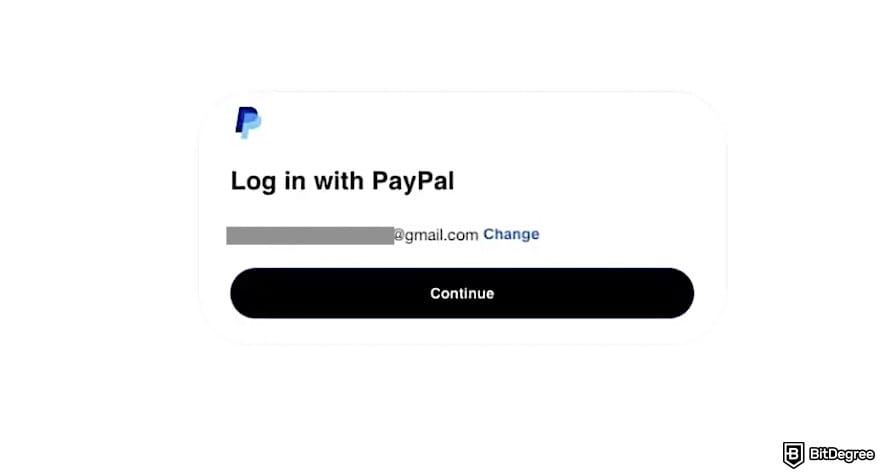
After finishing the last step, you should be redirected to the Earnings section where you can see a status that your Fiverr account is connected to your PayPal. This is one of the simplest withdrawal options available on Fiverr, especially if you want quick access to your funds without extra setup steps.
📚 Read More: PayPal Review
Payoneer
For those who want to know how to withdraw money from Fiverr in Pakistan and other countries where PayPal isn't available, setting up Payoneer is the only option.
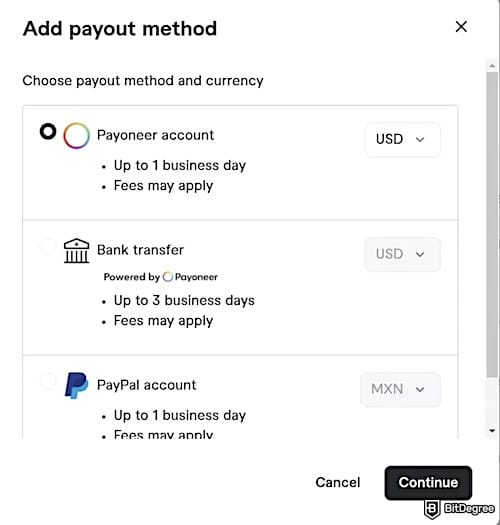
With Payoneer, Fiverr allows only one active withdrawal type at a time (either a bank transfer, a Payoneer balance transfer, or the Fiverr Revenue Card). If you choose "Bank transfer (via Payoneer)", you can send your money directly to your local bank. Meanwhile, choosing the "Payoneer Account" option lets you transfer funds into your Payoneer wallet.
First, let's see how to withdraw money from Fiverr using Payoneer:
![How to withdraw money from Fiverr: the [Payoneer] option selected from the payout method list.](https://assets.bitdegree.org/images/how-to-withdraw-money-from-fiverr-payoneer-option.jpg "How to withdraw money from Fiverr: the [Payoneer] option selected from the payout method list.")
![How to withdraw money from Fiverr: Payoneer setup, with a [Click Here] link highlighted for users who already have a Payoneer account.](https://assets.bitdegree.org/images/how-to-withdraw-money-from-fiverr-payoneer-setup.jpg "How to withdraw money from Fiverr: Payoneer setup, with a [Click Here] link highlighted for users who already have a Payoneer account.")
If you choose the “Bank Transfer” option, the steps change slightly after selecting it as your payout method on the Fiverr page. You'll still be redirected to the Payoneer website, and you need to add your bank account details once your Payoneer account is connected:
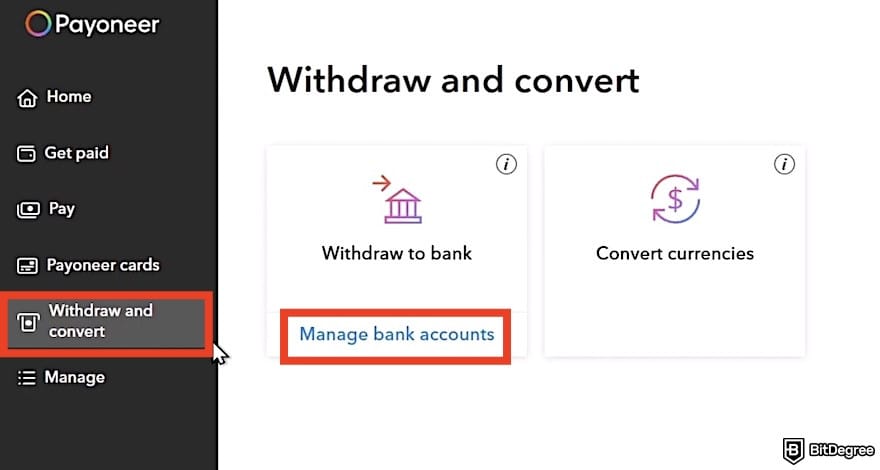
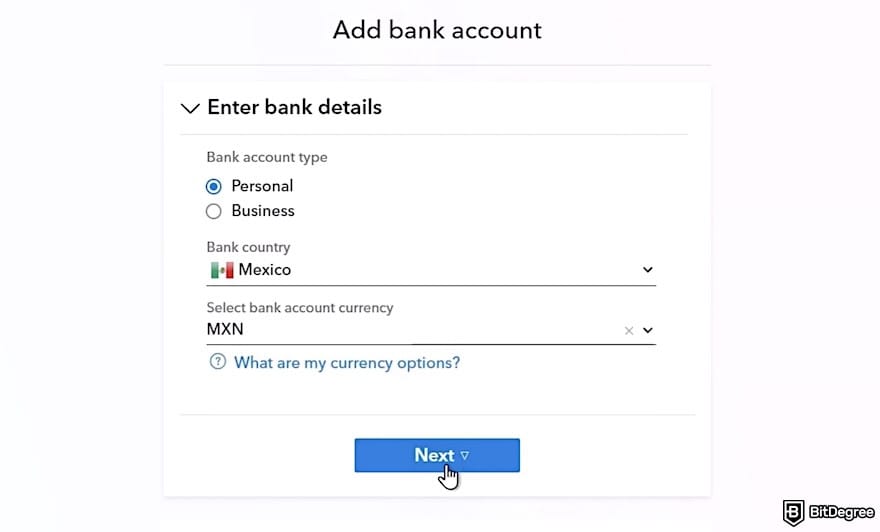
That’s it about how to get the money from Fiverr via a bank transfer using Payoneer. Then, there’s the Fiverr Revenue Card that works through a Payoneer account and allows you to withdraw your balance using a Fiverr-branded card. However, Fiverr no longer issues new Revenue Cards. If you already have one connected, you can keep using it. However, once it’s removed or expires, it can’t be reactivated.
When an existing card expires, Fiverr will automatically replace it with a standard Payoneer card. You don’t need to take any extra steps, and withdrawals will continue as usual under the Payoneer method.
Withdraw Your Earnings
After your payout method is successfully connected, you can withdraw your earnings by following these steps:
![How to withdraw money from Fiverr: the [Withdraw balance] button on Fiverr outlined.](https://assets.bitdegree.org/images/how-to-withdraw-money-from-fiverr-withdraw-balance-v1.jpg "How to withdraw money from Fiverr: the [Withdraw balance] button on Fiverr outlined.")
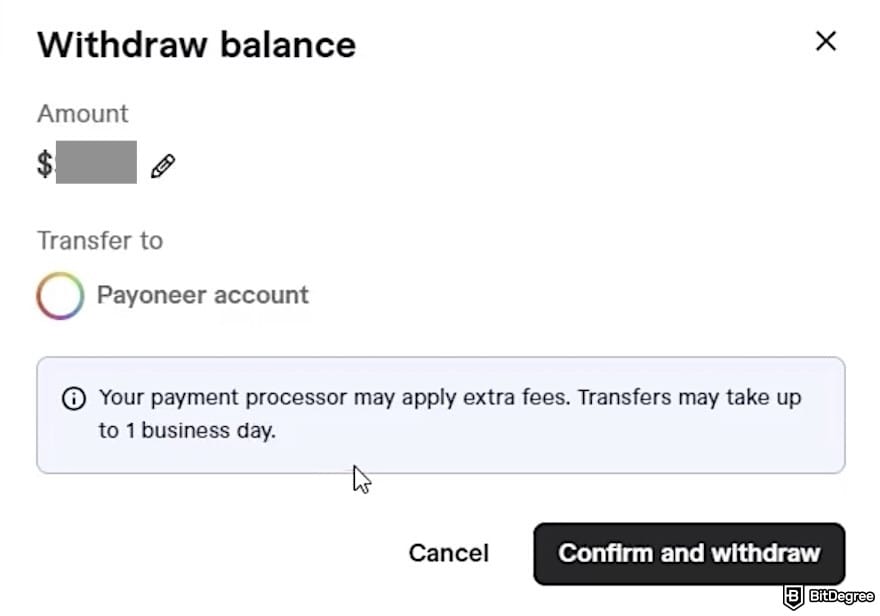
Once confirmed, your payment will begin processing, and the funds will be sent based on your chosen withdrawal method’s standard timeline.
Looking for more in-depth information on related topics? We have gathered similar articles for you to spare your time. Take a look!


Withdraw Earnings Using Ogvio
When you look into how to withdraw money from Fiverr, it’s easy to feel a bit disappointed. That’s where Ogvio comes in. I know it’s not an official withdrawal method, but it can be a smarter step after you’ve received your Fiverr earnings.
Once your funds land in PayPal or your bank account, you can transfer them into Ogvio for better exchange rates and faster payouts.
Unlike traditional banks, Ogvio supports flexible payment options. You can send money internationally using its @Tag feature or generate a shareable payment link, which can be attached to invoices or client emails. If you prefer crypto, Ogvio also allows payments via a scannable barcode or a USDC-wallet Base address for fast settlements.
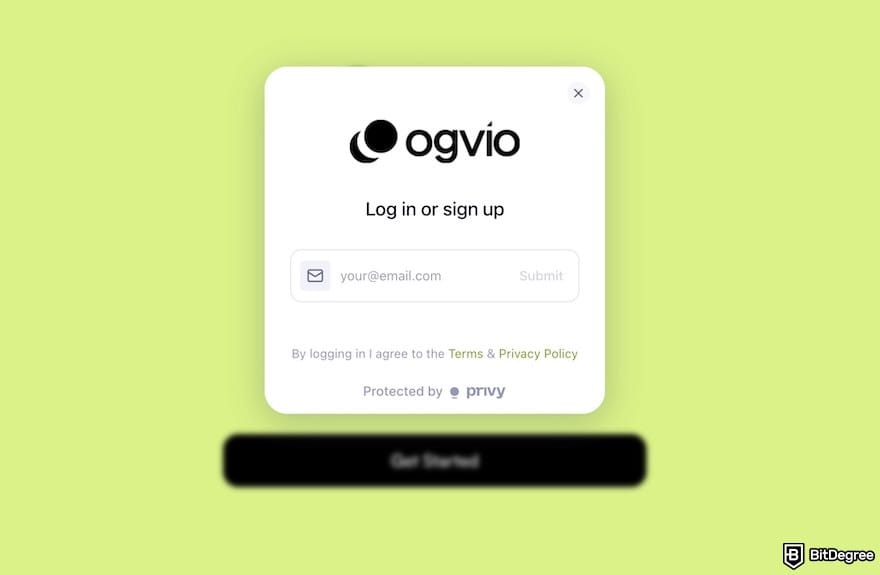
Suppose you’ve followed my tutorial on how to get money from Fiverr in the previous section, meaning your funds are now sitting in PayPal or your bank account via Payoneer. Once you’ve reached that point, here’s how you can move some (or all) of that money into Ogvio to optimize fees, exchange rates, and payouts:
![How to withdraw money from Fiverr: the [Get Started] button on Ogvio's homepage outlined.](https://assets.bitdegree.org/images/how-to-withdraw-money-from-fiverr-get-started.jpg "How to withdraw money from Fiverr: the [Get Started] button on Ogvio's homepage outlined.")
![How to withdraw money from Fiverr: Ogvio's dashboard, with an arrow pointing at the [Add Money] button.](https://assets.bitdegree.org/images/how-to-withdraw-money-from-fiverr-ogvio-send-money.jpg "How to withdraw money from Fiverr: Ogvio's dashboard, with an arrow pointing at the [Add Money] button.")
To unlock bank transfer on Ogvio, you'll need to pass KYC.
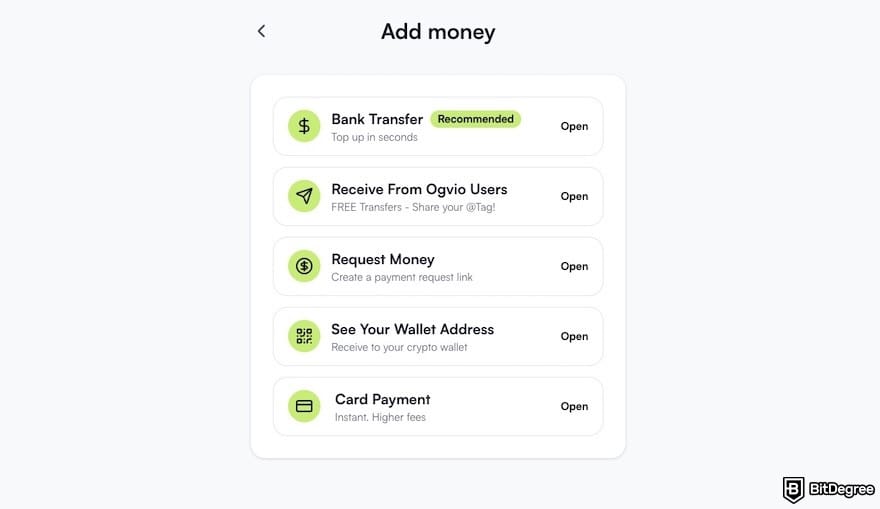
If you choose to add funds by card, you’ll be buying USDC. For example, when using PayPal, you simply select the currency and amount, choose PayPal as the payment method, and complete the transaction. Since Ogvio uses a third-party provider for card payments, you may be asked to complete a quick KYC process with that provider.
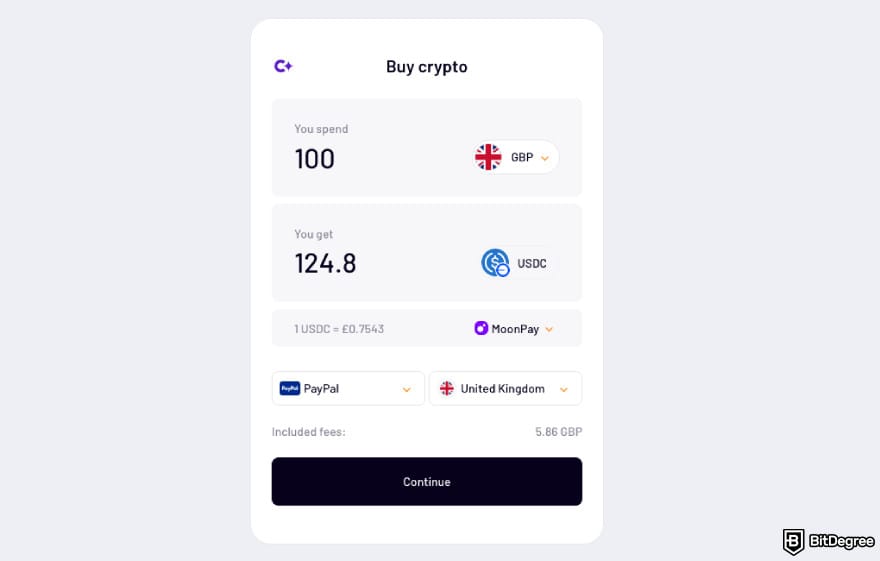
Once the transfer is confirmed, your Fiverr earnings will be available in your Ogvio balance, ready for you to send, store, convert, or withdraw them more efficiently.
Now, if you want to send money to someone else (e.g., a virtual assistant, subcontractor, or employee), you can do it instantly and for free inside Ogvio. Invite them to create an account if they don't have one yet (you can even earn money this way). Here’s how to send money via Ogvio:
![How to withdraw money from Fiverr: the [Send Money] button on Ogvio's dashboard outlined.](https://assets.bitdegree.org/images/how-to-withdraw-money-from-fiverr-ogvio-send-money-outlined.jpg "How to withdraw money from Fiverr: the [Send Money] button on Ogvio's dashboard outlined.")
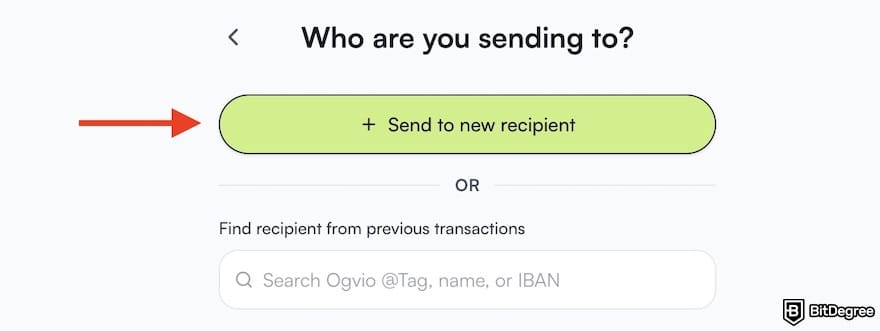
![How to withdraw money from Fiverr: the [Send To Ogvio User] option on Ogvio outlined.](https://assets.bitdegree.org/images/how-to-withdraw-money-from-fiverr-ogvio-transfer-method-ogvio-user.jpg "How to withdraw money from Fiverr: the [Send To Ogvio User] option on Ogvio outlined.")
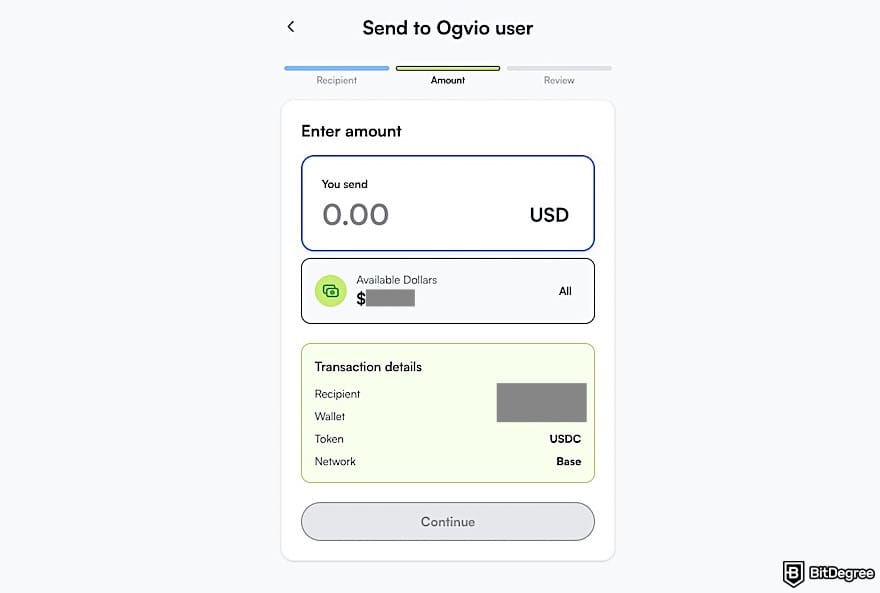
That’s it; no long delays, no heavy bank charges, and no hidden exchange markups. If you eventually build your own brand or website and clients start reaching you directly, you can also use Ogvio to streamline payments.
With Ogvio, you’ll be able to generate a personalized payment link or simply include your Ogvio username on invoices to get paid fast and securely. I’ll walk you through how to set that up later in this article.
Which Method is Best for My Specific Needs?
Choosing the right withdrawal method on Fiverr really depends on your location, how fast you need the money, and how much “you’re willing to lose” in fees. Each payout option comes with its own advantages and limitations, so it’s worth understanding how they compare before deciding.
PayPal is one of the fastest and simplest ways to withdraw from Fiverr. Once your account is connected, withdrawals are usually processed quickly (often within a day). Fiverr doesn’t charge withdrawal fees for PayPal, which makes it appealing for small or frequent payouts.
 | |
|---|---|
| |
| Per-transaction | |
| | |
| A trusted way to send money worldwide, though its fees are higher than newer payment apps. | |
| Visit site Read review |
Table: PayPal's features
However, PayPal’s currency conversion and transfer fees can add up, especially if you’re not withdrawing in USD. PayPal's exchange rates are often considered poor because they add a big markup (around 3-4%) on top of the real mid-market exchange rate. This spread means you receive less currency than you would with a provider offering the mid-market rate.
Another factor to consider is availability: not every country fully supports PayPal payouts.
Some freelancers can’t rely on PayPal as their primary payout method. For example, I came across someone asking how to withdraw money from Fiverr in Pakistan, only to find out that PayPal isn’t available there and bank transfers are the only supported option.
Meanwhile, to connect a bank to Fiverr, you need to sign up for Payoneer. Withdrawing to your Payoneer balance or bank transfers via the platform is generally reliable. The downside is that Payoneer charges a withdrawal fee, and if you need to send those funds onward to a local bank, that may mean additional conversion fees and wait times.
 | |
|---|---|
| |
| Per-transaction | |
| | |
| A freelancer-friendly platform offering local receiving accounts in multiple currencies. | |
| Visit site |
Table: Payoneer's features
Moreover, there have been real incidents where some customer accounts were compromised, even when they enabled 2FA in the platform. In early 2024, a phishing campaign targeted Payoneer clients. Fraudulent links tricked them into giving away login credentials, resulting in unauthorized access and fund theft.
In some cases, users received SMS codes (intended as 2FA verification) though they didn’t request them, which is a red flag that the attacker was bypassing authentication.
Overall, here’s a comparison table to help you choose the best official method for you:
Transfer Time | Withdrawal Fee | Minimum Withdrawal | Best For | Things to Consider | |
|---|---|---|---|---|---|
PayPal | 24 hours | $0 | $5 | People who want the fastest possible payout | Poor exchange rate, limited availability |
Payoneer | Up to 2 business days to the Payoneer balance | $3 | $7 | When PayPal isn’t available in your region | Past security breaches reported |
Bank Transfer (via Payoneer) | 1-3 business days (local currency) or 5-7 business days (USD wire) | $1 | $10 | Someone who prefers money dropping directly into your local bank account | Long waiting period |
Table: Comparison of Fiverr's official payout methods
While Fiverr’s official payout methods work well, they’re not always the most cost-efficient, especially if you need to move funds internationally, pay contractors, or convert currencies frequently. This is where Ogvio becomes useful.
Ogvio isn’t an official Fiverr withdrawal method, at the moment, but you can move your money to it after withdrawing through PayPal, Payoneer, or your bank account. It offers more competitive exchange rates, without the heavy markup platforms like PayPal add when converting currency.
Beyond saving on conversion fees, Ogvio runs on blockchain-based security,[1] with transactions protected through encryption and modern payment security standards. If you’re worried about past breaches or phishing attempts from platforms like Payoneer, moving your balance to Ogvio may offer better peace of mind.
How Freelancers Can Use Ogvio
Earlier in this article, I walked you through how to use Ogvio after you’ve already received your money via PayPal or your bank account. However, freelancers can actually use Ogvio directly if clients reach you through your portfolio site, LinkedIn, Instagram, or any other channel.
So instead of googling “how to withdraw money from Fiverr in Bangladesh” or “how to withdraw from Fiverr in the Philippines” (because yes, sometimes big platforms ignore developing countries), Ogvio solves that headache upfront.
Ogvio supports 160+ countries, including Pakistan and the Philippines, so you can work with clients globally and get paid easily.
With Ogvio, you can:
1
Send payments internationally at a lower cost. Unlike PayPal or traditional banks that add hidden spreads and extra fees, Ogvio offers more competitive currency exchange rates and cheaper cross-border transfers.
2
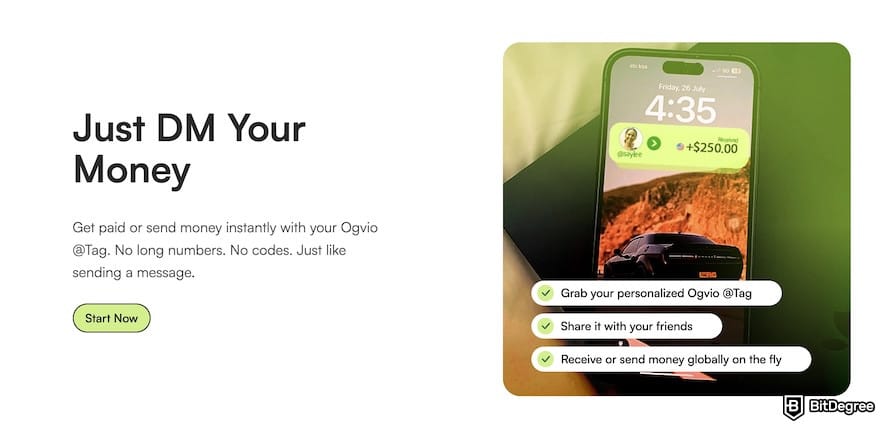
Centralize your payment workflow. If you work with subcontractors, assistants, or remote team members, Ogvio allows you to pay them instantly and with no extra fees by entering their Ogvio @Tag.
3
Accept crypto payments if needed. Ogvio supports crypto-friendly options, so you can receive payments via a barcode or a USDC (Base) wallet address. This is especially helpful if you work with tech clients or live in a country with limited banking support.
4
Create a customized payment link. If you sometimes work with clients outside Fiverr (e.g., through your personal website or direct outreach), you can generate an Ogvio payment link to include in proposals, emails, or checkout pages.
5
Add your Ogvio username to invoices. Instead of sharing long bank details or multiple wallet addresses, you can simply list your Ogvio username as the payment identifier, making it easier for repeat clients to pay you quickly.
Now, let's go over how freelancers can share their Ogvio account to receive payments.
Get Your Ogvio @Tag and QR Code for Invoices
With the use of mobile payments, QR code transactions have become more common.[2] Instead of sharing long wallet addresses or repeatedly typing account details, clients can simply scan a code and send money instantly.
Using Ogvio’s QR payment feature gives freelancers a clean, professional way to accept payments. Here’s how you can generate a QR code and find your username.
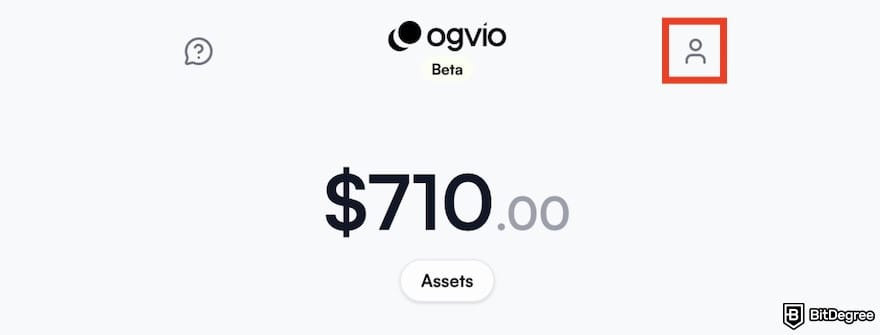
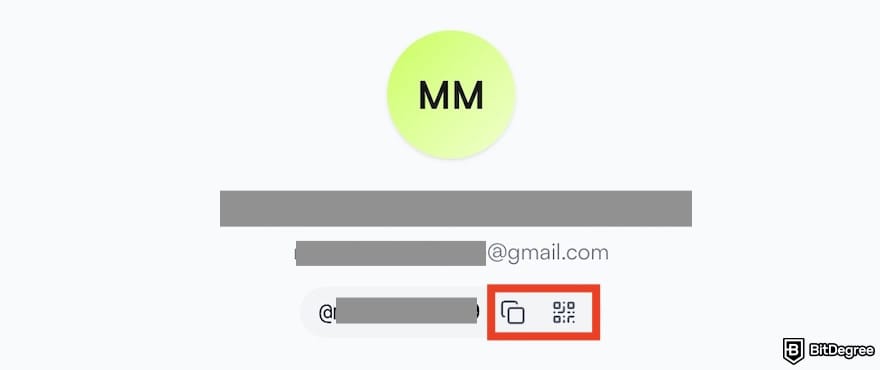
![How to withdraw money from Fiverr: the [My Ogvio @Tag] menu on Ogvio outlined.](https://assets.bitdegree.org/images/how-to-withdraw-money-from-fiverr-my-ogvio-tag.jpg "How to withdraw money from Fiverr: the [My Ogvio @Tag] menu on Ogvio outlined.")
You can embed this QR code or type the username in invoices, contracts, emails, or a payment page on your portfolio website. That way, when a client wants to pay, they don’t need to ask for details because they just scan, confirm, and send. It’s fast, clean, and feels professional.
Make a Personalized Payment Link
A payment link is one of the easiest ways to get paid online, as there are no invoices needed, no complicated setup, and no need to integrate with a website (unless you want to). You simply send a link, your client pays, and the money lands in your Ogvio account.
It’s clean, fast, and perfect for freelancers who work with international clients or don’t want to rely on platforms like Fiverr or PayPal. Here's how to generate a payment link on Ogvio:
![How to withdraw money from Fiverr: the [Request Money] menu on Ogvio outlined.](https://assets.bitdegree.org/images/how-to-withdraw-money-from-fiverr-ogvio-payment-methods-copy.jpg "How to withdraw money from Fiverr: the [Request Money] menu on Ogvio outlined.")
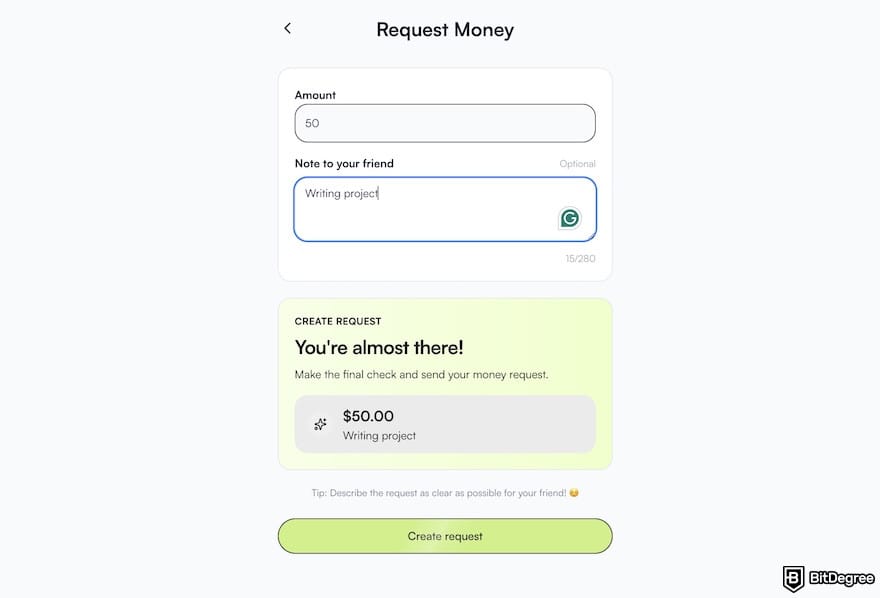
![How to withdraw money from Fiverr: the [Share] button on Ogvio's payment link generator page.](https://assets.bitdegree.org/images/how-to-withdraw-money-from-fiverr-payment-link-message-review.jpg "How to withdraw money from Fiverr: the [Share] button on Ogvio's payment link generator page.")
Once your client pays, Ogvio will notify you by email. You’ll see the update reflected in your dashboard; no need to guess or refresh the page endlessly.
Did you know?
Subscribe - We publish new crypto explainer videos every week!
How to Track Cryptocurrencies? (3 BEST Tracking Platforms Revealed)

Accept Crypto Payments
Accepting crypto payments can be a game-changer if you work with international clients, especially those who prefer fast, borderless transactions. With Ogvio, you don’t need to worry about complicated wallets, network settings, or external tools because everything is ready to use in the platform.
This makes crypto payments feel just as simple as getting paid by card or bank transfer, but often faster and cheaper. After you create an Ogvio account, follow these steps to get paid in crypto using the platform:
![How to withdraw money from Fiverr: the [Crypto Transfer] menu on Ogvio outlined.](https://assets.bitdegree.org/images/how-to-withdraw-money-from-fiverr-ogvio-crypto-transfer.jpg "How to withdraw money from Fiverr: the [Crypto Transfer] menu on Ogvio outlined.")
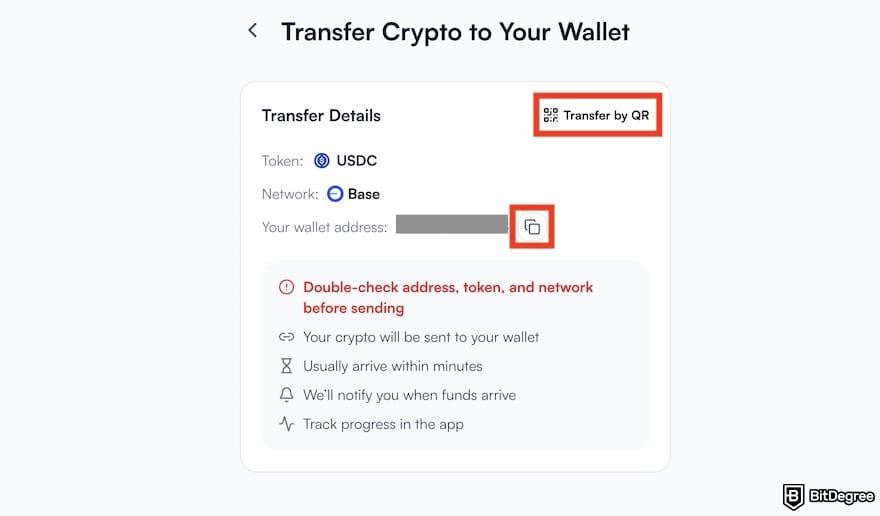
Once the payment is sent and confirmed, the balance will appear in your Ogvio wallet. Crypto may sound intimidating at first, but tools like Ogvio are making it accessible and practical for freelancers.
Besides, you can use Ogvio to cash out crypto as fiat to your bank account or even send it to someone else's bank account. It's fast, easy, and low-cost!
What Are the Key Considerations When Withdrawing Money From Fiverr
Understanding how to withdraw money from Fiverr doesn’t stop at simply choosing a payout method. There are a few important rules, limitations, and platform behaviors you should know before cashing out your earnings.
Availability and Usage Restrictions
Each withdrawal method on Fiverr can only be connected to one Fiverr account. If you reuse the same payout method across multiple accounts, Fiverr may permanently disable it. This rule helps prevent fraud and protects the platform from duplicate or unauthorized activity, so it’s important to connect a payment method only to the account you intend to use long-term.
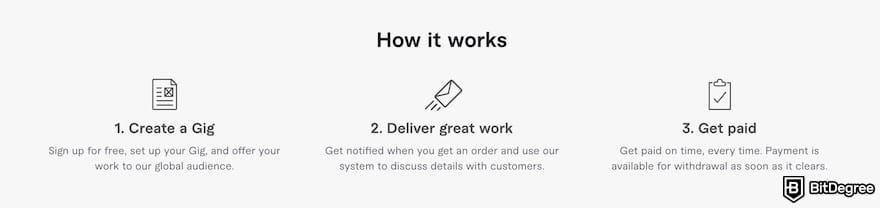
Another key factor to keep in mind is regional availability. Not every withdrawal option works in every country. Some payout methods are limited based on local regulations, financial coverage, or provider support.
Therefore, before committing to a specific method, it’s worth checking whether it’s fully supported in your region, especially if you travel, relocate, or operate internationally.
Off-Platform Payments Policy
It’s important to note that Fiverr has strict rules around payments. The platform prohibits sending or receiving payments outside Fiverr. This policy exists to protect both buyers and sellers, ensure disputes can be handled fairly, and prevent fraud.
Fiverr also automatically holds payments in escrow until the work is marked complete, meaning the money is secured for the freelancer, and the buyer doesn’t pay until they’re satisfied with the delivery.
As a result, any attempt to bypass Fiverr’s fees, share external payment details (such as an email, bank account, or invoice link), or move the project off-platform is considered a violation of Fiverr’s Terms of Service.
Accounts can be suspended or permanently banned if caught. That’s why, even though I generally use Ogvio as my payment method, I don’t recommend using it directly with Fiverr or sharing Ogvio links while an order is still in progress.
It’s simply not worth risking your account or losing access to your hard-earned client base. The best way to use Ogvio as a freelancer is after Fiverr releases the payment, and the funds are officially yours.
Browse our collection of the most thorough Crypto Exchange related articles, guides & tutorials. Always be in the know & make informed decisions!

Conclusions
The steps on how to withdraw money from Fiverr involve choosing the right method for your needs, understanding platform rules, and planning ahead so fees and delays don’t eat into your income.
PayPal is fast and convenient, Payoneer works well in places where PayPal isn’t supported, and bank transfers are great for those who prefer funds sent directly into a local account. However, each option comes with trade-offs in speed, cost, and availability.
That’s where a tool like Ogvio becomes useful. It may not become a replacement for Fiverr’s official withdrawal methods, but as a smarter next step once the money is officially yours or a go-to method for building your own payment flow outside the platform.
Create your Ogvio account now and start optimizing how you get paid.
Scientific References
1. M. J. Islam, S. Islam2, M. Hossain, S. Noor, and S. M. R. Islam: 'Securing Blockchain Systems: A Layer-Oriented Survey of Threats, Vulnerability Taxonomy, and Detection Methods';
2. R. Ramayanti, N. A. Rachmawati, Z. Azhar, N. H. N. Azman: 'Exploring Intention and Actual Use in Digital Payments: A Systematic Review and Roadmap for Future Research'.
Send Money Worldwide
Check out the best ways to send money to other countries quickly, safely, and with minimal fees.



































About Article's Experts & Analysts







