




Back then, sending money to Singapore felt like an RPG quest, with slow queues draining your HP and endless paperwork debuffing your stats before you faced the boss called high fees. Today, things are much better, with plenty of platforms promising the best way to send money to Singapore, giving you faster transfers, lower fees, and a smoother experience.
Of course, they’re not the same, and choosing the “best” services depends on what you need most in your situation. Maybe you want a transfer app with a wide range of cash-pickup outlets, or maybe you’d rather go with a new-gen money transfer platform that keeps things simple from start to finish.
In any case, I’ve put together the 5 best ways to send money to Singapore, each with its own unique features and perks that might be the one for you:
- Ogvio - Best for Fast, Affordable SG Transfers
- Wise - Best for Fair SGD Exchange Rates
- Western Union - Best for Cash Pickup in Singapore
- Remitly - Best for Discounted Transfers to Singapore
- Revolut - Best for Multi-Currency Management
Let’s take a closer look at each one of them!
1. Ogvio - Best for Fast, Affordable SG Transfers
Ranks #1 out of 5 Money Transfer Services
- + Remittance-oriented
- + Instant transfers
- + Incremental-to-no fees
- + Crypto support
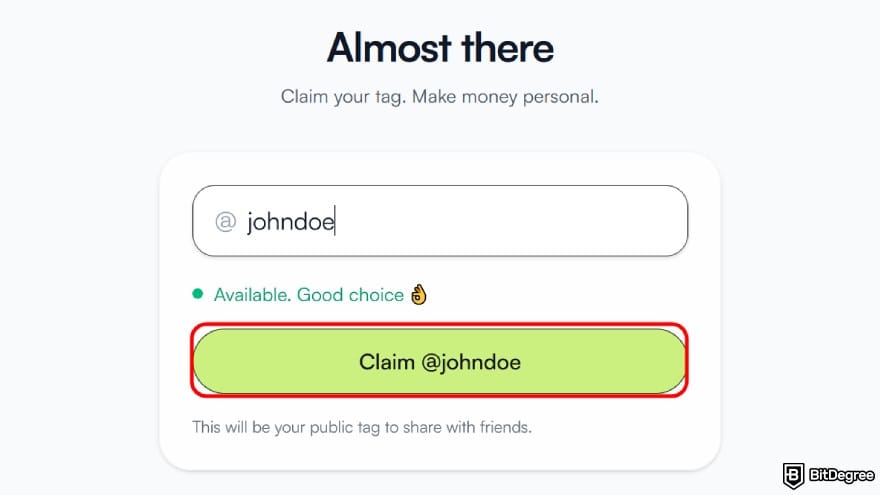
- + @Tag functionality
- + Free transfers between users
- - No card (coming soon)
Though relatively new compared to other names on my list, Ogvio has already become one of the best ways to send money to Singapore. With reach across 160+ countries and support for over 40 currencies, this next-generation remittance platform makes sending funds home quick and simple.
The @tag feature keeps the transaction flow simple. Just top up your account, enter the recipient's tag, confirm the transfer, and the money arrives in just seconds. And you don’t need to worry about funding your balance because there are plenty of options to choose from.
 | |
|---|---|
| |
| |
| |
| Visit site Read review |
Table: Ogvio's asset movement information
When transferring money feels no different from sending DMs, you know you’ve found one of the easiest ways to send money to Singapore.
Now, if the economy starts acting up again and the SGD rate looks rough, Ogvio offers you a place to park your money. It automatically converts your balance into EUR or USD, two of the most stable currencies in the world.[1] After that, you can send it when the rate looks favorable.
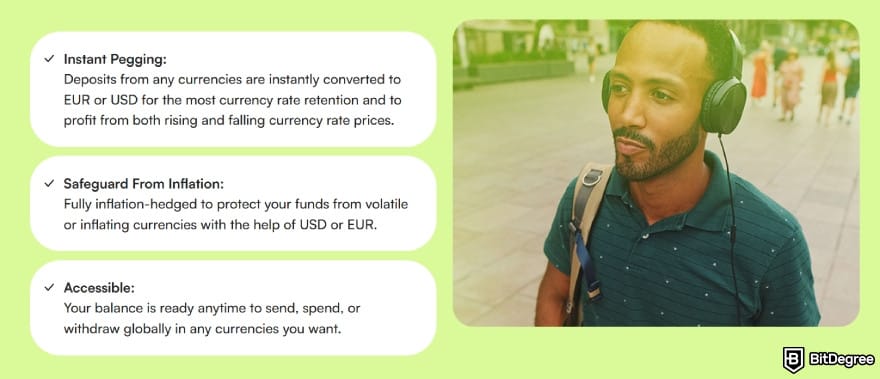
You don’t have to worry about someone else messing with your money either. Ogvio is non-custodial, so you stay in full control of your assets with no central system or outside party mishandling them.
The platform also locks down your account with 256-bit AES encryption and biometric authentication. It’s a strong combo that keeps any unauthorized access far away.
Ogvio also plans to introduce a payment card that lets you shop at millions of locations worldwide with low fees.
Key Features
On top of everything I’ve mentioned, Ogvio also brings multiple features you might find interesting:
- Light verification. You can get started without uploading documents or a face scan, though availability may vary depending on your region.
- Easy money requests. Need someone to send you money ASAP? You can create a payment link in seconds and request funds instantly.
- In-app token trading. You can trade supported tokens directly in the app using your balance.
- US-to-SG ready. Transfers from the USA to Singapore are already included among the supported countries.
And with zero transfer fee between users, it might even be your answer to how to send money to Singapore for free. Definitely a platform to check right away!
2. Wise - Best for Fair SGD Exchange Rates
Ranks #2 out of 5 Money Transfer Services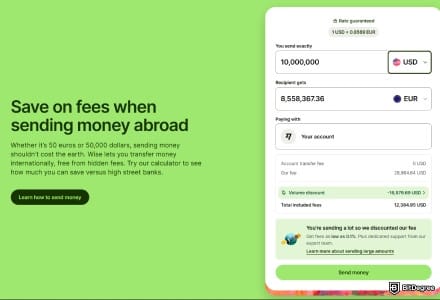
- + Transparent fees
- + Fair exchange rates
- + A smooth user experience
- + Multi-currency accounts
- - Service coverage is broad, but not entirely worldwide
- - Cash pickups aren’t available
- - Added compliance checks for large transfers
If you frequently send money abroad and often feel cheated by the rate markup, Wise might save you some frustration. The international transfer service uses the real mid-market rate on every transfer, making it a potential pick for the best app to send money to Singapore without feeling ripped off.
Wise is also pretty transparent about its pricing. Even though your total cost will still depend on where you’re sending from, you can see the details before completing a transaction. It also offers a fairly high money transfer limit to Singapore in case you want to send a large amount of funds in one go.
 | |
|---|---|
| No minimum | |
| ATM - not specified | |
| Wire - $20,000,000/transfer SWIFT - $1,600,000/transfer | |
| ATM (EEA/UK) - 2x free/mo; then €0.5 + 1.75% ATM (US) - 2x free/mo; then $1.5 + 2% | |
| Visit site Read review |
Table: Wise’s limits
Since we’re already talking about how much you send, it’s also worth noting that it can affect Wise’s speed, too. Most transfers arrive in about 1–2 days, but larger amounts or certain delivery methods can slow things down a bit.
For security, I’d say Wise handles it pretty well. Your transfers are protected with HTTPS encryption and two-factor authentication, so nothing gets through easily.
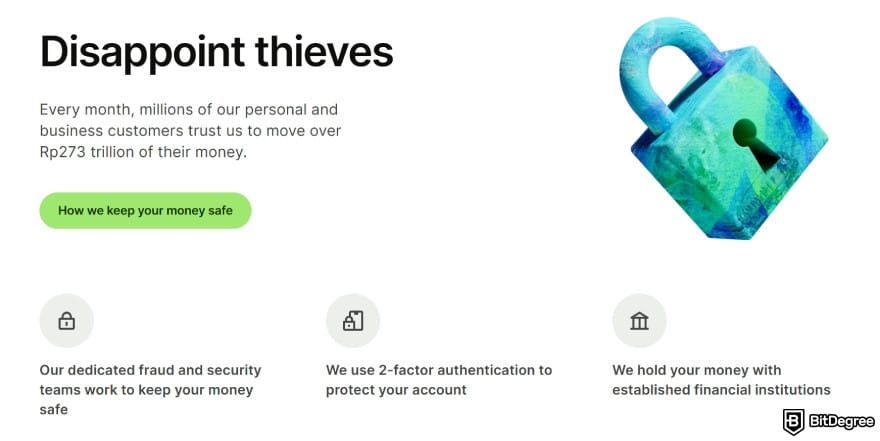
On top of that, they also run millions of checks daily to make sure each transaction stays safe. That’s pretty reassuring, gotta say.
Key Features
Aside from everything I’ve mentioned, here’s another reason why Wise can fit into your best money transfer to Singapore shortlist:
- Multi-currency management. Wise supports more than 40 currencies (including SGD), allowing you to hold and manage multiple balances from one application.
- Singapore-ready routes. You can transfer your money straight to your recipient’s bank or e-wallet.

- Regulated provider. Wise is licensed in a number of regions, so your transfers run through a service that stays compliant and well-protected.
- Easy-to-use app. The layout is clean and beginner-friendly, letting you complete your transfer in just a few taps.
Just keep in mind that Wise doesn’t support cash pickup, which might be inconvenient if your family likes getting their money in person.
3. Western Union - Best for Cash Pickup in Singapore
Ranks #3 out of 5 Money Transfer Services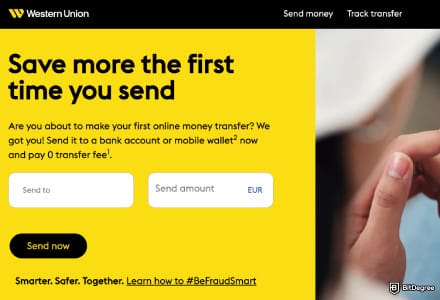
- + An established money transfer service
- + Available in most countries
- + Multiple delivery types, including cash pickup
- + Various ways to fund a transfer
- - High fees and exchange rate markup
- - Outdated app interface
- - Doesn't allow long-term fund storage
It wouldn’t feel right to make a “best way to send money to Singapore” list without including Western Union. The remittances veteran has been operating since the 1800s and works in more than 200 countries & regions with a service that people still rely on daily.
Why is it still a go-to platform for many after being around for more than a century? Well, mostly because it’s ever-present, manages to keep up with the times, and keeps cross-border payments easy. The fees are also decent, though I wouldn’t call it the most affordable option you can find.
 | |
|---|---|
| N/A | |
| N/A | |
| |
| |
| Visit site Read review |
Table: Western Union's pricing structure
If you pick a bank account as the receiving option, the transfer usually arrives to Singapore in around 2 business days. But if you need faster speed, Western Union’s cash pickup can deliver the money in just a few minutes. Pretty handy when someone back home needs cash ASAP.
Now, as for money transfer limits to Singapore, Western Union adjusts the cap based on your verification status. Unverified accounts can typically send up to US$5,000, and verified users can go as high as US$50,000.

Oh, and you’ll always get a Money Transfer Control Number (MTCN) when you use Western Union’s service. You can use it to track your transfer on its website or mobile app.
Key Features
Here are the other aspects that make Western Union a contender for the best way to send money to Singapore:
- Established brand. Western Union has been around since 1851 and is considered one of the most recognizable companies in global transfers.
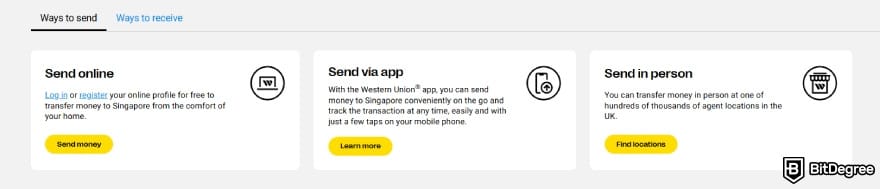
- Multiple ways to send money. It allows you to transfer funds online, through the mobile app, or in person at agent locations.
- Fee discounts. Through the WU Rewards program, you can occasionally get discounts or promotions on fees.
- Repeat payments. If you frequently send money, the app lets you set up and schedule automatic transfers.
Western Union also has a price estimator tool to check the cost of transferring money to a Singapore bank account or pickup point. It’s useful for getting a rough estimation before making a transaction.

Did you know?
All Money Transfer Services may look similar to you, but they're NOT all the same!
4. Remitly - Best for Discounted Transfers to Singapore
Ranks #4 out of 5 Money Transfer Services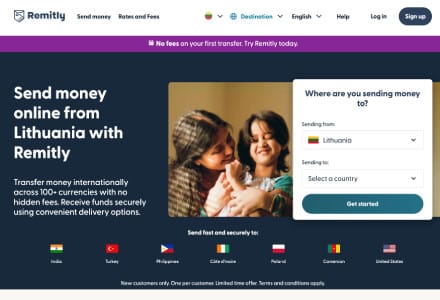
- + Great platform accessibility
- + 170+ receiving countries
- + Home delivery available
- + Major and local payout options
- - Escalating FX rates
- - Confusing fees
Looking for the easiest way to send money to Singapore? Remitly might be a good option to look into. This UK-regulated transfer service runs on a beginner-friendly app that makes delivering money back home easy, quick, and secure.
Your recipient also has several ways to get the money. They can pick it up in cash, have it sent to their bank account at DBS, Maybank, Citibank, UOB, or OCBC, or receive it via debit card deposit. The fees are kept reasonable as well.
 | |
|---|---|
| N/A | |
| N/A | |
| |
| |
| Visit site Read review |
Table: Remitly's pricing structure
Talking about charges, Remitly does offer some helpful breaks. As a new user, you get a promotional rate for your first 1,500 USD. And if you want to save extra, the Economy option lowers the fee even more, as long as you don’t mind slower delivery.
Remitly doesn’t slack on security either. It uses strong data encryption, multi-layer protection, and fraud monitoring to keep your money safe. And if you ever hit a snag, their support team is available around the clock in different languages.
You can download Remitly’s mobile app from the App Store or Google Play Store.
Key Features
A few other things that are worth noticing include:
- Money-back guarantee. If your transfer doesn’t reach your recipient by the promised delivery time, Remitly will refund your fees in full.
- Positive customer feedback. Remitly scores fairly well across different review platforms like Trustpilot, suggesting that a good number of users are happy with their services.

- Discount codes. The platform often shares promo codes you can use to bring your transaction fees down a little more.
- Convenient app. You can handle your account, look through past transfers, manage recipients, and resend money from one simple dashboard.
With an easy-to-use app, a delivery guarantee, and fee-saving options, Remitly is one platform to keep in mind if you’re looking for how to send money to Singapore for free, or at least with minimal cost.
5. Revolut - Best for Multi-Currency Management
Ranks #5 out of 5 Money Transfer Services
- + Instant transfer (for Revolut users)
- + Multi-currency wallet
- + Earning options
- + Built-in budgeting tools
- + Stock trading
- - Weekend exchange rate markup
- - Limited perks
- - No full banking features
Revolut is a name to keep on your radar if you want more than a simple money transfer tool. It’s an all-in-one digital finance platform that lets you spend, save, earn, and send money to over 140 countries in multiple currencies.
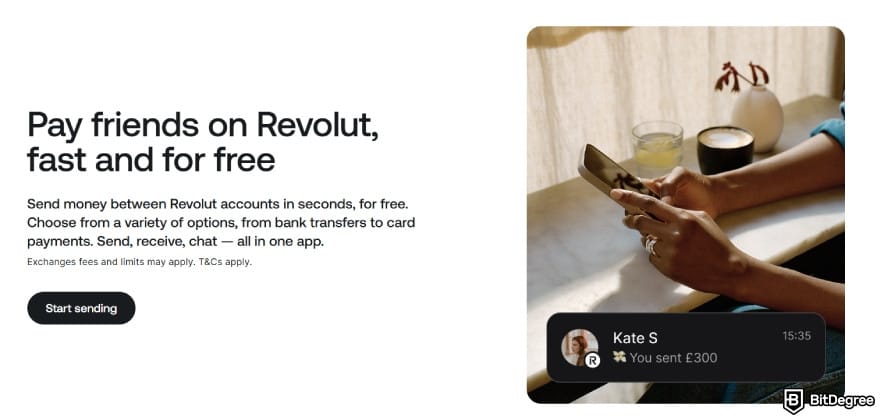
One notable highlight of the app is its peer-to-peer transfer feature. It lets you send money to other Revolut users fast and with almost no effort. And if you need to transfer money to Singapore bank account, the platform supports SWIFT transfers too.
 | |
|---|---|
| |
| |
| |
| Visit site Read review |
Table: Revolut's asset movement
While its cross-border services are reliable, I’d argue that the main appeal of the application is its wide range of financial tools.
One of the first features you’ll spot is the multi-currency wallet. It lets you store and swap more than 30 currencies, including SGD, EUR, USD, GBP, and JPY. If you move between countries often, it can make everyday spending a lot easier.
And you won’t need to panic about overspending or missing a family transfer. Revolut’s money management feature watches your spending, sorts everything neatly into categories, and gives you a friendly nudge whenever you’ve gone a bit too far.
Key Features
Here are the other appeals that make Revolut one of the best apps to send money to Singapore:
- Revolut Card. The card is available in physical and virtual form, letting you make payments in multiple currencies with ease.
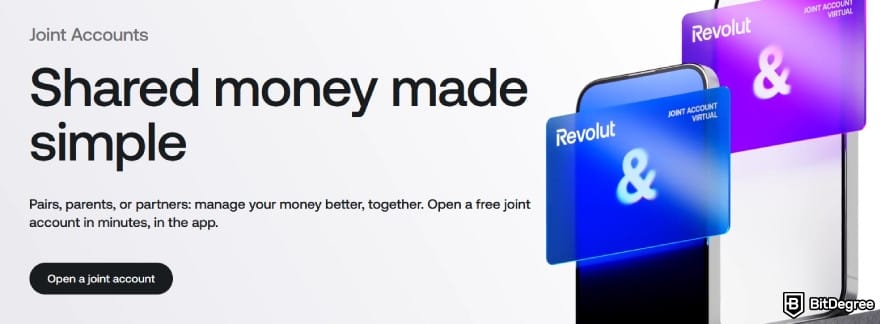
- Joint accounts. You can create a shared account with a partner or family member to make expense management easier, even if they’re in Singapore.
- Stock trading tools. Revolut lets you buy and sell stocks and certain assets directly from the app.
- Reputable security & customer support. The platform says its top-tier protection and award-winning team helped block more than $1.1 billion worth of fraud in 2023.
Now, I wouldn’t say that Revolut gives you the cheapest way to send money to Singapore. Weekend currency exchanges can come with a 1% fee, and many of Revolut's better perks are locked behind the US$10.99 and US$21.99 subscriptions.
How to Send Money to Singapore From the UK
Now that you’ve seen some of the best ways to send money to Singapore, let’s get a bit practical and see how a transfer works from the UK. Since both countries have well-developed remittance systems, moving funds between them usually comes with few issues.
On top of that, the GBP to SGD exchange rate has been fairly stable (at the time of writing). You’ll see some small fluctuations here and there, but nothing too extreme. Even so, it’s still useful to know how the rate behaves so you have a reference point.
Last 7 Days | Last 30 Days | Last 90 Days | |
|---|---|---|---|
High | 1.7141 | 1.7393 | 1.7416 |
Low | 1.7087 | 1.7028 | 1.7028 |
Average | 1.7108 | 1.7172 | 1.7285 |
Table: GBP to SGD exchange rate (as of writing)
If the rate feels right, your next move is choosing which app to use. For this walkthrough, I’m choosing Ogvio to show how simple this corridor becomes when you use the right platform.
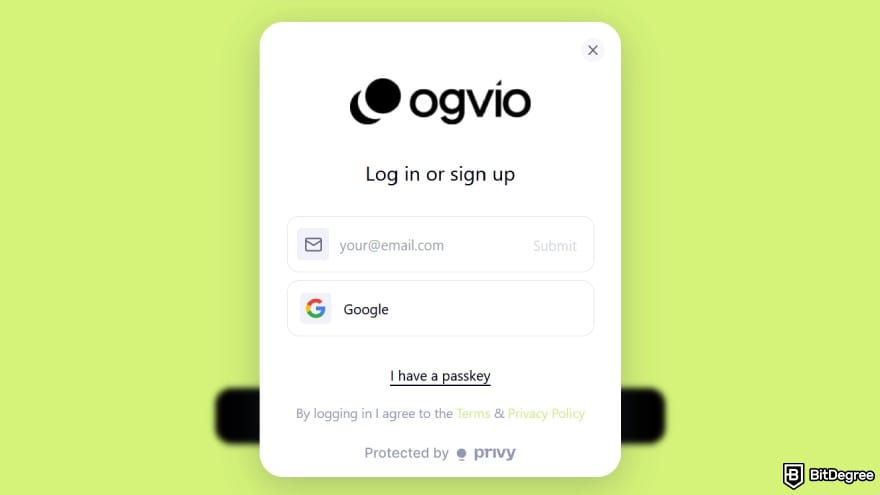
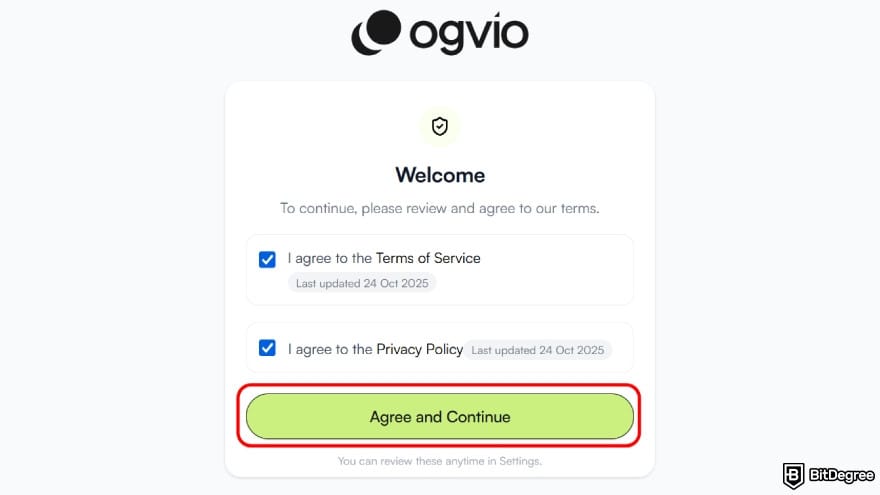
Once your email is confirmed, go through the Terms of Service and Privacy Policy. Check both boxes and click on [Agree and Continue] to proceed.
![Best way to send money to Singapore: click the [Add Money] option to top up.](https://assets.bitdegree.org/images/best-way-to-send-money-to-singapore-add-money.jpg "Best way to send money to Singapore: click the [Add Money] option to top up.")
- Bank Transfer. Top up by making a payment through your bank account.
- Receive From Ogvio Users. Got a friend on Ogvio? Share your @handle and they can send you funds instantly with no fee.
- Request Money. You can create a request link so others can send you money directly.
- See Your Wallet Address. Copy your crypto wallet address to receive supported coins from an external exchange or wallet.
- Card Payment. Add funds using your debit or credit card for an instant, but slightly more expensive, top-up.
For this example, let’s go with the recommended [Bank Transfer] option.
![Best way to send money to Singapore: select [Bank Transfer], which is the recommended option.](https://assets.bitdegree.org/images/best-way-to-send-money-to-singapore-methods.jpg "Best way to send money to Singapore: select [Bank Transfer], which is the recommended option.")
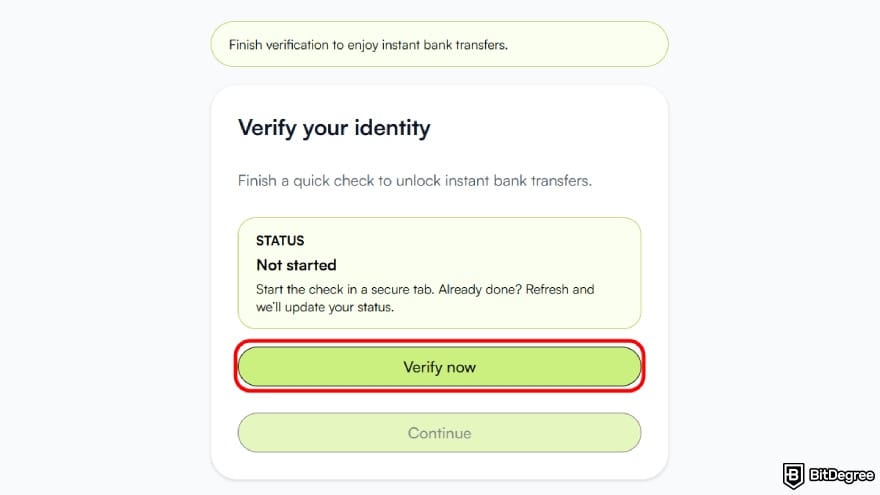
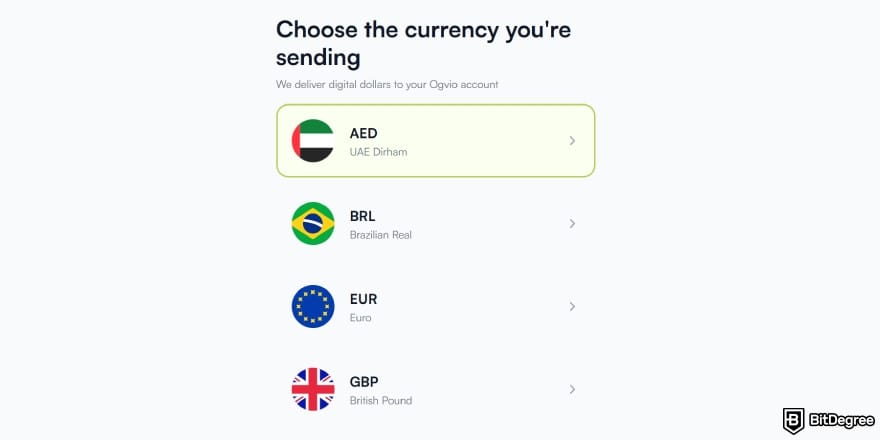
With Faster Payments, the money transfer limit to Singapore can go up to £1,000,000 per transaction.
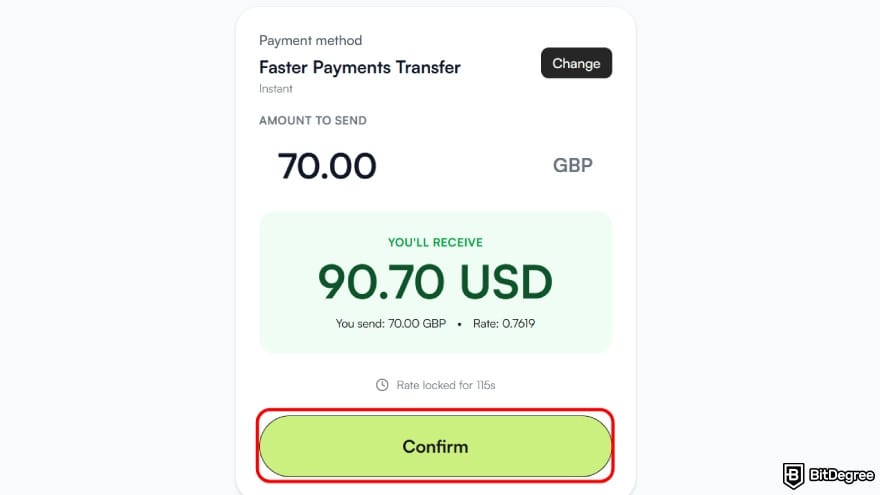
Once you’re satisfied with what you’ll receive, click the [Confirm] button to continue.
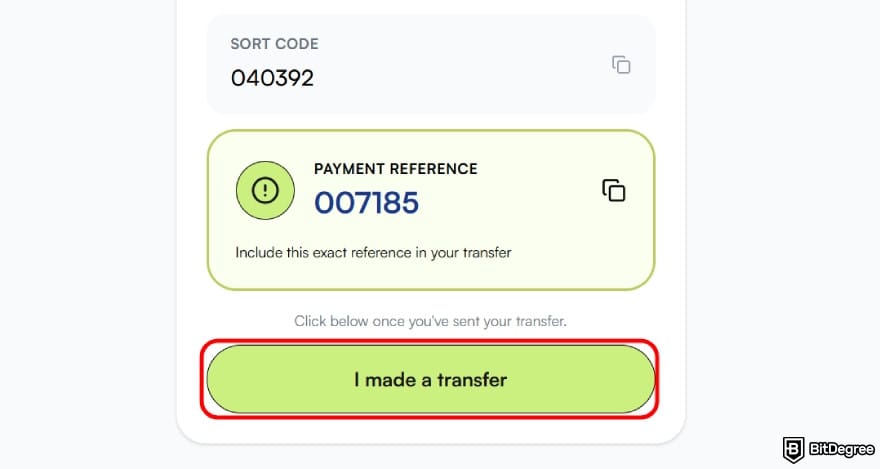
![Best way to send money to Singapore: choose the [Send Money] option.](https://assets.bitdegree.org/images/best-way-to-send-money-to-singapore-send-money.jpg "Best way to send money to Singapore: choose the [Send Money] option.")
![Best way to send money to Singapore: click the [+] button on the top.](https://assets.bitdegree.org/images/best-way-to-send-money-to-singapore-plus.jpg "Best way to send money to Singapore: click the [+] button on the top.")
You’ll see three ways to complete the transfer. For this example, I’m going with the recommended Ogvio-to-Ogvio transfer because it’s fast, free, and easy.
![Best way to send money to Singapore: choose to transfer using [Ogvio user] method.](https://assets.bitdegree.org/images/best-way-to-send-money-to-singapore-ogvio-user.jpg "Best way to send money to Singapore: choose to transfer using [Ogvio user] method.")
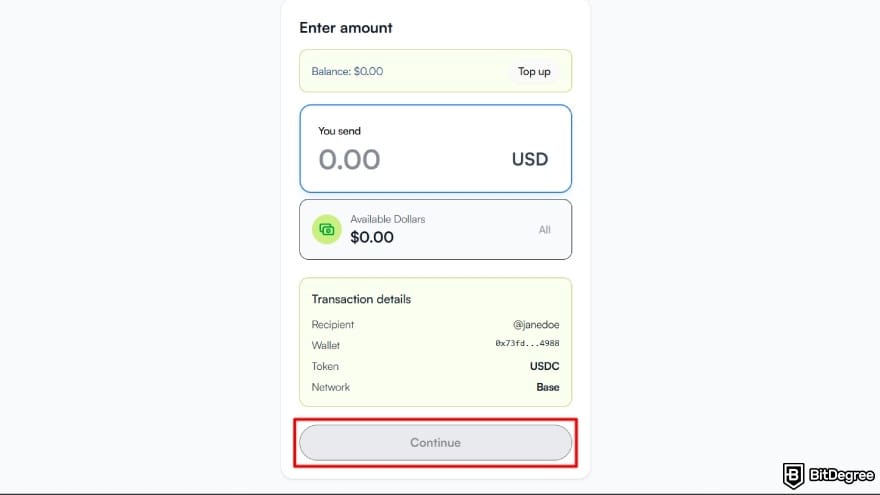
And there you go! That’s how to send money to Singapore from UK without hassle and without overspending on fees.
How to Send Money to Singapore From the EU
Sending money from Europe follows the same flow when you use P2P. But if you’d rather transfer the money to a Singapore bank account directly, Ogvio makes that simple as well.
But if you go with this route, be extra careful with the recipient’s details. Their name needs to match perfectly, including the order, spacing, and any small variations. If not, you might run into delays or reversals because Singapore’s banking system is quite strict about name matching.
And of course, it’s always a good idea to check how the EUR to SGD rate is doing. It should give you a clear point of reference to decide whether it’s a good moment to do the transfer. Here’s how 1 EUR compares to SGD (at the time of writing):
Last 7 Days | Last 30 Days | Last 90 Days | |
|---|---|---|---|
High | 1.5134 | 1.5134 | 1.5163 |
Low | 1.5072 | 1.5007 | 1.4936 |
Average | 1.5093 | 1.5071 | 1.5067 |
Table: EUR to SGD exchange rate (as of writing)
With all that sorted, simply follow these steps below to make a bank transfer to Singapore:
![Best way to send money to Singapore: select [Bank Transfer].](https://assets.bitdegree.org/images/best-way-to-send-money-to-singapore-bank-transfer-v1.jpg "Best way to send money to Singapore: select [Bank Transfer].")
With Ogvio, transferring money to a Singapore bank account stays easy and fast, just the way it should be.
📚 Check Out: Best Way to Send Money to Europe
How to Send Money From the USA to Singapore
The United States-to-Singapore corridor is another common corridor for international money transfer. There are various digital platforms with different ways to move funds, but most still pick bank transfers for the convenience and familiarity.
Unfortunately, you can’t use PayNow to send money from the USA to Singapore - it only handles local transfers.
And on that note, the USD to SGD rate is mostly stable and doesn’t move around in any dramatic way. So for most transfers, you won’t need to worry too much about perfectly timing the market.
Even so, if you’re sending a large sum of money, it helps to take a quick look at how the USD-SGD rate has been doing:
Last 7 Days | Last 30 Days | Last 90 Days | |
|---|---|---|---|
High | 1.3030 | 1.3077 | 1.3077 |
Low | 1.2983 | 1.2935 | 1.2756 |
Average | 1.3006 | 1.3002 | 1.2920 |
Table: USD to SGD exchange rate (as of writing)
As Singapore’s digital asset ecosystem grows, crypto has evolved into a popular alternative[2] for moving money in. Plenty of freelancers, students, and people who prefer peer-to-peer transfers lean on it because it gives them more control.
And since Ogvio also supports crypto transfers, let’s take a look at how you can make one:
![Best way to send money to Singapore: select the [Crypto wallet] option.](https://assets.bitdegree.org/images/best-way-to-send-money-to-singapore-wallet-crypto.jpg "Best way to send money to Singapore: select the [Crypto wallet] option.")
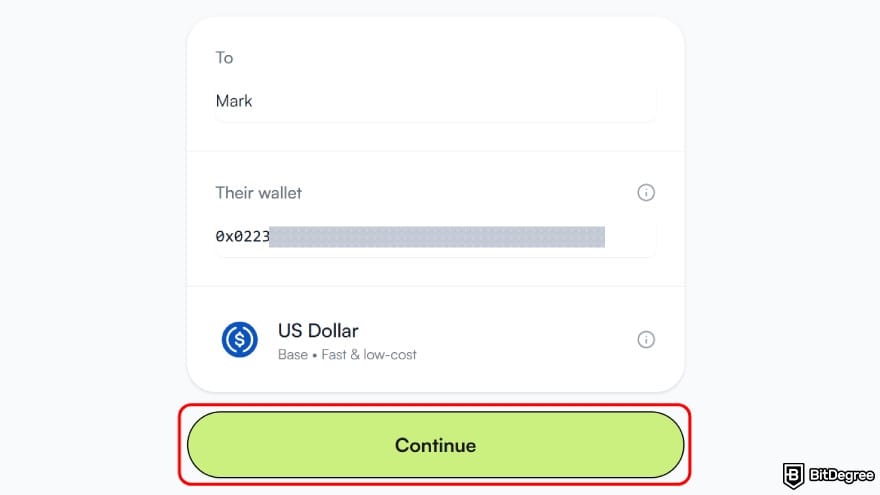
With your Ogvio wallet funded and good to go, figuring out how to send money from the USA to Singapore only takes a few simple steps.
Oh, and by the way, if you’re transferring to Singapore from somewhere other than the three countries I mentioned, the steps won’t be much different. Just keep an eye out for any country specific points in your chosen corridor.
Cheapest Ways to Send Money to Singapore
After learning how to send money to Singapore, you’re probably ready to send some to your family back home. But you might still feel a bit hesitant about which route gets your funds there as affordably as possible. In that case, three providers come to mind:
- Ogvio. If both you and your recipient are on Ogvio, you can use the account-to-account transfer and send money with zero fees.
- Wise. Since it uses the real mid-market exchange rate, your transfer to Singapore often comes out fairer and cheaper.[3]
- Remitly. The platform's occasional promotions can reduce your total transfer costs if you manage to catch them on time.
Here’s a quick comparison table for reference:
| | | | |
|---|---|---|---|
| Bank - free Crypto - free Card - varies | Bank - free Card - varies SWIFT - varies | N/A | |
| Varies |
| N/A | |
|
|
| |
|
|
| |
| Visit site Read review | Visit site Read review | Visit site Read review |
Table: Wise, Ogvio, & Remitly pricing comparison
Other factors like where you’re sending from, how much you send, and how the money gets delivered can affect your final cost. This is why the cheapest way to send money to Singapore isn’t going to be the same from person to person.[4]
But if you want the best chance at finding the most affordable option, those three platforms would be my starting point.
📚 Check Out: Cheapest Way to Send Money Internationally
Conclusions
So, how do my picks for the best ways to send money to Singapore look to you? Hopefully, I’ve helped you find a platform or two that’s worth trying and can make your cross-border transfers much easier.
But if you’re still scratching your head about which option to go with, don’t worry too much about it. Just start by deciding how you want the funds to arrive. If you like the traditional walk-in style with a real agent at the counters, Western Union can fit the bill. If you want low-cost bank transfers instead, Wise or Remitly might suit you better.
Or you can simply use Ogvio and enjoy the best money transfer to Singapore experience starting today!
Scientific References
1. Acevedo R.: ‘The Euro and the U.S. Dollar Reserve Currency Rivalry in the 21st Century A Review’;
2. Freund C., Spatafora N.: ‘Remittances, Transaction Costs, and Informality’;
3. IMF: ‘Discriminatory Pricing of Over-the-Counter Derivatives’;
4. Freund C., Spatafora N.: ‘Remittances, Transaction Costs, and Informality’.
Send Money Worldwide
Check out the best ways to send money to other countries quickly, safely, and with minimal fees.


































About Article's Experts & Analysts


Disclosure: To keep our site running & free of charge, we may sometimes receive a small commission if a reader decides to purchase services via some links on site, at no extra cost.


