






South Korea moves fast; the word "ppalli" has become a way of life. Subway is fast, the internet is fast, and even food delivery is fast. But international transfers? Somehow, they still drag their feet. Hidden markups and long wait times also often make the experience unpleasant.
That’s why every major money app is fighting to offer the best way to send money to South Korea. Their aim is simple: cut fees and speed up transfers. Some services, like Ogvio, also tie themselves to crypto, letting you manage and exchange digital and fiat currencies in one place.
So, how to send money to South Korea with those said platforms? Here are some of the top picks you can choose:
- Ogvio - Fiat and Crypto Transfers Made Simple
- Wise - Transparent Mid-Market Rate Transfers
- Western Union - Classic Fiat-Only Global Transfers
- MoneyGram - Cash Pickup & International Reach
- Remitly - Low-Cost Economy & Fast Express Transfers
- Xoom - Best International Transfer Service for PayPal Users
- Revolut - Multi-Currency App for Global Spending & Transfers
Let’s unpack them one by one to find the best app to send money to South Korea.
1. Ogvio - Fiat and Crypto Transfers Made Simple
Ranks #1 out of 7 Money Transfer Services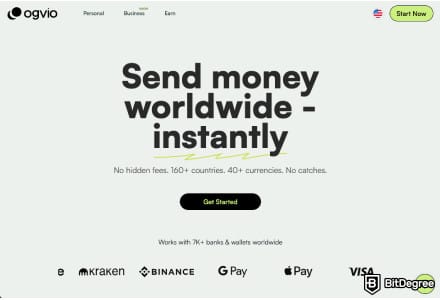
- + Remittance-oriented
- + Instant transfers
- + Incremental-to-no fees
- + Crypto support
- + @Tag functionality
- + Free transfers between users
- - No card (coming soon)
If you’ve ever thought of combining fiat and crypto in one app, you’ve thought of the same thing as Ogvio’s founders. This next-gen transfer service handles both types of assets, making it a strong contender for the best way to send money to South Korea.
Ogvio keeps all transactions simple. Money transfer limits to South Korea are flexible, unlike many payment rails that restrict the amount you can send.
 | |
|---|---|
| |
| Per-transaction | |
| | |
| A global money transfer service with an additional volatile currency rate pegging to USD or EUR. | |
| Visit site Read review |
Table: General overview of Ogvio
The platform supports 160+ countries and 40+ currencies. Whether you’re traveling, living abroad, or supporting someone in South Korea, you’ll have wide coverage and plenty of options to work with.
Here’s the real gist: Ogvio pegs your balance to USD or EUR. So when you’re sending money to South Korea (or any of its supported countries), you can avoid the impact of inflation. This is especially helpful if you’re worried about sudden drops in KRW value.
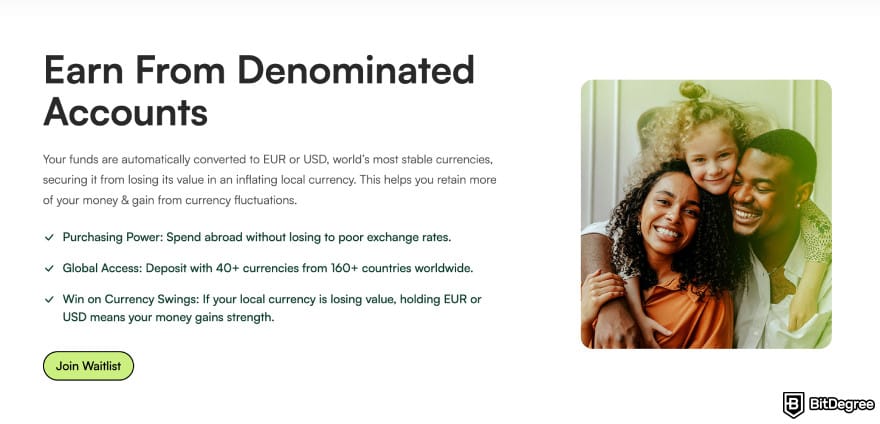
Ogvio also gives you a simple trading option. You can buy, sell, or trade crypto. Even if you want to cash out crypto to a bank account, you can do that with Ogvio. Just bear in mind that if you decide to trade, double-check prices and avoid making transactions you don’t fully understand.
The best part? Ogvio's fees are among the lowest in the market. This is thanks to the platform's focus on high-speed payment rails, which minimizes float[1] by reducing settlement delays and eliminating unnecessary intermediaries.
As a result, every transaction is free or almost free. And when you do need to pay, the total is shown upfront. So no hidden markups, just clean numbers you can trust.
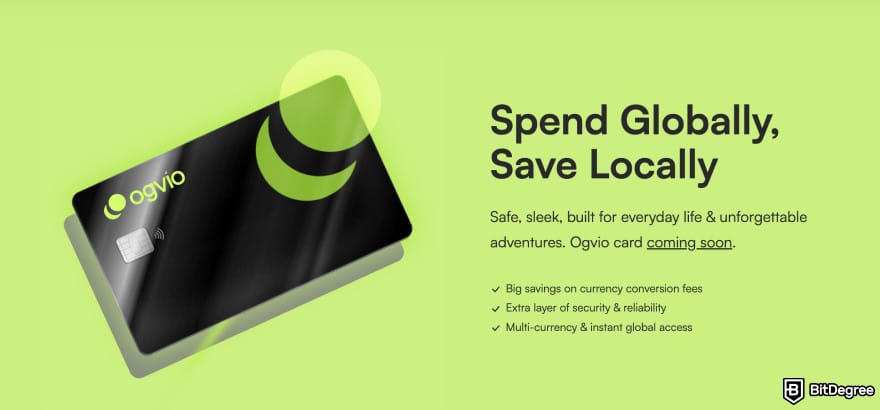
As for limitations, Ogvio won't be fully available worldwide yet. Some countries won’t be able to access the app until coverage expands. The debit card is also on the roadmap, so you can expect that feature a little later.
Key Features
All of these features come together to make Ogvio one of the best ways to send money to South Korea:
- Instant transfers. This is possible through Ogvio’s @Tag feature, where sending money works as quick as a plot twist in a K-drama.
- Gateway to Web3. Crypto traders can buy, sell, and hold select tokens on the Base network, including crowd favorites like BTC and ETH. The functionality is ideal for anyone who wants to dip into crypto without deep technical knowledge.
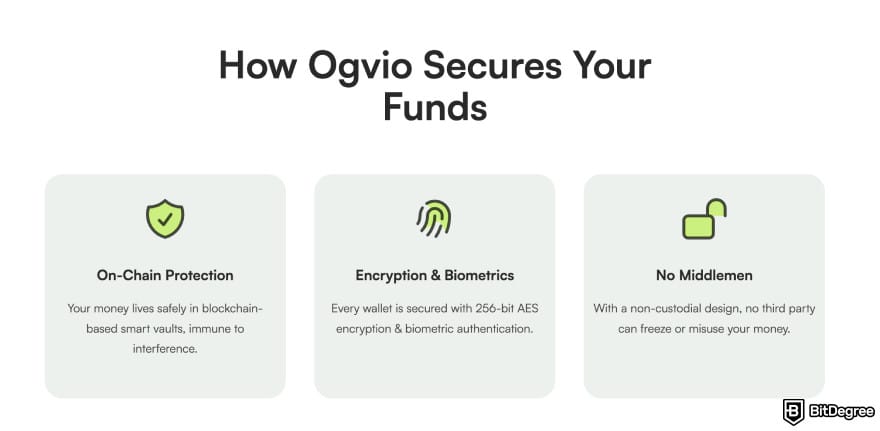
- Secure remittance. Ogvio uses the highest grade encryption to date (AES-256), verification steps, and blockchain transparency to keep every transfer safe.
- Transparency-first approach. You always see the real numbers before confirming. The transfer lands in your or your recipient's account exactly as Ogvio said you'd receive.
- Safe from inflation. Since Ogvio holds your balance in EUR or USD, you can protect your money from KRW fluctuations. In any case, KRW conversions use the true mid-market rate, so it'll feel like you didn't exchange between currencies at all.
All in all, Ogvio offers a fast and low-cost way to move money to South Korea. With its features laid out, it’s perfect for anyone looking to mix the simplicity of a money app with the benefits of Web3.
2. Wise - Transparent Mid-Market Rate Transfers
Ranks #2 out of 7 Money Transfer Services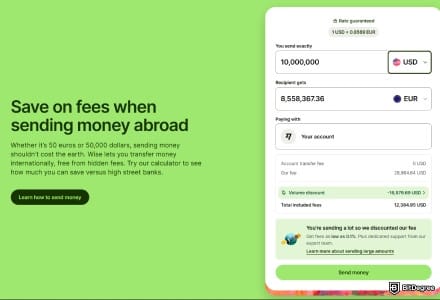
- + Transparent fees
- + Fair exchange rates
- + A smooth user experience
- + Multi-currency accounts
- - Service coverage is broad, but not entirely worldwide
- - Cash pickups aren’t available
- - Added compliance checks for large transfers
Wise is one of the most well-known platforms for international transfers, especially if you want predictable and transparent outcomes. The way I see it, it’s a strong option when comparing how to send money from USA to South Korea due to its features.
First, Wise stands out for using the real mid-market rate (the same one you see on Google) without hidden markups. You pay a small, upfront fee, and everything is shown clearly before you hit send.
 | |
|---|---|
| Bank - free Card - varies SWIFT - varies | |
| |
| |
| |
| Visit site Read review |
Table: Overview of Wise’s fees and pricing
Another thing that makes it appealing for transfers to South Korea is its discount for larger amounts. If you’re sending over USD 25,000, the fee percentage gets lower.
For regular transfers, the process stays simple: you send the money in USD, and your recipient receives KRW on their side. As for transfer speed, it varies, but most payments to South Korea arrive quickly (often within the same day).
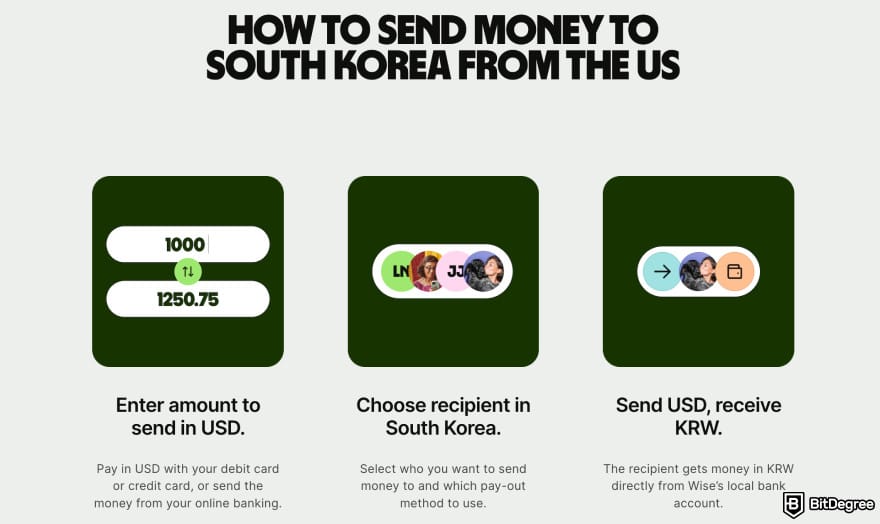
Wise covers a large portion of the world, supporting 160+ countries and dozens of major currencies. So you get plenty of flexibility if you move money frequently or across multiple regions.
When it comes to limitations, Wise doesn’t support crypto, and some transfers may take longer (if additional verification is needed). Larger payments might also require extra documentation depending on your state or bank.
Key Features
Now, let’s take a look at the features that make Wise a reliable option for transfers from the US to South Korea:
- Multi-currency card. Spend directly from your balance in dozens of currencies. That way, you can use your money abroad without dealing with extra conversion fees.
- Full-stack security. Wise helps keep your money safe from fraud through encryption, 2FA, and account verification.
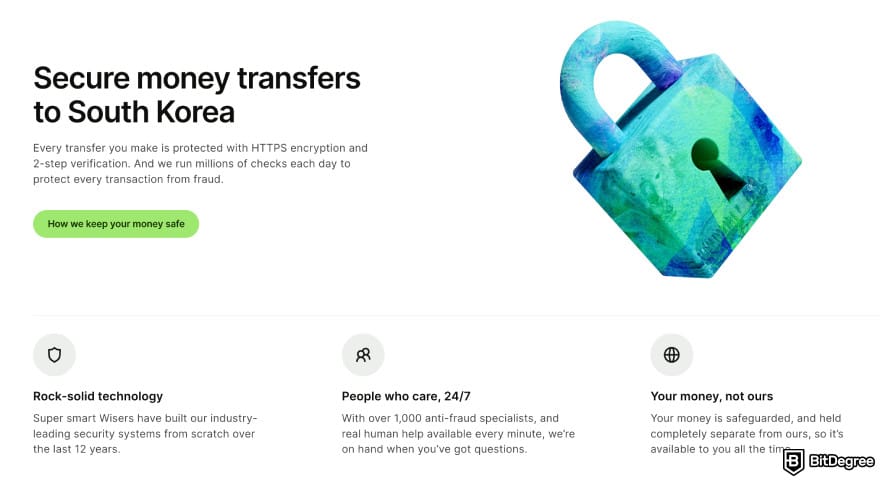
- Fully regulated. For the US to South Korea route, Wise is licensed across 48 states, ensuring every transfer is compliant and protected.
- Potential to earn. You can earn returns on your USD (or a few other currencies) through Wise’s interest-earning tools.
Wise is a strong choice for anyone sending money to South Korea, though I learned the app isn't entirely beginner-friendly. It’s also ideal if you prefer a transparent, bank-to-bank style transfer.
3. Western Union - Classic Fiat-Only Global Transfers
Ranks #3 out of 7 Money Transfer Services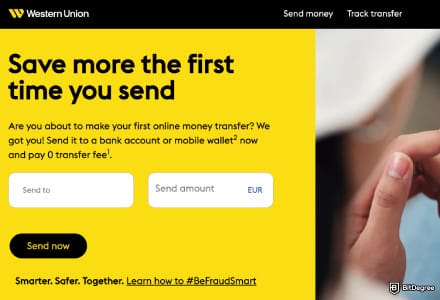
- + An established money transfer service
- + Available in most countries
- + Multiple delivery types, including cash pickup
- + Various ways to fund a transfer
- - High fees and exchange rate markup
- - Outdated app interface
- - Doesn't allow long-term fund storage
Western Union is one of the best global money transfer services, founded back in 1851 (I kid you not). Staying true to who they are since day one, they focus entirely on fiat transfers. Having been in the business that long, Western Union is known for its massive reach.
It covers 190+ countries and 125+ fiat currencies, along with its many physical agent locations. In South Korea alone, there are thousands of those agents, making sending and receiving money easy and accessible.
 | |
|---|---|
Africa Australia Australia Algeria Algeria+200 more | |
| EN FR DE +27 more | |
 HKD HKD CHF CHF CNY CNY+127 more | |
| Fiat-only | |
| Visit site Read review |
Table: Western Union’s country coverage
In terms of everyday use, Western Union keeps things familiar. You can transfer money to a South Korean bank account, send it to a card, or choose cash pickup. Transfers can arrive in minutes, but this depends on the payment method (some take several hours and up to 12 hours).
When it comes to pricing, Western Union uses a per-transfer fee model. The costs vary depending on how you pay (bank transfer, card, or in person), and you’ll only be charged when sending money.
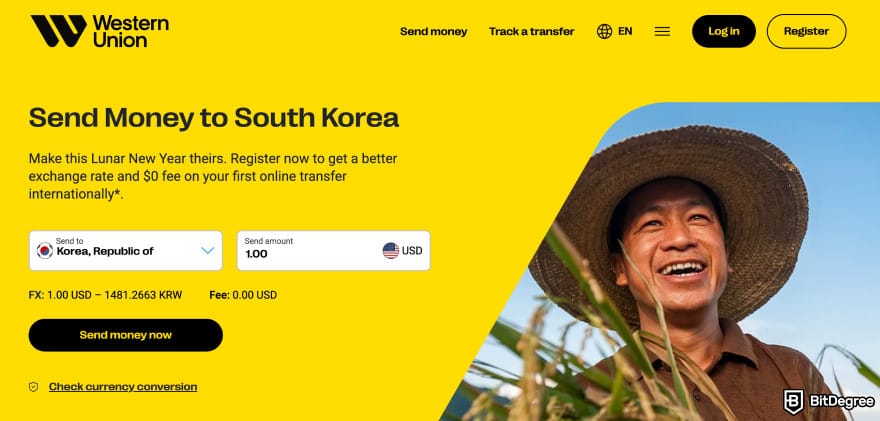
Related to how much you’ll pay before sending money to South Korea, you can use Western Union’s currency converter and price estimator. These tools help you save costs on the exchange rates and make the most of your money’s value before sending.
As for limitations, I noticed a few. Western Union adds an exchange rate markup and may charge SMS notification fees on top of account over-limit fees.
Key Features
These features highlight what Western Union offers for international transfers:
- Encrypted transfers. Every payment is protected by encryption, helping keep your personal details and money safe.
- Per-transaction fee model. You only pay when you send money, making it easy to control how much you spend on each transfer.
- Money transfer tracking. The Money Transfer Control Number (MTCN) lets you track your transfer from start to finish, and the same goes for the recipient.
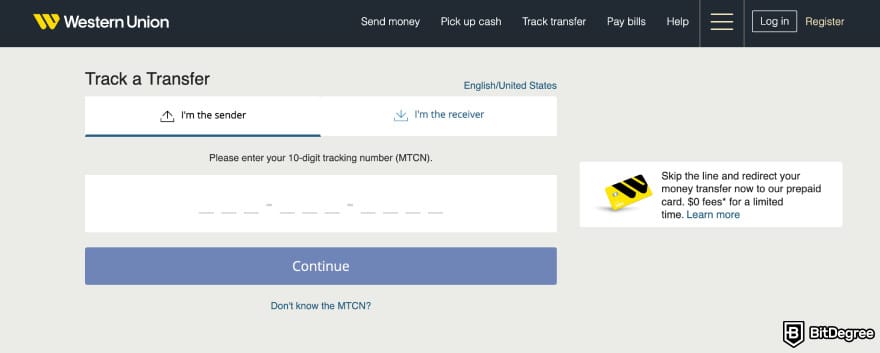
- Price estimator. You can preview fees and exchange rates before confirming, so you can see how much you’ll pay.
Overall, Western Union is a dependable choice if you prefer a traditional money transfer service with global coverage. It’s not the cheapest option, but it’s highly accessible and works well for users who just want a tried-and-true way to send money abroad.

Did you know?
All Money Transfer Services may look similar to you, but they're NOT all the same!
4. MoneyGram - Cash Pickup & International Reach
Ranks #4 out of 7 Money Transfer Services
- + Widespread agent locations
- + Online and offline transfer integration
- + Local and global payout support
- + Additional features like bill payments
- - Can be expensive
- - Inconsistent customer support quality
MoneyGram is a long-running money transfer service that lets you send and receive funds across borders using card payments, bank transfers, or ACH.
Thanks to its features, I believe MoneyGram is a practical choice if you’re comparing how to send money from USA to South Korea and want both fiat and crypto options under one platform.
 | |
|---|---|
| |
| Per-transaction | |
| | |
| One of the most reliable offline-first, digital-friendly money transfer services with a global reach. | |
| See TOP10 Brands Read review |
Table: Quick overview of MoneyGram
With a network that reaches over 200 countries, MoneyGram is one of the most accessible traditional remittance services. For South Korea, the transfer limits depend on your account’s verification level, payment type, and the receiving method.
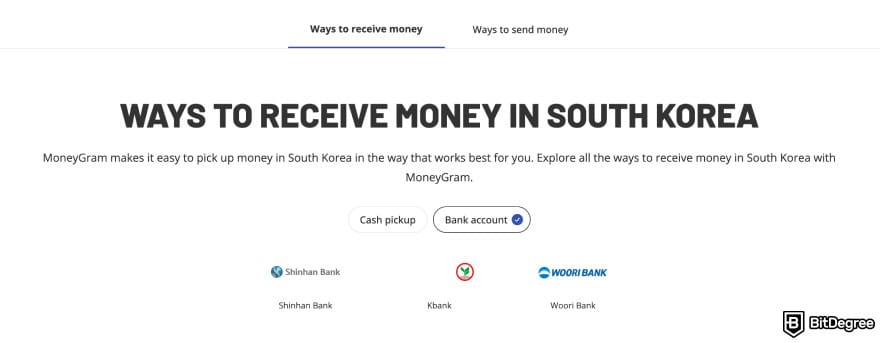
Similar to other apps, MoneyGram keeps its pricing straightforward. Fees are shown upfront, and the final cost depends on a few things: where you’re sending from, the amount, and the transfer method. Exchange-rate spreads vary, so the total conversion fees can change from day to day.
Beyond fiat, MoneyGram also supports cryptocurrencies, namely USDC, BTC, ETH, and LTC.
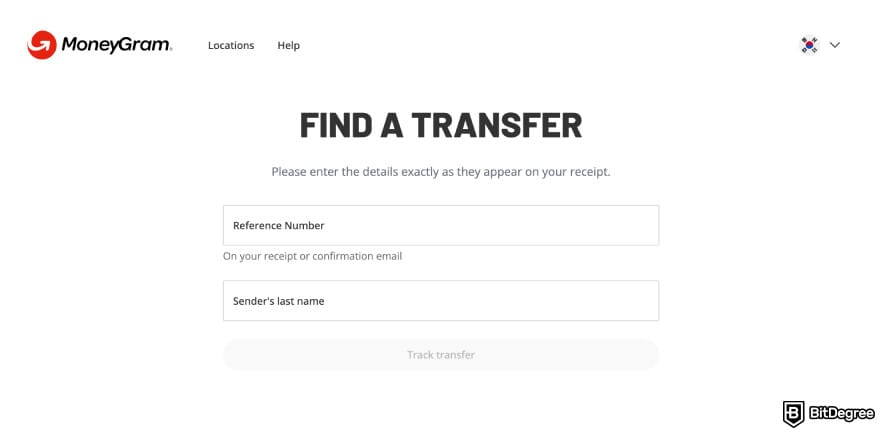
MoneyGram’s main limitation is its reliance on ACH transfers. They can take several days to arrive, which isn’t ideal if you need to send money quickly. Plus, unlike a few transfer apps that have physical cards, MoneyGram doesn’t offer any. It does provide a virtual card, but it's not a feature that most users rely on.
Key Features
Let’s see the features that MoneyGram brings to the table:
- Globally available. With global coverage of 200+ countries, you can send money practically anywhere without needing separate apps.
- Extra banking features. You can pay bills or add mobile top-ups through the app, which adds a small but useful perk on top of sending money abroad.
- Crypto conversion. Convert from your local currency, and the recipient can pick it up in KRW, making it easier for everyone.
- Rewards and loyalty discounts. Frequent users can unlock fee reductions and earn points for future transfers.
MoneyGram is a solid option for sending money to South Korea. It’s not the fastest for ACH, but its global reach and agent network (similar to Western Union) make it a dependable choice.
📚 Read More: Western Union VS MoneyGram
5. Remitly - Low-Cost Economy & Fast Express Transfers
Ranks #5 out of 7 Money Transfer Services
- + Great platform accessibility
- + 170+ receiving countries
- + Home delivery available
- + Major and local payout options
- - Escalating FX rates
- - Confusing fees
Remitly is another money transfer service that’s widely used for personal remittances. This is thanks to its easy setup, card-friendly payments, and reliable bank partnerships.
You can fund a transfer with a debit card, making it easier to complete the payment. Your recipient in South Korea can then cash out through trusted partner banks like Hana Bank, Woori Bank, and Shinhan Bank, to name a few.
 | |
|---|---|
| |
| Per-transaction | |
| | |
| A beginner-friendly cross-border remittance solution. | |
| Visit site Read review |
Table: Quick overview of Remitly
Remitly supports over 160 countries, giving you broad global coverage. When sending to South Korea, you can choose between two delivery methods: Economy (slower but cheaper) and Express (faster with higher fees).
Though the Economy option provides one of the cheapest ways to send money to South Korea, do bear in mind that the transfer takes three to five business days.
I tested the platform myself and found that it was user-friendly. I could even imagine my harabeoji (or grandfather) using it. For instance, if I want to transfer money to a South Korean bank account, I can do so on PC just as easily as on mobile, and Remitly is available on both devices.
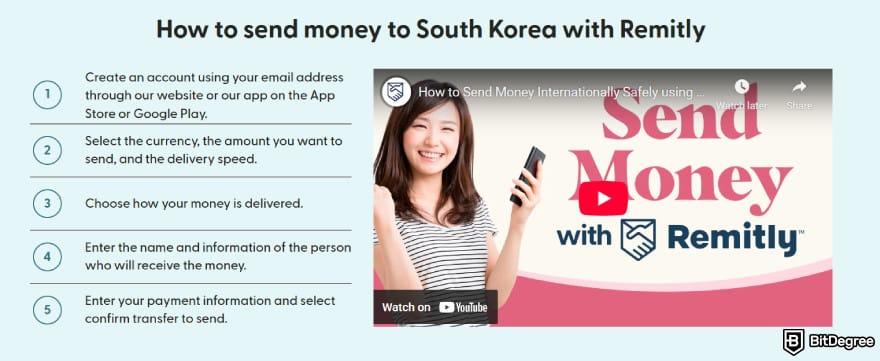
I like that the platform keeps its pricing clear. For example, a transfer from USD to KRW costs $2.49. Your very first transfer is free, though terms and conditions apply. They also allow high limits: up to 100,000 USD if you’re sending from the US, and up to 75,000 GBP from the UK.
Do keep in mind that Remitly applies exchange rate markups, especially if you choose the Express delivery. That’s where you might see higher overall costs.
Key Features
Here are the top features that Remitly offers for South Korea transfers:
- Send-out options to Korean banks. Trusted bank networks in South Korea make receiving money secure and convenient.
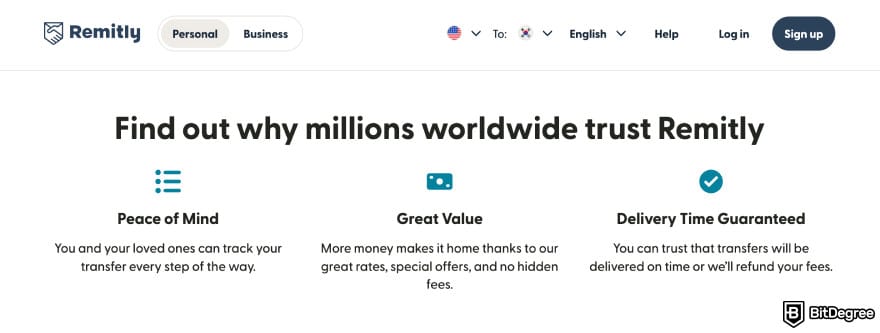
- Refund guarantees. Remitly promises a refund if something goes wrong or your transfer is delayed. Terms and conditions apply.
- 24/7 customer support. If you’re sending money across different time zones, Remitly's help desk is reachable anytime.
- Currency converter. You can preview rates before sending, helping you estimate what your recipient will receive.
Remitly works well if you want predictable fees and trusted bank partners in South Korea. The Economy and Express options offer more flexibility, and while the rate markups aren’t ideal, it’s a safe choice for sending money.
6. Xoom - Best International Transfer Service for PayPal Users
Ranks #6 out of 7 Money Transfer Services
- + Usually delivers in minutes
- + PayPal integration
- + Multiple payouts options
- + Extras: bill pay and mobile airtime
- - High fees and markups
- - No live chat
XOOM is PayPal’s dedicated money transfer service, built for faster international payouts. From what I see, the platform provides one of the easiest ways to send money to South Korea if you’re a PayPal user.
This is because your payment methods, stored card, balances, and verification flow all carry over without extra setup.
 | |
|---|---|
| None | |
| Visit site |
Table: Quick overview of XOOM accounts
XOOM supports deposits to major South Korean banks like Kookmin Bank, Woori Bank, and Shinhan Bank. As a result, recipients can withdraw money directly to their bank accounts.
You can send money to 150+ countries, including South Korea. The service supports most major sending regions like the US, the UK, Australia, Canada, and the EEA.
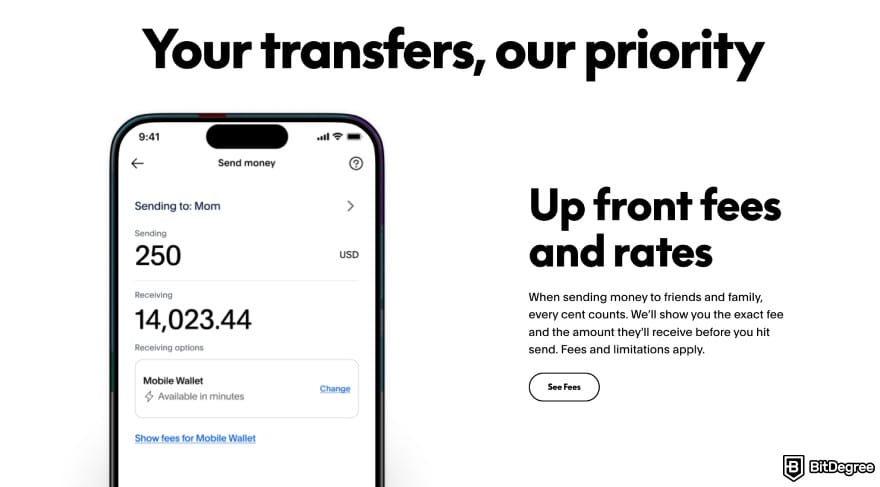
One thing that surprises me about XOOM is its low minimum transfer amount (just $10) paired with high limits. If you've passed a certain threshold in identity verification, you can send as much as $100,000 through XOOM. The platform can be ideal for large remittance or business-related payouts.
XOOM also supports limited crypto functionality via PayPal USD (PYUSD). The route works like this: fund with PYUSD, convert to USD, then send as fiat.
XOOM uses a per-transaction model. The costs depend on the payment method (bank transfer or card), the destination country, and the transfer amount, plus an exchange rate markup.
The large transfer limits and crypto functions come at a cost, though. XOOM only supports five sending fiat currencies: USD, CAD, AUD, EUR, and GBP. If you want to send from another currency, you’ll need to convert beforehand.
Key Features
Now here are the features that make XOOM a practical pick. It’s especially relevant if you’re looking for one of the easiest ways to send to South Korea as a PayPal user:
- Made for large money transfers. High sending limits make it ideal for big payments that would normally get flagged elsewhere.
- Trusted and secure. Backed by PayPal’s security systems, XOOM gives extra protection to your transfers.
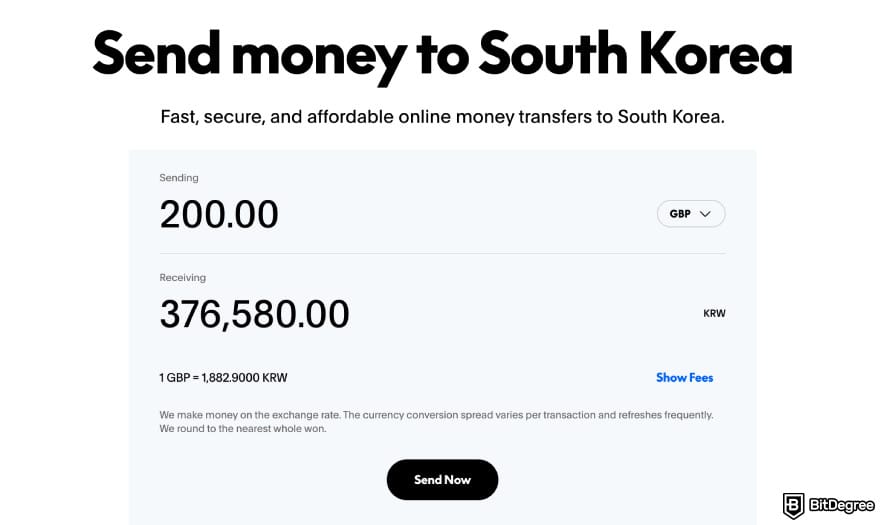
- Fee calculator. It lets you check fees, FX rates, and delivery times upfront so you always know what your recipient will receive.
- Transparent fees and rates. All costs are shown before you confirm, even when exchange rate markups apply.
XOOM is simple, reliable, and perfect for anyone already using PayPal. It’s not the cheapest option, but it delivers fast transfers, clear pricing, and easy setup.
7. Revolut - Multi-Currency App for Global Spending & Transfers
Ranks #7 out of 7 Money Transfer Services
- + Instant transfer (for Revolut users)
- + Multi-currency wallet
- + Earning options
- + Built-in budgeting tools
- + Stock trading
- - Weekend exchange rate markup
- - Limited perks
- - No full banking features
Revolut is a digital money app made for people who move between countries (or are digital nomads) and pay in different currencies. It also works for someone who wants banking-style features, savings, and investing in one platform.
The app supports transfers to 40+ countries, including major regions such as the UK, US, Australia, and EEA countries. And since Revolut is UK-based, it’s the right answer to solving how to send money to South Korea from UK.
 | |
|---|---|
Australia US USUK +38 more | |
| EN ES IT +27 more | |
 AUD AUD EUR EUR USD USD+23 more | |
 BTC BTC ETH ETH SOL SOL+220 more | |
| Visit site Read review |
Table: Quick overview of Revolut’s coverage
Revolut’s strongest everyday features are its instant transfers between internal users and multi-currency card that lets you spend in various currencies. These two advantages alone make the app popular for people who frequently move money across borders.
When it comes to sending money to South Korea, Revolut stands out for its smooth user experience and easy currency handling. Simply put, you can convert your balance to KRW with minimal friction.
And if you’re already storing multiple currencies in Revolut, the process moves even faster.
Pricing depends on your plan. Standard users pay basic conversion fees, while paid plans offer more perks like free currency exchanges. Transfers themselves are generally low-cost, especially during weekdays when FX spreads stay tight.
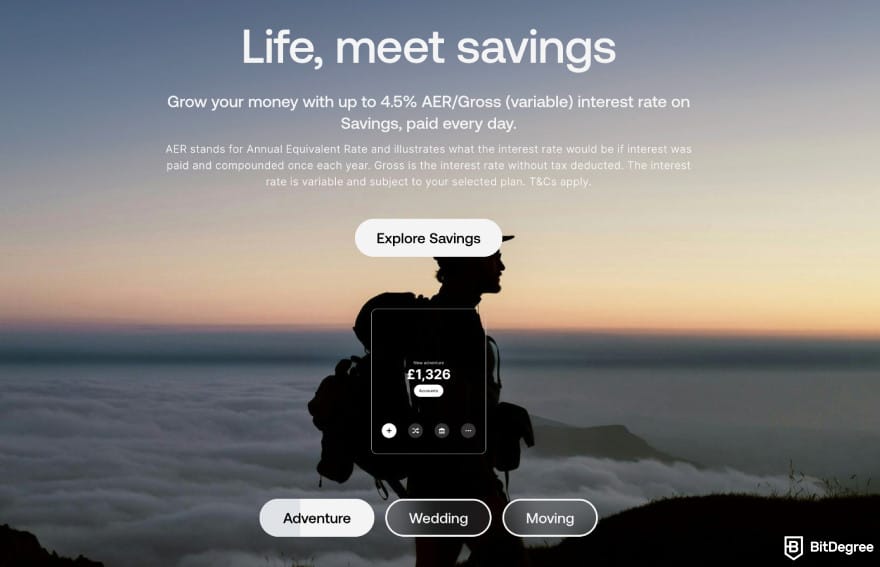
Nonetheless, those paid plans can be Revolut’s limitations. This is because many of its best perks (higher allowance limits, free currency exchange, insurance, and advanced trading tools) sit behind them. They start from £3.99/month and go up to £55/month.
While it’s not necessarily a dealbreaker, some users may feel like the free plan doesn’t give them enough room to do what they want without upgrading. Plus, Revolut charges a 1% weekend exchange fee on currency conversions between 5 p.m. Friday and 6 p.m. Sunday ET.
Key Features
Here’s what Revolut brings to the table for South Korea transfers:
- Earning options. You can earn interest on your balance or use Savings Vault, which helps your money grow while you’re holding funds in Revolut.
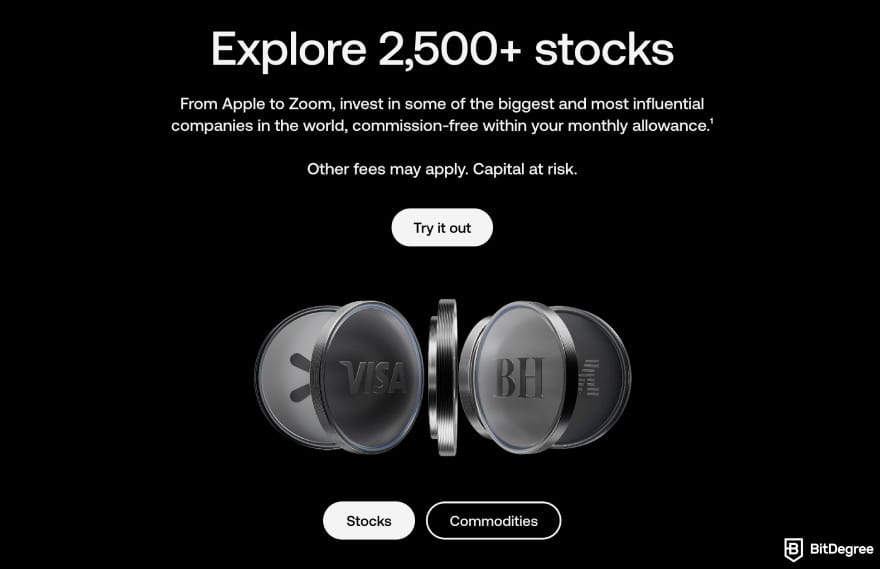
- Stock and ETF trading. You can invest directly in the app and use the funds for travel, weddings, or adventures.
- Multi-currency card. This one is an ideal method for travel, since you can spend straight from your balance in dozens of currencies.
- AI-powered security. Revolut uses machine learning to monitor fraud and other suspicious activities.
Overall, Revolut works well if you want a modern app with competitive FX rates, solid earning tools, and a reliable multi-currency card. The paid plans give more perks, but even the free version handles simple transfers to South Korea smoothly.
How to Send Money from the UK to South Korea
Despite many choices for the best money transfers to South Korea, international remittance still presents its own challenges. And sending money from the UK to South Korea isn’t immune to those said hurdles.
While there are no legal limits in the UK to send money to South Korea, there are a few things you do need to note. First, make sure to add your recipient details clearly.
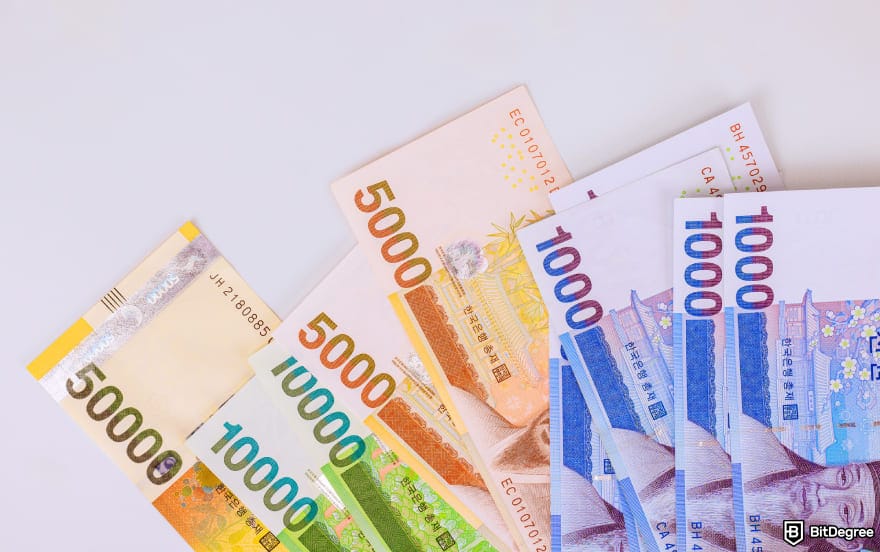
Second, you might be required to do extra Anti-Money Laundering (AML) checks for large transfers. Your recipient in South Korea also needs to verify their identity if the transfer is above 950,000 KRW. They can do this via Kakao message or email.
Other than that, some apps have a long onboarding process, higher FX spreads, or UK-specific compliance checks that slow everything down. All of these can get frustrating if you need the money to arrive quickly or to avoid unnecessary fees.
Even if you’re not sending money from the UK to South Korea, the overall process doesn’t change much. Just take notice of any rules or requirements specific to the corridor you’re choosing.
These are the issues Ogvio plans to solve. The team understands the nuances of international money transfers, which is why they aim to offer the best way to send money to South Korea (or elsewhere).
If you’re wondering how to send money to South Korea from the UK, here’s how to get started:
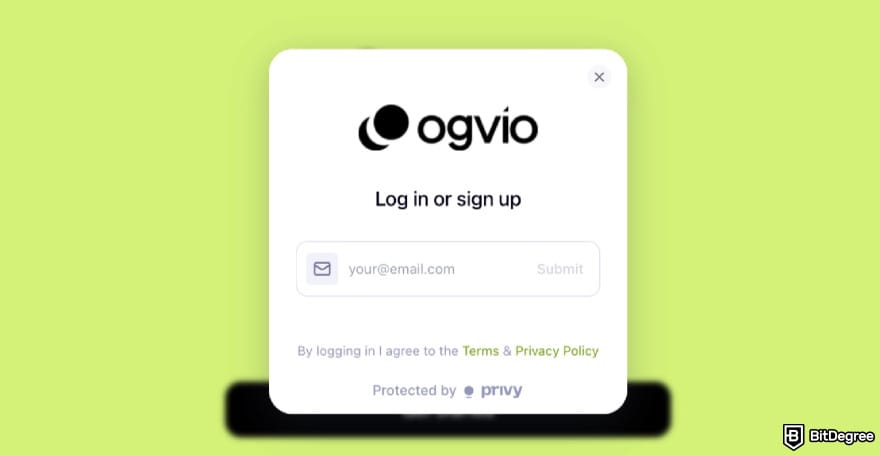
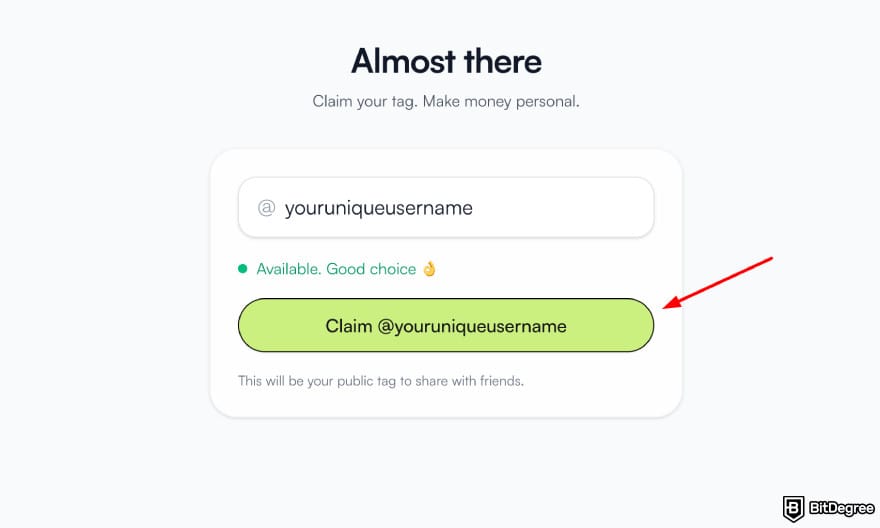
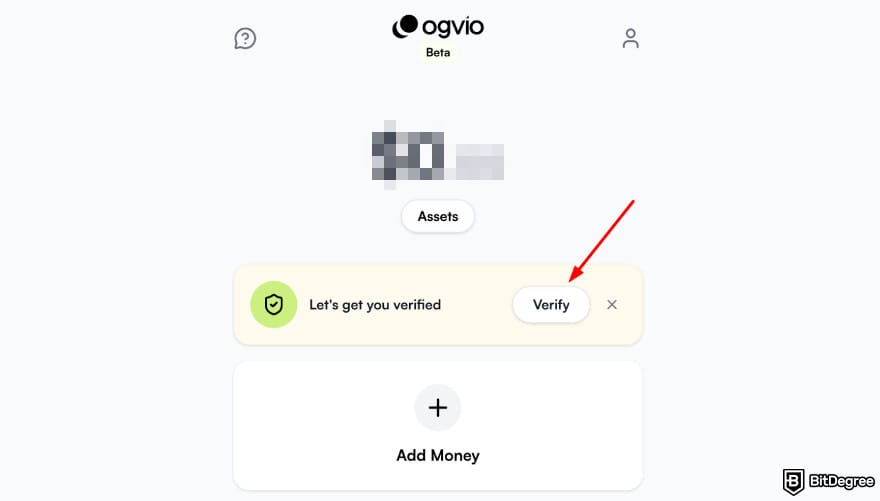
![Best way to send money to South Korea: Ogvio main page highlighting the [Add money] button.](https://assets.bitdegree.org/images/best-way-to-send-money-to-south-korea-ogvio-main-page-highlighting-add-money-option.jpg "Best way to send money to South Korea: Ogvio main page highlighting the [Add money] button.")
![Best way to send money to South Korea: Ogvio add money page highlighting the [Bank Transfer] option.](https://assets.bitdegree.org/images/best-way-to-send-money-to-south-korea-ogvio-add-money-page-highlighting-bank-transfer-option-v1.jpg "Best way to send money to South Korea: Ogvio add money page highlighting the [Bank Transfer] option.")
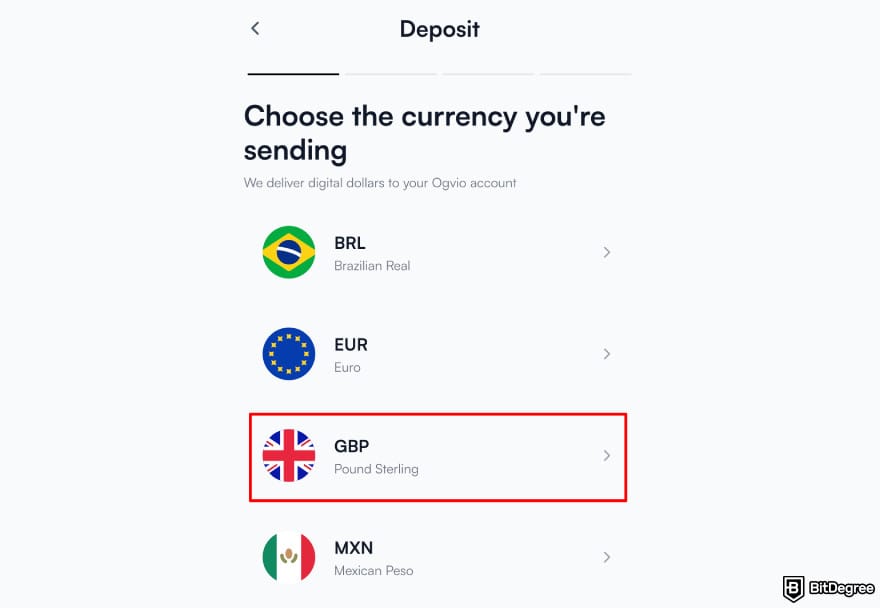
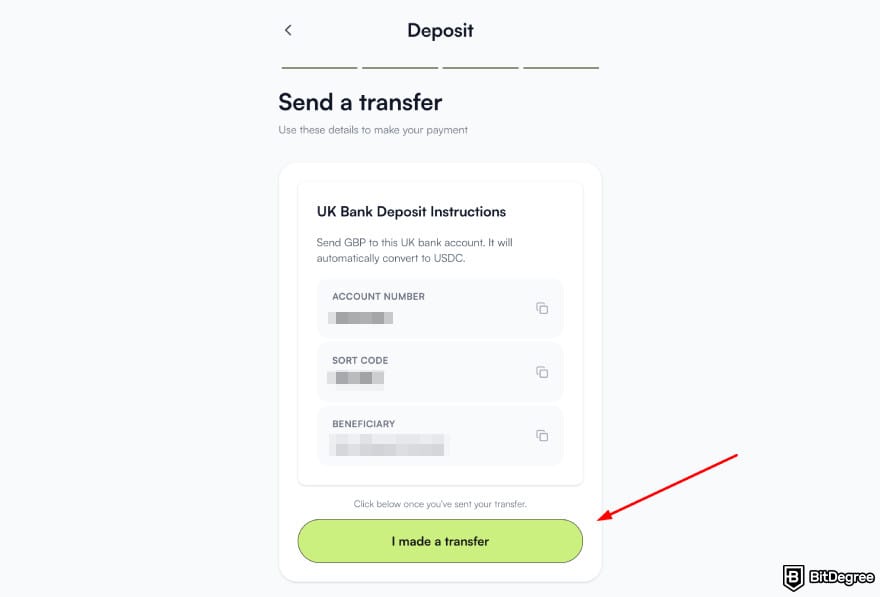
![Best way to send money to South Korea: Ogvio add recipient page highlighting the [Ogvio user] option.](https://assets.bitdegree.org/images/best-way-to-send-money-to-south-korea-ogvio-send-money-add-recipient-highlighting-ogvio-users.jpg "Best way to send money to South Korea: Ogvio add recipient page highlighting the [Ogvio user] option.")
The money should be in the recipient’s account instantly. This makes sending to another Ogvio user the easiest way to send money to South Korea.
📚 Read More: Best Way to Send Money to the UK
How to Send Money from the US to South Korea
Similar to the South Korea and UK corridor, you’ll need to do extra IRS checks for transfers above a certain limit, and it’s $10,000.
If you want to avoid the extra hassle, sending money from the US to South Korea through the crypto route is often the simplest way. Why? Aside from quicker transfer time, US citizens who live in another fully supported country and pay taxes there can pass KYC on Ogvio smoothly.

For example, think of an American living in Germany. They pass KYC on Ogvio, top up with crypto, and send money to South Korea without dealing with slow bank checks or extra requirements from wherever they are locally. It’s just faster and easier overall.
You can transfer crypto to / from Ogvio without passing KYC. The platform supports cryptocurrencies on the Base network, like Bitcoin (BTC) and Ethereum (ETH).
But if the crypto route doesn’t sound like you, you can also make a deposit with a card, since it also doesn’t require KYC.
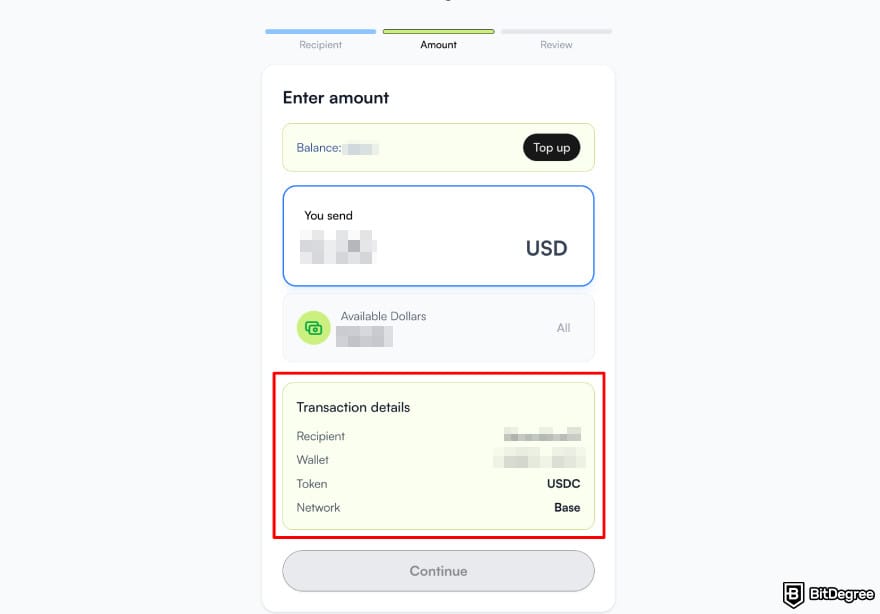
Now, here’s how to send money from USA to South Korea using Ogvio:
Check out the previous chapter for the complete sign-up process.
![Best way to send money to South Korea: Ogvio add money highlighting the [Card Transfer] option.](https://assets.bitdegree.org/images/best-way-to-send-money-to-south-korea-ogvio-add-money-highlighting-card-payment-option.jpg "Best way to send money to South Korea: Ogvio add money highlighting the [Card Transfer] option.")
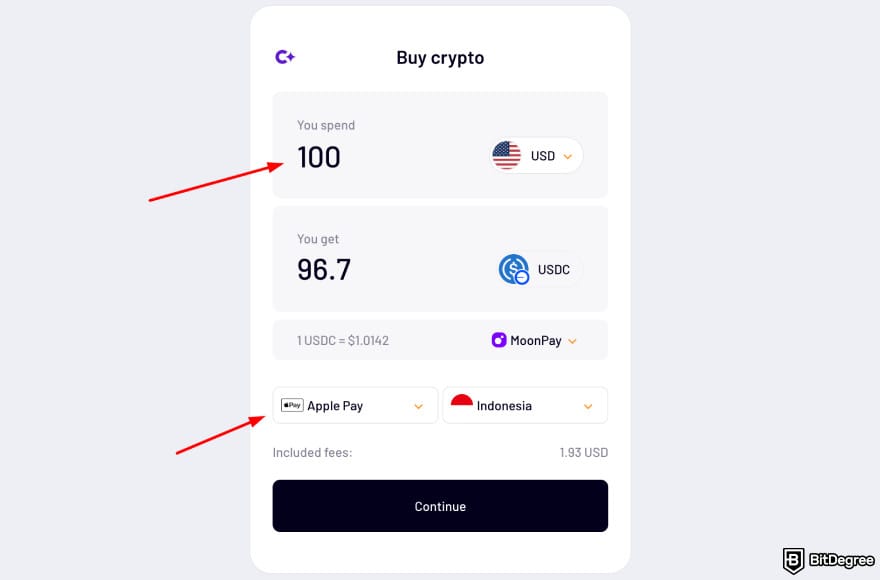
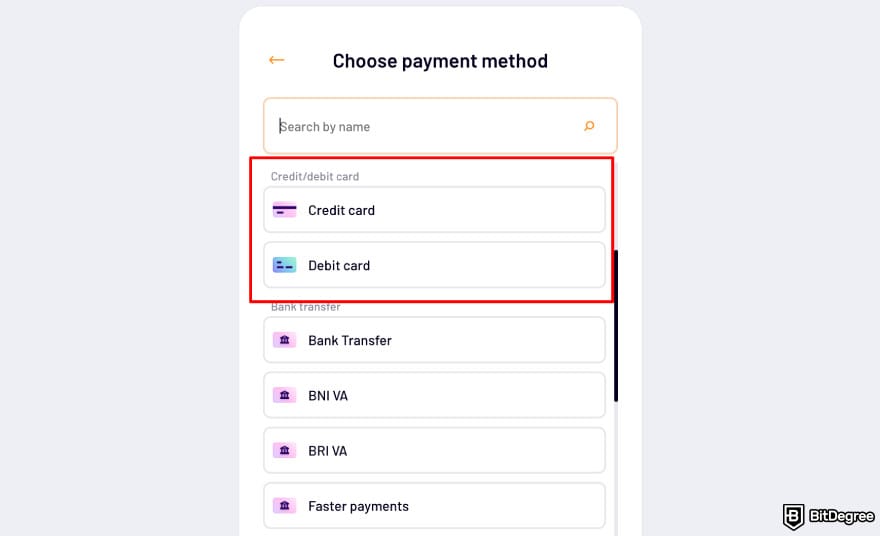
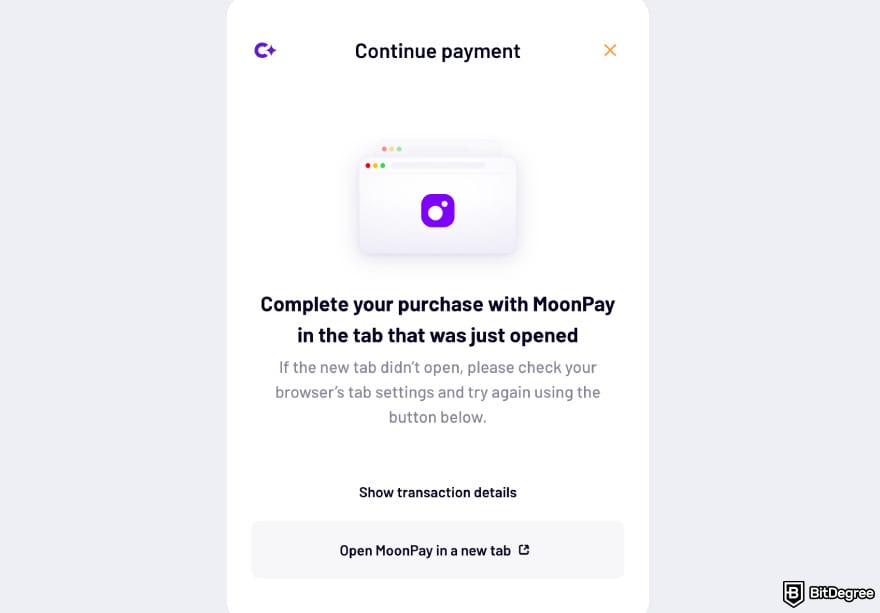
![Best way to send money to South Korea: Ogvio add recipient highlighting the [Send To Ogvio User] option.](https://assets.bitdegree.org/images/best-way-to-send-money-to-south-korea-ogvio-add-recipient-highlighting-ogvio-user-option.jpg "Best way to send money to South Korea: Ogvio add recipient highlighting the [Send To Ogvio User] option.")
Once all looks good, send the money to your recipient. Transferring to another Ogvio user is instant, so the funds should be in your recipient's account soon.
Cheapest Ways to Send Money to South Korea
Let’s face it: paying for exchange rates when sending money internationally can be the biggest headache. So it makes sense if you’re always looking to solve the problem of how to send money to South Korea for free.

Plus, the rates are also hard to predict, even after accounting for factors like interest rate, price level, money supply, and real output between countries.[2]
That’s why knowing the cheapest way to send money to South Korea is the most obvious choice. And here's where you can start sorting it out.
- Ogvio. Using fiat or crypto to fund your balance and sending money Ogvio-to-Ogvio makes the whole setup affordable.
- Wise. It always gives the mid-market rate and shows you the fees upfront, so you’re not paying extra through hidden spreads.
- Remitly. Its Economy option offers competitive pricing compared to other money transfer apps.
Now let's take a quick look at how these apps compare in terms of pricing.
| | | | |
|---|---|---|---|
| Bank - free Crypto - free Card - varies | Bank - free Card - varies SWIFT - varies | N/A | |
| Varies |
| N/A | |
|
|
| |
|
|
| |
| Visit site Read review | Visit site Read review | Visit site Read review |
Table: Fee comparison to learn the cheapest ways to send money to South Korea
Choosing the cheapest way to send money to South Korea really depends on your preference. Mind that deposit methods and transfer speed can matter more than you think. But starting with these three options gives you the best balance between cost and convenience.
📚 Read More: Money Transfer Service Comparison
Conclusions
Finding the best way to send money to South Korea really hinges on what you value most: speed, low fees, or global reach.
From everything covered, Ogvio, Wise, and Remitly stand out. They offer among the best money transfers to South Korea, combining low cost and convenience. Wise sticks to the mid-market rate and no hidden spreads, while Remitly’s Economy keeps transfers competitively priced.
But if you ask me, Ogvio is the best app to send money to South Korea for a few reasons. It stays affordable thanks to its instant settlement time and fee-free Ogvio-to-Ogvio transfers.
Scientific References
1. Kronick J., Koeppl T. V.: 'The Need for Speed: The Benefits of Faster Payments and How to Achieve Them';'
2. Kim H., Kang E., Kim Y., Moon S., Jang H.: ‘Exchange Rate Predictability Based on Market Sentiments’.
Send Money Worldwide
Check out the best ways to send money to other countries quickly, safely, and with minimal fees.































About Article's Experts & Analysts


Disclosure: To keep our site running & free of charge, we may sometimes receive a small commission if a reader decides to purchase services via some links on site, at no extra cost.


