Key Takeaways
- PayPal allows withdrawals to debit cards and bank accounts, but not to credit cards;
- Delivery speed comes down to two options, Standard and Instant, with the latter incurring some fees;
- PayPal is often subject to hefty FX rates. Try out Ogvio for mid-market conversions.
Most people have likely heard of PayPal, especially if you’re a freelancer, solopreneur, or remote worker. If your employer or clients pay you through this platform, knowing exactly how to withdraw money from PayPal to a bank account or any other payout option will make managing your earnings easier.
Truthfully, the withdrawal process is easier than it might look. However, based on my experience, missing a few details can quickly derail your plans. You might expect your payments to land tomorrow, only for them to arrive a week later.
PayPal also takes a sizable cut due to its steep FX rates, which is why I’ve been exploring alternatives like Ogvio. Nevertheless, if you stick to PayPal as your main payment channel, here is a comprehensive primer on the withdrawal process and the details you need to know.

Did you know?
Subscribe - We publish new crypto explainer videos every week!
What Is Chia? | Crypto Finally Explained

Table of Contents
- 1. Introducing Ogvio: A Cheaper Alternative to PayPal
- 2. Pre-Step: How to Link Your Credit/Debit Card to PayPal
- 3. How to Withdraw Money From PayPal
- 3.1. To Ogvio
- 3.2. To a Bank Account
- 3.3. By Check
- 4. How to Withdraw Crypto From PayPal
- 5. Potential Withdrawal Hurdles and What to Do
- 5.1. Withdrawal Not Arriving
- 5.2. Withdrawal Halted
- 6. PayPal Withdrawal Fees, FX Rates, and Limits Outside the US
- 7. PayPal Alternatives
- 8. Conclusions
Introducing Ogvio: A Cheaper Alternative to PayPal
There's a reason I'm bringing this up early. Since you're here to learn how to withdraw money from PayPal, you've probably noticed that the platform charges costly FX markups, leaving you with a rate that falls short of real-time conversion numbers. If this is your story, and you want to do something about it, you're definitely not alone.
Latest Changelly Coupon Found:Credit where credit is due - PayPal is one of the most accessible and versatile money transfer services. As you'll see next, linking a payment method only takes a couple of quick steps.
However, I lost more than $50 when receiving money on PayPal. That amount could easily fill my stomach with good meals for half a week. That was when my platform hunt began, and I stumbled upon Ogvio. After the switch, the difference in the amount I get is clear as day. Ogvio gives a 1:1 rate and only takes a tiny flat fee. I can finally save the eating for my chicken dinner, not extra charges.
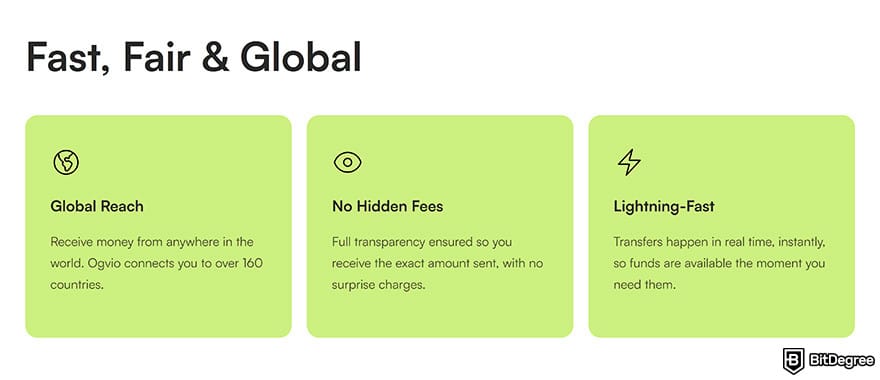
And thanks to the short processing times that Ogvio taps into, you get access to your cash flow sooner. Meanwhile, bank transfers on PayPal take days and stretch up to a week in some regions. There's an option to send funds to your debit card, but the additional fees tend to discourage most users.
Ogvio relies on high-speed payment rails across 160+ countries, including InstaPay in the Philippines, SEPA Instant in Europe, etc.
For those reasons, you can probably see how Ogvio fits seamlessly into the daily workflow of solopreneurs, freelancers, and remote workers. From receiving to withdrawing your payment, here's an end-to-end look at how your experience will play out with this modern-day neobank:
1
Use your shareable @Tag, which can also serve as a payment link to request and receive money instantly without a fee.
2
Access a range of features without completing KYC, from crypto swapping to card payments. Even if you decide to verify your identity, you'll gain access to bank transfers, including free top-ups.
3
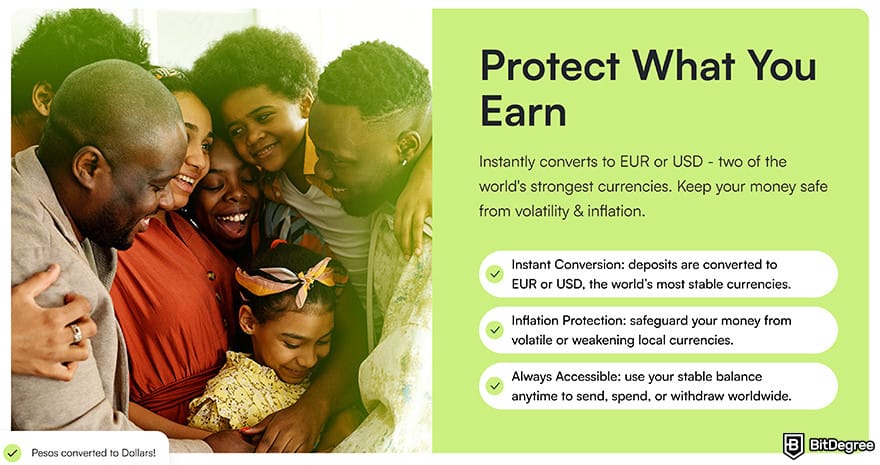
Keep your balance inside Ogvio to protect your funds from local inflation. Since they remain pegged to USD or EUR, you get a more stable foundation for long-term savings.
4
Protect your holdings from third-party interference in Ogvio's non-custodial wallet with advanced encryption to preserve your privacy.
5
Withdraw money easily to your personal account or to someone else's, domestically or abroad. And if your relative doesn't have a bank account, you can take advantage of Ogvio's free internal transfers.
Later on, specifically in the "How to Withdraw Money From PayPal" section, I'll show you how some of the steps connect in real-time, and why using Ogvio as a bridge between PayPal and your savings helps you retain more of your earnings with every payout.
📚 Read More: Ogvio Review
Looking for more in-depth information on related topics? We have gathered similar articles for you to spare your time. Take a look!

Pre-Step: How to Link Your Credit/Debit Card to PayPal
Moving on to withdrawing money from PayPal, most people skip this important pre-step: linking your debit card or bank account.
Even if you attempt withdrawal immediately, the platform will redirect you to set up your preferred payout method first, so it’s better to handle this upfront.
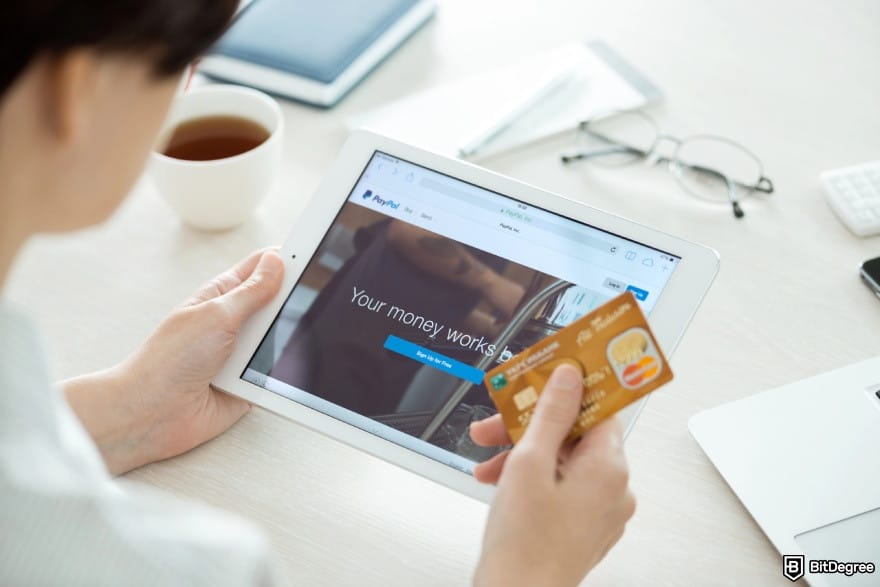
Adding your bank account is the standard route for withdrawals. It is also possible to transfer money from PayPal to your debit card instantly, as long as it is an eligible one from Visa or Mastercard. At the end of the day, the platform will send the funds to the bank tied to your debit card.
Alternatively, you can withdraw funds physically at supported ATMs, provided you have a PayPal debit card.
The good news is that PayPal works with a wide range of local and global banks, from JP Morgan Chase and HSBC to BNP Paribas. However, users often encounter errors when adding their bank details. For a smooth set-up, double-check the following points:
- The bank must originate from the same country as your PayPal account and use the same local currency.
- The name on your bank account must match the registered name on your PayPal account.
- The bank account must not be connected to more than three PayPal accounts.
- The bank account shouldn’t be linked to a PayPal account that gets blocked by technical limitations or has a negative balance.
- In certain jurisdictions, you can link to a US bank account.
If all requirements are met and the issue persists, your bank may not be supported by PayPal, which is often the case with online-only and prepaid accounts.
Now, let’s see how you can get money from PayPal to your bank account by linking it first:
![How to withdraw money from PayPal: the [Wallet] tab in the main menu, highlighted.](https://assets.bitdegree.org/images/how-to-withdraw-money-from-paypal-wallet-tab.jpg "How to withdraw money from PayPal: the [Wallet] tab in the main menu, highlighted.")
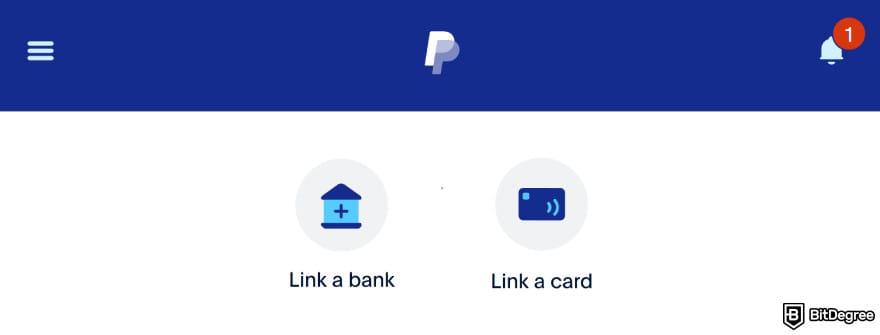
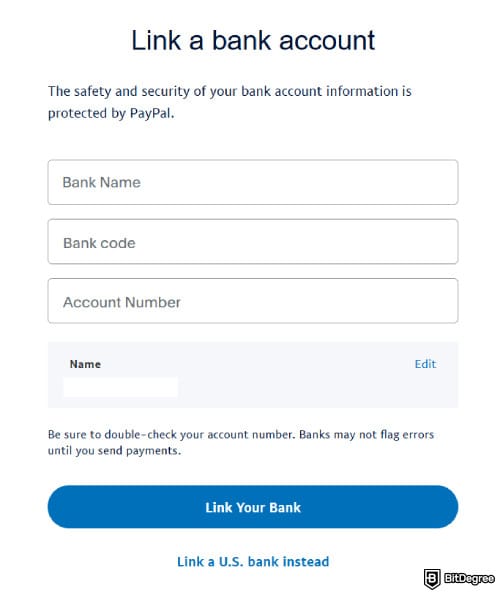
Once this prerequisite is completed, you can seamlessly withdraw money from PayPal to your bank account.
Along the way, the platform may also ask to designate your bank account as “Checking” or “Savings”. Go with the former, since Savings accounts are mostly unsupported for withdrawal transactions, but the details vary from one region to another.
If you don’t receive this prompt, PayPal will internally categorize your account type and display it in your profile. The label should show up as “[Bank Name] [Your First Name] Checking”. If you see this, it means that the linking process is successful.
How to Withdraw Money From PayPal
Payday has finally arrived, your cash flow runs thin, and in that moment, you’re likely excited to figure out how to get money from PayPal to your bank account as quickly as possible.
But is the bank the only cash-out option? How to withdraw money from PayPal without a card, for instance? Bank or no bank, card or no card, the platform provides a couple of ways to receive your funds:
Delivery Speed | Limits | Fees | Best For | |
|---|---|---|---|---|
Withdrawal to Ogvio | Instant | Depends on the country, though mostly flexible (e.g., no explicit limit in the US) | On the lower side | Remote workers, contractors, gig workers, freelancers, and solopreneurs |
Withdrawal to Bank |
| Max. $25,000/transaction for instant withdrawals |
| Anyone who uses a bank account as their main payment channel |
Withdrawal by Check | 5-10 business days | Min. $1.51 | $1.5 (applies to PayPal personal accounts without any linked balance) | Individuals without a bank account or a debit/credit card, or those who prefer physical withdrawals |
Table: How to withdraw money from PayPal, compared
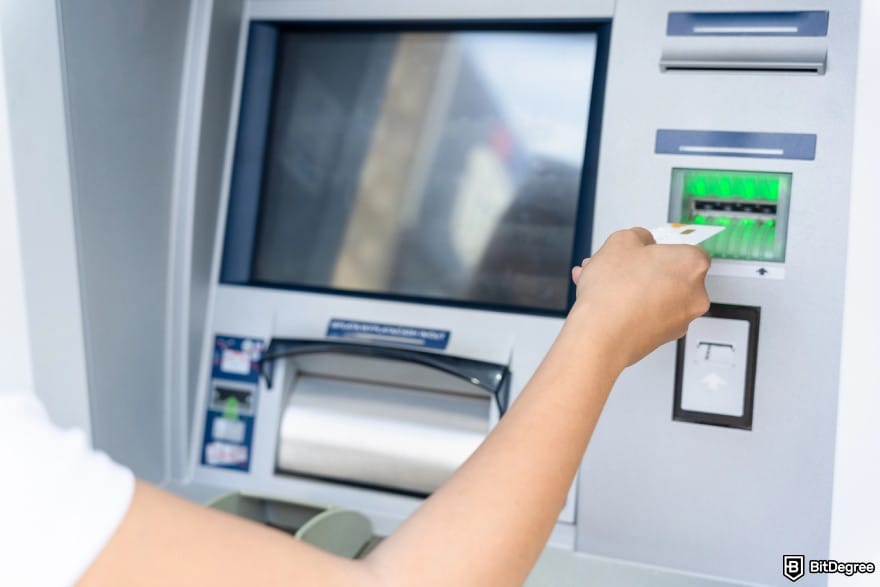
Aside from the options above, if you need on-the-spot cash access, such as while traveling, you can withdraw money from ATMs with the PayPal debit card. There’s no fee when you use in-network ATMs like MoneyPass, but out-of-network payouts cost $2.50. Just look for any machines that display the Mastercard logo.
Admittedly, PayPal charges a lot for electronic transfers. Many users complain about receiving less than expected due to steep FX rates and layered fees, especially when opting for Instant Transfers. That’s why I’ve been drawn to services that focus on instant payment rails without stacking up transfer charges, such as Ogvio.
Thankfully, Ogvio works with PayPal, so exchanging funds between the two is convenient.
Pros and cons aside, let’s take a look at how to withdraw cash from PayPal through the method that fits your needs best.
To Ogvio
As mentioned in the first chapter, Ogvio is a full-featured neobank that allows you to securely store funds, send money, and receive transfers from around the world, all in one place.
Transferring from PayPal to Ogvio will involve a regulated on-ramp payment provider, where USDC (or the digital dollar) will act as the currency that enables faster settlement between platforms.

Surprisingly, the end-to-end process is straightforward. You'll barely notice Ogvio working in the background as a connector, mainly because PayPal support is built right into the system.
If you select this route, you don't need to go through the hassle of linking your bank or debit card to PayPal.
The step-by-step might appear unconventional at first, since you'll need to [Add Money] and follow other related steps. But in the end, you get what you came for: withdrawing money from PayPal to Ogvio. So, follow the instructions below:
![How to withdraw money from PayPal: the [Start Now] button on Ogvio's main navigation bar.](https://assets.bitdegree.org/images/how-to-withdraw-money-from-paypal-start-now.jpg "How to withdraw money from PayPal: the [Start Now] button on Ogvio's main navigation bar.")
![How to withdraw money from PayPal: the [Card Transfer] option on Ogvio.](https://assets.bitdegree.org/images/how-to-withdraw-money-from-paypal-card-transfer.jpg "How to withdraw money from PayPal: the [Card Transfer] option on Ogvio.")
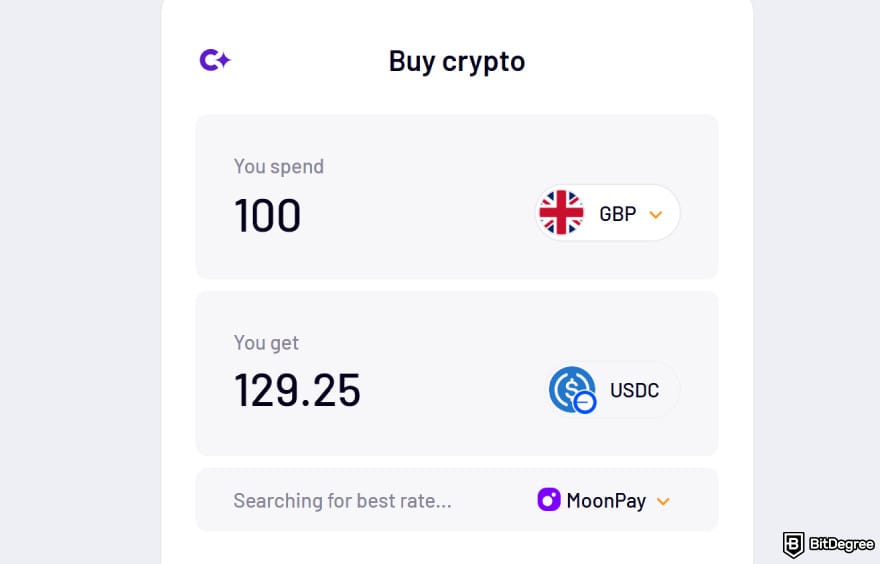
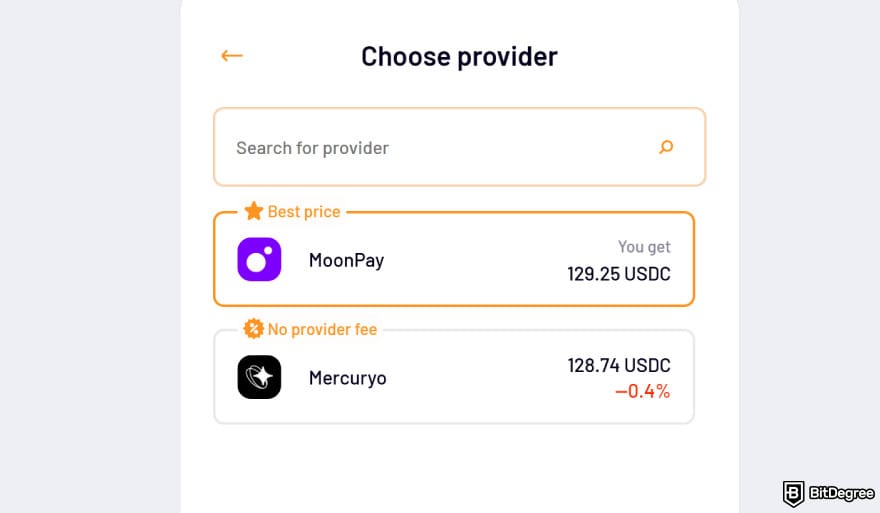
![How to withdraw money from PayPal: select [PayPal] as the payment method.](https://assets.bitdegree.org/images/how-to-withdraw-money-from-paypal-choosing-paypal.jpg "How to withdraw money from PayPal: select [PayPal] as the payment method.")
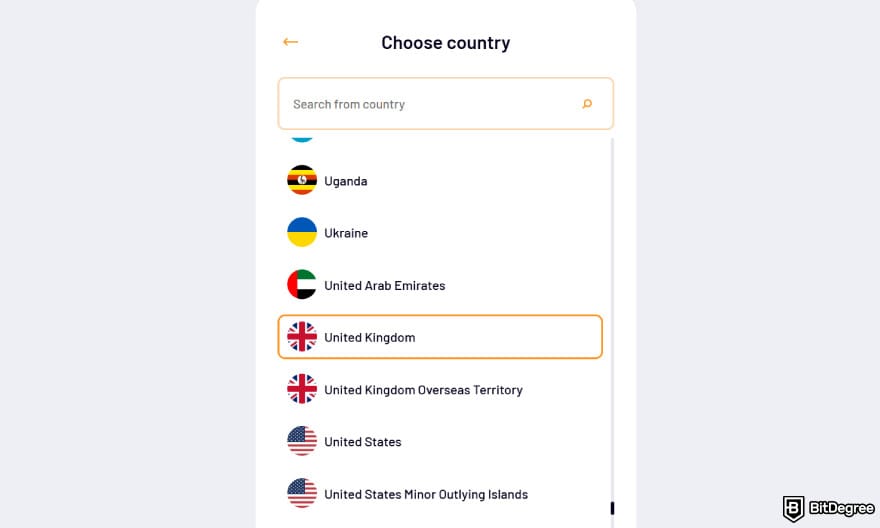
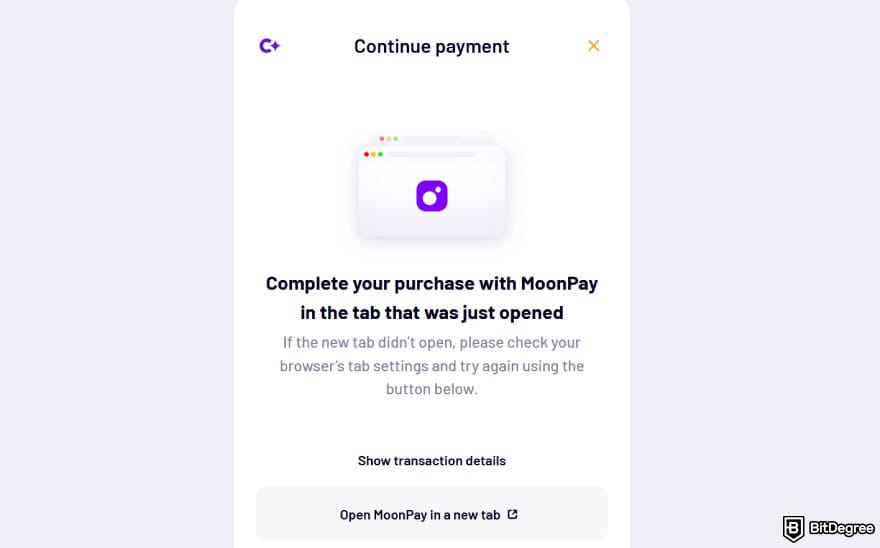
The funds should appear in your Ogvio balance instantly. You can withdraw the money to your bank account (KYC required), send it to your family abroad, or diversify your portfolio by trading a portion of your holdings with BTC or any supported tokens.
To a Bank Account
Before following the steps on how to transfer money from PayPal to a bank account, remember that you must link it first.
Once that checklist is ticked off, you can follow the instructions below. The following guide will also work if you’re figuring out how to transfer money from PayPal to a debit card instantly:
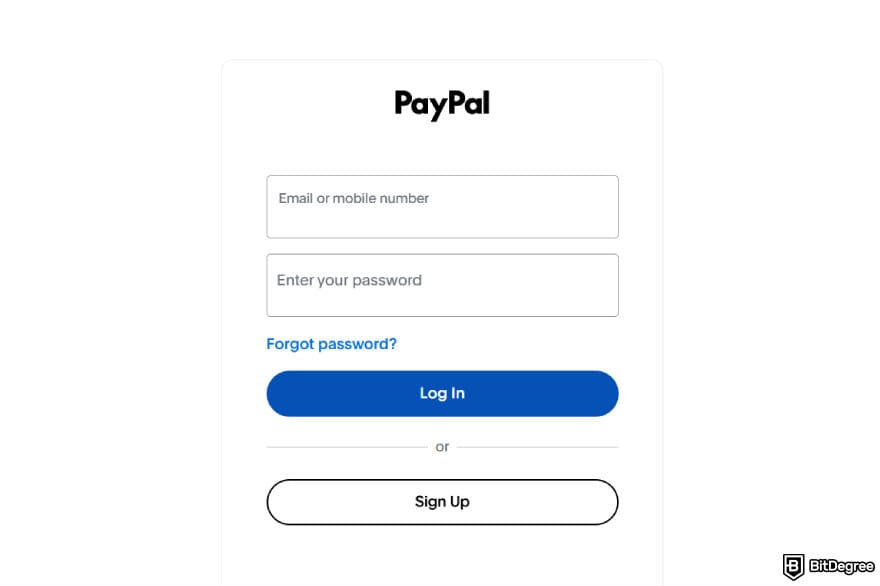
![How to withdraw money from PayPal: the [Transfer Funds] button under PayPal balance.](https://assets.bitdegree.org/images/how-to-withdraw-money-from-paypal-transfer.jpg "How to withdraw money from PayPal: the [Transfer Funds] button under PayPal balance.")
At this point, PayPal may ask you to enter the amount to withdraw and choose between Instant or Standard Transfer. You might’ve caught a glimpse of these two delivery options in the table above, but here’s a clearer look at how they compare:
- Instant. If you opt for this method, you should expect the payout to arrive in minutes, though the actual timeframe depends on your bank. If you’ve waited long enough, reach out to your bank.
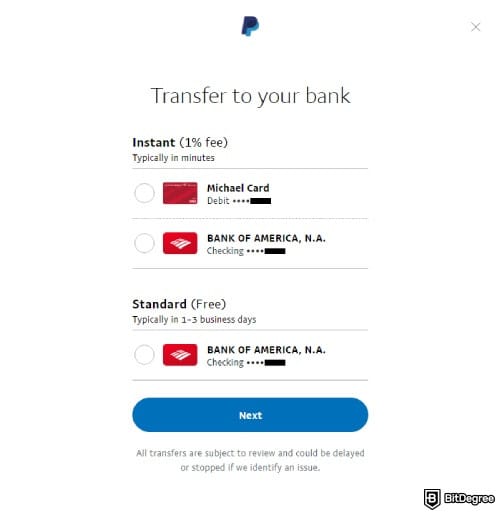
- Standard. Transfers to your bank typically clear within a day, but they can take up to 2 days for an eligible debit card or 3 to 5 business days in general, depending on the destination. Be sure to account for holidays if you need quick access to cash.
For users in the following regions, Standard Transfers to a local bank account can stretch out to 7 business days:
Albania, Bahrain, Georgia, Kuwait, Mauritius, Moldova, Oman, Panama, Qatar, UAE, Uruguay, Serbia, El Salvador, Egypt, Chile, Dominican Republic, Costa Rica, Peru, Ecuador, and Jordan.
As you can see, how to transfer money from PayPal to a bank account only takes a couple of steps. Personally, I prefer doing this through the mobile app, since on my PC, I somehow cannot specify my withdrawal amount.
Aside from that, withdrawals cannot be reversed once they’re processed, and PayPal may delay or stop them if it detects any issues.
By Check
If you want to know how to withdraw money from PayPal without a card or a bank account, receiving by check is a possible option.
Mind that this service is only available in the United States.
Check out the step-by-step guide below to request a check by mail:
![How to withdraw money from PayPal: [Request a check by mail] option.](https://assets.bitdegree.org/images/how-to-withdraw-money-from-paypal-request.jpg "How to withdraw money from PayPal: [Request a check by mail] option.")
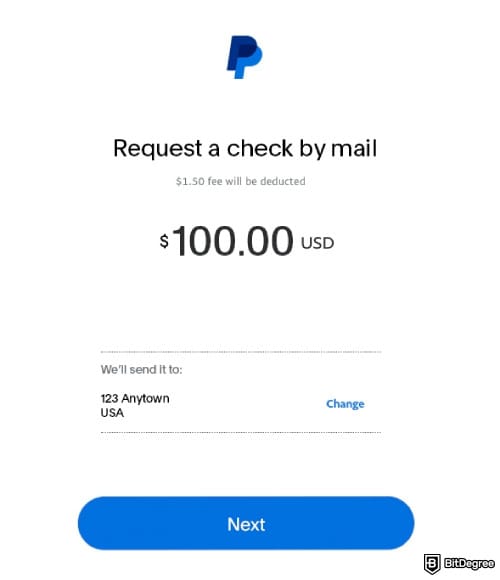
After receiving all the details, PayPal will print and issue your paper check withdrawal. You’ll have 180 days to deposit it at your bank. If you miss this deadline, the funds will be returned to your PayPal account, but the withdrawal fees will not be refunded.
📚 Read More: How to Send Money to Someone Without a Bank Account
How to Withdraw Crypto From PayPal
The share of transactions with cash has been declining across global economies.[1] More people, especially the younger audience, are turning to payment options that offer greater speed, flexibility, and decentralization. These are the qualities you often find in cryptocurrencies.
Although participation is still modest, a growing number of contractors and gig workers have begun accepting payments in Bitcoin or other forms of tokens. When income depends on cross-border transfers, digital assets help eliminate banking delays and incompatible payment rails.

PayPal is also a regulated company where you can buy/sell crypto, even in markets as stringent as the US. It even has its own stablecoin, PYUSD, which can be a more stable option since it’s pegged 1:1 to USD.
Whether you’re an active trader or a freelancer who gets paid in Bitcoin, being able to withdraw crypto from PayPal gives you breathing room when it’s time to manage your bills.
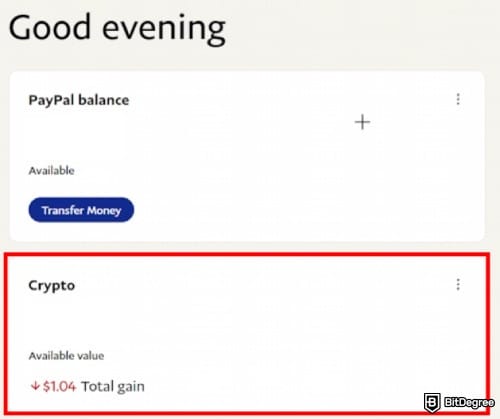
More specifically, PayPal doesn’t offer a direct option to withdraw crypto. The closest equivalent you can do is to sell it. Here’s how you can withdraw or sell your digital assets for cash right inside of PayPal:
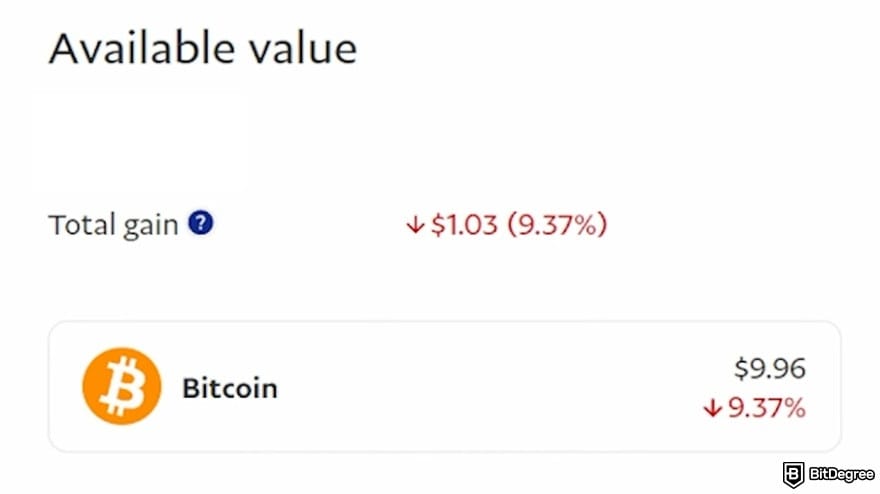
![Ho to withdraw money from PayPal: the [Sell] button under Bitcoin portfolio on PayPal.](https://assets.bitdegree.org/images/how-to-withdraw-money-from-paypal-sell-btc.jpg "Ho to withdraw money from PayPal: the [Sell] button under Bitcoin portfolio on PayPal.")
- Legal full name;
- Date of birth;
- 9-digit Social Security Number (SSN).
Make sure to also select the same residential address as the one listed on your PayPal profile.
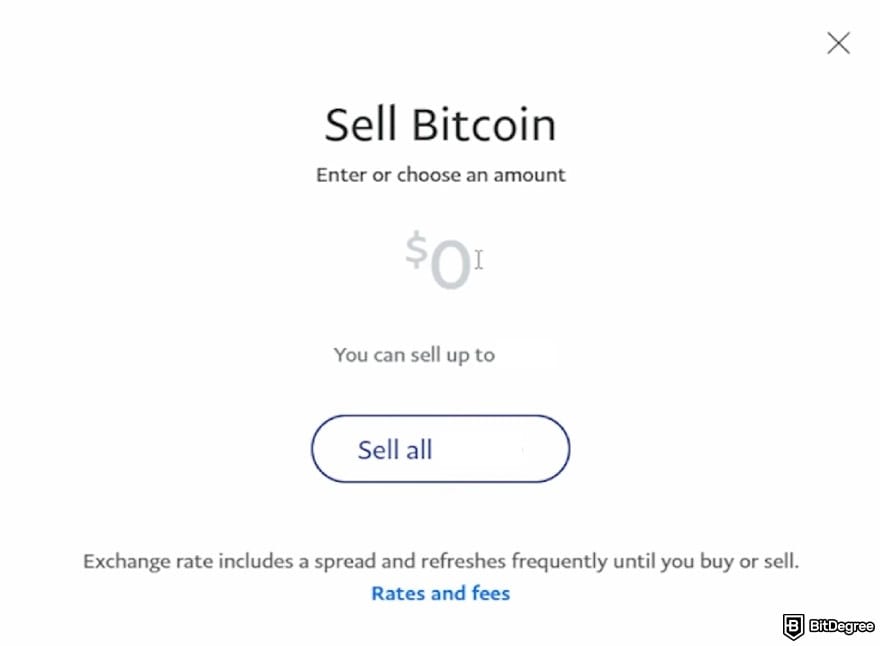
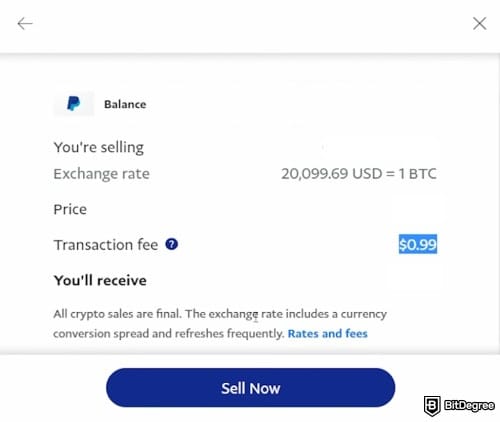
Once you’ve completed these steps, PayPal will convert your crypto sale into USD and deposit the proceeds directly into your account balance. Afterward, you can cash out your fiat into a linked bank account or debit card, following the step-by-step instructions explained earlier.
Selling cryptocurrencies on PayPal comes with fees, though PYUSD is exempt (except if you exchange it to another crypto before selling it). PayPal will disclose the exchange rate and any applicable fees at the confirmation stage, so you'll have a clear picture of how much to pay before finalizing.
📚 Related: How to Withdraw USDT From PayPal
Potential Withdrawal Hurdles and What to Do
Withdrawal will always require some waiting time, and if it’s your first time, it’s normal to feel a heightened sense of uncertainty.
I have been there, too, and what was worse, my PayPal account previously couldn’t accept payouts. Thankfully, a quick chat with the customer service team sorted it out. So now, I’m here to share what you can do when you run into blockers.
Withdrawal Not Arriving
While checking your withdrawal progress on PayPal, you see that the status is “Complete”. In excitement, you quickly open your M-Banking app, expecting to see extra money in your balance. But when the screen loads up, still nada.
This is where the confusion kicks in, and honestly, I think PayPal’s UX copy could use a bit of polishing. But for your reference, “Complete” means that the platform has processed your withdrawal request.
In other words, your funds are on their way to the bank. So now, it’s your bank’s turn to run the money through their internal clearing and posting system.
The timeframe varies by your chosen transfer method and region (as discussed earlier), though in general, it usually takes up to 3 working days. Take the bank’s operating hours into account as well.
Let’s say you initiate your withdrawal on Friday at around 6 PM. It’s still the weekday, but the bank is already closed. So, your transfer won’t move until the weekend ends, and you have to wait until the next business day.
Withdrawal timelines can become more complex when a major national holiday takes place. A friend of mine in Indonesia ran into this very situation during Eid Al-Fitr. Local banks were closed for a total of 11 days, so any payout made around that period would simply sit there until the banks reopened.
TIP: If a long holiday is coming, it’s important to plan ahead and manage your withdrawal before bank closures begin.
Rest assured, the bank will usually notify PayPal of any holiday closures, and the platform will pass the message to you via email.
There’s also a scenario where the bank runs into an issue with your withdrawal. They typically notify PayPal within a week of your request, and you’ll receive an email update. If that happens, stay calm while the bank tries to resolve the problem.
If the bank cannot process your withdrawal, your funds will be returned to your PayPal account, though a small return fee will be deducted. Usually, this isn’t due to a bank incompatibility issue. Often, it's caused by incomplete or incorrect information. Verify all your details before trying again.
Did you know?
Subscribe - We publish new crypto explainer videos every week!
What is an Automated Market Maker in Crypto? (Animated)

Withdrawal Halted
PayPal monitors every incoming withdrawal request. If the platform detects an issue that requires further investigation, it may hold your withdrawal for up to 72 hours.
There can be a combination of factors why a withdrawal is flagged for review:
- Receiving an unusually large sum of money;
- Using devices or networks that are unfamiliar or not secure;
- Missing account verification steps;
- Recent account restrictions;
- Mismatched, incorrect, or incomplete information when adding your bank account or debit card.
When your withdrawal gets paused, check your inbox. PayPal will tell you if any action is needed on your part. The quicker you comply, the sooner the problem gets sorted out.
In niche cases, your PayPal withdrawal might get cancelled. The following error messages will usually appear:
- “You’re transferring more than your weekly limit allows. Try a smaller amount”.
- “We’re not able to complete this transaction at the moment”.
For the first issue, try removing the limit in your account. That should allow you to receive the full transfer rather than splitting it into smaller fragments.

Aside from that, your bank or card may not be compatible with PayPal’s Instant Transfer. Try linking another payment method that supports the feature.
PayPal Withdrawal Fees, FX Rates, and Limits Outside the US
Since the late 90s, PayPal has disrupted traditional banking by introducing seamless digital transactions.[2] Today, its influence spans major markets like Germany, Singapore, and Mexico.
So far, I’ve focused on fees and limits for the US, but what if you’re from somewhere else? Let’s break down the pricing structure for withdrawals, taking an example from the Eurozone as an illustration:
1
Withdrawal to a bank account across supported countries is free, so long as there's no currency conversion.
2
Payouts to a US bank account in the Czech Republic, Estonia, Greece, Lithuania, Latvia, Malta, Slovenia, Slovakia, and San Marino will incur a 3% fee. If you cash out to Bulgaria, Cyprus, Liechtenstein, or Romania, there's no fee for the same currency.
3
Card users will get charged 1% of the total amount (minimum/maximum fees apply) for payouts to Bulgaria, Romania, and Slovenia. Withdrawals to Cyprus, Estonia, Liechtenstein, Lithuania, Latvia, Slovakia, and San Marino trigger a fixed fee per withdrawal.
4
In any other supported regions, card payouts will have a €2 fee.
Withdrawing within a single corridor is typically simple, but switching between multiple markets or currencies can complicate the cost structure. So, if you ask me, how do you withdraw money from PayPal for free? It truly depends on where you live and the payout method, but taking advantage of same-currency withdrawals will likely do the trick.
It’s best to review the fee breakdown on your local PayPal website for more comprehensive details.
PayPal also adds a 3-4% markup to the exchange rate, and that’s a big part of why many people find it costly, even for users who only make cross-currency withdrawals once per month.
Similar to fees, withdrawal limits differ from one region to another. Here’s the common range across major corridors:
Minimum Withdrawal | Maximum Withdrawal | |
|---|---|---|
Mexico | Manual: MX$110 Instant: MX$5 | Instant: MX$20,000 |
Singapore | To a local bank account: S$15 To a US bank account: $1 | No explicit amount mentioned |
The United Kingdom | £1 | Per transaction: £1,500 Per day, week, or month: £7,500 |
Table: PayPal’s withdrawal limits across top remittance markets
Withdrawal rules can be tricky to navigate, since they can be more rigid in certain countries and far more flexible than others. If you’re a freelancer or solopreneur handling multiple currencies and varied payment amounts, it helps to map which withdrawal routes work best for you to avoid paying unnecessary fees.
PayPal Alternatives
How to withdraw cash from PayPal can leave you scratching your head. High FX markups push you to seek cost-effective routes, while longer wait times might nudge you toward paying extra for faster transfers.
In an ideal world, withdrawal should be convenient. You could just lounge on the couch, hit [Withdraw] without stressing over fees, and wake up refreshed to the sight of a topped-up balance. And believe it or not, some platforms actually offer this kind of experience:
- Ogvio. I switched to Ogvio after a full year with PayPal. Today, I enjoy a true 1:1 FX rate and pay just about half a dollar in fees. Before, I had to wait two days, but now, the money shows up in my bank account seconds after I confirm my withdrawal.
- Wise. This platform is hard to beat when it comes to transparency and mid-market exchange rates. But if you switch your payment method from cards, transfers can take up to 6 working days.
- Revolut. Revolut is an innovative neo-banking solution, but its limited global reach holds it back. Still, it remains a go-to choice for many, thanks to its competitive FX rate and full suite of financial tools.
 |  |  | |
|---|---|---|---|
|
|
| |
| Per-transaction | Per-transaction | Plan + per-transaction | |
| | | | |
| A global money transfer service with an additional volatile currency rate pegging to USD or EUR. | A trusted digital remittance service with upfront fees and great rates, but limited options for cash delivery. | An all-in-one finance app that makes global spending and investing effortless. | |
| Visit site Read review | Visit site Read review | Visit site Read review |
Table: A comparison of top money transfer services
Each alternative solves a different pain point. Find the one that fits your rhythm, so that withdrawals stop feeling like a chore.
📚 Read More: PayPal Alternatives
Browse our collection of the most thorough Crypto Exchange related articles, guides & tutorials. Always be in the know & make informed decisions!


Conclusions
How to withdraw money from PayPal might look simple by the book, but behind the scenes, there’s more going on. Routes, speed, currencies, and timing all play their roles.
Stick to one corridor, and everything falls into place. But once you deal with several markets and currencies, how do you withdraw money from PayPal without melting your brain in the process? It’s not impossible to figure out. Align the variables, from fees to limits and regional considerations. Hopefully, by following the details laid out here, you'll find your ideal payout flow.
Frictionless withdrawals are sometimes as simple as instant P2P and affordable fees. Sign up for Ogvio, and be the first to experience the difference.
Scientific References
1. Tarlin S. H.: ‘The Future of Cash’;
2. Jayasurya K.: ‘Fintech’s Hidden Hand: How PayPal Reshaped the Financial World’.
Send Money Worldwide
Check out the best ways to send money to other countries quickly, safely, and with minimal fees.



































About Article's Experts & Analysts





