Key Takeaways
- GO2bank doesn’t allow transfers to external banks, which limits your options if your card is lost or stolen;
- You can withdraw money without a card through Walmart cash pickup or by transferring funds to another GO2bank account;
- Make sure you check GO2bank’s withdrawal limits before taking out your money.

GO2bank is useful for day-to-day use, like getting your paycheck, paying for stuff, or growing your savings. But I can’t tell you how many times I’ve heard people ask how to withdraw money from GO2bank without a card or how to transfer it to another bank. And yes, it’s not just you; the process can get a bit confusing.
Compared to other platforms like Ogvio, where moving money to bank accounts is both easy and flexible, GO2bank can be very restrictive. If your physical card goes missing, cashing out your savings can become a difficult chore.
But don’t worry, let’s sort this out together and look at how to transfer money out of your GO2bank account!

Did you know?
Subscribe - We publish new crypto explainer videos every week!
How to Avoid Rug Pulls in Crypto? (5 Ways Explained)


Table of Contents
- 1. Ogvio: A Better Alternative to GO2bank Money Withdrawals
- 2. How to Withdraw Money From GO2bank Without a Card
- 2.1. How to Report Your GO2bank Card Lost or Stolen
- 2.2. Withdrawing Through Cash Pickup
- 2.3. Withdrawing by Using SendMoney
- 3. GO2bank Withdrawal Limits and Fees
- 4. Common Withdrawal Issues and What You Can Do
- 5. GO2bank Alternatives
- 6. Conclusions
Ogvio: A Better Alternative to GO2bank Money Withdrawals
First off, if you’re searching for how to withdraw money from GO2bank without card because yours is lost or stolen, make sure you report it immediately. Once you do that, they'll deactivate your missing debit card to prevent any potential misuse.
Latest Changelly Coupon Found:You’ll also unlock the option to collect your funds from a nearby pickup point. I’ll explain the process more thoroughly in the next section.
Also, keep in mind that GO2bank doesn’t allow transfers to different banks. So if your card is lost, another option is to transfer the balance to someone who has an active GO2bank card (maybe a trusted friend or relative), and have them withdraw the money from an ATM for you.
If you ask me, both methods are pretty inconvenient. For something far simpler going forward, I’ve got a better solution for you: Ogvio.
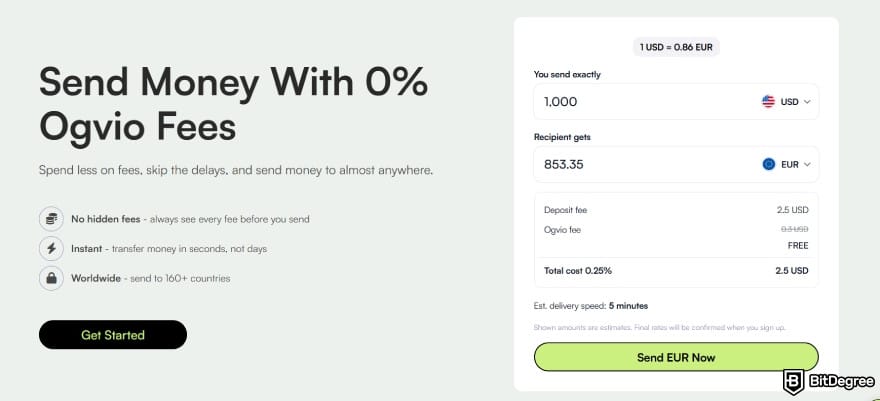
Ogvio is a next-generation financial platform that lets you move your money freely, including outbound transfers to external bank accounts. Unlike GO2bank, where losing your card can limit what you can do, its non-custodial system ensures you always have full control[1] and can send your funds to any supported bank whenever you want.
And it’s not just bank transfers. With Ogvio, you can also move your money through:
- Account-to-account transfers. You can send your money to another Ogvio user in seconds using their @tag, with no transfer fees required.
- Crypto transfers. Easily transfer your funds as digital tokens to an external wallet or exchange.
If you ever hit a point where figuring out how to transfer money out of GO2bank feels like more effort than it’s worth, Ogvio gives you an easier way to manage your funds. Here's how to get started:
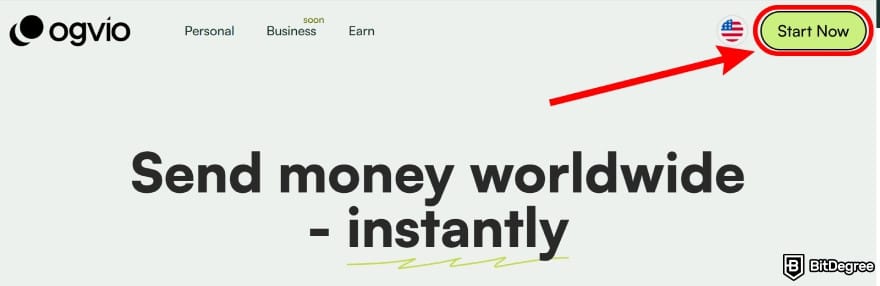
Start by visiting the Ogvio website and selecting the [Start Now] button in the upper-right corner.
Next, click on [Get Started] and sign up using your email.
![How to withdraw money from GO2bank without card: enter email address and click [Submit].](https://assets.bitdegree.org/images/how-to-withdraw-money-from-go2bank-without-card-ogvio-submit.jpg "How to withdraw money from GO2bank without card: enter email address and click [Submit].")
A confirmation code will be sent to your inbox. Enter it when prompted to complete your account setup.
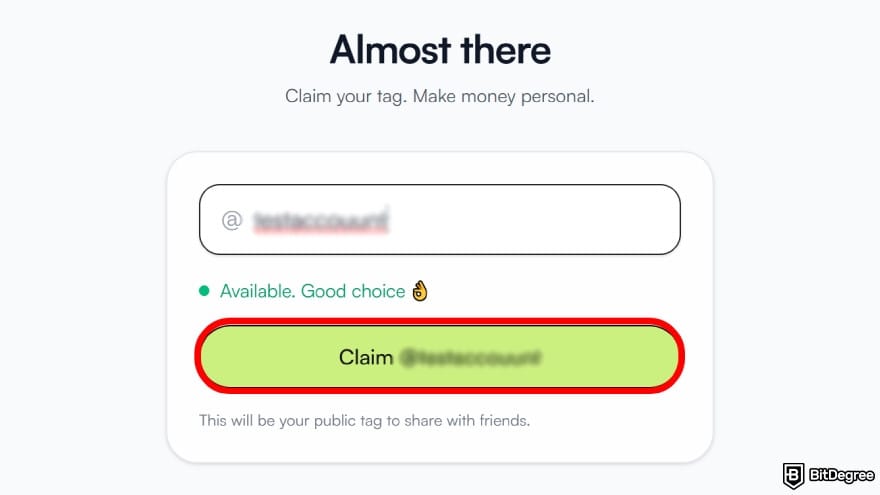
Next, you’ll be asked to create your @tag. Choose something easy to remember and claim it.
When you land on the main dashboard, look for the [Verify now] button and follow the steps to complete the identity check. This step enables full access to Ogvio's features, including bank top-ups and withdrawals.
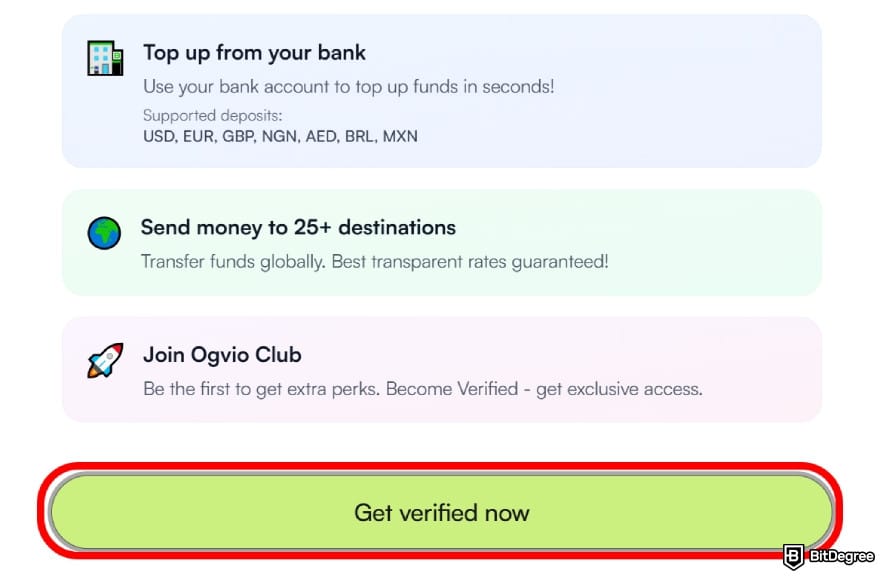
You’ll be asked for a few things, including your personal details, a government ID, proof of address, and a quick selfie. I know it might seem a lot at first, but trust me, the process is simple and won’t take much of your time.
It usually takes around 1–2 business days for your account to be fully verified.
And just so you know, you can still use Ogvio for plenty of things without completing KYC. For example, you can transfer money between accounts, top up your balance with a card, and move crypto in from external wallets.
After your account is verified, head to the dashboard and select [Add money] to top up your account.
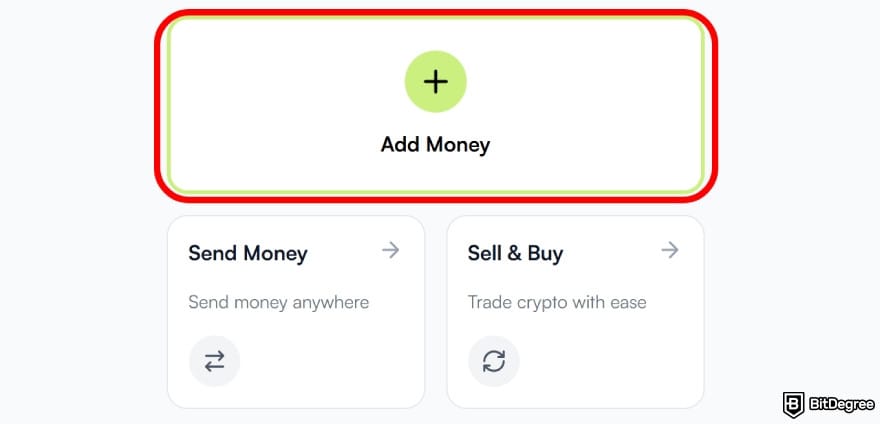
You’ll see a list of options for adding money to your balance, such as:
- Bank transfer;
- Card payment;
- Receive to your crypto wallet;
- Receive from Ogvio users;
- Request money.
Pick the method that works best for you. In this example, I’ll use the recommended [Bank transfer] option, as it’s usually the most cost-efficient and fastest choice.
![How to withdraw money from GO2bank without card: select [Bank Transfer] as top up method.](https://assets.bitdegree.org/images/how-to-withdraw-money-from-go2bank-without-card-bank-transfer.jpg "How to withdraw money from GO2bank without card: select [Bank Transfer] as top up method.")
If you can’t use the bank transfer due to verification issues, you can still top up your account via crypto transfer or card payment.
Pick the fiat currency you want to deposit from the list.
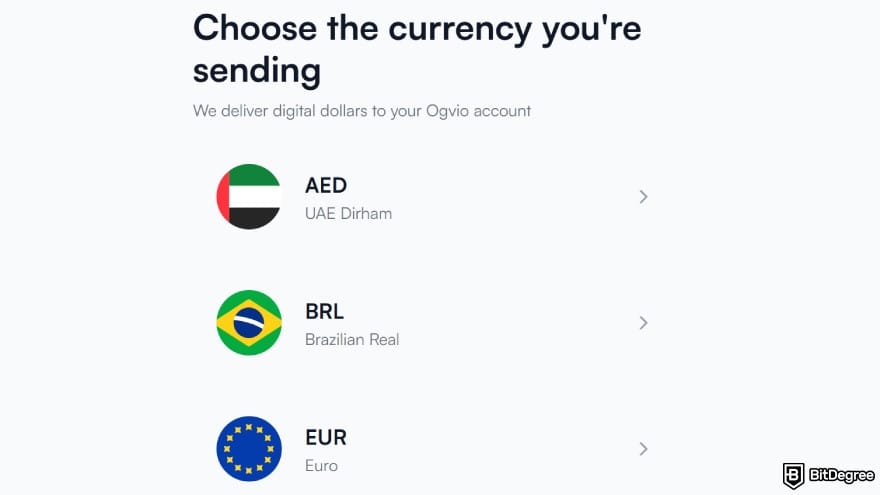
Enter how much money you want to add, and Ogvio will immediately display the final amount you’ll get.
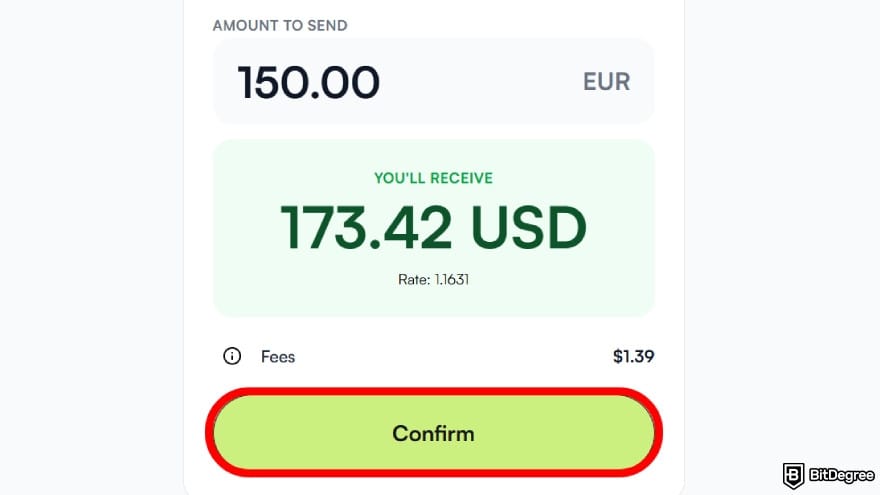
You can also click on the small info icon to check the full breakdown of fees. After reviewing it, choose [Confirm] to proceed.
Go to your banking app and make a new transfer using the information Ogvio displayed.
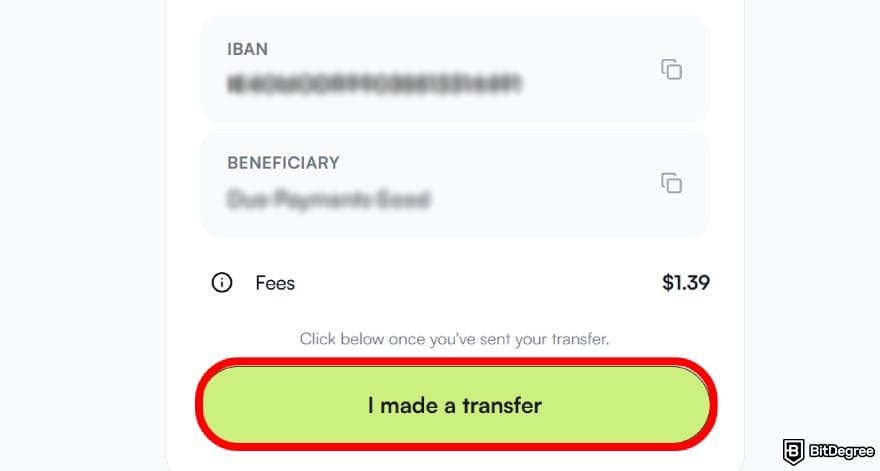
Once you’ve sent the funds, head back and select [I made a transfer] to notify Ogvio. Transfers are usually fast, but your bank may affect the timing.
If you want to move your funds to another bank account, head to the main dashboard and click [Send money].
![How to withdraw money from GO2bank without card: select [Send Money] on the main dashboard.](https://assets.bitdegree.org/images/how-to-withdraw-money-from-go2bank-without-card-send-money-ogvio.jpg "How to withdraw money from GO2bank without card: select [Send Money] on the main dashboard.")
On the next screen, click the [+ Send to new recipient] button at the top and select [Bank transfer] as your delivery method.
![How to withdraw money from GO2bank without card: choose [Bank Transfer] from the list.](https://assets.bitdegree.org/images/how-to-withdraw-money-from-go2bank-without-card-ogvio-bank-transfer.jpg "How to withdraw money from GO2bank without card: choose [Bank Transfer] from the list.")
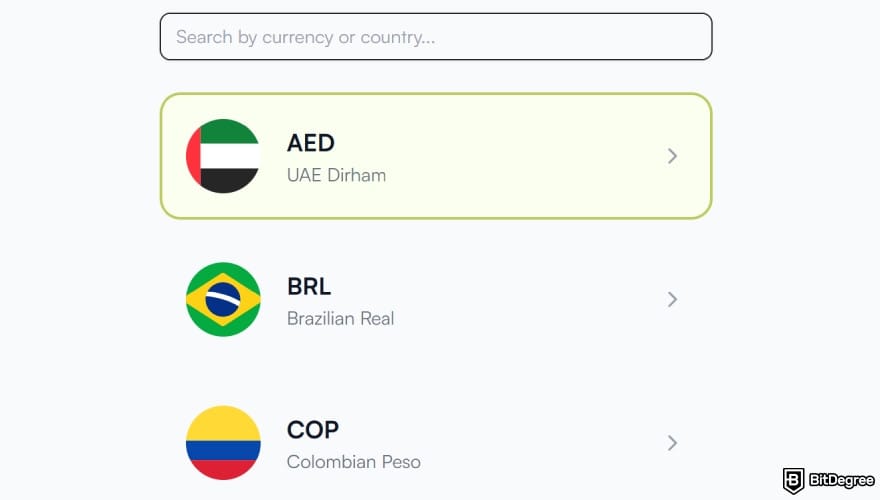
Select the currency you want your bank to receive. You can search for it in the bar at the top or scroll through the list.
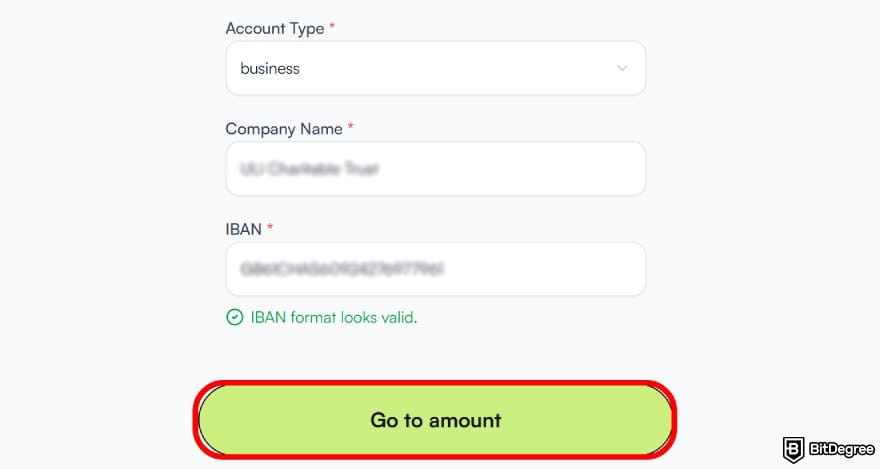
Fill in the name and bank information exactly as they appear on the linked account to prevent delays or errors. Once everything is entered correctly, click [Go to amount].
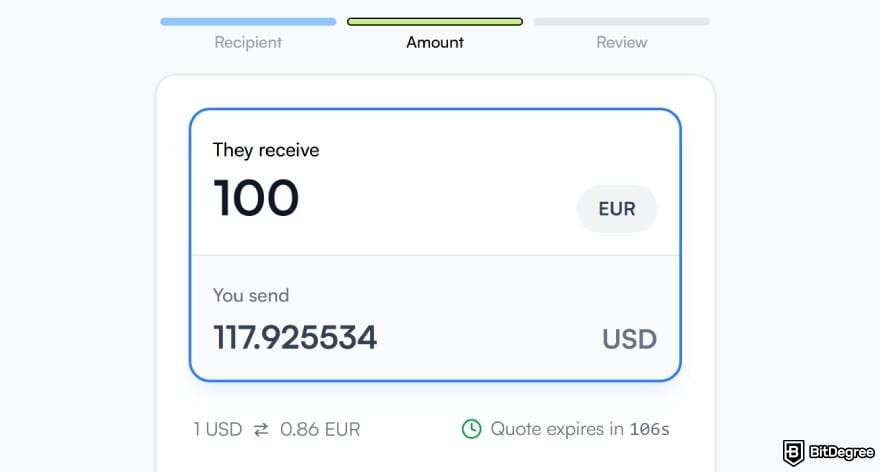
Type in how much money you want to send from your balance and select [Continue] to proceed.
Give the details one last check. If everything looks right, confirm the transfer and let Ogvio handle the rest.
And there you go, the transfer is done!
As you can see, Ogvio makes withdrawing your money simple, quick, and low-friction. So if you don't want to find yourself dealing with a situation where you need to figure out how to withdraw money from GO2bank without a card again, consider moving your balance to Ogvio.
📚 Check Out: Ogvio Review
Looking for more in-depth information on related topics? We have gathered similar articles for you to spare your time. Take a look!


How to Withdraw Money From GO2bank Without a Card
Since I’ve already shown you a future-proof alternative, let’s get back to solving the problem at hand. Just like I've mentioned, you should first report your card as lost or stolen before learning the steps for how to withdraw money from GO2bank without a card.
How to Report Your GO2bank Card Lost or Stolen
If you haven’t notified GO2bank about your missing card yet, this part will help you take care of it. But if you’ve already reported it and the card is deactivated, feel free to skip ahead to the next part.
You can let GO2bank know your debit card is missing via the app or website.
Here’s what to do:
Open the mobile app or website and sign in. From the main dashboard, click on [Menu].
![How to withdraw money from GO2bank without card: navigate to [Menu].](https://assets.bitdegree.org/images/how-to-withdraw-money-from-go2bank-without-card-menu-1.jpg "How to withdraw money from GO2bank without card: navigate to [Menu].")
From there, select [Account] and then [Manage cards] to open your card options.
![How to withdraw money from GO2bank without card: navigate to [Account].](https://assets.bitdegree.org/images/how-to-withdraw-money-from-go2bank-without-card-account.jpg "How to withdraw money from GO2bank without card: navigate to [Account].")
Choose the option to report your debit card lost or stolen.
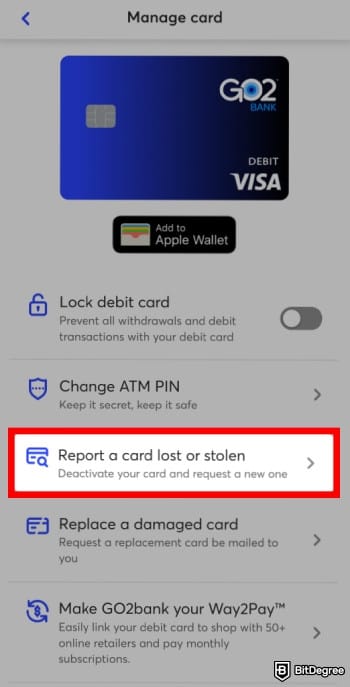
Alternatively, you can also report it over the phone by contacting their customer support. Once your report is submitted, GO2bank will immediately deactivate the lost card and send a replacement to your mailing address. It normally takes around 7–10 days to arrive.
Withdrawing Through Cash Pickup
There are moments when you need cash immediately, and waiting for a week for a replacement simply won’t do. That’s when you start wondering: “Where can I withdraw money from GO2bank without the physical card?”
In such situations, GO2bank lets you pick up your cash in person at a nearby Walmart location. Make sure that you bring a government-issued photo ID with the same name as your account.

If that works for you, follow the steps below:
Log in to your account from either the app or the website. Once you're in, open [Settings] and choose [Manage Cards].
![How to withdraw money from GO2bank without card: tap on [Manage Cards].](https://assets.bitdegree.org/images/how-to-withdraw-money-from-go2bank-without-card-manage-cards.jpg "How to withdraw money from GO2bank without card: tap on [Manage Cards].")
From the card management screen, select the [Track/Activate Card] option, and then choose the [Get cash now?] button when it appears.
Follow the instructions on screen to create a time-limited barcode. You’ll need this to pick up your cash at Walmart.
Your barcode will expire 48 hours after it’s generated.
Once there, go to the MoneyCenter or the customer service counter.
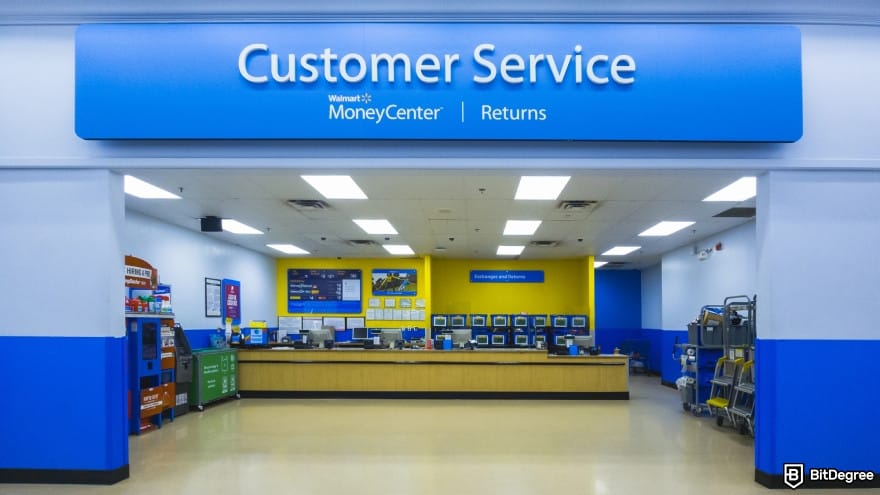
Let the Walmart associate know you’re there for a cash pickup. Present your government-issued ID along with the barcode from your GO2bank account, and they’ll hand over the amount you requested.
Yeah, it’s not the most convenient option, especially if the closest Walmart is miles out of your way from your place. Even so, it’s still a workable solution when looking for how to transfer money out of GO2bank while you wait for the new card.
📚 Check Out: How to Send Money to Someone Without a Bank Account
Withdrawing by Using SendMoney
Another option you can try when figuring out how to transfer money from GO2bank without a card is by using the SendMoney feature. It’s a peer-to-peer (P2P) transfer tool that lets GO2bank users send and receive money within seconds because the transaction happens in real time.
While it doesn’t allow sending funds to external bank accounts, you can use it to move your balance to someone else who has a working GO2bank card. After that, you can ask them to withdraw the cash for you from an ATM.
SendMoney is only available in the GO2bank mobile app.
Here’s how to do it:
Start by logging into your GO2bank app and selecting the [Deposit & Pay] option.
![How to withdraw money from GO2bank without card: go to the [Deposit & Pay] menu.](https://assets.bitdegree.org/images/how-to-withdraw-money-from-go2bank-without-card-deposit.jpg "How to withdraw money from GO2bank without card: go to the [Deposit & Pay] menu.")
Choose [Send Money] from the menu and tap [Activate SendMoney]. Once prompted, review and agree to the agreement terms.
The app will show you three $tag options you can use as your personal transfer username. Pick the one you prefer and tap [Confirm].
Pick your preferred method (phone or email) for receiving the verification code. After you get it, enter the code and select [Continue] to confirm.
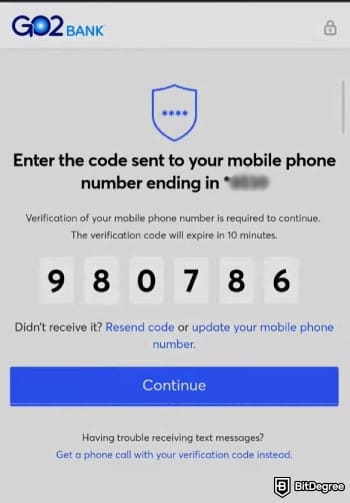
From the main SendMoney screen, search for who you want to send money to by name, phone, or $tag.
Type in how much you want to send and include a note if you wish. After that, tap [Continue] to review the transaction.
Tap [Send] to finalize the transfer. A confirmation will be sent to both you and your recipient via your preferred method (email, text, or push).
Once your friend receives the money, they can withdraw the cash for you at any ATM that displays the Visa or Pulse logo.
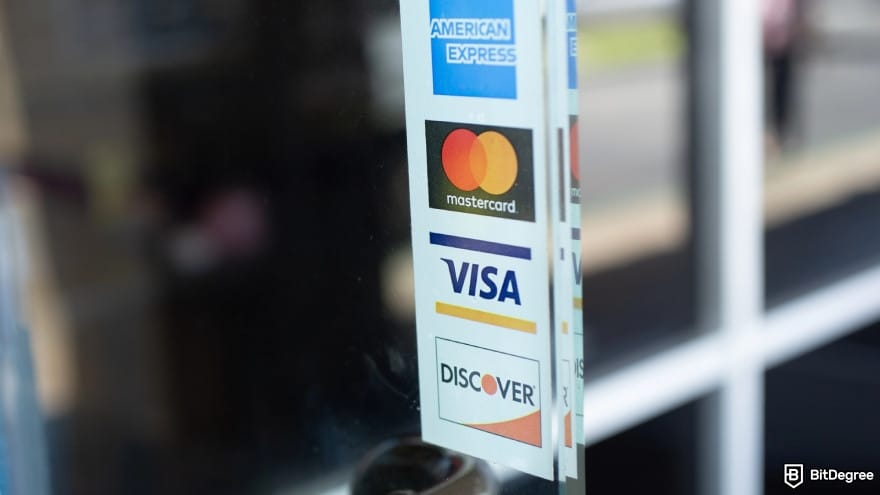
If you’re unsure where to find one, open the GO2bank app and look under “ATM & Cash Deposit Locations” to see a map of nearby supported ATMs.
After that, your friend or relative can hand you the cash in person.
It goes without saying that this method isn’t the ideal workaround since you’ll need someone with a GO2bank card to withdraw the cash for you. But if you have a friend or relative that you can fully trust, I still think it’s a viable option.
Just make sure to thank them properly, maybe with a bottle of beer or two.
GO2bank Withdrawal Limits and Fees
Before deciding how to withdraw money from GO2bank without a card, I think it’s a good idea to review the platform’s withdrawal fees and limits. Knowing this information should help you decide which method makes the most sense for your situation.
Fee | Limit | |
|---|---|---|
Cash Pickup | $3 retail service fee | Up to $3,000 per month |
ATM Withdrawal | Free at in-network ATMs; $3 at out-of-network ATMs | $500 per day; $3,000 per month |
SendMoney | Free | - |
Table: GO2bank withdrawal limits and fees
Here's a bit of a breakdown:
- Cash pickup. You can withdraw up to $3,000 per month as long as you’ve already reported your card lost or stolen and present the generated barcode to the teller. There’s a $3 fee you should keep in mind after factoring in your transportation cost to Walmart.
- ATM withdrawals. Using ATMs that partner with GO2bank is free, but the ones outside their network come with a $3 withdrawal fee. It also limits ATM access to $500 per day and up to $3,000 per month, so it’s good to plan around those caps if you have a sizable balance.
- SendMoney. You can send money for free, but it’s restricted to GO2bank-to-GO2bank transactions and works only in the mobile app.
Personally, I think GO2bank’s withdrawal limits and fees can make things a bit restrictive, especially when you factor in transportation costs and other expenses. If Walmart isn’t nearby or your friend with the card lives far out, you could easily spend more getting the cash than your balance itself is worth.
And this is why many people prefer a more flexible platform for managing their money, whether it’s for everyday use or unexpected situations.
Common Withdrawal Issues and What You Can Do
Of course, you want everything to go smoothly when figuring out how to transfer money from GO2bank without a card. But some days just aren’t your day, and you might run into a couple of hiccups. If that happens, here’s how you can deal with them:
- Can’t remember your password. You lose your card, panic, and suddenly can’t remember your credentials. Hey, it happens. Just click “Trouble logging in?” on the login screen and enter your email address. They’ll send you a reset link so you can get back into your account.
- Cash pickup barcodes expire too soon. To avoid showing up at the pickup counter with an expired code, I’d suggest generating it just before you leave your house. That way, you’ll have plenty of time to pick up your cash before the 48-hour window runs out.
- No Walmart nearby for cash pickup. If the nearest Walmart is miles away, your best alternative is SendMoney. You’ll need a trusted person with an active GO2bank card to cash out for you, but it’s the fastest option if you can’t afford to wait for a replacement card.
- Hitting withdrawal limits. To move more money without triggering the daily or monthly limits, you’ll need to use more than one method. A common workaround is splitting it between Walmart pickup and ATM access through your friend's active GO2bank cards.
- Distance makes cash handover difficult. When the person who can withdraw the money for you isn’t nearby, travel and timing become difficult. At that point, the practical solutions are to prepare ahead of time or switch to a service that supports direct transfers to other banks.
Yeah, losing your card is already annoying, and dealing with all of these issues on top of it is something I wouldn’t wish on anyone. Most of these problems do have workarounds, but they’re clunky and require extra effort. It mostly stems from GO2bank being unable to transfer funds to external platforms due to compliance rules.[2]

In most cases, I’d simply recommend waiting for the new card. But if you’re under pressure and waiting seven days isn’t an option, then learning how to transfer money from GO2bank without card might make more sense.
GO2bank Alternatives
There’s always a way, but those ways aren’t always the most efficient workarounds. If you feel that figuring out how to withdraw money from GO2bank without a card just isn’t worth the effort, then it might be time to explore other alternatives:
- Ogvio. On top of the fast, cheap, and flexible transfers, Ogvio works internationally and lets you send money to over 160 countries. It’s also a preferred option if you’re unbanked, as you can still move your asset to a fellow Ogvio user or through a crypto wallet.
- Revolut. Its multi-asset ecosystem lets you move money freely between accounts, split bills with friends, exchange currencies, and manage your budget with real-time analytics. Just note that it may be a little complex for everyday users.
- PayPal. The go-to money app for millions worldwide, PayPal makes it easy to transfer your funds and pay for things internationally. The downside is its higher FX markup and a fee structure that can quietly drain your balance.
Here’s a table that breaks everything down for you at a glance:
 |  |  | |
|---|---|---|---|
|
|
| |
| Per-transaction | Plan + per-transaction | Per-transaction | |
| | | | |
| A global money transfer service with an additional volatile currency rate pegging to USD or EUR. | An all-in-one finance app that makes global spending and investing effortless. | A trusted way to send money worldwide, though its fees are higher than newer payment apps. | |
| Visit site Read review | Visit site Read review | Visit site Read review |
Table: Top money transfer services comparison
Each platform has its strengths and perks, but what they all share is something GO2bank currently lacks: withdrawal options. If you can't be bothered figuring out how to transfer money out of GO2bank without a card, switching to a more flexible service might be the upgrade you didn’t know you needed.
📚 Read More: Best Money Transfer App
Browse our collection of the most thorough Crypto Exchange related articles, guides & tutorials. Always be in the know & make informed decisions!



Conclusions
And that’s how to withdraw money from GO2bank without a card! I hope my guide comes in handy whenever your card goes missing or stops working, and you’re in dire need of cash.
Since GO2bank doesn’t support transfers to external banks, your options are limited to picking up the cash at Walmart or sending it to another GO2bank account. They’re not the most convenient methods, but you can consider those workarounds whenever you’re in an emergency.
If you want something more flexible and less restrictive, I’d recommend checking out Ogvio. It offers fast, low-cost bank transfers with no hidden fees!
Scientific References
1. Goodell G. R.: ‘A Non-Custodial Wallet for Digital Currency: Design Challenges and Opportunities’;
2. Vijayagopal P., Jain B., Viswanathan S. A.: ‘Regulations and Fintech A Comparative Study of the Developed and Developing Countries’.
Send Money Worldwide
Check out the best ways to send money to other countries quickly, safely, and with minimal fees.



































About Article's Experts & Analysts






