Key Takeaways
- You can withdraw your crypto from Binance Wallet to another wallet, exchange, or supported platform;
- Binance Wallet doesn’t support crypto-to-fiat conversions or direct bank withdrawals;
- To send funds from Binance Wallet to your bank account, you need a crypto off-ramp platform like Ogvio.
Stop overpaying - start transferring money with Ogvio. Sign up, invite friends & grab Rewards now! 🎁
Trading on a popular exchange like Binance can be quite thrilling, and it’s even nicer knowing there’s a secure place to keep your “ammunition” ready when you need it. But sooner or later, there comes a point where you’ve had enough and want to enjoy the results of your hard work. When that happens, knowing how to withdraw money from Binance Wallet properly can make life much easier.
Before getting into details, here’s the good news: the process is straightforward. Once you’re clear on where the funds are going (another exchange, a different wallet, or a platform like Ogvio), everything else should fall into place naturally.
Now that you know what to expect, let’s just jump into it!

Did you know?
Subscribe - We publish new crypto explainer videos every week!
How to Use Crypto? 5 Rewarding Strategies Explained (Animated)


Table of Contents
- 1. How to Withdraw Money From Binance Wallet to Ogvio
- 1.1. Creating an Ogvio Account
- 1.2. Transferring Funds From Binance Wallet to Ogvio
- 1.3. Cashing Out to a Bank Account
- 2. How to Send Money From Binance Wallet to Another Wallet
- 2.1. Sending Funds to Ledger Flex
- 2.2. Sending Funds to Trezor Safe 7
- 3. How to Withdraw Money From Binance Spot Wallet
- 3.1. Transferring Funds From Binance Spot Wallet to Binance Wallet
- 3.2. Transferring Funds From Binance Spot Wallet to an External Platform
- 4. Binance Wallet Withdrawal Fees and Limits
- 5. Common Withdrawal Issues
- 6. Conclusions
How to Withdraw Money From Binance Wallet to Ogvio
I’d say one of the most convenient ways to handle how to withdraw money from Binance Wallet is through Ogvio.
Latest Deal Active Right Now:Why, you might ask? Well, the main reason comes down to flexibility and better control over your funds.
As the next-gen money transfer service, Ogvio works as a central hub for managing your assets. You’re free to convert them into fiat for daily use, swap between different coins within the app, send funds straight to another user, or just keep them stored securely.
Your money can increase by up to 3.5% over a year by simply leaving it on Ogvio.
And once you’re ready to jump back into more active trading, you can move your funds back directly to the Binance crypto exchange without any hassle.
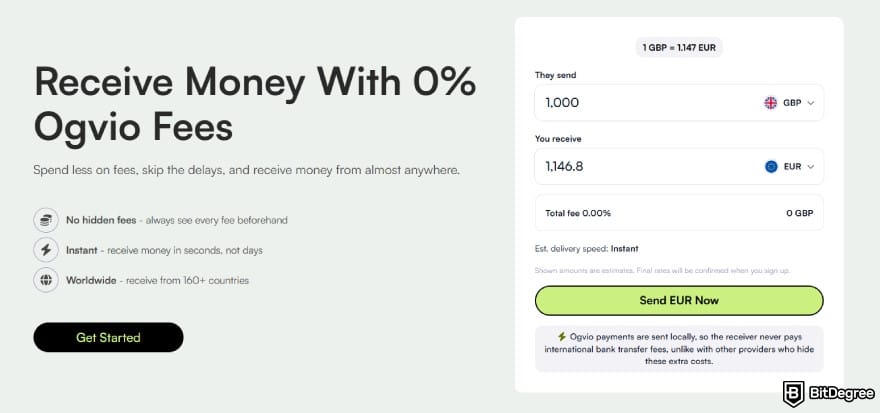
To top it off, Ogvio keeps pricing easy on your wallet. There’s no monthly or annual plan forcing you to stay committed, since everything is free to use from the get-go. And with complete fee transparency, you don’t have to worry about hidden costs popping up later on.
📚 Check Out: Ogvio Review
Instead of leaving this in the realm of theory, let’s do it for real and see how seamless withdrawing money from Binance Wallet can be with Ogvio. But first things first, you’ll need an account.
Creating an Ogvio Account
Setting up an account on Ogvio takes only a few minutes and requires nothing more than your email address. You don’t need to link a card or wallet for payment requirements, as the process is free from start to finish.
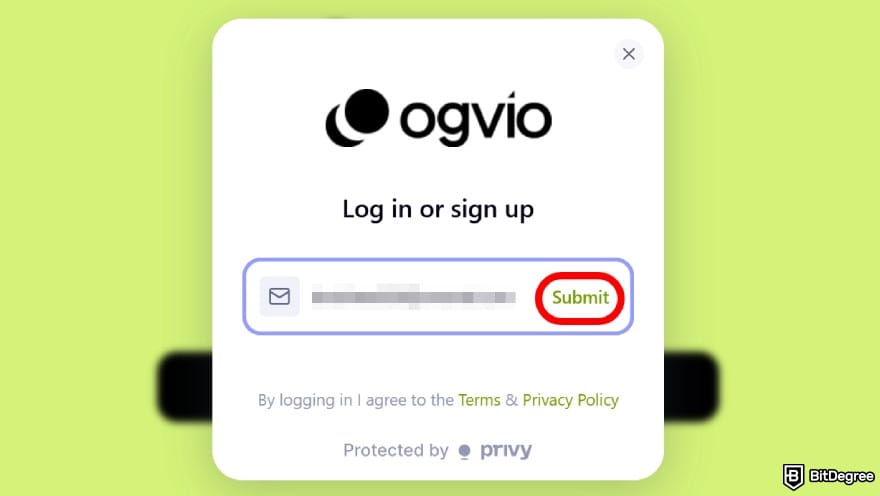
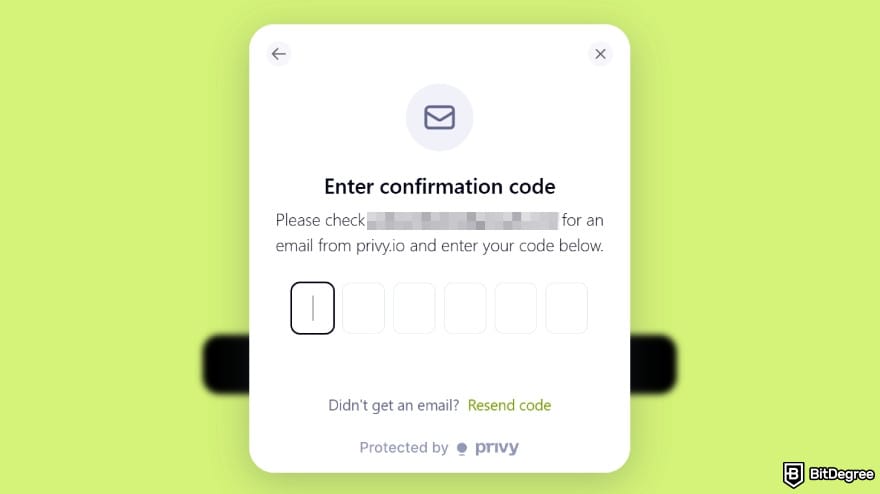
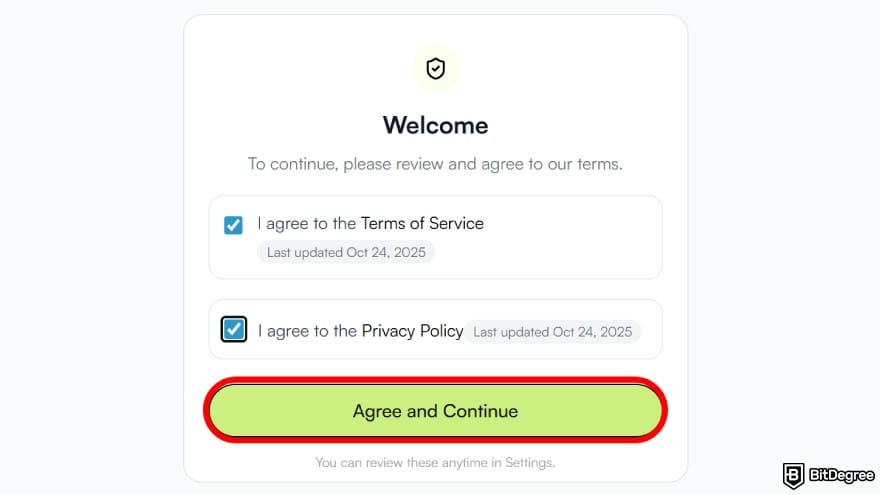
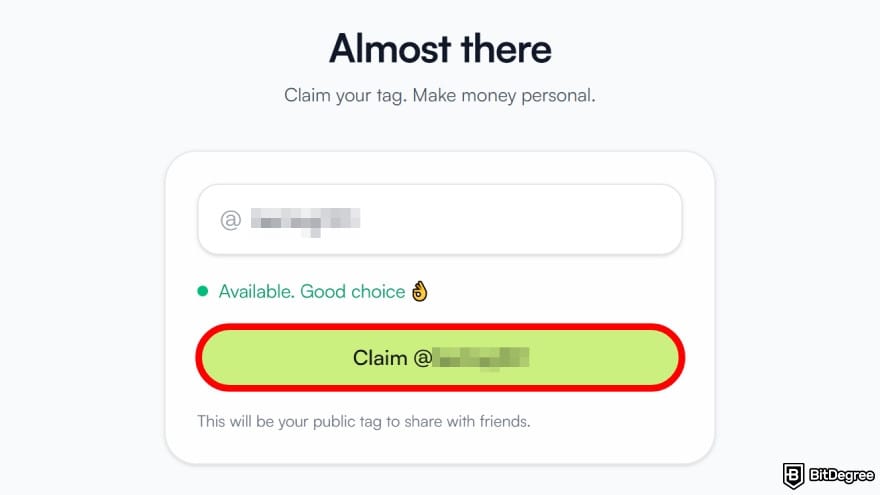
Once you’ve completed that step, your Ogvio account is ready to go. From here, you can switch over to Binance Wallet and start withdrawing your funds.
Transferring Funds From Binance Wallet to Ogvio
Transferring your funds from Binance Wallet to Ogvio won’t take much of your day, regardless of whether you’re on desktop or mobile. I’ll be showing the steps using the Chrome extension, but you’ll be able to follow along just as easily if you’re on your phone:
![How to withdraw money from Binance Wallet: select the [Send] option.](https://assets.bitdegree.org/images/how-to-withdraw-money-from-binance-wallet-click-send.jpg "How to withdraw money from Binance Wallet: select the [Send] option.")
As of writing, Ogvio only supports USDC transfers via the Base network.
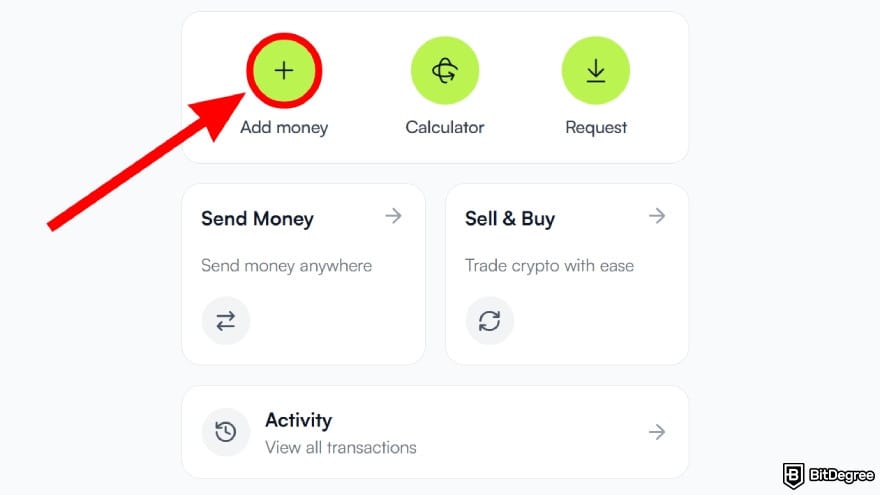
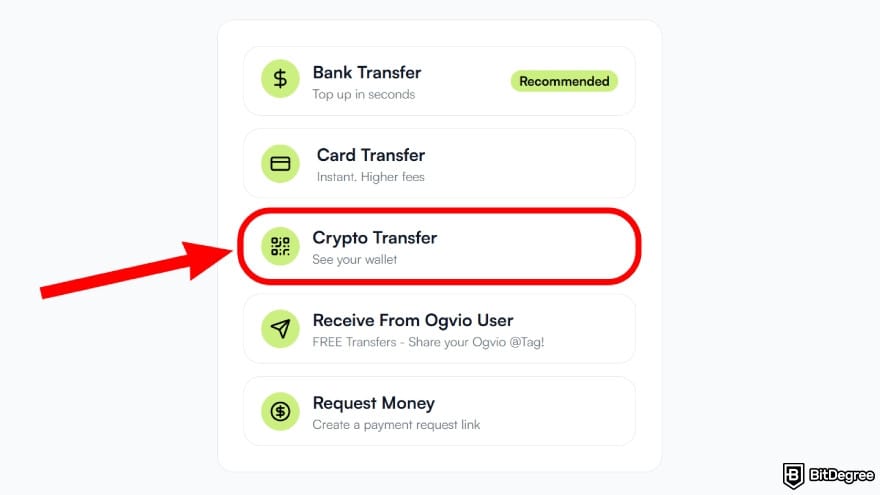
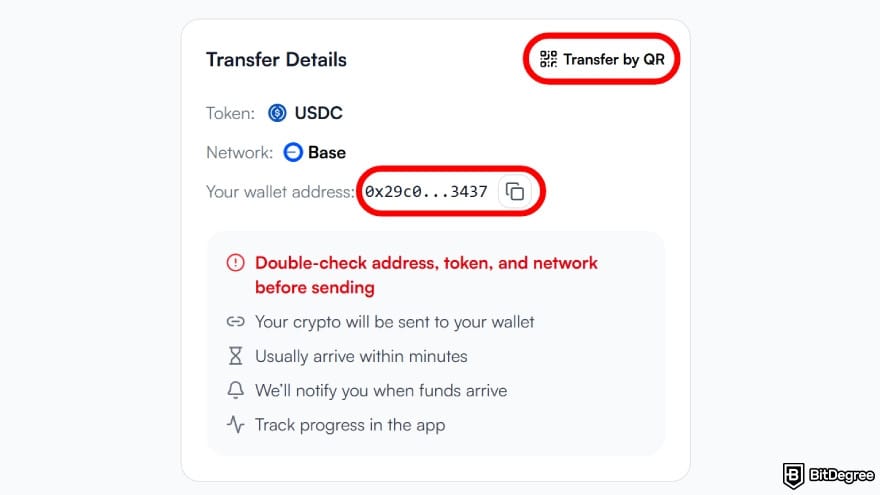
Your tokens should arrive on Ogvio shortly. If you want updates, simply click [Check Incoming Transactions] to monitor the transfer progress.
Cashing Out to a Bank Account
As I've mentioned earlier, knowing how to withdraw money from Binance Wallet to Ogvio gives you a lot more flexibility. With its non-custodial setup, your funds stay privately stored and protected from third-party interference if you decide to park them for a while.
And when it’s time to cash out, the process doesn’t get much easier. Ogvio uses local payment rails to make sure transfers to your chosen bank are fast and affordable.
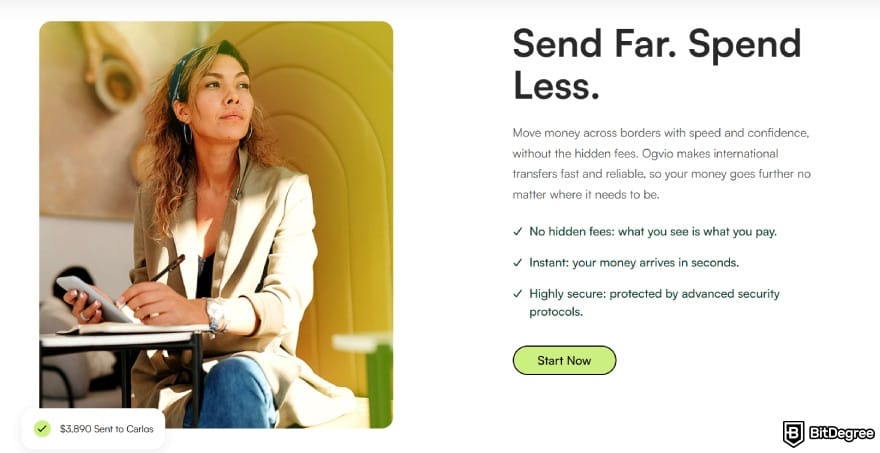
Here’s how you can do it:
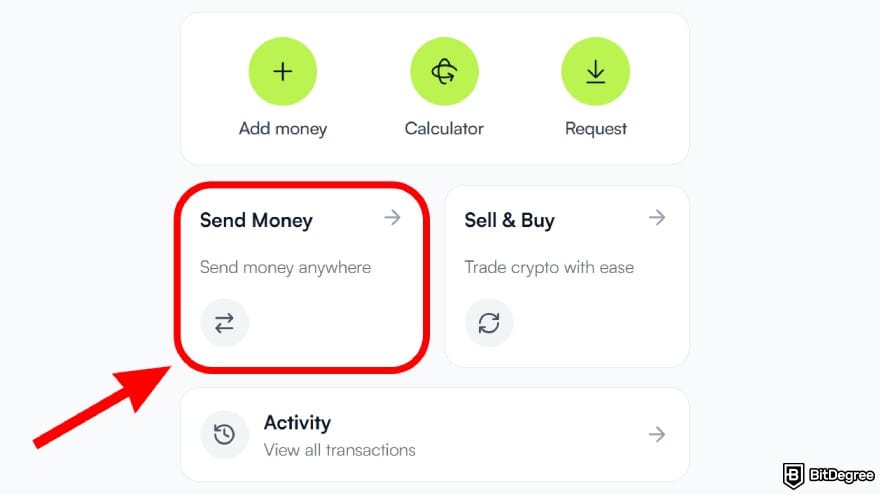
![How to withdraw money from Binance Wallet: click on the [Send to new recipient].](https://assets.bitdegree.org/images/how-to-withdraw-money-from-binance-wallet-add-recipient.jpg "How to withdraw money from Binance Wallet: click on the [Send to new recipient].")
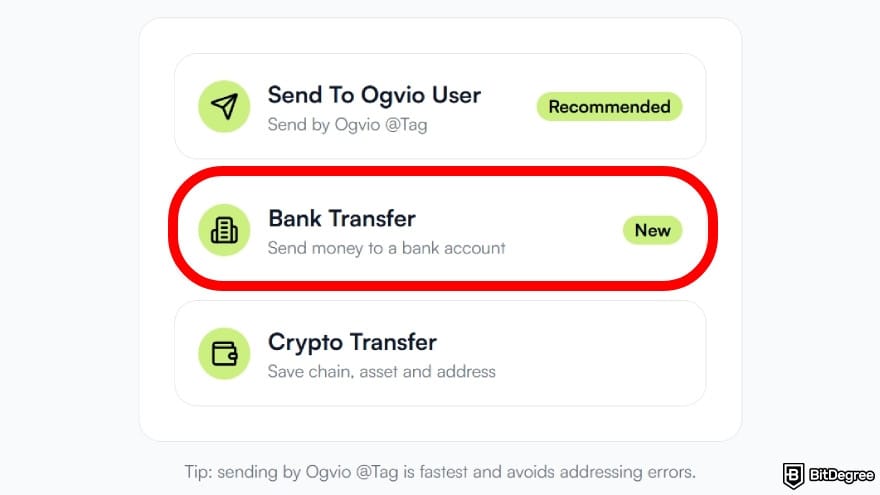
Select [Bank Transfer] to convert your crypto into fiat currency and transfer it to your bank account.
You’ll need to complete identity verification to use bank transfers. It’s quite simple and won’t take long.
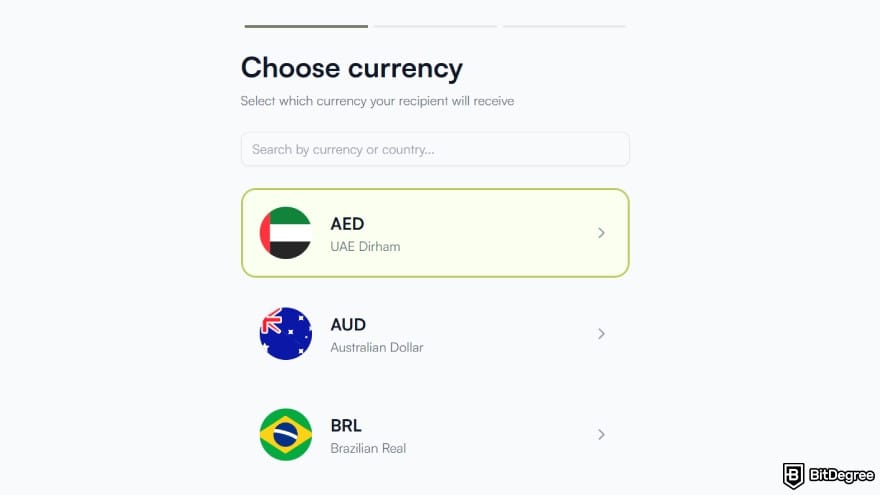
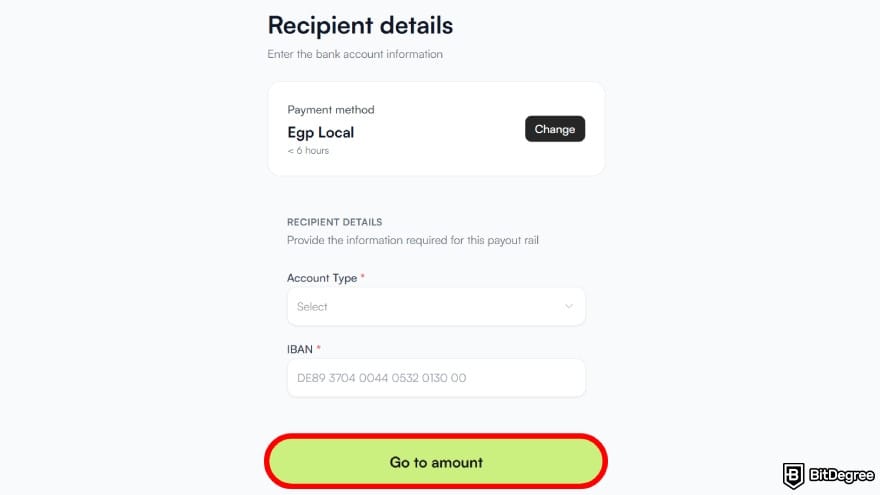
After that, double-check all the details and click [Go to amount].
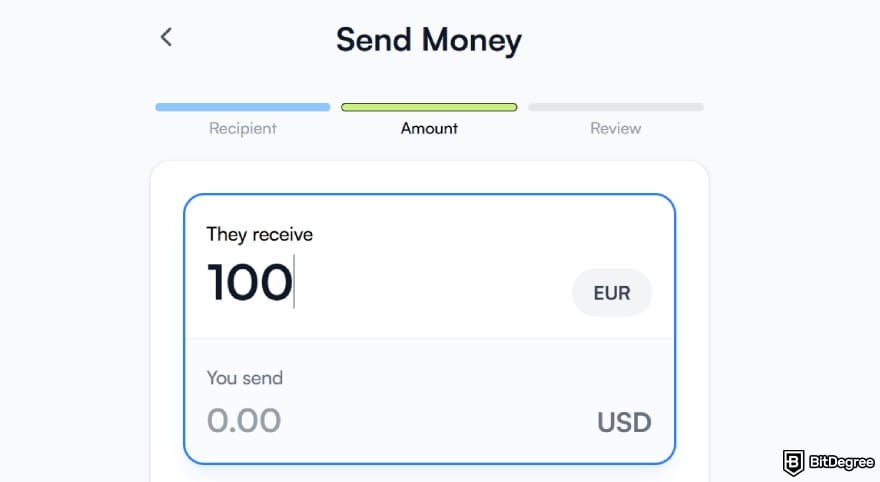
You can expect your money to arrive quickly (often instantly). After you add your bank account once, it’s automatically saved in your contact list. That way, you won’t need to enter the details again the next time you cash out.
Looking for more in-depth information on related topics? We have gathered similar articles for you to spare your time. Take a look!


How to Send Money From Binance Wallet to Another Wallet
Binance Wallet does a pretty good job when it comes to security. It relies on industry-grade measures like multi-party computation and high-end encryption to keep your assets protected. But it’s a hot wallet by design, and the need for constant internet access does leave it exposed to cyber threats.[1]
If you plan to store your digital assets for a longer period (say months or even years), moving them to a cold wallet is often the best option. By design, it stays isolated from the internet, which makes it extremely difficult to compromise through online attacks.
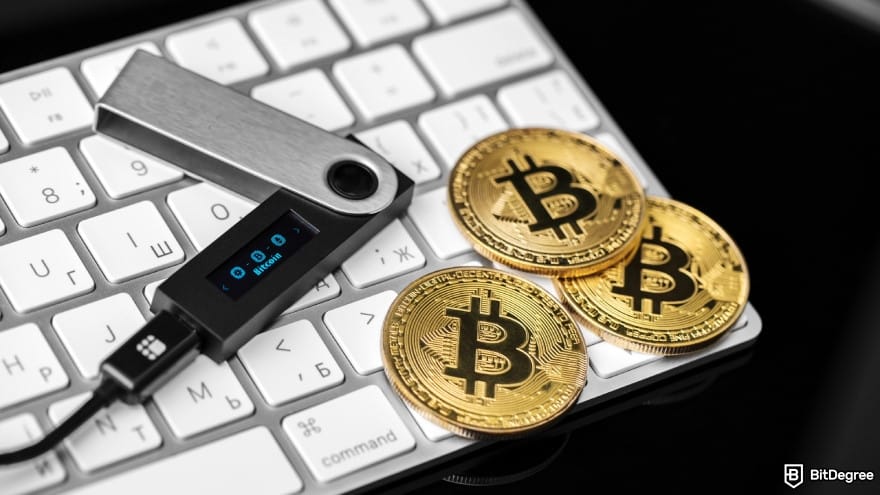
Now, among the cold wallets considered safest on the market these days, there are two that immediately come to mind: Ledger Flex and Trezor Safe 7.
Sending Funds to Ledger Flex
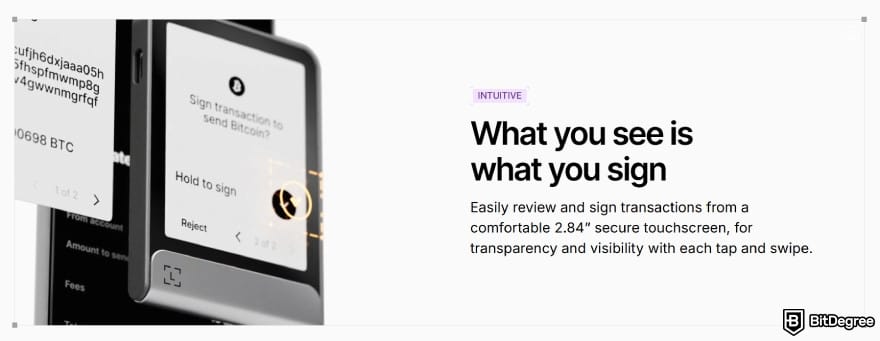
Knowing how to send money from Binance to another wallet is useful in general, but it’s especially handy when that wallet happens to be Ledger Flex. Often referred to as one of the most intuitive hardware vaults available, it manages to balance top-tier security with day-to-day usability.
The Flex comes with a 2.84-inch secure touchscreen, making it easy to clearly review and sign transactions. On top of that, the wallet app offers multi-device connectivity, letting you manage your crypto across iOS, Android, and desktop smoothly.
For reference, the screenshots are taken from the Binance Wallet app on my phone:
![How to withdraw money from Binance Wallet: tap on the [Send] button.](https://assets.bitdegree.org/images/how-to-withdraw-money-from-binance-wallet-mobile-send.jpg "How to withdraw money from Binance Wallet: tap on the [Send] button.")
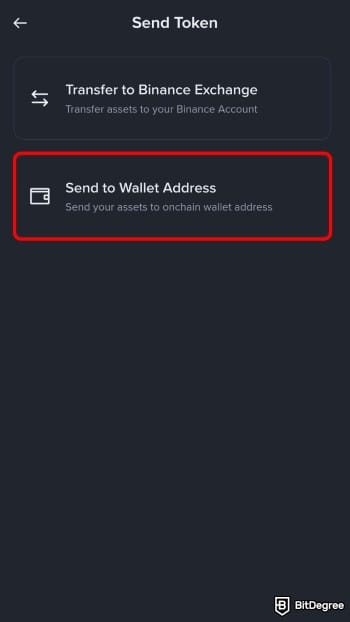
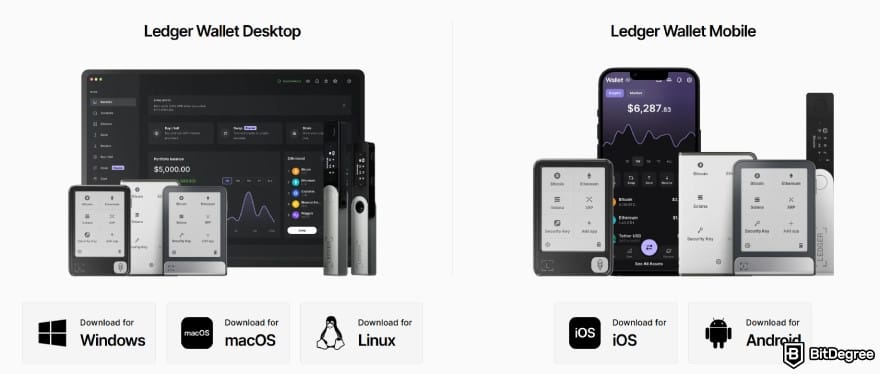
![How to withdraw money from Binance Wallet: click [Receive] on the side bar.](https://assets.bitdegree.org/images/how-to-withdraw-money-from-binance-wallet-ledger-receive.jpg "How to withdraw money from Binance Wallet: click [Receive] on the side bar.")
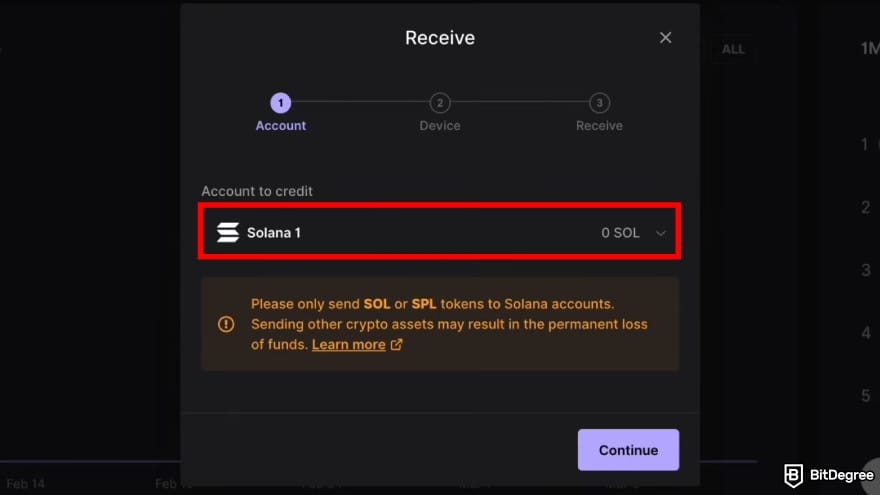
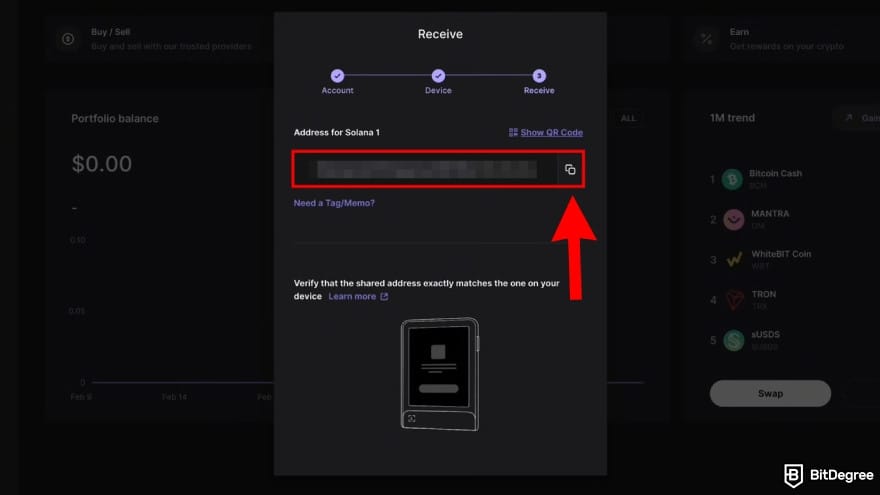
Your tokens are now safely stored on your Flex. Don’t forget to disconnect your Ledger device when you’re done and keep it locked away somewhere safe and private.
Did you know?
Subscribe - We publish new crypto explainer videos every week!
Best Crypto Analysis Indicators Explained (Beginner-Friendly Animation)

Sending Funds to Trezor Safe 7
Trezor Safe 7 is another modern hardware wallet that deserves a mention when long-term safety is the priority. It uses a secure TROPIC01 chip alongside an NDA-free EAL6+ secure element, putting it among the most physically secure wallets available.
The device features a 2.5" ink screen that delivers crisp visuals, vivid colors, and a bright 700 nits. Gorilla Glass adds protection against scratches and damage, plus extra resistance to fingerprints.
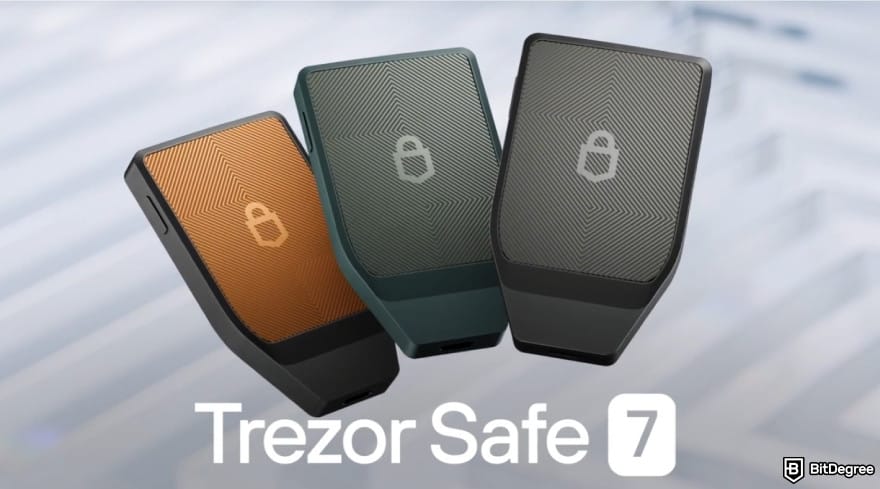
Before you start, make sure your Trezor Safe 7 is fully set up and ready. Then just follow the steps below:
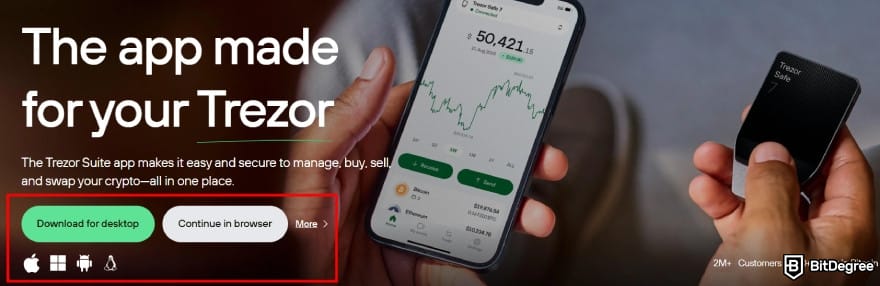
After the installation completes, open the app and connect your Safe 7.
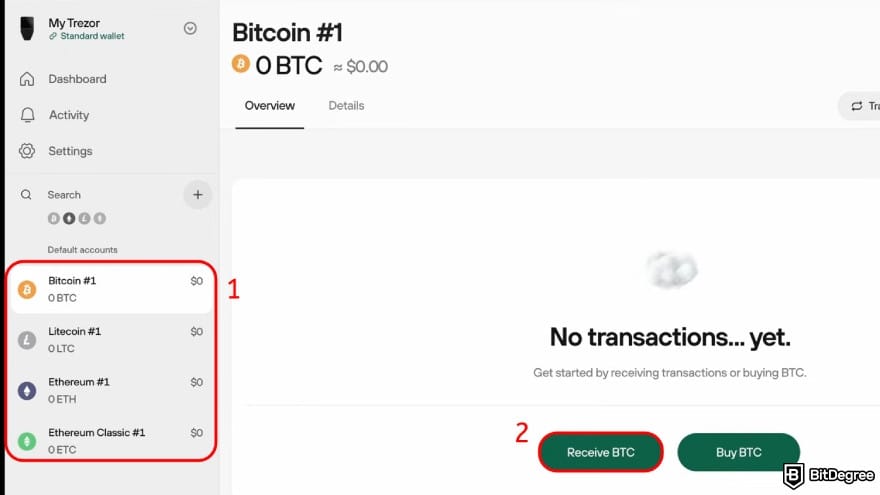

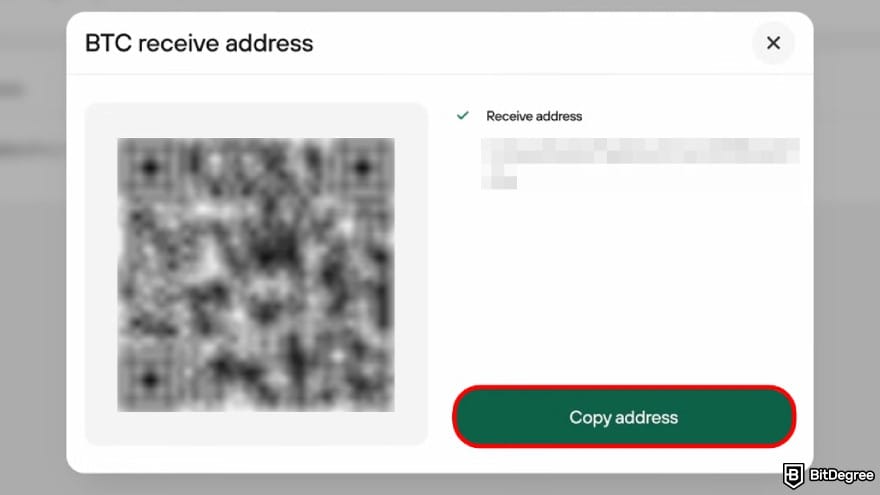
That's it! Confirmation times can vary depending on congestion. You can track the transfer at any time in Trezor Suite under the “Transactions” section.
At this point, you’ve got the basics on how to send money from Binance to another wallet nailed down. In general, the process doesn’t change much between hardware and software wallets. The key is being mindful of the interface and double-checking the address, particularly if you’re using a hardware wallet.
📚 Check Out: Best Cryptocurrency Wallet
How to Withdraw Money From Binance Spot Wallet
Knowing how to withdraw money from Binance Wallet helps a lot, but it still leaves some questions unanswered. A common one I keep seeing is, “I’m sure there’s money on my Binance account, so why can’t I withdraw it from my wallet?”
More often than not, the reason is simple: your funds are in the Spot Wallet, not in the Binance Wallet. Since the two don’t share balances, anything in Spot won’t appear in your wallet by default.
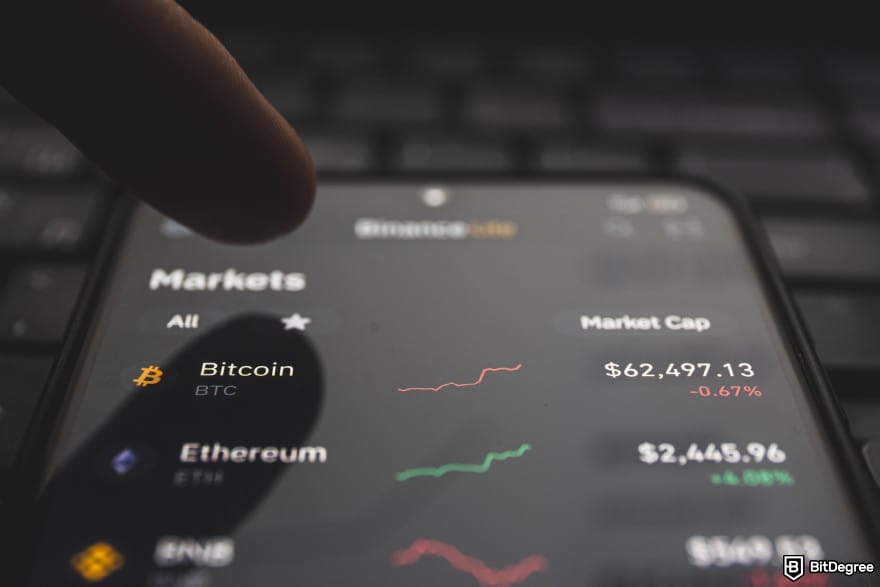
The first step is transferring your assets from Spot into Binance Wallet. Once the balance is updated, you’re free to withdraw the funds or simply keep them there for later. Let’s go through the process!
Transferring Funds From Binance Spot Wallet to Binance Wallet
Figuring out how to withdraw money from Spot Wallet Binance to the Binance Wallet is straightforward since both operate inside the same ecosystem. You can even do it using a built-in option, without switching between different accounts. Here's how:
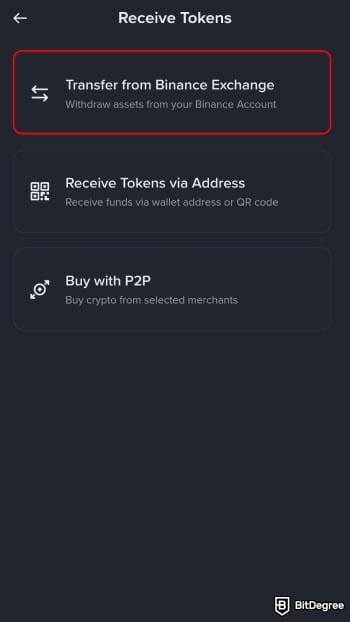
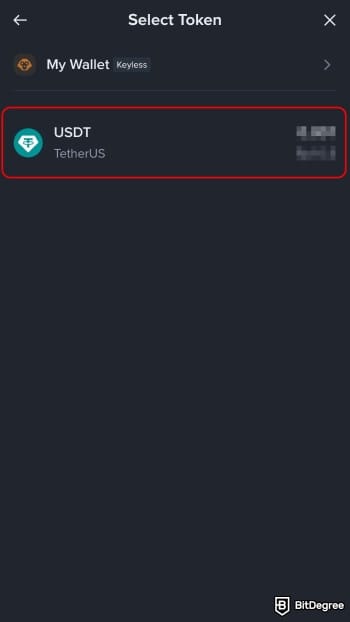
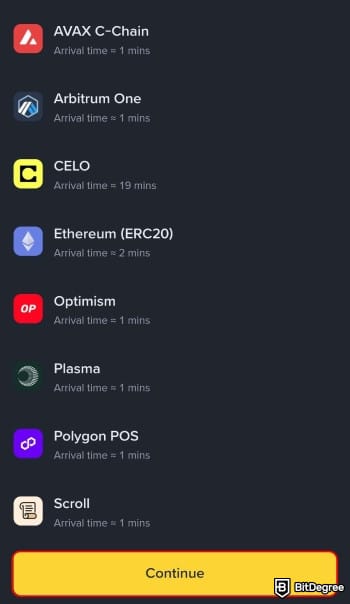
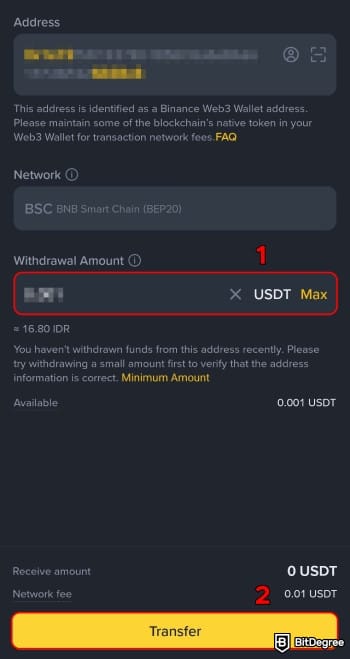
Once it’s done, refresh your Binance Wallet and the balance should be updated.
From here on, you can keep your asset where it sits, transfer it to a hardware wallet for long-term protection, or move it to another platform for simpler cash withdrawal.
Transferring Funds From Binance Spot Wallet to an External Platform
As your spot balance builds up, it’s less about whether to move it and more about the destination. Should you cash out to your bank now, or leave the coins in place for the next trade?
Rather than boxing yourself into a single decision, understanding how to send money from Binance to wallet or a gateway platform like Ogvio gives you more flexibility. That way, you can give yourself more room to think and act without pressure. Here’s how you can do that:

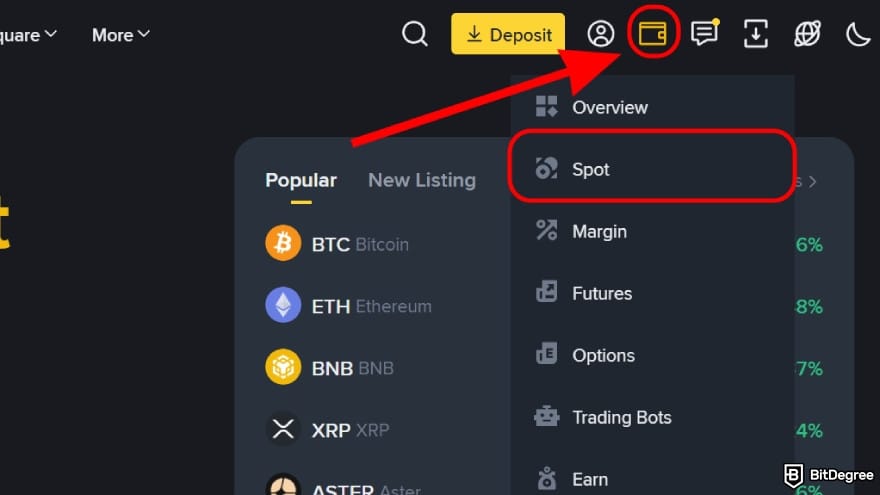
![How to withdraw money from Binance Wallet: click on the [Withdraw] button.](https://assets.bitdegree.org/images/how-to-withdraw-money-from-binance-wallet-withdraw-spot.jpg "How to withdraw money from Binance Wallet: click on the [Withdraw] button.")
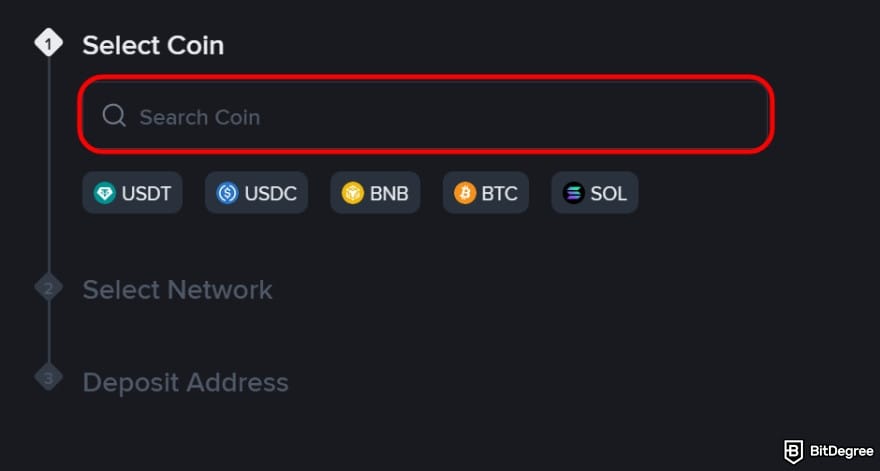
By transferring to Ogvio, your money is safely parked there in a more stable currency. This should give you the "breathing room" to figure out your next move.

If it’s time to cash out, you can convert your tokens to fiat and send them to your bank account. And if you’d rather keep trading, you can move everything back to Binance at no cost.
Binance Wallet Withdrawal Fees and Limits
Figuring out how to withdraw money from Binance Wallet goes hand in hand with understanding the fees and limits that come with each transaction. When you’re aware of those, it’s easier to judge which transfers are worth making.
First up, the good news: Binance Wallet doesn’t charge any platform fees. Creating an account is free, and there’s no platform cost for simply handling crypto withdrawals (or deposits, for that matter).
You need to be a verified Binance user before you can access Binance Wallet.
That doesn’t mean every transaction is completely free, though. You’ll still need to pay network (gas) fees on any on-chain transfer. It’s important to note that these fees go to miners or validators responsible for securing the transaction,[2] not to Binance.
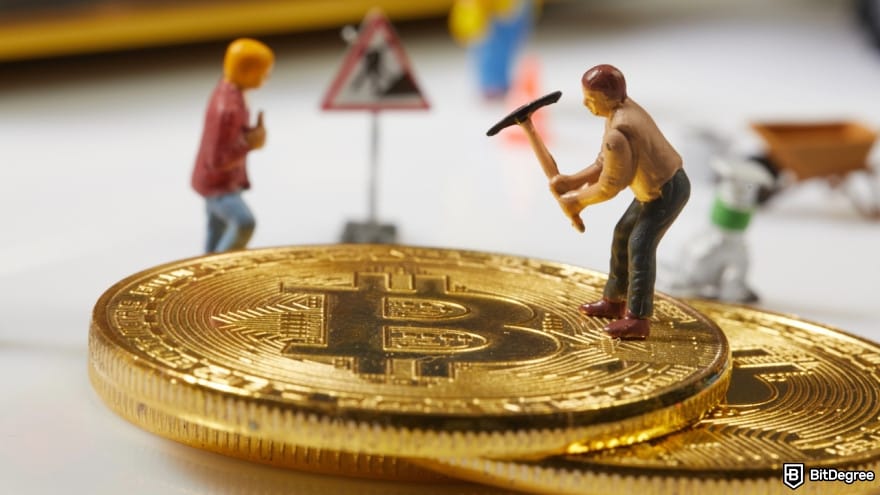
The amount you end up paying can change from one case to another. In most situations, it comes down to a few key factors:
- Transaction size. When you move larger amounts of tokens, network fees are usually higher as the transaction uses more space and data on the blockchain.
- Network demand. Network fees tend to spike during busy times. If needed, you can pay a higher fee to prioritize your transaction and get it processed faster.
- Blockchain network. The fee you end up paying also comes down to the network you use. Since blockchains don’t follow the same pricing structure, costs can vary quite a bit.
In terms of withdrawal limits, Binance Wallet doesn’t impose a fixed maximum cap on on-chain transfers. You can send any amount you hold, as long as you can cover network fees. Just keep in mind that minimum withdrawal amounts still apply and vary by token and network.
Personally, I wouldn’t spend too much time stressing over fees or limits. Binance shows everything clearly before you confirm the transaction, so you’ll know the fees and minimum amounts upfront.
Here’s a simple table to bring everything together:
Action | Fees | Limits |
|---|---|---|
Creating a wallet | Free | - |
Sending crypto | Network fees apply | Minimum withdrawal amount applies |
Receiving crypto | Free | No limits |
Holding crypto | Free | No limits |
Table: Binance Wallet withdrawal fees and limits
Now, it’s worth highlighting that the “no platform fees” claim only applies to on-chain transactions within Binance Wallet. As soon as you interact with other Binance features, intentionally or not, different fees can come into play.
For instance, receiving money into the wallet via P2P transfers follows its own pricing structures. The same goes for cashing out crypto to fiat through third-party on-ramps. Binance Wallet doesn’t take a platform fee, but the external provider may bill you for the service.

To avoid issues, make sure you keep some extra balance if you’re converting to fiat and sending money to family or friends.
📚 Check Out: Cheapest Way to Send Money Internationally
Common Withdrawal Issues
Even if you follow a foolproof, step-by-step guide for withdrawing money from Binance Wallet, a bad day can still throw a wrench in the process. Luckily, most of the time it’s usually minor stuff and not hard to fix:
- Unable to withdraw funds. Sometimes you’ll try to withdraw funds only to see that Binance won’t allow it. This is usually tied to recent account changes, which can trigger a 48-hour withdrawal lock.
- Pending withdrawal. You might see that your transfer goes past the estimated time while the status remains on “processing”. This is often due to sudden network congestion and usually requires a little more waiting.

- Insufficient balance for fees. Even if you have enough crypto ready to send, the transaction can still fail if there isn’t enough to cover gas fees. Adding a small amount of the required token should fix it.
- Wrong network selected. You might see the withdrawal marked as successful, but nothing shows up at the destination. This usually happens when the network you selected doesn’t match what the receiving wallet or platform supports.
I’d say most withdrawal issues can be avoided by being more deliberate. Remember, blockchain transactions are irreversible. Once a transfer is confirmed, it’s added to the chain as part of a shared ledger and can’t be canceled or modified.[3] So take your time with the details!
📚 Check Out: Cryptocurrency Security Guide
Browse our collection of the most thorough Crypto Exchange related articles, guides & tutorials. Always be in the know & make informed decisions!

Conclusions
Wrapping things up, I hope I’ve made learning how to withdraw money from Binance Wallet a lot easier and less daunting. As long as you double-check the wallet address before confirming, the process should go smoothly by following the steps I’ve shared.
There’s no platform fee when using Binance Wallet, whether you’re transferring crypto to a hardware wallet or sending it back to the main exchange to keep trading. If you choose to cash out to a bank account, though, you should expect service charges and conversion fees.
If you want to keep withdrawal costs in check, Ogvio is the option I’d recommend. By using local rails, it keeps transfers from Binance Wallet fast, secure, and reasonably priced.
Scientific References
1. Lim H.-J., Lee S., Kim M., Lee W.: ‘Comparative Analysis of Security Features and Risks in Digital Asset Wallets';
2. Laurent A., Brotcorne L., Fortz B.: ‘Transaction Fees Optimization in the Ethereum Blockchain’;
3. Wu J., Liu J., Zhao Y., Zheng Z.: ‘Analysis of Cryptocurrency Transactions from a Network Perspective: An Overview’.
Send Money Worldwide
Check out the best ways to send money to other countries quickly, safely, and with minimal fees.


































About Article's Experts & Analysts