







Ever tried to pay your friend overseas for that item they bought for you online, only to discover you were getting ripped off with extra fees for foreign transactions? You’d think there must be better solutions in this day and age – and, indeed, there are! The cheapest way to send money internationally is definitely not through your regular bank account, but with the help of these money transfer apps.
When it comes to cross-border payments, cost is obviously one of the top priorities for users, but it’s not always easy to parse out exactly how much you’ll have to pay. A lot of money transfer apps charge different fees depending on the payment methods and some other factors. Nevertheless, these 8 platforms are the definite winners in the cost-saving department:
- Ogvio – Simplicity, Speed, and Low Fees All in One
- Remitly – First Transfer Promo & Fee Refund Guarantee
- Revolut – Free Money Transfer Across Europe
- Western Union – International Money Transfer App With Free First Transactions
- Wise – Full Transparency & Large Transfer Discounts
- OFX – Best for Advanced Transfer Orders
- Xoom – Send to Mobile Wallets, UPI, PIX, and More
- MoneyGram – Earn Rewards for Your Transfers
Let’s flip through them one by one and discover their best features and benefits. As a bonus, you'll get a comprehensive step-by-step guide on how to send money abroad with Ogvio, a money transfer app that offers zero-fee payments between users and low fees for other transfers.
1. Ogvio – Simplicity, Speed, and Low Fees All in One
Ranks #1 out of 8 Money Transfer Services
- + Remittance-oriented
- + Instant transfers
- + Incremental-to-no fees
- + Crypto support
- + @Tag functionality
- + Free transfers between users
- - No card (coming soon)
As money transfer apps are still a developing market niche, there’s always room for a new kid on the block – and Ogvio steps into the scene with quite a bang. This platform offers low-to-no fees, fast transactions, a user-friendly interface, and global support.
Ogvio | |
|---|---|
Fees | Free transfers between Ogvio users No Ogvio margin fees Transparent exchange rate Free crypto transfers |
Supported Countries | 160+ countries |
Supported Currencies | 40+ currencies |
Transfer Speed | Usually instant, but it can depend on the transfer method |
Payment Methods | Bank transfer, crypto, credit/debit card, Apple Pay/Google Pay |
Transfer Limits | Varies by country |
Platform Support | Browser-based (desktop & mobile) |
Other Features | Cryptocurrency support on Base network @Tag functionality Payment request links EUR/USD-denominated account |
Table: Overview of Ogvio features
If you’re looking at how to send money internationally for free, Ogvio might just be your best bet: users are able to make transfers to other Ogvio users free of charge, no matter where they live. Fees for bank transfers into and outside the ecosystem depend on the country you're sending from and to, as well as your payment method, but they are always shown upfront.
 | |
|---|---|
| |
| Per-transaction | |
| | |
| A global money transfer service with an additional volatile currency rate pegging to USD or EUR. | |
| Visit site Read review |
Table: Ogvio features
Aside from 40 fiat currencies, Ogvio also supports several cryptocurrencies on the Base network for trading inside the app, including BTC, ETH, USDC, and EURC. You have the option to top up your account with USDC for free by depositing from your crypto wallet, as well as send USDC payments to other Ogvio users or external wallets.
When it comes to fiat, Ogvio converts your balance to USD or EUR the moment you top up. So, you hold your funds in stable currencies instead of local currencies, with which you risk losing the value of your assets because of inflation. That said, upon withdrawal to a bank account, Ogvio converts your funds to your chosen currency.
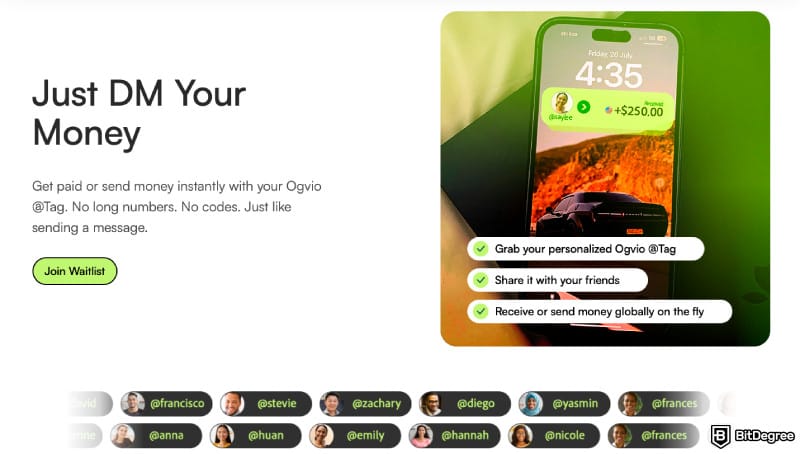
Like many other P2P apps, Ogvio offers an easy way to split bills with your friends – you create and share a payment link with them. Last but not least, the upcoming Ogvio card will help you save on currency conversion fees while spending abroad.
Ogvio is supported in 160+ countries and regions, including the UK, UAE, Pakistan, the Philippines, and many others.
2. Remitly – First Transfer Promo & Fee Refund Guarantee
Ranks #2 out of 8 Money Transfer Services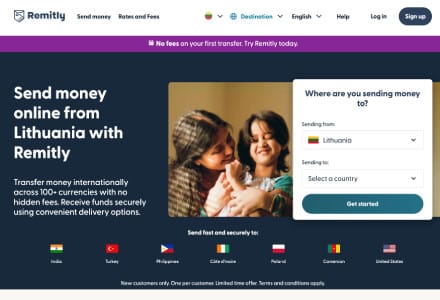
- + Great platform accessibility
- + 170+ receiving countries
- + Home delivery available
- + Major and local payout options
- - Escalating FX rates
- - Confusing fees
If you’re looking for a way how to send money abroad for free, Remitly is one of the top choices. It often provides fee-free international money transfer promos for your first transaction. However, the availability depends on your chosen corridor.
Remitly | |
|---|---|
Fees | Vary by route, amount, speed, and payout method + an exchange-rate margin usually applies |
Supported Countries | 170+ countries |
Supported Currencies | 100+ currencies |
Transfer Speed | Varies depending on the payment method |
Payment Methods | Credit/debit card, Apple Pay, bank transfer, cash pickups |
Transfer Limits | Up to $100,000 per transfer |
Platform Support | Web, mobile (iOS and Android) |
Other Features | Free first transfers Refunds for transfer delays Live transfer tracking Email and SMS notifications |
Table: Overview of Remitly features
As for subsequent transfers, Remitly’s online calculator lets you easily check how much you’ll be charged for making a transaction of a certain size and see all the available payment methods. The good news is that with some routes, transfers are pretty cheap and don’t scale with the size of the transaction. For example, sending $100 from the US to China costs as much as sending $10,000, only $1.99, because it applies a flat rate.
 | |
|---|---|
| |
| Per-transaction | |
| | |
| A beginner-friendly cross-border remittance solution. | |
| Visit site Read review |
Table: Remitly features
Remitly really blows it out of the water with its refund policy: it promises a 100% refund on your fees if a transfer is not delivered on time. In other words, getting your transfer delayed would turn out to be the best way to send money internationally without fees, since your fees would simply get cancelled.
Like most other money transfer apps, Remitly has a calculator that shows exactly how much a certain transaction would cost and how much the recipient would get. What’s more, you’ll see a comprehensive list of all the available payment methods. You can even choose to pick up a transfer in cash from one of Remitly’s pickup locations.
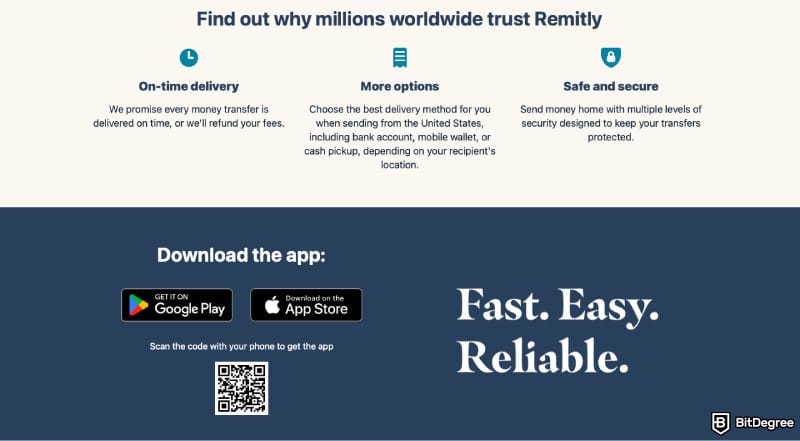
Remitly protects each transaction with several layers of security, such as account verification, 2FA, and Secure Socket Layer (SSL) with 256-bit encryption. You can also track your transactions on the web or mobile app and set up email or SMS notifications.
As of writing this, Remitly is available in over 170 countries, including the US, Canada, and Australia. Some new countries and territories will be added soon: Angola, Macau, Taiwan, South Sudan, and the US Virgin Islands, so keep an eye on the official website to find out when they become available.
3. Revolut – Free Money Transfer Across Europe
Ranks #3 out of 8 Money Transfer Services
- + Instant transfer (for Revolut users)
- + Multi-currency wallet
- + Earning options
- + Built-in budgeting tools
- + Stock trading
- - Weekend exchange rate markup
- - Limited perks
- - No full banking features
With a user base of over 60 million people worldwide, Revolut is much more than just a money transfer app. It offers a debit or credit card with plenty of benefits and discounts. However, it first rose to fame as the cheapest way to send money abroad – or at least one of the cheapest, for sure.
Revolut | |
|---|---|
Fees | Free transfers to other Revolut accounts Free transfers to SEPA Other international transfers starting from 0.2% or $10 |
Supported Countries | EEA, Australia, Brazil, Japan, New Zealand, Singapore, Switzerland, UK, US |
Supported Currencies | 25+ currencies |
Transfer Speed | Instant |
Payment Methods | Credit/debit card, bank transfer, Apple Pay, Google Pay |
Transfer Limits | Up to 100,000 EUR for a single payment |
Platform Support | Mobile (iOS and Android) |
Other Features | Credit or debit card Subscription plans |
Table: Overview of Revolut features
First things first: topping up your Revolut account from another debit or credit card costs nothing at all. And all the money transfers to other Revolut accounts are free as well, no matter how much money you’re sending or in what currency.
 | |
|---|---|
| |
| Plan + per-transaction | |
| | |
| An all-in-one finance app that makes global spending and investing effortless. | |
| Visit site Read review |
Table: Revolut features
Local payments in your base currency that are sent to a bank account in your country are free, as well – as are payments in EUR sent to any account inside the Single Euro Payments Area (known as "SEPA"). If you’re looking for the cheapest way to send money to Europe, there’s nothing more left to ask! For Swedish and Romanian customers, this also includes payments made in SEK and RON, respectively.
When it comes to international transfers outside Europe, the fees depend on the country and the payment method. They range from 0.2% (ACH transfers for USD) to $10 (wire transfer to the US) or more.
Revolut features an incredibly user-friendly app that lets you quickly convert your local currency to any other, top up your account, or make a payment to other Revolut users. The Home tab also includes your full transaction history and even shows upcoming scheduled payments.
As for security, Revolut features strict identity checks, biometric login, and in-house AI algorithms that immediately flag high-risk transactions and suspicious spending patterns. If your account gets hacked and an unauthorised transaction gets through, Revolut offers liability protection through VISA and Mastercard.

Did you know?
All Money Transfer Services may look similar to you, but they're NOT all the same!
4. Western Union – International Money Transfer App With Free First Transactions
Ranks #4 out of 8 Money Transfer Services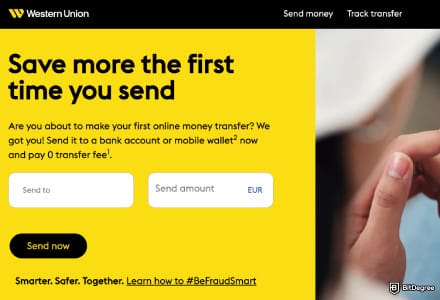
- + An established money transfer service
- + Available in most countries
- + Multiple delivery types, including cash pickup
- + Various ways to fund a transfer
- - High fees and exchange rate markup
- - Outdated app interface
- - Doesn't allow long-term fund storage
There’s no better way to attract new customers than offering stuff for free. In that vein, it’s safe to say that Western Union is definitely the cheapest way to send money in some regions, as it costs nothing at all – as long as you’re a new user doing it for the first time during an active first-transfer-free promo!
Western Union | |
|---|---|
Fees | First transfer for free promos Other transfers: around $0.65 to $3.76 for every $100 |
Supported Countries | 200+ countries |
Supported Currencies | 130+ currencies |
Transfer Speed | A few minutes to a few business days, depending on the transfer method |
Payment Methods | Credit/debit card, bank transfer, Apple Pay, cash payment at a pickup location |
Transfer Limits | Before verification: up to 1,000 EUR per transaction or within a 3-day period After verification: up to 5,000 EUR per transaction. |
Platform Support | Web, mobile (iOS and Android) |
Other Features | Online fees and exchange rates calculator Transaction scheduling Live transaction tracking and email notifications |
Table: Overview of Western Union features
Your next transfer and all the subsequent ones will, unfortunately, be subject to Western Union’s fees and exchange rates, but the costs are still reasonable enough. It’s hard to give an exact estimate, but in a nutshell, you’ll be paying about $0.65 to $3.76 for every $100 you transfer, so the costs will depend on the size of the transaction, as well as the currency and your payment method.
 | |
|---|---|
| |
| Per-transaction | |
| | |
| A global service trusted for decades for sending money digitally or in person, though often pricier than newer alternatives. | |
| Visit site Read review |
Table: Western Union features
Speaking of payment methods, Western Union’s selection is quite unique. Aside from the popular ones you’ll find on most other similar apps, such as credit/debit card, bank transfer, and Apple Pay, you can pay in cash in one of Western Union’s agent locations around the world.
Western Union’s website has a handy calculator that shows you exactly how much your international transfer will cost, and how much your recipient will get. What’s more, you can track your transactions by entering your tracking number (MTCN) online or into the app and get email notifications once they arrive.
Want to save your transaction for later? No problem! The Western Union app comes with a scheduling feature that lets users start, pause, and resume transactions from the history page.
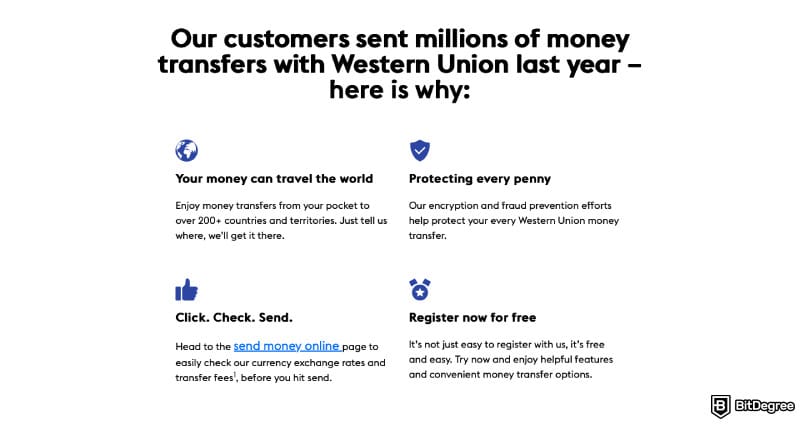
When it comes to security, your transactions are protected with multi-factor authentication via Strong Customer Authentication (SCA), as mandated by the EU’s Revised Payment Services Directive (PSD2).
So, is Western Union the cheapest way to send money to Europe? It’s definitely among the best apps for this purpose, and it works not only in the EU but in 200+ countries around the world and supports 130+ currencies, so no matter where you live, you’re unlikely to be left out.
5. Wise – Full Transparency & Large Transfer Discounts
Ranks #5 out of 8 Money Transfer Services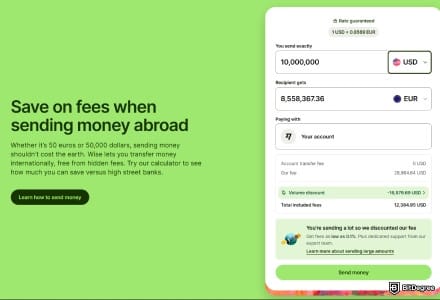
- + Transparent fees
- + Fair exchange rates
- + A smooth user experience
- + Multi-currency accounts
- - Service coverage is broad, but not entirely worldwide
- - Cash pickups aren’t available
- - Added compliance checks for large transfers
Could Wise be the cheapest way to send money abroad? That depends on a number of factors; namely, how much money you’re sending and how. One thing is clear, though – if you want to know exactly how much you’re getting and what your fees include, you’ll definitely appreciate this app’s approach to transparency.
Wise | |
|---|---|
Fees | Starting from 0.1% for certain transfers 0.32% - 0.62% for other transfers; no exchange rate markup |
Supported Countries | 160 countries |
Supported Currencies | 40 currencies |
Transfer Speed | Instant or up to several hours, depending on the payment method |
Payment Methods | Credit/debit card, bank transfer, iDEAL |
Transfer Limits | $2,000 to $1.6 million per transfer $2,000 to $50,000 per day $8,000 per week $250,000 per 60 days |
Platform Support | Web, mobile (iOS and Android) |
Other Features | Large transfer discounts Fee calculator Live progress tracking 48-hour exchange rate lock-in |
Table: Overview of Wise features
So, what’s the cheapest way to wire money internationally on Wise? Here’s what does the trick: if you’re sending more than 2 million GBP or equivalent to another Wise account in one go or within a calendar month, you can enjoy a 0.1% fee. The same applies to converting more than 2 million of these currencies between each other: AUD, CAD, EUR, GBP, or USD.
 | |
|---|---|
| |
| Per-transaction | |
| | |
| A trusted digital remittance service with upfront fees and great rates, but limited options for cash delivery. | |
| Visit site Read review |
Table: Wise features
And that’s not the only type of large transfer discount Wise offers. If you’re sending more than 20,000 GBP (or equivalent), your fees get slashed in half.
In general, Wise’s transfer fees depend on the currency and the payment method, so they might differ for every transfer. For example, sending 1,000 EUR as a bank transfer and converting them on the go (so the recipient gets USD) would cost 0.62% – which is still significantly cheaper than you’d find on most regular banks.
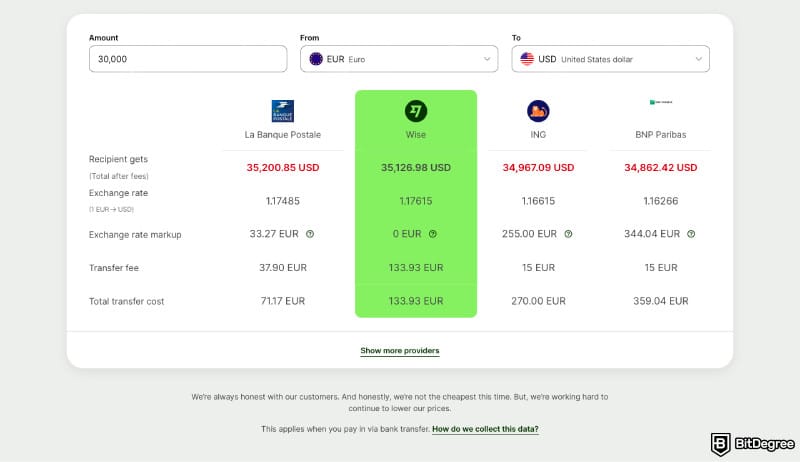
You can check exactly how much you’ll pay on Wise’s online calculator. What you see is exactly what you get – no hidden fees as an unpleasant last-minute surprise. What’s more, the exchange rate gets locked in for 48 hours, so even if you decide to transfer later, you won’t have to worry about recalculating the fees.
Most transfers on Wise are instant, and both the web and mobile apps feature live tracking for transaction progress. You can also set up 2FA authentication for extra security. Wise is regulated by the National Bank of Belgium in the EEA and works in 160+ countries, including the US, Canada, and the UK.
6. OFX – Best for Advanced Transfer Orders
Ranks #6 out of 8 Money Transfer Services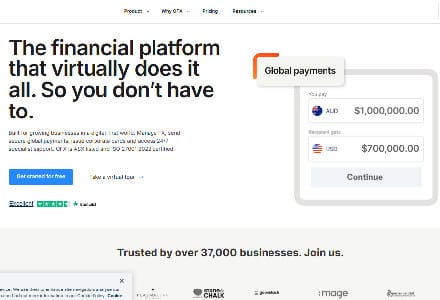
- + Handles multi-currency accounts for global businesses
- + Schedule large transfer seamlessly
- + Integrates with Xero and QuickBooks
- + Issue unlimited virtual cards with custom limits
- - Primarily designed for business clients
- - Standard plan limited to two free users only
How to send money internationally for free with fixed exchange rates at regular intervals? That’s the question OFX has an answer for. This money transfer app not only allows free transfers for sending more than $5,000, but also lets you schedule your payments in advance and lock in the exchange rate for up to 12 months.
OFX | |
|---|---|
Fees | Free transfers in Ireland $10 for transfers up to $5,000 Free transfers over $5,000 |
Supported Countries | 170+ countries |
Supported Currencies | 50+ currencies |
Transfer Speed | 1-3 business days |
Payment Methods | Credit/debit card, bank transfer |
Transfer Limits | No transfer limits (except the ones imposed by the bank) |
Platform Support | Web and mobile (iOS and Android) |
Other Features | Discounts for the first transfer Limit orders Forward contracts Scheduled payments |
Table: Overview of OFX features
It might not be the number one cheapest way to send money to Europe (although it’s certainly one of them), but those who live in Ireland get the benefit of completely free transfers. As for those in other countries, it’s still quite cheap: sending less than $5,000 has a flat fee of $10, while larger transfers are free of charge.
 | |
|---|---|
| |
| Plan + per-transaction | |
| | |
| A bank-to-bank transfer service focused on competitive exchange rates and lower fees. | |
| Visit site |
Table: OFX features
OFX has plenty of free tools and resources on their website, including currency charts, interbank exchange rates, SWIFT codes, and a virtual Business platform tour so you can try it out before subscribing.
This money transfer app is ASX-listed and monitored by over 50 regulators globally. Just like any other platform that boasts to be the cheapest way to send money internationally, it monitors all registrations, logins, and transactions to identify suspicious activity.
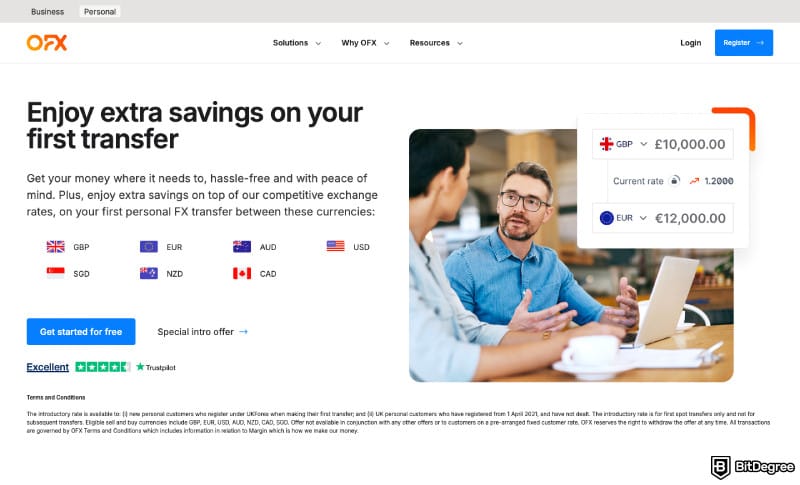
As of writing this, OFX works in over 170 countries, and new ones are still being added to the list. You can send payments in 50+ currencies, including NZD, PLN, or SGD, from the web or mobile app. There’s also 24/7 customer support.
All in all, if you’re figuring out how to send money abroad for free, OFX is definitely one of the best picks for its customizability and security.
7. Xoom – Send to Mobile Wallets, UPI, PIX, and More
Ranks #7 out of 8 Money Transfer Services
- + Usually delivers in minutes
- + PayPal integration
- + Multiple payouts options
- + Extras: bill pay and mobile airtime
- - High fees and markups
- - No live chat
When it comes to transferring money abroad, most people aren’t just looking for the cheapest way to wire money internationally, but the most convenient one, too. This is where Xoom comes into the picture: among the possible choices, you’ll find quite a few unconventional options, including UPI, PIX, and even reloading mobile phones.
Xoom | |
|---|---|
Fees | Free for some transfers $1.49 to $8.29 |
Supported Countries | EEA, US, Canada, UK |
Supported Currencies | 30+ currencies |
Transfer Speed | From a few minutes to a few days |
Payment Methods | Credit/debit card, bank transfer, mobile wallet, PayPal, UPI, PIX, cash pickup |
Transfer Limits | Level 1 verification: up to $2,999/6,000 per day/month Level 2 verification: up to $10,000/$20,000 per day/month Level 3 verification: up to $50,000/60,000 per day/month |
Platform Support | Web or mobile (iOS and Android) |
Other Features | Topping up mobile phone data Paying bills |
Table: Overview of Xoom features
Xoom’s international transfer fees are pretty low for the most part. You can try the online calculator to find your exact rates, which range from free to $1.49 to $8.29 depending on the transfer method. For example, sending USD to Canada and paying either in PYUSD or your bank account would cost you nothing at all, as would sending less than $50 through a debit card.
 | |
|---|---|
| |
| Per-transaction | |
| | |
| An online international money transfer service, owned by PayPal. | |
| Visit site |
Table: Xoom features
If you want to send money for a more specific purpose, Xoom has got you covered, too. You can easily pay for your family’s electricity, gas, cable and phone services and have those payments arrive within 2 business days, or refill their mobile phone’s airtime.
Xoom has a three-level verification system that determines transfer limits. If all you’ve done is fill out your profile, you’re allowed to send $2,999 per day or $6,000 per month. Users who provide their social security number and answer a few additional questions can transfer up to $10,000/$20,000 per day/month, and those who submit proof of identity can send up to $50,000/$60,000 per day/month.
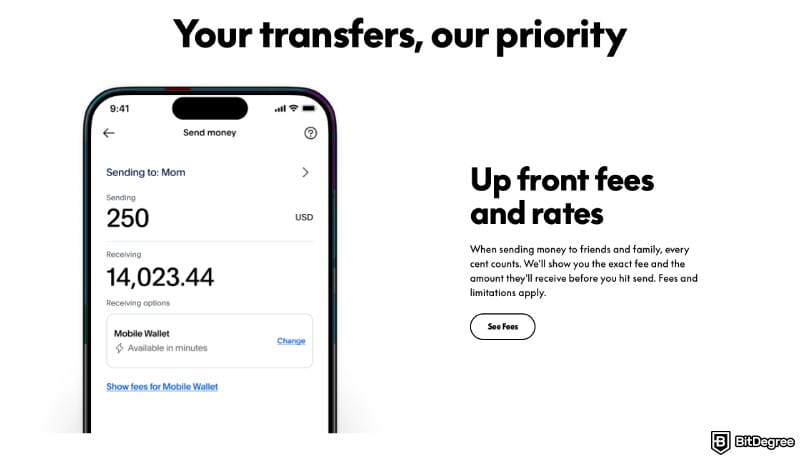
Transfer limits depend on the user’s country or region, so if you live outside the US, check Xoom’s website to see if you’re subject to different limits than the above.
Xoom transfers typically take from a few minutes to a few business days, depending on the method. If, for example, you’re sending crypto as a way to send money internationally without fees, it will probably come through instantly, while other methods, like a bank transfer, would take longer.
8. MoneyGram – Earn Rewards for Your Transfers
Ranks #8 out of 8 Money Transfer Services
- + Widespread agent locations
- + Online and offline transfer integration
- + Local and global payout support
- + Additional features like bill payments
- - Can be expensive
- - Inconsistent customer support quality
Sometimes, the cheapest way to send money internationally might actually be to do it more often. At least that’s the idea with MoneyGram and its approach to transfer fees. While its regular fees are already quite affordable, you can get some attractive discounts by signing up for their loyalty program.
MoneyGram | |
|---|---|
Fees | Starting from $0.6 per transfer |
Supported Countries | 200+ countries |
Supported Currencies | 135+ currencies |
Transfer Speed | From a few minutes up to 2 business days |
Payment Methods | Credit/debit card, Apple Pay, cash pick-up |
Transfer Limits | Up to $5,000.00 |
Platform Support | Web or mobile (iOS and Android) |
Other Features | Cryptocurrency support Rewards program Mobile top-ups |
Table: Overview of MoneyGram features
MoneyGram allows sending money or crypto to over 200 countries. The fees are pretty uniform across the board: roughly $0.6-0.7 per transfer, although they still vary a bit, depending on the country and transfer method.
 | |
|---|---|
| |
| Per-transaction | |
| | |
| One of the most reliable offline-first, digital-friendly money transfer services with a global reach. | |
| See TOP10 Brands Read review |
Table: MoneyGram features
However, enrolling in MoneyGram’s loyalty program (it’s free!) gives you a 20% discount on your second transfer’s fees and a 40% discount on the fees of every fifth transfer, along with other member-only offers and promotions.
MoneyGram supports credit/debit cards, Apple Pay, and cash pick-ups as payment methods. What’s more, you can use it to pay your family or loved ones’ bills or top up their mobile phone data across 600+ supported mobile networks worldwide.
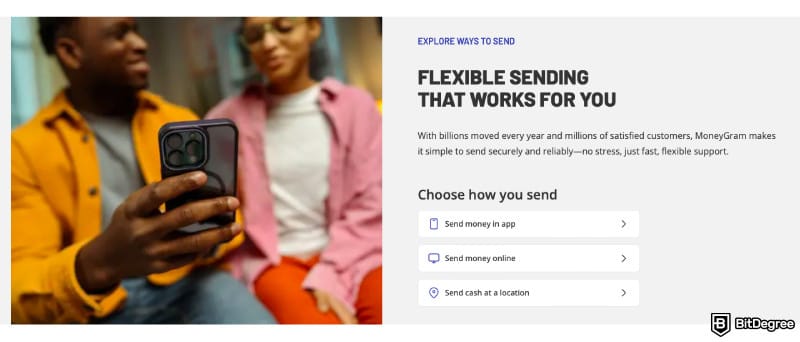
Learning how to send money internationally for free (or almost free) on this app is very easy: it doesn’t really have any bells and whistles, such as a complex calculator or transfer scheduling features. All you have to do is enter the send details (who you’re sending money to and how much), choose your payment method, and the pick-up method.
If your recipient decides to pick up their transfer in person instead of online, they’ll need to bring a valid ID and the 8-digit reference number. Major cities like London and NYC have as many as 10 pick-up stations, while most other cities would still have at least a few.
How to Send Money Abroad from Europe
Ogvio allows making bank transfers of up to 100,000 EUR per transaction from the Eurozone countries.
Your transfer fees will depend on the country you're sending to. That said, here's how to use Ogvio to send money abroad from Europe:
![Cheapest way to send money internationally: click [Get Started] on Ogvio.](https://assets.bitdegree.org/images/cheapest-way-to-send-money-internationally-europe-get-started.jpg "Cheapest way to send money internationally: click [Get Started] on Ogvio.")
FYI, you won't have to pass KYC immediately, but you will need to do that to unlock bank transfers. Ogvio's KYC process is pretty standard: you'll have to submit a photo of your ID (a national ID card, passport, or driver's licence), then take a selfie and upload a proof of address (e.g., a utility bill or a bank statement).
![Cheapest way to send money internationally: click [Add Money] on Ogvio.](https://assets.bitdegree.org/images/cheapest-way-to-send-money-internationally-europe-add-money.jpg "Cheapest way to send money internationally: click [Add Money] on Ogvio.")
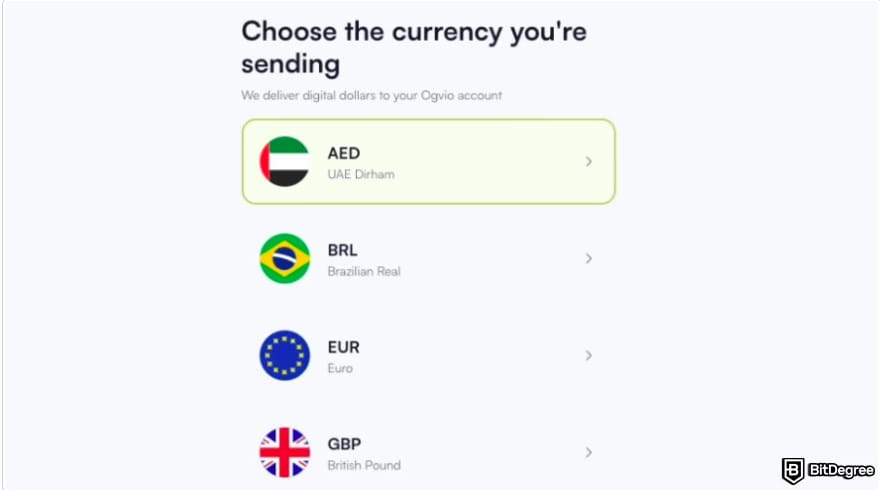
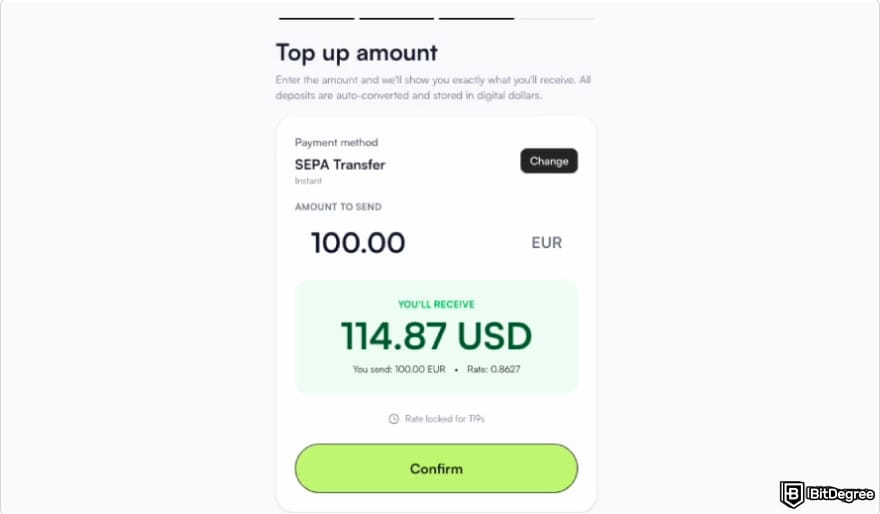
![Cheapest way to send money internationally: click [Send Money] on Ogvio.](https://assets.bitdegree.org/images/cheapest-way-to-send-money-internationally-europe-send-money.jpg "Cheapest way to send money internationally: click [Send Money] on Ogvio.")
Using @Tag is the cheapest way to send money with Ogvio because it's free. Alternatively, you can make a bank transfer or an external crypto transfer with transparent fees.
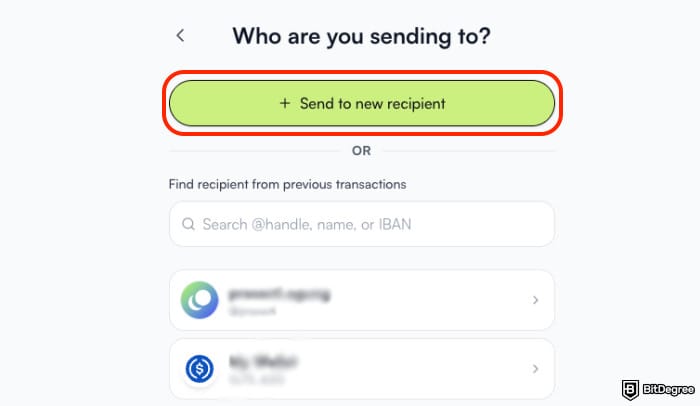
The second-best thing about user-to-user transfers on Ogvio is that they'll be not only free, but instant, too, so the money should drop into your recipient's balance in just a few seconds.
How to Send Money Abroad from the UK
![Cheapest way to send money internationally: select [Bank transfer] on Ogvio.](https://assets.bitdegree.org/images/cheapest-way-to-send-money-internationally-uk-bank-transfer.jpg "Cheapest way to send money internationally: select [Bank transfer] on Ogvio.")
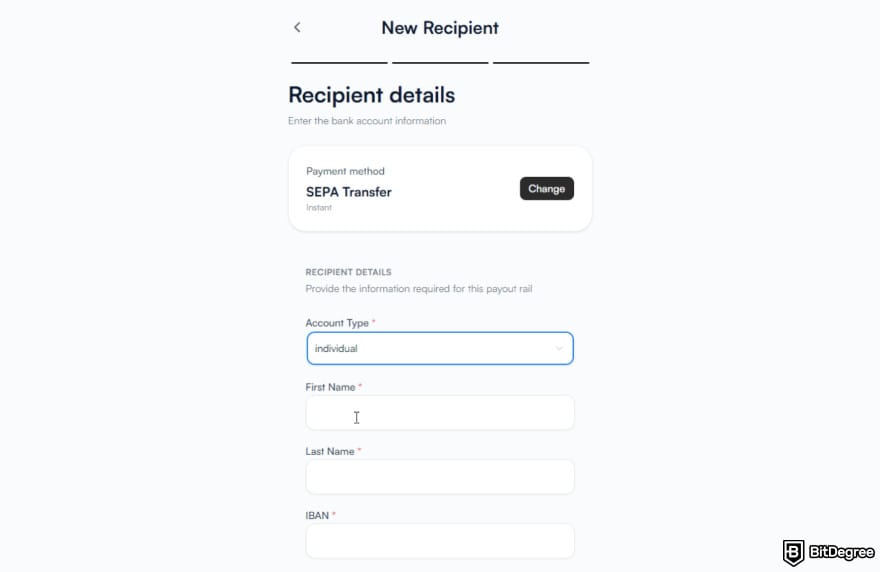
The estimated time for your transfer depends on the payment method, and you'll see it after you complete it.
How to Send Money Abroad from the USA
Without KYC, you won't have access to bank transfers as a top-up or payment method, but you'll still be able to deposit funds with a card payment, crypto wallet, or by requesting money from another Ogvio user.
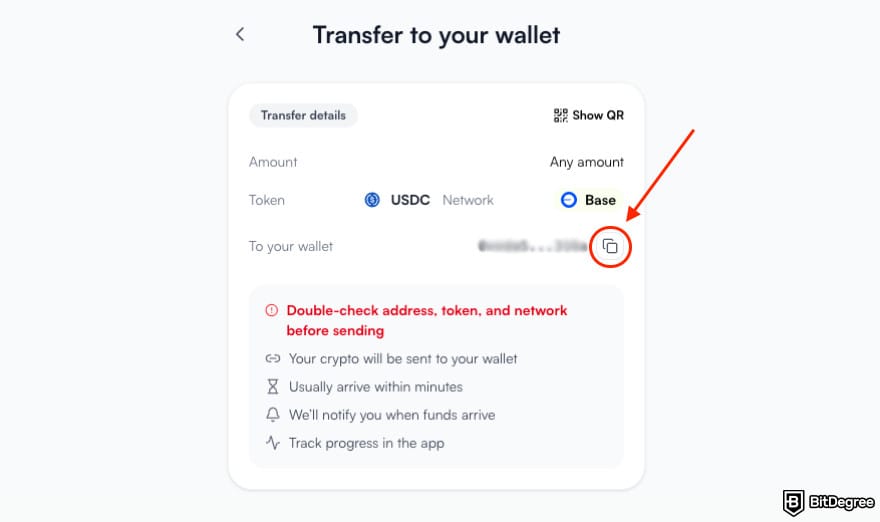
You can also buy some USDC via card payment.
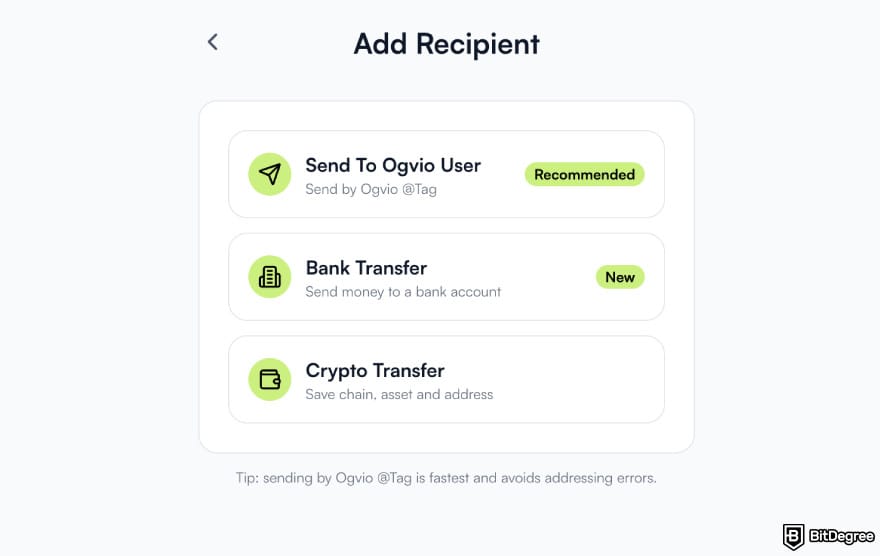
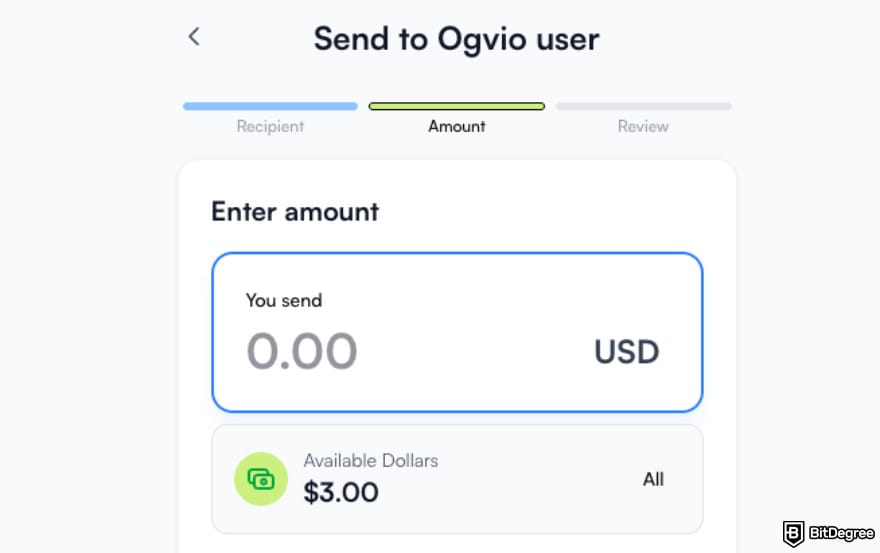
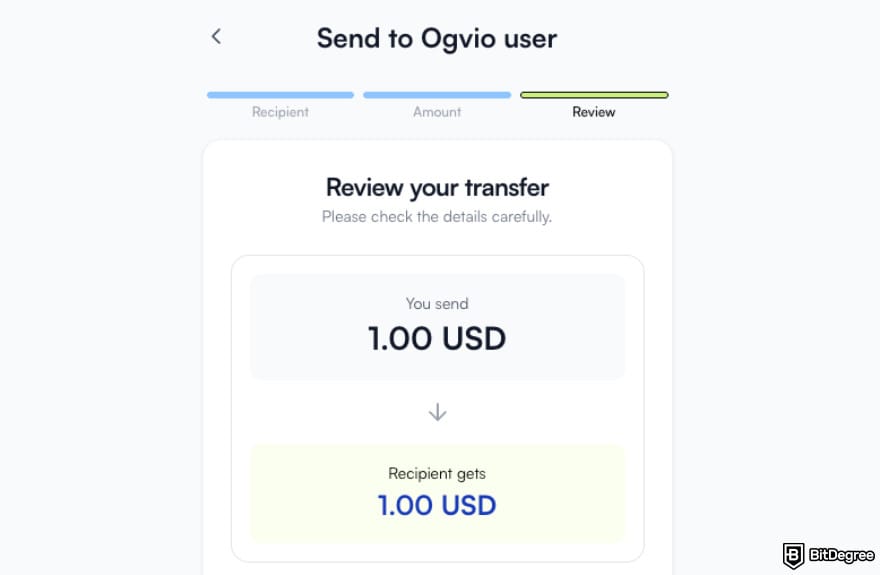
That's all. Just like fiat transfers to other Ogvio users, crypto transfers are instant and free. You can also simply send crypto from your Ogvio account to an external crypto wallet.
How to Use International Money Transfer Apps: Top Tips
Finding the cheapest way to send money internationally might not be rocket science with so many options around, but there are always some nuances to tackle. Here are some pointers to help you decide on which platform would suit your needs best and make the most of it:
1
Decide Between Cost VS Speed. Bank transfers are typically cheaper than credit/debit card payments, but international wire transfers can take up to 5 business days to arrive, while card payments usually go through within 30 minutes.
2
Check the Country-Specific Fees. Money transfer fees are rarely the same for every country. All the above-mentioned apps include a fee calculator so you can check how much it would cost to send money from your country in particular.
3
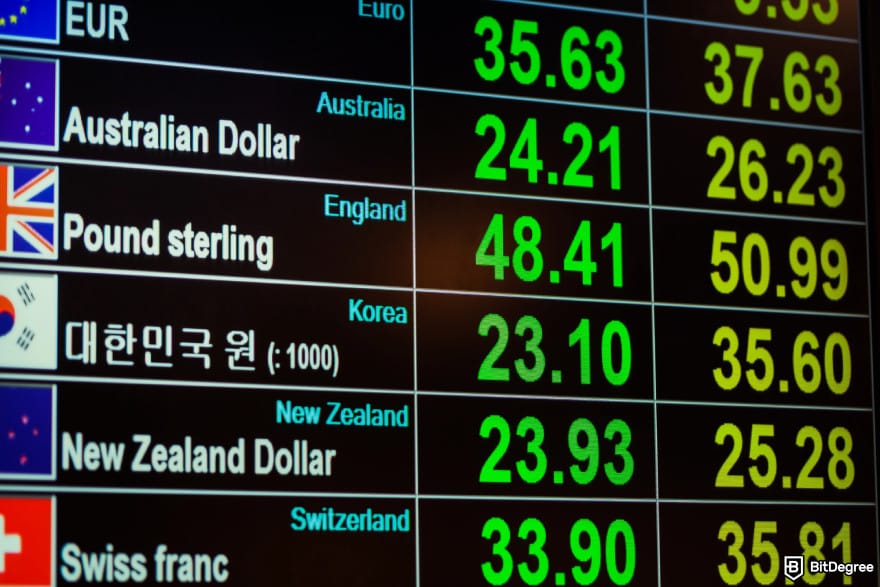
Pay Attention to Currency Exchange Rates. Even with cheap or zero fees, you might end up spending more money due to an unfavorable exchange rate. Some platforms have a currency exchange rate lock-in feature that lets you "freeze" a specific exchange rate to avoid fluctuations.
4
Don't Forget About Taxes. Some countries charge a tax for foreign money transfers, especially if they're coming from a non-family member and exceed a certain amount of money. Make sure to check in advance so you can adjust the amount of your transfer to make up for it.
5
Find Out Your Transfer Limits. Keep in mind that, while some money transfer platforms offer very generous transfer limits, how much you're allowed to send ultimately depends on the limits set by your and your recipient's banks.
6
Batch Your Transfers. If you send money abroad frequently, it might make sense to batch your transfers – many platforms offer lower fees for transferring larger amounts of money.
7
Take Advantage of First Transfer Discounts. Since many money transfer platforms offer discounts for the first transfer, if you only send money abroad every once in a while, you might want to hop around between apps.
That’s about it! In many cases, the cheapest way to send money internationally isn’t so much about choosing a specific app but the way you use it.
Conclusions
Plenty of apps and platforms promise to be the cheapest way to send money internationally, but some of them give a much better bargain than others. The top picks I curated in this guide definitely fit the bill when it comes to not only their international transfer fees but user experience and other benefits.
As with most things, though, your mileage will vary, so make sure to distill your priorities and explore those apps to discover whether they actually suit your needs. For instance, some platforms boast a wider selection of delivery methods, including a more traditional option like a cash pick-up, while others win out with other features, such as offering crypto transfers alongside fiat.
Ogvio, for example, allows you to not only send money to other Ogvio users for free, but also top up your account with crypto at no cost.
Scientific References
1. Golonka A.: 'THE EU PROJECT OF THE ‘AML PACKAGE’ – REFORM OR REVOLUTION IN THE FIELD OF COUNTERACTING OF MONEY LAUNDERING';
2. Božidar Č., Nenad J., Ivan J.: 'Remittances as a source of external financing: Global and regional trends'.
Send Money Worldwide
Check out the best ways to send money to other countries quickly, safely, and with minimal fees.



































About Article's Experts & Analysts


Disclosure: To keep our site running & free of charge, we may sometimes receive a small commission if a reader decides to purchase services via some links on site, at no extra cost.


