Key Takeaways
- You can withdraw money from prepaid cards online by moving the balance to your bank or a money app that gives you more control;
- Money transfer apps like Ogvio or Wise offer better features than most prepaid cards, from global transfer to cheaper currency exchange;
- Knowing your card’s fees, limits, and supported withdrawal methods helps you avoid unnecessary charges.
Prepaid cards can be fun until you need to do real things with your money. If you’re looking up how to withdraw money from a prepaid card online, you’re probably ready to move your balance somewhere that gives you more control.
That’s where money apps step in. Instead of keeping your funds locked behind prepaid card rules, you can shift them to a platform like Ogvio or Wise, where they give you more, and you’re no longer stuck with the usual card limitations.
If you want a smoother setup for your money, keep reading. You’ll learn the practical way to move your prepaid balance and upgrade where your funds live.

Did you know?
Subscribe - We publish new crypto explainer videos every week!
How to Invest in Crypto: 6 Rewarding Strategies (Animated)


Table of Contents
- 1. Types of Prepaid Cards
- 2. Preparing Before Withdrawing Money From a Prepaid Card Online
- 2.1. Fees
- 2.2. Withdrawal Limits
- 2.3. Processing Time
- 2.4. Available Methods
- 3. How to Withdraw Money from a Prepaid Card Online to Money Apps
- 3.1. How to Add Money to Ogvio
- 3.2. How to Add Money to Wise
- 3.3. How to Add Money to Revolut
- 3.4. How to Add Money to PayPal
- 4. How to Withdraw Money from a Prepaid Card Online to Bank Accounts
- 5. Why Transfer Money from a Prepaid Card Online?
- 6. How to Cut Fees When Withdrawing From a Prepaid Card
- 7. Conclusions
Types of Prepaid Cards
I know you’re eager to get the answer to, “Can you withdraw money from a prepaid card?” Let me tell you real quick, you can. But before we get to that, I’ll fill you in on the type of prepaid cards that let you do just that (and the ones that don’t).
Latest Changelly Coupon Found:So here are the prepaid cards that allow money withdrawal (or transfer):
- Money transfer branded (Visa and Mastercard) cards;
- Third-party transfer apps;
- General-purpose reloadable cards (GRPs).
First, the money transfer branded prepaid cards (phew, that’s a mouthful). Branded, meaning they have Visa or Mastercard logos, and these cards work almost like a lighter version of a debit card. They’re accepted on most online platforms, making it easier to link them to money apps or move the balance to your bank.
Now, some prepaid cards come through third-party transfer apps. Think of something similar to a Western Union prepaid setup, where you load money into the app first and then send it through supported routes.
Lastly, GPRs are the most flexible type of prepaid cards. They’re mostly connected with major networks like Visa, American Express, or Mastercard. People can use them for transactions at merchants who accept those said networks, plus withdraw cash at an ATM.[1]
Now, here are the prepaid card types that don’t have that same feature:
- Single-use virtual cards;
- Closed-loop gift cards;
- Merchant-related cards.
As its name implies, the single-use virtual cards are issues for one transaction only (usually for online purchases or quick checkouts). Once the balance runs out, the card has no further use and no option for withdrawal.
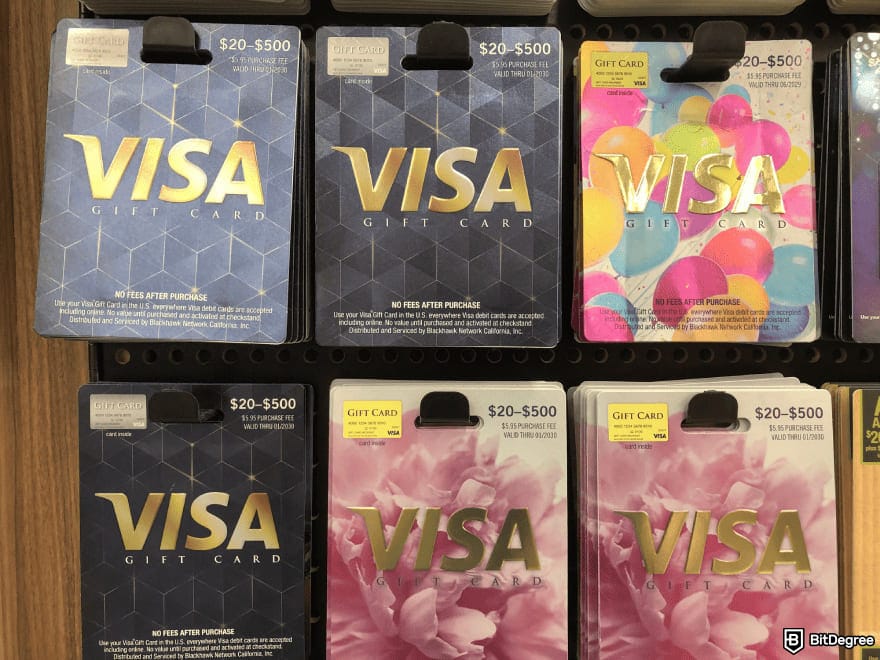
Closed-loop gift cards are another example. These cards work only at one retailer, so the balance stays in the card and you can’t transfer it. They’re also designed to stay within the store’s ecosystem, which means the funds are locked to that merchant.
Merchant-related prepaid cards work the same way as closed-loop gift cards. Think of a Starbucks gift card, so you can only spend the money at Starbucks.
If you want to be able to transfer or withdraw money from a prepaid card online, you need to get one that is transferable. It's as simple as that.
Looking for more in-depth information on related topics? We have gathered similar articles for you to spare your time. Take a look!


Preparing Before Withdrawing Money From a Prepaid Card Online
A lot of people search for things like, “How do I get money off my virtual card?” because they’re not sure what rules or limits apply to their specific card. This is exactly what this chapter is about: sorting the basics out before withdrawing money from a prepaid card.
To understand what you’re dealing with, here are the key things you should check beforehand:
Fees
Prepaid cards are great alternatives to debit cards, but it’s surprising how easy the fees can stack up. If you don’t know what your provider charges, you may end up paying more. So the first thing you need to do is review your card’s fee schedule before you start a withdrawal.
 Just like checking accounts, prepaid cards can have monthly fees, usually ranging from $5 to $10. Some other fees are:
- Activation fee;
- Transaction fee;
- Cash reload fee;
- Inactivity fee;
- Card-to-card transfer fee;
- Foreign transaction fee.
I looked around, and a lot of providers seem to sit in the same ballpark when it comes to fees, at least. For example, many reloadable cards charge around $4 to $5 to reload cash through a retailer.
Foreign transaction fees often fall around 2% to 3%, while ATM withdrawals can cost anywhere from $2 to $5, depending on the network you use.
Note that these amounts change depending on the provider, but they give you a realistic idea of what to expect.
Some providers, like Western Union, can charge zero fees for purchasing a card, loading money, and a few other services. But it comes with terms and conditions, and not everyone can enjoy the same perks.
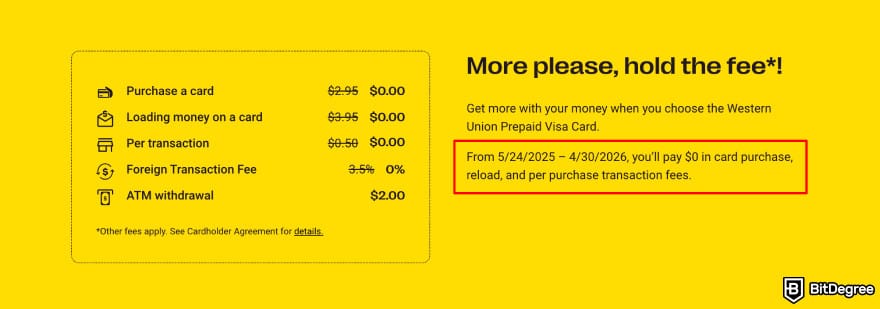
So whoever the provider is, you need to make sure what fees you’ll be paying and if you’re eligible for discounts or not. Checking this upfront helps you avoid unnecessary deductions and choose the best withdrawal method for your specific card.
Withdrawal Limits
Every prepaid card has a ceiling on how much you can take out or transfer at once. Some limits are daily, some are monthly, and some apply per transaction. If you try to withdraw more than the limit, it simply won’t work.
Most prepaid cards set online withdrawal limits between $300 and $5,000. These are not the exact numbers for every provider, but they give you a general sense of how restrictive prepaid cards can be.

Plus, limits also depend on the card type and whether your identity is verified. Cards that allow full KYC usually unlock higher limits, and the cards that don’t stay restricted.
So my final words for this part are this: before you start, always check the limits of the prepaid card you’re choosing so you’ll know if you can send the amount you want in one transfer.
Processing Time
Most online transfers from prepaid cards take anywhere from a few minutes to three business days. It also depends on the transfer route, meaning it’ll move faster through money apps. On the other hand, direct transfer to a bank can take longer (if the provider uses ACH).
It’s important to know that weekends and holidays can slow everything down, too.
If your provider offers instant withdrawal, there is usually a fee attached to it. Standard processing is usually cheaper, but you need to be patient. Checking your card’s timing rules upfront will help you pick the option that fits what you need and are looking for.
Available Methods
Before you withdraw money online, it helps to know which methods your prepaid card actually supports. The most common online options are bank transfer, using your prepaid card as a funding source, or moving the balance through the provider’s own website or app.

If your card supports more than one method, choose the one that’s cheaper or faster. If it only supports one, at least you know what to expect. Plus, understanding your options early helps you avoid failed transfers and unnecessary fees.
How to Withdraw Money from a Prepaid Card Online to Money Apps
The first way to answer how to get money off a prepaid card online is by moving your balance into a money app. The app works like a digital wallet where you can manage everything in one place.
You can move money, send it to someone without a bank account, track your spending, or withdraw it to your bank. Some are also combining fiat and cryptocurrencies in one app. Basically, money apps offer more control than keeping the balance on a prepaid card.
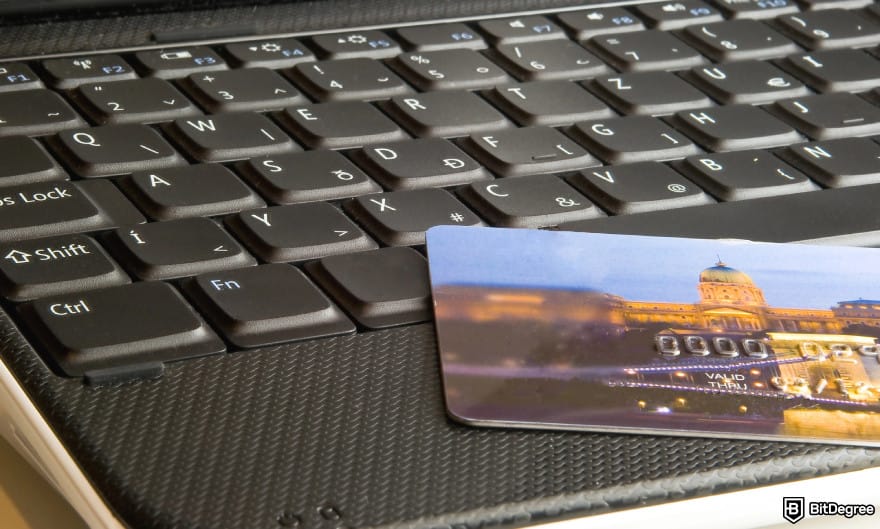
The good thing is, most prepaid cards that allow online withdrawals can be linked to a money app. Once it’s added, you load the balance into the app and use it however you want. Some apps even come with their own card, which adds another way to access your money.
Once you know your prepaid card is supported, the next step is actually adding it to a money app and moving the balance. Here’s how that process looks in practice, starting with Ogvio.
Did you know?
Subscribe - We publish new crypto explainer videos every week!
What is Blockchain? (Animated Examples + Explanation)

How to Add Money to Ogvio
Ogvio is a money app that gives instant, low-cost transfers to over 160 countries and in 40+ currencies. For anyone moving funds off a prepaid card, it gives you an easier way to manage your money and far more flexibility.
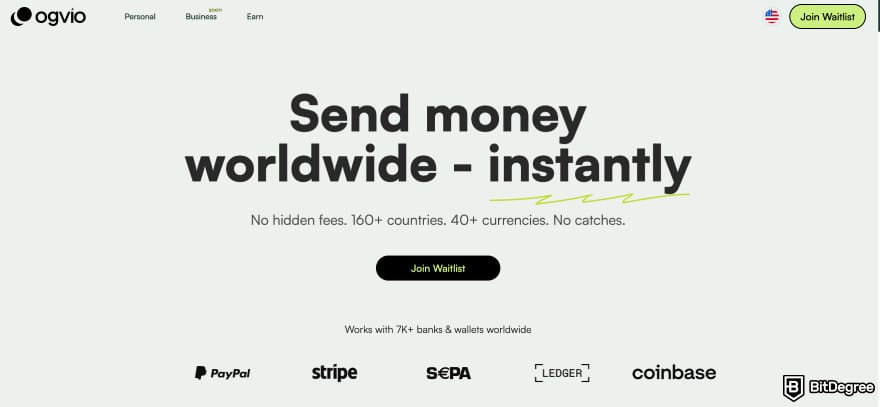
Ogvio also pegs your balance to USD, which helps protect your money from inflation (especially if your local currency is unstable). It also uses blockchain rails in the background, making Ogvio-to-Ogvio transfers free, and everything else stays low-cost.
Ogvio also covers the network fees when you make a transfer to someone else, so you keep more of what you load.
Since Ogvio doesn’t accept prepaid cards directly, the way to move your funds is to first transfer the balance from your prepaid card to your bank account. After that, top up your Ogvio wallet using the bank transfer option. Now let’s walk through the steps:
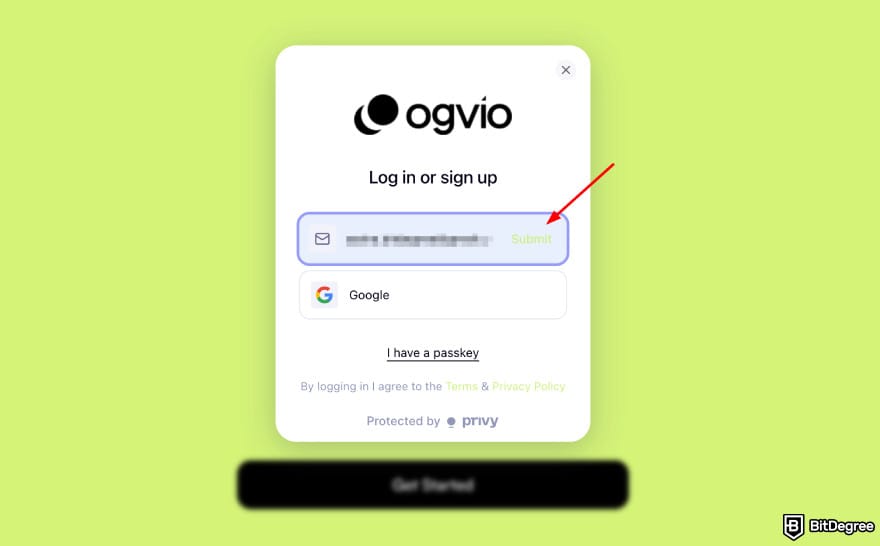
Your Ogvio username, also known as your @tag, will be your unique account name. You’ll use it to send and receive money (to and from other Ogvio users).
![How to withdraw money from prepaid card online: Ogvio main page highlighting the [Add Money] option.](https://assets.bitdegree.org/images/how-to-withdraw-money-from-prepaid-card-online-ogvio-main-page-highlighting-the-add-money-option.jpg "How to withdraw money from prepaid card online: Ogvio main page highlighting the [Add Money] option.")
![How to withdraw money from prepaid card online: Ogvio add money highlighting the [Bank Transfer] option.](https://assets.bitdegree.org/images/how-to-withdraw-money-from-prepaid-card-online-ogvio-add-money-highlighting-the-bank-transfer-option.jpg "How to withdraw money from prepaid card online: Ogvio add money highlighting the [Bank Transfer] option.")
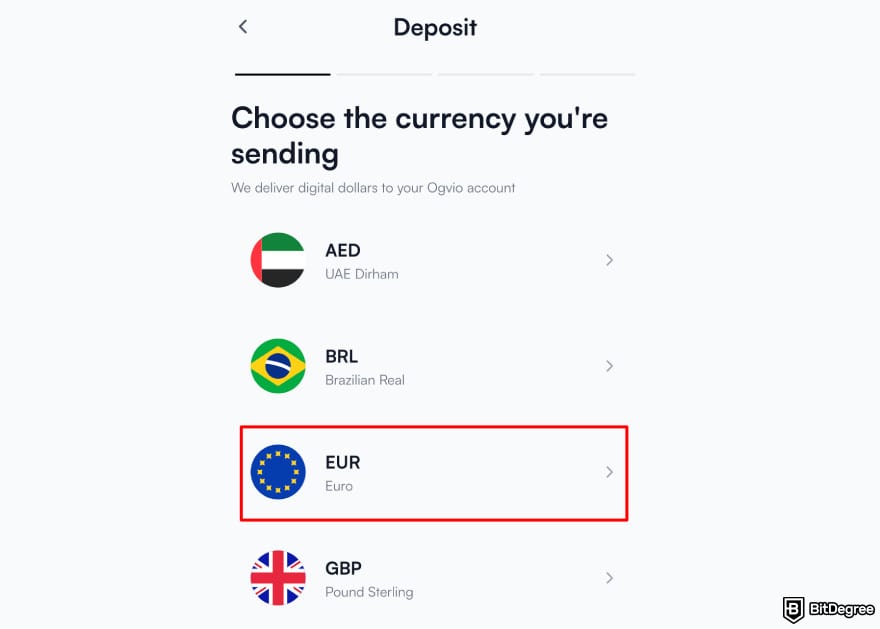
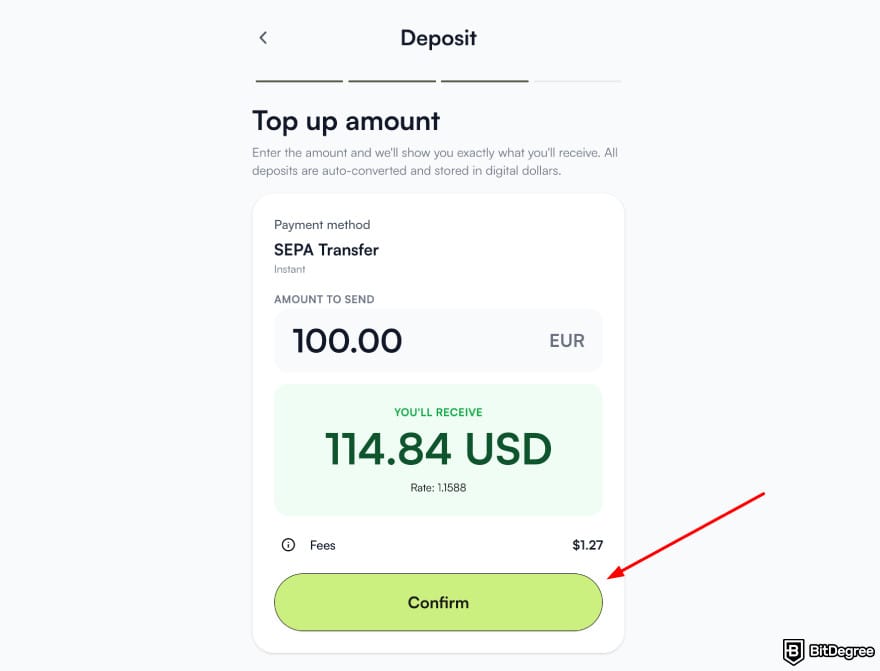
When the transfer finishes, you’ll see the balance inside your Ogvio app. You can hold it or use it for global payments anytime. Ogvio is also rolling out its own card soon, so you’ll have another simple way to spend your money (even replace the prepaid card you’re using now).
📚 Read More: Ogvio VS Wise
How to Add Money to Wise
Wise is a global money transfer app known for fair pricing and transparent exchange rates. Wise could appeal to you (and have you withdraw your money from a prepaid card) because it uses the mid-market exchange rate that’s better than most banks.
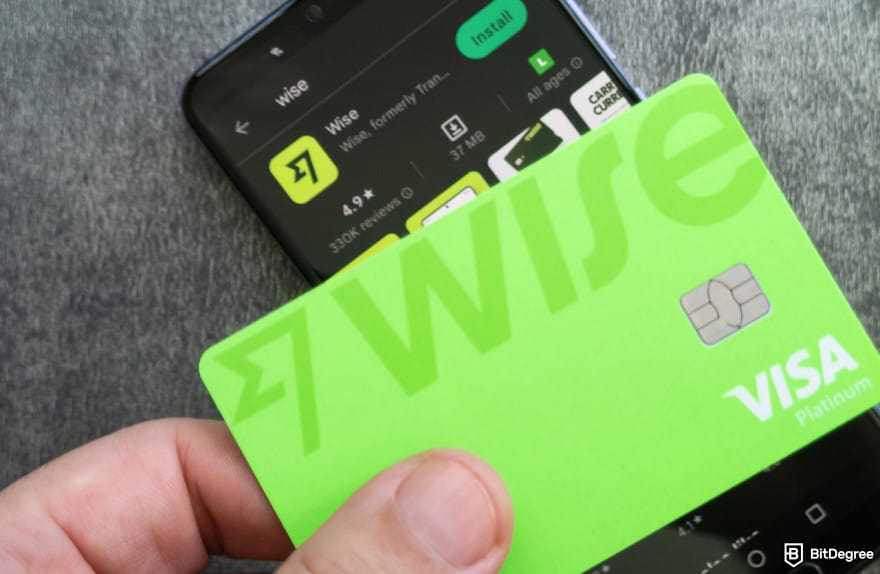
There’s also the Wise card that works globally in over 40 currencies. It’s similar to a standard debit card, but with low conversion fees. This makes the Wise card a strong alternative to your prepaid card.
Once your money is in your bank account, topping up a Wise account is simple and fast. Basically, here are the steps you need to do:
1
Open your Wise screen and tap [Add Money]. You can also open a specific currency balance and choose [Add].
2
Enter the amount you want to move into Wise. Then, pick your payment method and tap [Continue].
3
Follow the on-screen instructions to finish the top-up.
Now, if you prefer linking your bank account for easier transfers, here’s the setup process:
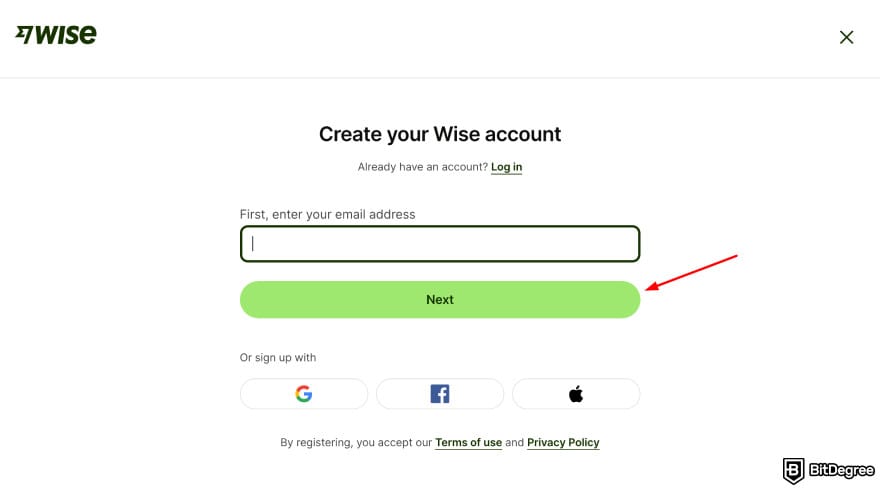
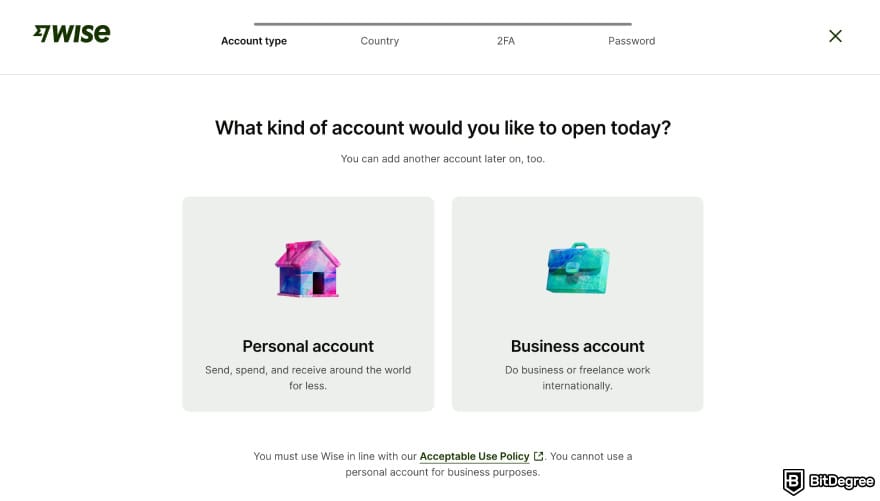
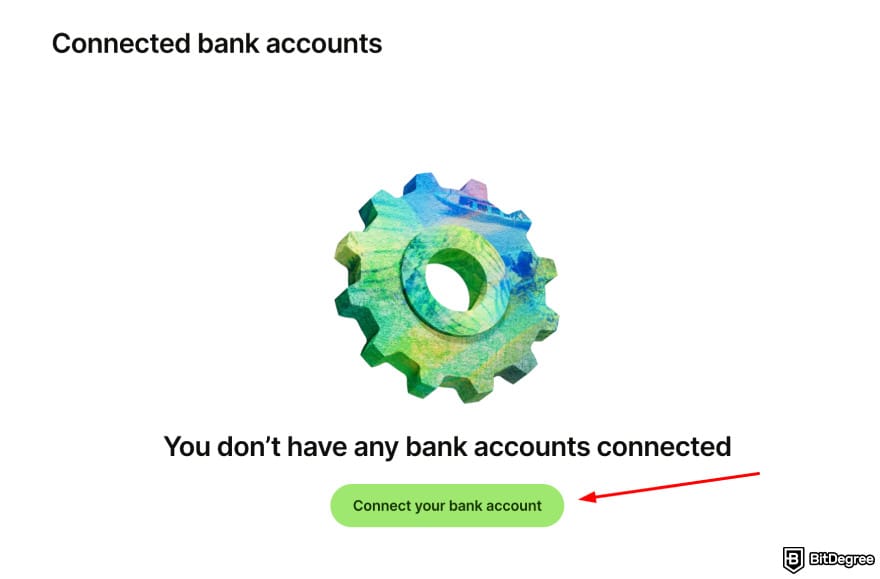
Once the transfer goes through, your balance will be available in Wise for whatever you need next. You can store it, switch currencies, or make a quick payout.
📚 Read More: Wise Review
How to Add Money to Revolut
Revolut is a great modern alternative to traditional banking, giving you more flexibility and better budgeting tools. If you’re figuring out, “how do I get money off my virtual prepaid card and into Revolut?” the idea is simple: move the balance into the app.
And once the money reaches your Revolut account, you can spend, save or transfer without the constant add-on charges.
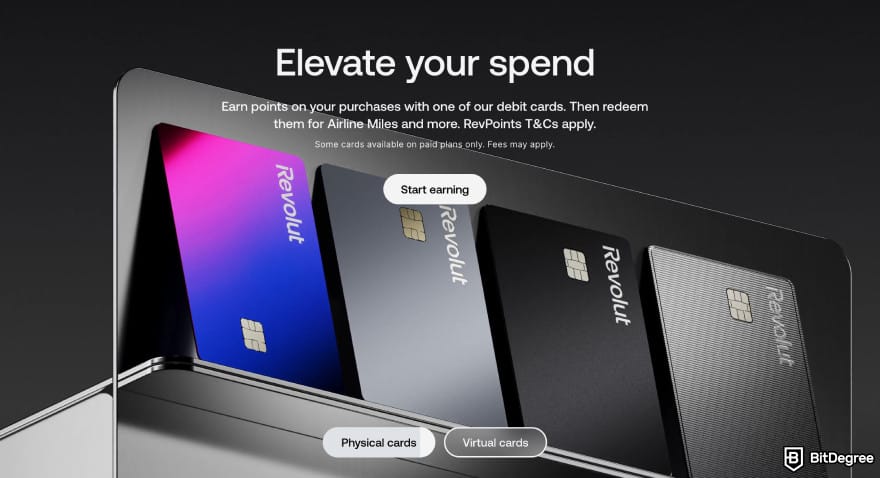
Revolut is worth considering for its card and paid plans. There are five plans in total, and depending on which you choose, you can enjoy perks like travel discounts, higher ATM limits, cashback, and more.
If you’re tired of stacking fees on a prepaid card, allocating that money to a Revolut plan can sometimes give you more value for almost the same cost. To add money to Revolut, go ahead and follow these steps:
![How to withdraw money from prepaid card online: Revolut [Add money] button.](https://assets.bitdegree.org/images/how-to-withdraw-money-from-prepaid-card-online-revolut-app-homepage-highlighting-the-add-money-option.jpg "How to withdraw money from prepaid card online: Revolut [Add money] button.")
![How to withdraw money from prepaid card online: Revolut [Pay] page for add money.](https://assets.bitdegree.org/images/how-to-withdraw-money-from-prepaid-card-online-revolut-app-add-money-page-showing-the-amount-to-transfer.jpg "How to withdraw money from prepaid card online: Revolut [Pay] page for add money.")
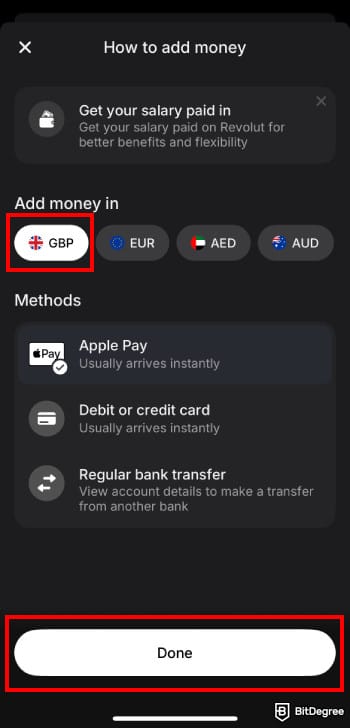
Revolut will then pull the funds from your bank account after you withdraw them from your prepaid card. This method works the same way as topping up your Revolut balance directly from the bank.
📚 Further Reading: Revolut Review
How to Add Money to PayPal
Another solution for how to withdraw money from prepaid card balances is to move it to PayPal. If you’re not familiar with it, it’s one of the most widely used money apps that simply does more than a prepaid card.
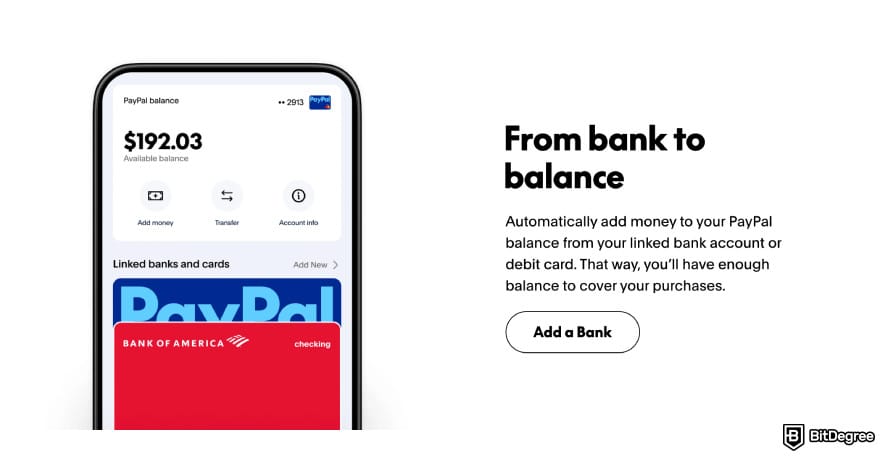
With a PayPal account, you can use it for payments, subscriptions, transfers, or online shopping without relying on prepaid card limits. PayPal also comes with tools like buyer protection, smooth refunds, and quick peer-to-peer payments.
To add money to PayPal, you can follow these steps:
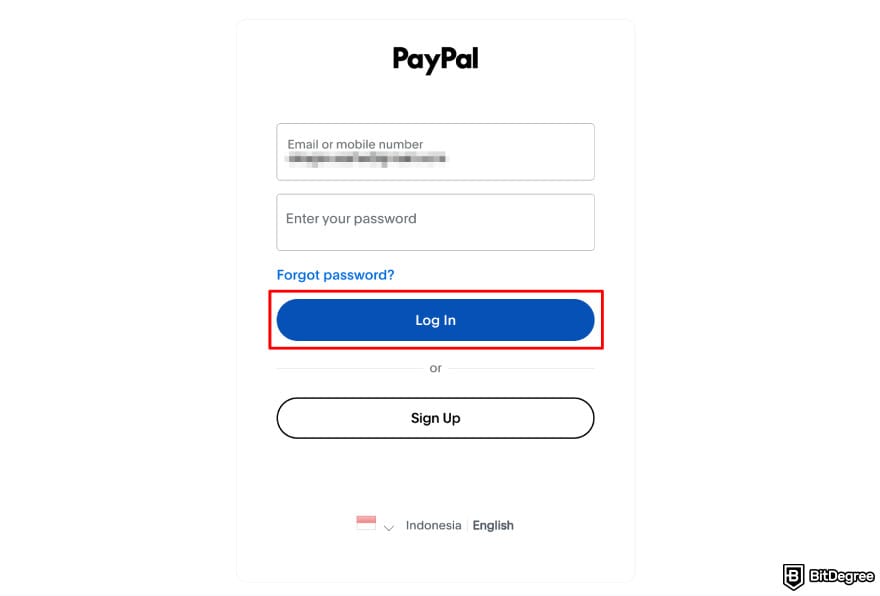
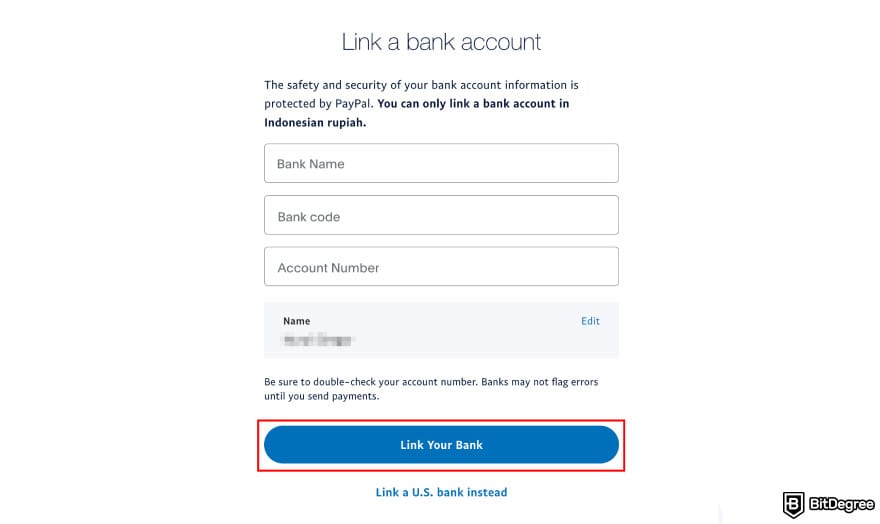
After you withdraw money from prepaid Mastercard or any similar card, shifting your balance into PayPal gives you more control and a safer way to handle online transactions.
📚 Learn More: PayPal Review
How to Withdraw Money from a Prepaid Card Online to Bank Accounts
If you want the simplest way to move your prepaid card balance, this is it. The main method for how to withdraw money from prepaid card online is by sending the funds straight to your bank account.
A lot of people who look up, “how do I get money off my virtual prepaid card?” end up using this same method because it works with most providers.
Now, I’ve researched a few prepaid card providers and here’s the general step-by-step process to withdraw money:
1
Log in to your prepaid card’s official website or app. After that, go to the transfer or withdraw section.
2
Add your bank account details if you haven’t already. Then, enter the amount you want to transfer.

3
Review the fees and limits before confirming.
4
Submit the request and wait for the processing time to finish.
Withdrawing to a bank account is the most reliable online method and works for most prepaid cards. It keeps your money in one place and gives you more control. If your card supports direct transfer, this is the route I’d always recommend.
If you need physical cash, you can use your prepaid card at an ATM. This is not the main method for how to get money off a prepaid card online, but it works when you prefer an offline option. Just be aware that fees and limits may apply.
Why Transfer Money from a Prepaid Card Online?
People usually end up here for two reasons. Maybe you already have a prepaid card and are starting to notice the flaws that come with it. Or maybe you’re new to prepaid cards and want to understand what is actually possible before committing to using one.
In both cases, knowing how to withdraw money from prepaid Mastercard or similar cards online makes everything much easier. From what I’ve gathered, here are the main reasons people choose to move money off a prepaid card:
- Skip high fees;
- Move the funds;
- Budget your spending;
- Transfer the money to someone else;
- Avoid limited merchant acceptance.
Some prepaid cards come with high fees[2] or a lack of transparency about fees. Things like withdrawal fees, services, and even inactivity fees can eat into your balance. Moving your money to the right platform helps you dodge many of these small but annoying costs.
Another reason for withdrawal is that people simply want to get their money into a proper bank account. Once the funds are in your bank, you can pay bills, transfer to savings, or use the balance in any other way you need.
Next, maybe you need to withdraw for budgeting purposes, since prepaid cards can make your money feel scattered. When the balance sits separately from your main accounts, it becomes harder to track what you’ve spent or where your money is going.
If not budgeting, then maybe you need to transfer the money to someone else. Some prepaid cards don’t support peer-to-peer transfers, and the ones that do can be limited. Moving the funds online solves that limitation by letting you use apps or bank transfers.
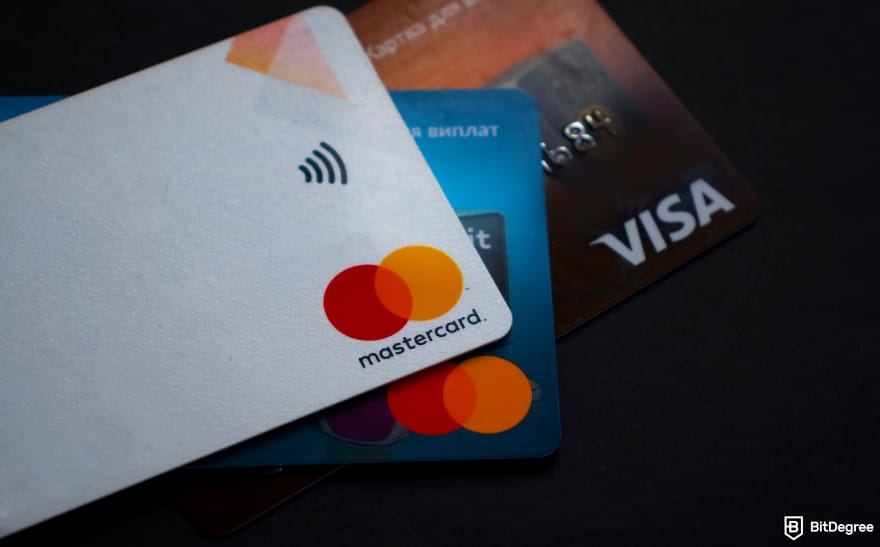
Finally, prepaid cards have limited merchant acceptance, especially if outside your region. Having the money stuck on a card you can’t use can be frustrating. Transferring it online allows you to have that flexibility back.
Prepaid cards also have their own limits and fee structure, but I’ll get into that later in the article. For now, it’s enough to know that transferring your balance to a different, more flexible platform can help you bypass many of those limitations.
How to Cut Fees When Withdrawing From a Prepaid Card
The next thing to learn when understanding how to withdraw money from prepaid card online is to cut the fees. As explained in the chapter about fees, prepaid cards come with fees that can stack up fast (including when you try to move your money off of it).
- Withdraw before the monthly fees hit. Many prepaid cards charge a maintenance fee every month. Moving your money before the fee hits helps you keep more of your balance.
- Check your card’s fee setup. Look at the exact fees for transfers, reloads, ATM use, and inactivity.

- Make larger withdrawals. Some cards charge every time you transfer money out. So, instead of withdrawing several small amounts, sending a single one can save you from multiple deductions (while minding the daily limits).
- Avoid foreign currency withdrawals. International fees add up quickly, so stick to withdrawing or transferring in your local currency. If not, always look for the lowest possible rates.
- Use low-cost money apps. Apps like Ogvio often charge less than prepaid card providers. Once your money is in your bank, use these apps to move it to a much cheaper setup.
A little planning goes a long way when you’re trying to save on prepaid card fees. Time your withdrawals, know your costs, and use the right tools to keep more of your balance untouched.
Browse our collection of the most thorough Crypto Exchange related articles, guides & tutorials. Always be in the know & make informed decisions!
Conclusions
With everything covered in this guide, you now have a clear picture of how to withdraw money from prepaid card online. Whether you move the balance into your bank or send it to a money app, you have more control than the prepaid card alone can offer.
Once the funds leave your prepaid card, apps like Ogvio, Wise, and Revolut open the door to easier transfer, better budgeting tools, and fewer unexpected fees.
Sign up on Ogvio if you want a fast, simple, low-cost way to handle global transfers after withdrawing your prepaid balance.
Scientific References
1. Hayashi F., Cuddy E.: ‘General Purpose Reloadable Prepaid Cards: Penetration, Use, Fees, and Fraud Risks’;
2. Keitel P.: ‘Federal Regulation of the Prepaid Card Industry: Costs, Benefits, and Changing Industry Dynamics’.
Send Money Worldwide
Check out the best ways to send money to other countries quickly, safely, and with minimal fees.



































About Article's Experts & Analysts







