Key Takeaways
- Wisely card is a prepaid debit card that can be used to pay in stores, withdraw money from ATMs, and earn cashback rewards;
- You can withdraw money from a Wisely card on an ATM, over-the-counter in a bank, through a peer transfer, in the form of cashback rewards, or to a bank account;
- Always remember to check your balance before withdrawing from an ATM and pay attention to withdrawal limits.
When it comes to payment methods, almost nothing beats a prepaid debit card like Wisely. This type of card comes with a whole bundle of benefits, including easy top-ups, cashback rewards, a user-friendly app with built-in budgeting tools, and more. If you've just acquired one, it's time to start learning how to withdraw money from Wisely card - preferably without losing out with high fees, of course!
For all intents and purposes, Wisely functions just like any other debit card, most of which offer plenty of ways to move your money in or out. However, Wisely card packs a few neat tricks of its own: for instance, you'll get access to surcharge-free in-network ATMs across the United States.
Let's dig in, then! After explaining the pros and cons of different withdrawal methods, I'll demonstrate how to transfer money from Wisely card to Ogvio and two other money transfer apps with easy-to-follow steps.

Did you know?
Subscribe - We publish new crypto explainer videos every week!
What is Solana in Crypto? (Beginner-Friendly Animation)

Table of Contents
- 1. What is Wisely Card?
- 2. How to Withdraw Money From Wisely Card?
- 2.1. ATM Withdrawal
- 2.2. Over-the-Counter Bank Teller Withdrawal
- 2.3. Peer Transfer
- 2.4. Cashback Rewards
- 2.5. Transfer to External Bank Account or Card
- 3. Comparison of the Best Withdrawal Methods for Wisely Card
- 4. How to Withdraw Money from Wisely to Bank Account
- 4.1. Link Your Bank Account to Wisely
- 4.2. Initiate a Bank Transfer from Wisely
- 5. How to Deposit Money from Wisely to Ogvio
- 6. How to Withdraw Money from Wisely to Wise
- 7. How to Withdraw Money from Wisely to Revolut
- 8. What Are the Best Wisely Withdrawal Practices? Some Do's & Don'ts
- 9. Conclusions
What is Wisely Card?
Wisely is a prepaid debit card designed to be used as a flexible and convenient alternative to a traditional bank account. It's issued by ADP and backed by major payment networks like Visa and Mastercard, which means you can use it as a payment method in any store that accepts them (both online and in brick-and-mortar stores) or withdraw cash from it on an ATM.
Latest Changelly Coupon Found:Wisely card comes with an integrated mobile app that functions as a dashboard, with a quick overview of your card details, spending history, rewards, and more. This is where you'll find and use many of Wisely's standout features:
- Peer Transfers. Send instant payments to other Wisely users for free.
- Early Direct Deposit. Receive your salary up to 2 days early at no extra cost.
- Bill Payments. Schedule your utility bill payments and keep track of your payment history.
- Budgeting Tools. Set money aside in a Savings Envelope or enable automatic transfers.
- Mobile Wallet Integration. Connect your Wisely card to Apple, Google, or Samsung Pay.
- Rewards. Earn discounts or cashback when shopping in partner stores.
These features put Wisely card in the same category as many of the other popular neobanks that have their own prepaid debit cards, such as Wise, Revolut, and (soon) Ogvio.
Looking for more in-depth information on related topics? We have gathered similar articles for you to spare your time. Take a look!



How to Withdraw Money From Wisely Card?
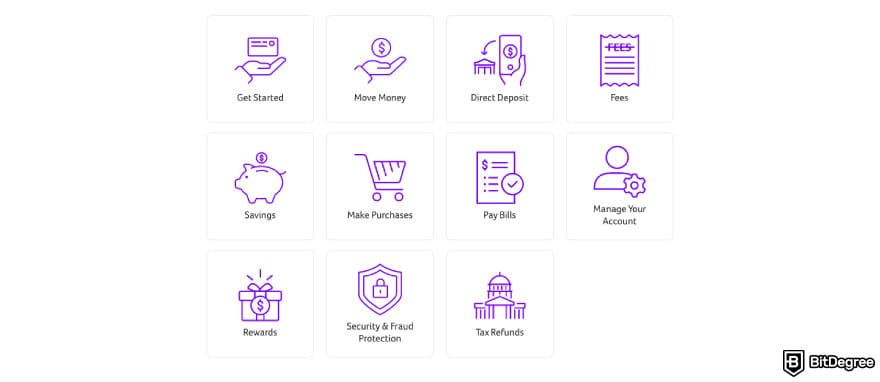
If you're going to learn how to withdraw money from Wisely card, there's no reason to limit yourself to the basics. In this section, I'll introduce you to all the possible ways you can move your funds out of the card, both physically and digitally. Here are your options:
- ATM withdrawal;
- Over-the-counter bank teller withdrawal;
- Peer Transfer;
- Cashback rewards;
- Transfer to external bank account or card.
Most Wisely card users end up favoring one or two methods out of this lineup, but all these ways of how to get money off Wisely card have their own upsides and limitations. So, let's jump straight in and explore each of them in turn.
ATM Withdrawal
Did you know that cash has been the third most-used payment option in the United States[1] for the past 4 years (as of November 2025)? Contrary to some predictions, ATM withdrawals won't be going out of style anytime soon. Unfortunately, they have their own shortcomings - I'm talking, of course, about those pesky withdrawal fees and limits.
Which is why Wisely's approach to cash withdrawals is definitely one of its major selling points. A Wisely card gives you access to over 55,000 surcharge-free ATMs across the United States.
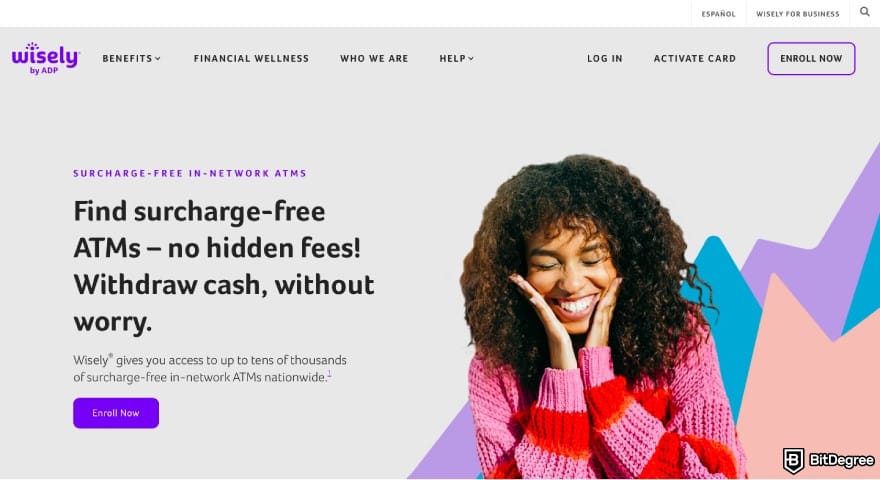
Just a little clarification first. An ATM surcharge isn't the same as an ATM withdrawal fee. A surcharge is a fee customers pay for using an ATM not operated by their bank.[2] It comes on top of any transaction fees charged by your bank or card issuer. The surcharge typically ranges between $1.25 and $3.15.
However, Wisely owns a massive network of ATMs at partner retailers like CVS, Walgreens, 7-Eleven, and more. Even though Wisely card is supported by any ATM that accepts Visa or Mastercard, sticking to in-network ATMs is the only surefire way to avoid getting slapped with the surcharge.

"Where can I withdraw money from Wisely card for free?", you'll probably ask next. Here's how to find these surcharge-free ATMs:
- Log in to myWisely app.
- Click [ATM Locator] on the homescreen.
- Turn on location access.
- Click [Wisely free ATM locations near me].
- Enter your zip code or city.
- Filter for no-fee ATMs (look for Allpoint or MoneyPass logos).
Once you find your nearest ATM, the process of how to withdraw money from Wisely card is no different from any other prepaid debit card. All you need to do is enter your 4-digit PIN and select Withdrawal from Checking.
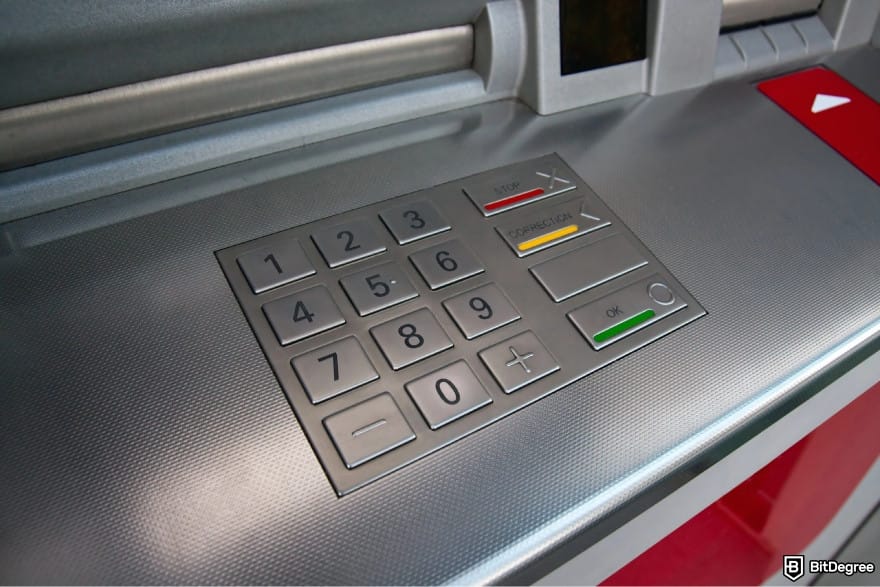
Now that you know how to withdraw money from Wisely card in the form of cash, here's a word or two about the limits. Wisely card limit for both domestic and international ATM withdrawals is $2,000 per day. Keep in mind that the number of fee-free ATM transactions might also be limited (check the fee schedule in your cardholder agreement to make sure).
Over-the-Counter Bank Teller Withdrawal
The above-mentioned ATM withdrawal limit should probably be enough for everyday use - but can you withdraw money from Wisely card in higher amounts than that? This is what OTC (Over-the-Counter) withdrawals are for.
Unlike ATM withdrawals, which basically function as a self-service, an OTC withdrawal requires going to the bank and carrying out the transaction in person with the help of a bank teller.

You'll be asked how much you want to withdraw. The limit for Wisely OTC withdrawals is $25,000 (as I hinted to earlier, that's the number one perk of choosing this type of transfer). Next, you'll need to show some form of identification and your 4-digit PIN code.
Check your balance on myWisely app in advance: the bank teller can't see how much money you have on your card.
Wisely doesn't specify how long an OTC withdrawal would take, but the typical transfer time ranges from 1 to 3 business days. Just like with in-network ATM withdrawals, there's no additional fee.
Peer Transfer
If you have any colleagues, friends, or family members who use Wisely, you'll probably want to find out how to transfer money from Wisely card to other users. Thankfully, this platform includes a handy P2P transfer feature, called Peer Transfers: free and instant payments from one Wisely cardholder to another.
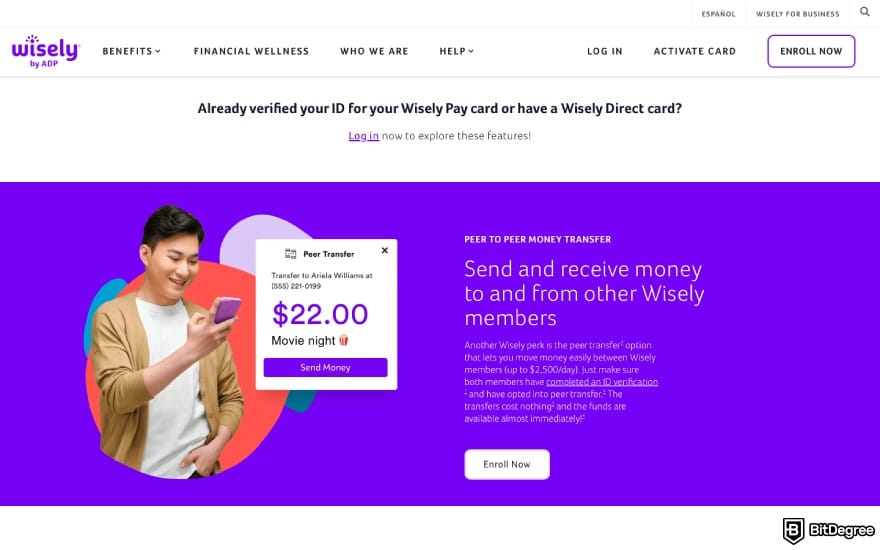
The daily limit for Peer Transfers is $2,500 - not exactly a fortune, but more than enough for most everyday cases. Besides, it's hard to top the convenience of sending money to someone on your contact list with just a couple of clicks.
The only drawback is that, unlike most other money transfer apps, the Wisely app doesn't include this feature by default. You'll have to opt in and enroll on the mobile or web app. After verifying your identity, you'll be asked to set up Multi-Factor Authentication (MFA) and add your phone number, which will function as your Peer Transfer ID.
Cashback Rewards
Can you withdraw money from Wisely card without spending it? It might seem like a paradoxical question, but this is pretty much how cashback rewards work.
Earning cashback is pretty convenient if you're already out shopping. Here's how to get it on your purchases using Wisely card:
- Click [Debit] on the keypad.
- Enter your 4-digit PIN.
- Select [Yes] for cash back.
- Enter the amount you want to get and click [OK].
The maximum amount of cashback varies by store. You can earn up to $100 in Walmart, $35 in CVS, and $50 in Kroger. Most other stores have their own cashback cap, so make sure to check in advance before shopping there. You'll also be constrained by the card's point of sale transaction limits of $2,500 per transaction and $5,000 per day.
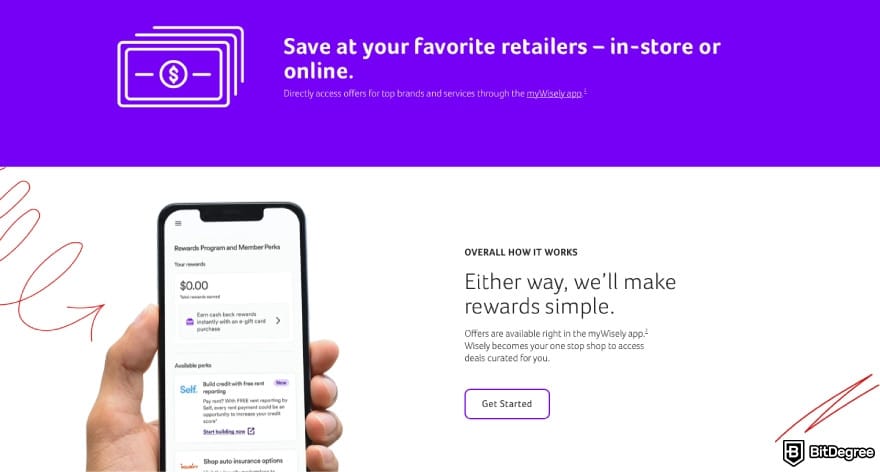
On top of the typical cashback scheme, Wisely offers another rewards program. Open myWisely, go to the [Perks] section, select [Cash Back on eGift cards], and click [Wallet]. You'll see all the currently eligible promotions (feel free to filter them by location or store).
While the eGift cards themselves can't be exchanged for cash, buying one yields a 2% to 10% cashback. It will appear in your Wisely Rewards Savings Envelope, from where you can withdraw it to your balance.
The rewards should drop into your Savings Envelope within a few minutes after purchasing the eGift card. You'll receive a push and email notification.
Did you know?
Subscribe - We publish new crypto explainer videos every week!
What is a Cryptocurrency: For Beginners (Animated Explainer)

Transfer to External Bank Account or Card
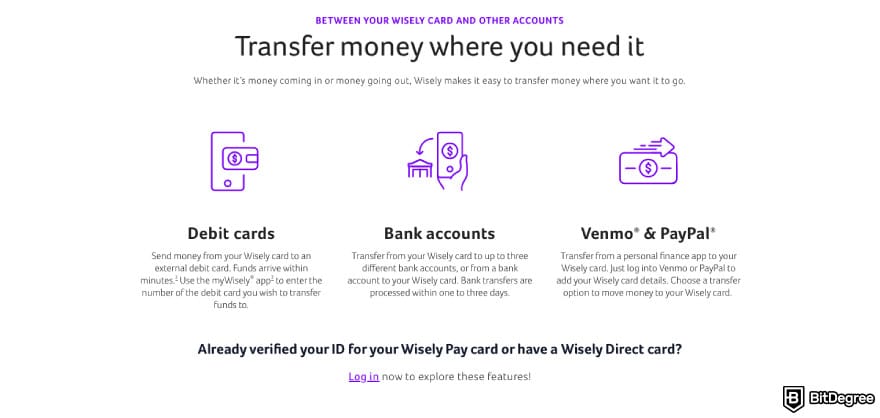
Finally, let's look into one of the most popular options: how to transfer money from Wisely card to bank account or another credit/debit card.

MyWisely app offers an intuitive workflow for both types of transfers. Bank transfers through ACH take 1-3 business days. You can send up to $5,000 per day. However, transfers between Wisely cards are capped at $2,500 per day.
Meanwhile, a debit card transfer is likely to arrive within 30 minutes, but you'll have another limitation to contend with: only members whose Cardholder Agreement and Fee Schedule include a “Funds Transfer Fee (Instant Transfer/Debit)” can make transfers using an external debit card.
Instead of making a transfer directly to your bank, you can also opt for using a money transfer platform or app. Ogvio, in particular, is one of the best solutions for bank-to-bank transfers, thanks to its support for various localized options, such as Faster Payments in the UK.
Comparison of the Best Withdrawal Methods for Wisely Card
When all is said and done, deciding how to get money off Wisely card comes down to preferences. Here's a quick overview of all the methods I've examined:
Best For | Time | Fees | Limits | Cons | |
|---|---|---|---|---|---|
ATM Withdrawal | Withdrawing moderate amounts of cash | Instant | Free on in-network ATMs (limitations apply) | $2,000 per day | Location-based |
OTC Withdrawal | Withdrawing large amounts of cash | 1-3 business days | Free | $25,000 per transaction | Location-based Slower and less convenient than ATM withdrawals |
Peer Transfer | Transfers between colleagues, friends, or family members | Instant | Free | $2,500 per day | Only between Wisely users Requires enrollment and identity verification |
Cashback Rewards | Withdrawing small amounts of cash Generating percentage-based rewards | Regular cashback: instant eGift cards cashback: a few minutes | Free | Regular cashback: up to $100 eGift cards cashback: undisclosed | Can only generate small amounts of cash |
Bank/Card Transfer | Online transfers | Bank transfer: 1-3 business days Card transfer: ~30 min | ACH transfer: free Card transfer: varies by bank | ACH transfer: $5,000 per day Card transfer: varies by bank Transfer to Wisely card: $2,500 | Bank transfers: relatively slow Card transfers: higher fees |
Table: comparison of Wisely card withdrawal methods
Chances are, you're going to find yourself in need of more than one withdrawal method, so I recommend reading up on them all just in case!
How to Withdraw Money from Wisely to Bank Account
The process of moving funds from your Wisely card to a bank account involves two parts. You'll start by linking your bank account on myWisely to set up more seamless transfers. Next time you want to make a new transfer, you'll simply initiate it without having to re-enter your bank details again.
Link Your Bank Account to Wisely
Connecting your bank account to myWisely only takes a few steps:
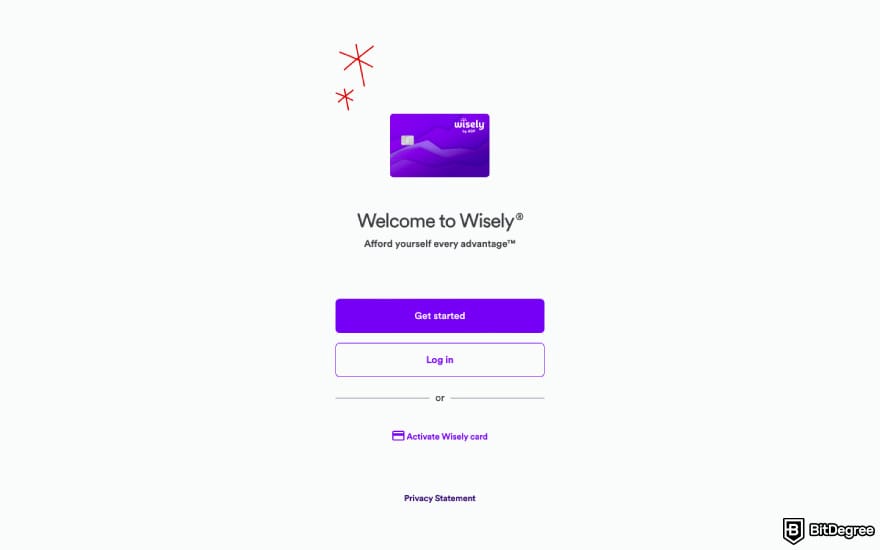
It might take up to 3 business days for your account to be validated.
Initiate a Bank Transfer from Wisely
Once your account is fully linked, here's how to transfer money from Wisely card to bank account on myWisely app:
That's it! If you're making a transfer on the web app, click [Transfer Funds] and complete the same steps.
How to Deposit Money from Wisely to Ogvio
Now that you've learned how to withdraw money from Wisely card to your bank account on the app, I'll illustrate what this process looks like from the other direction. Oftentimes, it's quicker and easier to simply deposit the funds into a money transfer app of your choice through its top-up workflow.
Ogvio is one such app that makes card transfers feel completely seamless. This money transfer service allows top-ups through both credit/debit card deposits and bank transfers, as well as Apple and Google Pay, and even crypto deposits. It's available in most countries around the world, too.
 | |
|---|---|
| |
| |
| |
| Visit site Read review |
Table: Ogvio features
Ogvio's card top-up fee is 1%. For most supported countries, there's no minimum or maximum deposit limit (except for the ones set by your card provider).
Let's see how a Wisely-to-Ogvio deposit works in practice:
![How to transfer money from Wisely card: click [Add Money] on Ogvio.](https://assets.bitdegree.org/images/how-to-withdraw-money-from-wisely-card-ogvio-add-money.jpg "How to transfer money from Wisely card: click [Add Money] on Ogvio.")
![How to transfer money from Wisely card: click [Card Payment] on Ogvio.](https://assets.bitdegree.org/images/how-to-withdraw-money-from-wisely-card-ogvio-card-payment.jpg "How to transfer money from Wisely card: click [Card Payment] on Ogvio.")
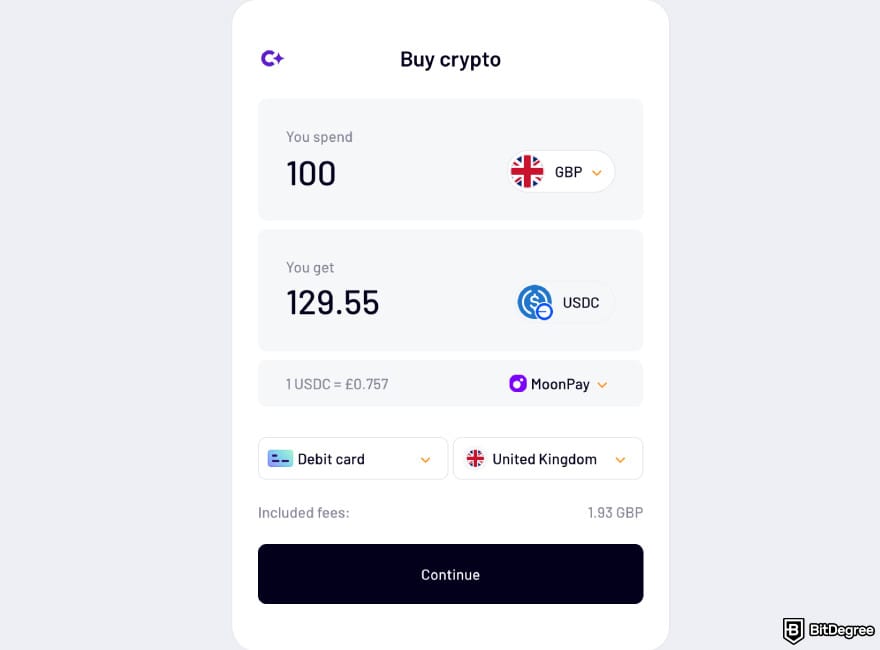
Card top-ups on Ogvio are usually instant, but in some cases, you might have to wait up to 30 minutes for the money to land in your account.
How to Withdraw Money from Wisely to Wise
One of the leading money transfer services around the world, Wise offers international payments to 160 countries and territories in 40 available currencies.
You'll find all the standard top-up methods (credit/debit card, bank transfer, Apple and Google Pay) and some neat perks, including a discount for transfers over $25,000 (or an equivalent amount of 30-day transfer volume) and the option to lock in the exchange rate for up to 48 hours.
 | |
|---|---|
| |
| |
| |
| Visit site Read review |
Table: Wise features
Compared to bank transfers, credit/debit card deposits on Wise are the pricier alternative, but if there's no currency conversion involved, the fees are still relatively low. For example, topping up your Wise account with $100 from a debit card (such as Wisely) would cost you ~$1.25.
Wise's card deposit limits aren't as generous as its cap for bank transfers (which goes up to $20 million per transfer). You're allowed up to $2,000 per transaction (or per day) and up to $8,000 per week.
Follow this tutorial to get a closer look:
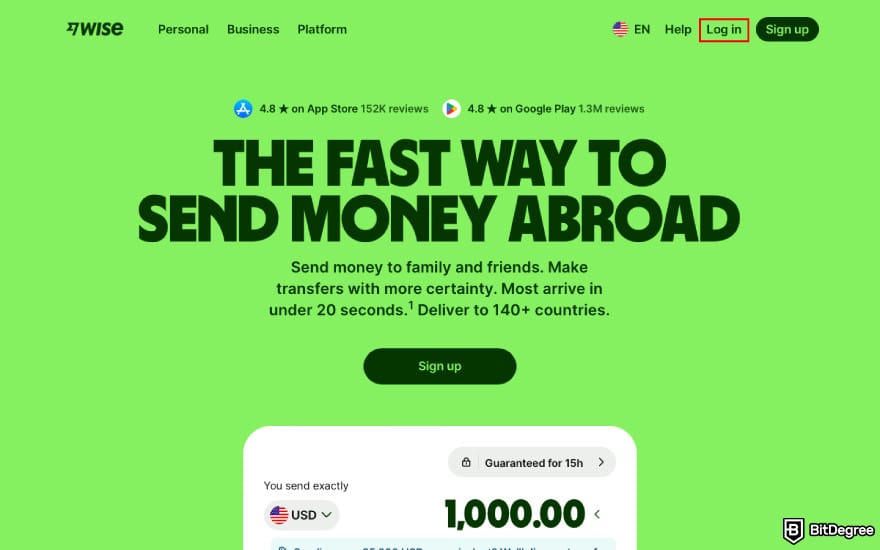
![How to transfer money from Wisely card: click [Add money] on Wise.](https://assets.bitdegree.org/images/how-to-withdraw-money-from-wisely-card-wise-add-money.jpg "How to transfer money from Wisely card: click [Add money] on Wise.")
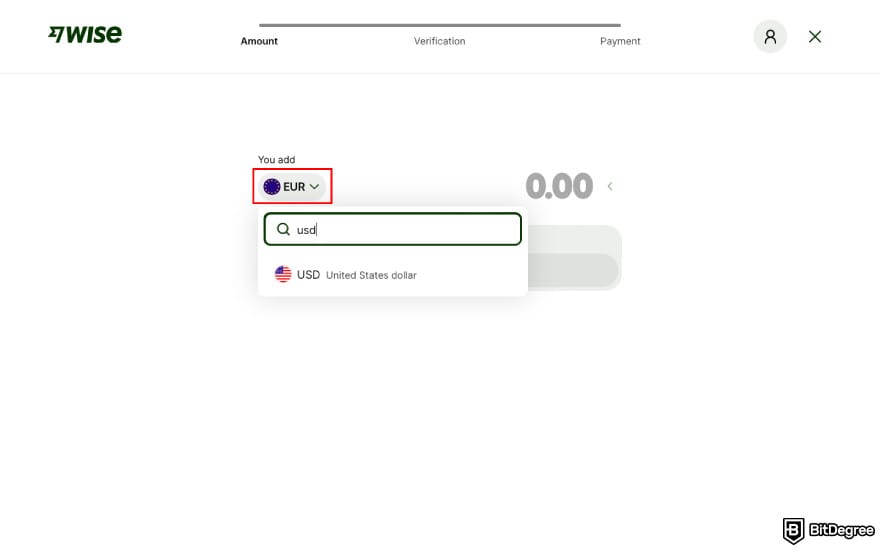
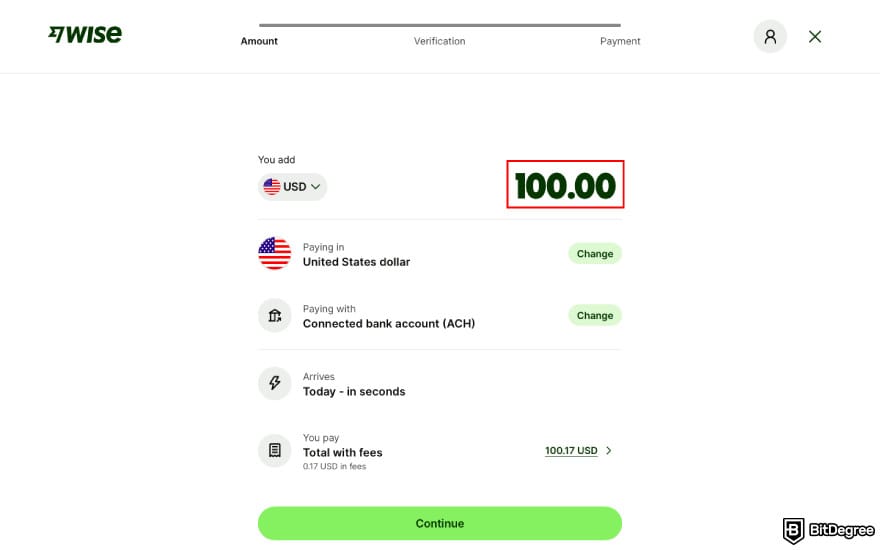
![How to transfer money from Wisely card: choose [Debit card] as your deposit method on Wise.](https://assets.bitdegree.org/images/how-to-withdraw-money-from-wisely-card-wise-debit-card.jpg "How to transfer money from Wisely card: choose [Debit card] as your deposit method on Wise.")
![How to transfer money from Wisely card: click [Pay] on Wise.](https://assets.bitdegree.org/images/how-to-withdraw-money-from-wisely-card-wise-pay.jpg "How to transfer money from Wisely card: click [Pay] on Wise.")
That's it! Your money should arrive in just a few seconds.
How to Withdraw Money from Wisely to Revolut
Launched in 2015, Revolut has grown to become one of the most widely used digital banking apps across Europe, amassing 65+ million users (as of November 2025). It's available in the EEA region and a number of other countries (UK, Switzerland, US, Australia, Brazil, Japan, New Zealand, and Singapore). Revolut supports payments in 25 fiat currencies and offers free user-to-user transfers.
 | |
|---|---|
| |
| |
| |
| Visit site Read review |
Table: Revolut features
The cost of depositing money into Revolut with a debit card depends on where you live. Residents of the EEA and the United Kingdom won't be charged anything for debit card top-ups, while in the United States, the fee is 1% of the transaction amount.
Revolut doesn't specify any blanket limits for card top-ups. Each user's daily limit gets dynamically adjusted based on their account history and security checks.
Here's a more hands-on explanation on how to withdraw money from Wisely card to Revolut:
![How to transfer money from Wisely card: click [Add money] on Revolut.](https://assets.bitdegree.org/images/how-to-withdraw-money-from-wisely-card-revolut-add-money.jpg "How to transfer money from Wisely card: click [Add money] on Revolut.")
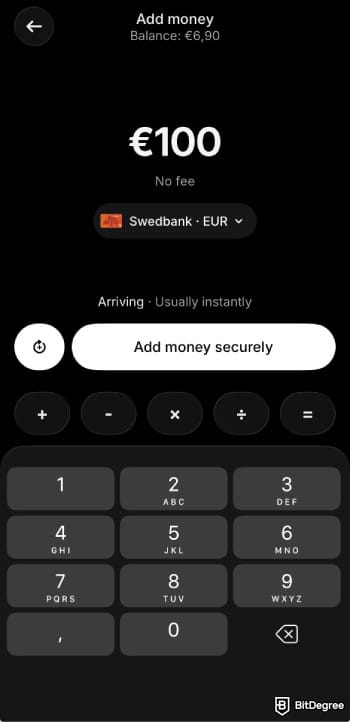
![How to transfer money from Wisely card: choose [Debit or credit card] on Revolut.](https://assets.bitdegree.org/images/how-to-withdraw-money-from-wisely-card-revolut-debit-card.jpg "How to transfer money from Wisely card: choose [Debit or credit card] on Revolut.")
![How to transfer money from Wisely card: enter the card details on Revolut and click [Continue].](https://assets.bitdegree.org/images/how-to-withdraw-money-from-wisely-card-revolut-card-details.jpg "How to transfer money from Wisely card: enter the card details on Revolut and click [Continue].")
All done! Revolut will save your card information so that next time, a transfer from the same card won't require re-entering the card details.
What Are the Best Wisely Withdrawal Practices? Some Do's & Don'ts
This is it for the how-to part of this guide - but I still have some extra advice to share. While withdrawing money from Wisely card isn't all that different from most other prepaid debit card alternatives, there are a few nuances to look out for.
Let's start with one of the absolute musts for ATM withdrawals that often gets overlooked. Before trying to withdraw cash from your Wisely card on an ATM, always check your balance first. If the amount you're trying to take out exceeds the amount of money you currently have on your card, some ATMs will charge a decline fee.
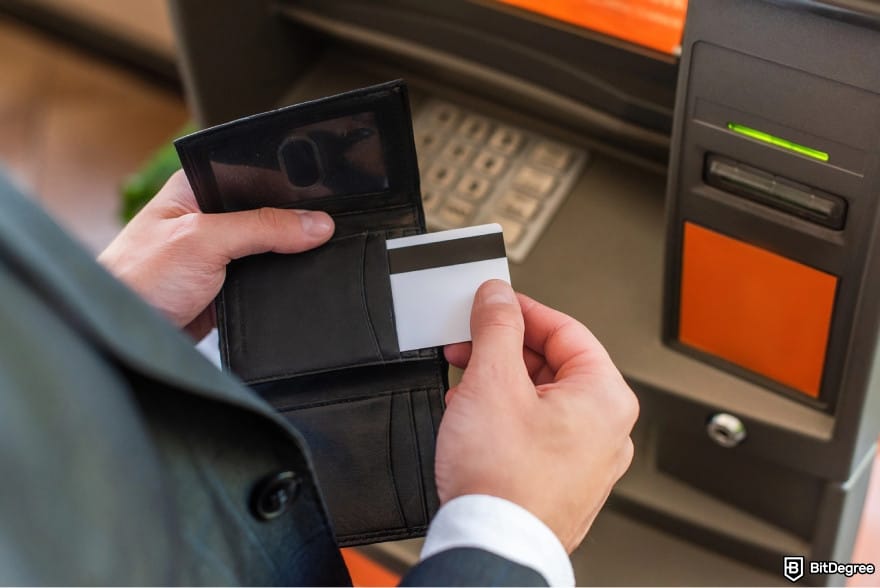
Every ATM has the option of checking a card balance, but some charge an extra fee for it, so I recommend using myWisely instead. In addition, you can set up email, push, or text notifications for real-time updates when your balance dips below a specified amount.
Wisely's balance check is also available through a customer support call.
Another heads-up about ATM withdrawals: Wisely's withdrawal limit isn't the only constraint. Each ATM has its own limit, determined by its bank's policies. Whenever withdrawal limits set by a user's card issuer and the ones set by the ATM itself clash, the general rule is that the lower limit acts as a bottleneck. Even if Wisely's ATM withdrawal limit goes up to $2,000, you might not be able to withdraw as much in practice.

When choosing a surcharge-free ATM, pay attention to its working hours, as well. Allpoint ATMs (usually located in CVS, Walgreens, or Target) tend to be open round-the-clock, while MoneyPass ATM opening times vary by store hours (the key retailers for this network are 7-Eleven and Circle K).
If you're experiencing any withdrawal issues that aren't down to insufficient balance or exceeding your withdrawal limit, contact Wisely's support team on the phone or email.
Don't forget the general, common-sense advice for safe ATM withdrawals, either. Set up transaction alerts on myWisely app so that, if your Wisely card ever gets stolen, you'll get notified about any withdrawal attempts immediately. You can lock or freeze your card on Wisely app and unlock it again after a quick verification.
Browse our collection of the most thorough Crypto Exchange related articles, guides & tutorials. Always be in the know & make informed decisions!



Conclusions
Understanding how to withdraw money from Wisely card boils down to figuring out whether you want the money in the form of cash or just want to move it to another bank account or app. Whichever solution you choose, Wisely offers plenty of flexibility and an easy workflow for withdrawals. Some of them even offer additional rewards in the form of cashback.
Having said that, it's easy to get tripped up with sneaky fees or ambiguous deposit and withdrawal limits. Users asking, "Where can I withdraw money from Wisely card for free?" would be best served by enrolling in Wisely's Peer Transfer functionality. Depositing money from Wisely to a money transfer app like Wise or Revolut is another solid alternative.
Ogvio supports multiple deposit methods with low to no fees. Be sure to check it out!
Scientific References
1. Bayeh B., Nardone I, O’Brien S, Phelps H.: '2025 Findings from the Diary of Consumer Payment Choice';
2. Donze J., Dubec I.: 'PAYING FOR ATM USAGE: GOOD FOR CONSUMERS, BAD FOR BANKS?'.
Send Money Worldwide
Check out the best ways to send money to other countries quickly, safely, and with minimal fees.



































About Article's Experts & Analysts





