Key Takeaways
- PayPal is available in the Philippines, and you can create an account through its website or mobile app;
- You can use the app to shop online, receive international payments, and withdraw money to a card or bank account;
- It doesn’t use a single fixed fee, and the total cost of an international transfer can be quite expensive.
You’ve probably heard everywhere that PayPal is THE money transfer app you’re supposed to use for easy international payments. But if you’re being careful, you’ll pause and do a quick search: is PayPal available in Philippines, does it work the same as in other countries, and is it affordable?
And you’re right to question it. A lot of platforms say they work in specific regions, but you often find out later that some important features are restricted, and the fees don’t really match the local context. Sometimes the app technically works where you live, but the corridor-specific differences can make the experience inconsistent and expensive.
So, let’s take a closer look at how does PayPal work in Philippines and see whether it’s the ideal tool – or if you’re better off with a different transfer service.
Oh, and don’t forget to join BitDegree's Season 9 Airdrop for a chance to grab a slice of the $20,000 prize pool!

Did you know?
Subscribe - We publish new crypto explainer videos every week!
How to Learn Crypto The Easy Way? (Trending Beginners' Strategy)


Table of Contents
- 1. Is PayPal Available in the Philippines?
- 2. PayPal Fees, Rates, & Limits
- 3. Ogvio: An Affordable Alternative to PayPal
- 4. How to Use PayPal in the Philippines
- 4.1. How to Have a PayPal Account in the Philippines
- 4.2. How to Use PayPal in the Philippines to Receive Money
- 4.3. How to Withdraw Money From PayPal in the Philippines
- 5. Conclusions
Is PayPal Available in the Philippines?
Yes, PayPal is available in Philippines, as it’s one of the countries where the platform officially operates. In fact, PayPal supports users across more than 200 countries and territories worldwide and lets you make transactions in over 25 different currencies.
Latest Changelly Coupon Found:That kind of global coverage is a big reason why millions of people around the world (including thousands of Filipinos) continue to use PayPal for everyday payments and moving money across borders.
But as a local citizen, it’s only natural to wonder: “Can I use PayPal in the Philippines to send money to my family abroad or get paid from overseas?”

As of writing, the online payment service lets you:
- Create and maintain an account;
- Pay for online purchases;
- Send money to fellow PayPal users;
- Receive international payments with a link;
- Withdraw your balance to a local bank account (BPI, BDO, UnionBank, etc.) or a card;
- Store your funds securely.
At a quick look, that list pretty much sums up what people expect from PayPal: a convenient payment gateway that works in most corners of the world.
Where things start to differ is in how those features work in practice. Asking is PayPal available in Philippines isn’t the same as asking whether it’s the cheapest or most flexible method to move your money.
Fees, limits, rates, and how you move money in or out change by location and currency pair – and the Philippines is no exception.
Take conversion rates, for example. Sending money from USD to PHP can cost differently from sending AED to PHP, even for the same amount. On top of that, the final cost can also vary based on the payment method and other transaction details involved.
I’ll get into the details next, but my point is this: how PayPal works in Philippines depends on what kind of transfer you’re making.
So just because your aunt swears PayPal is fast and cheap for receiving money from the US doesn’t mean you’ll get the same experience when your payments are coming from the Emirates. Transfers behave differently depending on the corridor, so what works well for one sender or country may not translate to your situation.
📚 Check Out: Best International Money Transfer Services
Aside from personal use, I often hear questions along the lines of: “Is there PayPal in the Philippines for business owners like me?”
And I’m glad to say the answer is yes. PayPal supports Business accounts for local merchants, online sellers, and entrepreneurs who want to receive payments under a business name conveniently in one place.

With the account, you can:
- Accept online payments from international customers;
- Withdraw funds by linking your Philippine bank account;
- Manage transactions and payment activity from a single dashboard;
- Grant limited access to staff members to help manage the account.
It also offers additional features for larger businesses, such as role-based account access that lets multiple team members manage the same account with different permission levels. Plus, you can also get account-level contact tools and specialized customer support channels, which help your team handle buyer inquiries more efficiently.
To open a Business account, you’ll need to provide your full legal name, email address, a password, your business registration number, a short business description, and bank details. There’s no sign-up fee, and you’re not required to deposit any money upfront.
You can upgrade your Individual account to a Business account by going to the app settings. Just keep in mind that most Business accounts can’t be downgraded afterward.
📚 Check Out: PayPal Review
Looking for more in-depth information on related topics? We have gathered similar articles for you to spare your time. Take a look!

PayPal Fees, Rates, & Limits
PayPal is available in the Philippines, and locals can use its various services without any issues. That part is easy to understand. What’s not as simple is knowing how fees and rates work.
You see, PayPal doesn’t charge one flat fee for everything. As I’ve briefly mentioned earlier, how much you pay depends on multiple factors, including the type of transaction, the currencies involved, and the payment method you use. That’s why your final cost can be quite different from someone else’s transactions.
Here’s an overview of PayPal’s fees and charges:
Pay for a purchase (online or in-store) | Free (if no currency exchange is involved) |
|---|---|
Receive money | Free (if no currency exchange is involved) |
Send money domestically (balance/bank) | Free (if no currency exchange is involved) |
Send money domestically (card) | 3.4% + a fixed fee |
Send money internationally (balance/bank) | 4.99 USD |
Send money internationally (card) | 4.99 USD + 3.4% + a fixed fee |
Currency conversion (paying/sending) | 4.0% added to PayPal’s exchange rate |
Currency conversion (moving/withdrawing) | 3.0% added to PayPal’s exchange rate |
Withdraw to Philippine bank account | Free over 7,000 PHP (no currency conversion); 50 PHP fee if below 7,000 PHP |
Withdraw to card | 1% |
Failed withdrawal | 250 PHP |
Confirm/link card | 100 PHP |
Table: PayPal pricing
As you can probably guess, one of PayPal’s main appeals is that everyday payments come with no extra cost. Paying for purchases, receiving money, or sending funds within the Philippines is usually free of charges as long as no currency conversion is involved. That’s not surprising, really, since the platform is best known for making it easy to make payments and to get paid.
Unfortunately, things change once you start making cross-border transfers. International payments come with a 4.99 USD fee, which can feel pricey if you’re only sending a small amount. On larger transfers, though, that flat fee is relatively easier to swallow.
Using a card for payment also comes with extra costs. PayPal applies a 3.4% fee to the transaction, along with a fixed charge on top.
The fixed charge depends on the receiving currency (e.g., if the recipient gets the Philippine peso, the fee is 15 PHP).
Also note that if your recipient wants the money in a different currency than the one you’re sending, you’ll be charged an extra 4.0% on top of the platform’s exchange rate. Include withdrawal charges or potential penalty fees, and the total cost can get bloated pretty fast.
So yeah, long story short, PayPal does work in Philippines for conveniently moving money across borders. But depending on your situation, it can end up costing way more than you’d expect.
📚 Check Out: Cheapest Way to Send Money to the Philippines
Ogvio: An Affordable Alternative to PayPal
PayPal is available in the Philippines, no question about that. But availability doesn’t always mean affordability. Once you realize that, it’s fair to pause a bit and look for another option.
In that case, Ogvio is a promising name I’d suggest checking out first.
As a next-generation money transfer platform, Ogvio lets you move money in, out of, and within the Philippines with speed and flexibility. It’s also easy to use, with an intuitive interface that lets you complete transactions in just a few clicks.
More importantly, Ogvio won’t drain your wallet just for a regular Monday transfer. Pricing is fully transparent (you'll always know the cost upfront) with multiple cost-friendly ways to send money, including:
- Ogvio-to-Ogvio transfer. You can instantly send funds to another Ogvio user using the @Tag feature, completely free of charge!
- Bank transfer. Ogvio uses local rails such as InstaPay in the Philippines to deliver funds quickly and at a very low cost.
- Crypto transfer. Prefer alternative payment methods? Ogvio lets you move digital assets in, out of, and around the platform with zero fees.
With three flexible rails to choose from, you can pick what works best for each situation. From local transfers and supporting family in the Philippines to using crypto as an on- and off-ramp, Ogvio adjusts to how you want to move your money.

Another difference worth mentioning is that Ogvio uses a non-custodial setup. Your funds aren’t parked in a centralized account or held by a third party. You have full control over your assets, which is a huge plus if you care about ownership and freedom.[1]
Now that you’ve seen what Ogvio brings to the table (and why it can be a cheaper alternative to PayPal), here’s how to get started:
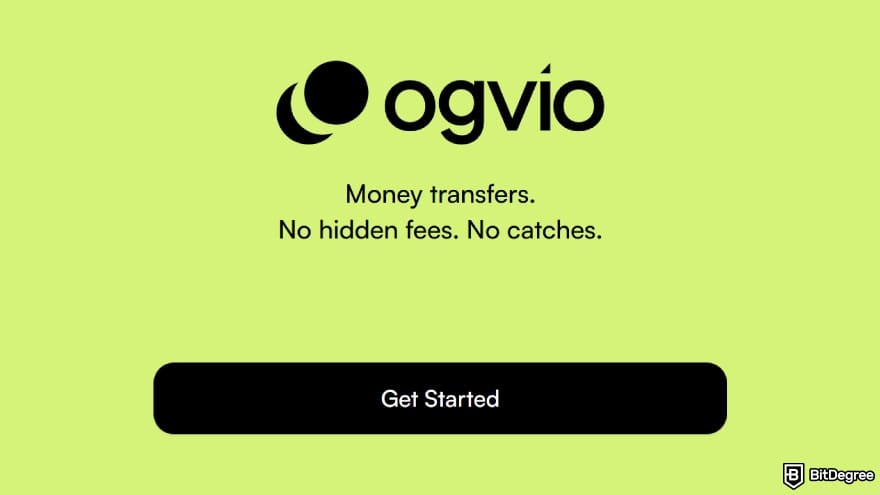
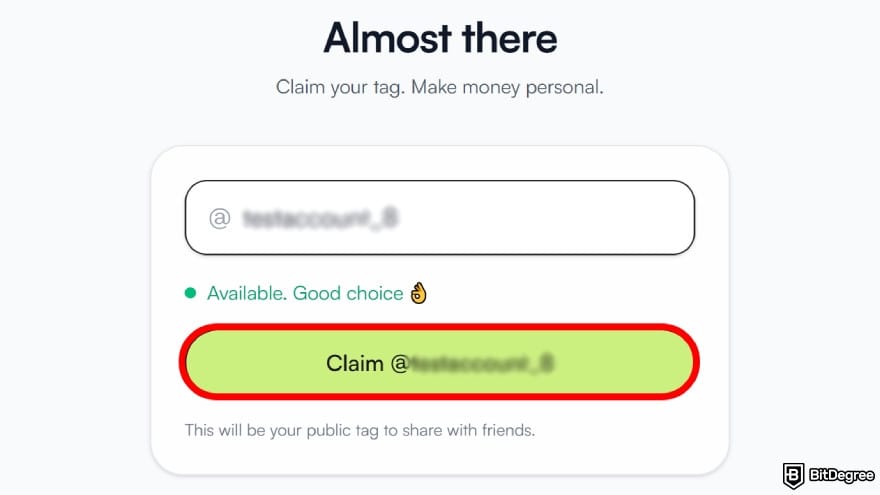
Next, enter your email address and hit [Submit] to sign up. You’ll get a confirmation code by email. Make sure to enter it when asked to wrap up your account setup.
Then, review the “Terms and Privacy Policy”, tick both boxes, and select [Agree and Continue].
![Is PayPal available in Philippines: select [Add Money].](https://assets.bitdegree.org/images/is-paypal-available-in-philippines-add-money.jpg "Is PayPal available in Philippines: select [Add Money].")
- Bank transfer;
- Card payment;
- Receive to your crypto wallet;
- Receive from Ogvio users;
- Request money.
Select the method that best suits your needs. For this example, I’ll go with the recommended [Bank transfer] method, as it’s usually the cheapest and quickest.
You can start using Ogvio without verifying your identity. But if you want access to all features, including bank-related transactions, you’ll need to pass the KYC process first.
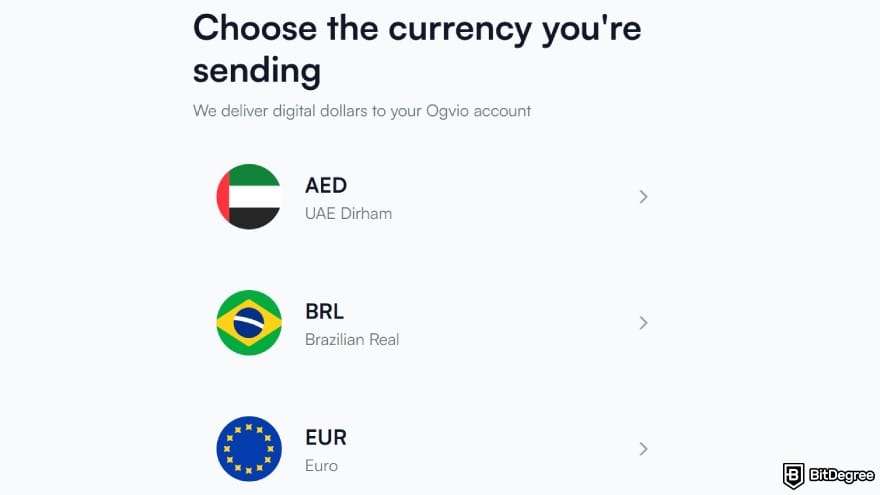
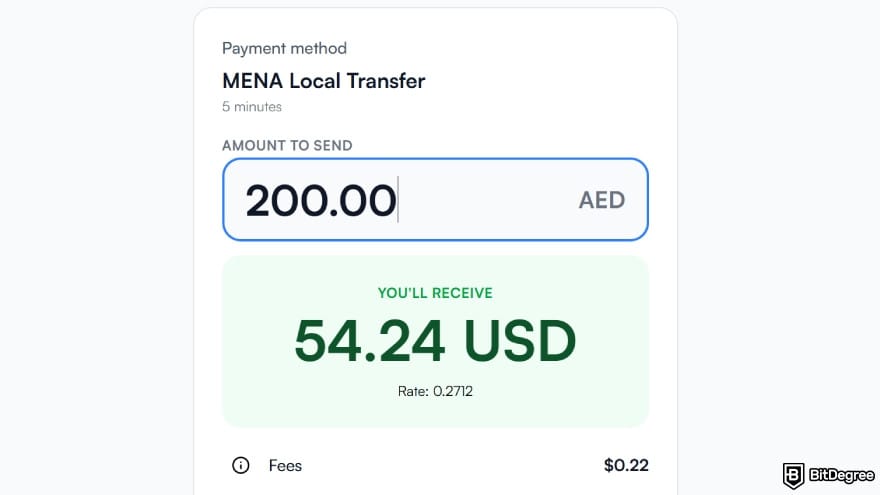
You can also click the small info icon to see a full breakdown of the fees. Once you’ve checked everything, select [Confirm] to move forward.
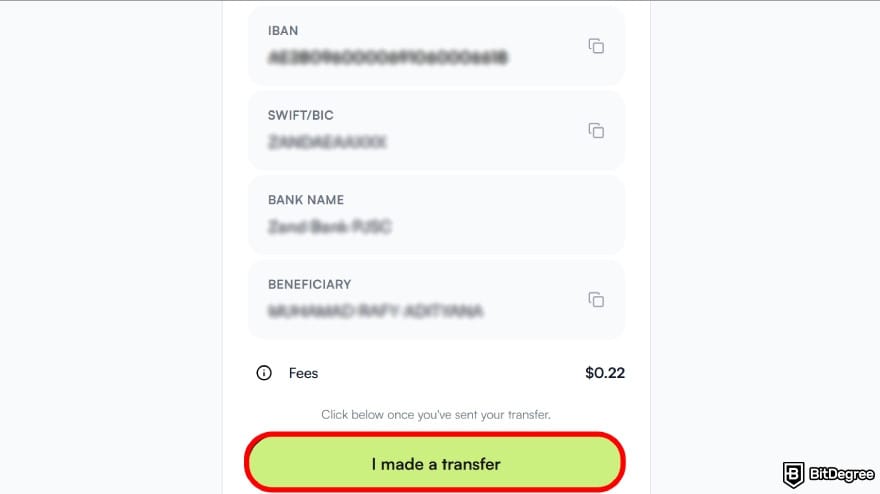
Your funds should come through shortly, and you’ll see the updated balance on the main screen.
Ogvio instantly converts your money into EUR or USD, the world’s most stable currencies.[2] This feature makes it a safe place to store your assets and hedge against local inflation.
![Is PayPal available in Philippines: choose [Send Money] from the dashboard.](https://assets.bitdegree.org/images/is-paypal-available-in-philippines-send-money.jpg "Is PayPal available in Philippines: choose [Send Money] from the dashboard.")
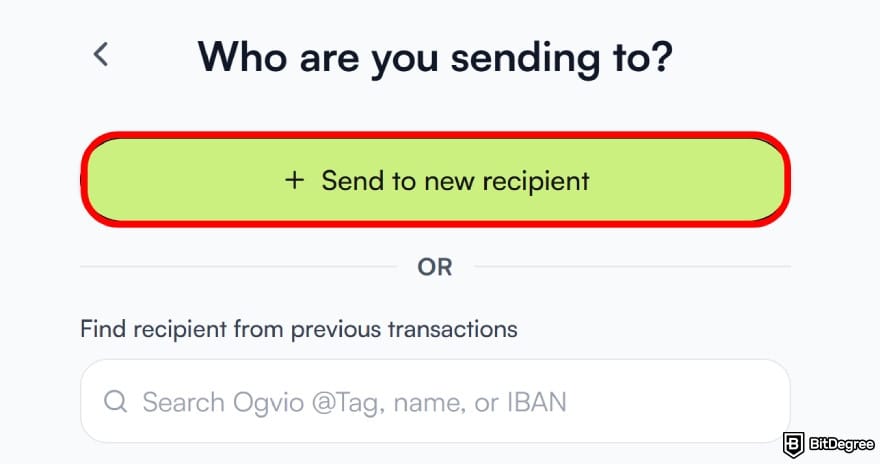
![Is PayPal available in Philippines: choose [Send to Ogvio user].](https://assets.bitdegree.org/images/is-paypal-available-in-philippines-ogvio-tag-account.jpg "Is PayPal available in Philippines: choose [Send to Ogvio user].")
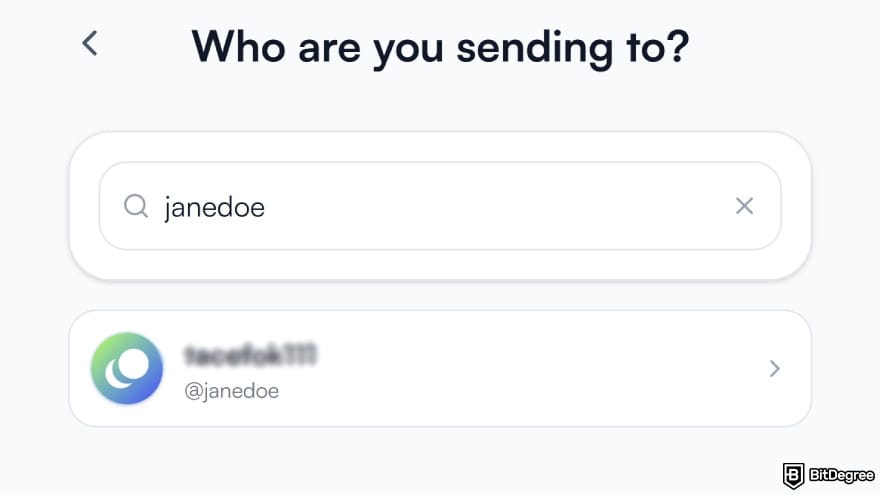
Once a recipient is added, Ogvio automatically saves them to your contact list. That way, you won’t have to enter their details again next time, making repeat transfers way easier!
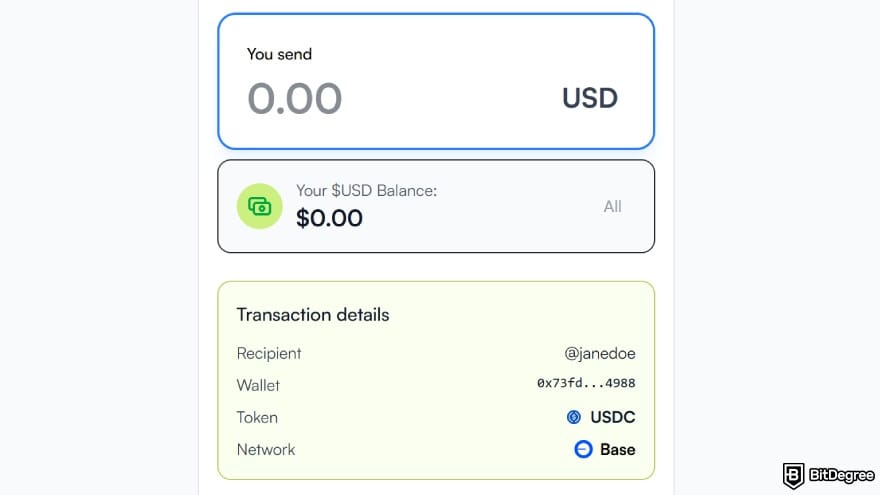
And there you go! The transfer goes through with no fees, and your recipient should get the funds almost instantly, wherever they are.
There is PayPal in Philippines to give you decent tools to manage and move your money around the world. But does it do that at an affordable cost? Most of the time, I’d say no.
So if you need a more cost-friendly option without giving up accessibility or ease of use, Ogvio is an alternative that you should check out for sending money to or from the Philippines.
📚 Check Out: Ogvio Review
How to Use PayPal in the Philippines
After looking at another option in case PayPal doesn’t pass your vibe check, let’s get back to the task at hand and get practical. This should give you a better sense of what using the app feels like, screen by screen.
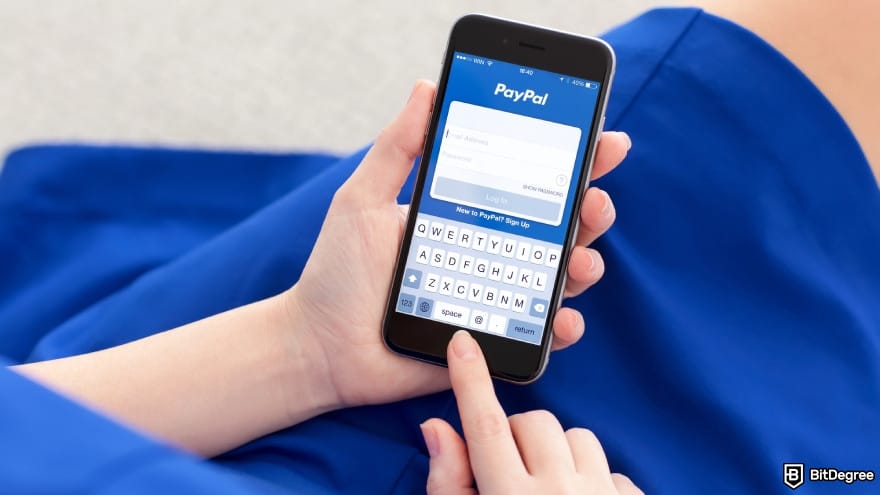
Here, I'm gonna show you how to get started with the platform, from setting up an account to sending and withdrawing money – the usual stuff you’ll want to do after learning PayPal is available in the Philippines.
How to Have a PayPal Account in the Philippines
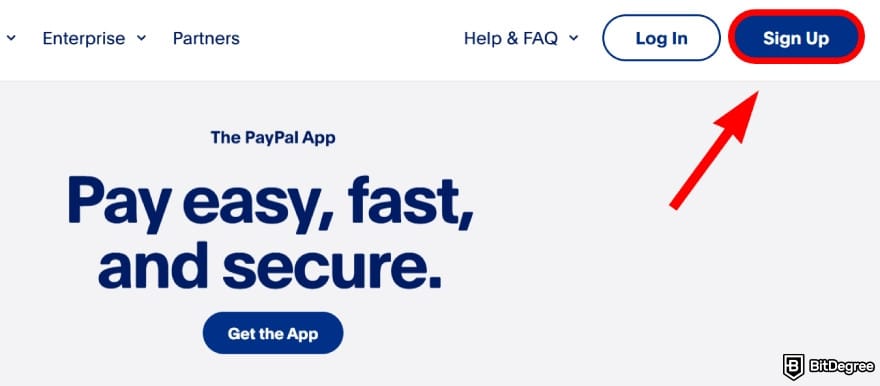
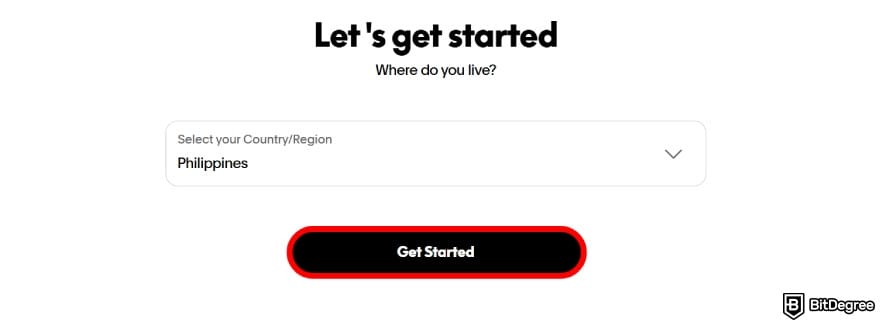
Creating a PayPal account is simple and shouldn’t take much time. You can do it through the app on your phone or from the website. The steps are mostly the same either way, so it doesn’t really matter which one you choose.
Here’s how to do it:
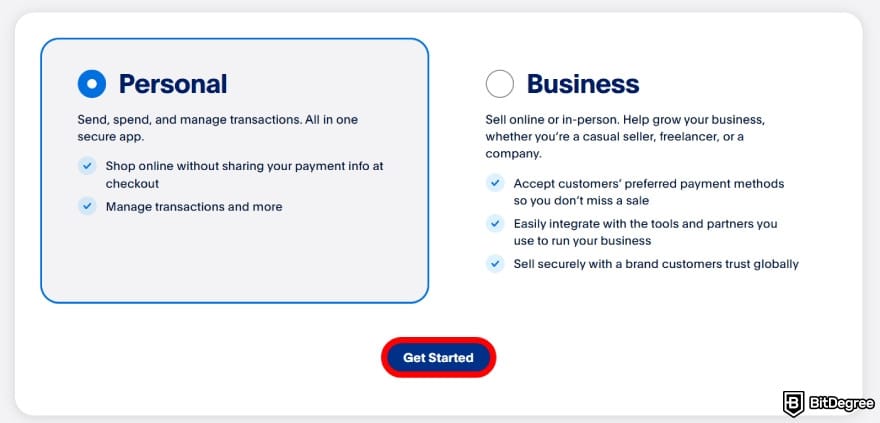
You can upgrade to a Business account from your account settings later if you want to.
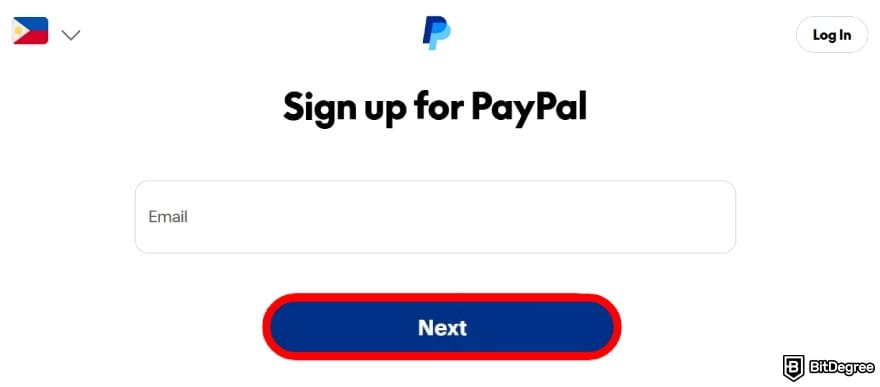
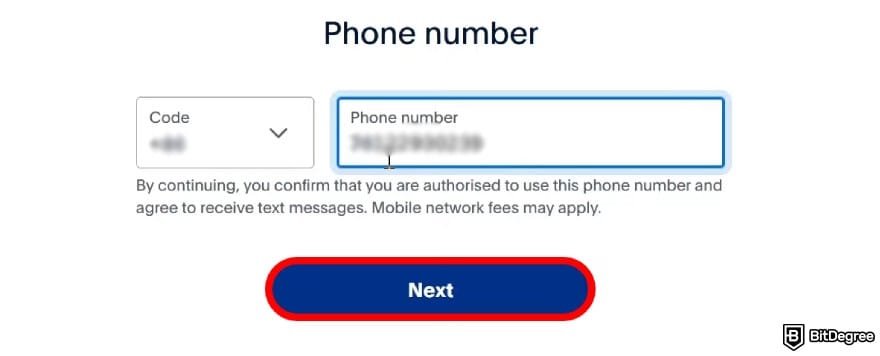
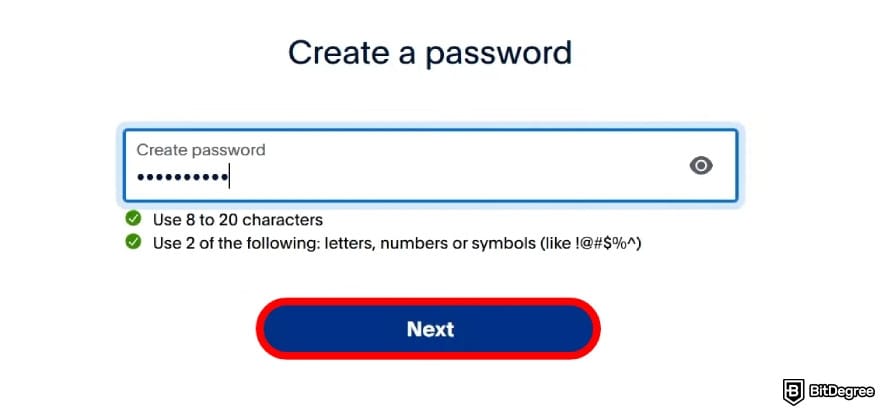
- First and last name;
- Date of birth;
- Residential address;
- Phone number;
- National ID.
Make sure everything is entered correctly. Then, agree to PayPal’s terms and click [Agree and Create Account] to continue.
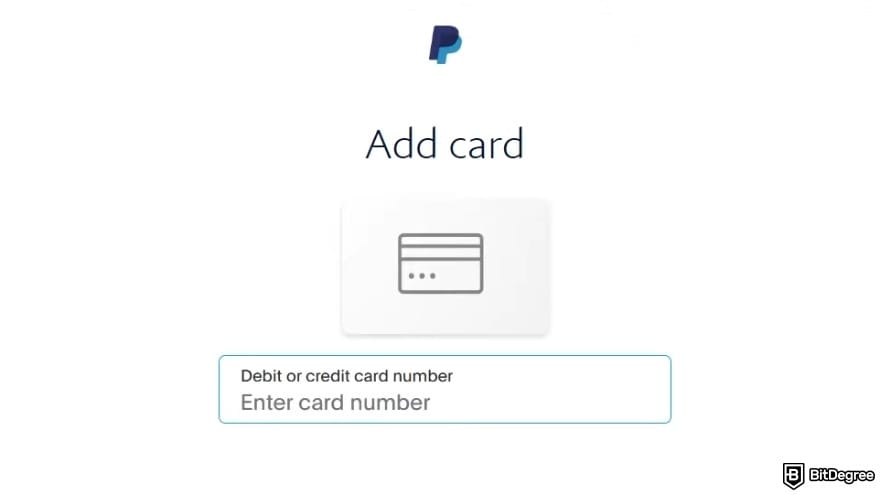
Now you know how to have a PayPal account in the Philippines! Just make sure to confirm your email address to start using it properly.
How to Use PayPal in the Philippines to Receive Money
Once your PayPal account is ready, you can use it to request money from others. If you have family or friends working overseas, this feature makes it easy for them to deliver the funds to your balance straight away. Here’s how:
![Is PayPal available in Philippines: navigate to the [Send and Request] page.](https://assets.bitdegree.org/images/is-paypal-available-in-philippines-send-request.jpg "Is PayPal available in Philippines: navigate to the [Send and Request] page.")
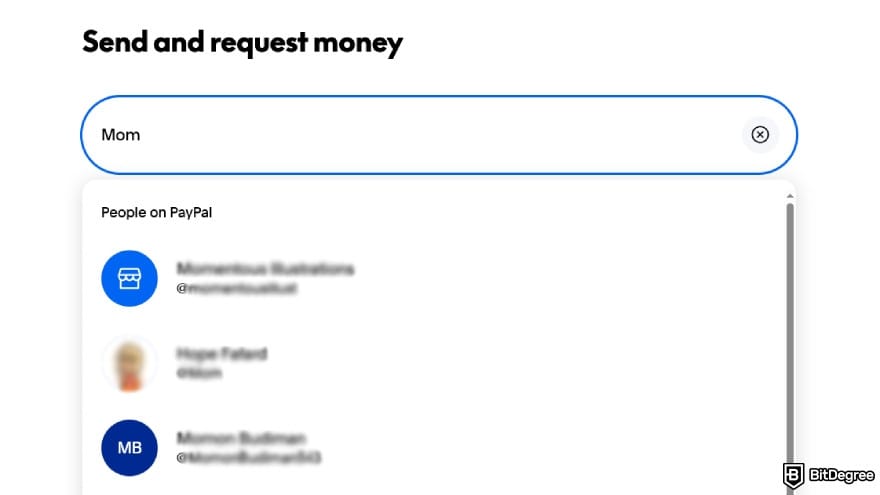
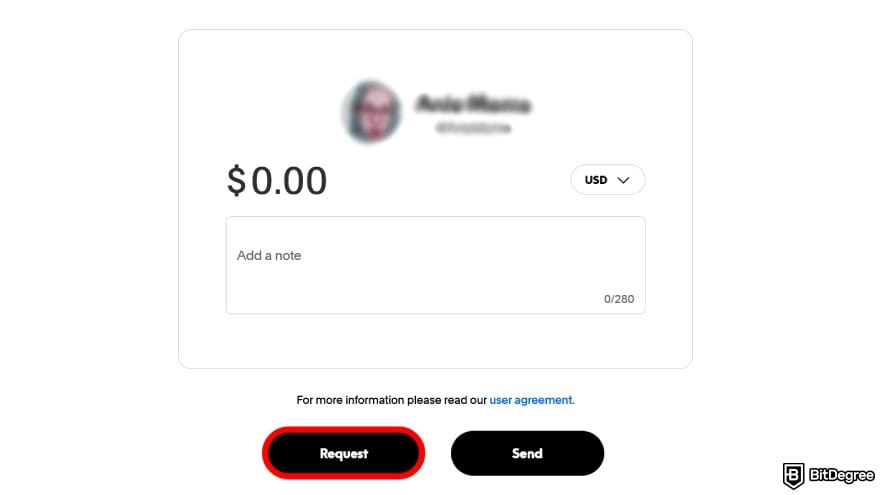
You should receive the money quickly, though it still depends on how the sender chooses to pay. Transfers from PayPal or a card usually arrive fast, while bank-funded payments can take longer.
Also, keep in mind that the funds are credited to your PayPal balance, not to your bank account. To cash it out or spend it with your card, you’ll have to manually withdraw the balance.
How to Withdraw Money From PayPal in the Philippines
Once money arrives in your account, the next thing you’ll naturally want to know is how to withdraw money from PayPal in the Philippines. The process is relatively easy, especially if you’ve already linked a bank account or card. If you haven’t done that yet, no worries, let’s start there. And if the reason you haven’t is that you’re still picking a bank, our best bank in the Philippines roundup is worth a detour first, since, as you’ll see below, how fast the money lands depends on the bank you link:
![Is PayPal available in Philippines: select [Wallet].](https://assets.bitdegree.org/images/is-paypal-available-in-philippines-wallet.jpg "Is PayPal available in Philippines: select [Wallet].")
![Is PayPal available in Philippines: click on [Link a bank] option.](https://assets.bitdegree.org/images/is-paypal-available-in-philippines-link-bank.jpg "Is PayPal available in Philippines: click on [Link a bank] option.")
You can also choose to link a card here if that works better for you. A bank and a card are not the only routes out, either: in the Philippines a great deal of money leaves PayPal through an e-wallet instead, and if the one you use does not suit the transfer you are making, our guide to GCash alternatives compares the others on fees and delivery time.
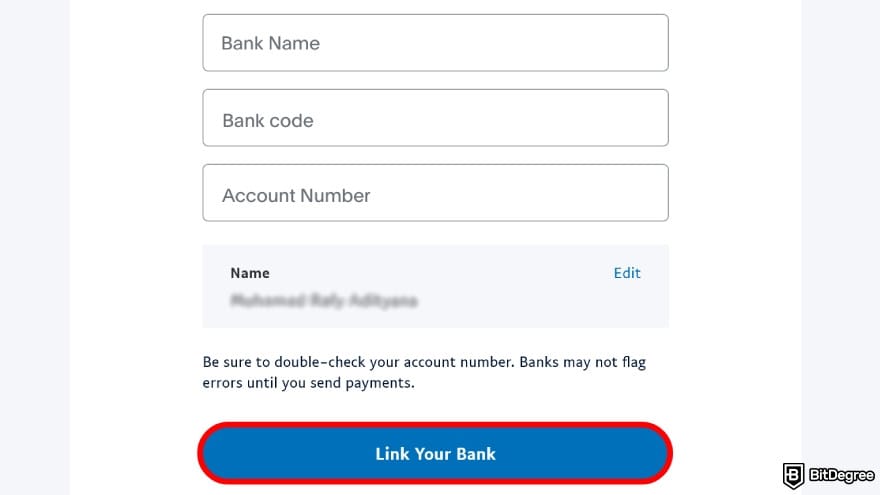
Once it all looks right, select [Link Your Bank] to connect it to your PayPal account.
![Is PayPal available in Philippines: click on [Send payments] and choose the linked bank account.](https://assets.bitdegree.org/images/is-paypal-available-in-philippines-payment.jpg "Is PayPal available in Philippines: click on [Send payments] and choose the linked bank account.")
- Instant. If you select this option, you can expect the payout to arrive in just minutes. That said, the actual timeframe still depends on your bank.
- Standard. Transfers to your bank usually clear within a day, but they can take between 2 and 5 business days in general. Again, the actual speed still depends on your bank of choice.
Once you’re sure about your choice and have checked that all the details are correct, finalize the transfer.
You can check your transaction status by opening the [Activity] section.
If the funds haven’t reached your bank account after the estimated timeframe, I’d suggest contacting your bank as soon as possible. Unfortunately, PayPal’s customer team isn’t able to change the transfer status.
Also note that PayPal’s system reviews every transfer before it’s released. If something gets flagged, your withdrawal might be held for up to 72 hours for further review. This can happen for various reasons, such as receiving a higher-than-usual payment or logging in from an unsecured network.
📚 Check Out: How to Withdraw Money From PayPal
Browse our collection of the most thorough Crypto Exchange related articles, guides & tutorials. Always be in the know & make informed decisions!


Conclusions
So, is PayPal available in the Philippines? Yes, it is. You can use it for various everyday activities: online payments, in-store purchases, storing your funds, or sending and receiving money from family overseas. With its wide adoption and global reach, it’s definitely a handy app to have.
That said, does PayPal work in the Philippines when cost efficiency is your priority? From many cases I've seen, no. Depending on how you use it, the platform applies multiple layers of fees that stack on top of each other. This can drive the total cost pretty high, especially for international transfers involving different currency pairs.
In cases like that, Ogvio comes up as the cheaper alternative. You pay zero fees on cross-border transactions, and everything runs smoothly with no friction.
Scientific References
1. Barbereau T., Bodó B.: ‘Beyond Financial Regulation of Crypto-Asset Wallet Software: In Search of Secondary Liability’;
2. Gluschenko K.: ‘How the Dollar Became the World Currency’.
Send Money Worldwide
Check out the best ways to send money to other countries quickly, safely, and with minimal fees.



































About Article's Experts & Analysts







