Key Takeaways
- Wise is available in the Philippines, and you can sign up for an account using your PhilID;
- You can get access to most features, including payments, multi-currency management, and cash withdrawals;
- Filipino users can also apply for the Wise Card, which supports online purchases, in-store payments, and ATM cash out.
You’ve been doing overseas gigs for a while and need a better way to get your paychecks. Many fellow digital nomads are pointing you to Wise as the go-to option. But right before you tap the download button, a question crosses your mind: Is Wise available in the Philippines in the first place?
Sure, it’s been around for years and receives lots of praise for offering transparent and fair rates. But with cross-border transfers, what works for someone else doesn’t always work for your situation. That’s why it’s wise (pun intended) to see if the app fits your specific corridors and what you need it for.
So let’s break it down. Does Wise work in the Philippines for your situation, or should you be looking at a fresh alternative?
Also, don’t forget to check out BitDegree Season 9 Airdrop for a chance to grab a share of the $20,000 prize pool!

Did you know?
Subscribe - We publish new crypto explainer videos every week!
10 Biggest Crypto Scams & How to Avoid Them (ANIMATED)


Table of Contents
- 1. Is Wise Available in the Philippines?
- 2. Does Wise Work in the Philippines? What You Can Do
- 3. What You Can’t Do With Wise in the Philippines
- 4. Wise Fees, Rates, & Limits
- 5. Ogvio: An Alternative to Wise
- 6. How to Use Wise in the Philippines
- 6.1. Setting Up an Account
- 6.2. Receiving Money
- 6.3. Withdrawing Funds
- 7. Conclusions
Is Wise Available in the Philippines?
Yes, Wise is available in the Philippines. As a local, you can sign up normally without needing any special requirements or unusual workarounds just to access the platform alone.
Latest Changelly Coupon Found:In fact, you’ll be happy to know that most of Wise’s services are available. Through the mobile app (or desktop browser if you prefer a bigger screen), you can easily move money within, into, and out of the country with competitive fees.
The platform supports Philippine pesos, along with +80 supported currencies like the US dollar, euro, British pound, and UAE dirham.
Now, it might naturally lead to the question: Does Wise work in the Philippines safely?
Taking the platform’s features, operations, and reputation into account, I’d say yeah, it does. Wise says that it has built its security systems over more than 12 years, using modern technology to protect accounts and transfers for millions of customers.

On top of that, Wise holds a license from the Bangko Sentral ng Pilipinas (BSP) as a Remittance and Transfer Company. Naturally, that level of regulation helps lower the risk of fraud or misuse of funds compared to using sketchy services.[1]
And given its fair rates, it’s not hard to see why Wise keeps getting mentioned among the top names for sending money to the Philippines. From OFWs supporting family back home in Quezon to remote workers getting paid by US clients, it’s a platform many Filipinos rely on.
📚 Check Out: Wise Review
Looking for more in-depth information on related topics? We have gathered similar articles for you to spare your time. Take a look!


Does Wise Work in the Philippines? What You Can Do
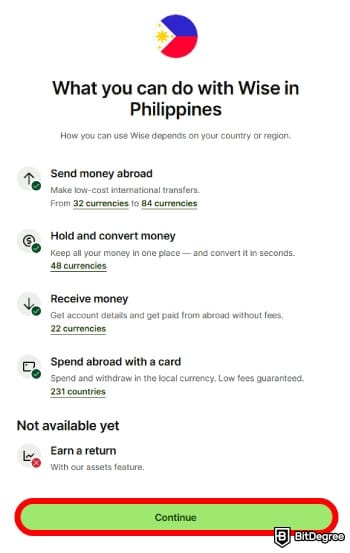
Now that I’ve made it clear that Wise is available in the Philippines, you might be wondering what services you can access. Well, as of writing, these are the things you can use the platform for:
- Send money locally or internationally;
- Receive payments from overseas in multiple currencies;
- Hold and convert different currencies in one account;
- Withdraw funds to Philippine banks and e-wallets;
- Apply for a Wise Card for spending and ATM withdrawals;
- Handle international payments for business work.
Wise’s main job is helping you send money internationally, and it works just fine from the Philippines. You can send PHP using a bank transfer to recipients in more than 80 supported currencies, including USD, EUR, and AED, with little to no friction.

It also works the other way around. You can receive money from overseas through your Wise account, whether it’s a payment for an international project or a transfer from a family member living abroad. Just make sure you’ve added the currency from Wise’s supported list before the funds arrive.
Once your money arrives, Wise can also work as a decent place to keep your funds. It supports holding and exchanging more than 40 currencies, so you can get paid in PHP, USD, EUR, or GBP, then either keep the balance as is or convert it to what you need before spending or withdrawing.
And speaking about withdrawals, you might also be wondering: "Is Wise available in Philippines for local bank and e-wallet transfers?"
Yep, it is. Wise lets you withdraw funds directly to Philippine bank accounts, as well as popular e-wallets like GCash, Maya, and GrabPay. That makes it easy to use your money for everyday things like bills, online payments, or shared expenses.
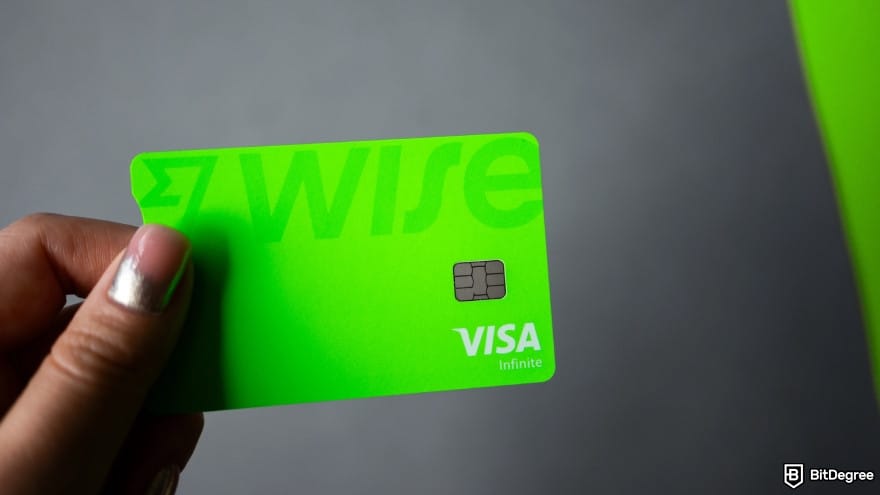
I also often see people asking, “Can you use a Wise Card in the Philippines?” And the answer is yes, you can.
For frequent travelers, the Wise Card keeps things simple when spending money at home or overseas. It works for online and in-store payments in multiple currencies across 160+ supported regions. In case you need cash on hand, you can also withdraw money from ATMs along the way without much hassle.
Last but not least, companies based in the Philippines can take full advantage of Wise’s Business account. It offers tools designed to simplify international payments and manage finances from a single dashboard. You can accept payments in over 8 currencies using local account details, making it easier for overseas clients to pay faster and at lower fees.
Wise Business also comes with features you won’t find in a personal account, including batch payments, business debit cards, and integrations with accounting apps.
What You Can’t Do With Wise in the Philippines
You’ve seen that Wise covers a lot of ground in the country (probably more than you might expect). Even if you’re a traveler passing through and wondering, “Can I use a Wise card in the Philippines?” the short answer is yes.
That said, using Wise with a PH-issued ID does come with a few limitations you want to be aware of. Here are some things that you won’t be able to do:
- Use cash pickup as a delivery option;
- Earn interest on your balance;
- Send, receive, or trade cryptocurrencies.
While online transfers are the norm these days, there are situations where physical cash is more practical.

For example, if you’re sending money to families living outside major cities, where internet access or familiarity with mobile apps isn’t guaranteed, the platform’s digital setup can be restrictive.
Another thing you’ll miss out on is earning interest on your balance. In selected regions, Wise lets you earn a small return on your funds through low-risk options. Unfortunately, this feature isn’t available in the Philippines, so any money you keep in your account just sits idle instead of growing.

You also won’t be able to use digital assets as an alternative delivery method. Wise keeps some distance from crypto-related activity on the platform, even as it becomes a more reliable option for cross-border transfers.[2] As they put it:
We don’t support the purchase, exchange, or trading of cryptocurrencies – it's against our acceptable use policy.
For people who are unbanked or struggle to pass the platform’s verification checks, this is a significant drawback. Without crypto or other alternative methods, they may have to rely on a platform with lighter KYC requirements to send money to their loved ones back in the Philippines.
📚 Check Out: Best Way to Send Money to the Philippines
Wise Fees, Rates, & Limits
You might also be wondering if Wise is available in the Philippines at a price that makes sense. From my experience, I’d say yes, most of the time.

First off, I appreciate that Wise clearly shows all fees before you lock in a transfer, which really helps avoid surprise charges. The platform also uses the mid-market exchange rate (the rate you usually see on Google), which is often regarded as one of the "fairest" in the industry.
Here’s a breakdown of how Wise charges fees in the Philippines for a personal account:
Fees | Limits | |
|---|---|---|
Creating an account | Free | - |
Holding money | Free | No holding limit; up to 10 million PHP received or topped up per month |
Converting currency | From ~0.57% (varies by pair) | Up to 10,000 USD per conversion; 50,000 USD per month |
Sending money | From ~0.57% (varies by pair) | Depends on the corridor and method |
Receiving payments (local) | Free | - |
Receiving payments (international) | Fixed fee per transfer | - |
Topping up external e-wallets | 2% | - |
Getting Wise Card | 369.60 PHP | |
Spending with Wise Card (online/in-store) | Free | Up to 500,000 PHP per transaction |
ATM withdrawals (within free limit) | Free | 2 withdrawals up to 12,000 PHP per month |
ATM withdrawals (above free limit) | 30 PHP + 1% | Applies after free allowance |
Monthly card limits | - | 2 million PHP spending; 275,000 PHP ATM withdrawals |
Table: Wise’s pricing for personal account
Wise doesn’t charge you to sign up for a personal account. You don’t need to pay for any subscription or monthly plan to access its features. The platform also doesn’t apply “maintenance” fees for holding money in your balance, so your funds won’t slowly be eaten away just for sitting there.
Wise Business follows a slightly different fee structure than personal accounts.
That changes once you send money, though. To make a transfer, Wise charges a variable fee that usually starts from 0.57% per transaction. The exact cost isn’t fixed, and it mainly depends on three things:
- Currency pair. Transfer fees depend on the corridor you’re using. Some currency pairs with PHP are cheaper to move, while others can cost a bit more.
- Transfer size. Wise also calculates fees based on how much you’re sending. In some cases, sending a larger amount can lower the percentage fee compared to smaller transactions.
- Payment option. The way you pay for the transfer also matters. Bank transfers usually cost less, while using your account balance tends to be pricier.
As noted, Wise can get cheaper when you send larger sums of money. Once your transfers go over 25,000 USD (or the equivalent), you’ll automatically receive discounted rates for the rest of that month.

Receiving money works a bit differently for local and international payments. Domestic transfers are generally free. For international payments sent via SWIFT, Wise charges a fixed fee, and the exact amount depends on the currency you’re receiving.
For example, incoming transfers in US dollars, British pounds, and euros come with fixed fees of around 6.11 USD, 2.16 GBP, and 2.39 EUR, respectively.
Now, if you’re ever wondering, “Can I use Wise Card in the Philippines for free?” The answer is a bit of yes and no.
Spending with the card is free as long as you’re paying in the same currency you hold in your account. That applies to both online and in-store purchases, locally or overseas. If the transfer requires a currency conversion, expect a fee starting from 0.57% of the converted amount.
There’s also a one-time card issuance fee of 369.60 PHP. For ATM withdrawals, you get two free withdrawals each month as long as the total doesn’t exceed 12,000 PHP. Go beyond that, and you’ll be charged 1% plus 30 PHP per withdrawal.
All in all, Wise sits in a pretty reasonable middle ground when it comes to fees. You’re paying for clarity and consistency, which works well for regular day-to-day transfers. That said, it’s not always the cheapest option, and costs can start to feel a bit heavy for certain international transfers.
📚 Check Out: Cheapest Way to Send Money to the Philippines
Ogvio: An Alternative to Wise
Wise is available in the Philippines, and you can access most of its features, no doubt about that. But once you look at the pricing structure, you might wince a little and start thinking if there’s another service that’s lighter on your wallet.
In situations like that, Ogvio is the first alternative I’d point people to.
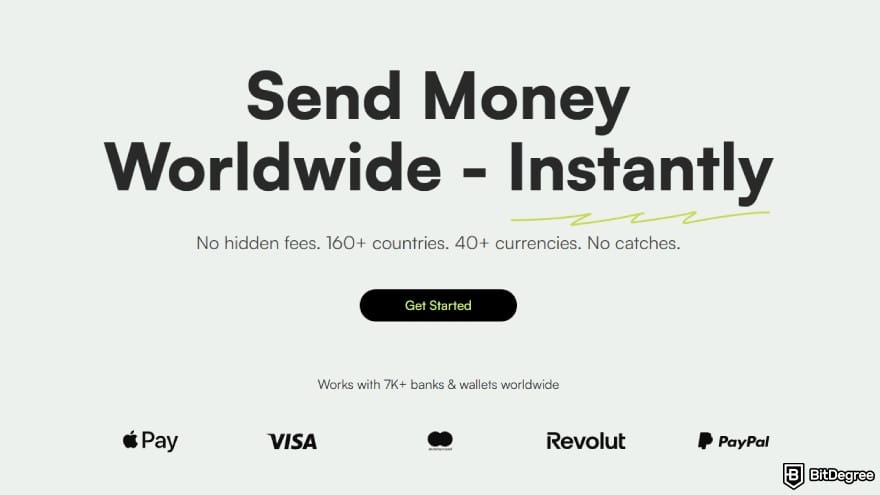
It takes a more modern approach to money transfers, letting you move funds with little to no fees at all. Basically, you have three ways to do that:
- User-to-user transfer. You can send money instantly to another Ogvio user via their @Tag, completely free of charge.
- Bank delivery. By using local Philippine rails, Ogvio delivers funds quickly and cheaply to recipient bank accounts.
- Crypto transfer. If you prefer an alternative method, you can move digital assets in, out, and within the platform at zero cost.
Ogvio gets that sending money shouldn’t feel like a chore. The interface is designed to be easy to follow, and even if it’s your first time making a cross-border transfer, you can get it done without breaking a sweat.
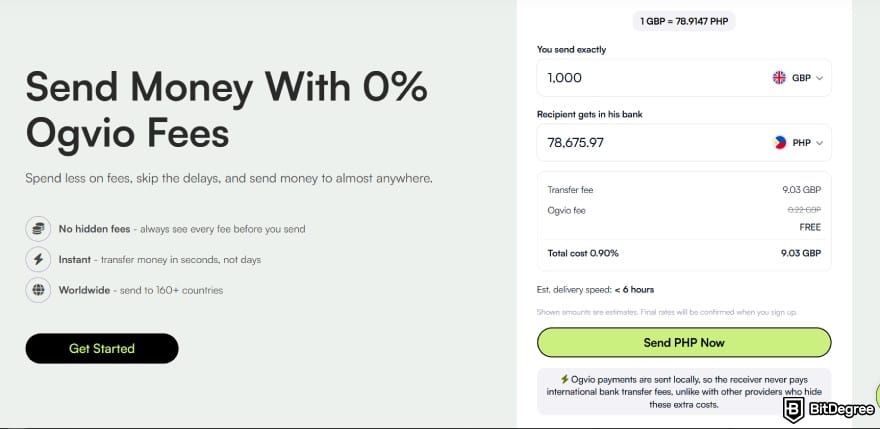
Another thing to note is how Ogvio handles your funds. If you’re not comfortable with platforms holding your hard-earned money, the platform's non-custodial setup can offer more reassurance. Your assets stay under your control, instead of being managed by a third party that could freeze or misuse them.[3]
Now that you see why I’m nudging you toward Ogvio as the first alternative to Wise, here’s how to get started if you want to test it out:
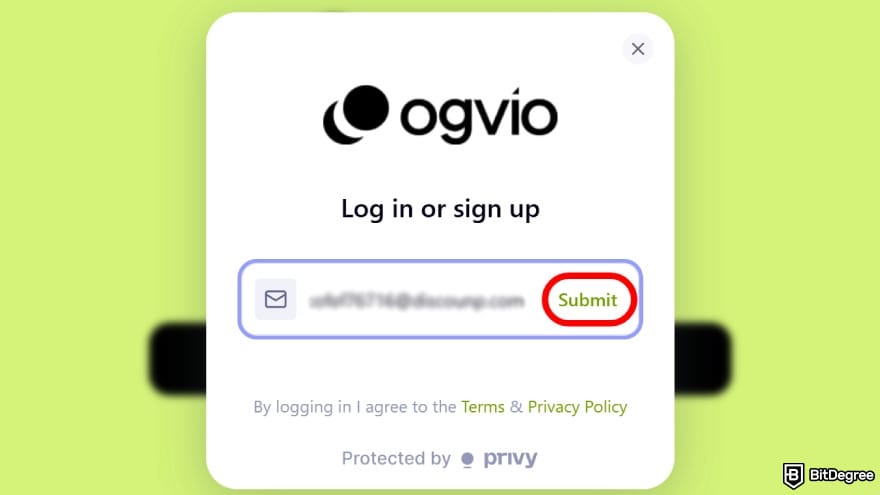
Ogvio will send a verification code to your inbox. Make sure to enter that code when prompted.
![Is Wise available in the Philippines: select [Add Money] to top up some funds.](https://assets.bitdegree.org/images/is-wise-available-in-the-philippines-add-money.jpg "Is Wise available in the Philippines: select [Add Money] to top up some funds.")
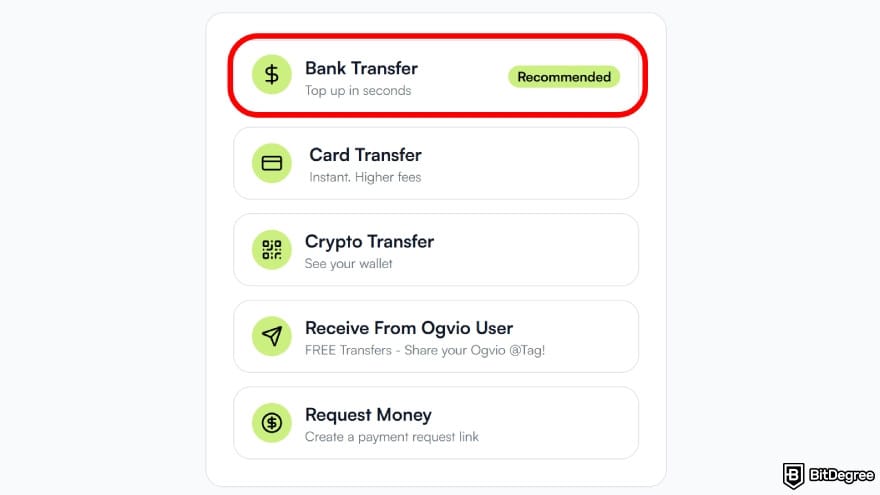
Pick the option that works best for your situation. I’ll use the recommended [Bank transfer] method for this example.
You can use Ogvio without identity verification, but completing KYC is required if you want full access, including bank-related transactions.
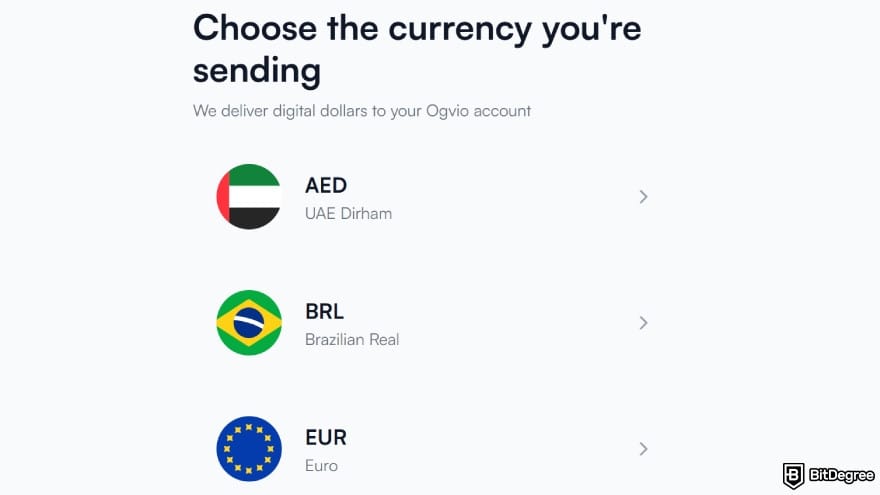
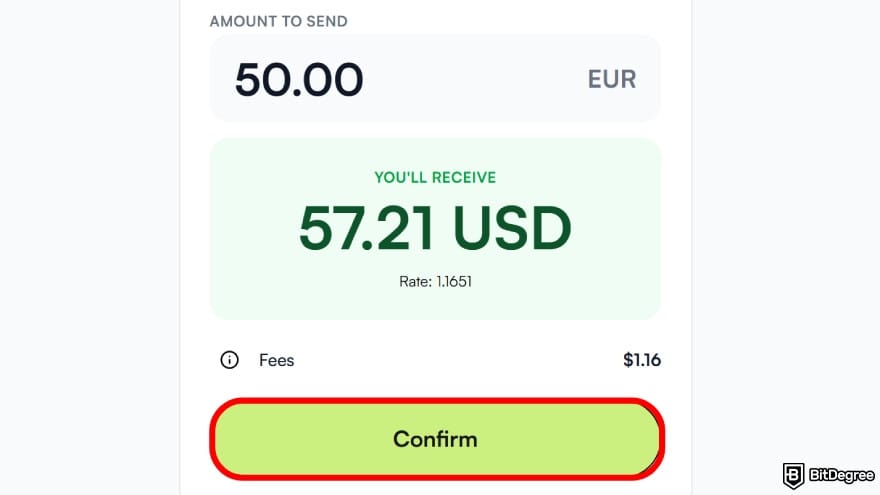
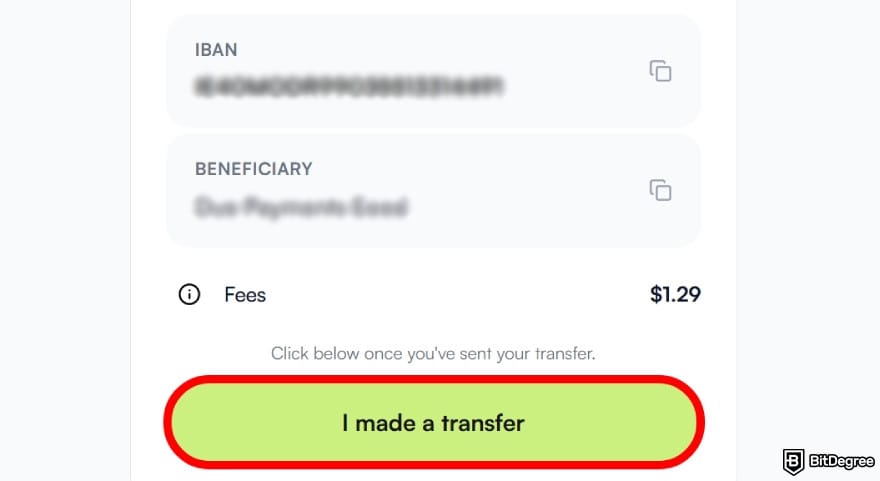
Once the funds arrive, your balance updates automatically.
![Is Wise available in the Philippines: choose the [Send Money] option.](https://assets.bitdegree.org/images/is-wise-available-in-the-philippines-send-money-ogvio.jpg "Is Wise available in the Philippines: choose the [Send Money] option.")
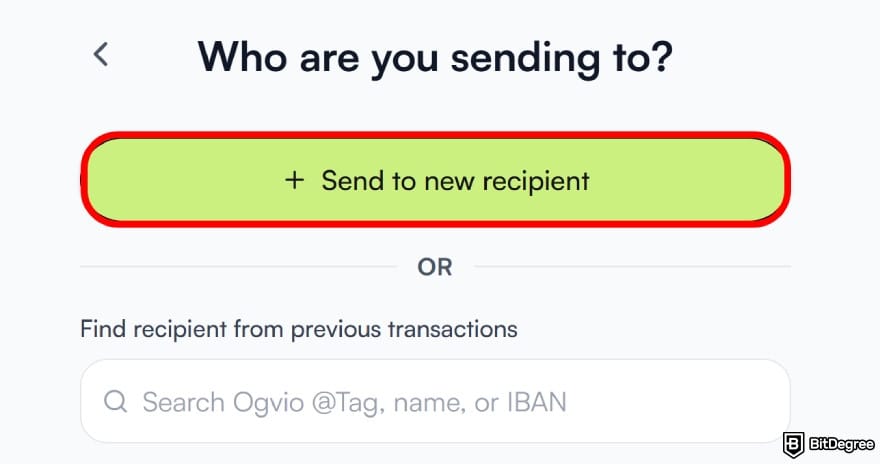
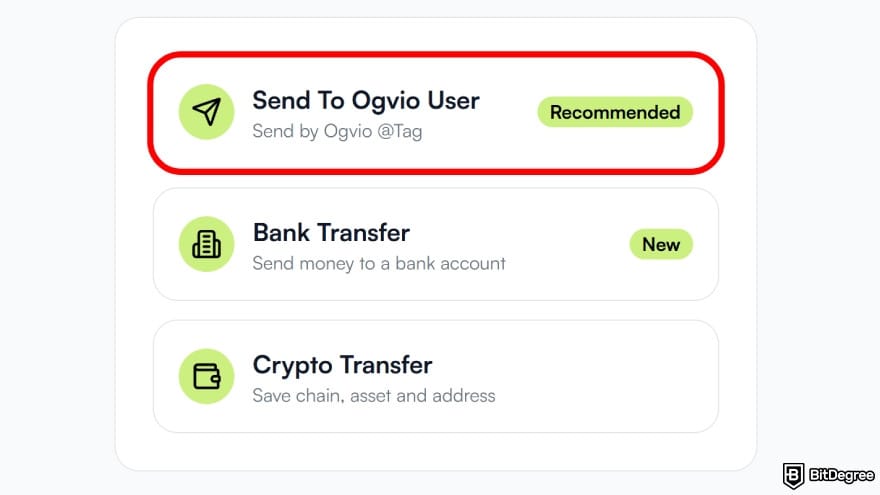
You can pick a different option if it fits your transfer better, of course.
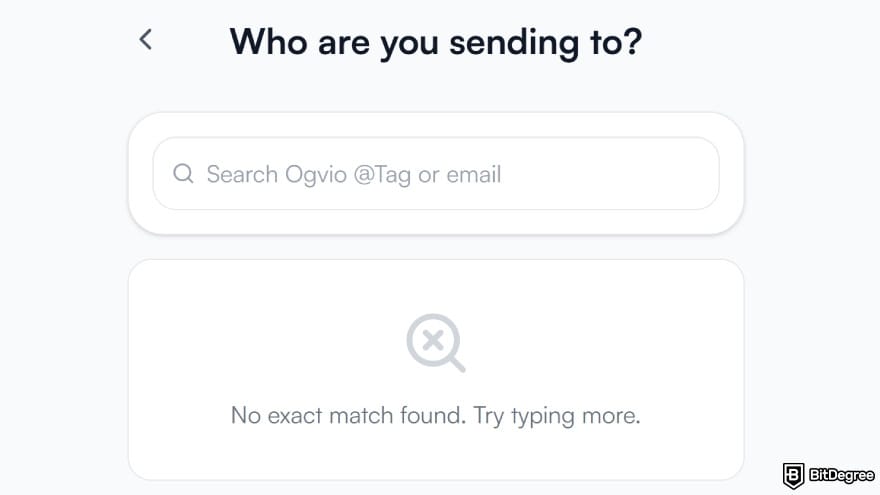
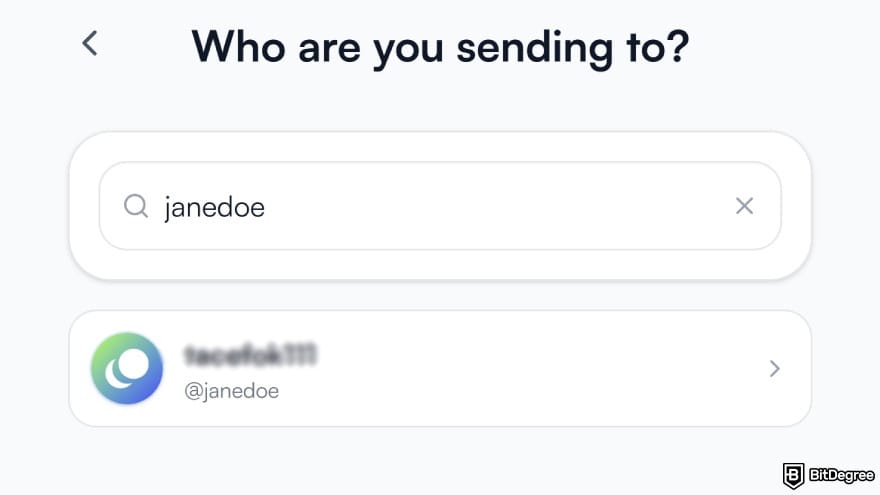
After you add a recipient, Ogvio automatically saves them to your contact list, which makes repeat transfers easier.
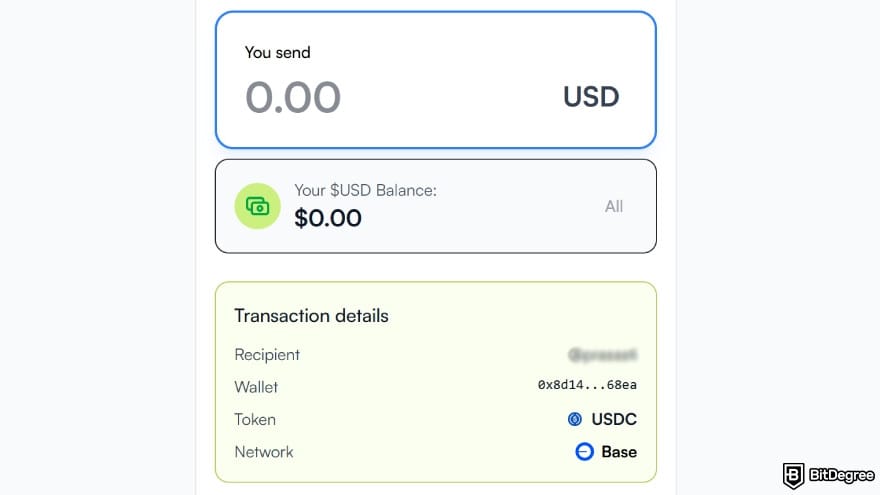
That’s basically it! Using the @Tag feature, money can be sent instantly and at zero transfer cost from nearly anywhere, with no need to input bank details or long wallet addresses.
So if Wise doesn’t quite pass your vibe check, do give Ogvio a try. It covers most everyday money movement needs in and around the Philippines in a simpler, affordable way.
📚 Check Out: Ogvio Review
How to Use Wise in the Philippines
At this point, you know Wise is available in the Philippines, and you’ve also got another option to fall back on. Now, let’s get into the practical part. From creating your account to receiving and withdrawing money, let's see how to get everything done.
Setting Up an Account
Getting started with Wise is straightforward and doesn’t take much time. You can do it from your phone using the mobile app or through a desktop browser. For this guide, I’m using the desktop interface, but you can follow along just fine on mobile, too.
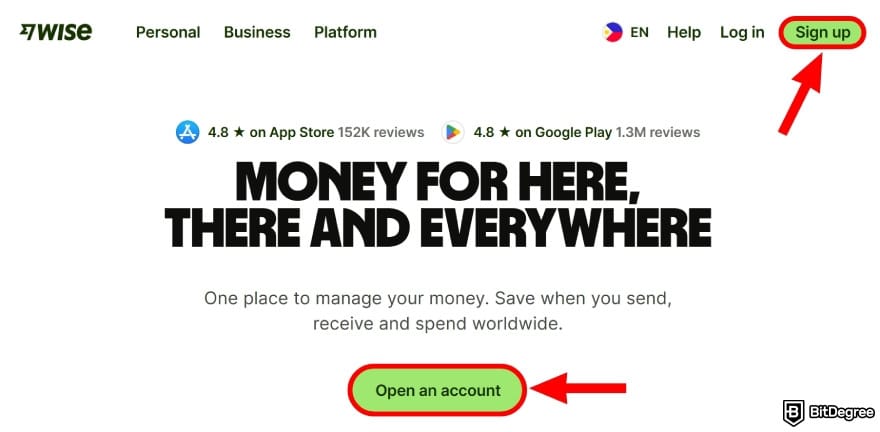
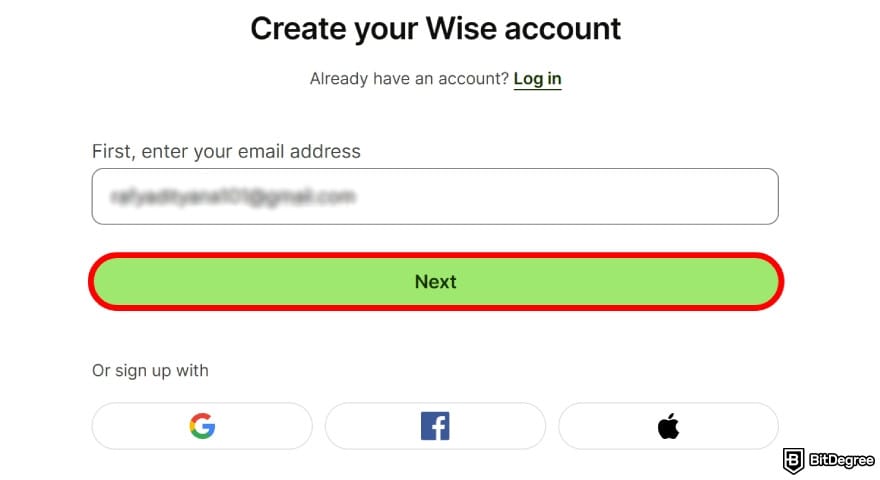
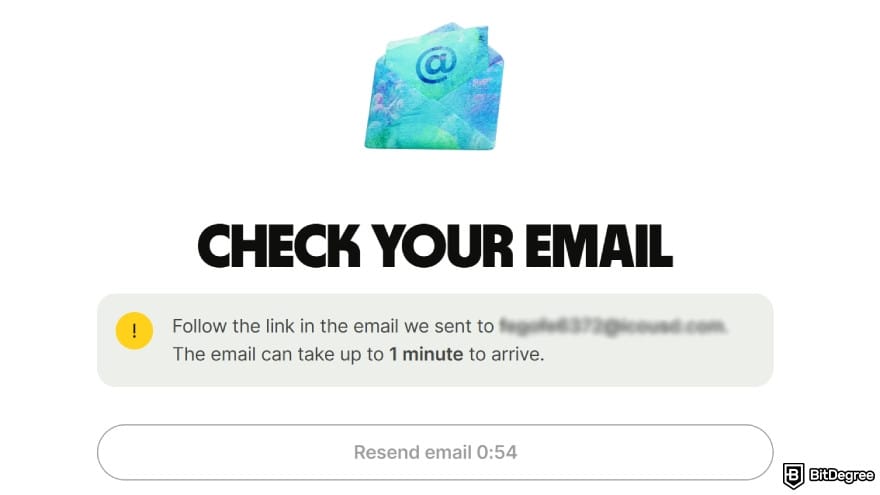
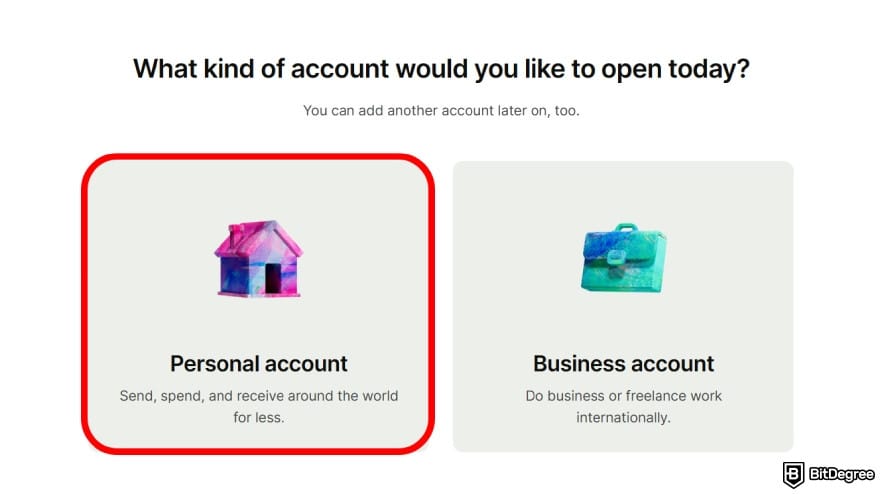
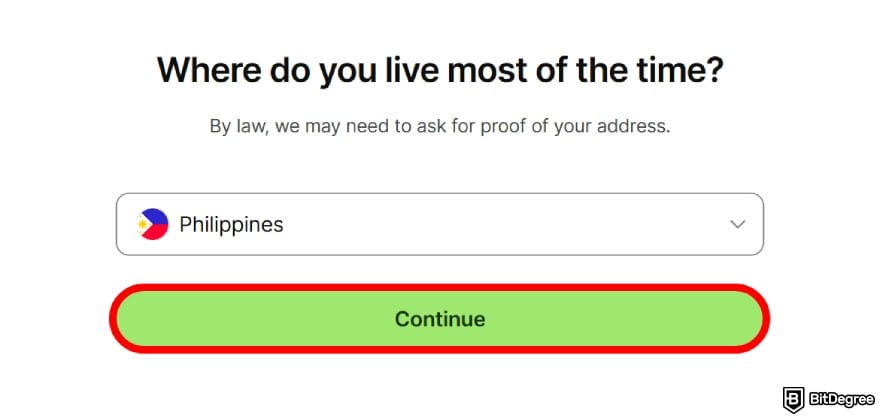
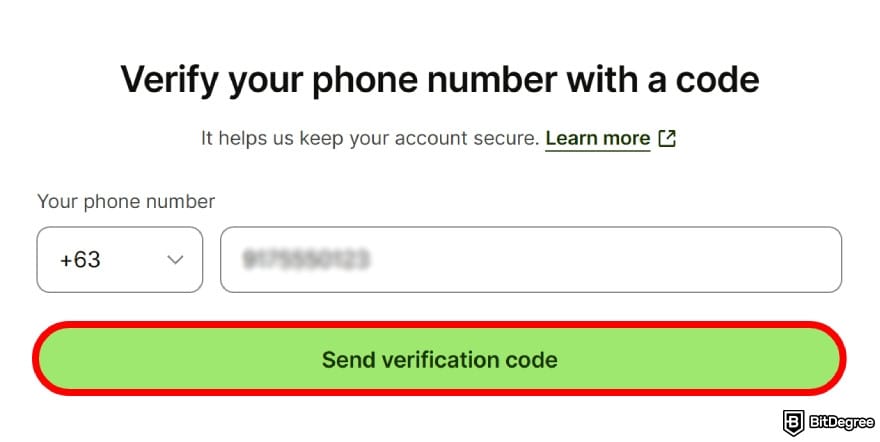
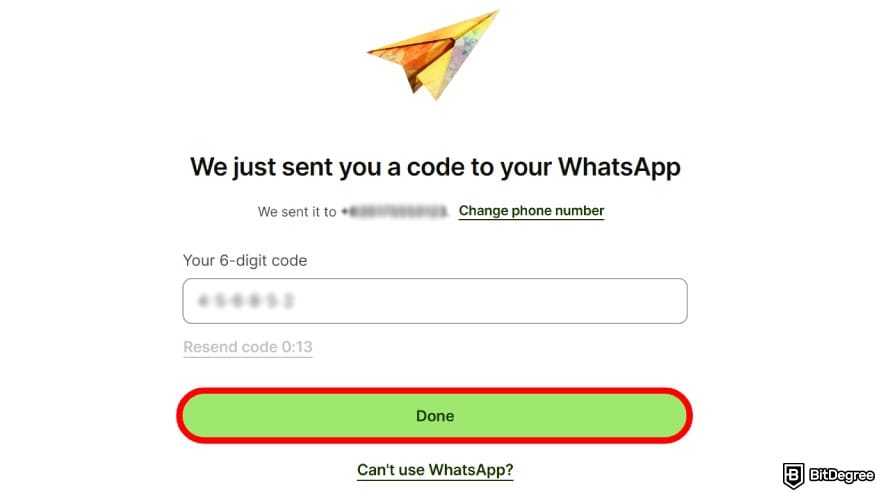
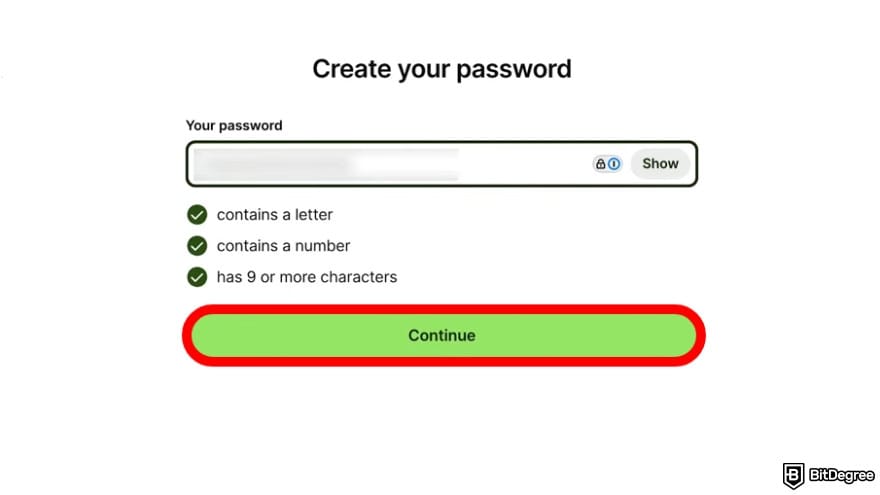
- Philippines National ID (PhilID)
- Passport
- Driving licence
- UMID
For non-Philippine nationals, verification can be done with a foreign passport. Occasionally, Wise may ask for supporting documents like proof of address or details about your source of funds.
Once you’ve submitted your documents, Wise will review them and follow up via email. The process usually takes about 1–2 working days.
Receiving Money
After setting everything up, you can start receiving money through your account, whether it’s from local transfers or payments coming in from abroad. The key part is sharing the correct account details, so here’s how to do that:
![Is Wise available in the Philippines: click on the [Get account details to get paid] option.](https://assets.bitdegree.org/images/is-wise-available-in-the-philippines-account-details.jpg "Is Wise available in the Philippines: click on the [Get account details to get paid] option.")
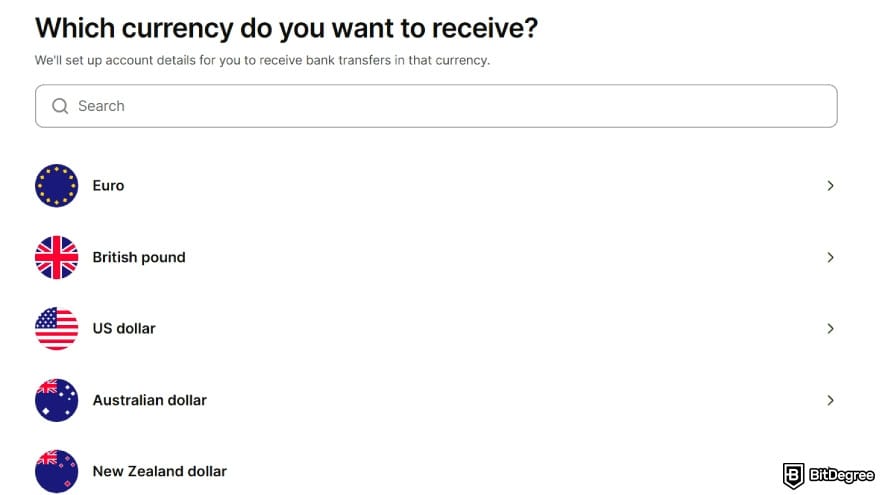
You might be required to fund your account first to access the account details.
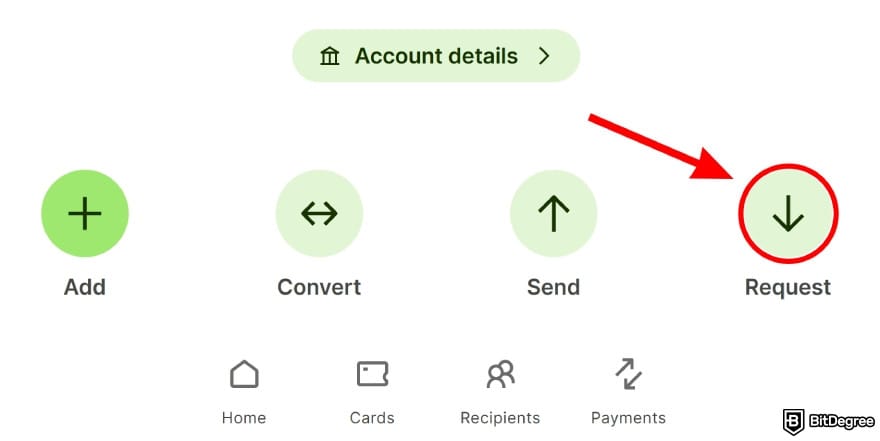
Once the sender completes the transfer, the funds show up in your Wise balance. You’ll get a notification when the money lands.
Withdrawing Funds
Now that you know how to use Wise in the Philippines to receive money, the next thing you’ll likely want to do is cash it out. You can withdraw funds to local banks such as BDO, Maya, or GoTyme, or send it to e-wallets like PayMaya, GCash, and GrabPay.
![Is Wise available in the Philippines: click on the [Send] icon.](https://assets.bitdegree.org/images/is-wise-available-in-the-philippines-send-money.jpg "Is Wise available in the Philippines: click on the [Send] icon.")
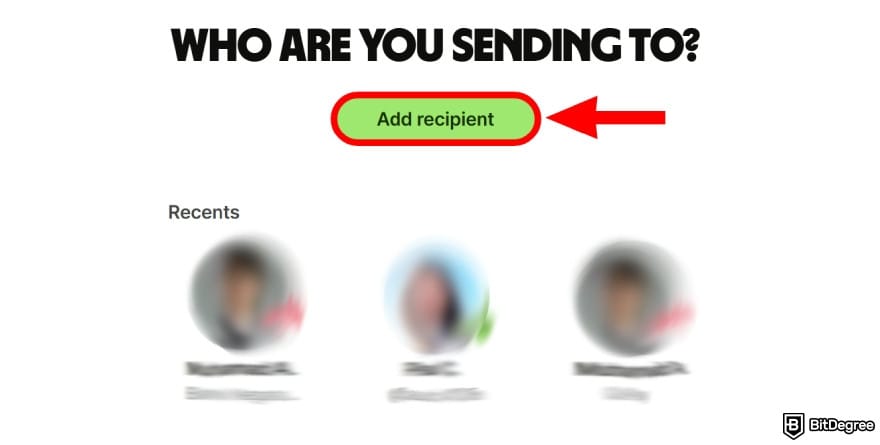
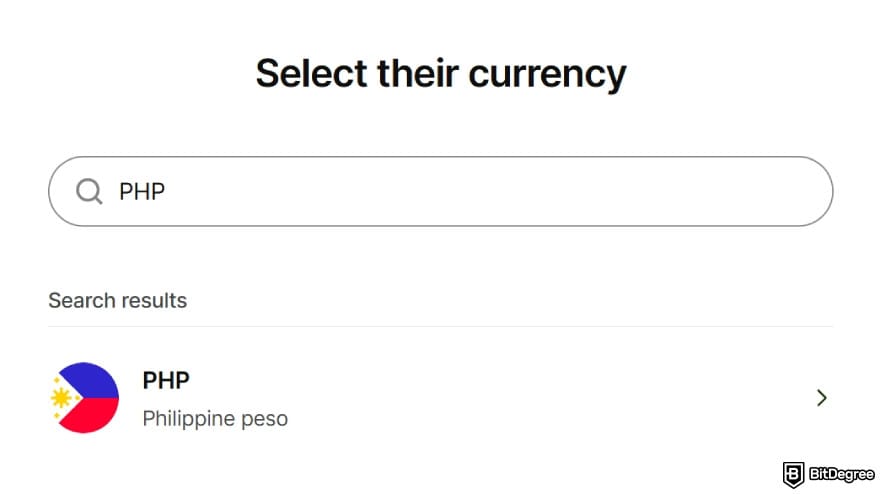
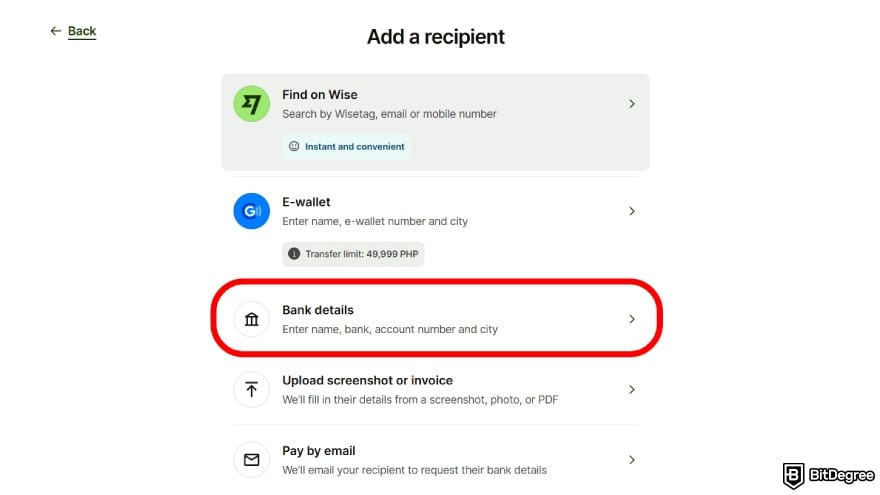
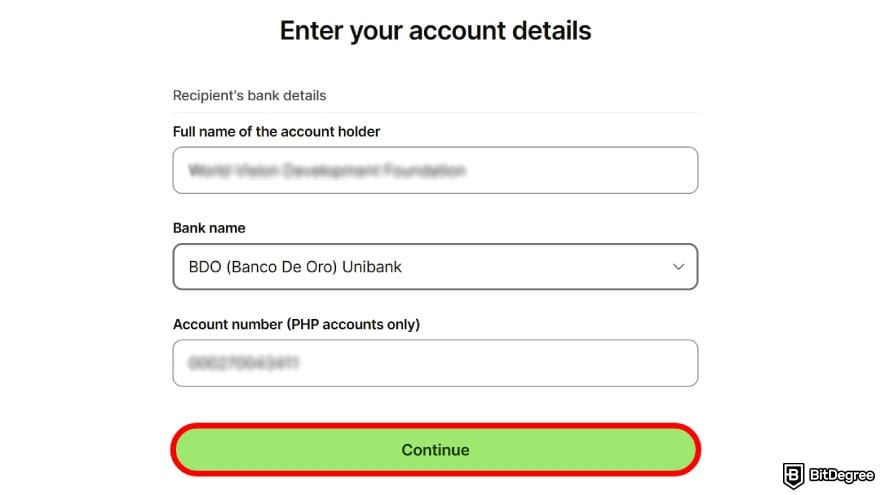
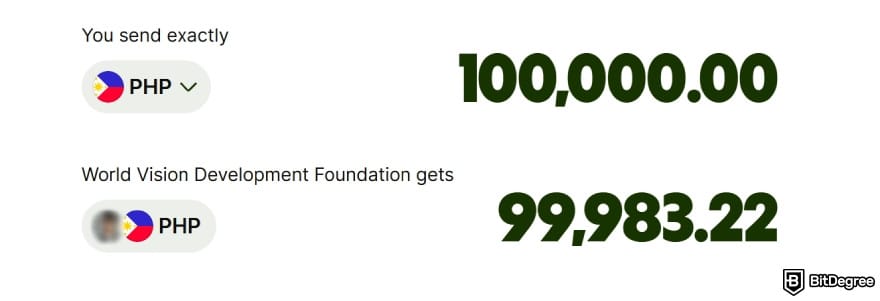
Review these details carefully before clicking [Continue].
And that’s it! You can periodically monitor the transfer under “Transactions” in your account until the money arrives in your bank.
When withdrawing Philippine pesos from Wise to a local bank, the transfer is usually free since no currency conversion is involved. Still, it’s a good idea to check the exact fees upfront on Wise’s pricing page, just to be sure.
📚 Check Out: Wise Alternatives
Browse our collection of the most thorough Crypto Exchange related articles, guides & tutorials. Always be in the know & make informed decisions!

Conclusions
So, is Wise available in the Philippines? Yes, it is. Nearly all of its features are available in the country, letting you handle payments, make international transfers, store funds, withdraw money, and convert currencies with little to no hassle.
Unfortunately, you can’t use the app’s earning features to grow your balance. And while the platform is generally competitive on fees, some users in certain corridors may still find cross-border transfers a bit expensive due to its pricing structure.
If you find yourself in that situation, it’s worth checking out alternatives like Ogvio, which can offer cheaper and faster ways to move money within, into, or out of the Philippines.
Scientific References
1. Ericsson H. G.: ‘Regulation in Preventing Fraud that Occurs Through Digital Physical Gold Trading by Integrating Technology and Human Approaches’;
2. Owolabi O. S. et al.: ‘Blockchain-Based System for Secure and Efficient Cross-Border Remittances: A Potential Alternative to SWIFT’;
3. Erinle Y., Feng Y., Xu J. et al: ‘Shared-Custodial Wallet for Multi-Party Crypto-Asset Management’.
Send Money Worldwide
Check out the best ways to send money to other countries quickly, safely, and with minimal fees.



































About Article's Experts & Analysts







