Key Takeaways
- You can’t exactly transfer money from Apple Pay to a bank instantly;
- There are two practical workarounds, such as using a compatible external service or the Instant Transfer feature to a linked debit card;
- Moving money inside and outside of Apple Pay requires access to Apple Cash, which is only available in the US.
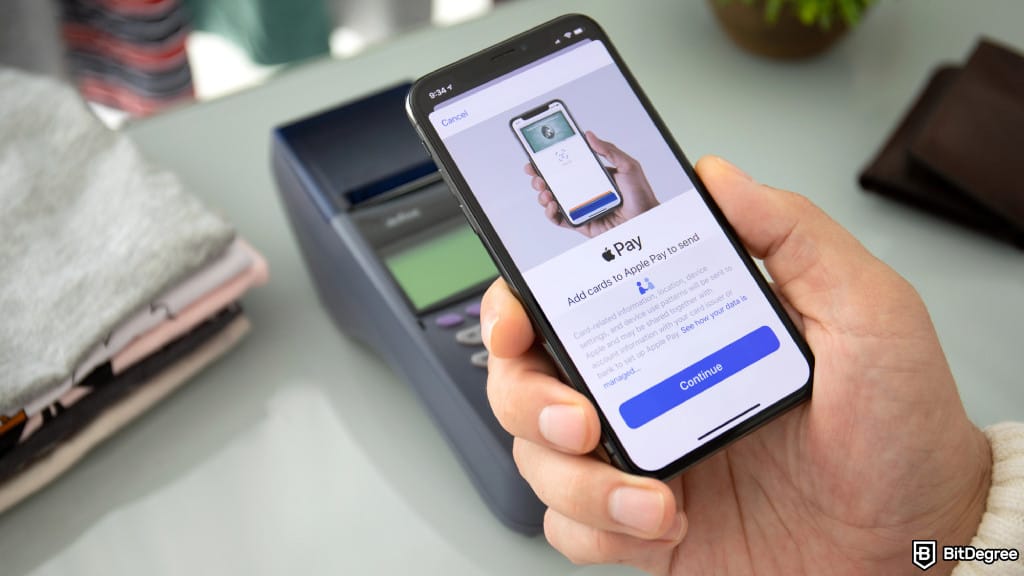
So, you’ve gone on a full shopping spree with Apple Pay. From Amazon carts to your grocery checklist, everything is cleared up. Even after that, there’s money left, and instead of letting it collect dust, understanding how to transfer money from Apple Pay to the bank instantly lets you consolidate your finances.
If you live in the US, you’re in luck, since this digital wallet works with most major credit, debit, and even prepaid cards. However, in other regions, even where iOS adoption is high, you can’t withdraw money from Apple Pay since Apple Cash isn’t supported. Solutions like Ogvio can be helpful in such a situation, especially when the bank account is located overseas.
Therefore, match your payment provider to what you actually need. Domestic transfers through Apple Pay are generally straightforward, but they’re not necessarily the fastest. Switch to Ogvio, no matter the route, and funds typically arrive in 24 hours or less. Whichever option you end up with, let me walk you through how to withdraw money from Apple Pay and an alternative that gives you quicker access.

Did you know?
Subscribe - We publish new crypto explainer videos every week!
What is Ethereum & What is it Used For? (Animated Explanation)


Table of Contents
- 1. How to Transfer Money From Apple Pay to Bank Instantly
- 1.1. The Ogvio Route
- 1.2. The Linked Debit Card Route
- 1.3. To a Bank (Standard, Non-Instant Method)
- 2. How to Transfer Money From Apple Pay to Another Person
- 3. Comparing Money Transfer Options
- 4. Why Doesn’t My Transfer Arrive?
- 5. Can I Withdraw Money From Apple Pay? Eligibility Evaluation
- 6. Apple Pay Alternatives
- 7. Conclusions
How to Transfer Money From Apple Pay to Bank Instantly
One truth hit me hard when I was dealing with how to transfer money from Apple Pay to the bank instantly. Every withdrawal is pulled out of your Apple Cash, which is like your digital wallet’s balance. The catch is that this feature is limited to US users only.
Latest Changelly Coupon Found:Aside from that, there is no direct way to make an immediate payout. Banks follow rigid clearing schedules, and as a result, Apple Pay sets its timeline to 1 to 3 working days.
But that doesn’t mean you’re out of options when you need cash fast. The most common workaround is to tap into your debit card. Since it’s linked to your bank, the money will still end up inside your account. It’s a reliable route when you want to tidy up your cash flow, but it often incurs a small extra fee.
Faster settlement involves more moving parts. Card networks like Visa and Mastercard process transactions in the background. Add-ons that aren’t baked into standard bank transfers, like fraud checks and chargeback protections, are layered in to safeguard you against unauthorized activity.
That combination of stronger security and faster availability of funds is why many people opt for this method. There are two shortcuts to transfer money from Apple Pay: using the wallet’s built-in terminal or a third-party platform. Let’s take a look at both sides, so you can see which one sticks out the most, but I’ll begin with a solution that delivers the best results for time and cost.
The Ogvio Route
Ogvio works with Apple Pay from the get-go (and 7,000 other banks as well as payment gateways). External platform setups can be complex, but thanks to this built-in support, onboarding only takes a couple of minutes.
Now, Ogvio isn’t just a money transfer service. It’s also a neobank, so you get a non-custodial wallet with your balance pagged to USD or EUR (your choice) for currency stability. Since privacy is a top concern among users,[1] on Ogvio, complete control over funds stays in your hands without the intermediary or middleman structure of traditional banks.
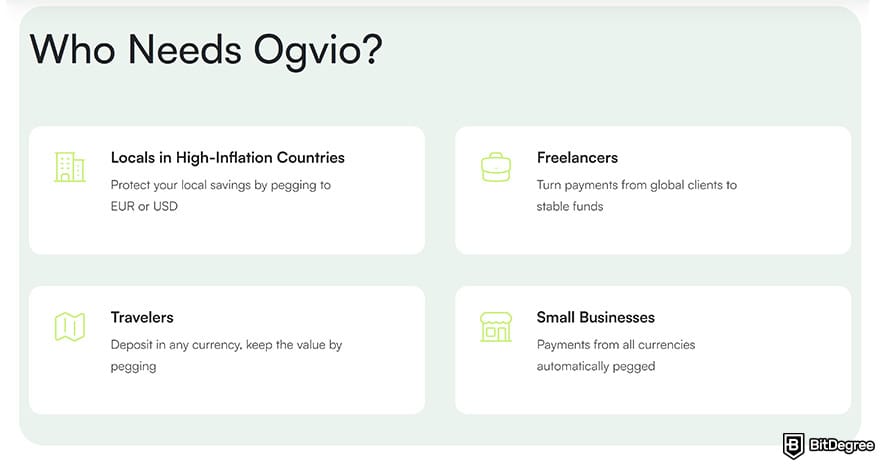
Neobanks have a clear advantage over decades-old banking systems, which tend to be slow, costly to maintain, and not designed for real-time communications. Ogvio replaces all those with instant processing and real-time settlement, removing the hefty fees that usually cut into your transfers.
Best of all, you always know how much to pay. No more second-guessing how much you’ll lose to FX rates when exchanging currencies, and no more worrying about hidden charges that usually show up with debit card payments.
 | |
|---|---|
| Bank - free Crypto - free Card - varies | |
| Varies | |
| |
| |
| Visit site Read review |
Table: Ogvio's pricing
For those reasons, many people begin shifting from traditional banks to modern neobanks. The service is especially gaining traction within the circles of international students and freelancers.
Since you can’t move funds outside of Apple Pay in a country where Apple Cash isn’t supported, Ogvio fills that gap by enabling cross-border transfers, large or small, with minimal fees and friction.
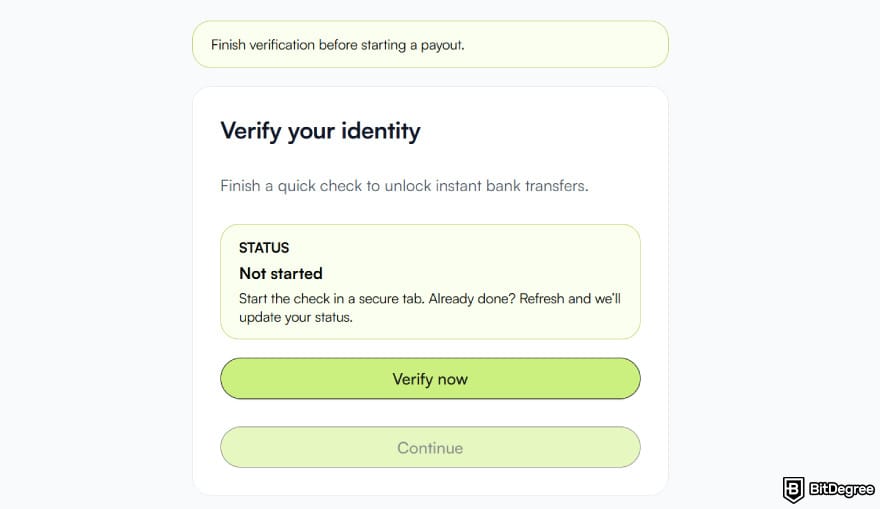
If you’re in, here’s how to withdraw money from Apple Pay to your Ogvio account:
![How to transfer money from Apple Pay to bank instantly: the [Get Started] button on Ogvio's homepage.](https://assets.bitdegree.org/images/how-to-transfer-money-from-apple-pay-to-bank-instantly-get-started.jpg "How to transfer money from Apple Pay to bank instantly: the [Get Started] button on Ogvio's homepage.")
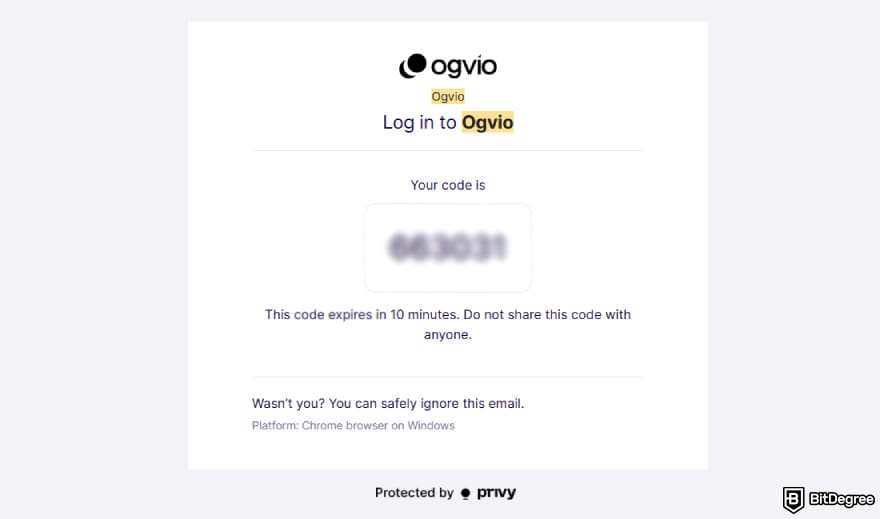
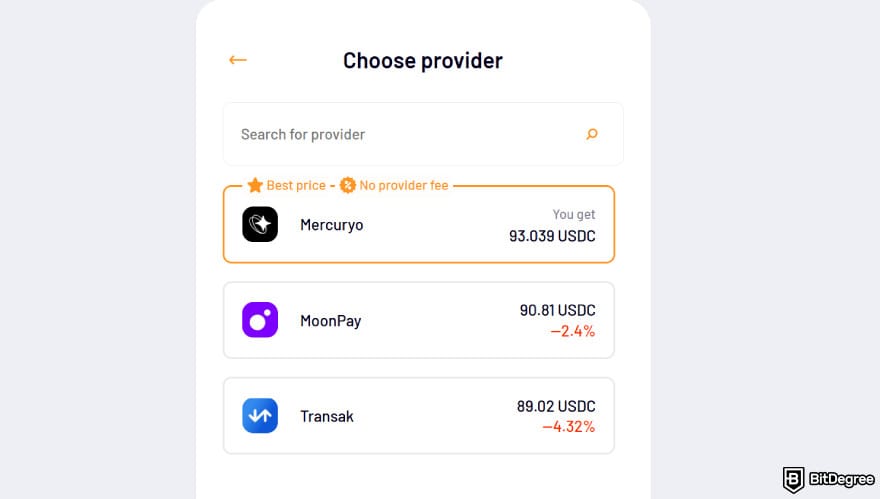
![How to transfer money from Apple Pay to bank instantly: [Card Transfer] as an [Add Money] option on Ogvio.](https://assets.bitdegree.org/images/how-to-transfer-money-from-apple-pay-to-bank-instantly-card-transfer.jpg "How to transfer money from Apple Pay to bank instantly: [Card Transfer] as an [Add Money] option on Ogvio.")
USDC is a stablecoin pegged 1:1 to the US dollar. Locking your transfers in this value cushions you from the volatility risk of local currencies.
![How to transfer money from Apple Pay to bank instantly: choosing [Apple Pay] as a payment method.](https://assets.bitdegree.org/images/how-to-transfer-money-from-apple-pay-to-bank-instantly-apple-pay.jpg "How to transfer money from Apple Pay to bank instantly: choosing [Apple Pay] as a payment method.")
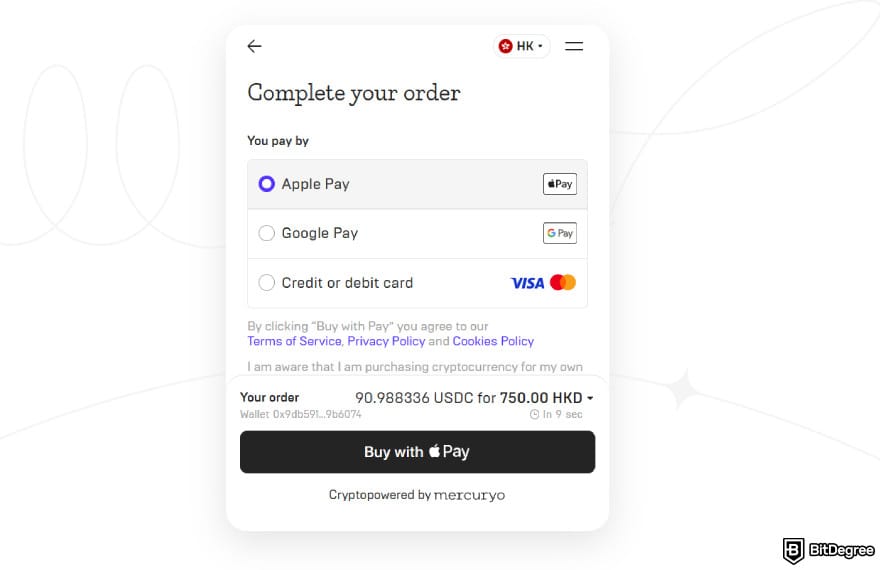
Congratulations! After successfully following the steps on how to transfer money from Apple Pay to a bank instantly, you can withdraw the funds inside Ogvio to a local bank, send them domestically or internationally with fee-free internal transfers, or even swap a portion of them into select tokens on Base if you want to diversify your portfolio.
The Linked Debit Card Route
The only instant way to withdraw money from Apple Pay is to move the funds to your debit card if you choose the built-in route.
Instant transfers carry a 1.5% fee, with a minimum of $0.25 and a maximum of $15. Make sure your total transfer amount already includes this.
There may be additional fees, not from Apple Pay, but from your linked provider. Chances are you won’t see them upfront, and you usually have to dig into your mobile-banking or debit card statement to find the final cost.
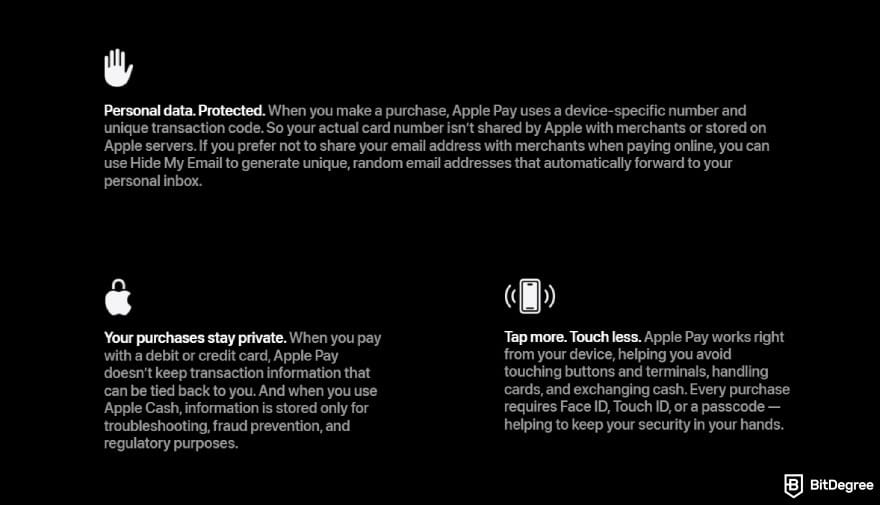
As a pre-step, check if your Mastercard or Visa debit card is compatible with Apple Pay. I’ll give you a peek into some of the accepted payment methods later. If you’re a first-time user, you’ll also need to link your debit card first. If that checklist is ticked off, proceed to STEP 7 in the tutorial on how to transfer money from Apple Pay to debit card below:
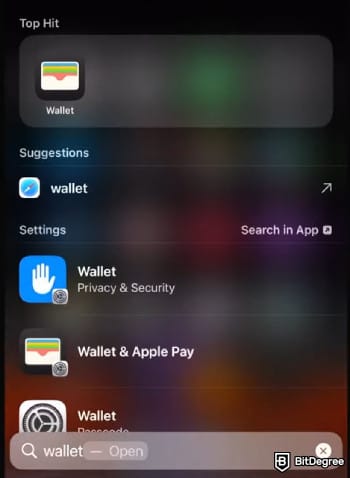
![How to transfer money from Apple Pay to bank instantly: the [+] icon next to Apple Wallet.](https://assets.bitdegree.org/images/how-to-transfer-money-from-apple-pay-to-bank-instantly-plus-button.jpg "How to transfer money from Apple Pay to bank instantly: the [+] icon next to Apple Wallet.")
- [Previous Cards] for a card that you’ve connected to your Apple device before;
- [Debit or Credit Card] if you want to add a new one.
Choose either one based on your preferred method.
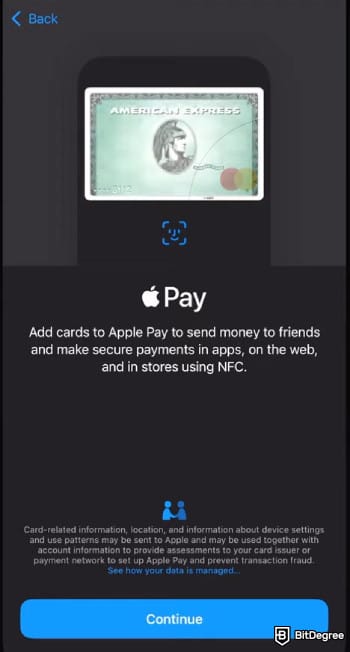
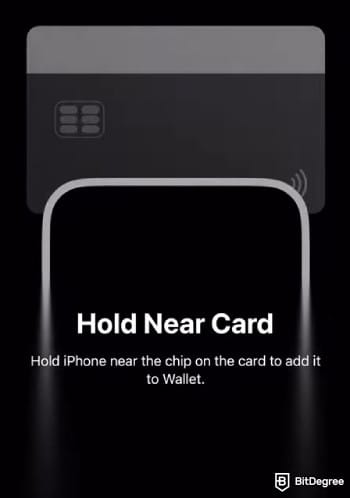

![How to transfer money from Apple Pay to bank instantly: the [Transfer to Bank] option.](https://assets.bitdegree.org/images/how-to-withdraw-money-from-apple-pay-to-bank-instantly-transfer.jpg "How to transfer money from Apple Pay to bank instantly: the [Transfer to Bank] option.")

![How to transfer money from Apple Pay to bank instantly: selecting [Instant Transfer].](https://assets.bitdegree.org/images/how-to-transfer-money-from-apple-pay-to-bank-instantly-instant-transfer.jpg "How to transfer money from Apple Pay to bank instantly: selecting [Instant Transfer].")
And that’s how to transfer money from Apple Pay to a debit card. The transfer should land in your mobile banking balance immediately, so go ahead and check your account. An exception applies to first-time users, since the transfer can stretch up to 30 minutes due to security checks and extended processing time.
To a Bank (Standard, Non-Instant Method)
Although it’s not instant, you can still withdraw money from Apple Pay to your bank. If you are not in urgent need of cash and want to keep the full transfer amount without any deducted fees, this is the go-to approach. The funds may not hit your account for three days, so time your transfer around your bank’s operating hours. Weekends, Fridays after 6 PM, and mid-week holidays can easily push the transfer back.
Transactions may be delayed further due to national holidays. Consider opting for instant quotes if you need quicker access to cash before nationwide bank closures.
The initial steps for this method will be the usual. The only difference is that you don’t need to link any cards upfront. I recommend going through STEPS 7 to 9 in the previous section, then continuing with the tutorial below:
![How to transfer money from Apple Pay to bank instantly: entering the amount to transfer and clicking [Next].](https://assets.bitdegree.org/images/how-to-transfer-money-from-apple-pay-to-bank-instantly-amount-transfer.jpg "How to transfer money from Apple Pay to bank instantly: entering the amount to transfer and clicking [Next].")
![How to transfer money from Apple Pay to bank instantly: selecting [Add Bank Account].](https://assets.bitdegree.org/images/how-to-transfer-money-from-apple-pay-to-bank-instantly-bank-transfer.jpg "How to transfer money from Apple Pay to bank instantly: selecting [Add Bank Account].")
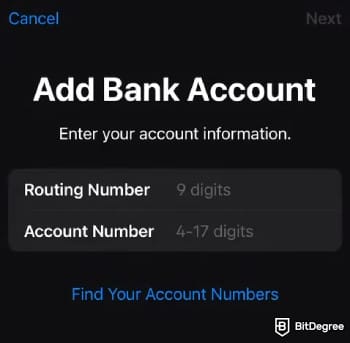
All that’s left is to wait for the funds to land in your bank account. Make sure to double-check every number you input. If the money goes to the wrong recipient, it won’t be recovered. Hopefully, you won’t have to learn that lesson the hard way.
Looking for more in-depth information on related topics? We have gathered similar articles for you to spare your time. Take a look!



How to Transfer Money From Apple Pay to Another Person
For personal use, learning how to transfer money from Apple Pay to a bank instantly helps you move funds in and out easily. But when you’re out with your best friend and splitting the tab, you’ll likely want to know where you can withdraw money from Apple Pay aside from your checking account.
Apple Pay is equipped with a P2P feature, but for sending money, you may need to do extra tinkering. The platform isn’t exactly designed to divide a single transaction across multiple people’s accounts, so it works best if you’re just paying one person.
That’s when you’d probably want to pair Apple Pay with a solution that lets you transfer to several recipients more seamlessly. Ogvio isn't designed for true bulk transfers, but its speed and simplicity make it easy to send multiple one-off transfers back-to-back. Once you’ve added your friend to your contact list, you don’t have to fill in their details every time.
For a combined flow between Apple Pay and Ogvio, follow the steps laid out in “The Ogvio Route” chapter above, then proceed with the “Sending Money” tutorial in this Ogvio Review.
Meanwhile, for transferring to another person directly on Apple Pay, make sure you and the recipient meet the following checklist:
- Both you and the recipient must be in the US, where Apple Cash is exclusively available (as of writing). For international transfers, try Ogvio instead.
- Both should use Apple devices compatible with the latest iOS versions and have Apple Cash enabled.
- Both accounts should already have completed 2FA and KYC to be eligible for FDIC-insured features.
Once the requirement evaluation is out of the way, here’s how you can send money to someone on Apple Pay:

![How to transfer money from Apple Pay to bank instantly: [Send or Request] next to balance.](https://assets.bitdegree.org/images/how-to-transfer-money-from-apple-pay-to-bank-instantly-send.jpg "How to transfer money from Apple Pay to bank instantly: [Send or Request] next to balance.")

![How to transfer money from Apple Pay to bank instantly: entering the amount and clicking [Send].](https://assets.bitdegree.org/images/how-to-transfer-money-from-apple-pay-to-bank-instantly-enter-amount-to-send.jpg "How to transfer money from Apple Pay to bank instantly: entering the amount and clicking [Send].")
Aside from the walkthrough above, Apple Pay also lets you pay your friend in different ways:
- iMessage. This messaging app is smoothly integrated with Apple Pay, so you can also request or send funds while you’re messaging, then approve with Touch or Face ID.
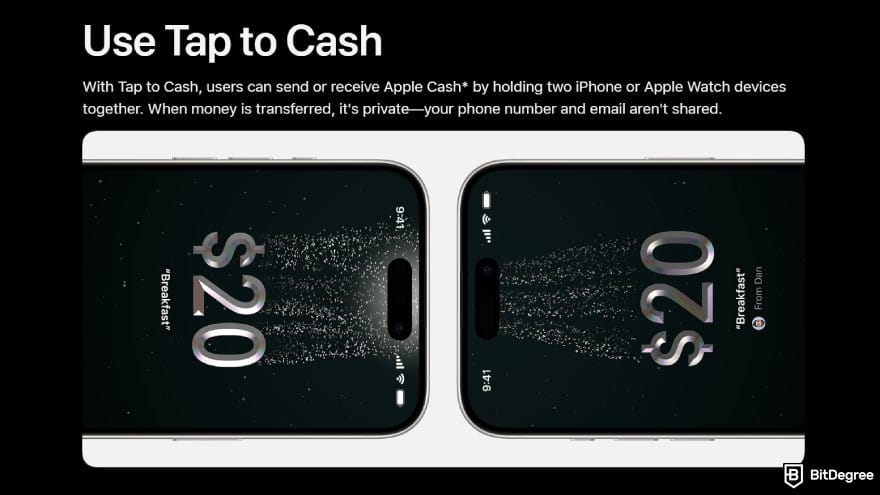
- Tap to Cash. The latest Apple devices come with Near Field Communication (NFC) capabilities. Simply bring your device closer to someone else’s, and you can send or receive payments without sharing a phone number, an email, or bank credentials.
- Recurring Payment. If you have a relative studying or working in another state, you can transfer weekly, bi-weekly, or monthly top-ups using Apple Pay.
The ball is in your court. Explore all these methods or give another platform a try if you need something quicker, cheaper, or more flexible in your situation.
Comparing Money Transfer Options
Every transfer has its purpose and its story. For some individuals, it’s about figuring out where can I withdraw money from Apple Pay when bills are approaching the deadline, and your landlord knocks on the door with friendly chatter. For others, it’s about sending a top-up that quietly reminds a relative in another state that you’re looking out for them.
And it’s good to have plenty of options. But when you’re pressed for time, it’s hard to think straight. To help clear your mind, here’s a comparison between the available transfer methods:
Costs | Fee Transparency | Transfer Speed | Availability | Best For | |
|---|---|---|---|---|---|
To Ogvio | Low | High; on-ramp providers show upfront costs | Instant | 160+ countries | Digital nomads, international students, travelers, and remitters |
To a Debit Card | 1.5% (min. $0.25, max. $15) + possible card issuer fees | Apple shows its fees, but external costs from the card provider require manual confirmation | Instant | US-only | Individuals needing an urgent cash-out |
To a Bank | Free | High; no hidden fees | 1-3 business days | US-only | Anyone who doesn’t need money right away and is fine with longer processing times |
To Another Person | Free | High; no hidden fees | Instant | US-only | Friends who regularly send money to and from each other |
Table: A comparison between different transfer methods on Apple Pay
Match the content of the table above to your current situation, and carry on with the tutorial that fits best.
Why Doesn’t My Transfer Arrive?
So, you’ve followed every Apple Pay transfer manual to a T. You’ve waited; hours and then days have passed, and yet, no notification of a successful transfer.
Here’s when you can contact customer support, either by phone, email, or other available methods:
1
T+2 hours after an Instant Transfer to a linked debit card;
2
D+3 business days after a Standard Transfer to a bank account.
Now, what if your transfer throws out an error? Every issue calls for a different solution:
- Update your iOS or iPadOS if your software isn’t up-to-date.
- Ensure that your debit card is eligible.
- Double-check if you’ve entered the correct account and routing numbers.
- Check transfer limits. The minimum is $1. The most you can move per transaction to a debit card or a bank account is $10,000.
- Complete the identity verification if you haven’t yet.
Those are the possible fixes if you’re withdrawing to your own account. If you initiate a P2P transfer, and you change your mind midway, it’s still possible to cancel your payments as long as the transaction status is pending.
Can I Withdraw Money From Apple Pay? Eligibility Evaluation
As explained, can I withdraw money from Apple Pay isn’t a straight line to answer, especially if you don’t reside in the US.

Here’s where it gets confusing: the app itself is globally available, though most of Central Asia, Southeast Asia, South Asia, Latin America, and Africa fall outside of supported regions.
Even if you do live in a country where support is guaranteed, Apple Pay mostly works for contactless payments, in-store or online.
Meanwhile, transfers and withdrawals to/from Apple Wallet depend on Apple Cash integration. For the time being, that feature is only accessible in the US.
Another question: does that mean any American, so long as they have Apple Pay, can cash out? The answer is a bit more nuanced. The first layer is age, and you must be at least 18 years old to send and receive money. Otherwise, you need to have an Apple Cash Family account set up by your parent or guardian.
The next layer is card eligibility, which can create friction for expats, new residents, and international students in the US. Only cards issued inside the country, whether it’s from Visa, Mastercard, Bank of America, or Chase, are approved. Confirm with your card issuer for further details.

The final layer is access to banking, which has been a challenge for certain communities[2] and an issue the US is actively addressing. Sure, a bank account or a debit card isn’t a prerequisite, but as you’ve noticed in the tutorials above, either one is needed for loading up or cashing out your Apple Cash.
📚 Read More: How to Send Money to Someone Without a Bank Account
Apple Pay Alternatives
You might’ve concluded that Apple Pay is not for you. Perhaps you’ve gone through the eligibility gymnastics to find out that you don’t meet certain conditions. Or maybe the app doesn’t fully meet what you need, considering its quirks around P2P transfers and instant cash-outs.
But Apple Pay isn’t the only fish in the sea. I’ve tested other platforms that prove to step in and cover where the said platform lacks:
- Ogvio. This 2025 entry has a more robust functionality than Apple Pay when it comes to domestic or global transfers. It works not only with US-eligible cards, but also with a range of payment gateways like PayPal and Revolut. Fair FX rates give you or your recipient the chance to keep more of the money, with more opportunities to save up through free internal or crypto transfers.

- Google Wallet. Contrary to what some might believe, this app is actually downloadable on the App Store, and it’s the go-to choice for Apple users in India and some regions in the Eurozone. In the US, this wallet mainly works for point-of-sales (POS) checkouts and fund management.
- Skrill. Skrill has gained ground by enabling hassle-free payments across e-Gaming sites, and casual digital wallet users are now beginning to embrace it. The service has a loyalty program that makes spending as fun as earning, but to get hold of available promotions, there are a few hoops to jump through.
It’s not rare for people to use multiple solutions interchangeably. As a rule of thumb, especially if you’re only starting out, keep at least two reliable wallets on hand. When one platform feels limiting, the other one can serve as a backup.
📚 Read More: Best Digital Wallets
Browse our collection of the most thorough Crypto Exchange related articles, guides & tutorials. Always be in the know & make informed decisions!



Conclusions
How to transfer money from Apple Pay to a bank instantly is, well, possible, but not in a direct sense. Standard bank transfers take a minimum of 24 working hours due to processing queues, cutoff times, and settlement cycles.
The only built-in instant route is sending funds to your linked debit card, though Apple Pay will deduct a small fee off the top for a faster payout. Aside from that, you can connect to a third-party platform to get your funds out of Apple Cash. If you stick with a service that integrates well with Apple Pay, compatibility issues will be the least of your problems, and you might enjoy far more flexibility in the process.
In Ogvio’s case, versatility means a platform that offers multi-rail and multi-currency transactions from day one. No more single workflow, since you can start moving money full circle with Ogvio.
Scientific References
1. A. M., Khalid H., Abbas A. F., Zedan K., Khatib S. F., Amosh H. A.: 'The Research Trend of Security and Privacy in Digital Payment';
2. Bair S. C.: 'Improving Access to the U.S. Banking System Among Recent Latin American Immigrants'.
Send Money Worldwide
Check out the best ways to send money to other countries quickly, safely, and with minimal fees.



































About Article's Experts & Analysts






