
Money doesn’t wait anymore. Paydays hit early, bills get paid in seconds, and most banking now lives on your phone. So in this Chime review, I wanted to see whether this US-based digital bank actually delivers or just looks good on paper.
Compared to traditional banks, Chime leans hard into fee-free basics and credit-building tools, while other fintech players focus more on global transfers, investing, or crypto features. Apps like Ogvio, for example, are starting to blur the line between banking and Web3.
In this article, I’ll walk through Chime’s features, fees, and overall app experience to see where it really fits in. That way, you can decide if Chime makes sense for your daily finances.
Verdict at a Glance:
Chime is a simple, fee-free digital banking app built for everyday spending and credit building, rather than advanced investing or global money movement.
Pros
- Fee-free checking account
- Credit builder feature
- Instant loans
- Easy-to-use mobile app
- Simple account management
Cons
- Fees for cash deposits
- Only available to US citizens
- Limited features beyond basic banking
Table of Contents
- 1. Chime Review: Quick Overview
- 2. Chime Alternatives
- 3. Who’s Chime For?
- 4. Advantages
- 5. Limitations
- 6. Chime Card
- 7. Fees and Transfer Limits
- 8. Security
- 9. User Experience
- 10. Customer Support
- 11. How to Use Chime
- 11.1. How to Add Money to Your Chime Account
- 11.2. How to Send Money on Chime
- 11.3. How to Build Credit With Chime
- 12. Comparing Chime With Other Fintech Services
- 12.1. Chime VS Ogvio
- 12.2. Chime VS Wise
- 12.3. Chime VS Revolut
- 13. Conclusions
Chime Review: Quick Overview
If you’re wondering what bank is Chime, it’s a US-based neobank designed to handle everyday banking through a mobile-first experience. It offers banking services through its partner institutions, including The Bancorp Bank and Stride Bank.
While writing this Chime review, it stood out to me that the platform focuses on simple, fee-free banking and tools to improve financial habits. To give you a clearer snapshot of how Chime works and who it’s best suited for, the table below breaks down its key details at a glance.
Type | Digital banking |
|---|---|
Is Chime Safe? | Yes |
Best for | Everyday banking and fee-free spending |
Established in | 2012 |
Availability | United States only |
Security | FDIC insurance (via partner banks), 2FA, biometric login, instant card freeze |
Features | Fee-free checking and savings, early direct deposit, Credit Builder card, and budgeting tools |
Supported Currencies | USD only |
Deposit Methods | Direct deposit, bank transfer, mobile check deposit, and cash deposits at retail locations |
Plans | Free (no monthly plans or tiers) |
Customer Support | In-app chat, phone support, and Help Center |
Privacy & Anonymity | Standard data protection, no anonymity due to KYC and banking regulations |
Table: Quick overview of Chime
Looking at the overview, Chime is most useful for users who want a straightforward banking app with predictable costs, easy access to their money, and a strong focus on credit building. But I’ll go into details in the next chapter.
Now that you have a snapshot of Chime's core features, let's break down who actually benefits most from this app.
Chime Alternatives
Continuing this Chime review, it’s clear that it provides simple, everyday banking in the US really well. Still, it’s not built for everything, especially if you need international transfers, multi-currency support, or more advanced financial tools.
If that sounds like you, it’s worth looking at a few strong alternatives like Ogvio, Wise, and Revolut:
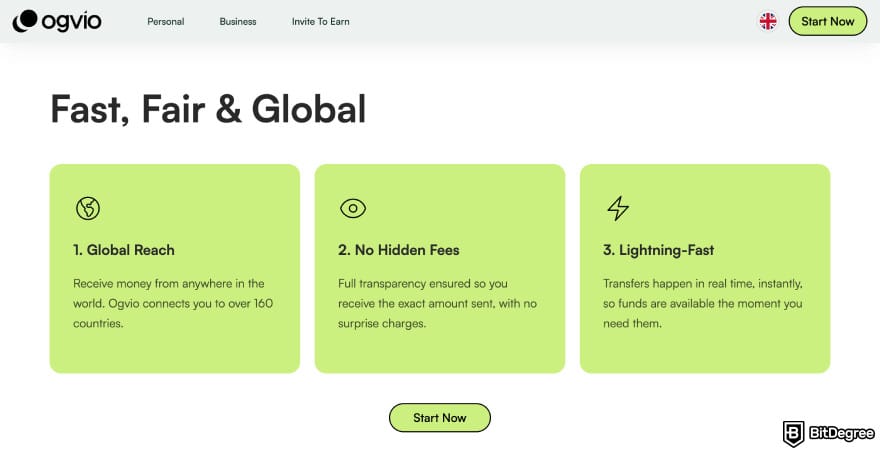
- Ogvio. Focuses on fast cross-border transfers with low-to-zero costs. It’s a better fit if you regularly send money internationally or want access to modern crypto-backed payment rails.
- Wise. A specialist in international transfers and currency exchange, it supports sending money globally using real mid-market exchange rates with transparent fees.
- Revolut. An all-in-one finance app that combines payments with multi-currency accounts, budgeting tools, and optional investing features.
To make the differences clearer, the table below compares the main aspects of Ogvio, Wise, and Revolut side by side:
 |  |  | |
|---|---|---|---|
|
|
| |
| Per-transaction | Per-transaction | Plan + per-transaction | |
| | | | |
| A global money transfer service with an additional volatile currency rate pegging to USD or EUR. | A trusted digital remittance service with upfront fees and great rates, but limited options for cash delivery. | An all-in-one finance app that makes global spending and investing effortless. | |
| Visit site Read review | Visit site Read review | Visit site Read review |
Table: Comparing Ogvio, Wise, and Revolut
Next, we’ll go over who Chime is really for and when it makes the most sense to use it.

Did you know?
All Money Transfer Services may look similar to you, but they're NOT all the same!
Who’s Chime For?
At its core, Chime is about making everyday banking feel easier, not trying to replace everything a traditional bank does. So when you’re asking “Is Chime a good bank?” it really comes down to what you expect from a banking app.
But do note that you need to be a legal US resident over 18 and have a valid Social Security Number to use Chime.
Once you look at its features, it’s pretty clear who Chime is best for. Here’s a quick breakdown by audience:
- Everyday spenders. Chime is built for daily use, with fee-free checking and savings accounts that make it easier to manage routine expenses.
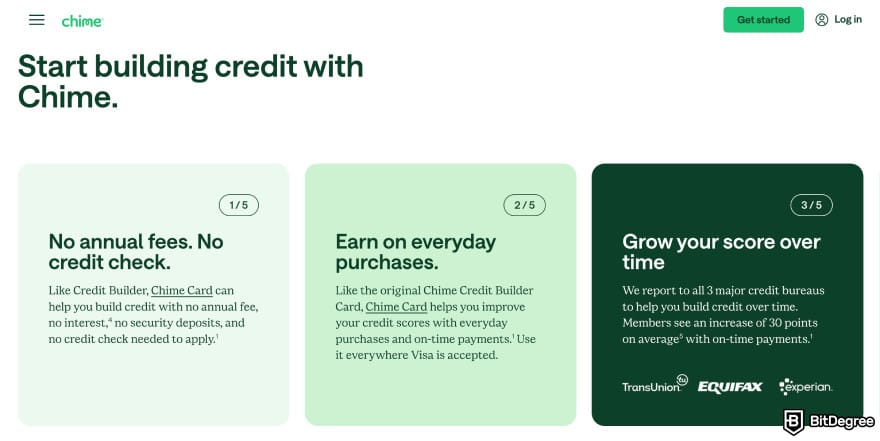
- People working on their credit. Chime’s Credit Builder card is designed for users who want to build or improve their credit without interest charges or a traditional credit limit.
- Workers with regular paychecks. With early direct deposit, eligible users can access their wages sooner than with many traditional banks.
- Mobile-first users. Chime is best suited for people comfortable managing their finances through an app (with features like real-time transaction alerts to make it easier to stay in control).
Overall, Chime makes the most sense if you’re looking for a simple, fee-free way to handle everyday banking and keep better control of your money.
It’s a solid fit for people who get paid regularly, want to avoid common bank fees, and are focused on building or improving their credit through everyday spending.
Advantages
Chime’s biggest strength is that it smooths out the rough edges of everyday banking. Think of it like switching from a cluttered old toolbox to an organized kit where everything is where you expect it to be, and without flashy extras you’ll never use.
As a fintech app, Chime is also part of a wider shift in fintech. Fintech platforms can make it easier to support green or sustainability-focused projects,[1] often simplifying the process to feel almost as easy as shopping online.
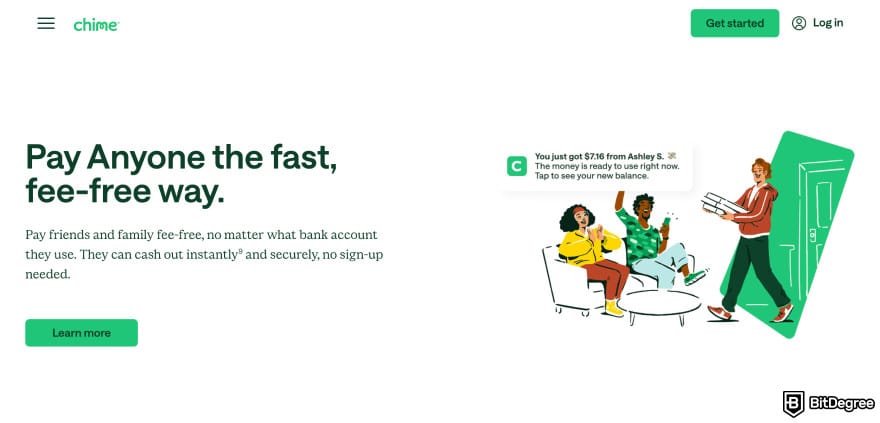
Beyond the obvious fee-free angle, Chime stands out for how it handles everyday money moments. Getting paid, tracking spending, and staying in control of your account all feel more straightforward than with many traditional banks.
To make this easier to scan, here are the main advantages at a glance:
- Fee-free online checking account
- Direct deposits
- Credit builder feature
- Instant loans
- Clean, easy-to-use mobile app
- Fast setup and simple account management
Below, I’ll walk through each advantage one by one so you can see where Chime really shines in day-to-day use.
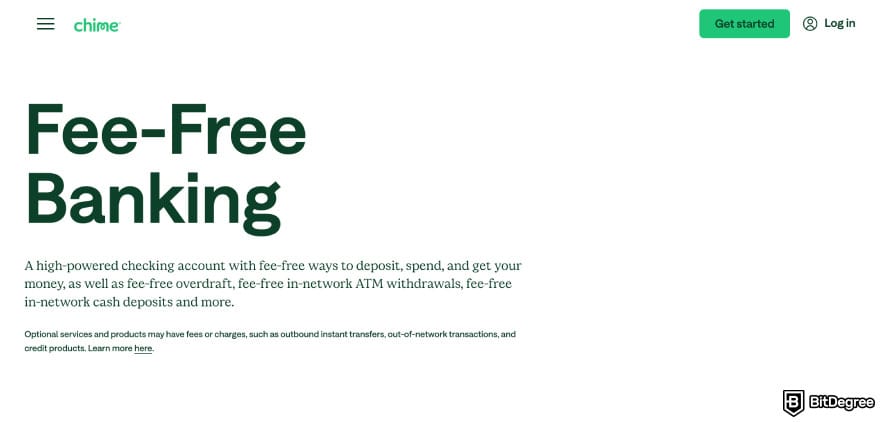
The fee-free checking account is one of Chime’s biggest draws. There are no monthly maintenance fees or minimum balance requirements, which means you’re less likely to lose money just for keeping your account open.
Early direct deposit is another practical perk. Called the Get Paid Early feature, eligible users can access their paycheck sooner than with many traditional banks (useful for rent, bills, or other recurring expenses).
Next, the Credit Builder feature. If this is your first time coming across it, it’s fair to wonder, "Is Chime Credit Builder good?" Now called the Chime Card, it’s for people who want to build or improve their credit without dealing with interest rates.
With the Credit Builder feature, Chime reports that users can increase their credit scores by an average of 30 points. There’s also a potential 1.5% cash back when you enroll in direct deposit.
Chime also has an instant loan feature. While it’s not a traditional loan product, tools like SpotMe and MyPay can help cover short-term cash gaps for eligible users. In many Chime instant loans reviews and discussions, these features come up as a lighter alternative to high-fee payday loans.
When it comes to user Chime app reviews, the app is where everything really comes together. It’s built around quick actions like checking your balance, tracking spending, and freezing your card instantly. It’s a simple but nice advantage for users who prefer a mobile-first approach.
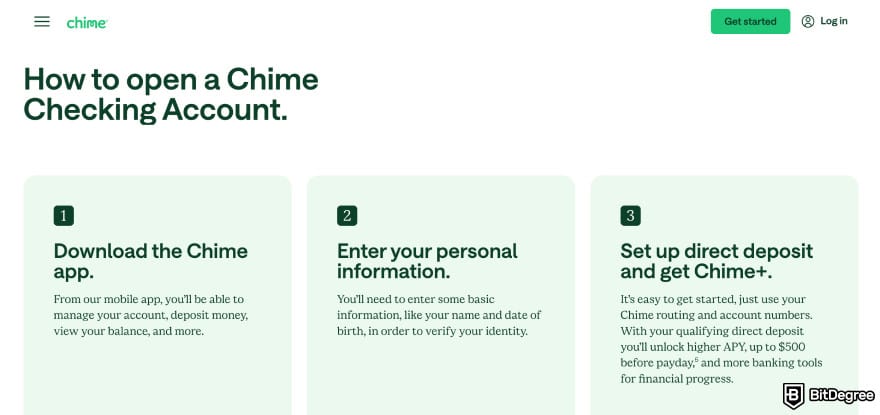
Finally, the overall setup process is quick and simple. Opening an account is fast, and managing your account day-to-day stays straightforward. That low-friction experience is a big part of why Chime appeals to people who just want banking to work, simple as that.
Taken together, these advantages explain why many people feel Chime is a good bank alternative for everyday use. And it’s especially true if your priority is simple, fee-free banking with tools that help you stay on top of your money.
Limitations
Chime keeps things simple, but that simplicity comes with a few trade-offs. While the app covers everyday banking well, there are some limits that can matter depending on how you use your money. These aren’t deal-breakers for everyone, but they’re worth knowing upfront before you commit:
- Fees apply for cash deposits
- Only available to US residents
- No joint accounts
- Limited features beyond basic banking
Next, I’ll go over each of these limitations one by one so you can see where Chime might fall short for certain users.
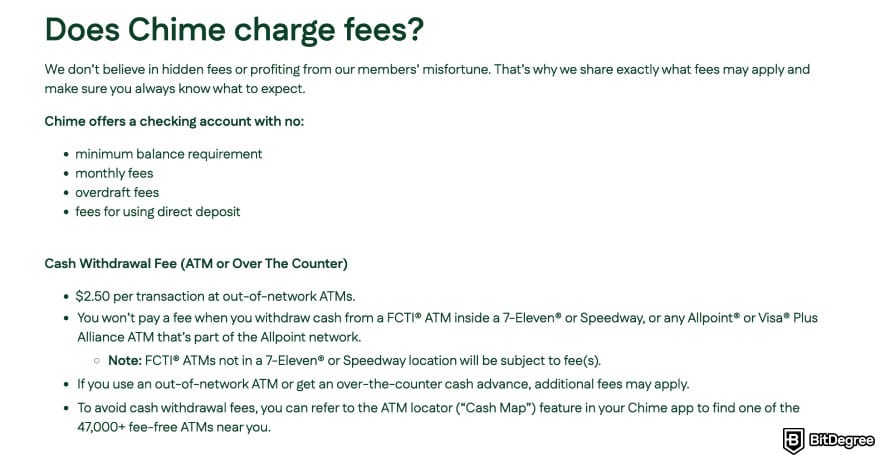
First, cash deposits with Chime aren’t completely free. While you can add cash at partner retail locations, these deposits usually come with a small fee charged by the retailer (usually around $3 to $5). If you regularly deal with cash, those fees can add up over time.
Next, Chime is (unfortunately) only available in the US, which means it’s not an option if you live abroad or need international banking features. There’s also no support for holding foreign currencies or making international transfers, so it’s best suited for domestic use only.
Chime doesn’t offer joint accounts, which can be limiting for couples, families, or anyone who prefers to manage shared expenses from a single account. While you can still send money between users, it’s not the same as having a fully shared account with combined access.
Lastly, Chime sticks closely to basic banking features. You won’t find built-in investing tools, advanced money management features, or international services inside the app. If you’re looking for more features, Chime alternatives might be better for you (I’ll cover this later in the article).
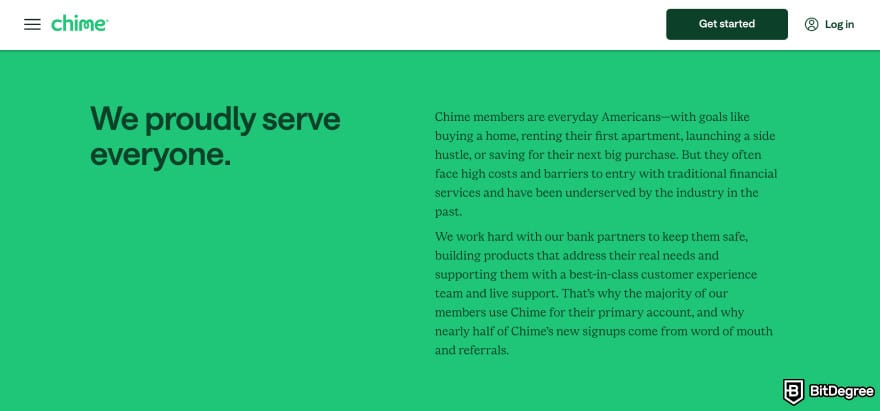
Now, my verdict in this Chime bank review is that it works well for simple, everyday banking in the US, but it’s not built for cash-heavy users, shared accounts, or anyone who needs international or advanced financial tools.
Chime Card
If you’ve come across search queries online about “Is Chime a good credit card?,” they’re most likely talking about the Chime Card.
The Chime Card (originally called the Chime Credit Builder Card) is designed for everyday spending and works alongside your Chime account. You can use it for purchases, ATM withdrawals, and managing your money directly from the app.
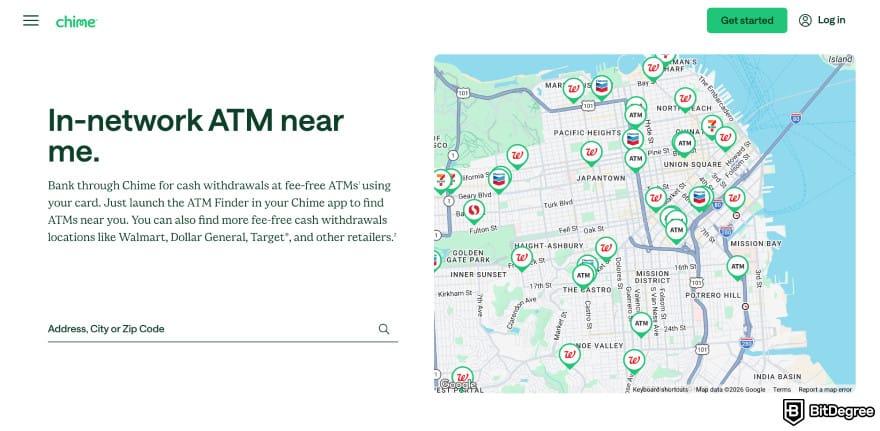
You also get access to more than 47,000 fee-free ATMs nationwide for easy cash withdrawals.
A key feature is the Credit Builder option, which is often highlighted in a Chime Credit Builder review for letting you build or improve your credit using your own funds instead of a traditional credit limit. Payments are reported to credit bureaus, helping build credit without taking on interest-bearing debt.
The Chime card comes with no interest or annual fees, which removes much of the usual credit card pressure. Some in-app deals or cashback-style perks may be available, depending on current offers.
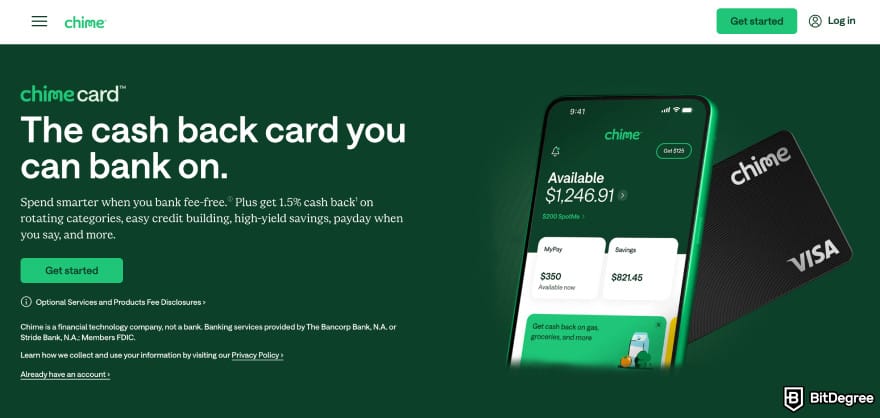
To use the Chime card, you’ll need a Chime account and to complete basic identity verification. Once set up, you can use the card anywhere Visa is accepted, with spending limited to your available balance.
Overall, the Chime card works well for simple spending and credit building without the complexity of traditional credit cards.
Fees and Transfer Limits
Chime is built around a mostly fee-free banking model, which sets it apart from many money transfer apps and traditional banks. That said, Chime isn’t completely fee-free.
You’ll still run into small charges for things like out-of-network ATM withdrawals and cash deposits at retail locations. Questions like “Is Chime a good credit card?” come down to this fee structure: there’s no interest or annual fee, but some cash-related actions still carry fixed costs.
Here’s what Chime fees look like at a glance:
Fee Type | Cost |
|---|---|
Monthly Fee | $0 |
Minimum Balance Fee | $0 |
Overdraft Fee | $0 (SpotMe up to $200 for eligible users) |
Foreign Transaction Fee | $0 |
Card Replacement | $0 |
Out-of-Network ATM | $2.50 per transaction |
Cash Deposit Fee | Up to $4.95 at retail locations |
Table: Details on Chime fees
While fees are fairly light, Chime also sets daily limits on spending, withdrawals, and transfers. These limits are personalized and shown directly in the app, so what you see can vary based on your account history and activity.
If you’re planning larger transactions, it’s worth checking your available limits first to avoid hitting a cap mid-transaction.
Limit Type | Amount |
|---|---|
ATM Withdrawal Limit, Over-the-Counter Withdrawal, and Cash Back at POS | $500 per day |
Card Spending Limit | Up to $10,000 per day |
SpotMe Limit | Up to $200 (varies by account history) |
MyPay (Earned Wage Access) | Up to $500 per pay period (eligible users) |
Transfer Limits | Vary by user, shown in the app |
Table: Overview of Chime transfer limits
In practice, Chime works best if most of your money moves digitally and you don’t rely heavily on cash deposits or large daily withdrawals.
The fee-free structure keeps everyday costs low, but the built-in limits mean it’s better suited for regular spending and transfers rather than large one-off transactions.
Security
As a fintech banking app, Chime puts a lot of focus on everyday account security and fraud prevention. You get standard protections, such as card controls to freeze or unfreeze your card instantly, real-time transaction alerts to spot suspicious activity, and basic data protection.
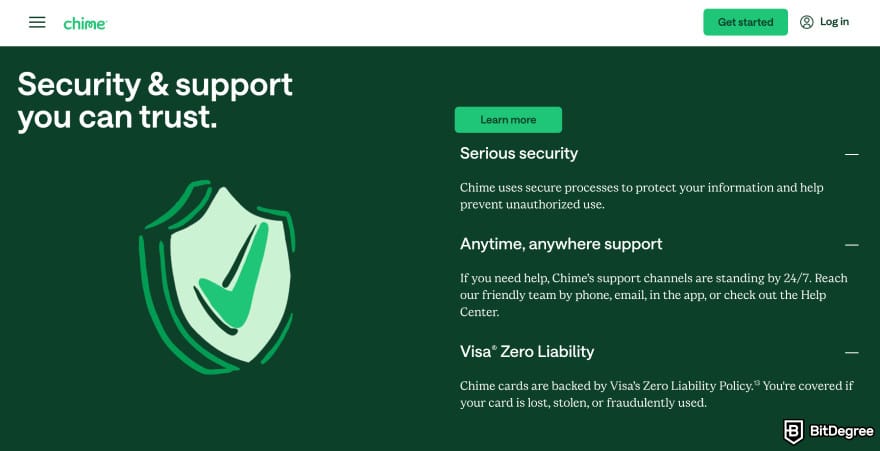
Chime also uses encrypted connections when handling sensitive information and transfers. This is why you’re able to link your existing bank account or log in to your bank through Chime when setting up deposits.
Another practical safety feature is the ability to instantly block your card from the app. If your card goes missing or you notice suspicious activity, you can disable transactions on your Chime debit card or Credit Builder card right away.
This immediately stops new purchases and ATM withdrawals until you turn the card back on, giving you quick control without waiting for customer support.
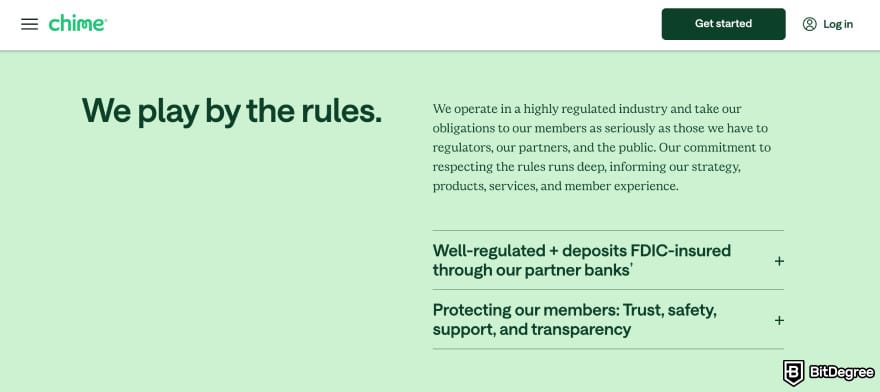
On the banking side, funds held in Chime accounts are protected by FDIC insurance. Deposits are insured up to $250,000 per depositor, which matches the protection you’d get with a traditional US bank account.
It’s also important to remember that Chime itself isn’t a bank. Your money is held with its partner banks, The Bancorp Bank, N.A., and Stride Bank, N.A., which is how Chime accounts receive FDIC insurance and standard banking protections.
User Experience
Spend a little time in the app, and it’s easy to see why many Chime app reviews tend to lean positive on ease of use. The layout is simple, and most everyday actions sit right on the home screen, so checking your balance or recent activity doesn’t take much effort.
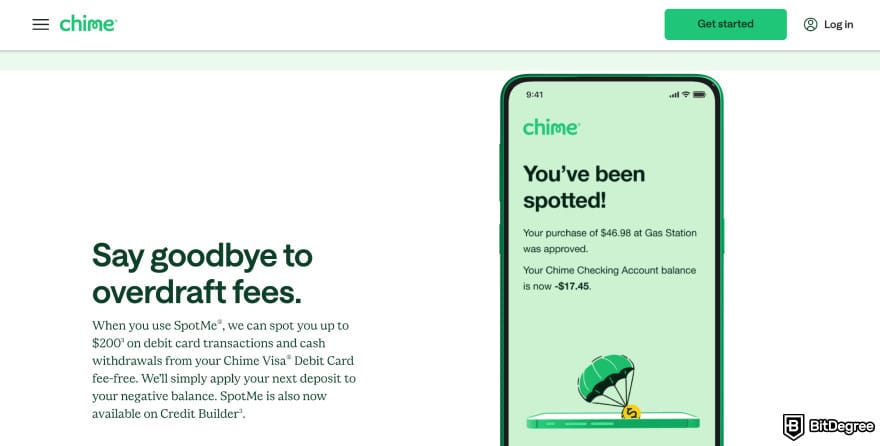
I also went through some online reviews. Users praise how there are no charges for overdrafts, monthly maintenance, or foreign transactions. Others also enjoy the money-saving features that feel useful instead of gimmicky. Some users also compare Chime to PayPal for sending and receiving money.
That said, Chime is completely online, with no physical branches. That’s why I found reviews saying how it can be frustrating if you prefer in-person help. You’ll also notice that support experience can vary.
In Chime banking review discussions, some users mention slower responses when accounts are under review or transfers get delayed.
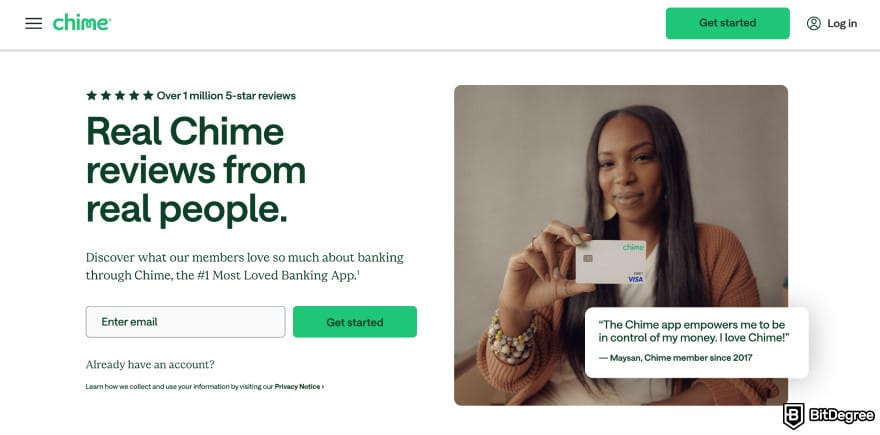
But overall, Chime delivers a straightforward, low-friction experience for everyday banking. It’s not built for in-person or advanced tools, but if you’re comfortable handling money from your phone, the app does what it’s supposed to do without getting in the way.
Customer Support
Moving on in this Chime review, it offers customer support through in-app chat, phone support, and its online Help Center. Most everyday issues, such as card problems, login trouble, or transaction questions, can be handled directly in the app.
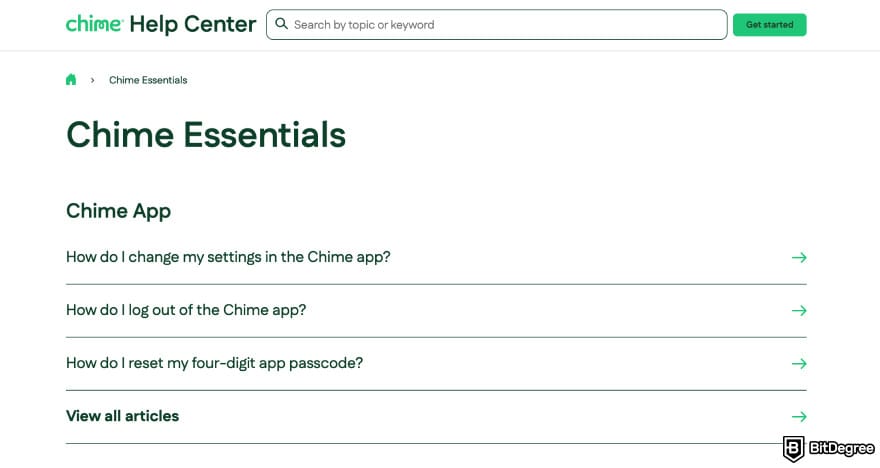
For simple questions, the Help Center is usually enough, with clear guides on common topics like direct deposits, limits, and card controls. In-app chat works well for basic issues, while phone support is there for more urgent situations (like card fraud or account access problems).
But do note the possibilities of varying response times. So if quick, in-person help is important to you, the fully online support model is something to keep in mind.
How to Use Chime
Getting started with Chime is pretty straightforward, especially since I said earlier how day-to-day actions happen inside the app.
Plus, signing up only takes a few minutes. You download the app, enter your basic details, verify your identity, and link or set up a way to fund your account. Once that’s done, you’re ready to start using Chime for everyday banking.
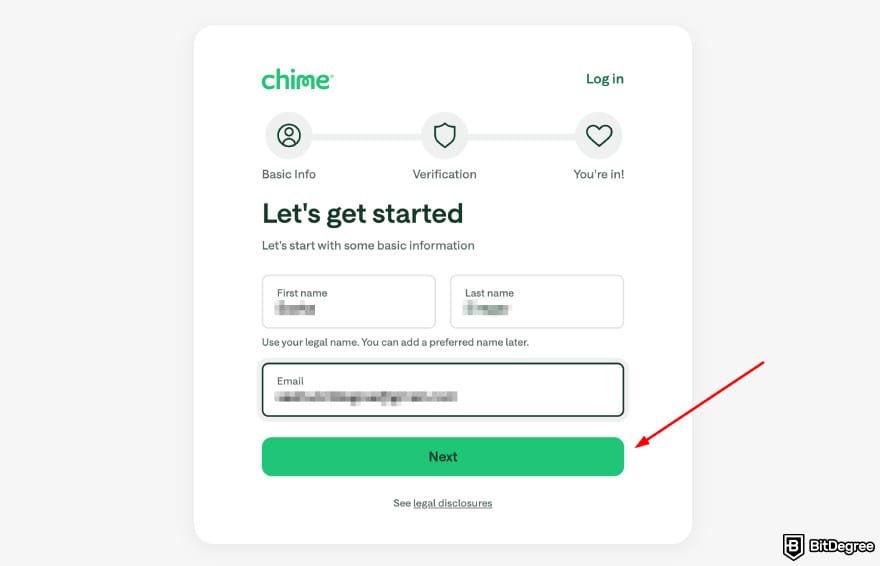
To make things practical, the first thing you’ll want to do is add money to your Chime account. I’ll walk you through the steps below.
How to Add Money to Your Chime Account
There are a few ways to add money to your Chime account (link a debit card, transfer from another banking app or financial institution, and deposit cash). In this example, I’ll add money by linking a debit card:
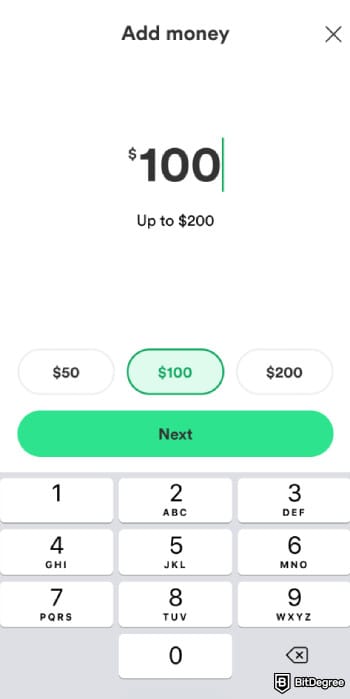
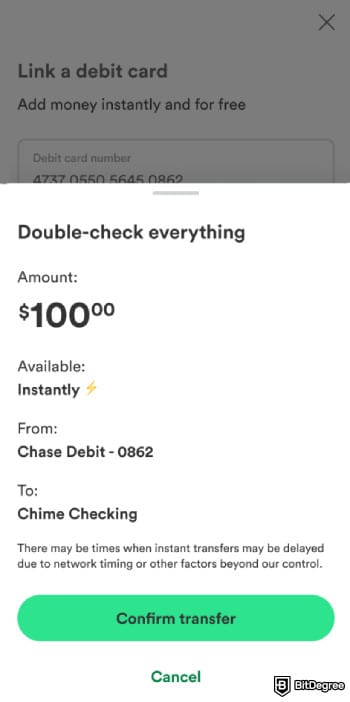
Overall, the process is quick and doesn’t take much setup. Once your balance is ready, you can start using Chime for many things, including sending money (which is what I’ll go over next).
How to Send Money on Chime
You can also transfer money from Chime to a bank account, which is useful for splitting bills, paying someone back, or moving funds between accounts. Here’s how the process works step by step:
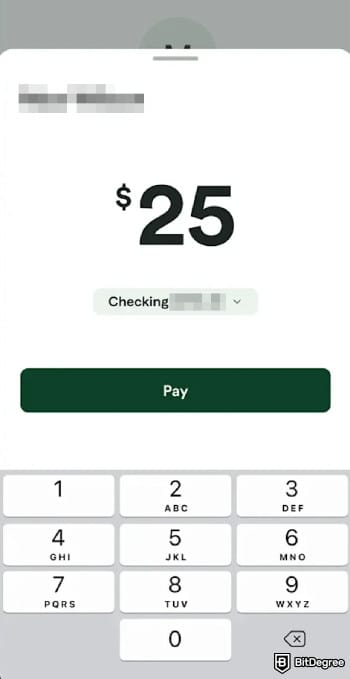
Once sent, the money is on its way, and you can track the transfer status in the app. Depending on the transfer type, funds may arrive instantly or take one to two business days to process.
How to Build Credit With Chime
Chime is good for building credit, thanks to its Credit Builder feature, which is designed to help you build or improve your credit without using a traditional credit system or paying interest. Here’s how the process works step by step:
You can start using a virtual card right away and add it to Apple Wallet or Google Wallet.
As you make on-time payments, your credit profile can improve over time without interest charges or traditional credit limits. Plus, Chime reports your activity to credit bureaus as you pay off your balance.
Comparing Chime With Other Fintech Services
Continuing this Chime review, it’s clear that Chime is built first and foremost for everyday banking, but it’s not trying to be an all-in-one global finance app. With that in mind, it helps to see how Chime stacks up against alternatives, starting with Ogvio.
Chime VS Ogvio
Ogvio is built for instant, low-to-zero fees money movement across borders, with support for multiple currencies and crypto-based rails. So, what bank is Chime compared to Ogvio? Chime focuses on everyday US banking with fee-free accounts and basic money management tools.
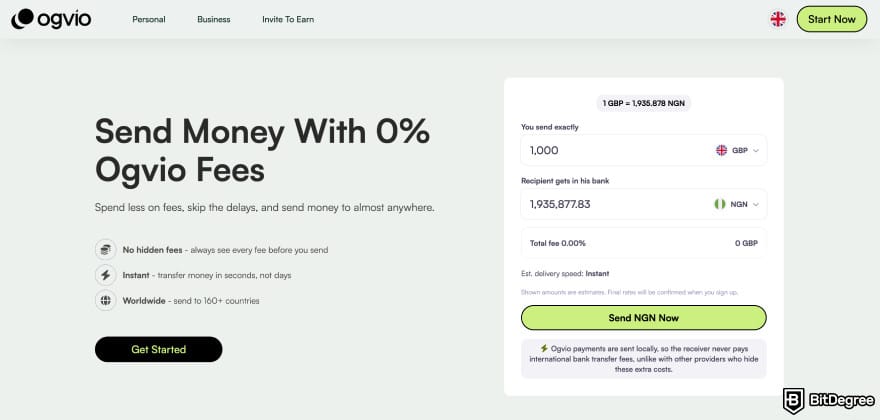
While both apps let you send and receive money digitally, they’re built for different use cases. Chime sticks to traditional banking features, while Ogvio is designed around global transfers and multi-currency use, so you can send money to Nigeria, Europe, and more.
That difference becomes more obvious when you look at availability. Chime works only within the US, while Ogvio is built for international coverage, with availability in 160+ countries and support for 40+ currencies.
The way transfers work also sets them apart. Chime relies on traditional banking rails like ACH, which can take a few business days. Ogvio uses blockchain-based rails for transfers, which help increase accessibility and affordability of financial services.[2]
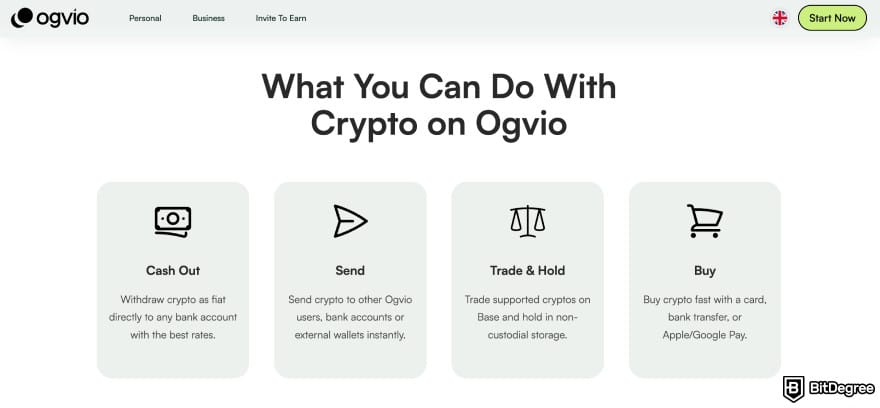
So the better option depends on how you move money. Chime fits simple, domestic banking needs, while Ogvio makes more sense if you deal with international transfers or multiple currencies.
📚 Learn More: Ogvio Review
Chime VS Wise
Wise is a money transfer service built for sending, receiving, and holding money across borders. Some of its core features are multi-currency balances, international transfers, local bank details in several countries, and debit cards for spending abroad.
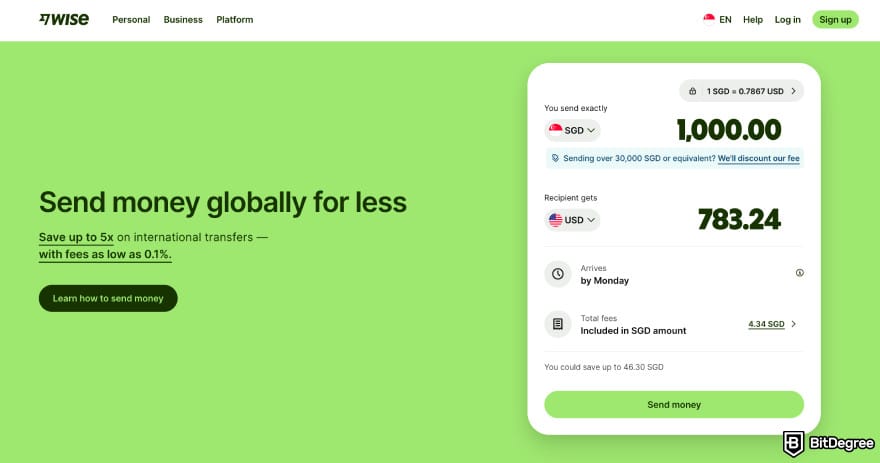
Wise is also available in the US, but it’s designed first for international use (which is where it differs most from Chime). Chime focuses on everyday banking features, while Wise centers around cross-border payments and currency exchange rather than full checking and savings accounts.
For international transfers, Chime doesn’t offer built-in cross-border transfers and relies on third-party services for sending money abroad. Wise handles international transfers directly and supports sending money to 80+ countries from within the app.
Fees are another clear difference. Chime keeps most everyday banking fees at zero, while Wise charges transparent, per-transfer fees and uses mid-market exchange rates for currency conversion.
📚 Further Reading: Wise Review
Chime VS Revolut
Revolut is a global fintech app that combines everyday payments with extras like multi-currency accounts, budgeting tools, and access to investing features. It’s built as an all-in-one finance app rather than a simple checking account.
What sets Revolut apart is its range of plans, from free to premium tiers with extra perks. By comparison, as one of Revolut alternatives, Chime sticks to a single free plan focused on simple US banking.
Plus, in many Chime instant loans review discussions, users also mention Chime’s short-term cash flow tools like SpotMe and MyPay as part of its appeal for everyday use.
On top of personal accounts, Revolut also supports business users with Revolut Business. It’s where companies can get local and global account details, issue cards, manage team spending, and handle multi-currency payments.
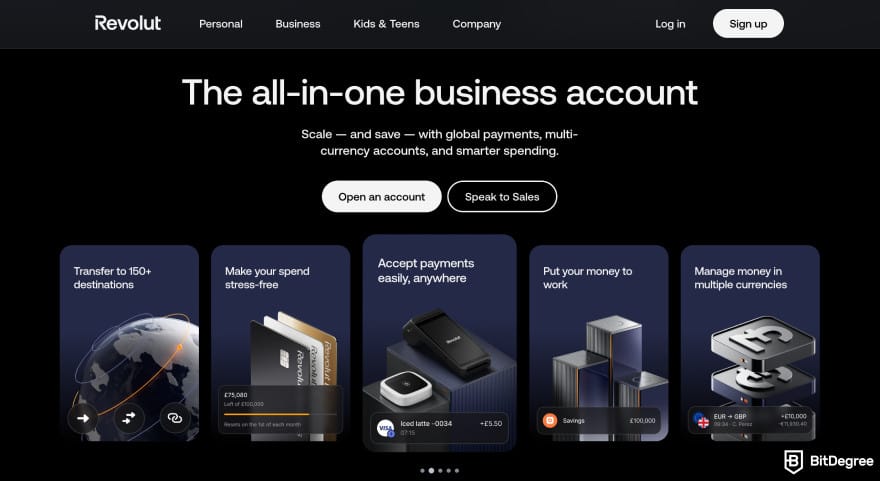
When it comes to cards, Revolut offers debit cards that work with its multi-currency balances and are useful for spending abroad. Chime’s card setup, by contrast, focuses on everyday US spending and helping users build credit.
📚 Read More: Revolut Review
Conclusions
Overall, Chime does a solid job at what it’s designed for: simple, fee-free everyday banking in the US. Based on this Chime review, the app is easy to use, and features like early direct deposit and Credit Builder make it practical for managing day-to-day money.
That said, Chime has clear limits. It’s built for US residents only, and it doesn’t offer built-in international transfers, multi-currency accounts, or advanced financial tools. If your needs go beyond domestic banking, Chime can start to feel restrictive.
If you’re looking for something that works beyond the US or supports international transfers, Ogvio is worth a look as an alternative.
Scientific References
1. Gumel B., Zunguze L.: ‘Investing in a Sustainable Future: How Fintech and Blockchain Enable Green Asset Investments for Financial Security’;
2. Thong M.: ‘Blockchain-Based Financial Technology (Fintech) for Financial Inclusion’.
Send Money Worldwide
Check out the best ways to send money to other countries quickly, safely, and with minimal fees.



































About Article's Experts & Analysts


- + Fee-free checking account
- + Credit builder feature
- + Instant loans
- + Easy-to-use mobile app
- + Simple account management
- - Fees for cash deposits
- - Only available to US citizens
- - Limited features beyond basic banking

See BETTER-RATED Money Transfer Services
A US mobile banking service with no monthly fees and fee-free overdraft for eligible members.
Disclosure: To keep our site running & free of charge, we may sometimes receive a small commission if a reader decides to purchase services via some links on site, at no extra cost.


