
Money has fully gone mobile. From splitting rent to sending cash abroad, everything now happens inside an app. So in this Bunq review, I wanted to see whether Bunq is actually smooth, or if it’s more of a “nice UI, mixed reality” kind of fintech.
Bunq leans heavily into digital-first banking, while other fintech players take different routes. Names like Ogvio, Revolut, and Wise focus on slightly different use cases, from everyday spending to cross-border transfers.
In this article, I’ll walk through Bunq’s features, fees, pros and cons, and overall app experience to see where it actually fits. That way, you can quickly figure out whether Bunq makes sense for how you manage money day to day.
Verdict at a Glance:
Bunq is a feature-rich digital bank built for people who want modern banking tools and travel-friendly looks. Some of Bunq’s best features are inside their paid plans, so it’s important to know which one fits your needs best.
Pros
- High-interest rates
- Crypto banking features
- Money pots for budgeting
- Business account available
- Travel-friendly perks
Cons
- Limited to the EU
- Subscription-based model
- Limited cash deposits and withdrawals
Table of Contents
- 1. Bunq Review: Quick Overview
- 2. Bunq Alternatives
- 3. Who’s Bunq For?
- 4. Advantages
- 5. Limitations
- 6. Bunq Card
- 7. Fees and Transfer Limits
- 8. Security
- 9. User Experience
- 10. Customer Support
- 11. How to Use Bunq
- 11.1. How to Open a Bunq Account
- 11.2. How to Add Money to Your Bunq Account
- 11.3. How to Send Money Using Bunq
- 12. Bunq Alternatives
- 12.1. Ogvio
- 12.2. Revolut
- 12.3. Wise
- 13. Conclusions
Bunq Review: Quick Overview
First of all, what is Bunq? Bunq is a mobile bank that lets you open and manage a full bank account directly from your phone. It’s licensed in the EU and designed for everyday banking, covering payments, cards, savings, and international transfers in one app.
Beyond basic banking, Bunq adds a bunch of practical extras that go beyond what you’d expect from a simple checking account. To make it easier to see what Bunq offers, here’s a quick overview of its core details before we dive deeper:
Type | Digital bank (EU-licensed neobank) |
|---|---|
Is Bunq Safe? | Yes |
Best for | Everyday banking, international spending, digital-first users, freelancers and small businesses |
Established in | 2012 |
Availability | EEA countries |
Security | EU banking license, deposit protection, instant card freeze, and more |
Features | Multi-currency accounts, debit cards, joint accounts, money pots, international transfers, in-app eSIM, and more |
Supported Currencies | EUR, USD, GBP, CHF, and 16+ more |
Deposit Methods | Bank transfer (SEPA), card top-ups (depending on plan and region), cash, and more |
Plans | Free tier available, and paid monthly plans for Personal and Business accounts |
Customer Support | In-app chat, email, Help Center, and more |
Privacy & Anonymity | Standard EU data protection, no anonymity due to KYC and banking rules |
Table: Quick overview of Bunq
Looking at this Bunq bank overview, the app makes the most sense if you want an all-in-one digital bank that covers everyday spending, travel, and multi-currency needs. The table also helps you quickly check whether Bunq matches your priorities before diving into the next sections.
Bunq Alternatives
Bunq is a solid all-in-one digital bank, especially if you like having everyday banking, travel features, and budgeting tools in one app. That said, it’s not always the best fit for everyone. Depending on what you need most, there are a few alternatives that can make more sense:
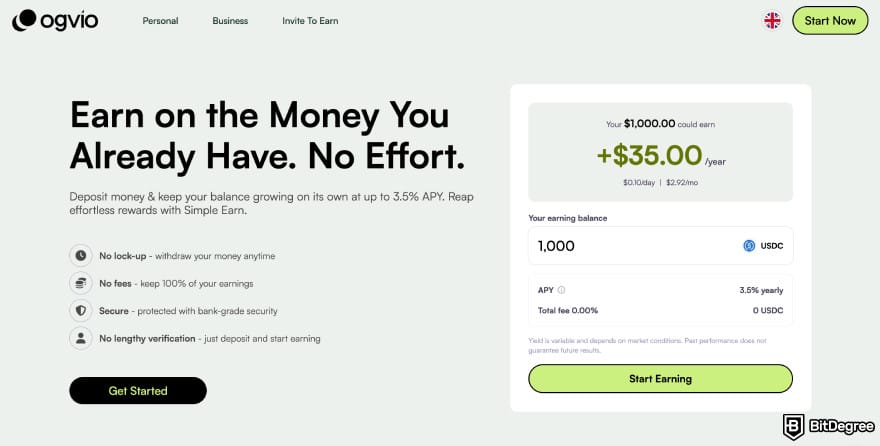
- Ogvio. A better option if your main goal is moving money across borders in a simple, wallet-style app. It focuses on fast transfers and crypto transactions, as well as earn features.
- Revolut. A closer all-in-one alternative to Bunq, with a stronger focus on multi-currency spending, cards, and lifestyle features. It offers more plan options, giving you greater flexibility.
- Wise. A better pick if you care about low-cost international transfers and transparent exchange rates.
To make the difference easier to spot, here’s a quick side-by-side comparison between the three apps.
 |  |  | |
|---|---|---|---|
|
|
| |
| Per-transaction | Per-transaction | Plan + per-transaction | |
| | | | |
| A global money transfer service with an additional volatile currency rate pegging to USD or EUR. | A trusted digital remittance service with upfront fees and great rates, but limited options for cash delivery. | An all-in-one finance app that makes global spending and investing effortless. | |
| Visit site Read review | Visit site Read review | Visit site Read review |
Table: Main comparison between Ogvio, Revolut, and Wise
Once you’ve seen how Bunq stacks up against three options, it becomes easier to decide who Bunq actually makes the most sense for. That’s what I’ll break down in the next section.

Did you know?
All Money Transfer Services may look similar to you, but they're NOT all the same!
Who’s Bunq For?
If you’re asking, “Is Bunq legit?”, the answer is yes. It’s a licensed EU digital bank, and it’s best for users who are comfortable with mobile-first banking, travel often, manage multiple currencies, or want extra tools beyond a basic checking account.
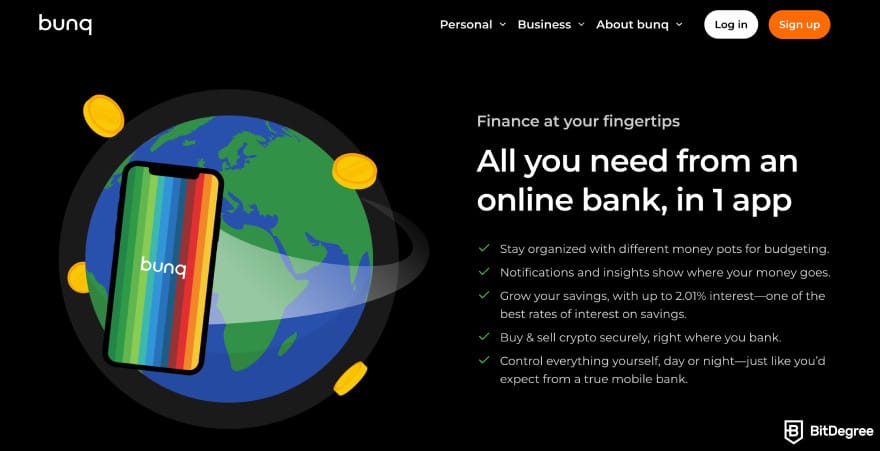
All EEA citizens over 18 who live in countries where Bunq operates can sign up for an account, and there’s also a student-friendly option available. If you’re not a European citizen but live in one of Bunq’s supported countries, you can still open an account as well.
With that in mind, Bunq tends to fit certain types of users better than others. Here’s a quick look at who usually gets the most value out of it:
- Students and couples. Bunq works well for students and young adults who want a simple way to manage daily spending, split bills, and keep a small budget.
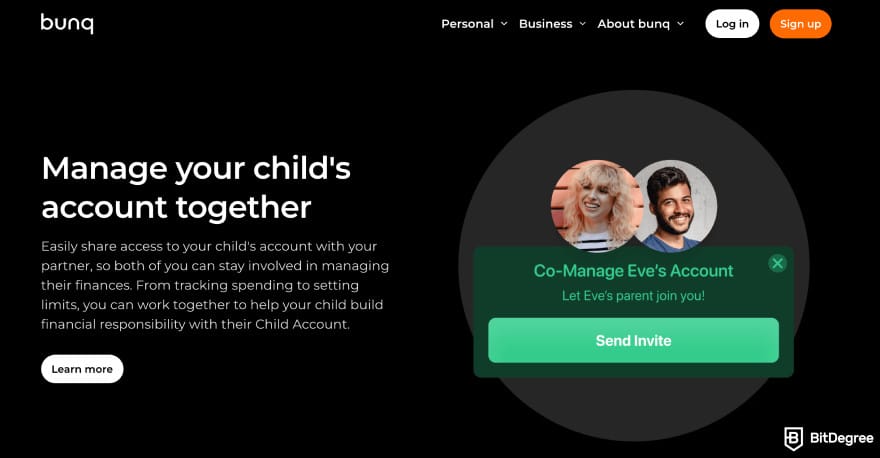
- Families. Bunq helps families organize household finances with separate accounts and budgeting tools for different goals, like groceries, school costs, or family trips.
- Expats and international users. Bunq is especially useful for people living abroad within the EEA, thanks to multi-currency support and international-friendly features.
- Freelancers and small businesses. Bunq business accounts suit freelancers and small teams that want to keep personal and business finances separate.
It also helps to understand Bunq’s plans before signing up. Bunq offers a free plan, with more features available on paid monthly plans for both Personal and Business accounts. I’ll cover this in more detail in the Fees chapter.
Based on this Bunq bank overview, it’s clear that Bunq is less about bare-bones banking and more about convenience, organization, and everyday usability in one place.
Advantages
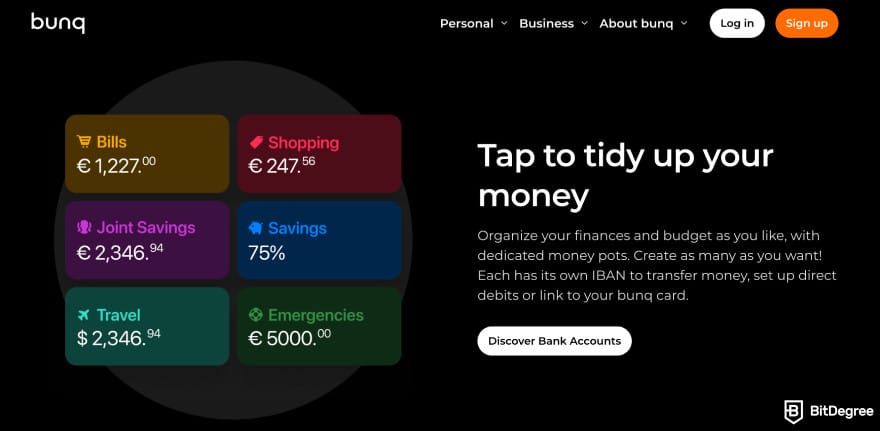
Using Bunq feels like carrying a well-organized backpack. You’ve got separate pockets for spending, saving, travel, and shared costs, so you’re not digging around every time you need something. Everything sits in one place, but stays neatly sorted.
Basically, with Bunq, you can handle everyday spending, organize shared finances, and manage money on the go, which leads to the main advantages below:
- High-interest rates
- Crypto banking features
- Money pots for budgeting
- Business account available
- Travel-friendly perks
I’ll break each of these down one by one so you can see where Bunq actually adds value in day-to-day use.
Bunq offers higher interest rates on savings compared to many traditional banks, especially on its paid plans. You can earn up to 3.01% annual interest on USD and GBP, and up to 27% on other currencies (TRY, PLN, and ZAR).
While it’s not an investment tool, it does help your savings work a bit harder.
Bunq also leans into crypto-friendly features, letting you buy, sell, and hold certain cryptocurrencies from the app (such as Bitcoin and Solana). This feature is powered by Kraken, one of the biggest names in cryptocurrency exchanges.
If this is your first crypto investment, you can consider going with Bitcoin. Just don't treat it like a regular investment, because it works differently and has its own risks.[1] So it helps to understand how it behaves before putting real money into it.
Accessing crypto through Bunq can be convenient if you want light exposure to asset trading. That way, you don’t have to juggle a separate exchange or wallet, though it’s more of a casual use feature than a full trading setup.
For budgeting, Bunq’s money pots make it easier to separate funds for rent, groceries, travel, or savings goals. You can visually divide your money into categories and move funds around as your priorities change.
Next, the Bunq business account is a solid perk. It lets you keep personal and business finances separate, and manage company spending from the same app. You can also create up to 25 different accounts, along with exchanging 20+ currencies at competitive market rates.
Bunq also offers perks such as a joint account, an eSIM, and multiple IBAN options.
Bunq is also travel-friendly, with multi-currency accounts and international payment features that make spending abroad less painful. Some of them include ZeroFX, which means you can pay zero foreign exchange fees.
Overall, this Bunq review shows that its biggest strength is how much it tries to cover in one place. It’s not just a basic bank account, but a bundle of tools for saving, spending, and traveling.
Limitations
No banking app is perfect, and Bunq is no exception. If you’re wondering, “Is Bunq a good bank?” the answer really depends on what you expect from your everyday bank. Bunq does a lot well, but some of its design choices and limits can feel restrictive.
These drawbacks tend to matter more for certain users. For example, people who rely heavily on cash or live outside Europe will run into walls pretty quickly. Here are the main limitations to keep in mind:
- Limited to the EU
- Subscription-based model
- Customer support complaints
- Limited cash deposits and withdrawals
Let’s break each one down so you can see how they might affect your day-to-day use.
First, Bunq is only available to residents of EEA countries, which means you can’t open an account if you live outside Europe. Even though Bunq operates digitally, it’s still tied to EU banking rules and residency requirements.
So if you’re asking, “Is Bunq a real bank?” the answer is yes, but it’s a real bank with a clear geographics limit on who can actually use it.
Bunq runs on a subscription model, and the free tier is quite limited. On the lower-tier plans, you can’t open international accounts. That means you won’t be able to create NL, DE, FR, ES, or IE IBANs unless you’re on a higher-paid plan.
This can feel restrictive if you expected multi-currency IBANs to be part of the basic experience, especially if you signed up mainly for cross-border use.
Customer support is another mixed area. Bunq relies heavily on in-app support and digital channels, which works fine for simple issues but can feel slow or frustrating when something more complex comes up.
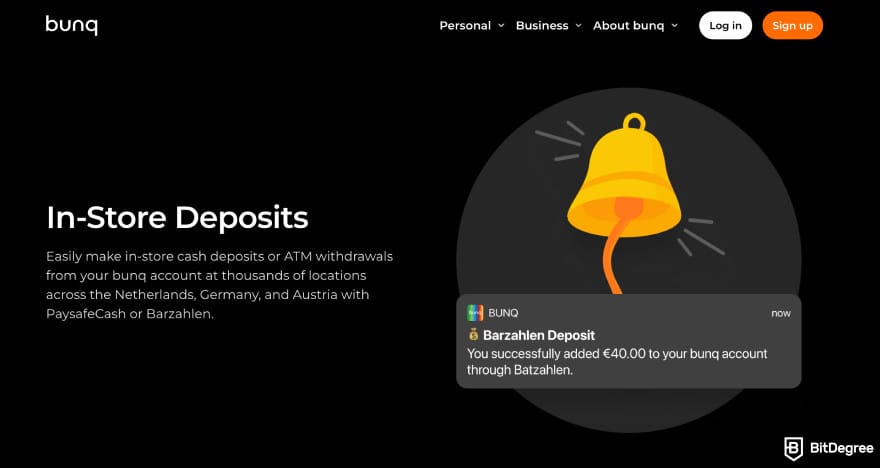
Cash handling is also limited. Bunq isn’t built for people who regularly deposit or withdraw cash, and ATM withdrawals are capped. New accounts receive €250/month in ATM withdrawals, increasing to €1,000/month after three months.
This Bunq Bank review shows that it works best for digital-first users who mainly deal with card payments and transfers inside the EEA. If you need broad international IBAN access on a low-cost plan or in-person support, Bunq’s limitations can start to outweigh its convenience.
Next, let’s take a closer look at the Bunq card and how it works in everyday use.
Bunq Card
The Bunq Card is your main way to spend money from your Bunq account, both online and in stores. You link the card to your bank account and pay directly from the balance you choose, which makes everyday spending easier to track.
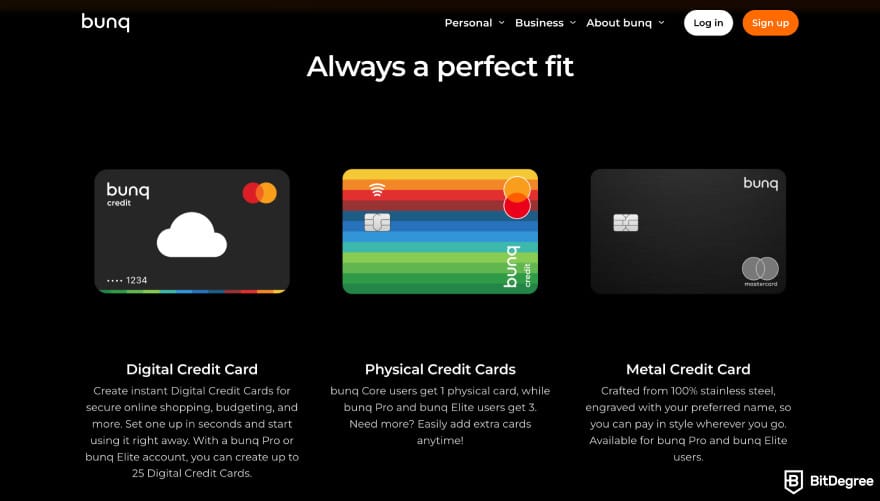
It also helps with budgeting. If you use money pots or separate accounts for things like groceries, rent, or travel, you can choose which balance the card pulls from. That way, your spending stays organized without extra effort.
The Bunq Card works with Apple Pay and Google Pay, so you can pay with your phone or smartwatch instead of carrying a physical card. But if you need a physical card, you'll need to upgrade your account to a paid plan.
You can also freeze and unfreeze the card in the app, set spending limits, and get instant notifications for each transaction.
Bunq also adds extras around the card, such as ZeroFX for foreign-currency spending, built-in spending insights, and small perks like storing loyalty cards in the app. And if you’re using Bunq business, the card works the same way for company spending.
Overall, the Bunq card fits well into the app’s digital-first setup. It’s convenient for daily spending, easy to manage in the app, and flexible enough for basic budgeting, as long as you’re okay with upgrading to a physical card.
Fees and Transfer Limits
Continuing this Bunq review, it’s worth zooming out for a second and talking about fees in fintech apps in general. Most mobile banks keep basic features cheap for free, then charge monthly subscriptions for extras like higher limits, better FX rates, and a few more.
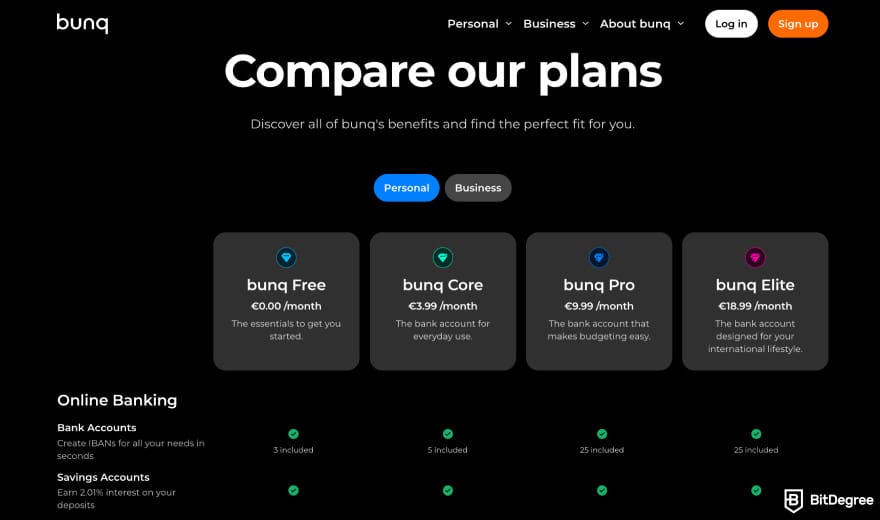
Bunq follows this model too, with a mix of free access and paid tiers that unlock more features and higher limits, which also affect how much you can send, spend, and withdraw.
In addition to plan pricing, there are transaction-related fees to consider. For example, some transfers come with a 0.50% network fee, which is applied on top of the exchange rate when you move money across the network or currencies.
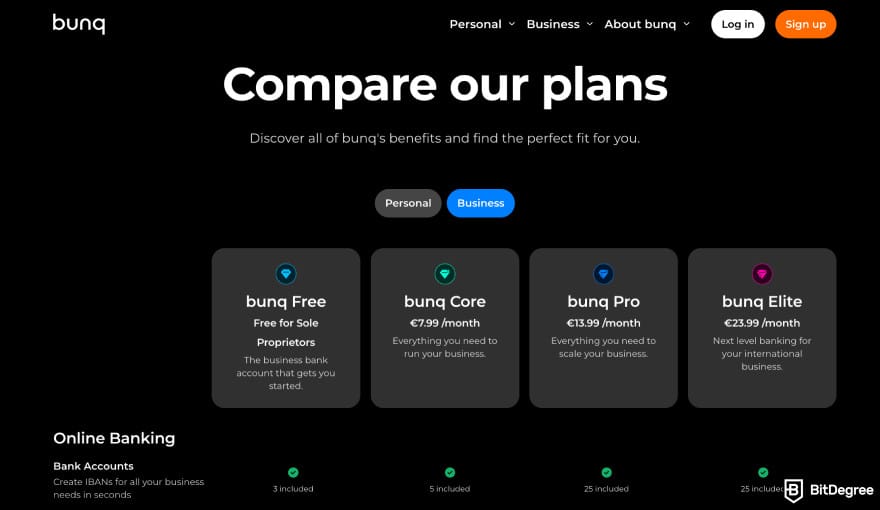
Bunq’s paid plans for Personal and Business accounts primarily determine your limits and fees. Higher plans unlock better FX conditions, higher ATM limits, and more flexibility overall, while lower plans come with tighter caps and fewer extras.
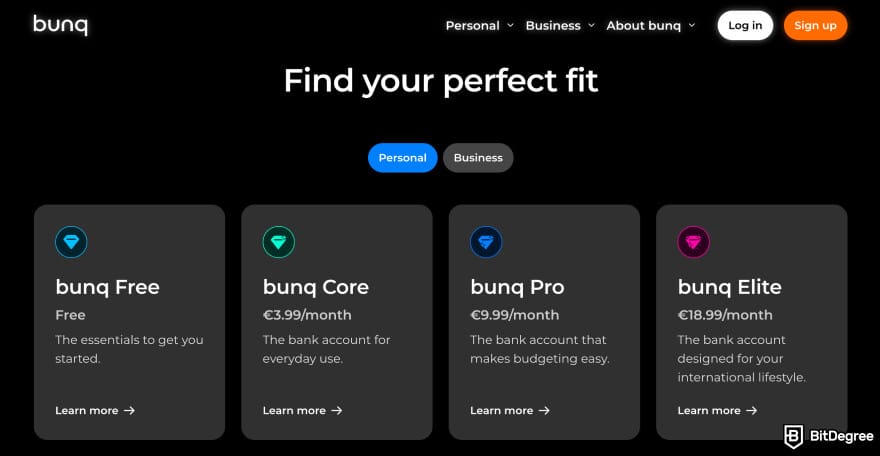
For Personal accounts, there are four plans in total, ranging from a free tier to around €18.99/month. Business accounts also come with four plans. There’s a free option for sole proprietors, and paid plans that go up to around €23.99/month.
One more thing to watch for is weekend FX pricing. Since foreign currency markets close on weekends, Bunq adds a markup of around 0.15% to 0.5% on currency conversions during that time. If you want the best rates, it's better to convert during the week.
Overall, Bunq’s fees are fairly transparent once you understand how the plans work and when extra charges apply. The key is matching the plan to how you actually use money, especially if you deal with foreign currencies or higher transfer volumes.
Security
Bunq takes security seriously, and most of it happens quietly in the background while you use the app. Your account activity is monitored to spot unusual behavior, and if something looks off, payments can be delayed or reviewed before they go through.
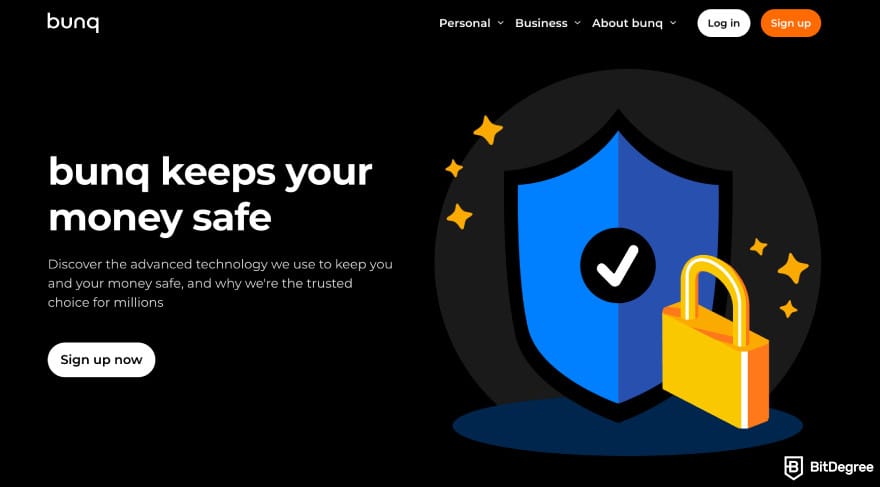
If Bunq’s systems detect suspicious activity on your account, it can temporarily limit certain actions to protect your funds. You’ll also get security alerts in the app if something unusual happens, so you’re not left guessing why a payment failed or access was restricted.
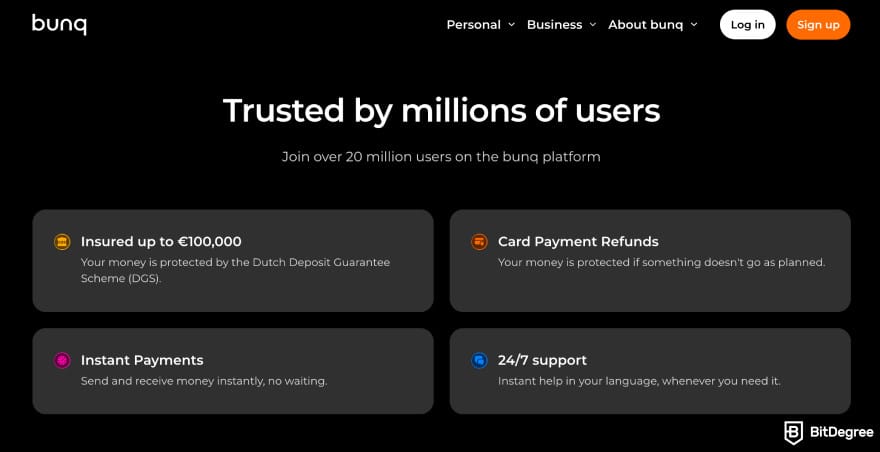
On the safety of your money itself, Bunq is covered by the Dutch Deposit Guarantee Scheme (DGS). This means your funds are protected up to €100,000 per person if the bank were to go bankrupt (which is the standard protection you’d expect from a licensed EU bank).
Overall, Bunq’s security setup is fairly standard for a regulated digital bank, but it’s more than enough for everyday transactions and managing your money with peace of mind.
User Experience
The Bunq app is built around doing most things in a few taps, from sending money to managing cards and budgets. Looking at Bunq bank review discussions, many users note that the app feels modern and easy to navigate.
Many reviewers say they’ve had a solid experience overall. The interface is generally seen as user-friendly, and the app is stable, with payments going through smoothly. Day-to-day actions like card payments, transfers, and balance updates tend to go as planned.
People also mention that Bunq fits well into daily routines, especially for online payments and quick transfers. Sending and receiving money is simple, and having everything in one app makes it easier to stay on top of spending without jumping between different services.
But note that some users mention that the sign-up process can take longer than expected, despite Bunq’s advertising of fast onboarding. These points are more subjective, though, so your own experience may vary depending on your case.
All in all, Bunq’s user experience is smooth for everyday tasks and payments, with a few rough edges around onboarding. Looking at Bunq bank reviews, most feedback points toward a reliable, easy-to-use app that does its job well once you’re set up.
Customer Support
Bunq’s customer support is fully digital. You can reach out via in-app chat, email, or form submissions. There’s also an SOS hotline and an automated emergency line for urgent cases. Looking at Bunq bank reviews, most users mention that these channels are easy to find inside the app.
There’s also a Help Center with guides on how to use Bunq, feature explanations, troubleshooting tips, and product updates. If you’re wondering, “Is Bunq legit?” having clear self-help resources and official support channels does add a layer of trust.
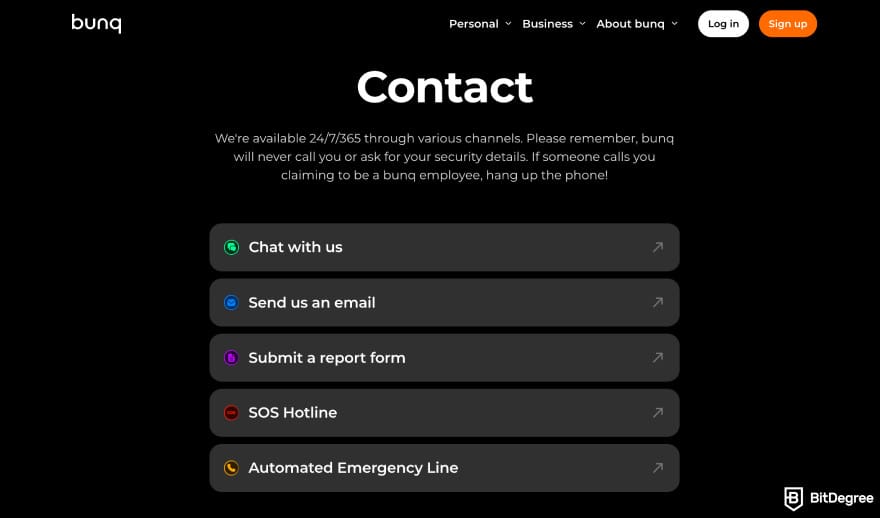
That said, not every experience is perfect. Some users report frustrating customer support interactions, especially when dealing with the AI chatbot, which isn’t always helpful for more complex issues.
Overall, Bunq’s support setup matches what you’d expect from a modern fintech app. It covers the basics well, with fast options for emergencies and self-service for everyday questions, though response quality can vary by case.
How to Use Bunq
In this Bunq review, one thing that stands out is how beginner-friendly the app is once you’re set up. To start using Bunq, you’ll need to be at least 18 years old and have a valid government-issued ID ready, such as a passport or national ID card.
Getting started with Bunq mainly comes down to creating your account and passing the standard identity checks. In the next chapter, I’ll show you how to create a Bunq account.
How to Open a Bunq Account
Opening a Bunq account is pretty straightforward and fully app-based, so you can go from download to a usable account quickly. Here’s the full step-by-step process to open your Bunq account:
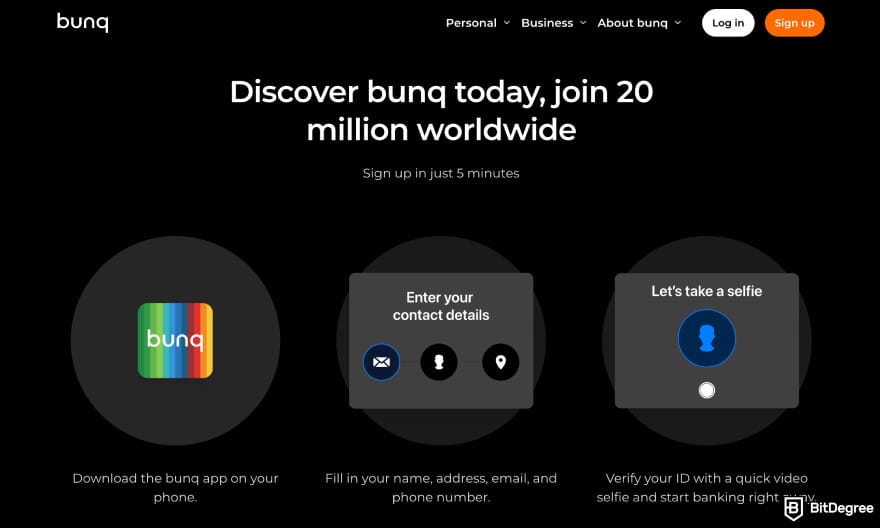
After approval, your account will be active, and you can create IBANs, order a card, and start using Bunq right away.
Overall, the process is standard for most money apps. Note that if you’re opening a business account, Bunq will ask additional info related to your business. So keep your business documents ready.
How to Add Money to Your Bunq Account
Adding money to your Bunq account is pretty simple, and you’ve got a few days to do it. You can top up using iDEAL, a credit or debit card, an IBAN transfer (SEPA), or even with cash in some locations. For this example, I’ll go with the bank transfer top-up.
![Bunq review: Bunq app homepage highlighting the [Add Money] option.](https://assets.bitdegree.org/images/bunq-review-bunq-app-homepage.jpg "Bunq review: Bunq app homepage highlighting the [Add Money] option.")
Once the transfer goes through, the money will show up in your Bunq balance, usually within a short time, depending on your bank. Overall, the process is straightforward, and when you’ve done it once, the next top-up only takes a few taps.
How to Send Money Using Bunq
Sending money with Bunq is quick and app-based, whether you’re paying a friend, splitting a bill, or transferring funds to another bank account. Similar to adding money, sending money only takes a few steps.
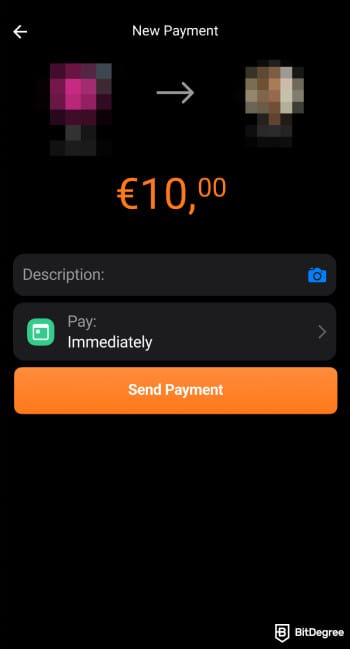
Overall, sending money with Bunq is straightforward to get used to. The steps are simple, the interface is clear, and transfers don’t feel buried behind menus.
Bunq Alternatives
Moving further in this Bunq review, it helps to put Bunq side by side with a few other fintech apps to see where it actually stands out and where it might fall short. With that in mind, let’s start with one of the best Bunq alternatives, Ogvio.
Ogvio
Ogvio is a neobank built to move and manage money across borders. It also works for simple earning without needing a separate app or exchange, and you can hold your money in USD to reduce exposure to local inflation.
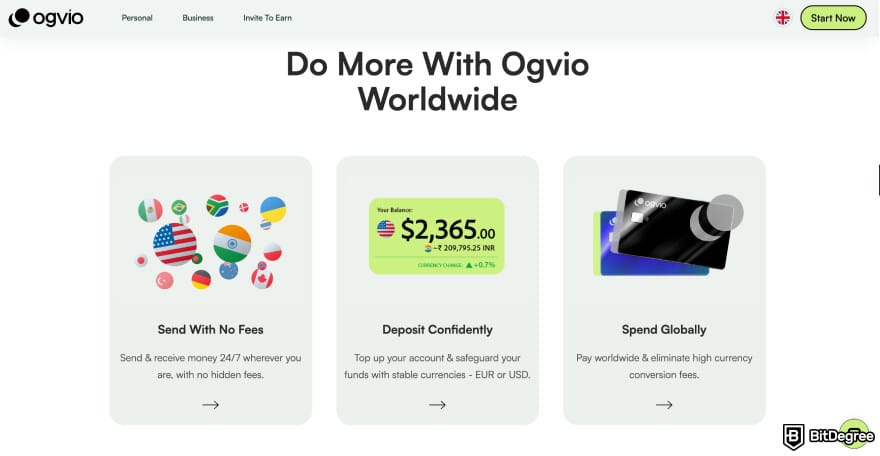
Ogvio uses blockchain rails for transfers, which makes sending money to another Ogvio user instant and fee-free. Blockchain technology is known to make financial transactions and asset management cheaper and more efficient.[2]
While Bunq is a good bank, that’s a different approach from their traditional banking setup with IBANs and cards, and it’s especially handy if you often move money between users.
Similar to Bunq, Ogvio also includes crypto features, letting you buy, sell, hold, and cash out crypto inside the app. It’s meant for casual use rather than active trading, but it’s convenient if you want everything in one place.
Coverage is another key difference. Bunq is limited to EEA residents, while Ogvio supports more corridors, which can be more flexible if you send or receive money internationally, like to Nigeria or the Philippines.
| | |
|---|---|
UK Germany Germany France France+160 more | |
| EN ID CN +6 more | |
 USD USD EUR EUR CAD CAD+40 more | |
 USDC USDC BTC BTC ETH ETH+ 7 more | |
| Visit site Read review |
Table: Ogvio coverage details
On fees, Ogvio keeps things simple and transparent. There are no plan tiers, and features aren’t locked behind subscriptions, so you can get access to everything once you sign up.
📚 Read More: Ogvio Review
Revolut
Revolut is a UK-based fintech app that offers digital banking, cards, and multi-currency accounts in one place. It’s designed for everyday spending, international payments, and managing money across different currencies.
Like Bunq, Revolut uses a tiered plan model with both free and paid subscriptions. The free plan covers basic spending and transfers, while paid plans unlock higher limits, better FX conditions, extra cards, and premium perks, making it flexible depending on how much you use the app.
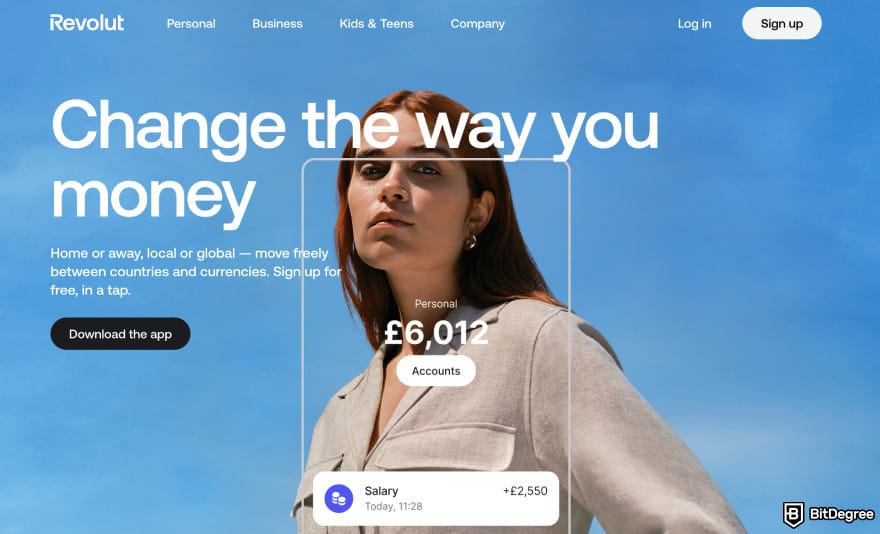
Compared to Bunq, Revolut leans more into lifestyle and super app features. Alongside basic banking, it offers features like budgeting tools, travel perks, and optional extras, including investing features.
Depending on the plan, rates can be as high as 3-5% APY on supported savings or flexible accounts, though the exact rate depends on your country and the product you’re using.
📚 Learn More: Revolut Review
Wise
Wise is a Money Service Business (MSB) that specializes in foreign exchange and international payments, rather than a full bank. It’s built mainly to send money abroad and to hold multiple currencies at low cost.
The main difference from Bunq is focus. Wise keeps things simple and centers on international transfers and fair exchange rates. Bunq functions more like an all-in-one bank, offering budgeting tools, joint accounts, cards, and business features.
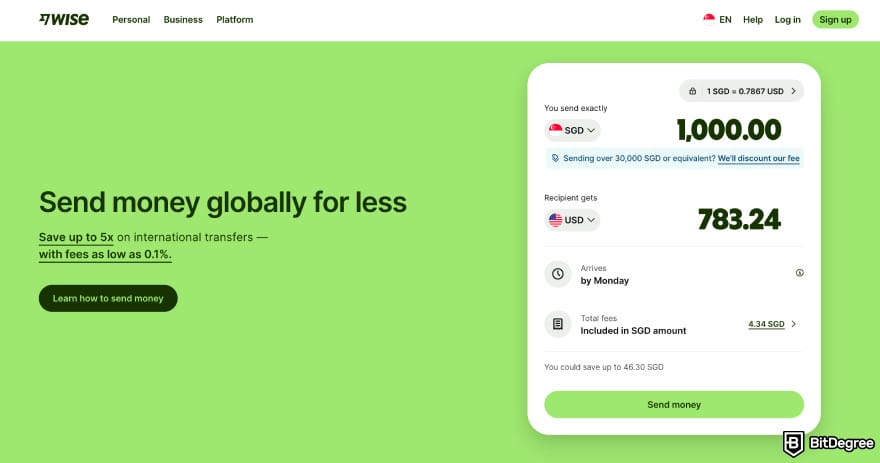
If your priority is moving money cheaply across borders, Wise feels more purpose-built. If you want a daily bank account with extras, Bunq covers more ground.
Wise is known for transparent transfer fees and broad coverage. Fees are usually shown upfront and vary by currency route and payment method, and Wise supports transfers to a wide range of countries and currencies.
Where Bunq pulls ahead is in savings features. Bunq offers higher interest on certain balances, with rates of 1.05% on EUR and 2.3% on USD or GBP (paid out weekly). Wise focuses on transfers first, while Bunq tries to blend everyday banking with earning on idle cash.
📚 Further Reading: Wise Review
Conclusions
Overall, Bunq comes across as a capable digital bank that covers many everyday use cases in one app. It works well for daily spending, international use within the EEA, budgeting with money pots, and even basic business needs.
That said, Bunq isn’t for everyone. The subscription-based model means you may need a paid plan to unlock the features you actually want, and some limitations can matter depending on your habits. It’s limited to EEA residents, and cash handling is restricted.
For fast cross-border transfers and wider regional support without monthly plans, Ogvio is a solid alternative to Bunq.
Scientific References
1. Collins T.: ‘The Future of Bitcoin: Market Maturity, Strategic Reserves, and the Paradox of Institutional Accumulation’;
2. Jameaba M.: ‘Blockchain Technology, Artificial Intelligence and Financial Stability: Opportunities and Challenges for Financial Institutions’
Send Money Worldwide
Check out the best ways to send money to other countries quickly, safely, and with minimal fees.
































About Article's Experts & Analysts


- + High-interest rates
- + Crypto banking features
- + Money pots for budgeting
- + Business account available
- + Travel-friendly perks
- - Limited to the EU
- - Subscription-based model
- - Limited cash deposits and withdrawals

See BETTER-RATED Money Transfer Services
A digital-first bank that blends everyday banking with travel-friendly features.
Disclosure: To keep our site running & free of charge, we may sometimes receive a small commission if a reader decides to purchase services via some links on site, at no extra cost.


