







Think about the last time you visited a physical bank branch. For most people, it’s been years, because the best mobile banks now let you open accounts, send money, and manage finances directly from your phone.
The problem is the variety of mobile banks there is and the difficulty of choosing the best one for you. From neobanks to fintech banking apps to mobile-first traditional banks, everyone claims to offer the best bank app. But not all mobile banks are built the same, and the best option depends on what you actually need.
That said, here’s my well-researched list of the best online bank apps for various needs:
- Ogvio - Instant & Low-Cost Global Money Movement App
- Revolut - Feature-Packed Global Neobank
- Starling - Award-Winning Everyday Digital Bank
- Monzo - Intuitive Personal Finance & Budgeting App
- Chase - Full-Service Traditional Bank With a Leading Mobile App (US & UK)
- Capital One - Feature-Rich Mobile Banking App of a Trusted US Bank
I’ve made this list of three different types of mobile banks: fintech banking apps, neobanks and traditional banks that offer nice mobile apps. If you don’t know the difference, check out the “What is a Mobile Bank?” chapter under the list. There, you’ll also find how to open an account with Ogvio, the top mobile bank app for me.
1. Ogvio - Instant & Low-Cost Global Money Movement App
Ranks #1 out of 6 Money Transfer Services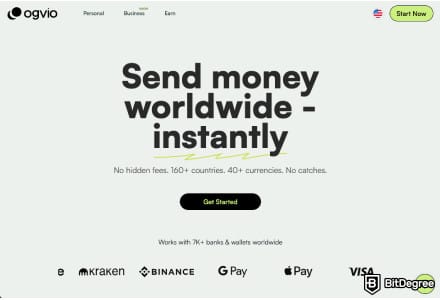
- + Remittance-oriented
- + Instant transfers
- + Incremental-to-no fees
- + Crypto support
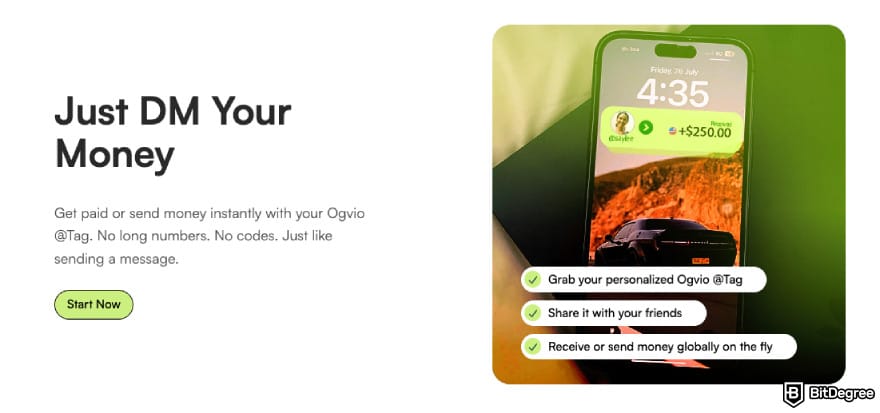
- + @Tag functionality
- + Free transfers between users
- - No card (coming soon)
Ogvio is one of the best mobile banks for fast, transparent, and low-cost money transfers. That said, it’s a fintech banking app, and it's not trying to be a traditional bank replacement. Instead, it focuses on what many users care about most today: moving money quickly and efficiently, both domestically and internationally.
Ogvio’s biggest strengths are speed and low costs. Transfers between Ogvio users are always instant and free, regardless of where the sender and recipient are located. Even when sending money to bank accounts abroad, transfers are usually fast and low-cost because it uses local payment rails.
 | |
|---|---|
| Coming soon | |
| |
| |
| 1 Crypto swapping 2 Simple Earn | |
| 1 @Tag functionality 2 No freezes 3 Referral program | |
| Visit site Read review |
Table: Ogvio features
Plus, Ogvio offers fair exchange rates, clearly shows all fees upfront, and there are no account opening, subscription, or inactivity fees.
While Ogvio doesn’t have a native mobile app yet, one is currently in development. For now, the platform is available via desktop and mobile web and works smoothly on both. You can even add Ogvio as a shortcut to your phone’s home screen, which makes it feel very similar to a dedicated app. The interface is modern, clean, and easy to navigate.
Ogvio is a FinCEN-licensed Money Service Provider in the US that secures user funds through a non-custodial setup, meaning only you have access to your wallet and no third party can freeze or control your money. Accounts are protected with AES-256 encryption, while funds are stored on-chain in secure vaults.
You can also enable the Transaction PIN feature for extra protection on each transfer.
Key Features
Can it be your best bank for mobile banking? Take a look at the features it offers and decide:
- Accounts. Ogvio supports both personal and business accounts. In addition to the features available to personal users, Business users can also benefit from custom solutions. Some Ogvio features are available without identity verification for personal users, but they must complete it for full access.
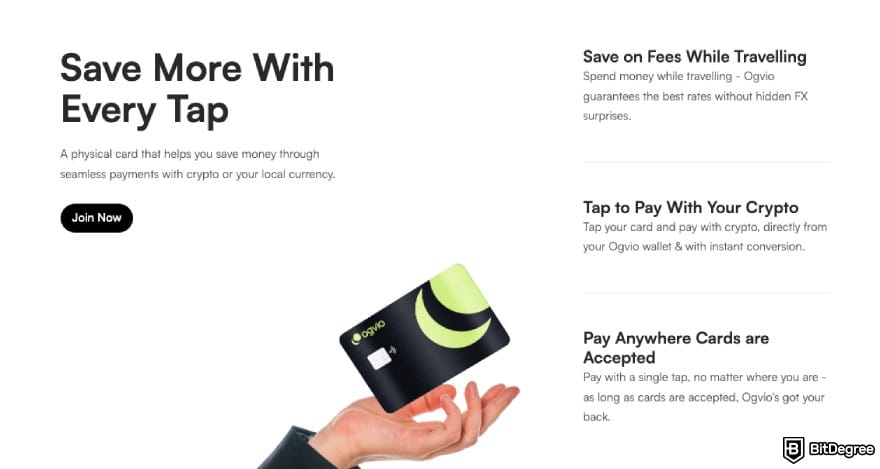
- Card. The Ogvio Card isn’t available yet, but it’s coming soon. It will be linked to your Ogvio account and potentially work with over 150 million merchants worldwide, including online, in-store, and ATM withdrawals.
- Currency/Asset Support & Availability. Ogvio is available in 160+ countries and supports over 40+ currencies, including fiat and crypto on the Base network. Money deposited into Ogvio is automatically converted into USD, helping hedge against local currency inflation.
- Deposit & Withdrawal Methods. You can fund your account via a bank, card or crypto transfer, as well as receive money from another Ogvio user. As for withdrawals, it’s possible to send money to other Ogvio users, bank accounts or crypto wallets.
- Earning/Saving Features. Ogvio offers Simple Earn, which is a savings-style feature where you deposit USDC and can earn up to 3.5% APY. There are no lock-ups, and your funds can be withdrawn at any time. On top of that, you can earn by referring friends to Ogvio.
I’d say Ogvio is best for users who frequently send money internationally, rely on remittances, or want a modern way to move both fiat and crypto without high fees or delays. It may not replace a traditional bank, and not all of its features are released yet, but as a mobile-first money transfer platform, it’s one of the strongest options available right now.
2. Revolut - Feature-Packed Global Neobank
Ranks #2 out of 6 Money Transfer Services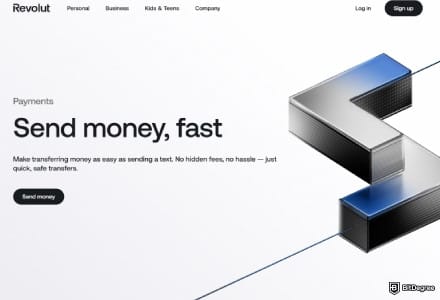
- + Instant transfer (for Revolut users)
- + Multi-currency wallet
- + Earning options
- + Built-in budgeting tools
- + Stock trading
- - Weekend exchange rate markup
- - Limited perks
- - No full banking features
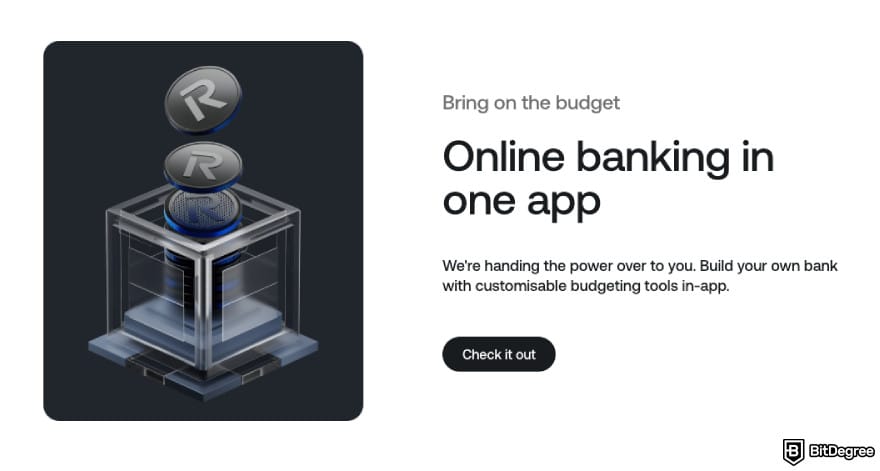
As you look for the best app-based bank, you’ll surely stumble upon Revolut. It’s a popular neobank that offers a full mobile-first banking experience, including a range of account types, cards, robust multi-currency support, and in-app financial tools.
I'd say that control and flexibility make Revolut one of the best online banking apps. Most features are accessible with just a few taps, and frequent updates keep the interface modern and responsive. Overall, Revolut provides a full banking ecosystem on your phone, not a pared-down financial app.
 | |
|---|---|
| Android/iOS | |
| |
| |
| 1 Savings Vaults 2 Robo‑Advisor at 0.25%/yr 3 Stock/ETF trading | |
| 1 55k+ Allpoint in‑network ATMs in the US 2 Disposable virtual cards | |
| Visit site Read review |
Table: Revolut features
Besides, it has competitive exchange rates, which are important when managing money across borders. Speaking of rates, fees for currency exchanges, ATM withdrawals, and premium features vary by plan and service.
There are five plans with subscription costs ranging from free to €50/month, depending on your region.
To safeguard your account, Revolut uses a multi-layered security system that combines AI-driven fraud detection and biometric authentication with user-controlled features like disposable virtual cards and instant card freezing.
Key Features
Here are the aspects that will help you decide whether Revolut is one of the best banks for mobile banking:
- Accounts. On Revolut, you can open personal accounts across five tiered plans, as well as specialized Joint accounts for shared finances. Additionally, it provides Business accounts for companies, Revolut Pro for freelancers, and Revolut <18 accounts for children and teens.
- Card. Revolut offers physical debit cards alongside virtual cards for digital spending. Plus, it features disposable virtual cards that automatically refresh their details after every purchase.
- Currency/Asset Support & Availability. This mobile bank lets users hold and exchange 36 fiat currencies and spend in over 150 currencies worldwide. It also offers access to investing in more than 3,000 assets, including stocks, ETFs, bonds, crypto, and precious metals.
- Deposit & Withdrawal Methods. Revolut allows deposits via bank transfers, debit cards, Apple/Google Pay, and cash at select retail locations in certain regions. For withdrawals, you can send funds to external bank accounts, perform card transfers, or use your physical card for ATM cash withdrawals.
- Earning/Saving Features. You can earn via Savings Accounts with tiered interest rates and Flexible Cash Funds that earn daily interest through money market investments. Plus, Revolut offers earning via crypto staking and cashback on card spending.
Revolut is one of the best app-based banks for frequent travelers, expats, and tech-savvy users who need a multi-currency "financial super-app" for global spending, instant transfers, and casual investing. However, it is limited by strict monthly fee-free caps on ATM withdrawals and currency exchanges, alongside weekend markups on exchange rates.
3. Starling - Award-Winning Everyday Digital Bank
Ranks #3 out of 6 Money Transfer Services
- + Comprehensive money management tools
- + FSCS protection up to £85,000
- + Responsive customer support
- + Easy-to-use and intuitive mobile app
- - Primarily for UK residents
- - Frequent account suspensions
Starling is a UK-based neobank that offers personal, joint, and business accounts through a mobile-only, branchless platform. It distinguishes itself by providing full FSCS deposit protection up to £85,000, fee-free international spending, and a suite of AI-driven financial tools like Spending Intelligence.
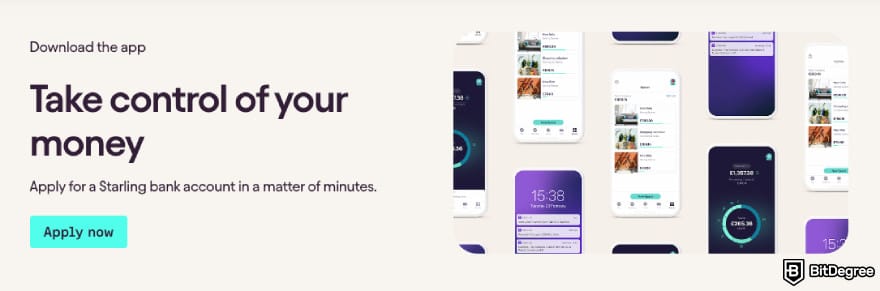
The Starling app is positively rated as one of the best bank online apps for its highly intuitive, minimalist interface.
The Starling app has consistently won "Best British Bank" at the British Bank Awards for several consecutive years.
A unique aspect it offers is the Marketplace, which seamlessly connects your banking data to third-party apps for pensions, insurance, and accounting.
 | |
|---|---|
| Android/iOS | |
| |
| |
| 1 Spaces (savings buckets) 2 Bills Manager | |
| 1 Spending Insights 2 Post office cash deposits 3 Cheque imaging | |
| Visit site |
Table: Starling features
Starling offers fee-free personal and joint accounts, with no monthly subscription fees and no foreign transaction fees when spending or withdrawing cash abroad. For international transfers, it applies a transparent 0.4% conversion fee above the mid-market exchange rate, alongside a small delivery fee starting from £0.30 for local networks or £5.50 for SWIFT.
Starling is a fully licensed UK bank and its deposits are protected up to £85,000 by the Financial Services Compensation Scheme (FSCS). Its app security includes biometric login, real-time transaction alerts, and the ability to instantly freeze or unfreeze specific payment channels.
Key Features
Now, let’s take a look at all the main aspects important to a good mobile banking experience:
- Accounts. Starling provides Personal, Joint, and Euro accounts for individuals, alongside Business and Sole Trader accounts for professionals.
- Card. With Starling, you can have both physical debit cards and virtual cards. It also provides the Kite card for children and the Connected card, which allows a trusted person to buy essentials on your behalf from a designated balance.
- Currency/Asset Support & Availability. Starling supports GBP and EUR. The bank is exclusively available to UK residents, offering a full UK current account and a dedicated Euro account for managing European payments.
- Deposit & Withdrawal Methods. This mobile bank facilitates deposits through bank transfers, mobile cheque imaging, and cash deposits at over 11,500 Post Office branches across the UK. For withdrawals, customers can use any ATM worldwide or withdraw cash over the counter at a Post Office.
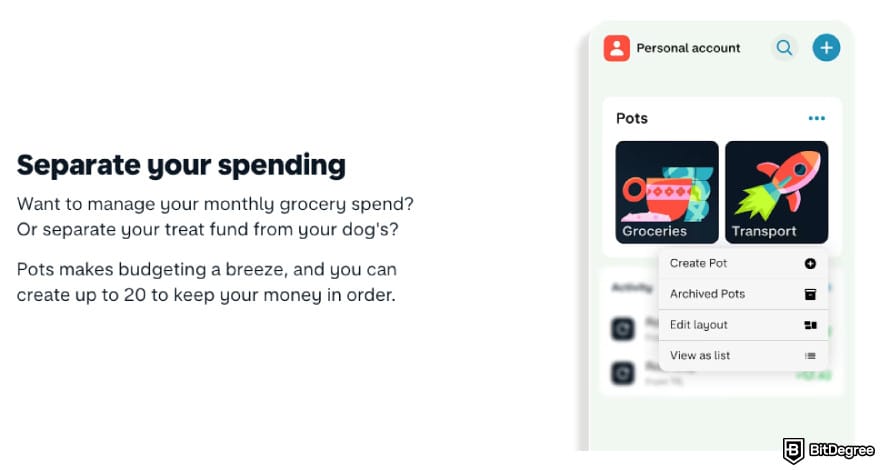
- Earning/Saving Features. Starling offers competitive interest on credit balances and Fixed Rate Savers for guaranteed returns on lump-sum deposits. Users can also use Saving Spaces to automate round-ups and set aside funds into "pots" that earn the standard account interest rate.
Starling might be the best bank app if you’re a UK resident seeking a reliable, fully licensed bank with fee-free international spending and flexible banking tools. However, it’s not a choice for users outside the UK.

Did you know?
All Money Transfer Services may look similar to you, but they're NOT all the same!
4. Monzo - Intuitive Personal Finance & Budgeting App
Ranks #4 out of 6 Money Transfer Services
- + Intuitive and visually clean
- + Full-service personal finance features
- + Lifestyle perks and cash rewards
- + Personal and business use cases
- - Available for UK residents only (primarily GBP-based)
- - Paywalled premium features
- - Customer support inconsistencies
Monzo is a UK-based neobank that offers a full mobile-first banking experience, built to replace a traditional bank for everyday use. It stands out most for its pioneering Gambling Block and Get Paid Early features.
Gambling Block allows you to block all gambling-related payments on your account with a single toggle in the app, while Get Paid Early allows you to access your BACS salary a day ahead of schedule.
Monzo’s app experience is clean, fast, and very easy to navigate, even if you’re not particularly tech-savvy. In day-to-day use, things like instant spending notifications, simple budgeting tools, and clear transaction breakdowns make it easy to stay on top of your money without thinking about it too much.
 | |
|---|---|
| Android/iOS | |
| |
| |
| 1 Investments - tech, blockchain 2 Instant Access Savings - 3-3.5% AER/mo 3 Credit limit up to £10,000 4 Mortgages 5 Pensions (coming soon) | |
| 1 Card Freeze 2 Fraud protection 3 Secret QR code | |
| See TOP10 Brands Read review |
Table: Monzo features
Monzo offers a free standard account alongside three paid tiers: Extra, Perks, and Max, ranging from £3 to £7 per month. The tier offers varying levels of insurance and higher withdrawal limits. Spending abroad is fee-free, but ATM withdrawals outside the UK/EEA incur a 3% fee after exceeding monthly limits of £200 to £600, depending on your plan.
In terms licensing, Monzo is a fully licensed UK bank. It provides FSCS deposit protection up to £85,000 alongside industry-first tools like the Gambling Block and Call Status to prevent impersonation scams. The app also features biometric security, instant card freezing, and virtual cards to protect your physical card details.
Key Features
Can Monzo fit all your mobile bank needs? Let’s see:
- Accounts. On Monzo, it’s possible to create Personal, Joint, and Business accounts for adults, alongside Monzo 16-17 for teens and Monzo Investments for managing stocks and shares.
- Card. The bank provides plastic debit cards, virtual cards for secure online spending and the ability to pay directly from specific Savings Pots.
- Currency/Asset Support & Availability. Monzo is primarily available to UK residents. While it supports fee-free card spending in any currency globally, its native asset support is focused on GBP and EUR.
- Deposit & Withdrawal Methods. It allows deposits via bank transfers, mobile cheque imaging in the app, and cash deposits at Post Office or PayPoint locations. For withdrawals, you can use any ATM worldwide or transfer funds to external bank accounts and international recipients via an integration with Wise.
- Earning/Saving Features. You can earn via Easy Access and Fixed Term savings pots with competitive interest rates, alongside a ready-made investment platform featuring risk-graded funds. Plus, you can also earn cashback at major retailers and use automated round-ups to build savings effortlessly.
Monzo is most suitable for UK-based users who value a highly intuitive, feature-rich app with clever budgeting tools and visual spending analytics. However, its limitations include relatively low fee-free ATM limits abroad for basic users, and a lack of advanced multi-currency wallets compared to some competitors.
5. Chase - Full-Service Traditional Bank With a Leading Mobile App (US & UK)
Ranks #5 out of 6 Money Transfer Services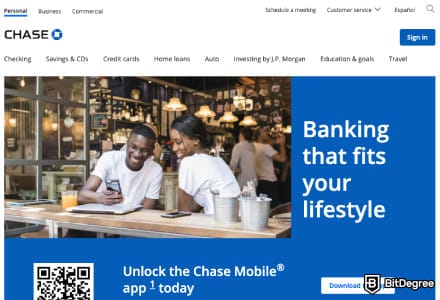
- + Feature-rich mobile app
- + Efficient mobile check deposit
- + Spending tracking features
- + Integrated credit journey
- - Occasional glitches and app freezing
- - Limited in-app functionality on complex transactions
Chase is a retail banking arm of JPMorgan Chase & Co. It’s a traditional bank, but it also offers the Chase Mobile app, which consistently ranks as one of the best bank mobile apps. It provides a seamless "all-in-one" interface where users can manage daily banking, credit cards, and J.P. Morgan investments alongside long-term goals via the Wealth Plan digital coach.
The Chase Mobile app won "Banking App of the Year" in 2026 at the Moneyfactscompare.co.uk Awards for the third consecutive year.
Chase checking accounts typically feature monthly service fees ranging from $4.95 to $25, though these are waivable by meeting direct deposit or minimum balance requirements. Standard out-of-network ATM fees are $3 domestically and $5 internationally, plus a 3% foreign transaction fee for most debit card purchases.
Overdrafts incur a $34 fee, though Chase Overdraft Assist provides a "no fee" safety net if you are overdrawn by $50 or less by the end of the business day.
In terms of security, Chase provides FDIC insurance for deposits up to $250,000 and various digital safeguards like 24/7 fraud monitoring and 256-bit data encryption. The mobile app enhances this with biometric logins, instant card locking, and AI-driven scam warnings.
Key Features
Now, let’s see what truly makes Chase Mobile one of the best bank apps:
- Accounts. Chase offers a wide array of personal accounts, including Total, Secure, and Sapphire Checking, alongside Chase Savings and high-yield CDs. It also provides specialized Chase First Banking for kids, student accounts, and comprehensive Business Checking and Savings plans.
- Card. You can take out Visa and Mastercard debit cards for its Chase checking accounts, as well as credit cards for travel and cashback. You can also access contactless Chase cards and virtual card numbers for digital wallets.
- Currency/Asset Support & Availability. Chase provides USD-only accounts in the US and GBP-only accounts in the UK, but it supports card spending in over 150 currencies without foreign transaction fees on its travel-focused cards.
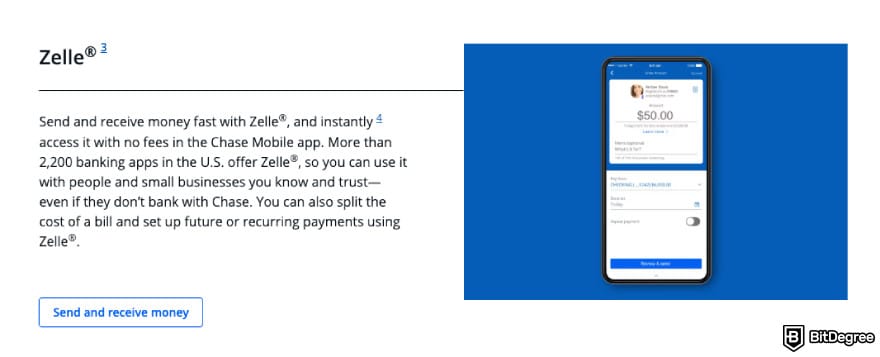
- Deposit & Withdrawal Methods. You can make deposits via mobile check imaging, direct deposits, Zelle, and in-person cash or check deposits at Chase ATMs and branches. For withdrawals, customers can access cash at any ATM worldwide, use cardless mobile wallet access, or visit a branch.
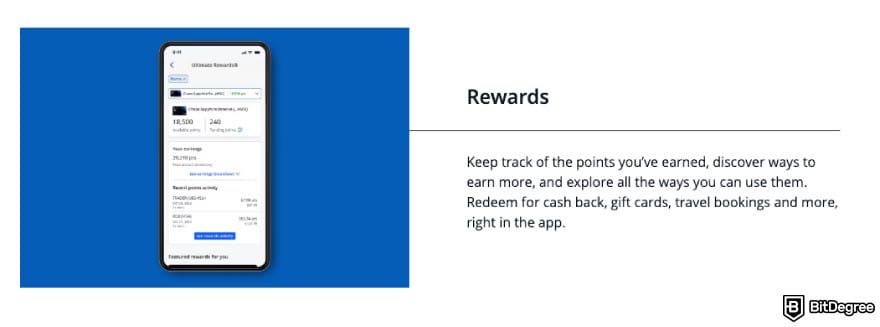
- Earning/Saving Features. The bank offers Chase Savings and high-yield CDs, alongside a J.P. Morgan Self-Directed Investing platform for earning through stocks and ETFs. Additionally, you can earn Chase Ultimate Rewards points on credit card spending and tiered cashback.
All in all, Chase is one of the best mobile banks for US and UK residents seeking the security of a major global institution with an all-in-one app for banking, mortgages, and J.P. Morgan investments.
6. Capital One - Feature-Rich Mobile Banking App of a Trusted US Bank
Ranks #6 out of 6 Money Transfer Services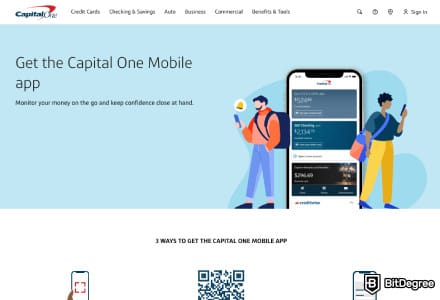
- + Intuitive mobile app
- + Mostly no fees
- + Eno virtual assistant
- + Zelle integration
- - Limited customer support
- - Some features are buggy
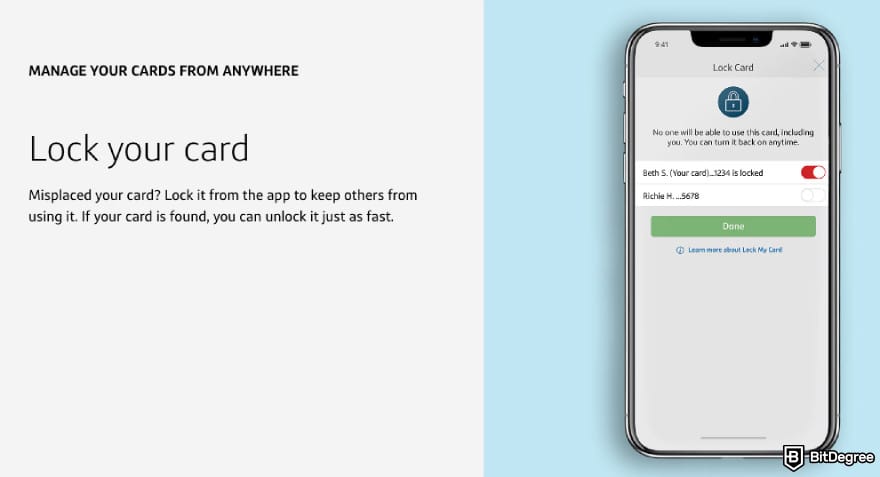
Looking for a traditional bank with a good app? Capital One is a well-established US bank that blends classic banking products with a good mobile experience. Its mobile app lets you manage checking and savings, make deposits, pay bills, send money with Zelle, and even lock or unlock cards on the fly.
The app also has features like the Eno virtual assistant for fraud alerts and merchant-specific virtual cards. This way, it offers a digital-native feel without sacrificing access to physical branches and Capital One Cafés.
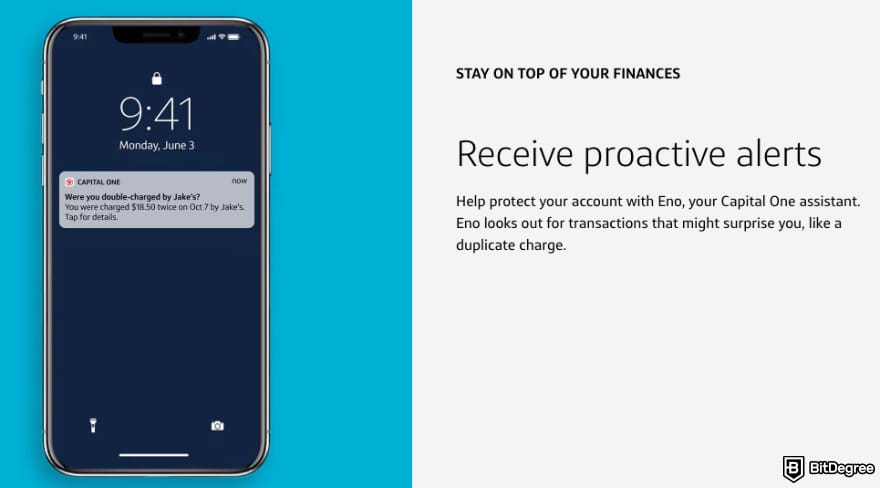
Capital One’s app dashboard is clean and intuitive, making it easy to check balances, move money, or use tools like CreditWise to keep an eye on your credit score. Though, occasional technical bumps or slowdowns can happen.
Capital One is widely recognized for its no-fee banking approach, offering the 360 Checking and 360 Performance Savings accounts with no monthly maintenance fees or minimum balance requirements. It also eliminates overdraft fees across all consumer accounts and provides fee-free ATM access at over 70,000 locations.
Unlike many traditional banks, Capital One doesn’t charge foreign transaction fees on credit or debit cards.
Capital One offers bank-grade security through FDIC insurance up to $250,000 and $0 Fraud Liability for unauthorized charges. Its mobile-first features include the Eno assistant for real-time fraud alerts and merchant-specific virtual cards that hide your actual card number during online shopping.
Key Features
Here are some of the key aspects that will help you decide if Capital One is one of the best bank mobile apps for your needs:
- Accounts. Capital One offers several types of personal accounts, including 360 Checking, 360 Performance Savings, and Certificates of Deposit (CDs). For younger users, it provides MONEY Teen Checking and Kids Savings Accounts. Businesses can access Basic or Enhanced Business Checking and Advantage Savings plans.
- Card. With Capital One, you can have contactless debit cards for its 360 Checking accounts and a massive range of credit cards, including the Venture travel and Savor cashback series. Plus, it offers secure virtual cards.
- Currency/Asset Support & Availability. This bank is primarily available to US residents, offering full support for USD accounts with fee-free international spending.
- Deposit & Withdrawal Methods. Capital One supports deposits via mobile check imaging, ACH transfers, and cash deposits at Target, Walgreens, and CVS or Capital One Cafés. For withdrawals, you can use ATMs, send money via Zelle, or perform standard wire transfers.
- Earning/Saving Features. You can open the 360 Performance Savings account with a high-yield APY and no monthly fees, alongside various CDs for guaranteed returns over fixed terms. Additionally, Capital One’s credit card lineup provides substantial cashback and travel miles.
Capital One might be the best bank app for US residents who want a "hybrid" experience. It combines a well-rated mobile app and high-yield savings with the security of a traditional bank.
What is a Mobile Bank?
In the most basic sense, a mobile bank is a bank or a financial service you can access via your mobile device, usually a mobile app.
Depending on the context, a mobile bank can also be called an app-based bank, an online bank, a neobank, a mobile-first bank or even a challenger bank.
While these terms are often used interchangeably, they don’t always mean the same. The differences usually come down to licensing and structure. Usually, the mobile app is the main product of a mobile bank, not just an extra feature. However, there are several types of such banks:
- Neobanks. These are what most people usually look for when searching for the best mobile banks. Neobanks are built from the ground up as apps, with only a few or no physical branches.[1] They either hold a full banking license or a restricted banking license.
- Fintech Banking Apps. These platforms offer bank-like services without being banks themselves. They partner with one or more licensed banks to offer various types of services, including money transfers and cards. They also often provide additional services, like crypto support.
- Mobile-First Traditional Banks. These are fully licensed, traditional banks that also offer mobile apps. They usually have physical branches, but their apps are feature-rich and widely used. Some are fully licensed banks, others operate under partner banks.
How to choose which type is best for you? Well, fintech banking apps are the new transformative force.[2] They are best for users who care most about speed, flexibility, and features such as low-cost international transfers, budgeting tools, and quick P2P payments. They’re ideal if you want a smooth app experience without fully replacing your traditional bank. One of the top apps in this category is Ogvio.
Neobanks like Revolut work best for people looking for a full bank replacement that’s built for mobile from day one. They usually offer good app design, real-time controls, and deposit protection, making them a good choice for everyday spending and keeping larger balances.
Mobile-first traditional banks like Capital One are best for users who still want the security and product range of a classic bank but also need a solid mobile app. They’re a good fit if you value physical branches, established trust, or access to loans alongside mobile banking features.
How to Open a Mobile Bank Account?
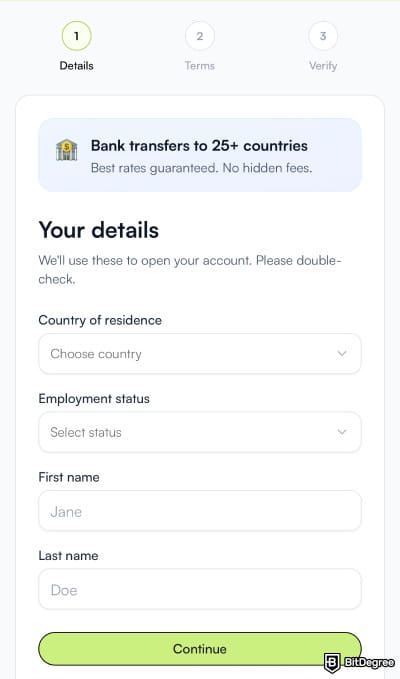
The process of opening an account depends on which of the best mobile banks you choose. Usually, though, you’ll need to download the app or access the platform via your mobile browser, sign up using your email or another available method, and verify your identity. If the mobile bank offers a card, you’ll need to activate it as well.
Fintech banking apps are currently the newest and most intriguing option in mobile banking, because they move faster than traditional banks and even neobanks when it comes to features, UX, and niche use cases.
Therefore, I’ll walk you through how to open an account with what I consider the best online bank app in this category: Ogvio.
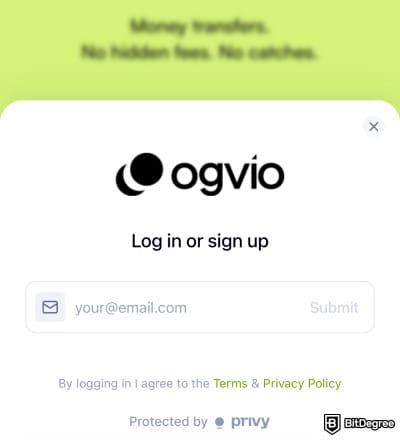
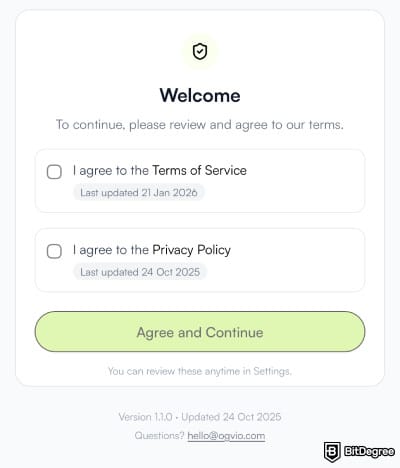
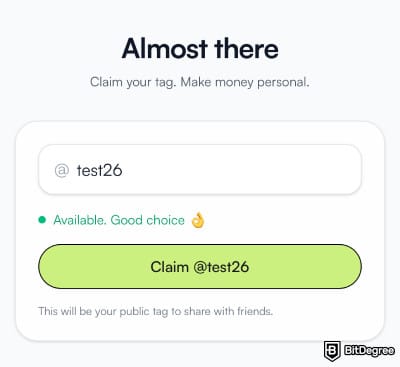
FYI, you will not be able to change your @Tag, so choose wisely.
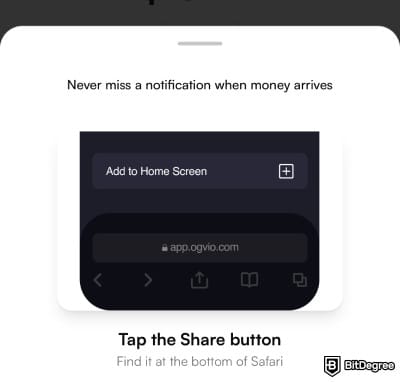
On Apple devices, if you use Safari, tap the share icon and select “Add to Home Screen”. On Android, tap the menu (three dots) in your Chrome, and choose “Add to Home Screen”. The steps might differ a bit depending on the browser, but they will still be pretty much the same.
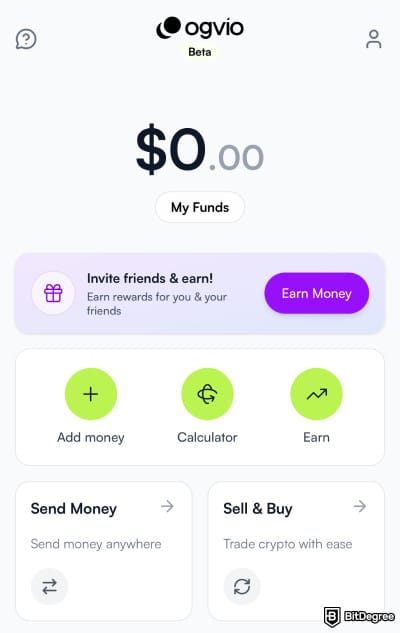
You can do so via a bank, card, or crypto transfer, or request it from another Ogvio user. That said, to unlock bank transfers, you will need to verify your identity by providing your ID, proof of address, and other required details.
Once you fund your account, you can either send money to other Ogvio users, bank accounts or crypto wallets. Also, you can try out other Ogvio’s features, like crypto swapping or Simple Earn, where you can grow your funds by up to 3.5% APY. On top of that, you can earn money and fee cuts by inviting friends to use Ogvio together with you.
📚 Read More: Ogvio Review
Conclusions
Mobile banking has moved far beyond being a “nice-to-have”. Today, the best mobile banks are defined by how well they fit into your daily life, not by how many branches they operate. Whether it’s a neobank, a fintech banking app, or a mobile-first traditional bank, the best choice depends on how you spend, save, and move money.
Neobanks like Revolut or Starling work well as full bank replacements with strong app experiences. Mobile-first traditional banks such as Capital One and Chase combine established banking products with reliable mobile apps. Fintech banking apps, on the other hand, focus on speed, flexibility, and modern use cases.
I’d say that fintech banking apps are pushing the industry forward the fastest, offering the most user-focused experiences. In this regard, Ogvio stands out the most.
Scientific References
1. Shanti R., Siregar H., Zulbainarni N., Tony: 'Revolutionizing Banking: Neobanks’ Digital Transformation for Enhanced Efficiency';
2. Samara E.I.M., Haija A.A.A., Alzyoud M., Thwaib B.M.S.A., Shelash S.I., Al-shanableh N., Mohammad A.A.S., Al-hawajreh K.M., Al-Momani A.A.M. and Al-Adamat A.M.: 'Revolutionizing Finance: Assessing the Dynamic Impact of FinTech Apps on Banking Performance in the Jordanian Financial Landscape
Send Money Worldwide
Check out the best ways to send money to other countries quickly, safely, and with minimal fees.



































About Article's Experts & Analysts




Disclosure: To keep our site running & free of charge, we may sometimes receive a small commission if a reader decides to purchase services via some links on site, at no extra cost.


