Key Takeaways
- You can convert your crypto to PHP via OKX P2P or use an off-ramp service like Ogvio;
- If you’re not planning to cash out, moving your crypto to a hardware wallet is the safer call;
- OKX doesn’t charge a service fee for crypto withdrawals, but network fees still apply.
If you’ve landed here looking for how to withdraw money from OKX in the Philippines, I’m guessing one thing: you need to pull your funds out fast, like real fast. And when time matters, the last thing you want is a feature that makes things more complicated.
OKX gets a lot of praise for its feature-packed app, but that doesn’t always translate to a faster workflow. Quite a few people still get stuck at the withdrawal stage, mostly because they’re not sure which path to follow or lack clear direction for converting crypto into pesos.
So let’s get this done properly. Whether you go with OKX’s P2P marketplace, move your funds into a crypto wallet for safekeeping, or use Ogvio for a quick peso conversion with no drama, we’ll run through what works best for you.

Did you know?
Subscribe - We publish new crypto explainer videos every week!
What is AAVE in Crypto? (Beginner-Friendly Explainer)


Table of Contents
- 1. Ways to Get Your Money Out of OKX in the Philippines
- 1.1. Fiat Off-Ramp Service
- 1.2. P2P Marketplace
- 1.3. Wallet Transfers
- 2. How to Withdraw Money From OKX in the Philippines
- 2.1. Cashing Out With Ogvio
- 2.2. Trading Through OKX P2P Express
- 2.3. Storing With a Ledger Wallet
- 3. OKX Withdrawal Fees & Limits
- 4. Is OKX Legal in the Philippines?
- 5. Conclusions
Ways to Get Your Money Out of OKX in the Philippines
Before we get into how to withdraw money from OKX in the Philippines, you need to be clear on two things: your goal and the methods you can use. Once those two line up, the process gets a lot easier.
Latest Changelly Coupon Found:On the surface, it looks simple. Open your account, hit withdraw, select a method, and you're done. But once you try it, things don’t always go as smoothly, especially when you’re attempting an OKX withdrawal to GCash in the Philippines, assuming it works the same in every case.
You might've heard from a friend a while back that they had no issues transferring funds to their Metrobank account from OKX. So you try the same thing now, and the option is gone.
It’s part of the reality in a space that moves this quickly. Around 4% of people in the Philippines[1] were already holding crypto as of 2021 (and the number has grown since then).
As regulators introduce new frameworks to bring the space under tighter control, platforms like OKX adjust in response, which can cause the available options for users to shift with little warning.
With that in mind, I prefer to stick with methods that are more consistent and less likely to change overnight. And based on what I’ve seen, there are three main methods available: using an off-ramp service, going through a P2P marketplace, or moving funds to a personal wallet.
📚 Check Out: OKX Exchange Review
Fiat Off-Ramp Service
You’ll hear this type of service called different things depending on where you look: crypto-to-cash platforms, off-ramps, fiat payouts, third-party transfers, and so on. To avoid confusion, I’ll simply refer to them as fiat off-ramp services, which basically means platforms outside of OKX that convert crypto into pesos.
Now I get why some people hesitate to use a third-party service. It feels like you’re adding another step to a process that already looks simple on paper, and if you’re not careful, it can make things more confusing.
That said, choosing the right service and using it properly can give you more flexibility, security, and reliability. And among the options I’ve looked into, Ogvio comes out as the best for keeping OKX PHP withdrawals dependable.
As a next-generation platform for money transfers, Ogvio focuses on instant, low-cost crypto-to-cash conversion that fits both everyday use and emergency needs. It keeps everything transparent as well, letting you see exactly how much you’ll receive before confirming the transactions.
Ogvio ensures all transfers are encrypted and protected on-chain, reducing the risk of any external interference.
You just need to transfer your tokens from OKX to Ogvio (no different from sending them to a normal wallet), and once they’re there, you have the flexibility to:
- Withdraw to your Philippine bank. Ogvio connects with a good range of Philippine banks, including Maybank, PNB, UnionBank, Security Bank, BPI, and more.
- Move funds to another Ogvio account. Using the @Tag feature, you can move funds instantly to another user without needing to exchange bank details or long wallet addresses.
- Transfer your crypto to an external wallet. You can send your assets to any wallet or exchange if you’re not looking to convert your coins just yet.
And if you’re not in a hurry to cash out, Ogvio gives you a good excuse to leave your balance untouched for a bit. With its built-in earn feature, your funds can grow passively at up to 3.5% per year. A low-effort way to put your assets to work for you.
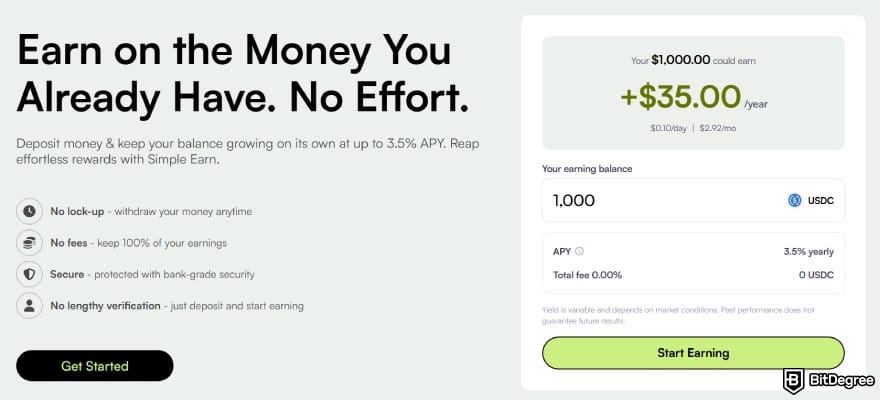
Last but not least, Ogvio gives you the option to swap between a range of major assets, including USDC, BTC, and ETH. That’s useful if you want to rebalance, rotate into another asset, or line things up for a later cash-out without going back to OKX and doing the whole process again.
📚 Check Out: Ogvio Review
P2P Marketplace
If you'd rather keep everything under one roof, getting familiar with peer-to-peer (P2P) trading is a preferable method to handle how to withdraw money from OKX in the Philippines. The idea is straightforward: you sell your crypto to another user who pays you in pesos through whichever payment method you both agree on.
I like to think of it like shopping on Shopee or eBay. You’re dealing directly with another person, while the platform steps in to make sure everything goes smoothly by holding the funds in escrow until both parties complete the transaction. Same idea, different asset.
One of the bigger draws here is the range of payment options it tends to support. Bank transfers, e-wallets, and digital payment services like GCash and PayMaya are usually all on the table.
On top of that, you also get some room to hunt for a better rate. It takes a bit more scrolling to find the right buyer, but if getting the most out of your conversion matters to you, the P2P marketplace is one of the better places to do it.

The good news is that OKX P2P in the Philippines is up and running, so you don’t need to juggle multiple platforms to complete your cash out.
📚 Check Out: Best P2P Crypto Exchanges
Wallet Transfers
By most measures, OKX is a well-secured platform. It has a reliable track record and strong infrastructure behind the scenes.
But even with all of that, there’s still a certain unease that’s hard to ignore when your assets are sitting on an exchange. In that situation, moving your funds to an external wallet is a completely reasonable alternative.
There's no shortage of wallet types to choose from these days. But if long-term security is the priority, hardware storage is where the conversation usually ends.
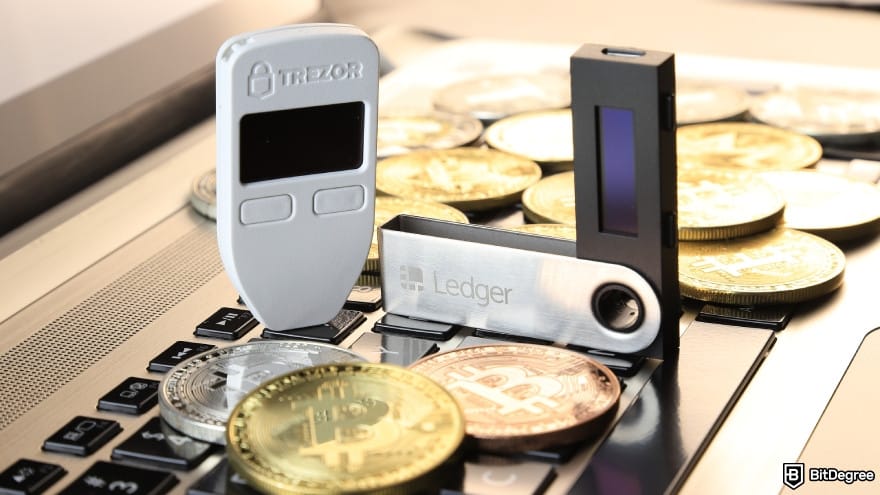
Unlike exchanges or software wallets that rely on a constant internet connection, hardware wallets stay completely air-gapped from the web. That means online attacks, malicious browser extensions, and system-level malware have much less opportunity to compromise your funds.
This is the option I’d recommend most if you’ve been in the market for a while and are starting to feel burned out. Moving your tokens into a hardware wallet gives you space to step back, ignore the noise, and avoid decisions driven by short-term swings instead of a clear mindset.
Your assets remain secure and untouched while you wait for the right opportunity to return.
📚 Check Out: Best Hardware Crypto Wallets
Looking for more in-depth information on related topics? We have gathered similar articles for you to spare your time. Take a look!


How to Withdraw Money From OKX in the Philippines
By now, you should already know which direction you’re leaning toward. So instead of going back and forth, let’s move into the steps and go through how to withdraw money from OKX in the Philippines using the routes that work in practice.
Based on the paths I’ve introduced earlier, these are the picks that I think represent each route the best. For quick crypto-to-peso transfers, Ogvio is the most suitable option. If you want to stick to one platform, OKX’s P2P feature should suit you.
And finally, if you’re aiming for long-term storage, Ledger is the industry choice.
Cashing Out With Ogvio
If your goal is to cash out crypto without dragging the process out, using an off-ramp is one of the most practical ways to withdraw money from OKX in the Philippines. And out of the options available, Ogvio stands out to me because it keeps things easy without turning the process into a puzzle.
At the time of writing, Ogvio only supports USDC transactions. If you’re withdrawing a different coin, make sure to swap it into USDC first.
What makes this work is Ogvio tapping into local rails in the Philippines. Because of that, you can convert your digital assets and send them directly to local bank accounts like UnionBank, BDO, BPI, or Security Bank within minutes, with minimal requirements.
Here’s what you need to do:
![How to withdraw money from OKX in Philippines: click [Get Started].](https://assets.bitdegree.org/images/how-to-withdraw-money-from-okx-in-philippines-started.jpg "How to withdraw money from OKX in Philippines: click [Get Started].")
Type in your email and click [Submit]. You’ll receive a code within seconds, so grab it from your inbox and enter it here to continue.
![How to withdraw money from OKX in Philippines: enter your email and click [Submit].](https://assets.bitdegree.org/images/how-to-withdraw-money-from-okx-in-philippines-ogvio-signup.jpg "How to withdraw money from OKX in Philippines: enter your email and click [Submit].")
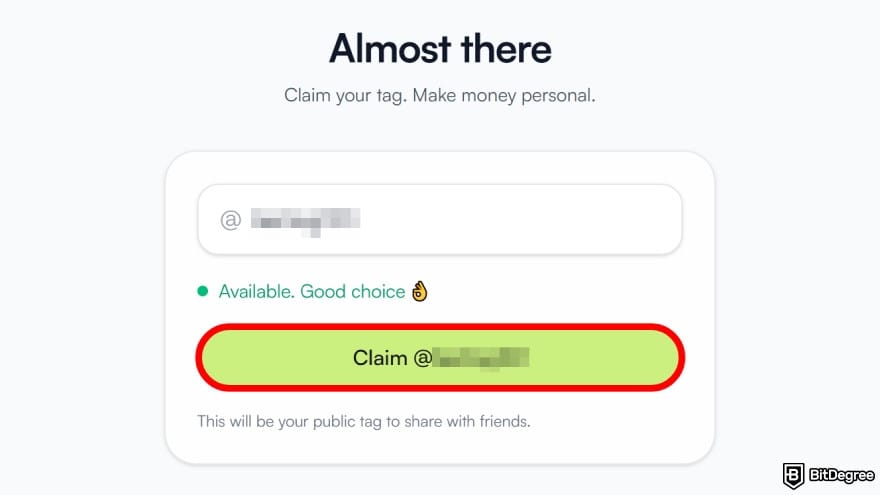
![How to withdraw money from OKX in Philippines: select [Add Money].](https://assets.bitdegree.org/images/how-to-withdraw-money-from-okx-in-philippines-add-money-new.jpg "How to withdraw money from OKX in Philippines: select [Add Money].")
![How to withdraw money from OKX in Philippines: pick [Crypto Transfer].](https://assets.bitdegree.org/images/how-to-withdraw-money-from-okx-in-philippines-new-crypto-transfer.jpg "How to withdraw money from OKX in Philippines: pick [Crypto Transfer].")
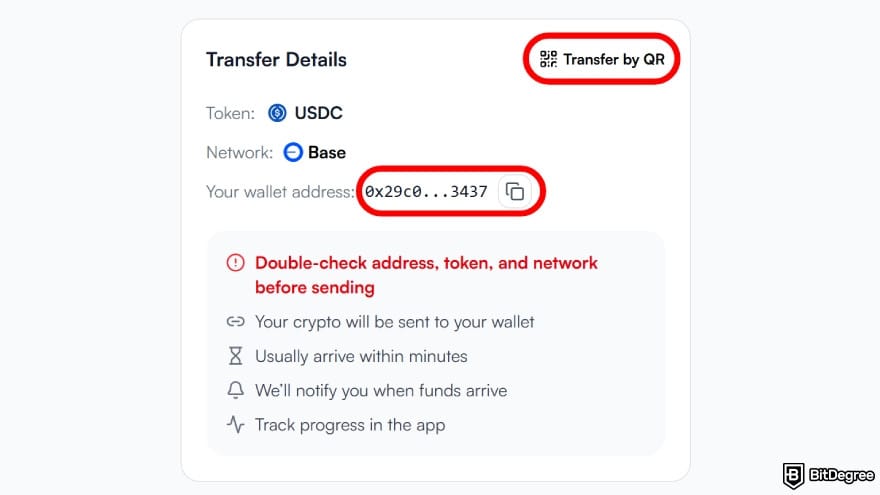
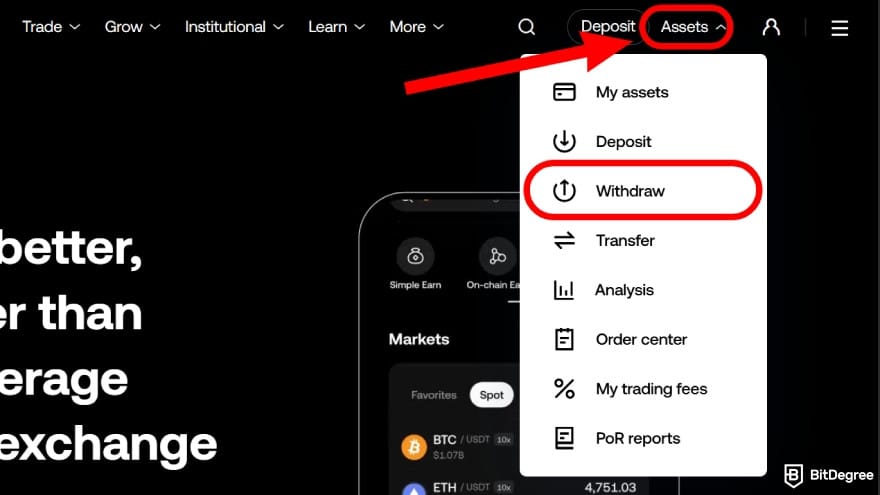
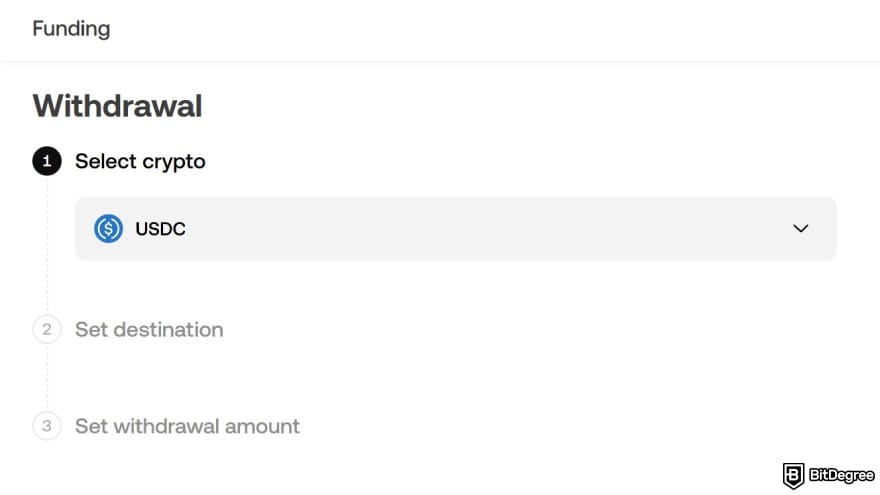
OKX may require identity verification before allowing crypto withdrawals.
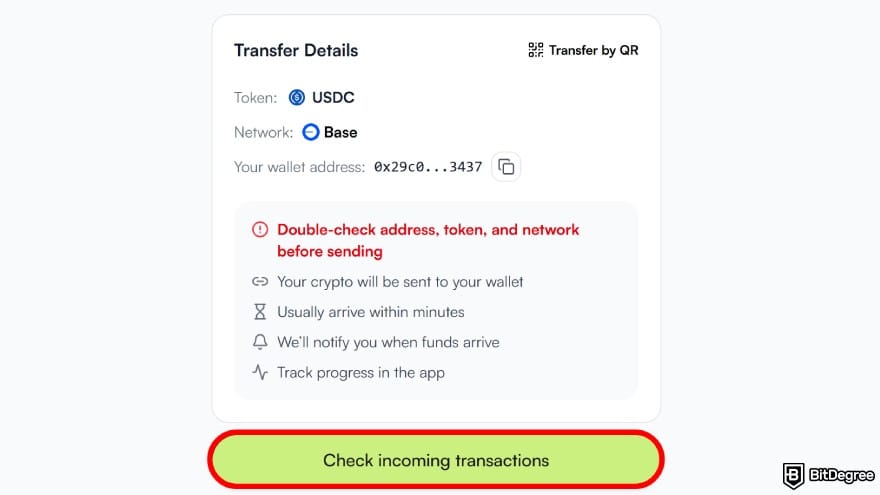
![How to withdraw money from OKX in Philippines: click [Send Money].](https://assets.bitdegree.org/images/how-to-withdraw-money-from-okx-in-philippines-new-send-money.jpg "How to withdraw money from OKX in Philippines: click [Send Money].")
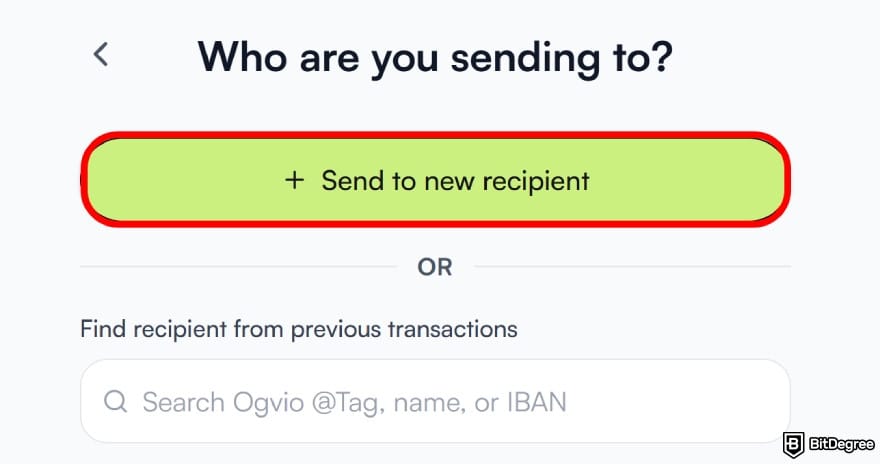
![How to withdraw money from OKX in Philippines: set the amount and currency, then click [Send Money].](https://assets.bitdegree.org/images/how-to-withdraw-money-from-okx-in-philippines-new-currency.jpg "How to withdraw money from OKX in Philippines: set the amount and currency, then click [Send Money].")
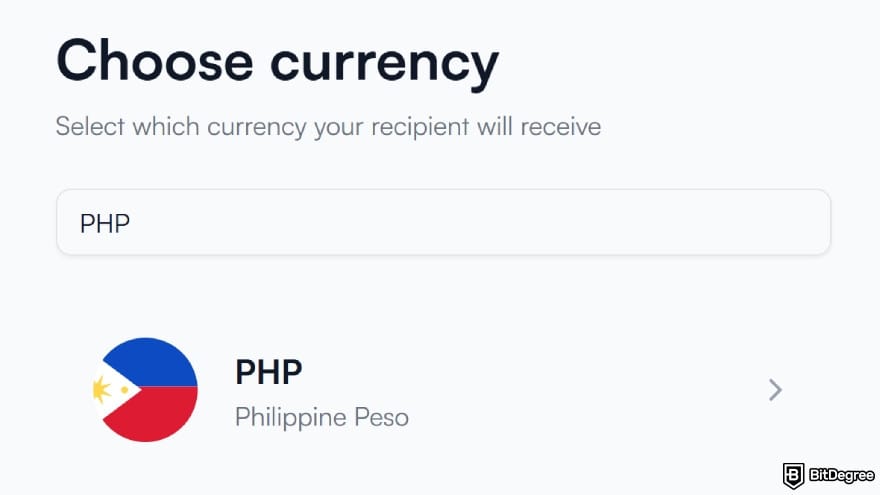
![How to withdraw money from OKX in Philippines: choose [Bank Transfer].](https://assets.bitdegree.org/images/how-to-withdraw-money-from-okx-in-philippines-new-bank-transfer.jpg "How to withdraw money from OKX in Philippines: choose [Bank Transfer].")
If you’re trying to do something different with your funds, you can choose any of the other options. The on-screen instructions will guide you through the process.
You can begin using Ogvio without identity verification, but KYC is required before you can make any bank transfers.
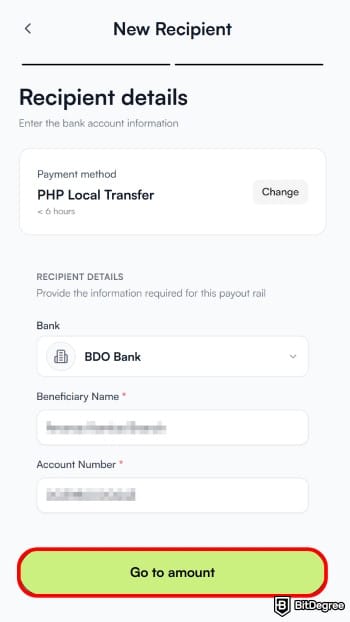
In most cases, your funds will arrive in your bank account within minutes. You can monitor the progress in the “Activity” section.
If you run into any issues during the process, no need to panic. Just get in touch with the Ogvio support team and provide your transfer number. They’ll take care of the rest.
Did you know?
Subscribe - We publish new crypto explainer videos every week!
What Is Tether? (USDT SIMPLY Explained With Animations)
Trading Through OKX P2P Express
For keeping everything in one place, OKX’s P2P marketplace is the go-to option. It gives you the flexibility to choose your own rates, and in most cases, you’re not paying any fees to the platform. That said, depending on the payment method you choose, outside charges may still apply.
For example, if you’re trying to withdraw from OKX to GCash in the Philippines, you might run into small external fees depending on how the payment is processed.
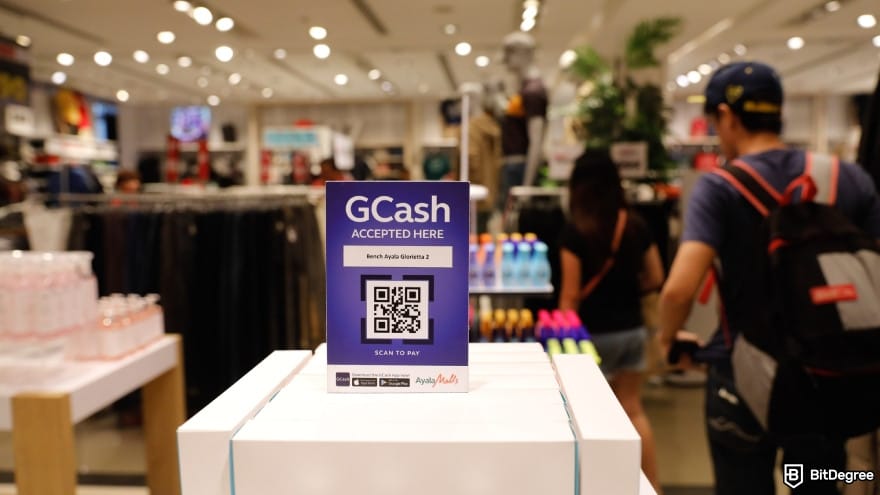
Now, if you’ve taken a look at the interface and found it a bit confusing, I’d recommend going straight into the P2P Express section. It’s a simplified version of the marketplace that helps you get a quick quote without sorting through dozens of individual offers, making the experience far less hands-on.[2]
That way, you can sell USDT to a PHP bank account on OKX quickly without going through every step on your own. Here’s how to do it:
![How to withdraw money from OKX in Philippines: go to the [P2P Trading] section.](https://assets.bitdegree.org/images/how-to-withdraw-money-from-okx-in-india-p2p-okx.jpg "How to withdraw money from OKX in Philippines: go to the [P2P Trading] section.")
![How to withdraw money from OKX in Philippines: navigate to the [Express P2P] section.](https://assets.bitdegree.org/images/how-to-withdraw-money-from-okx-in-philippines-sell-php-1.jpg "How to withdraw money from OKX in Philippines: navigate to the [Express P2P] section.")
Choose your coin and set PHP as your payout currency. You can also check how OKX converts your crypto from your account.
It uses your Funding account by default, but you can also pull from your "Trading" or "Earn" balances if needed.
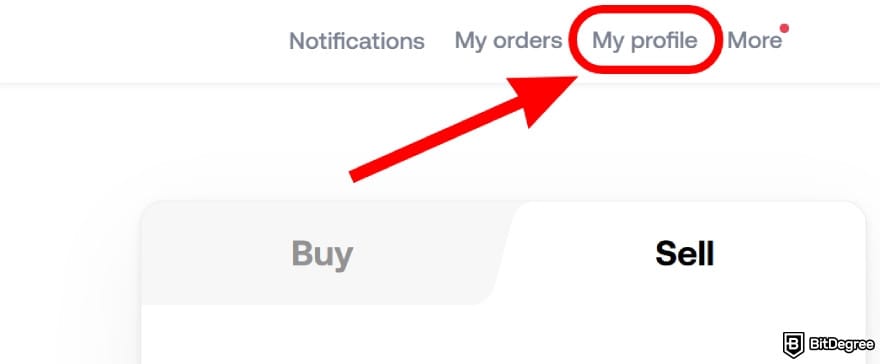
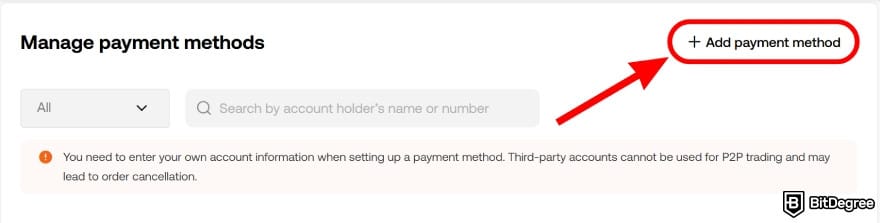
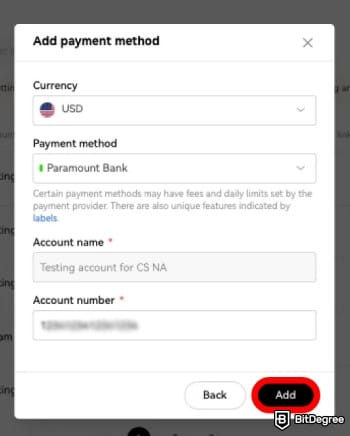
After making sure all the details are correct, click [Add] to save. Once you verify it via SMS, email, or Google Authenticator, the payment method will appear on your profile.
Once the buyer marks it as complete, manually check your bank or wallet to confirm the correct peso amount has arrived.
If the buyer marks it as paid but the amount doesn’t match what was agreed, you can open a dispute through the “Need Help” section. That said, it’s usually better to message the buyer first and try to sort it out before escalating.
Still, when OKX selling USDT to PHP bank account, the chances of these issues are lower since the platform carefully curates its buyers. Even then, it’s still worth being aware of them.

- Accepts fiat currencies
- Simple to use
- Supports only trusted cryptocurrencies
- A leading cryptocurrency exchange platform
- Best for all type investors
- Accepts fiat currencies

- Industry-leading security
- Accepts fiat currencies
- Advanced trading tools
- Industry-leading security
- Strong regulatory reputation
- Advanced trading tools

- Wide range of tradable assets
- Robust copy trading feature
- Flawless security record
Storing With a Ledger Wallet
If you’re looking at how to withdraw money from OKX in the Philippines but don’t really need the cash right now, this is the move. Exchanges are fine, but if you plan to sit on your assets for a while, a hardware wallet is just a better option.[3]
There’s no shortage of hardware wallet brands on the market. But the one I’d point you to is Ledger, especially the Flex. It brings together reliability, ease of use, and a level of security that makes you feel comfortable leaving assets there overnight.
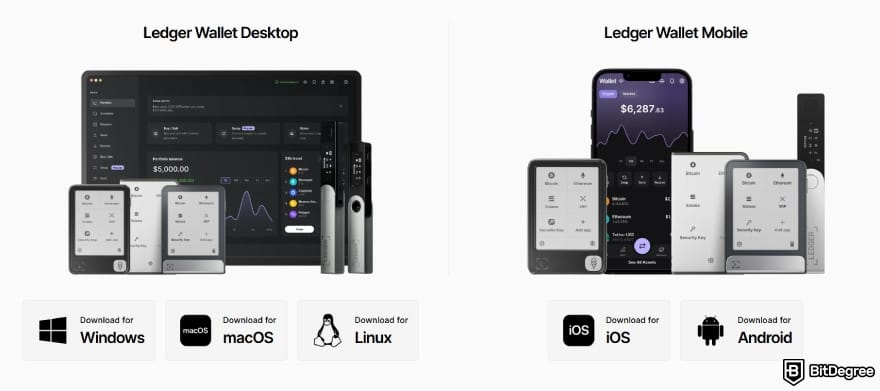
Once it's installed, go through the initial setup by:
- Giving your device a name;
- Creating a PIN;
- Setting up your recovery phrase.
Make sure that you write your recovery phrase down on paper and keep it somewhere safe. Never store it digitally, not in your notes app, not in your email drafts, not anywhere online.
![How to withdraw money from OKX in Philippines: select the [Receive] option in the left sidebar.](https://assets.bitdegree.org/images/how-to-withdraw-money-from-okx-in-india-receive.jpg "How to withdraw money from OKX in Philippines: select the [Receive] option in the left sidebar.")
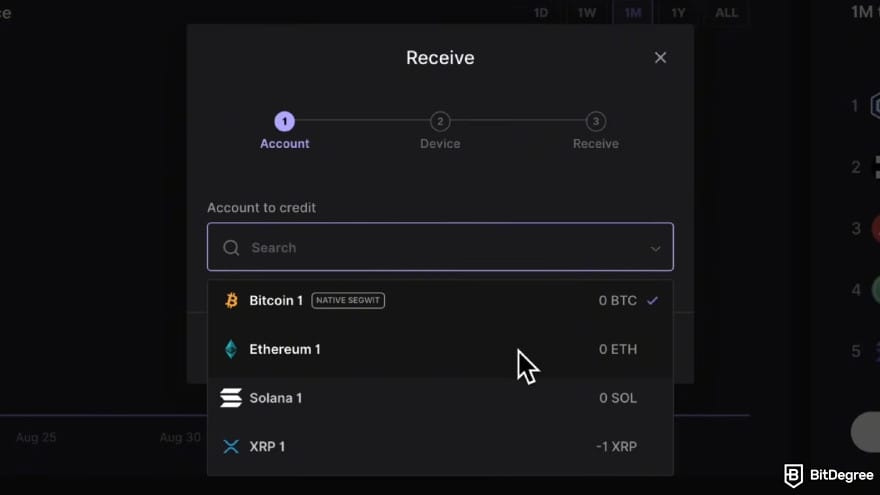
After that, connect your Ledger device and launch the corresponding app on it.
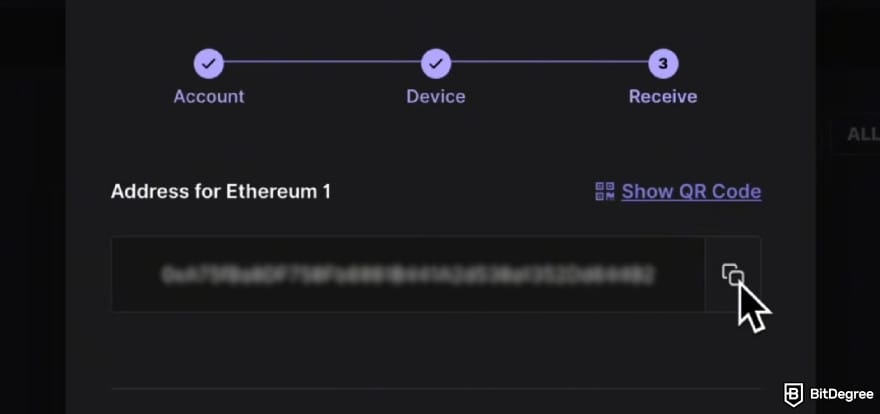
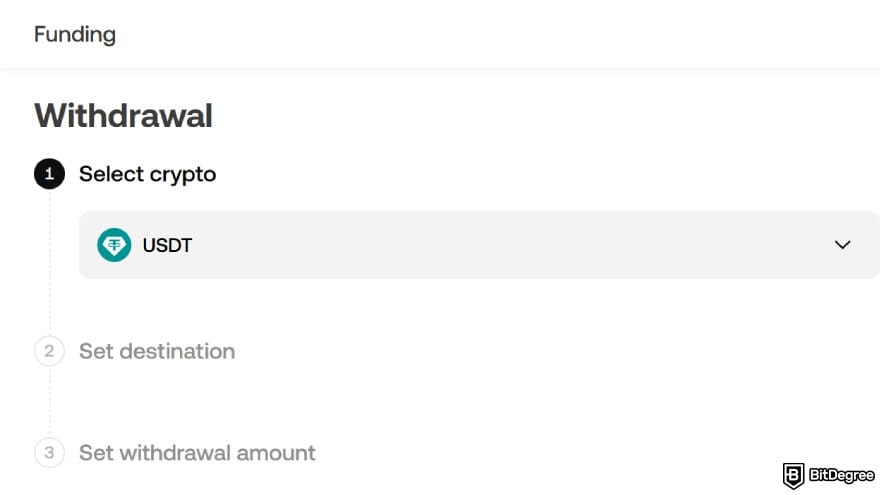
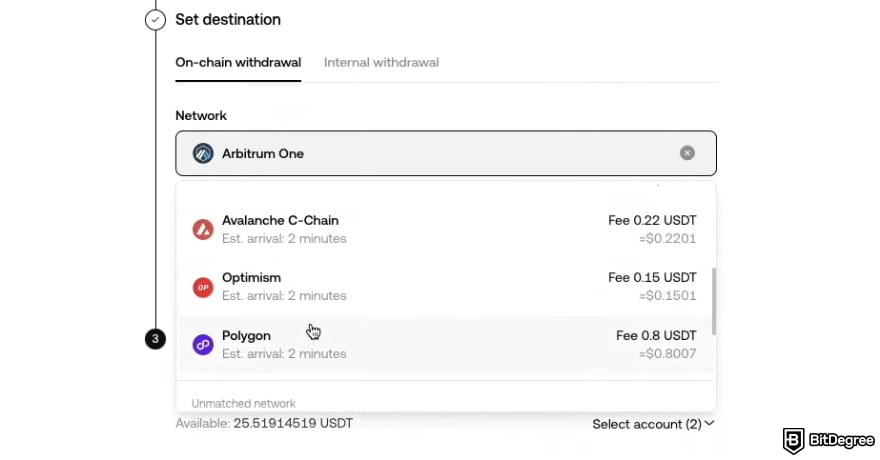
All that’s left is to wait for the crypto to come through. The time it takes comes down to the blockchain network and its condition.
OKX Withdrawal Fees & Limits
I’d say by now you’ve got the hang of withdrawing money from OKX in the Philippines. Whether you go with a cash-out service, the P2P route, or a crypto wallet, you should be set. That said, you might be curious if there are any charges involved along the way.
The short answer is yes, there are charges. But it’s worth pointing out that OKX doesn’t take a service cut when you withdraw crypto. Instead, you’re covering the network fee, which takes care of the blockchain processing cost.
The amount you pay can vary depending on the network you choose and how busy it is at the time. No need to overthink about it, though, since the platform shows the exact fee on the withdrawal screen before you confirm. Here’s roughly what you can expect to see:
Coin | Network | Est. Fee | Min. Withdrawal |
|---|---|---|---|
Bitcoin | 0.000015 BTC | 0.000095 BTC | |
Ethereum | 0.000019 ETH | 0.0011 ETH | |
Ripple | 0.2 XRP | 2.2 XRP | |
BNB Smart Chain | 0.0002 BNB | 0.00021 BNB | |
Tron | 2.1 USDT | 4.1 USDT | |
Base | 0.0032 USDC | 0.11 USDC |
Table: Network fees and minimum withdrawals on OKX
Other than that, you’ll also want to pay attention to the withdrawal limits. They can influence how you move your funds, particularly when you’re cashing out bigger amounts. Your 24-hour crypto withdrawal cap is determined by your VIP level as follows:
Tier | Assets Held | 30-Day Trading Vol. | Daily Withdrawal Limit |
|---|---|---|---|
Regular | < $100,000 | < $1,000,000 | $10,000,000 |
VIP 1 | ≥ $100,000 | ≥ $1,000,000 | $20,000,000 |
VIP 2 | ≥ $250,000 | ≥ $5,000,000 | $24,000,000 |
VIP 3 | ≥ $500,000 | ≥ $10,000,000 | $32,000,000 |
VIP 4 | ≥ $2,000,000 | ≥ $20,000,000 | $40,000,000 |
VIP 5 | ≥ $5,000,000 | ≥ $100,000,000 | $48,000,000 |
VIP 6 | ≥ $10,000,000 | ≥ $200,000,000 | $60,000,000 |
VIP 7 | - | ≥ $500,000,000 | $72,000,000 |
VIP 8 | - | ≥ $1,000,000,000 | $80,000,000 |
VIP 9 | - | ≥ $5,000,000,000 | $80,000,000 |
Table: OKX crypto withdrawal limits by tier
No surprises here, higher VIP levels unlock higher withdrawal limits. Still, if you’re not moving funds like a whale or managing an institution, the regular $10,000,000 limit should be more than enough.
Is OKX Legal in the Philippines?
To be honest, the answer is a bit more layered than a simple yes or no. Ask around or check different sources, and you’ll likely come away with different impressions.
First, a bit of context. The Bangko Sentral ng Pilipinas (BSP) requires any platform that exchanges, transfers, or holds virtual assets to register under its Virtual Asset Service Provider (VASP) framework. Put simply, operating fully within the system means getting proper authorization as a money service business.
Based on the BSP’s VASP list published on 15 October 2025, OKX isn’t listed among the registered entities.
Adding to that, the Philippine Securities and Exchange Commission (SEC) has taken action in the past against several crypto platforms that operate without proper licensing. In a few reports and advisories, OKX has been mentioned alongside other exchanges that lack local authorization.
Taken at face value, it would be easy to conclude that the answer to whether OKX is legal in the Philippines is a firm no. But here’s where things get a bit more nuanced.
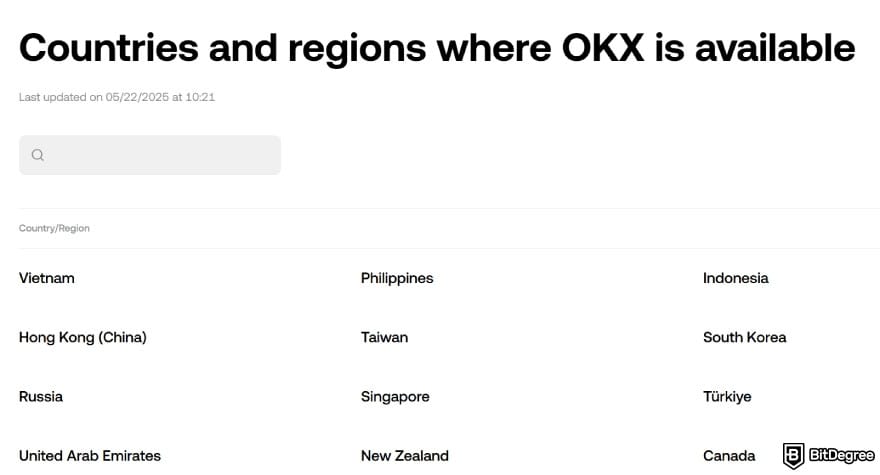
Even with the regulatory concerns, the platform is still reachable in the Philippines, and many users say they have no issues accessing it. OKX also shows signs of actively supporting the market, including listing the Philippines among its available regions.
So where does that leave you?
The safest way to approach this is to recognize that OKX sits in a grey area where accessibility and regulation don’t match. That doesn’t mean you’re blocked from using it, but it does mean you should be more mindful of the landscape.
If you choose to use the platform, make sure you stay informed. Keep up with local rules, understand the risks, and avoid relying on outdated information, as regulatory decisions can change pretty fast.
📚 Check Out: Best Way to Send Money to the Philippines
Browse our collection of the most thorough Crypto Exchange related articles, guides & tutorials. Always be in the know & make informed decisions!

Conclusions
After getting comfortable with how to withdraw money from OKX in Philippines, the entire flow should become easier to handle. If you ever need to turn your crypto into pesos on short notice, you’ll know exactly what to do.
You can use the OKX P2P marketplace if you want to handle the entire process without leaving the platform. And if you end up reconsidering the cash-out, transferring your assets to a Ledger wallet is a reliable backup plan.
All in all, Ogvio is the one I’d recommend. It’s easy to use and reliable for converting your crypto into pesos whenever the need arises.
The content published on this website is not aimed to give any kind of financial, investment, trading, or any other form of advice. BitDegree.org does not endorse or suggest you to buy, sell or hold any kind of cryptocurrency. Before making financial investment decisions, do consult your financial advisor.
Scientific References
1. Ahsan Z. B., Gupta A., Kar A. K.: ‘The Effect of Countries’ Independent Regulation on Cryptocurrency Markets’;
2. Strebinger A., Treiblmaier H.: ‘Disintermediation of consumer services through blockchain? The role of intermediary brands, value-added services, and privacy concerns’;
3. Weichbroth P., Wereszko K., Anacka H., Kowal J.: ‘Security of Cryptocurrencies: A View on the State-of-the-Art Research and Current Developments'.
About Article's Experts & Analysts