Key Takeaways
- Always double-check networks, fees, and wallet addresses before withdrawing from Phantom;
- Choose the platform that matches your priority, whether it’s maximum security, lowest fees, or fastest payout;
- For instant, simple cash-outs, platforms like Ogvio can save you time and stress.
Learning how to withdraw from Phantom Wallet doesn’t have to feel like rocket science. I get it, though - with the networks, fees, exchange rates, and pop-ups, it can look intimidating at first. But once you understand the flow, it’s actually more manageable than it seems.
Based on my experience, the entire process is even easier when you choose the right platform and follow a proper step-by-step guide. Personally, I like using a neobank like Ogvio because it’s fast, the fees are low to none, and it allows you to cash out crypto to any bank account.
Of course, Ogvio isn’t your only option. You can also withdraw through crypto exchanges, wallets, or P2P platforms, depending on your preference. I’ll break everything down for you so you don’t have to stress about how to get money out of your Phantom wallet. Just follow along and pick the method that fits your preference.

Did you know?
Subscribe - We publish new crypto explainer videos every week!
Copy Trading Guide for Beginners (ANIMATED EXAMPLES)


Table of Contents
- 1. How to Withdraw From Phantom Wallet
- 2. Step-by-Step Withdrawal Process
- 2.1. How to Withdraw From Phantom Wallet to Ogvio
- 2.2. How to Withdraw From Phantom Wallet to a Crypto Wallet
- 2.3. How to Withdraw From Phantom Wallet to a Crypto Exchange
- 2.4. How to Withdraw From Phantom Wallet to a P2P Platform
- 3. What to Watch Out For When Withdrawing From Phantom Wallet
- 3.1. Network and Token Compatibility
- 3.2. Timing, Exchange Rate, and Fees
- 3.3. Exchange and Bank Withdrawal Limitations or Delays
- 3.4. Security and Proper Recipient Address
- 4. Conclusions
How to Withdraw From Phantom Wallet
As you’re looking to learn how to withdraw from Phantom Wallet, I’m guessing you’ve already seen how huge it’s become. Phantom Wallet has gone viral, becoming one of the most popular multichain wallets in the industry with 10M monthly active users and 850M+ total transactions (around 27 per second).
Latest Tangem Coupon Found:I personally like how user-friendly and innovative the platform is, especially when Phantom made crypto social with usernames, profiles, and a follow system.
With all the interesting features available right now, Phantom doesn’t support direct bank withdrawals.
If you’re trying to figure out how to take money out of Phantom Wallet, the process involves sending your tokens to another platform, converting them to fiat (USD, EUR, etc.), and then withdrawing to your bank. You’ve got several options to do this:
- Using Ogvio;
- Another crypto wallet;
- A centralized exchange;
- A P2P platform.
To make things clearer, I compared each option so you can choose the one that fits you best.
Ogvio
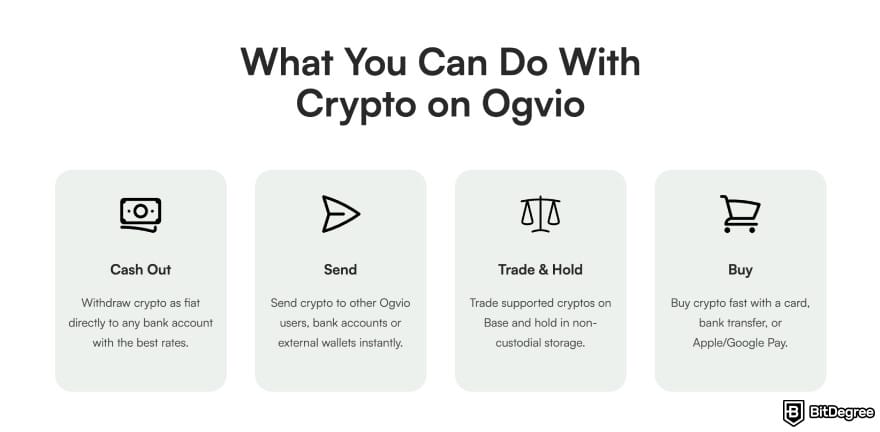
Ogvio is one of the easiest ways to cash out from Phantom because it lets you send crypto as cash without having to go through any complex processes yourself.
You just need to send your tokens from Phantom to Ogvio, then select bank transfer as a way to transfer your funds, and the platform handles the conversion smoothly. It shows all the fees upfront, which are some of the best in the industry, I might add.
You can send your crypto as cash to any bank account, not just your own, unlike with most crypto exchanges. Of course, you can also just send crypto as crypto to another Ogvio user or an external crypto wallet.
Just make sure to send USDC on Base from Phantom to Ogvio, as it's the only crypto asset it currently supports for transfers. If you want to cash out other assets from Phantom, swap them to USDC first.
I like how flexible Ogvio is because you can choose bank transfer or send the money online to your friend using its @Tag feature. Transactions also tend to settle fast, which is ideal if you need your funds ASAP. There are no fees for sending to other Ogvio users or most crypto-related actions. You only need to pay fees when withdrawing to a bank.
For small or medium withdrawals, Ogvio is especially convenient since you avoid the heavy trading fees and waiting times associated with large exchanges. It’s basically the most straightforward bridge between Phantom and your bank account.
📚 Read More: A Complete Ogvio Review
Crypto Wallet
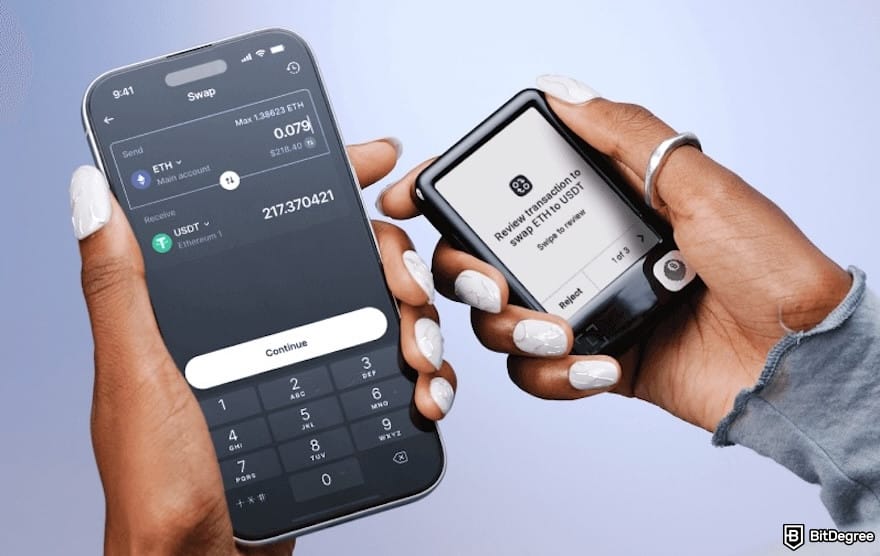
You can also withdraw by sending your tokens from Phantom to another wallet that supports off-ramping, such as Ledger, OKX Wallet, and Binance Web3 Wallet. Ledger wallets like Ledger Flex or Nano Gen5, specifically, provide built-in services that let you sell crypto for fiat directly in the app using a third party.
Using Ledger is especially appealing if you value security. You can move your Phantom assets to Ledger and store them offline or use integrated partners to cash out safely.
Just note that fees can vary depending on the service partner, and availability depends on your region. But if you prefer a “wallet-to-wallet” flow while maintaining top security with a hardware wallet, this method keeps things clean and safe.
📚 Read More: Best Cryptocurrency Wallets
Crypto Exchange

Sending your tokens from Phantom to a centralized exchange may be the most common method. Platforms like Binance, Bybit, and Kraken let you swap tokens for fiat and withdraw directly to your bank. They typically offer deep liquidity and multiple cash-out options.
I think exchanges are more suitable when you’re withdrawing larger amounts because the spreads are generally lower. You also get access to advanced trading tools if you want to convert your tokens before selling. This makes exchanges reliable for those who withdraw money regularly.
The drawback is the extra steps: you’ll need an account, identity verification, and sometimes a waiting period. Beginners may also find the features quite confusing. So, while it’s one of the most affordable methods, it’s not always the fastest and simplest, especially if you’re in a hurry.
📚 Read More: Best Crypto Exchanges
P2P Platform
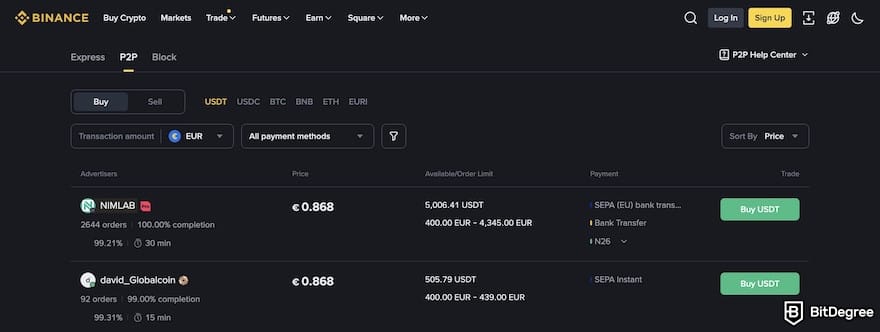
P2P platforms let you sell your crypto directly to another user for fiat. Popular options like Binance P2P or OKX P2P support various payment methods, including bank transfers, e-wallets, and local payment apps. It’s a flexible approach for people in regions where traditional withdrawals aren’t available.
The biggest perk on how to withdraw funds from Phantom Wallet with a P2P platform is control. You choose the buyer, the price, and the payment method.
Sometimes you even get better rates than on exchanges because buyers compete with each other. This makes P2P ideal for maximizing value or withdrawing in countries with strict banking limits.
My key takeaway is to stay safe because P2P platforms are often the "go-to place" for scams.[1] Always follow platform rules, chat only inside the app, and release crypto only after confirming the payment. When used properly, P2P is one of the most accessible and user-friendly withdrawal methods worldwide.
📚 Read More: Best P2P Platforms
To help you decide on one "perfect" method for you, check the table below:
Speed | Fees | Difficulty | Requires KYC? | Best For | Things to Consider | |
|---|---|---|---|---|---|---|
Ogvio | Fast | Zero-to-Low | Very easy | Depending on your payout option | People who want fast and instant transfers | At the time of writing, only supports USDC on the Base network |
Crypto Wallet | Moderate | Medium | Medium | ✓ | Users who want security and off-ramping | Currency options may be limited |
Crypto Excahnge | Fast-Moderate | Low-Medium | Medium | ✓ | Large withdrawals | Requires full KYC verification and can feel overwhelming for beginners |
P2P Platforms | Fast-Varies | Low | Medium | ✓ | Regions with limited banking options | Must be careful to avoid scams |
Table: Comparison of Phantom withdrawal methods
When you want to know how to get money from Phantom Wallet, understand that every platform comes with its pros and cons. Choose what fits your priorities, such as maximum security, lowest fees, or flexibility.
Looking for more in-depth information on related topics? We have gathered similar articles for you to spare your time. Take a look!



Step-by-Step Withdrawal Process
Now that you know the basics on how to withdraw money from Phantom Wallet, let’s walk through the actual process with different methods: using Ogvio, sending to a crypto exchange, withdrawing through another crypto wallet, or selling via a P2P platform.
Each option works differently, so I broke down the steps for all four, so you can pick the method that fits your budget, speed needs, and comfort level.
How to Withdraw From Phantom Wallet to Ogvio
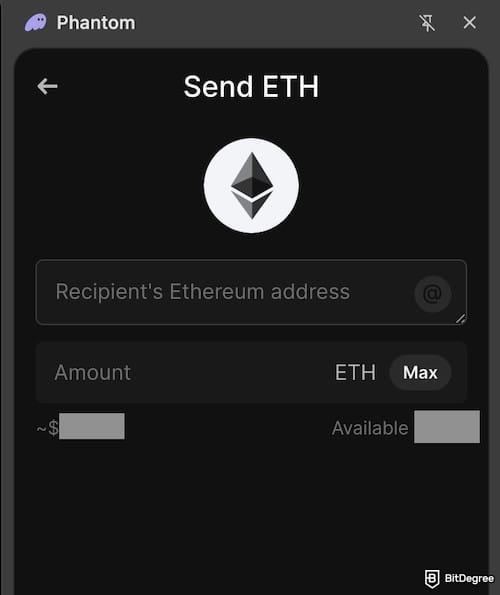
If you want the fastest and simplest way on how to withdraw from Phantom Wallet, Ogvio is one of the easiest options. You just convert your crypto to USDC on Base, send it to your Ogvio wallet, and cash out to your bank. Here’s the full step-by-step guide so you don’t miss anything:
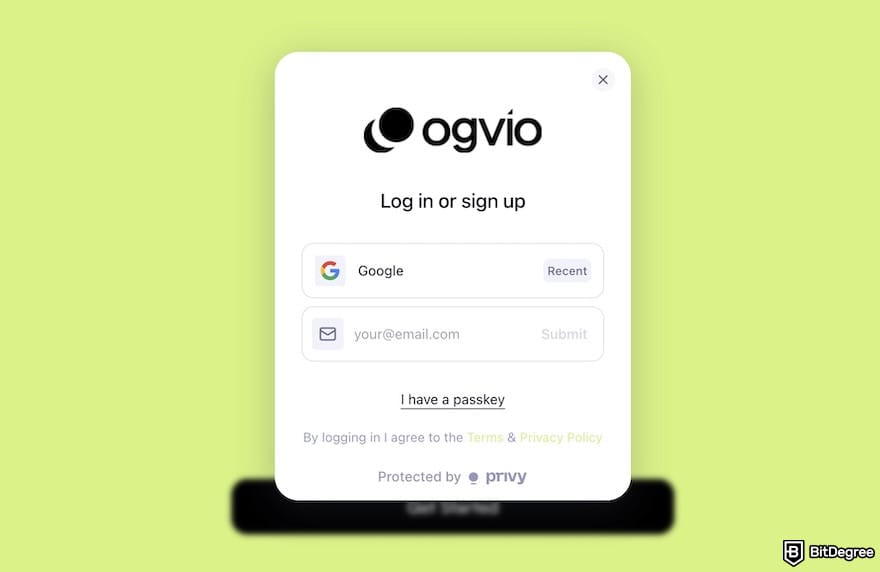
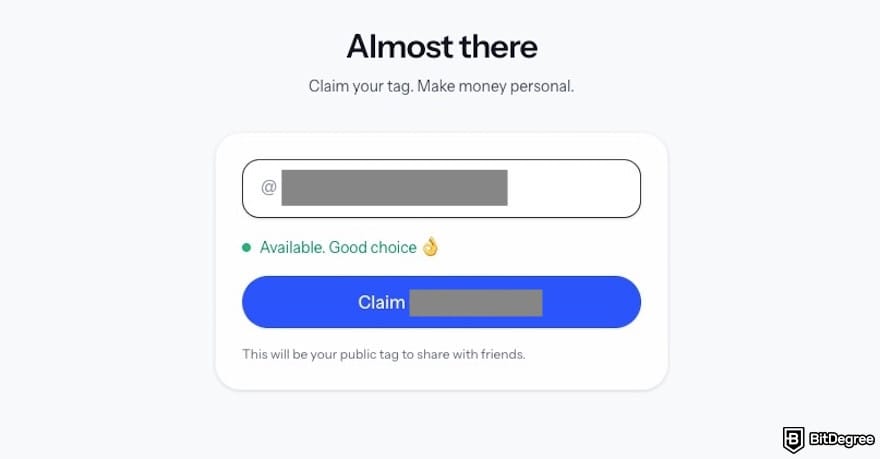
![How to withdraw from Phantom Wallet: the top-up options with the [See Your Wallet Address] menu highlighted.](https://assets.bitdegree.org/images/how-to-withdraw-from-phantom-wallet-ogvio-top-up-options-wallet-address.jpg "How to withdraw from Phantom Wallet: the top-up options with the [See Your Wallet Address] menu highlighted.")
At the time of writing, Ogvio only supports USDC on the Base network for transfers.
![How to withdraw from Phantom Wallet: the [Swap] menu on Phantom outlined.](https://assets.bitdegree.org/images/how-to-withdraw-from-phantom-wallet-phantom-swap-menu.jpg "How to withdraw from Phantom Wallet: the [Swap] menu on Phantom outlined.")
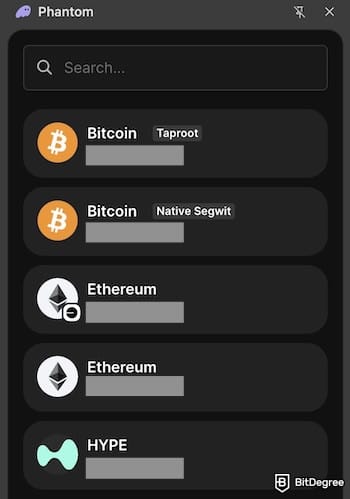
![How to withdraw from Phantom Wallet: the [Swap] interface on Phantom.](https://assets.bitdegree.org/images/how-to-withdraw-from-phantom-wallet-phantom-wallet-swap-interface.jpg "How to withdraw from Phantom Wallet: the [Swap] interface on Phantom.")
![How to withdraw from Phantom Wallet: the [Send] button on Phantom highlighted.](https://assets.bitdegree.org/images/how-to-withdraw-from-phantom-wallet-send-button-phantom-wallet.jpg "How to withdraw from Phantom Wallet: the [Send] button on Phantom highlighted.")
![How to withdraw from Phantom Wallet: the [Send Money] button on Ogvio outlined.](https://assets.bitdegree.org/images/how-to-withdraw-from-phantom-wallet-ogvio-dashboard-send-money.jpg "How to withdraw from Phantom Wallet: the [Send Money] button on Ogvio outlined.")
![How to withdraw from Phantom Wallet: the [Bank transfer] menu highlighted.](https://assets.bitdegree.org/images/how-to-withdraw-from-phantom-wallet-ogvio-transfer-methods.jpg "How to withdraw from Phantom Wallet: the [Bank transfer] menu highlighted.")
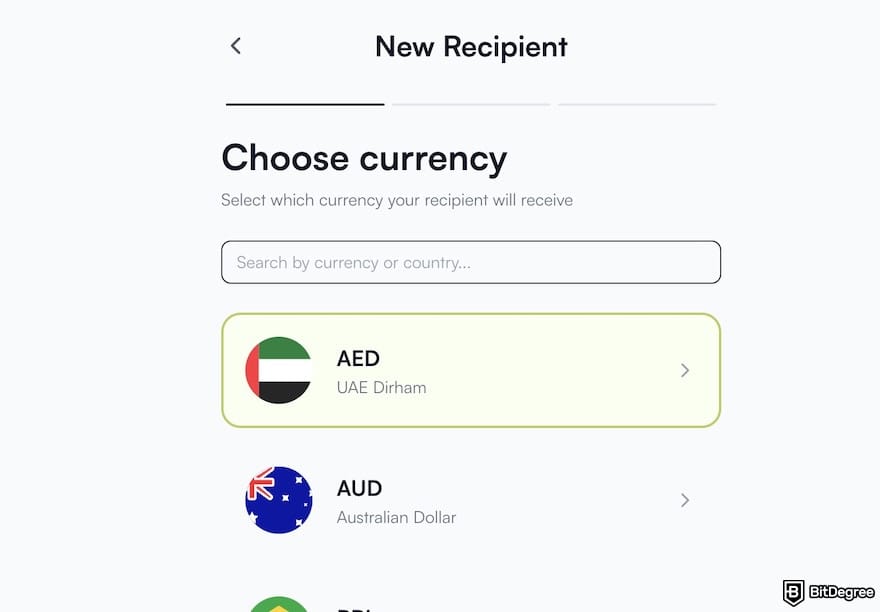
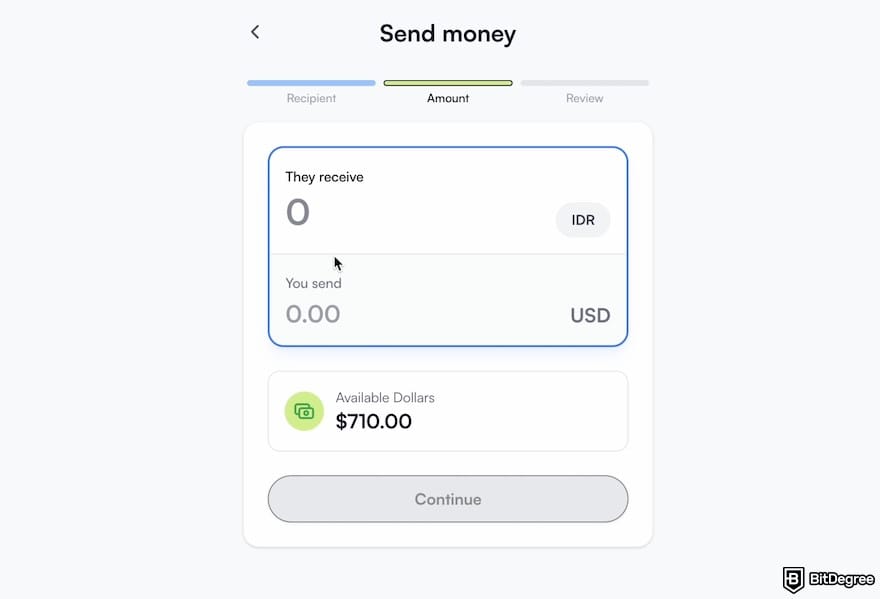
Ogvio should show the estimated arrival time. In my experience, even when it says up to 6 hours, the money usually arrives almost instantly.
How to Withdraw From Phantom Wallet to a Crypto Wallet
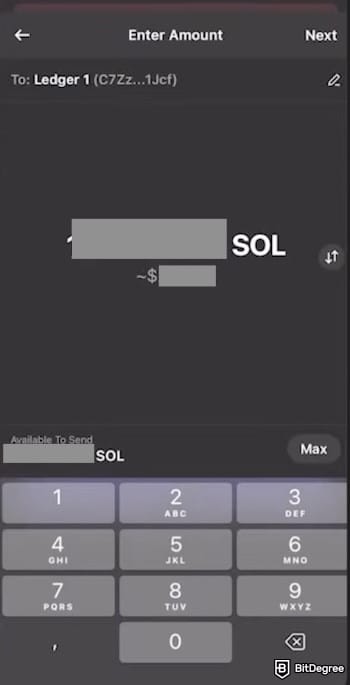
If you want an extra-secure way when learning how to withdraw money from Phantom Wallet, you can connect your Ledger hardware wallet and cash out through Ledger Live. Here’s the simplified process:
![How to withdraw from Phantom Wallet: the [My Ledger] interface.](https://assets.bitdegree.org/images/how-to-withdraw-from-phantom-wallet-my-ledger-interface.jpg "How to withdraw from Phantom Wallet: the [My Ledger] interface.")
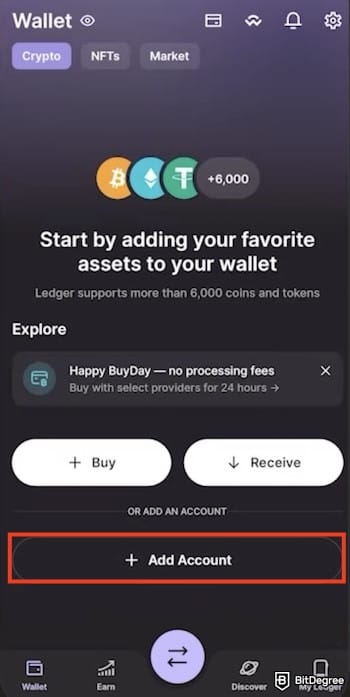
![How to withdraw from Phantom Wallet: the [Receive] button on the Solana wallet on Ledger Live highlighted.](https://assets.bitdegree.org/images/how-to-withdraw-from-phantom-wallet-solana-wallet-on-ledger-receive-button.jpg "How to withdraw from Phantom Wallet: the [Receive] button on the Solana wallet on Ledger Live highlighted.")
![How to withdraw from Phantom Wallet: the [Sell] button on Ledger Live.](https://assets.bitdegree.org/images/how-to-withdraw-from-phantom-wallet-sell-button-on-ledger-live.jpg "How to withdraw from Phantom Wallet: the [Sell] button on Ledger Live.")
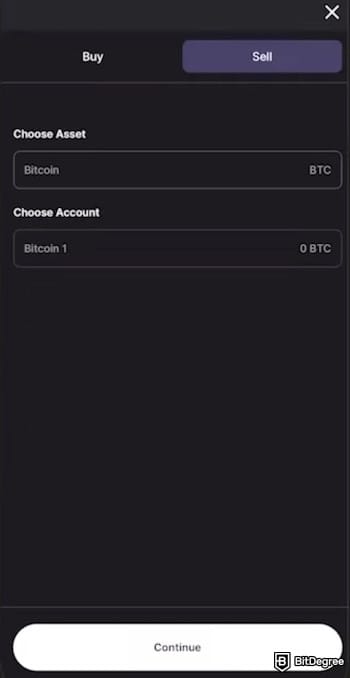
I know this might not be the quickest or cheapest withdrawal method out there, but if you already have Ledger and you trust its safety, then this workflow has you covered.
How to Withdraw From Phantom Wallet to a Crypto Exchange
How do you withdraw money from Phantom Wallet if you want the globally supported option with generally fair fees? Using a crypto exchange is usually the answer. The spreads are often competitive, you get plenty of flexibility with which asset you want to transfer, and you can cash out into a wide range of fiat currencies.
Just make sure you’re using a major exchange like Binance, where liquidity is high, and withdrawal methods are reliable.
If you have already decided on an exchange, create an account and complete the KYC because you typically won’t be able to cash out without verifying your identity.
KYC is required on all regulated exchanges, and doing it early saves you time later when you’re ready to withdraw. Follow these steps to cash out smoothly on Binance:
![How to withdraw from Phantom Wallet: the [Deposit Crypto] menu on Binance highlighted.](https://assets.bitdegree.org/images/how-to-withdraw-from-phantom-wallet-deposit-crypto.jpg "How to withdraw from Phantom Wallet: the [Deposit Crypto] menu on Binance highlighted.")
![How to withdraw from Phantom Wallet: the [Spot] and [Trade] menus on the Binance webiste highlighted.](https://assets.bitdegree.org/images/how-to-withdraw-from-phantom-wallet-binance-menu-highlighted.jpg "How to withdraw from Phantom Wallet: the [Spot] and [Trade] menus on the Binance webiste highlighted.")
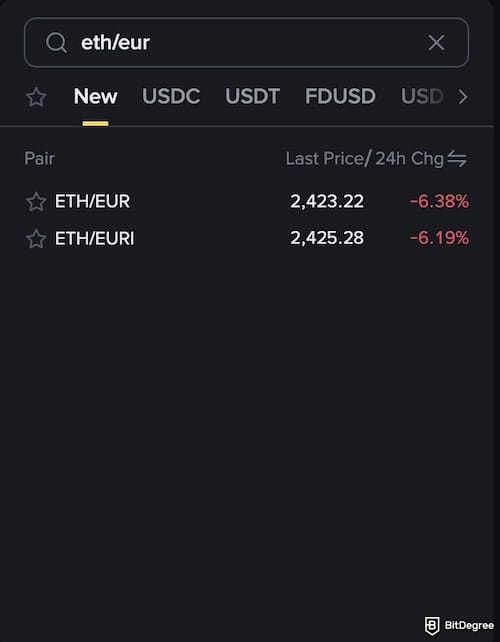
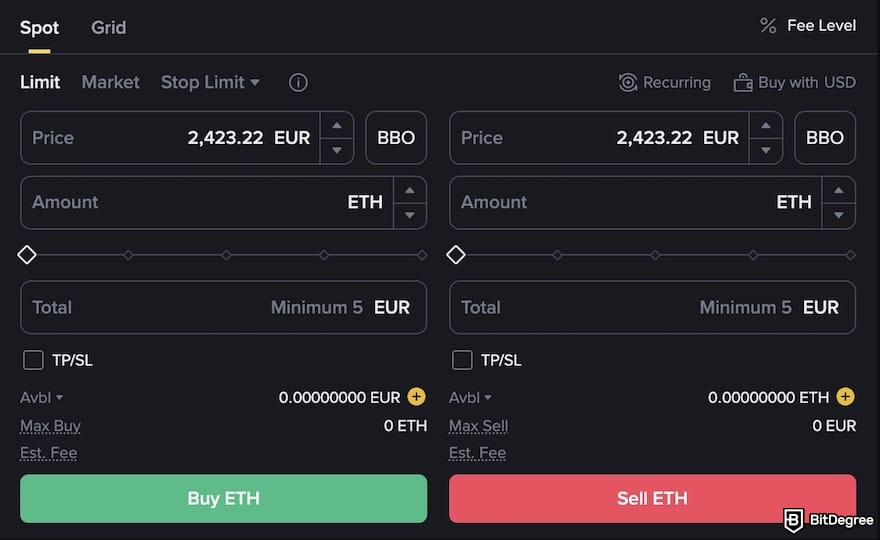
![How to withdraw from Phantom Wallet: the [Assets] menu highlighted on Binance.](https://assets.bitdegree.org/images/how-to-withdraw-from-phantom-wallet-assets-menu-binance.jpg "How to withdraw from Phantom Wallet: the [Assets] menu highlighted on Binance.")
![How to withdraw from Phantom Wallet: the [Withdraw Fiat] menu highlighted on Binance.](https://assets.bitdegree.org/images/how-to-withdraw-from-phantom-wallet-withdraw-fiat-binance.jpg "How to withdraw from Phantom Wallet: the [Withdraw Fiat] menu highlighted on Binance.")
You can also sell your crypto directly through the [Buy Crypto] section or by hitting the [Sell] button in your Wallet. These methods are definitely more convenient than navigating the trading dashboard. However, they usually come with higher fees. If convenience matters more to you than costs, feel free to use them.
How to Withdraw From Phantom Wallet to a P2P Platform
There’s another way on how to withdraw funds from Phantom Wallet in an affordable way: using a P2P platform. One of the most popular options is Binance P2P. It’s fast, flexible, and often comes with zero trading fees depending on your region.
Let’s say you’ve already gotten your account verified and sent your crypto from Phantom to Binance (check the previous section if you haven't done it yet). Now you’re ready to convert that balance into cash by selling through P2P. Here’s how to do it:
![How to withdraw from Phantom Wallet: the [Funding] tab on the Binance app.](https://assets.bitdegree.org/images/how-to-withdraw-from-phantom-wallet-funding-on-binance-v1.jpg "How to withdraw from Phantom Wallet: the [Funding] tab on the Binance app.")
![How to withdraw from Phantom Wallet: the [P2P Trading] menu on Binance's app highlighted.](https://assets.bitdegree.org/images/how-to-withdraw-from-phantom-wallet-p2p-binance-menu-highlighted.jpg "How to withdraw from Phantom Wallet: the [P2P Trading] menu on Binance's app highlighted.")
![How to withdraw from Phantom Wallet: the [Sell] tab on Binance's P2P highlighted.](https://assets.bitdegree.org/images/how-to-withdraw-from-phantom-wallet-sell-tab-binance-p2p.jpg "How to withdraw from Phantom Wallet: the [Sell] tab on Binance's P2P highlighted.")
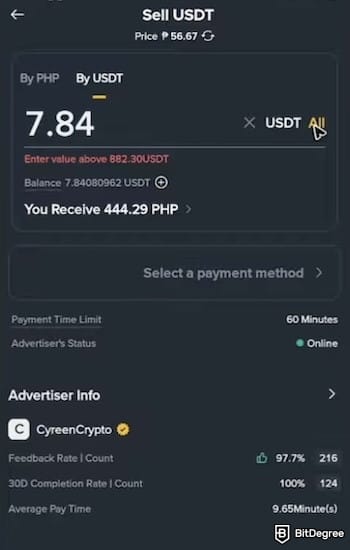
You have now finished learning how to take money out of Phantom Wallet via Binance P2P. The cash should already be in your bank account.
What to Watch Out For When Withdrawing From Phantom Wallet
How do you withdraw money from Phantom Wallet safely? My answer is to check these few important things: security, fees, and network compatibility. Let me explain each of the aspects below.
Did you know?
Subscribe - We publish new crypto explainer videos every week!
How to Invest in Crypto: 6 Rewarding Strategies (Animated)

Network and Token Compatibility
One of the biggest mistakes when learning how to get money from Phantom Wallet is mixing up networks or token types. For example, if you have USDC on one blockchain (say Solana or Ethereum) and you send it over to an exchange, wallet, or platform that doesn’t support that network, this mistake can lock up or even permanently lose your funds.[2]
So, before you hit “send”, always double-check two things:
- the token type (USDT, USDC, or something else);
- the blockchain network (ERC-20, Solana, BNB, etc).
It’s usually safest to confirm on the receiving platform which networks are supported. You can look for a “Supported Networks” list on the receiving platform or click [Deposit] or [Receive] on the exchange or wallet, since they usually display a dropdown.
If you don’t see a list immediately, check the platform’s FAQ or support articles. They often have a “Deposit/Withdrawal Networks” section explaining exactly which networks they accept
Timing, Exchange Rate, and Fees
When you’re planning to cash out crypto, the timing really matters. Crypto prices are volatile; if you sell during a dip, you may convert your tokens into way less fiat than you hoped. Moreover, keep in mind that fiat exchange rates may change while your withdrawal is processing, especially if you’re converting to a currency that fluctuates against the USD or another reserve.
That’s why Ogvio pegs your transfer to USD or EUR at the moment you initiate the transaction. This gives you a more predictable outcome, stabilizes your expected payout, and protects you from sudden market swings during the withdrawal.

Beyond the price, withdrawing crypto involves multiple fees:
1
On-chain transaction fee (gas);
2
Exchange conversion fee;
3
Possibility of fiat-withdrawal or bank-transfer fees.
All of these can eat into the amount you get in your bank account. Generally, blockchain network conditions also affect the cost. When a network is congested (lots of transactions happening), gas or transaction fees tend to increase, so withdrawals become more expensive and sometimes slower.
Moreover, if you frequently withdraw small amounts, the fees can stack up quickly. Therefore, I suggest that you gather withdrawals into fewer, larger transactions. That cuts down on the total number of fees you pay, and can reduce total fee percentages.
Additionally, consider waiting for a good market moment and a “less busy” network activity to get more value if you’re not in a rush. Check if the chosen time has lower network congestion. Network fees fluctuate; withdrawing during off-peak hours definitely would make a huge difference.
📚 Read More: How to Transfer Crypto to Bank Account
Exchange and Bank Withdrawal Limitations or Delays
Even after you successfully convert crypto to fiat, actually getting money into your bank account can take time. Exchanges may batch withdrawals, require additional verification, or have delayed processing, especially for larger withdrawals.

If you’re using a country or bank with strict KYC or banking regulations, withdrawals may be slower or may require extra steps (e.g. small deposit for verification). That means you should plan ahead – let’s not expect instant transfers every time.
Also, don’t forget that bank holidays or weekends can add delays. If you know you’ll need the money by a certain date (rent, bills, etc.), give yourself buffer time and avoid last-minute withdrawals.
Alternatively, you can choose a platform that offers instant delivery, and Ogvio is a great example.
In my experience, even though Ogvio states that transfers may take up to 6 hours (which is already much faster than most exchanges or traditional money transfer services that can take days), the payout often arrives instantly. Six hours is impressive, but getting the money within seconds was even better (and apparently possible with the right platform).

- User-friendly design
- Robust security
- Long battery life

- Dual auditable Secure Element chips
- Quantum-resistant protection
- Water and dust resistant

- Transaction Check feature
- Direct dApps connection
- Great middle-ground price
Security and Proper Recipient Address
Crypto transfers are irreversible. If you send to the wrong wallet address (or mistype a character), there’s no “Undo” button. You lose those funds forever.
Therefore, always copy-paste addresses instead of typing them manually. After pasting, verify the first and last few characters. Even better, use QR codes if supported to avoid manual errors. Some platforms even highlight network mismatches or warn you when you're sending on the wrong chain, which is a great feature to prevent expensive mistakes.
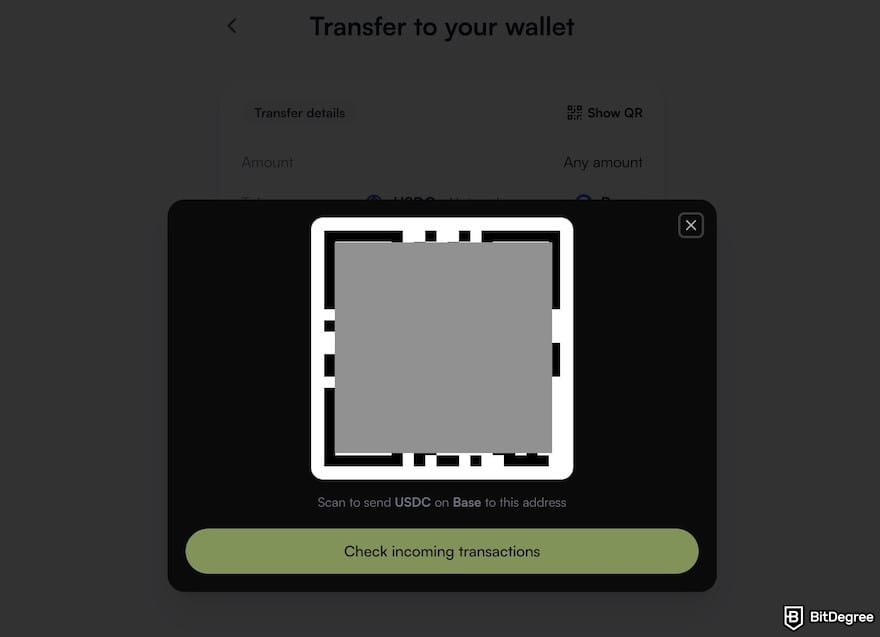
This is why choosing secure, reputable platforms is crucial when learning how to withdraw from Phantom Wallet. Generally, the “green flags” of a secure platform include:
- Clear network prompts (e.g., warns you if you’re sending SOL to an SPL-incompatible address).
- Address verification pop-ups that make you confirm the destination before sending.
- Built-in scam/phishing alerts when an address is flagged as risky.
- Native QR code support for receiving and sending crypto safely.
- Multi-factor authentication (MFA).
- Open security audits or public audit history from reputable firms.
- 24/7 human support, especially important if a transaction gets stuck.
- Transparent fee breakdowns so nothing “mysterious” happens during withdrawal.
The platforms mentioned in my step-by-step guides above already check most (if not all) of these green flags, so you’re in safe hands as long as you follow the steps carefully.
Browse our collection of the most thorough Crypto Exchange related articles, guides & tutorials. Always be in the know & make informed decisions!



Conclusions
Now, after reading the article, understanding how to withdraw from Phantom Wallet isn’t so scary anymore, right? Once you get the basics, such as networks, timing, fees, and how to spot legit platforms, you’re honestly set for life.
In general, if you prioritize maximum safety, go with a hardware wallet like Ledger. If you want something cheaper and more flexible, a crypto exchange or P2P platform usually does the job perfectly.
For those wanting instant transfers, affordable fees, and a platform that actually feels safe and easy to use, Ogvio has it all. It’s genuinely one of the smoothest ways to cash out from Phantom.
The content published on this website is not aimed to give any kind of financial, investment, trading, or any other form of advice. BitDegree.org does not endorse or suggest you to buy, sell or hold any kind of cryptocurrency. Before making financial investment decisions, do consult your financial advisor.
Scientific References
1. J. F. Prados-Castillo, J. A.Torrecilla-García, G. Andraz , J. M. G. Martínez: 'Blockchain in Peer-to-Peer Platforms: Enhancing Sustainability and Customer Experience in Tourism';
2. K. Park: 'Proposal of Decentralized P2P Service Model for Transfer between Blockchain-Based Heterogeneous Cryptocurrencies and CBDCs'.
About Article's Experts & Analysts