
There are thousands of different cryptocurrencies and almost as many different places to buy them. Selling and buying cryptocurrencies via an exchange is the way to go, especially using a CEX. So, in this Kraken review, we’ll explore one of them.
Founded in 2011, Kraken is one of the longest-standing cryptocurrency exchanges in the industry, and that alone already sets it apart in a market where many platforms come and go. Today, it serves 13+ million users across 190+ countries, offering access to 500+ cryptocurrencies, advanced trading tools, and a strong focus on security, transparency, and regulatory compliance.
That said, if you'll be moving funds between people after you buy, consider pairing your exchange account with Ogvio - it supports instant Ogvio-to-Ogvio transfer and zero-fee crypto transfers, with sending made easier via @Tags. Shall we begin?
Verdict at a Glance:
Kraken is one of the most trusted and feature-rich crypto exchanges, catering to both beginners and advanced traders. With over 500 supported cryptocurrencies, fiat trading options, and an intuitive standard/Pro interface system, it offers flexibility for all experience levels. What really differentiates Kraken, though, is its institutional-grade approach to crypto trading. Kraken has built its reputation on a strong security track record and a regulatory-first mindset.

Pros
- Industry-leading security
- Accepts fiat currencies
- Advanced trading tools
- Wide asset selection
- Strong regulatory reputation
Cons
- Higher fees for beginners
- Feature availability varies by region
Table of Contents
- 1. Kraken Review: The Kraken Story
- 2. What is Kraken?
- 3. Is Kraken Safe?
- 4. Who is Kraken Best for?
- 5. Kraken Review: PROS
- 5.1. Various Trading & Earning Options
- 5.2. Fiat Currency Support
- 5.3. Vast Selection of Crypto
- 5.4. 24/7 Customer Support
- 5.5. Functional Mobile Apps
- 5.6. Kraken Wallet
- 6. Kraken Review: CONS
- 6.1. Past Regulatory Issues in the US
- 6.2. Relatively High Fees
- 7. Kraken Fees Explained
- 8. Kraken KYC: Past & Present
- 9. How to Use Kraken
- 9.1. How to Sign up on Kraken?
- 9.2. How to Deposit into Your Kraken Account?
- 9.3. How to Trade on Kraken?
- 10. What is Krak?
- 11. Conclusions
Kraken Review: The Kraken Story
Once upon a time, in San Francisco, California, there was a young man named Jesse Powell who was a big fan of all things crypto.
In 2011, Jesse visited the offices of Mt. Gox, which was the world’s biggest crypto exchange. During his visit, Jesse was shocked by what he saw. Mt. Gox had been hacked, and Jesse could see why. It was poorly managed and in danger of losing its customers’ money.
Jesse decided to build a safer and better-organized exchange and called it Kraken.
By 2014, Kraken was one of the most respected exchanges in the business. Within the same year, Mt. Gox got hacked again, lost $460 million worth of BTC (which equals billions now) of its customers’ money and went bankrupt.
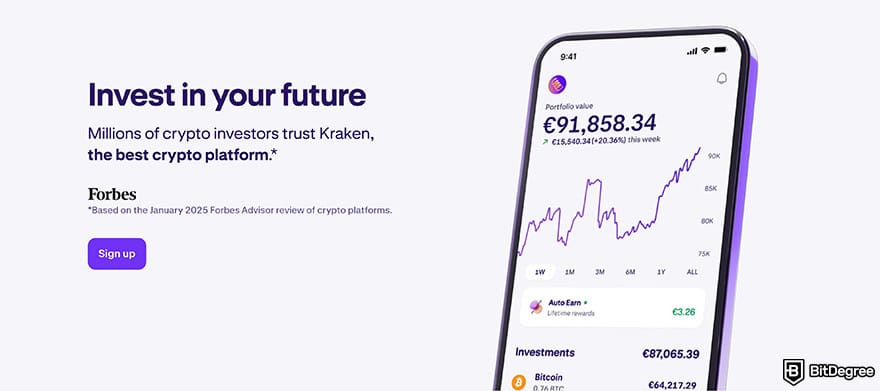
Jesse Powell recognized that user trust is a fundamental pillar of any exchange.[1] That's why Kraken formed links with banks in Germany and Japan. It was also the first crypto exchange listed on the Bloomberg Terminal (a tool used by bankers around the world). Thus, Kraken became a platform that customers could trust.
In 2017, Kraken faced several challenges, including performance issues, an overwhelming number of new users, and cyberattacks. To address these, the exchange temporarily shut down for updates in January 2018, lasting about a week. Fans praised the platform for taking the issues seriously. However, some people believed that the issues would continue.

I understand the worry since the world of crypto can be unpredictable, but after the shutdown, Kraken returned with improved performance and enhanced security.
What is Kraken?
As I already mentioned in this Kraken exchange review, it's essentially a platform where you can trade cryptocurrencies. However, it definitely offers more than that. In fact, Kraken is a whole ecosystem with a bunch of features and products built around it.
First of all, Kraken supports more than 500 cryptocurrencies, which you can also buy with fiat money.
For beginners, Kraken offers a simple trading experience, making it very easy to buy and sell crypto. But if you’re not a beginner, you may find more advanced trading options on Kraken Pro.
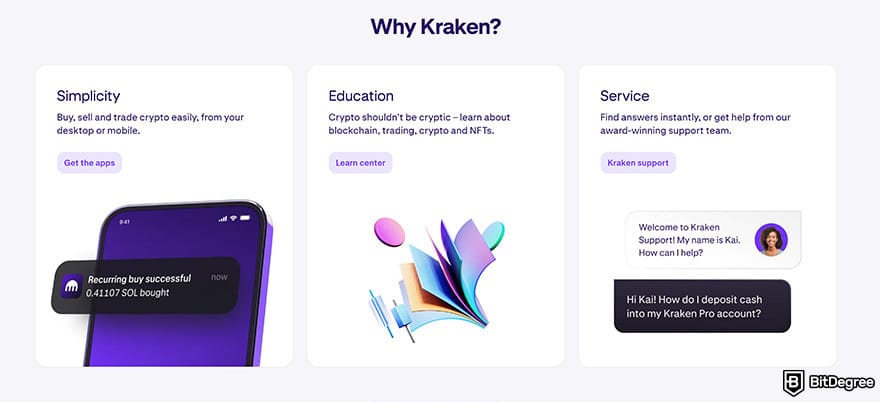
For those who are new to crypto, Kraken offers plenty of information on its website. You can find many learning guides to master the basics, and check out the "Support Center" section for answers to your questions and useful tips.
On top of these, Kraken has its own wallet within this ecosystem. You can use it for storing and managing your assets directly on the exchange, or as a separate Web3 wallet for even more flexibility.
So, Kraken is a full-on crypto hub with tools for all levels of users.

Did you know?
All Crypto Exchanges may look similar to you but they're NOT all the same!
Is Kraken Safe?
Before we get to the platform's overall pros, let's break down the most important question: Is Kraken safe? The short answer is yes.
Jesse Powell and the Kraken team learned a lot from the Mt. Gox hacks. Kraken takes security very seriously and implements several measures to protect users' funds. It has built a solid reputation for safety over the years, so it’s no surprise that over 13 million users trust the platform.
Kraken keeps around 95% of users' funds in cold storage, which is very important because software-based storage solutions are more prone to malicious activity. Also, it has multiple dedicated teams to ensure safety.

Kraken has worked hard to gain global trust, becoming one of the first exchanges to demonstrate its ability to securely manage customer funds. It achieves this by conducting cryptographically verifiable proof-of-reserves audits, a process that allows banks or exchanges to show their customers that their funds are properly safeguarded.
It also conducts regular security tests through third-party companies to address any reported vulnerabilities immediately, ensuring that security measures remain high-quality over time.[2]
Moreover, to be able to trade on Kraken, you need to sign up and go through a KYC process to verify your identity. Unlike many exchanges, Kraken operates with a compliance-first approach and is registered in multiple jurisdictions.
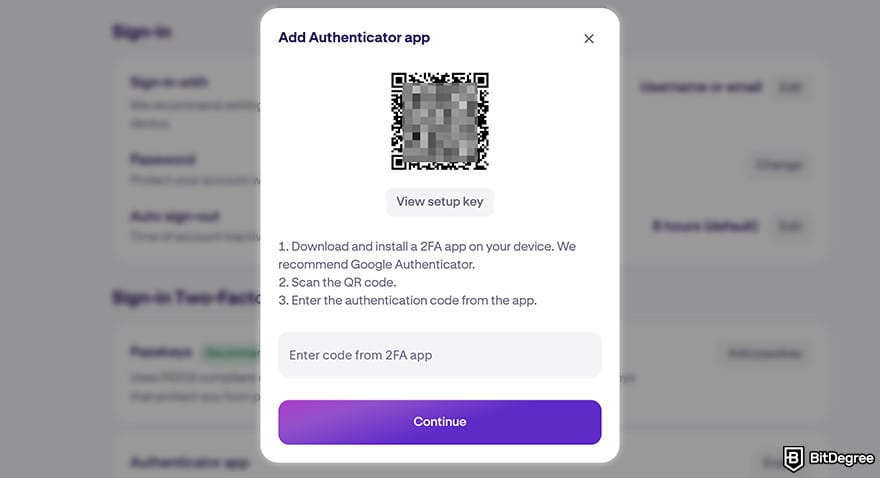
Plus, it offers multiple layers of account protection, including two-factor authentication (2FA), Global Settings Lock, and withdrawal address whitelisting.
2FA, for example, ensures you have two types of passwords. The first password is set by you, and the second is generated by an app like Google Authenticator or a YubiKey. You can also add your passkey instead of using an authenticator app.
Who is Kraken Best for?
Overall, Kraken is best for:
- Security-focused users
- Intermediate/advanced traders
- Fiat users
Other Kraken reviews might tell you that Kraken isn’t for beginners. This is sort of true. Kraken is a big platform with lots of confusing features.
However, I would recommend Kraken for beginners. Think of learning to trade on Kraken as if learning to drive a car. You’re not going to win the Monaco Grand Prix in your first lesson! You start small. First, you learn how to turn on the engine and only then how to drive, right?
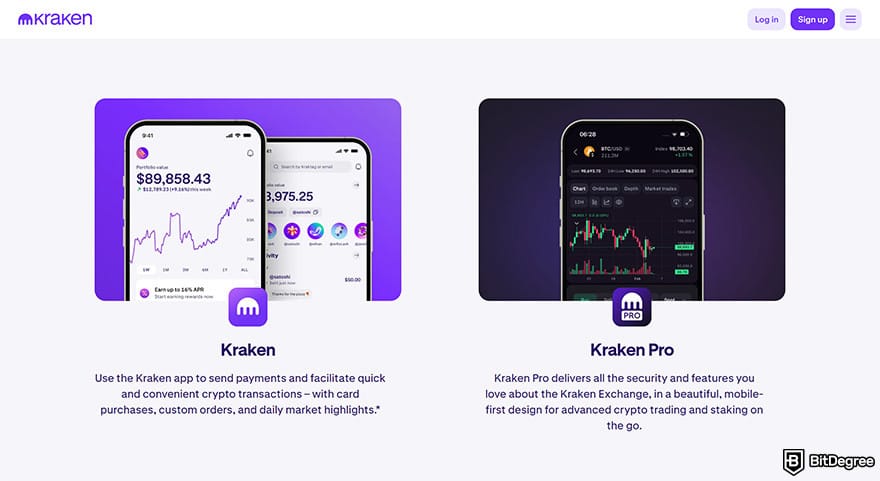
Kraken actually makes this process even easier by offering two interface versions: Kraken and Kraken Pro. The default version is perfect for beginners, providing an easy way to buy, sell, and manage assets without dealing with complicated charts and order types.
Once you get comfortable, you can switch to Kraken Pro, which unlocks advanced features. While some cryptocurrency exchanges are limited, Kraken is a pretty extensive platform. It allows users to engage in margin trading and even stock trading, among other things.
Margin trading is where you borrow currency to trade with. It means that you can make more money, but you can also lose more.
All in all, if you begin with Kraken, you won’t need to learn how to use another platform. You can deposit fiat in minutes and start making market trades for as long as you want.
Kraken Review: PROS
We’ve started this Kraken review on a solid note, but now I want to go into more detail about the platform’s best features. That way, you’ll get a better idea of why it’s so popular.
Various Trading & Earning Options
Apart from simply buying and selling crypto using fiat, Kraken provides several trading options that cater to different needs:
- Spot trading. You can buy and sell cryptocurrencies at real-time market prices.
- Margin trading. You can trade with leverage to increase potential returns (and risks).
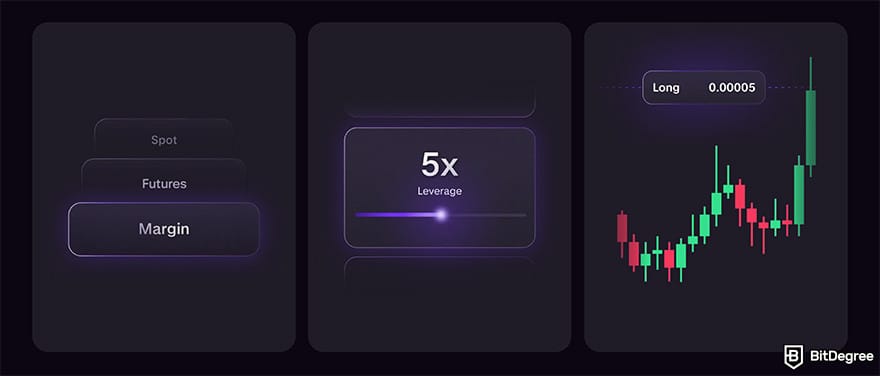
- Futures trading. You can use advanced contracts to speculate on price movements.
- OTC trading. You can execute large-volume trades with minimal market impact.
Moreover, to simplify trading, Kraken offers the Convert tool. With this feature, you can simply select the currencies and amounts you want to exchange to complete your transaction instantly.
Besides, the crypto platform has also expanded into traditional finance by offering access to over 11,000 stocks and tokenized equities (referred to as xStocks). This feature provides you with exposure to real-world stocks without a separate brokerage account.
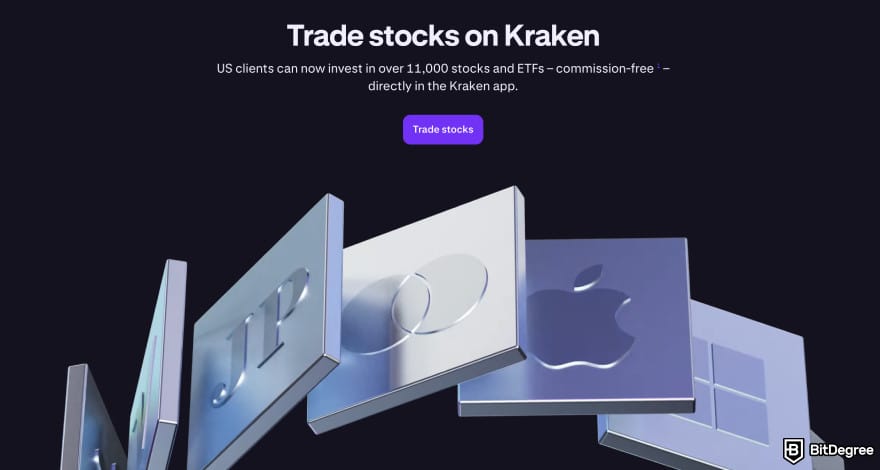
xStocks are blockchain-based representations of real shares. You trade xStocks similarly to crypto assets while still tracking the price of the underlying stock. The availability and specific offerings may vary by region and regulatory restrictions.
On top of all that, you can earn up to 21% yearly on Kraken by staking your assets. It offers various staking options with weekly reward payouts. Plus, you can also set recurring buys with Kraken DCA.
As I've mentioned earlier in this Kraken review, the platform has two interface modes: the standard Kraken interface is geared toward basic transactions, while Kraken Pro delivers a more advanced trading experience with better pricing.
Fiat Currency Support
Some exchanges only allow crypto-to-crypto trading, which can limit your strategies and complicate the process of purchasing. That being said, fortunately, this is not the case with Kraken. It allows you to buy or trade crypto with seven different fiat currencies:
- US Dollars (USD)
- Japanese Yen (JPY)
- Canadian Dollars (CAD)
- British Pounds (GBP)
- Euros (EUR)
- Australian Dollars (AUD)
- Swiss Franc (CHF)
Thanks to this support on Kraken, you don’t need to visit other exchanges before you start trading.
Kraken supports various fiat deposit methods, including bank transfers, debit/credit cards, PayPal, Apple Pay/Google Pay, and others (availability depends on your country of residence).
Vast Selection of Crypto
Kraken offers a good selection of cryptocurrencies to trade. Some exchanges only offer the most popular coins. On Kraken, you can trade over 500 different cryptocurrencies and even more trading pairs (1,200+).
Trading pairs are currencies put into pairs and given a relative value. It’s a bit like the Bureau de Change at the airport, where the pairs look like this: 1 USD = 149 JPY. Somewhat similarly, a trading pair on Kraken will look like this: BTC/USD or BTC/ETH. Trading pairs can be both fiat-to-crypto or crypto-to-crypto.
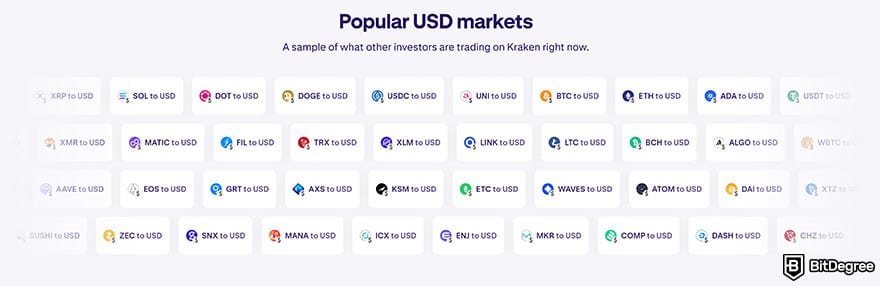
The more popular a cryptocurrency is, the more trading pairs it will have.
Even though Kraken supports a decent number of assets and pairs, some exchanges offer even more. For instance, Bybit offers more than 2,600 crypto assets.
24/7 Customer Support
Multiple exchanges have poor customer support, and Kraken was initially one of them. However, the company has made efforts to improve its services and succeeded. Now, it offers 24/7 customer support via live chat and email.
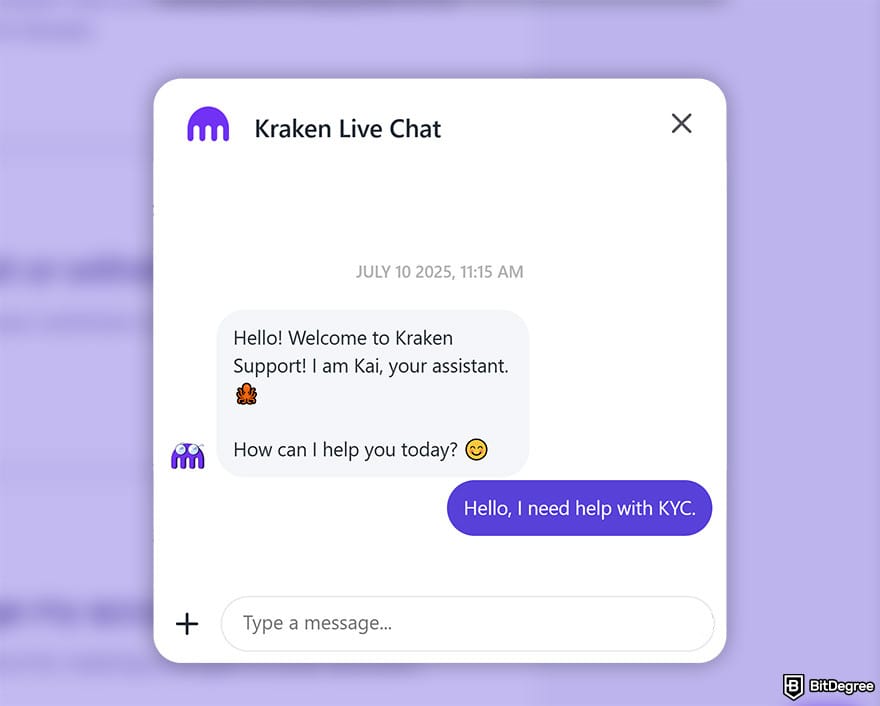
However, it's important to remember that crypto exchanges aren’t banks, and they don’t aim to be. There usually isn’t a telephone number you can call or a physical office to visit if you encounter an issue. That's why you should take advantage of the most secure wallets.
Functional Mobile Apps
Kraken has several mobile apps that let you trade on the go: the Kraken app and the Kraken Pro app. They have clear interfaces and are super simple to use.
In the apps, you can perform nearly all the same actions that you can on the website versions. Thus, you can seamlessly access features like buying and selling, trading, staking, and oters.
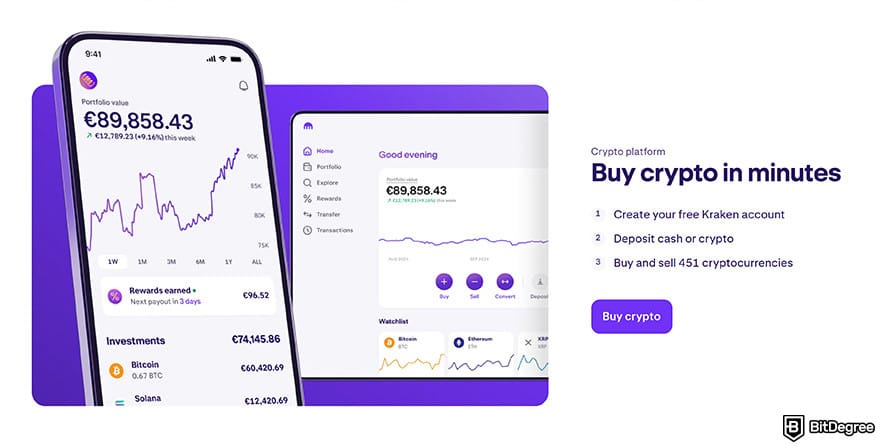
Moreover, you can set price alerts to stay informed about markets with notifications sent directly to your phone.
On top of that, Kraken also offers a desktop app. So, you can use the platform in whichever form that suits you best – on the mobile app, desktop app, browser-based interface, or all of the above.
Kraken Wallet
As you already know, Kraken is more than just an exchange; rather, it's a whole ecosystem that also includes the Kraken Wallet.
Although Kraken Wallet can be used as a separate wallet, you can log in using the same credentials as your Kraken account and easily transfer assets between the two platforms. This seamless connectivity is often praised in user Kraken reviews.
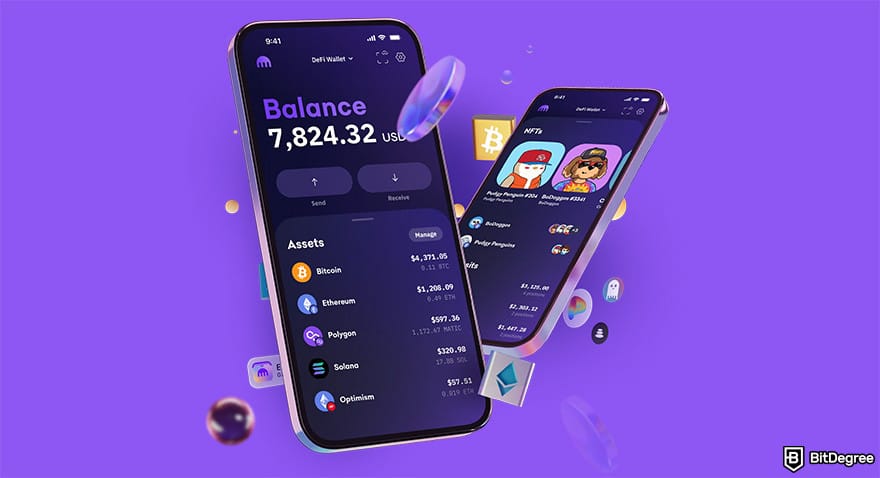
With its multi-chain support, this wallet allows you to securely store over 2,000 different cryptocurrencies, as well as manage your NFTs and interact with dApps. However, keep in mind that hot wallets don't offer the same level of security as cold wallets, which keep your private keys offline.
📚 Read More: Kraken Wallet Review
Kraken Review: CONS
Now, let's get to the not-so-pleasant aspects of this Kraken review. Don't worry, though, there aren't many drawbacks you need to be aware of.
Past Regulatory Issues in the US
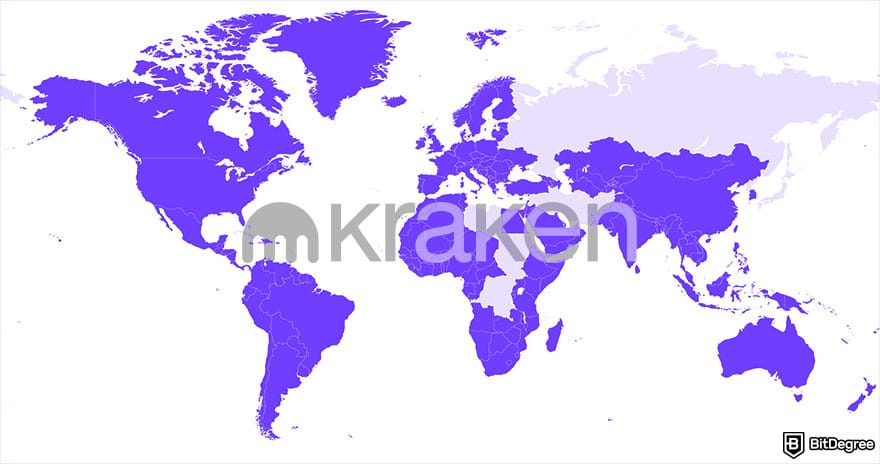
Kraken is available in over 190 countries, including most of the US states, providing its services to a broad global audience. However, the platform has faced regulatory scrutiny in the United States in the past.
In 2023, the U.S. Securities and Exchange Commission (SEC) sued Kraken, alleging that it was operating as an unregistered securities exchange and had inadequate compliance practices. Kraken denied these claims.
In March 2025, the SEC agreed to dismiss the lawsuit with prejudice, meaning the case cannot be reopened. The dismissal came without penalties, admission of wrongdoing, or required changes to Kraken’s operations.
Separately, Kraken had previously shut down its staking services in the US following a 2023 settlement with regulators. In 2025, however, the platform introduced a new on-chain staking model for US users, though availability is limited and depends on the state.
Relatively High Fees
Some less favorable user Kraken reviews point out that its fees aren’t the lowest available, especially for beginners. This is mainly due to the Instant Buy feature, where Kraken typically charges around a 1% trading fee on instant and recurring trades and a 1.5% fee on custom orders, along with a spread and possible payment processing fees depending on the method used.
Also, Kraken imposes a 3% fee when converting balances below the minimum order size using the "Convert small balances" feature.
That said, fees become much more competitive when using Kraken Pro, where a maker/taker model applies, starting around 0.25%/0.40% and decreasing to 0% for high-volume traders.
Kraken also introduced a subscription option, Kraken+, that allows users to trade with zero fees up to a certain monthly volume.
That said, let's take a look at Kraken fees in more detail.
Kraken Fees Explained
Most Kraken trading fees depend on the type of trading tool you're using and whether you are a maker or a taker.
Plus, they also depend on the 30-day trading volume and sometimes even the currency pair being traded. The standard fee applies to users with up to $10,000 trading volume. However, as their trading volume increases, these fees decrease accordingly.
Here are the standard rates for users with up to $10,000 trading volume on Kraken:
Maker | Taker | |
|---|---|---|
Spot Trading | 0.25% | 0.40% |
Futures Trading | 0.02% | 0.05% |
Stablecoin, Pegged Token & FX Pairs | 0.20% | 0.20% |
USDG Pairs | 0.0% | 0.01% |
Table: Kraken fees for users with up to $10K monthly trading volume
If you trade stocks and ETFs on the standard Kraken interface, there will be 0% commisions. When it comes to xStocks, if you buy them with USDG or USD, you also won't have to pay any fees. However, if you buy them with other assets, a 1% instant buy/sell fee will apply.
Kraken Pro users, on the other hand, have the following fee structure for xStocks trading:
30-Day Volume | Maker | Taker |
|---|---|---|
$0+ | -0.02% | 0.10% |
$100,000,000+ | -0.02% | 0.08% |
Table: Kraken Pro xStocks maker/take fee schedule
When it comes to Kraken withdrawal fees, they vary depending on your location and the method used. Local bank transfers (such as ACH or SEPA) are often free or low-cost, while international wire transfers (SWIFT) typically cost $10–$25 or more, depending on the provider and region.
Crypto withdrawal fees are generally lower, but they are not fixed and depend on the asset and network conditions. For example, Bitcoin withdrawals are currently around 0.000015 BTC, while Ethereum fees can vary significantly depending on the network used (mainnet is more expensive, and Layer 2 options are much cheaper).
Lastly, let's not forget the Kraken+ premium subscription. For a monthly fee of $4.99, it allows users to trade with 0% transaction fees on up to $10,000 in monthly volume when using the standard buy, sell, or convert features (spreads and payment fees still apply). Besides that, Kraken+ also includes perks like boosted stablecoin rewards, faster customer support, and access to exclusive airdrops and tools.
📚 Further Reading: Kraken Fees
Kraken KYC: Past & Present
Before getting into the practical part of my Kraken review, let's talk a bit about its KYC process.
As you're already aware, you will need to pass KYC to be able to trade on the platform. This means you will have to prove you are who you claim to be, which helps the exchange prevent malicious activity. In this sense, the proof required consists of various types of personal information and documents.
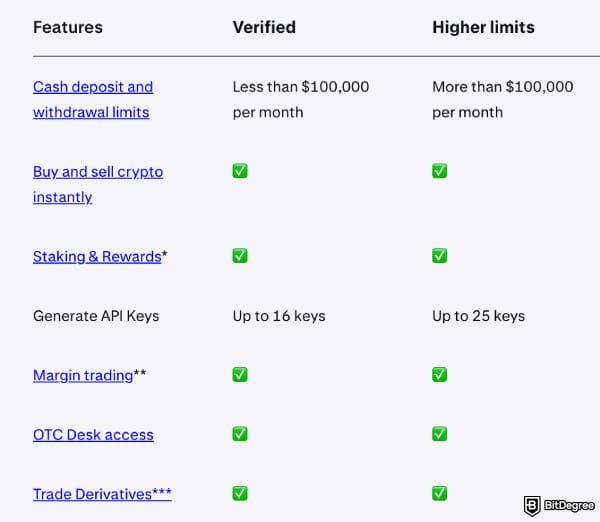
You can currently have a verified account on Kraken or a verified account with higher limits for personal use. On top of that, there's an option of having a business account.
If you are an individual who doesn't trade that much, the Verified level should be sufficient. It requires providing info about yourself, a valid ID, proof of address, and a selfie. I’ll walk you through how to complete it later in this Kraken review.
However, if you plan to deposit or withdraw more than $100,000 per month or need additional API keys, you'll also need to complete a KYC questionnaire and enable 2FA to get an account with higher limits.
Verified | Higher Limits | Business | |
|---|---|---|---|
Deposit & Withdrawal Limit (Fiat) | Up to $100,000/month | Higher than $100,000/month | Higher than $100,000/month |
Trading Options | Spot, Margin, Derivatives, OTC | Spot, Margin, Derivatives, OTC | Spot, Margin, Derivatives, OTC |
API Keys | Up to 16 | Up to 25 | Custom |
Table: Advantages of different levels of KYC on Kraken
But it was not always like that. Kraken used to have five tiers (or levels) of verification (0-4). The first three levels didn’t need much proof, but the last two needed quite a lot. Tier 0 used to let you look around, and that’s it. To trade, you needed at least Tier 1 verification.
To get Tier 1 verification, you needed to enter your name, date of birth, country, and telephone number. As a Tier 1 user, you were only able to deposit (put in) or withdraw (take out) with cryptocurrencies. There was also a $2,500 limit on how much cryptocurrency you could withdraw each day. Well, Tier 1 was not a lot of fun. So, it was way better getting verified at least to Tier 2.
Tier 2 allowed you to deposit and withdraw fiat currencies, which were limited to $2,000, and cryptocurrency withdrawals were limited to $5,000 each day. There were no limits on cryptocurrency deposits.
However, that was where most users stopped the verification process, since you were also obligated to give proof of address. Now, if you want to be a verified user at all, this is already the minimum requirement for the first verification level.
Kraken also had Tier 3 and Tier 4, which offered higher withdrawal limits. While these verifications weren't mandatory in most cases, if you lived in the US, Canada, Germany or Japan, then you were required to undergo Tier 3 verification to deposit and withdraw fiat currencies.
For this, you needed proof of your current living address, showing a utility bill or another similar document, in addition to a government-issued ID. Tier 4 was designated for businesses and high-value traders.
How to Use Kraken
So, you already know what Kraken is and its pros and cons. Now, it's time to move further and figure out how to start using Kraken.
How to Sign up on Kraken?
If you've read my Kraken review up to this point, you already know that before starting to trade, you need to sign up and complete KYC. I'll show you how to register and verify your identity at the Verified level, since it lets you do everything, just with lower limits.
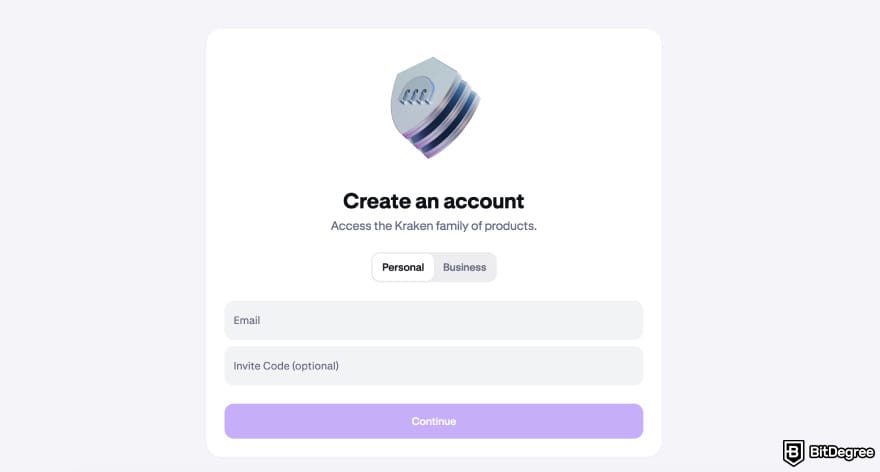
Go to the Kraken homepage and click [Sign Up]. Choose the account type and fill in your email address.
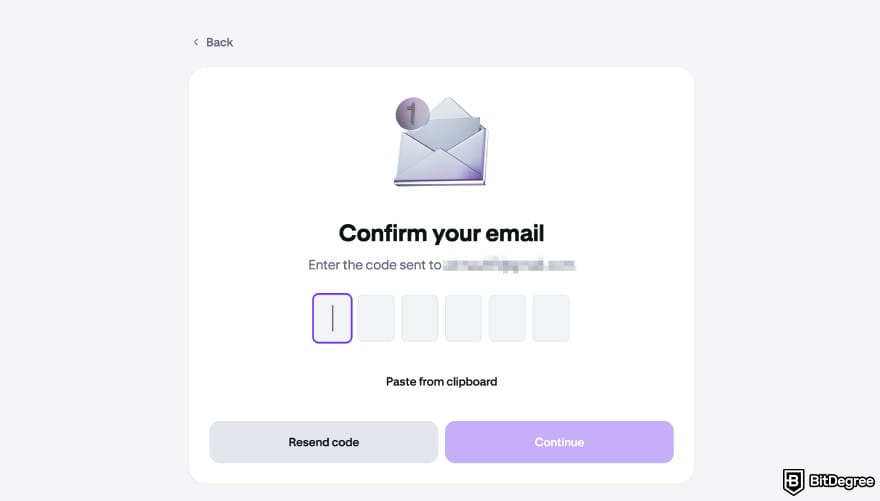
You’ll receive an email from Kraken with an activation code, copy it and go back to the registration page.
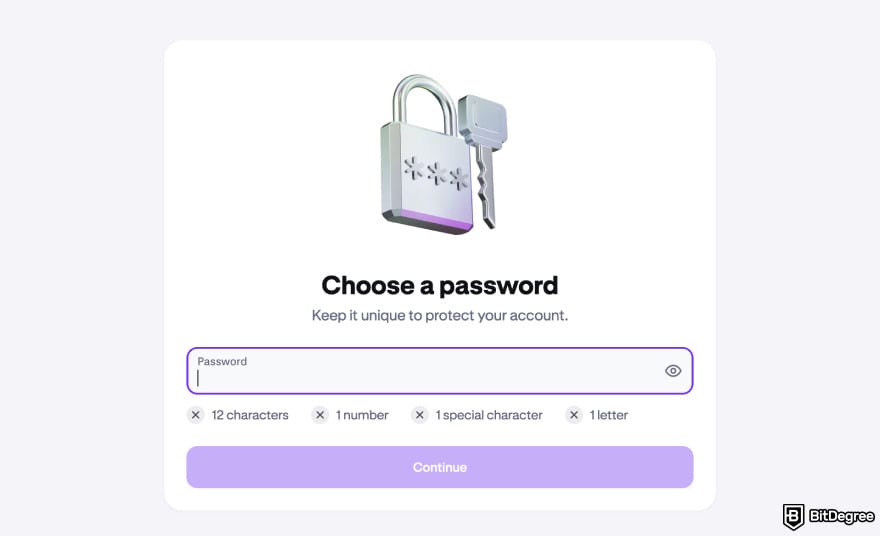
While choosing a password, do not use easily predictable words or numbers like "PASSWORD1234", you're better than that. Well, Kraken is not going to let you do such a thing anyway. Your password should include at least 12 characters with one number, one special character and one letter in it.
Before agreeing to the Terms of Service, Privacy Notice, and Client Order Execution Policy, make sure to actually read them.
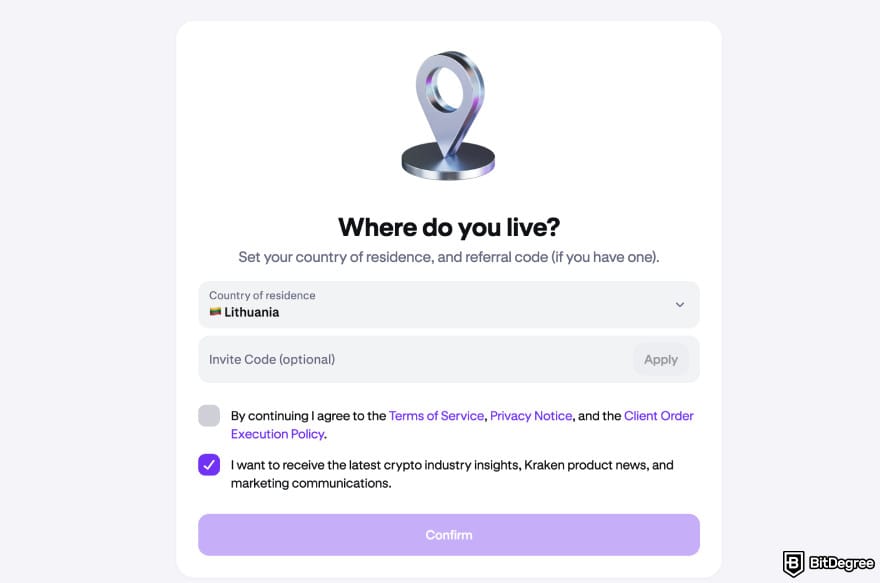
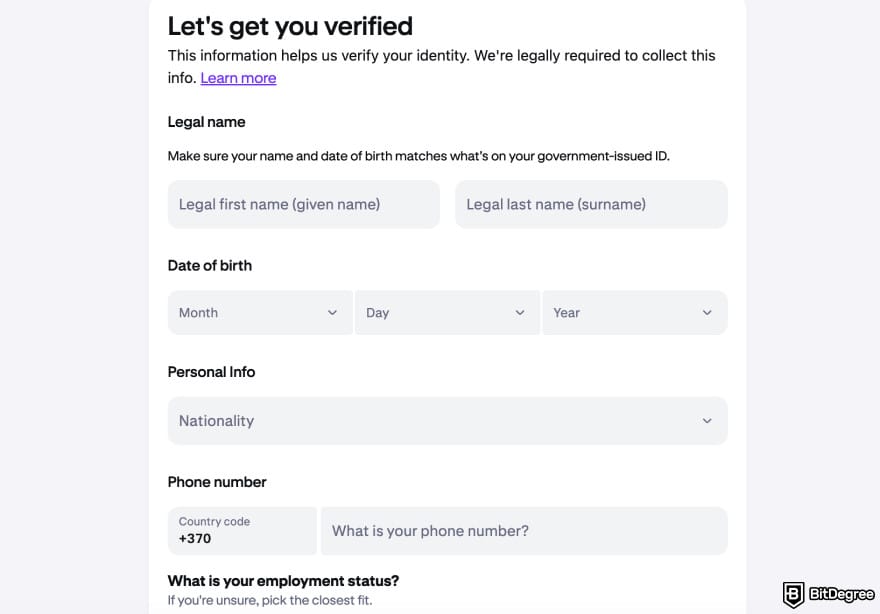
While the actual account creation ends here, you cannot do much without identity verification, so let's talk about that.
You need to enter your first and last name, phone number, and residential address. When entering your address, keep in mind that you will need to prove that you reside there. This means you must be able to provide a document confirming that you have lived there within the last three months.
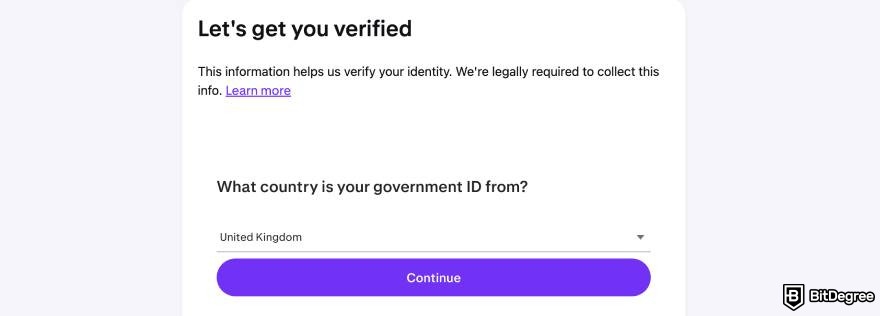
Select the country that issued your ID (only passport, national ID, or driver's license is accepted) and choose one of the document types.
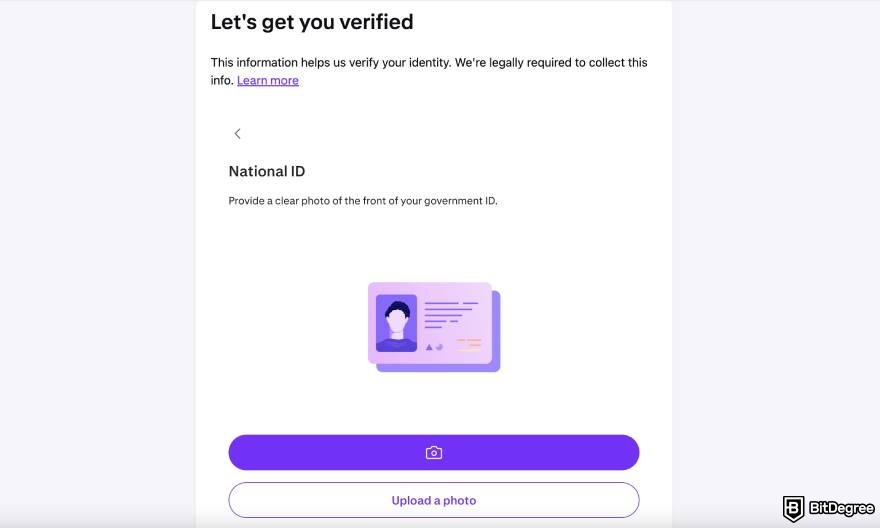
Take a photo of the front side of your government-issued document or upload it from your device, then wait for the document to be verified, which usually takes less than a minute. Then, do the same process for the back of the document.
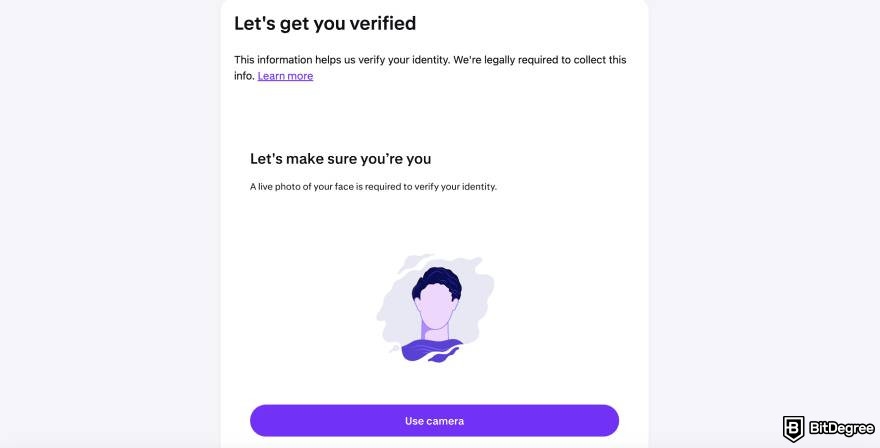
Grant camera access to your device and align your face in the center of the screen. Most devices automatically capture the image, so you usually don’t need to click anything. Make sure that your face is clearly visible, meaning that there should be no overexposure or blur.
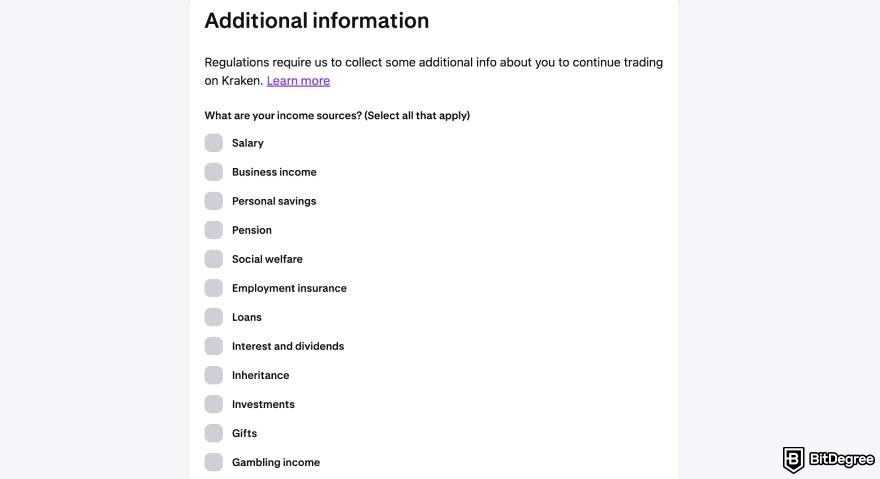
In this part, you'll need to provide estimated answers about how you will fund your account, which trading options you plan to use, and your expected monthly trading volume.
Try to be as precise as possible because if you end up trading significantly more than what you stated in a short period, it may be flagged as unusual activity.
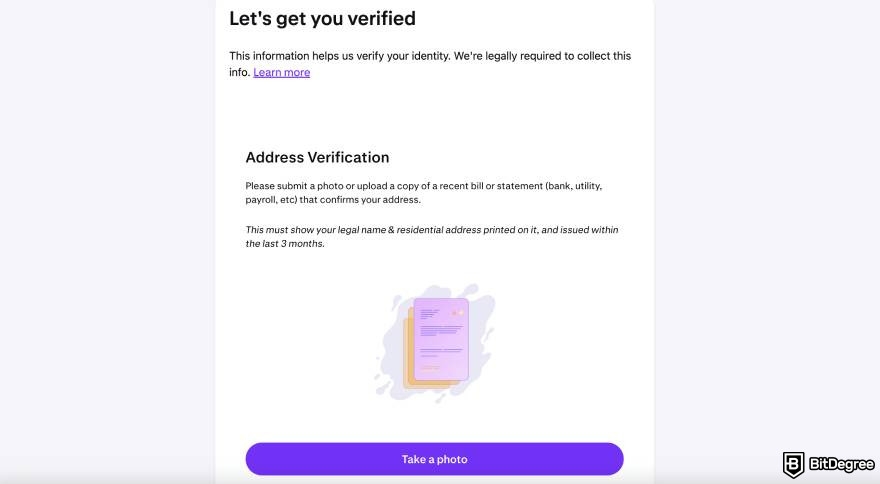
Upload a document that clearly shows your name and address and is no older than three months.
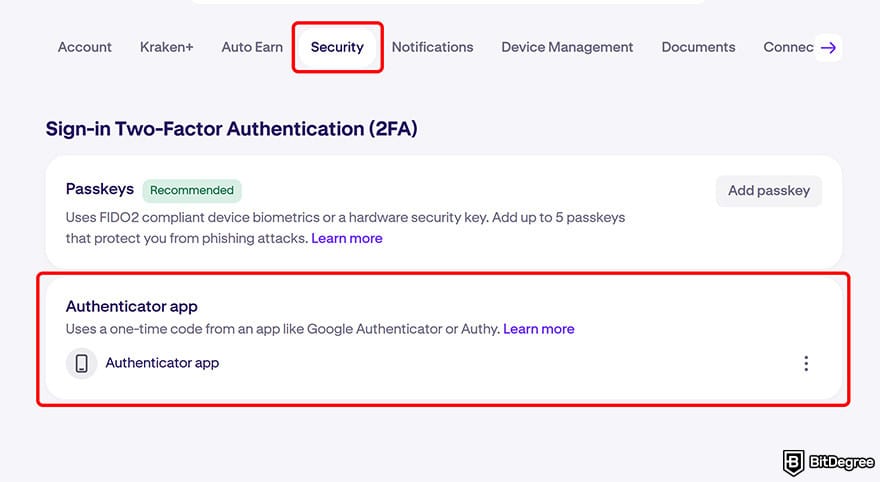
Now that you're signed up, it's time to secure your account. Even though it's not mandatory, I strongly recommend using two-factor authentication on any exchange that offers it.
To do that, go to your account screen, click [Security], and then select Two-Factor Authentication. Click [Enable]. As I said earlier, you can either add a passkey or use an authenticator app; it's totally up to you.
Okay, that’s all the boring stuff done. Let’s deposit crypto into your account!
How to Deposit into Your Kraken Account?
After completing the verification process on your Kraken account, the platform will ask whether you want to continue with Kraken Pro or stay on your standard account. Since the Pro version is slightly more complex, I chose to use it to explain how to deposit funds and trade.
Click on the [Portfolio] button on the left menu of your account screen and then click the [Deposit] button in the top right corner.
![Kraken review: the [Deposit] button.](https://assets.bitdegree.org/images/kraken-review-deposit-button-v1.jpg "Kraken review: the [Deposit] button.")
You can search for and select any cryptocurrency from the list. I chose USDC.
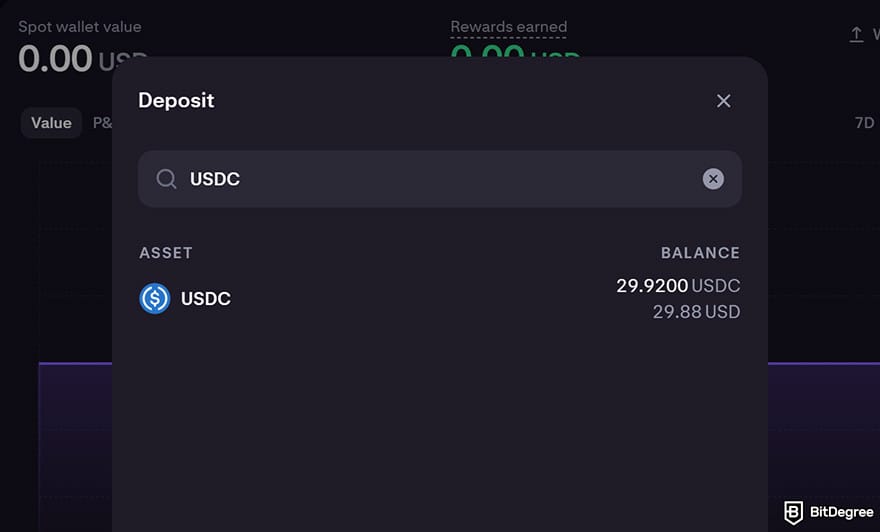
If you want to fund your account by making a fiat currency bank transfer, keep in mind that fees will be charged depending on which fiat currency you’re using and where you live. For example, deposits in Euros are free if you are in the EEA. These fees may also vary based on the specific method used in the transaction.
The network list will display fees and the estimated deposit time. I went with Arbitrum One.
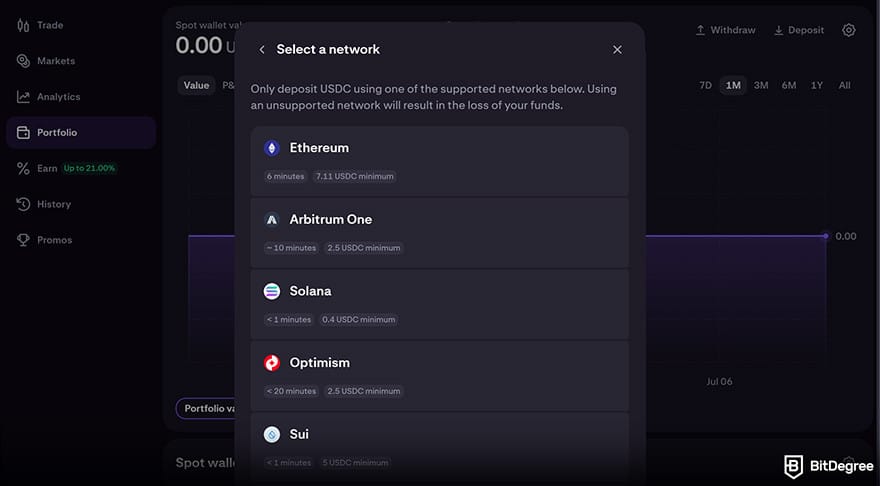
After selecting a network, copy the wallet address you see on the screen and send your desired amount of USDC to this address from your crypto wallet.
Your crypto may be lost if you choose the wrong network or asset. Always double-check before confirming the transaction!
The processing time depends on network congestion. For example, Arbitrum One had an estimated deposit time of 15 minutes, but the estimated time may vary if you choose another network.
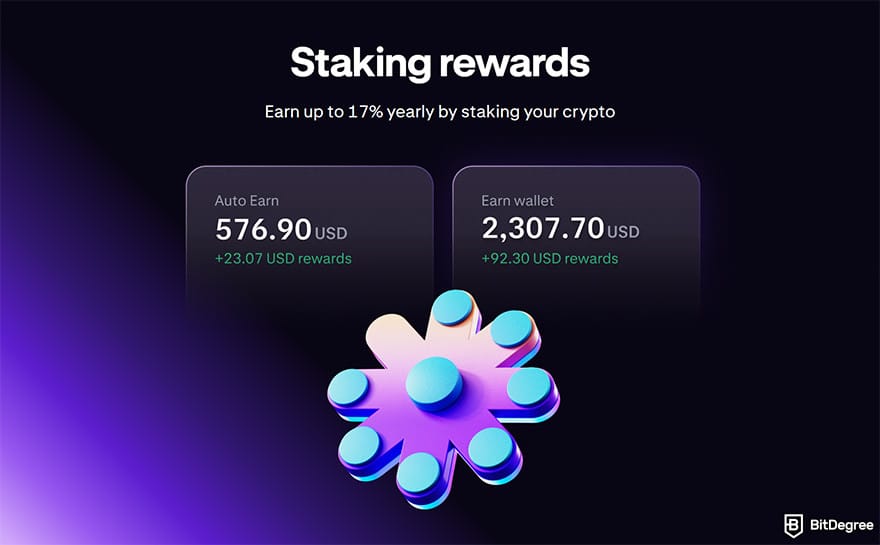
If you don’t want to trade right away, you can stake the crypto you deposited on Kraken and earn passive income regularly.
📚 Further Reading: How to Stake Crypto on Kraken
How to Trade on Kraken?
Kraken offers all kinds of trading types, and it can get very complex. As a newbie, I suggest always using the standard Kraken interface or spot trading on Kraken Pro. When you’ve been using the platform for a while, you can explore more options. For now, let’s go over how to place a market order in spot trading.
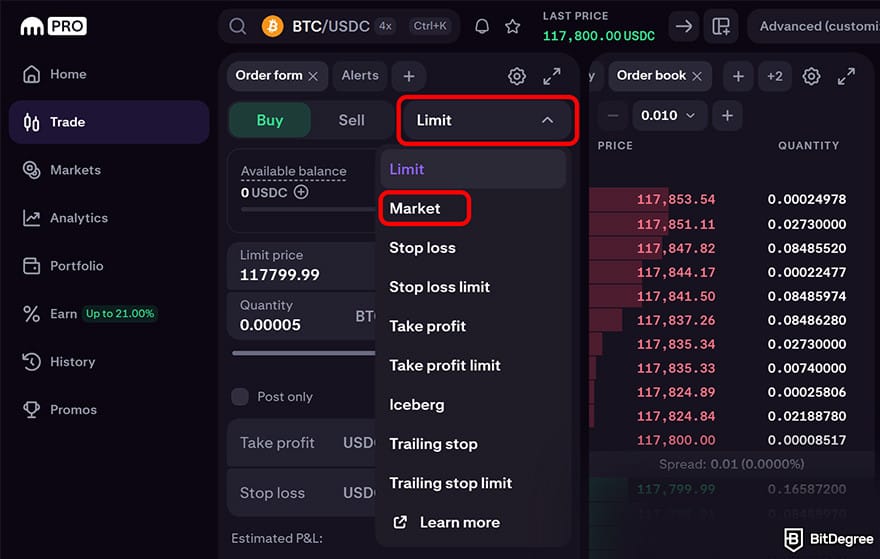
In your Kraken Pro account, click on [Trade] from the left-hand menu. You can trade with the default pairs shown, or you can search for a specific one using the search bar. I selected the BTC/USDC pair.
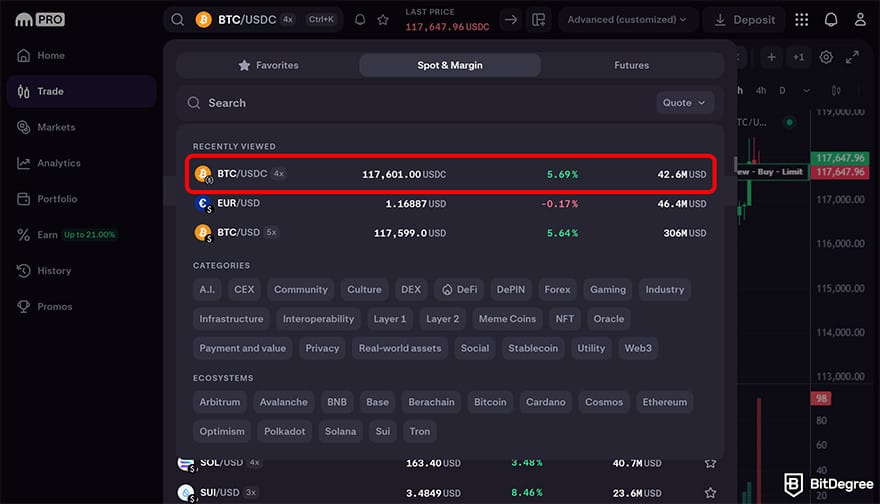
When you first enter the Trade section, the default order type might be set to "Limit". It refers to buying a cryptocurrency for a set price, while a market order is purchasing the currency at the best current price available. In this sense, market orders are quicker and simpler than limit orders. Click on [Limit] to see other options, then select [Market].
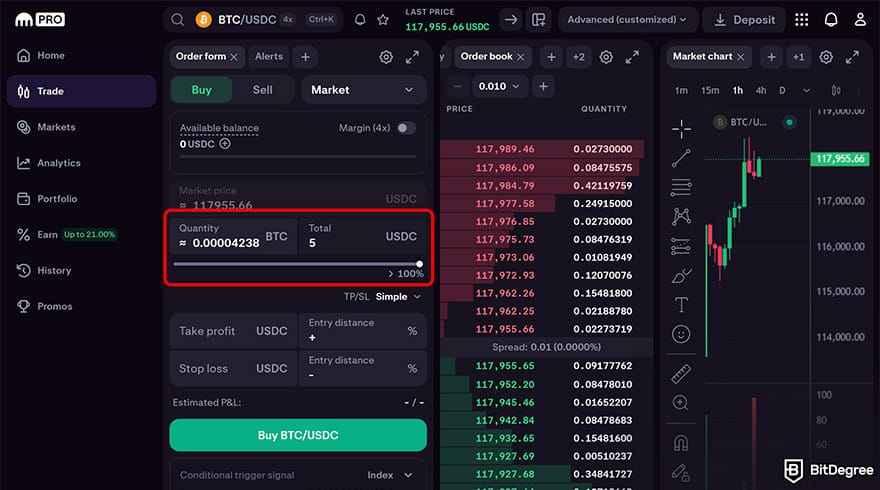
To complete the purchase, you can either enter the amount of BTC you want to buy or the amount of USDC you want to spend. I chose to buy BTC worth 5 USDC, so I entered 5 in the USDC field. After that, I clicked the green [Buy BTC/USDC] button.
Once you click the button, a window will appear. Simply confirm the transaction, and you're all set!
Note that it is better to use exchanges for trading only. Avoid using exchanges to store cryptocurrency for long periods of time. Storing crypto online or in hot storage isn’t a good idea. It's best to keep most of it offline in cold storage.
Exchanges are great for trading, but for transfers and holding, a non-custodial setup can make sense. Ogvio is built for non-custodial storage, fee-free transfers between Ogvio users, and quick crypto send (plus you can send and convert crypto directly to your bank account, all within one app).
The best practice is to have at least one hardware wallet, which is like a super-secure USB memory stick. It contains all the codes you need to access your cryptocurrency. Remember, at the end of the day, the safety of your assets is up to you.
What is Krak?
Krak is a free-to-use money app that operates under Kraken. It's somewhat similar to payment and remittance apps like Ogvio, Revolut or PayPal. In essence, you can use it to spend, send, and grow your money without the usual banking friction.
On the spending side, you can get a Krak card that works in 600+ currencies and earns up to 2% cashback on your purchases.
For sending money transfers to 160+ countries, instead of dealing with IBANs or routing numbers, you use a personal handle called a Kraktag. Transfers between Krak users are free and instant.
There's also a savings angle: you can earn 3.6% APY on your balance automatically or lock funds away into vaults for yields that can go up to 8% APY.
📚 Read More: Krak App Review
Conclusions
Now that you’ve read this Kraken review, you should know that it’s a comprehensive platform, but it may also be complex for beginners. However, Kraken offers great features for every level; it also provides reliability and security.
Despite its relatively high fees, I think Kraken still stands out with its intuitive interface, balancing ease of use for beginners with advanced trading tools for experienced users. Whether you’re just starting out or looking for more sophisticated trading options, Kraken offers a smooth experience that makes it worth trying.
So, if you're looking for the most recommended cryptocurrency exchange platform, you should know that Kraken is one of the best options that you can find.
That said, if Kraken fits your trading needs, decide what you'll use for day-to-day sending and custody. Ogvio can cover user-to-user transfers and crypto transfers with no fees, and for crypto, you won't even need to pass KYC.
If you want to explore Kraken's offerings in a gamified way, check out BitDegree Missions!
The content published on this website is not aimed to give any kind of financial, investment, trading, or any other form of advice. BitDegree.org does not endorse or suggest you to buy, sell or hold any kind of cryptocurrency. Before making financial investment decisions, do consult your financial advisor.
Scientific References
1. M. H. ur Rehman, K. Salah, E. Damiani, D. Svetinovic: ‘Trust in Blockchain Cryptocurrency Ecosystem’;
2. J. Qian: ‘The Value of Auditor Assurance in Cryptocurrency Trading’.
About Article's Experts & Analysts



- + Industry-leading security
- + Accepts fiat currencies
- + Advanced trading tools
- + Wide asset selection
- + Strong regulatory reputation
- - Higher fees for beginners
- - Feature availability varies by region
Best suited for users who prioritize security, reliability, and professional trading tools.
Disclosure: To keep our site running & free of charge, we may sometimes receive a small commission if a reader decides to purchase services via some links on site, at no extra cost.