It’s no secret that Udacity is one of the most popular MOOC-based e-learning providers in the world. Since the company has such popularity and reach, there are a lot of people who are looking for reliable Udacity reviews online (and you just found one!).
In this review, I will take a good and thorough look at Udacity and help you decide whether or not the platform is worth your attention.
First of all, I’ll tell you what Udacity is, in general. After that, I’ll look deeper into the different features it offers, including the Udacity Nanodegree review (to find out if Udacity Nanodegrees are worth it), talk about other platform features, and try to figure out if Udacity is worth it overall.
Verdict at a Glance
Udacity is a popular online learning platform dedicated to providing courses on technology, business, and data science. It's mostly known for its Nanodegree programs that allow learners to gain practical skills from human mentors. The trade off of this setup is that it's pricier than many other self-learning platforms.
Pros
- High-quality courses
- Nanodegree programs
- Student Career services
- Scholarships
- More than 200 free courses
Cons
- Quite expensive pricing
- Inconsistent support
Table of Contents
- 1. Udacity Review: Introduction
- 2. Who's Udacity For?
- 3. Udacity Alternatives
- 4. Advantages
- 5. Limitations
- 6. Course Catalog and Content Quality
- 7. Learning Formats and Structure
- 8. Certificates and Accreditation
- 9. Gamification and Motivation Features
- 10. Business and University Offerings
- 11. Pricing Plans
- 12. Customer Support
- 13. User Experience
- 14. How to Use Udacity
- 14.1. How to Create a Udacity Account
- 14.2. How to Enroll in a Course on Udacity
- 15. Comparison to Other Popular Learning Platforms
- 15.1. Udacity VS DataCamp
- 15.2. Udacity VS Udemy
- 15.3. Udacity VS Pluralsight
- 16. Conclusions: Is Udacity Right for You?
Udacity Review: Introduction
Udacity started life in 2011 as a Stanford University spin-off, born out of an experimental free online course on building a search engine that drew over 160,000 students. Many user Udacity reviews have highlighted its signature program called Nanodegrees, where they can have access to human mentors.
Even though many students in one study on lecture format[1] said they preferred pre-recorded videos for their flexibility and ability to revisit material, the students identified a real drawback: pre-recorded formats make it harder to reach instructors with questions in the moment. That's precisely the gap Udacity's mentor-review model is built to close.
Founded | 2011, as a Stanford CS spin-off |
|---|---|
Focus | Tech careers, including AI, data science, cloud, cybersecurity and programming |
Course Count | ~250+ free courses; 40+ Nanodegree programs |
Format Tiers | Courses, Nanodegrees, Master's Degree |
Pricing | Monthly subscription $249/month; 4-month bundle ~$846; Single Nanodegree (one-time fee); Master's Degree from ~$199 + subscription |
Certificates | Course completion certificates; verified Nanodegree certificates; two accredited Master's degrees (via Woolf) |
Ownership | Part of Accenture (LearnVantage), since 2024 |
Best For | Career changers wanting mentored, project-based learning with a real credential |
Table: Udacity overview
What's changed since Udacity's early MOOC days is that it's no longer an independent company, its accreditation is now formally available, and its pricing has moved from one-time Nanodegree purchases to a subscription-first model (with the one-time option recently reintroduced).
Note that Udacity is no longer an independent company. Accenture announced its acquisition of Udacity in March 2024, and the deal closed in May 2024. Udacity now operates as part of Accenture's LearnVantage business.
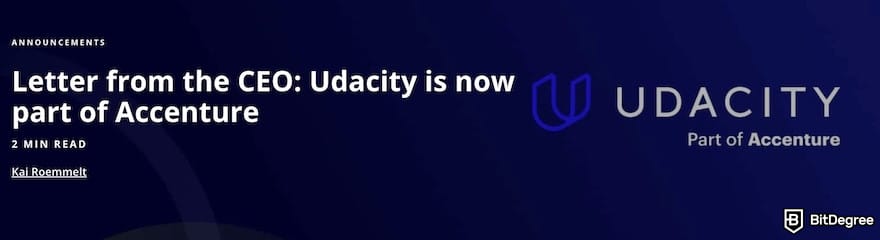
This change matters for how you should think about Udacity today. Since the acquisition, Udacity's focus is more about enterprise and government upskilling. In fact, Udacity for Business and Udacity for Government are now central to its business model, while still maintaining its individual subscription offering for solo learners.
Latest Udacity Coupon Found:Who's Udacity For?
Udacity's project-based, mentor-reviewed model suits specific kinds of learners more than others. Here's who gets the most value out of the platform:
- Career changers wanting human feedback. Professionals looking to pivot into tech roles like data analyst and AI engineer can benefit from Udacity courses, especially when they want mentor-reviewed, portfolio-ready projects.
- Organizations, teams, and government agencies. Companies looking to invest in workforce development can enroll their employees in structured upskilling programs through Udacity for Business. Managers, in turn, can track team-wide skill attainment, monitor progress, and pull reporting through the platform's analytics dashboard.
- Degree seekers. Learners can save a lot compared to a traditional master's degree, since Udacity's accredited Master's programs (AI or MBA in AI Product Management) cost a fraction of traditional grad-school pricing. This also suits applicants who need a credential recognized for immigration, visa applications, or further academic study.
Whichever category you fall into, the common thread is that Udacity works best for people willing to trade a lower price tag for mentorship, project review, and formal credentials for the Master's degree.

Did you know?
All Online Learning Platforms may look similar to you but they're NOT all the same!
Udacity Alternatives
Udacity's project-based Nanodegrees and mentor review come at a real cost in price and in flexibility. If you're looking for something cheaper, more casual, or focused on a narrower skill, a few other platforms are worth knowing about:
- DataCamp. It offers videos with interactive, browser-based coding exercises. DataCamp is cheaper than Udacity, though it lacks Udacity's mentor review and career-services support.
- Udemy. This is an open marketplace where anyone can publish a course, priced per course rather than by subscription, which makes it cheap and flexible but inconsistent in quality since there's no centralized curriculum or mentor review.
- Pluralsight. This platform focuses on technology skills through shorter video courses backed by skill assessments and hands-on labs. It's cheaper than Udacity for individuals.
See how these platforms compare to know which one suits you best:
 |  |  | |
|---|---|---|---|
| Best for Students | Best for Different Topic Choices | Best for Learning IT or Software Development & Business Skills | |
| All DataCamp Coupons | All Udemy Coupons | All Pluralsight Coupons | |
| A leading data & AI course-focused online learning platform for beginners and advanced learners. | A diverse online learning platform for a broad user base. | Platform focused mostly on IT and software development. | |
| Visit site Read review | Visit site Read review | See TOP10 Brands Read review |
Table: Comparison of DataCamp, Udemy, and Pluralsight
Each of these trades away something Udacity offers (structured mentorship, rubric-graded projects, or a specific subject range) in exchange for a lower price, a lighter commitment, or a broader range of topics.
📚 Read More: All Online Learning Platforms
Advantages
Udacity offers a different learning model than most competitors with self-learning approaches. After trying the platform myself and checking positive user Udacity reviews, here are the features that stand out most:
- Mentor-reviewed, real-world projects;
- An accredited Master's degree pathway;
- Career-services support baked into the subscription;
- Flexible enrollment options.
I’ve read Udacity Nanodegree reviews, and users are satisfied with how the program is built around real, portfolio-worthy projects, such as deploying a machine learning model and publishing a package to PyPI. All these tasks are then graded by a human reviewer.
This mentor-reviewed structure is the platform's clearest differentiator from browser-based, self-paced competitors.
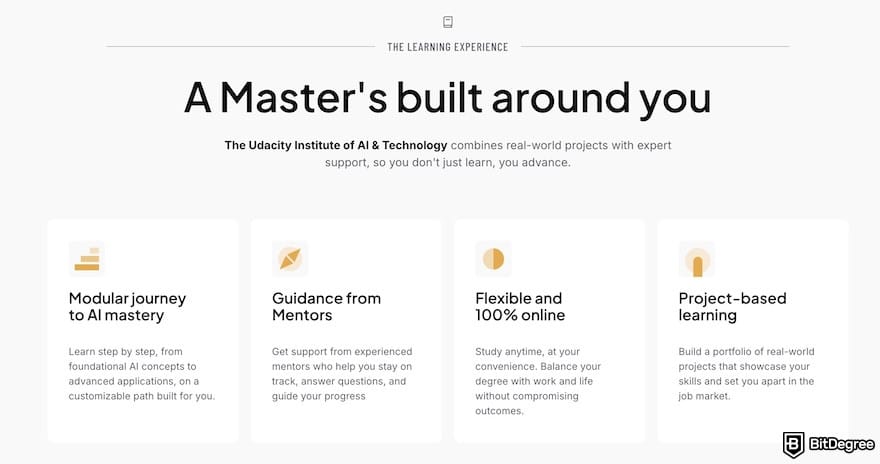
Udacity is also one of the only platforms in this category offering an accredited academic credential. Through its partnership with Woolf, learners can work toward a Master of Science in AI or an MBA in AI Product Management. It’s EQF7-accredited, recognized across 60+ countries, and priced well below a traditional master's degree.
Subscribers also get career-services extras most competitors don't bundle in, such as resume, LinkedIn, GitHub, and cover letter reviews. It aims at making sure a graduate's portfolio is job-ready.
I also appreciate the option to purchase a single program instead of following the subscription model. Udacity offers a Single Nanodegree purchase option alongside its All Access subscription, so learners aren't forced into a recurring payment.
Limitations
Every platform comes with trade-offs, and Udacity is no exception. Below are the two considerations before you decide to subscribe to this platform:
- Inconsistent content freshness;
- Slow, uneven support.
Not every corner of the catalog gets refreshed at the same pace. I checked one course, and the video production and visuals looked at least seven years old. This fact is backed by many user Udacity reviews across community platforms as well.
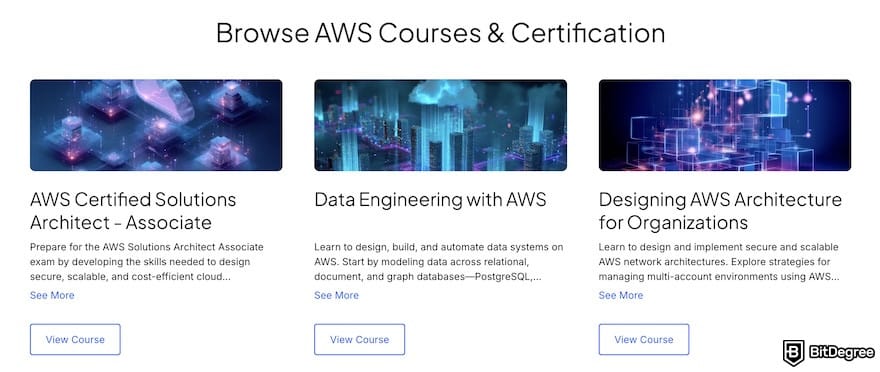
Newer programs built with partners like AWS or NVIDIA tend to stay current, but it's worth checking a course's last-updated date rather than assuming freshness across the board.
Support is also a mixed bag. Project reviews are officially promised within 24 hours but commonly take 24-48 hours, sometimes stretching to 3-4 days during busier periods, and the live chat widget isn't always reliably present. Based on my experience, it's shown up, disappeared on a later visit, then reappeared with no clear pattern. Instructor quality follows the same inconsistency: some mentors are sharp and engaging, others flat or hard to follow, and which one you get depends heavily on the specific program.
Course Catalog and Content Quality
Udacity offers three formats, each representing a different depth of commitment:
1
Courses;
2
Nanodegrees;
3
Master’s Degree.
Courses are the lightest format on the platform. They’re standalone lessons on a single skill or tool, such as "How to Use ChatGPT" and "AWS Cloud Fundamentals". There's no capstone project or mentor review here, since it's closer to a traditional MOOC lesson, which is best used as an entry point.
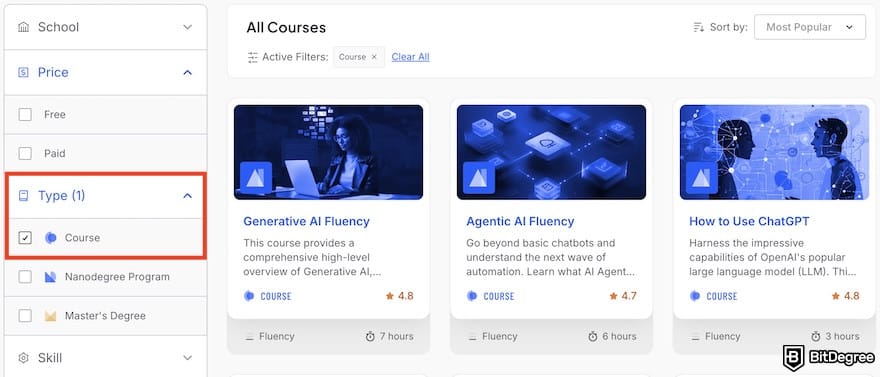
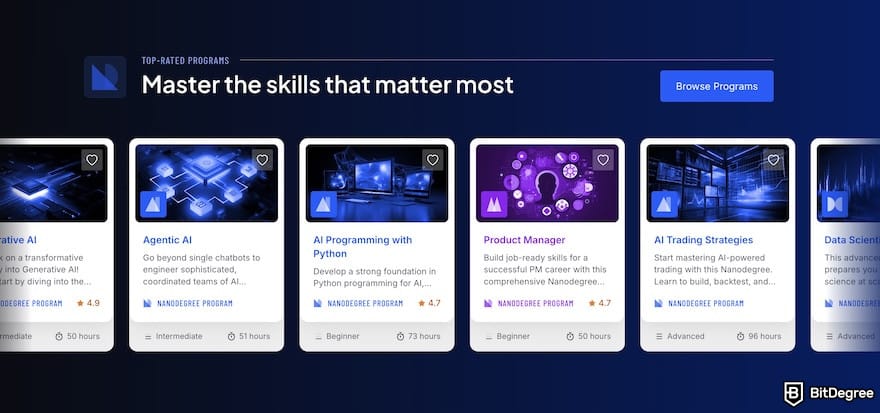
With such courses, what is Udacity’s unique point? Then, you should check Nanodegrees. Nanodegrees are Udacity's signature format and make up the bulk of its catalog. These are multi-week, project-based programs built around a specific career outcome. Examples include “Data Analyst”, “Digital Marketing”, and “Product Manager”.
Nanodegrees include real-world projects, human mentor/reviewer feedback, and moderated forums.
Master's Degree is the newest and most credentialed tier. As of 2026, Udacity offers two options: Master of Science in Artificial Intelligence and Master of Business Administration in AI Product Management.
Cutting across all three formats is Udacity's subject-matter structure, called Schools. They’re academic departments that organize the catalog by field:
- School of Animation and Game Development
- School of Artificial Intelligence
- School of Autonomous Systems
- School of Business
- School of Cybersecurity
- School of Cloud Computing
- School of Data Science
- School of DevOps
- School of Executive Leadership
- School of Product Management
- School of Programming and Development
Within each school, Udacity further breaks content into learning paths tied to specific job titles. For example, the School of Data Science covers four learning paths: Data Analyst, Data Scientist, Data Engineer, and Business Analyst. Each path bundles together the courses and Nanodegrees relevant to that specific role.
That said, be aware of the content's age. I checked "SQL for Data Analysis" myself, and the video production and on-screen visuals looked at least seven years old, with dated UI mockups that don't match what SQL tools look like today.
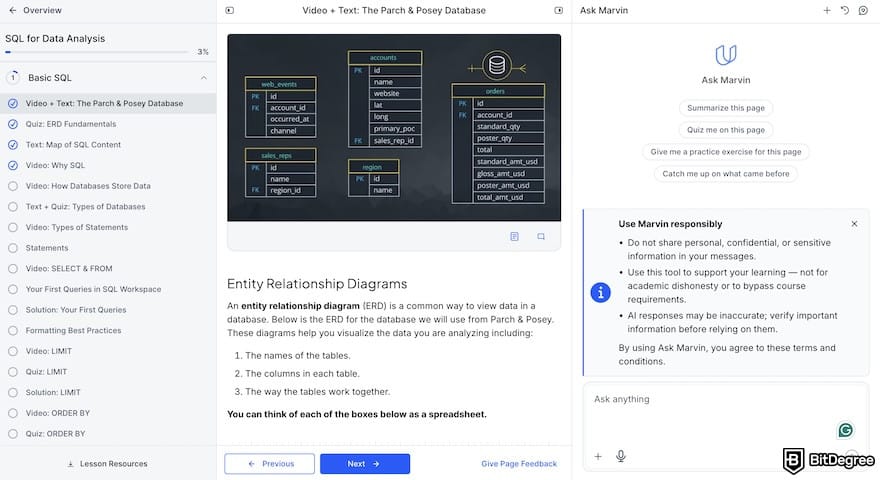
Sadly, I saw many user Udacity reviews highlighted the same issue. Some newer program areas with direct partnerships with companies like AWS or NVIDIA tend to get refreshed alongside those partners' tools, but outdated material in older or less-trafficked courses seems like it hasn’t been touched for years.
Moreover, instructor quality is uneven; some mentors are sharp and engaging, others flat or hard to follow. Project reviews can also be slow (often 3-4 days), with limited direct access to instructors outside of that review cycle.
📚 Read More: Best Data Analyst Courses
Learning Formats and Structure
How a lesson is structured on Udacity depends on which format you're taking (Course, Nanodegree, or Master's Degree). Courses sit at the lightest end with self-paced video lessons and quizzes, with some also attaching additional text materials.
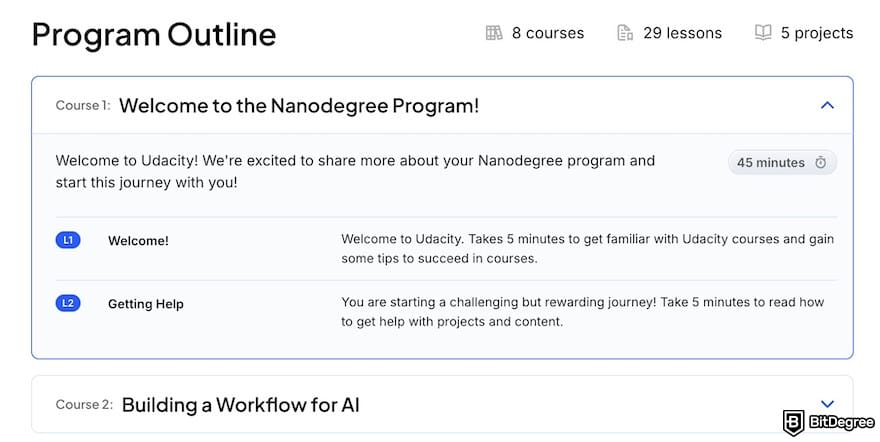
Nanodegrees are a different experience. They contain modular lessons, hands-on projects at the end of each section, a final capstone project, human feedback on every submission, mentor support for questions, and career extras like GitHub and LinkedIn profile reviews.
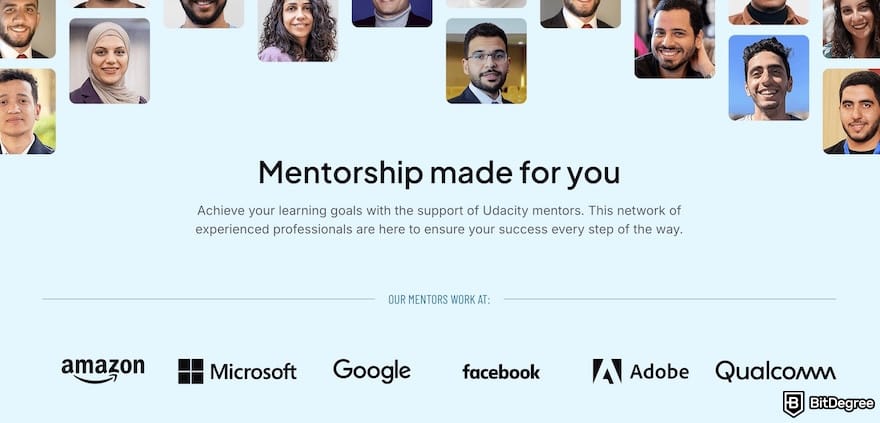
I saw a learner completing the Machine Learning Nanodegree; their sections ended in projects like a Python package published to PyPI, a deployed sentiment-analysis model, and a plagiarism detector, all posted to their own GitHub. Most Nanodegrees take 2-6 months at 10-20 hours a week.
Master's Degree programs are built from the same Nanodegree pieces, just bundled together for credit. The AI Master's, for example, contains 7 required Nanodegrees, electives chosen from 20+ options, and a final capstone
Certificates and Accreditation
What you walk away with depends on the format. Courses and Nanodegrees issue a graduation certificate once you complete all required components. However, Udacity itself is not an accredited institution, and its Course and Nanodegree certificates aren't recognized by universities the way a diploma is.
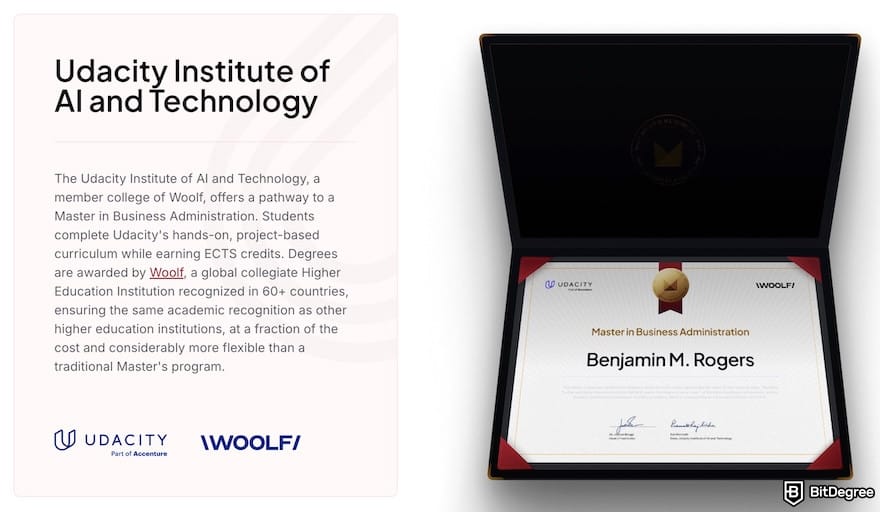
If you need formal accreditation, enroll in its Master’s Degree program. Both the Master of Science in Artificial Intelligence and the Master of Business Administration in AI Product Management are delivered through the Udacity Institute of AI & Technology, a member college of Woolf, a globally recognized higher-education institution.
Degrees are awarded by Woolf, not Udacity, and carry EQF7 accreditation.
It’s the European equivalent of a Master's degree, recognized across 60+ countries via ECTS credits and the Lisbon Recognition Convention, and accepted for immigration, visa, and even doctoral-program applications.
Gamification and Motivation Features
If you're expecting points, streaks, or leaderboards, Udacity doesn't really have them. Compared to platforms like DataCamp or Coursera that depend on game mechanics to encourage completion, Udacity's approach is structural.
You’ll only find progress tracking, such as learning hours logged, concepts completed, lessons finished, and projects passed, with lesson cards that visually mark how far along you are and the [Resume Learning] button that picks up where you left off.
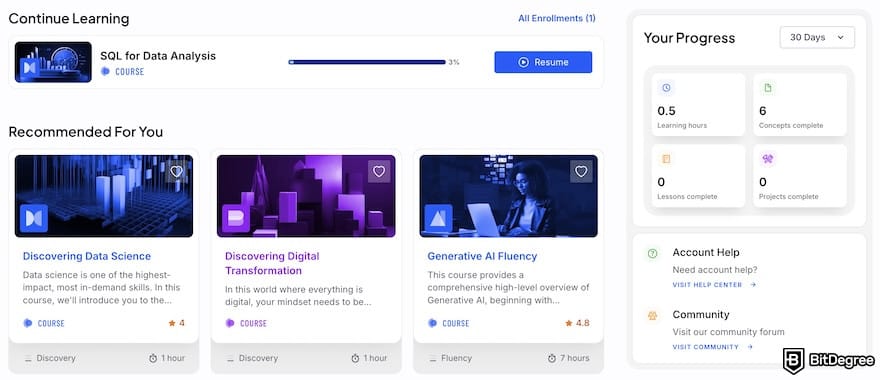
The one credential that resembles a badge is issued through Credly after Nanodegree completion. However, that's a third-party digital credential meant for LinkedIn and resumes, not an in-classroom game element you earn along the way.
Business and University Offerings
Udacity for Business (branded on-page as "Udacity, part of Accenture") positions itself as a workforce transformation platform. The pitch centers on closing what Udacity calls the "provability gap", proving real skill mastery through 300+ hands-on projects designed by industry experts.
Key features include:
- A skills measurement/indexing system to map talent gaps across an organization;
- Analytics and integrations with existing HR/LMS systems;
- A guided cohort model (which Udacity claims produces a 60% lift in graduation outcomes versus self-paced learning);
- Human-plus-AI support (an AI assistant for real-time help alongside human mentor feedback).
Udacity backs this with self-reported outcome stats: 35% average productivity increase, 2x faster time-to-competency versus traditional training, $1.5M average annual savings on learning spend. An external study has also proven that employer-funded education improves productivity[2] and long-term organizational performance.
At the moment, Udacity doesn’t offer a student program or promotion like DataCamp, but it provides a scholarship program, sponsored by partners like Google, AWS, AT&T, Lyft, and Accenture.
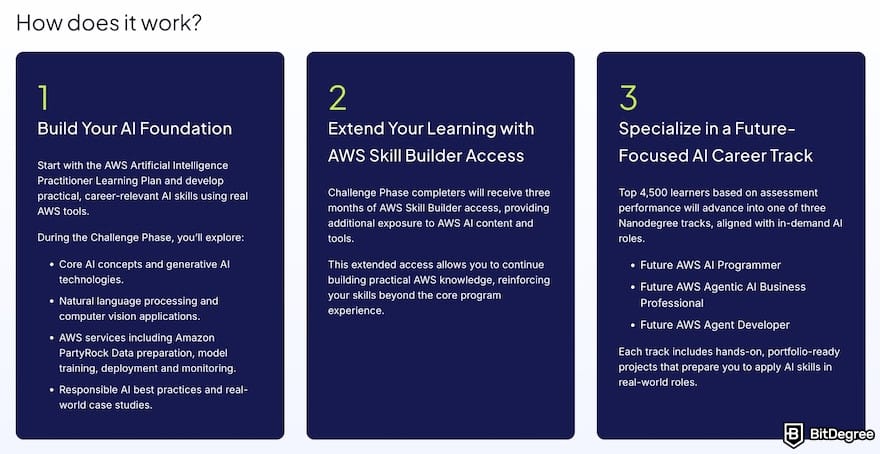
Scholarships are program-specific and rotate. For example, the "AWS AI & ML Scholars" scholarship is the one currently listed, open to applicants 18 or older, covering tracks like Future AWS AI Programmer and Future AWS Agent Engineer. So, availability varies over time.
Pricing Plans
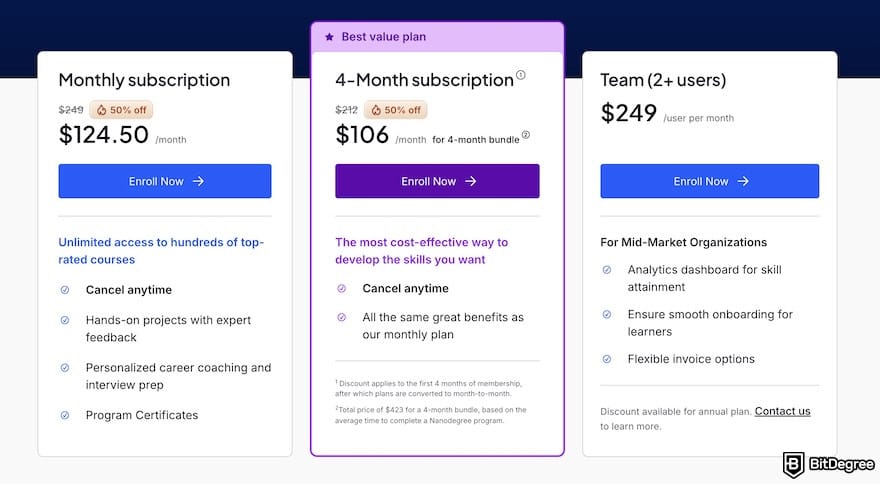
Udacity prices in tiers: Single Nanodegree, Monthly, 4-Month Bundle, Team, Enterprise, and now a standalone Master's Degree tier.
Price | Notes | |
|---|---|---|
Single Nanodegree | One-time fee (per program) | One-time purchase, one specific program only, access for up to 1 year |
Monthly Subscription | $249/month | Full catalog access, cancel anytime |
4-Month Subscription | ~$212/month (~$846 total) | Best value for individuals; converts to month-to-month after |
Team (2+ users) | $249/user/month | For mid-market organizations; annual discount available |
Enterprise | Custom pricing | Contact sales |
Master's Degree (AI) | Enrollment fee of $199 + active subscription of $249/month (estimated total of $3,500 to $4,681 USD if you complete the program in 18 months) | 18–24 months, ~2,250 study hours, includes capstone, accredited by Woolf |
Table: Udacity's pricing plans
Udacity often runs limited-time promotions (e.g., the Labor Day promotion I saw gives 50% off sitewide sales), applying to both regular subscriptions and the Master's Degree pricing. These discounts come and go, so actual pricing at any given moment can run lower than the standing rate above; it's worth checking the live pricing page before quoting an exact figure.
Beyond the subscription model, Udacity offers a one-time purchase option for a Nanodegree, giving access to just that program for up to a year with no recurring fee. It comes with the same mentor support, personalized project reviews, projects, and verified certification as the subscription path.
Still, you don’t get career services (resume, LinkedIn, GitHub, and cover letter reviews are subscription-only), access to the rest of the catalog, and continued mentor/lab access after graduation.
Customer Support
Udacity's Help Center covers a wide range of topics, including starter guides, career services, and subscriptions. It's well put together, with screenshots, step-by-step instructions, and straightforward FAQs that don't feel like they're dodging the actual question.
Besides the help center, the platform offers three support channels for general questions (account issues, enrollment, payments, or how anything on the platform works):
1
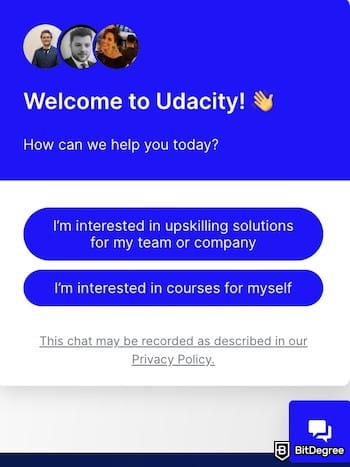
Chat live via the Chat Now icon in the lower right corner of the page;
2
Submit a support request (signing in first gets you a faster response, and a student account is required to submit a ticket at all);
3
The in-classroom Knowledge Q&A portal for something you're stuck on in a lesson or project.
However, there’s one inconsistency I found: the live chat widget isn't always there. I've had it appear, disappear on a later visit, then come back again, with no clear pattern as to when it's available. If you're relying on chat specifically, it's worth having the support ticket option as a backup.
User Experience
Udacity's homepage is a generic, education-platform layout with the basics: an explanation of what Udacity is, a partner list, and general information. But the layout is comfortable to navigate, with a color palette that is easy on the eyes and functions that sit where you'd expect them to.
Sign-up is straightforward, too, with an email address or a one-click Google/Facebook sign-up. It then immediately drops you into a personal dashboard showing your current and completed programs, plus quick access to pricing plans and course discovery.
Browsing the catalog is one of the platform's stronger points because you can search directly, browse by subject (AI, cybersecurity, data science, etc), or filter by price, difficulty, duration, and format (Course vs. Nanodegree).
A "Favorite" feature lets you bookmark programs to compare later, which is a small but useful touch when you're weighing several options.
Course pages have improved over the platform's history. Modern pages lean on cleaner visuals and a brief description, but some course pages now feel too brief, offering less detail upfront than you might want before committing. Lesson layouts are simple, sometimes to a fault: plain title cards, with some lessons missing subtitles entirely.
Once inside a standalone course, the classroom shows a video player alongside Udacity's AI chatbot assistant (Marvin), which is a useful feature for summarizing concepts, asking follow-up questions, or getting help with practical exercises.
How to Use Udacity
After reading this full Udacity review, are you interested in enrolling in one of the programs? If yes, I'll show you the necessary guides to create the account and subscribe to its paid plan.
How to Create a Udacity Account
Creating an Udacity account takes only a few steps. Here’s the step-by-step tutorial for you:
![Udacity review: the [Join for Free] button on Udacity's homepage.](https://assets.bitdegree.org/images/udacity-review-join-for-free.jpg "Udacity review: the [Join for Free] button on Udacity's homepage.")
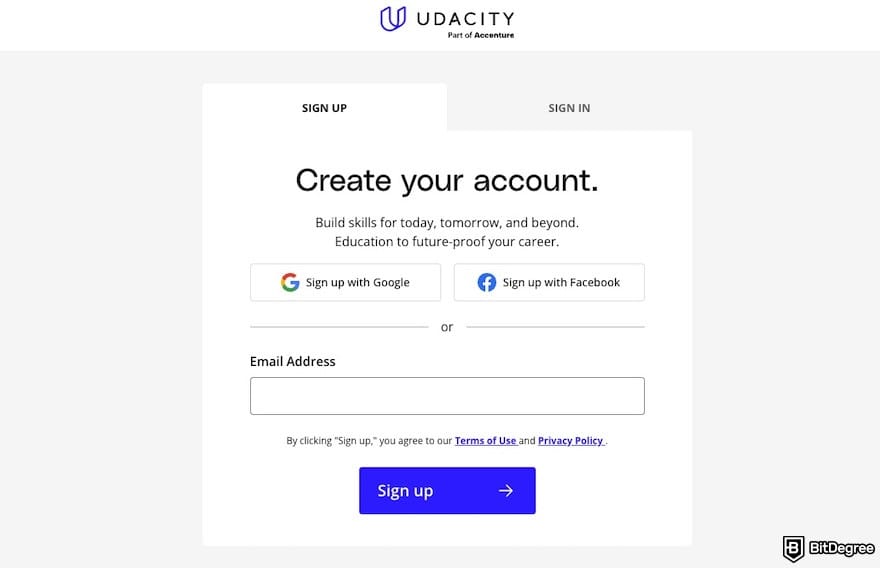
That’s it; your personal dashboard will appear, showing your personal info, subscription status, and other settings. If you enroll from a free course page, you should be able to see the course interface immediately.
How to Enroll in a Course on Udacity
To explore the course or Nanodegree program fully, you should subscribe to Udacity’s paid plan. See how you can do it yourself:
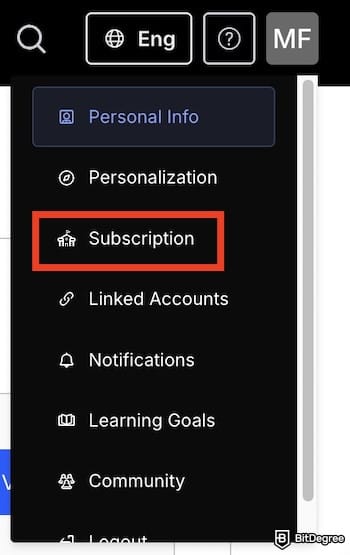
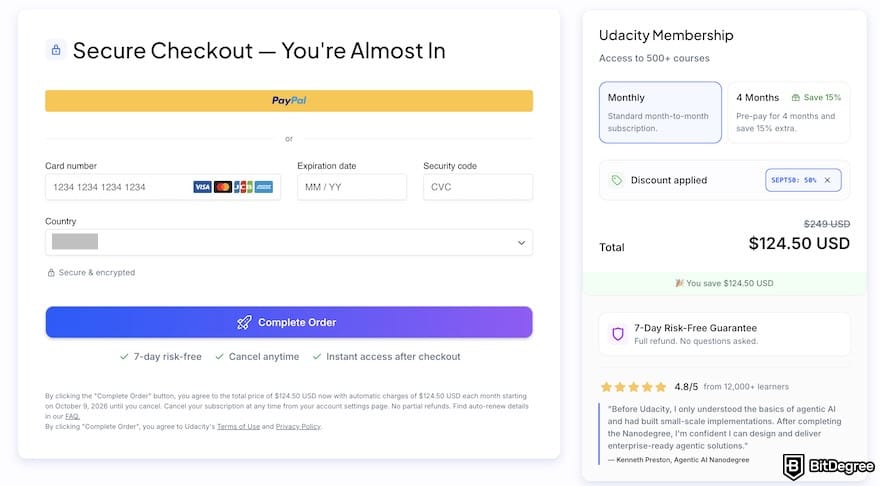
You should have instant access after checkout, and there’s a seven-day guarantee with a full refund if you cancel and unenroll within your first 7 days of access (this window extends to 14 days for residents of the EU). After that window closes, refunds are not available.
Comparison to Other Popular Learning Platforms
I'm fully aware that Udacity isn't for everyone, especially learners who want to have a budget-friendly option or a flexible learning plan. If, after finishing reading this Udacity review, you think Udacity doesn't match your preferences, check these alternatives below.
Udacity VS DataCamp
Udacity and DataCamp take different approaches to teaching the same broad subject area. The first builds around long-form, project-driven Nanodegree programs with human mentorship, but the latter is built around fast, interactive, browser-based coding exercises designed to get you writing code within minutes, with minimal hand-holding.
| |  | |
|---|---|---|
| Slides, Video Material, and Written Material | Video Material, Written Material | |
| Visit site Read review | Visit site We may be compensated if you click on the links in this post and make a purchase. Read review |
Table: Comparison of Udacity and DataCamp's learning process
Price is where the gap is clearest. DataCamp's Premium plan runs roughly $168-$330/year (often discounted to around $13.75-$25/month during frequent promotions), while Udacity's subscription runs $249/month.
A full year of DataCamp costs roughly what one to two months of Udacity costs.
DataCamp is clearly the more budget-friendly entry point, especially if you're not yet certain which career track you want. That said, DataCamp's catalog is also entirely data-focused (data science, analytics, engineering, ML, SQL, Python, R, and tools like Tableau and Power BI), while Udacity's catalog spans wider, including cybersecurity, cloud, product management, and more.
📚 Read More: Udacity VS DataCamp
Udacity VS Udemy
Udemy is worth comparing to Udacity with one important note: it's no longer a fully independent competitor. Coursera announced its acquisition of Udemy in December 2025 in an all-stock deal valued at $2.5 billion, and the transaction closed on May 11, 2026. Both brands continue operating separately for now, but it may change in the future.
| | | |
|---|---|---|
|
| |
|
| |
| | | |
| | | |
| Visit site We may be compensated if you click on the links in this post and make a purchase. Read review | Visit site Read review |
Table: Pros and cons of Udacity VS Udemy
Structurally, the two platforms couldn't be more different. Udemy is an open marketplace where anyone can publish a course, which means pricing is per-course ( often $10-$20 during sales ), and quality varies depending on the instructor since there's no centralized curriculum design or mentor review.
Udacity does the opposite by offering structured modules and even Nanodegree programs that feel like bootcamps, with human reviewers. Of course, this setup comes with a higher price than Udemy, at a $249/month subscription.
Moreover, unlike Udemy with a broad coverage of topics (e.g., photography, beauty, and music), Udacity focuses more on data, AI, and digital marketing. If you prefer to have a platform that covers everything under one umbrella, Udemy can be a better choice.
📚 Read More: Udacity VS Udemy
Udacity VS Pluralsight
Pluralsight and Udacity both target tech skills, but Pluralsight is narrower and more enterprise-leaning by design. Founded in 2004, Pluralsight also focuses on technology (software development, cloud, cybersecurity, data, and IT operations), but without Udacity's non-tech Schools (Business, Executive Leadership) or its Nanodegree-style capstone projects.
| | | |
|---|---|---|
| Visit site We may be compensated if you click on the links in this post and make a purchase. Read review | See TOP10 Brands Read review |
Table: Subjects provided on Udacity VS Pluralsight
Pricing sits in a similar range to Udacity for individuals, but the structure is different. Pluralsight's Standard plan runs about $29/month ($299/year annual), with Premium around $45/month ($499/year) adding certification exams, coding challenges, and the deeper 7,000-course library. So, it’s cheaper than Udacity's $249/month subscription.
Content consists of shorter video courses backed by skill assessments (Skill IQ) and hands-on lab environments.
However, individual plans aren't really Pluralsight's focus; the platform is priced and built for engineering leaders and L&D teams, with enterprise tiers running $579+/user/month for advanced analytics, SSO, and dedicated support.
In my opinion, choose Pluralsight if you're already in tech and want to validate or sharpen specific skills quickly; pick Udacity if you're changing careers and want a mentored path with a real credential at the end.
Conclusions: Is Udacity Right for You?
Same as many other user Udacity reviews, I'd like to highlight this platform's Nanodegree program as its most unique factor if this is right for you. Real, portfolio-worthy projects and human feedback are hard to find in that exact combination elsewhere at this depth. Moreover, it now has accredited Master’s degrees if you need a formal proof of education.
These make Udacity a strong fit if you're pursuing a structured career change into tech, want real feedback on real projects or are looking for an accredited credential without traditional grad-school costs.
That said, regardless of which path you're leaning toward, check a program's last-updated date before enrolling. Udacity's newer, partner-built content (AI, cloud, cybersecurity) holds up well, but older or less-trafficked courses can show their age.
Take the first step toward your next role by joining Udacity today.
Scientific References
1. S. Bubeck, V. Chandrasekaran, R. Eldan, et al.: 'Sparks of Artificial General Intelligence: Early experiments with GPT-4';
2. R. Kitchin: 'The Data Revolution: A Critical Analysis of Big Data, Open Data and Data Infrastructures'.
About Article's Experts & Analysts


- + High-quality courses
- + Nanodegree programs
- + Student Career services
- + Scholarships
- + More than 200 free courses
- - Quite expensive pricing
- - Inconsistent support
One of the best online learning platforms with extensive Nanodegree programs.
We may be compensated if you click on the links in this post and make a purchase.
Disclosure: To keep our site running & free of charge, we may sometimes receive a small commission if a reader decides to purchase services via some links on site, at no extra cost.